[转载]jquery的Theme和Theme Switcher使用总结 - caonidayecnblogs - 博客园.
首先上一幅截图,效果不错吧:

一、引入jquery主题theme
在head中引用jquery主题的CSS链接http://ajax.googleapis.com/ajax/libs/jqueryui/1.7/themes/base/jquery-ui.css还 有许多其他不同的主题:base, black-tie, blitzer, cupertino, dark-hive, dot-luv, eggplant, excite-bike, flick, hot-sneaks, humanity, le-frog, mint-choc, overcast, pepper-grinder, redmond, smoothness, south-street, start, sunny, swanky-purse, trontastic, ui-darkness, ui-lightness, vader。只要将上面链接中的base替换成主题名即可切换不同的主题。
二、使用jquery主题theme
给想要装饰的部分加上class,如:<a class="ui-state-default ui-corner-all" href="#">Nothing's gonna change my love for you</a> 表示默认的ui, corner-all表示圆滑四个角。

三、增加hover的效果

这里需要使用jquery的脚本。首先在head中引入jquery库
<script type="text/javascript" src="http://ajax.googleapis.com/ajax/libs/jquery/1.3/jquery.min.js"></script>
1.3表示1.3里面的最新版本,现在是1.3.2。
然后手写脚本;
1 |
$(function(){$('.ui-state-default').hover(function(){$(this).addClass('ui-state-hover');},function(){$(this).removeClass('ui-state-hover');});}); |
这样就实现了鼠标移到上方是改变样式的效果了。
四、使用Theme Switcher在前台更换主题
先引入库
,然后可以在页面任何地方加入层<div id="switcher">主题切换功能载入中...</div>,我习惯将这个switch的wikget做成apDiv层,方便挪动合适的位置。最后手写script激活这个层:
$('#switcher').themeswitcher();
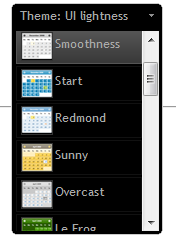
五、使网页记住自己的主题
每次更换主题,jquery都会写入cookie的,要使网页记住自己的主题,只需要提取这个cookie出来,并且刷新页面的css即可。
把脚本写出来
=====================我只是一条分割线=====================
最后页面代码大概是这样子的:
01 |
<?xml version="1.0" encoding="UTF-8" ?> |
02 |
<%@ page language="java" contentType="text/html; charset=UTF-8" |
03 |
pageEncoding="UTF-8"%> |
07 |
<meta http-equiv="Content-Type" content="text/html; charset=utf-8" /> |
08 |
<style type="text/css"> |
16 |
<script type="text/javascript">google.load("jquery","1.3.2");google.load("jqueryui","1.7.2");function OnLoad(){$('#switcher').html("");var theme=$.cookie('jquery-ui-theme');$(function(){if(theme==null) updateCSS("http://ajax.googleapis.com/ajax/libs/jqueryui/1.7.2/themes/base/jquery-ui.css");else updateCSS("http://ajax.googleapis.com/ajax/libs/jqueryui/1.7.2/themes/"+theme+"/jquery-ui.css");});$(function(){$('.ui-state-default').hover(function(){$(this).addClass('ui-state-hover');},function(){$(this).removeClass('ui-state-hover');});});$("#pic2").hide();$('#switcher').themeswitcher();}google.setOnLoadCallback(OnLoad);function updateCSS(locStr){var cssLink=$('<link href="'+locStr+'"type="text/css" rel="Stylesheet" class="ui-theme"/>');$("head").append(cssLink);if($("link.ui-theme").size()>3){$("link.ui-theme:first").remove();}} |
23 |
<div id="switcher">主题切换功能载入中...</div> |
