Mikel
Mikel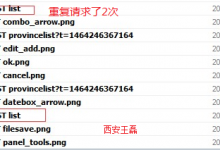
EasyUI中那些不容易被发现的坑——EasyUI重复请求2次的问题 - 西安王磊 - 博客园
来源: EasyUI中那些不容易被发现的坑——EasyUI重复请求2次的问题 – 西安王磊 – 博客园 问题控件:datagrid、combobox、所有能设置url属性的控件 问题版本:1.4.4、1.4.5(之前...

来源: EasyUI中那些不容易被发现的坑——EasyUI重复请求2次的问题 – 西安王磊 – 博客园 问题控件:datagrid、combobox、所有能设置url属性的控件 问题版本:1.4.4、1.4.5(之前...
来源: easyui datagrid 重复加载解决办法 – zhaobao110的专栏 – CSDN博客 用了一段时间easyui 发现每次加载的时候,后台的调用方法加载了2次,经过查资料及摸索后,有2种解决办法 ...

关于JQuery easyui datagrid执行多次的问题 今天终于解决了一个困扰了我很久的问题,大概情况如下代码所示: var gridHelper = { isInit : false,//是否已经初始化datagrid标志 isR...
来源: 后台管理UI – HackerVirus – 博客园 目录 一、EasyUI 二、DWZ JUI 三、HUI 四、BUI 五、Ace Admin 六、Metronic 七、H+ UI 八、Admin LTE ...
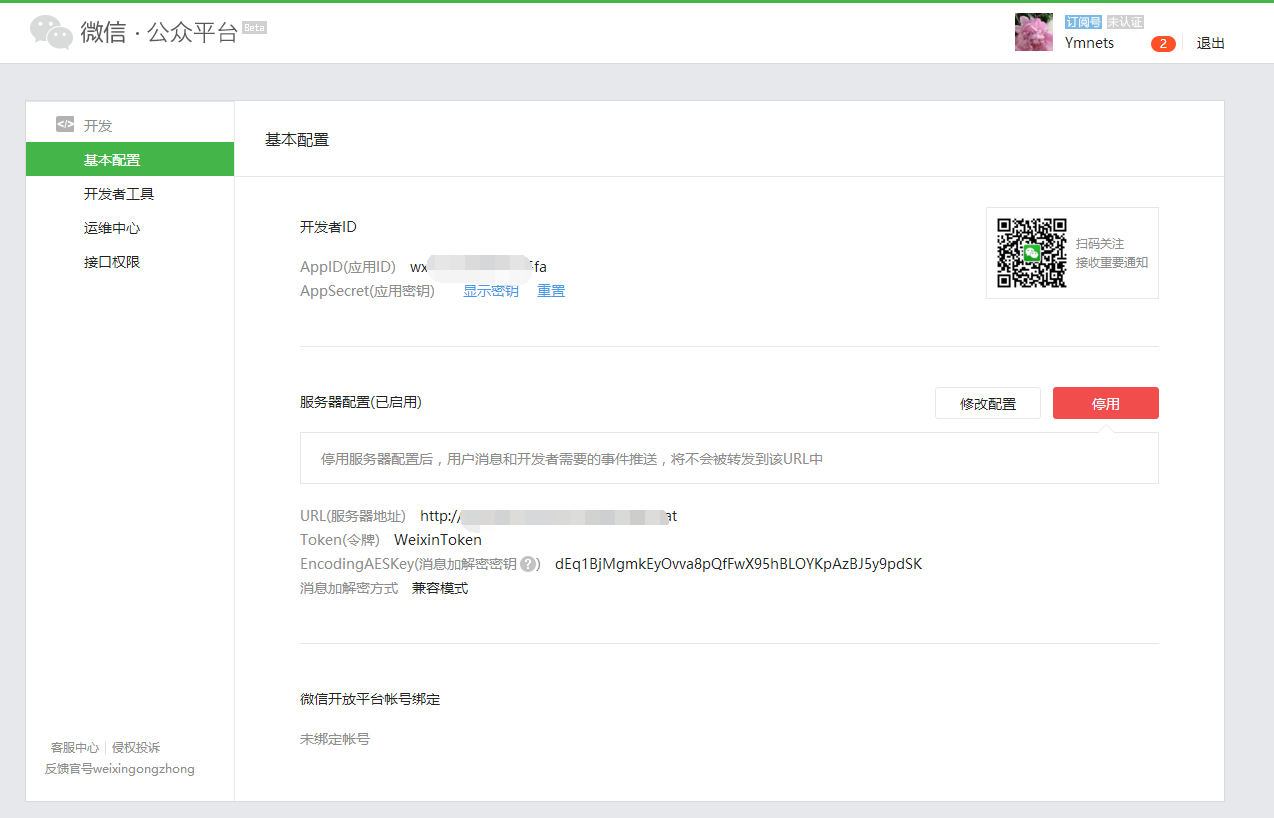
来源: 构建ASP.NET MVC5+EF6+EasyUI 1.4.5 +Unity4.x注入的后台管理系统(70)-微信公众平台开发-成为开发者 – ymnets – 博客园 前言: 一、阅读这段系列之前,你必须花...
![[转载]使用 JQuery EasyUI - 重庆大漠孤烟 - 博客园-Mikel](https://www.mikel.cn/wp-content/uploads/2016/02/560742-20160224092114755-1703263360.png)
来源: [转载]使用 JQuery EasyUI – 重庆大漠孤烟 – 博客园 学习要点: 1.引入必要的文件 2.加载 UI 组件的方式 3.使用 easyload.js 智能加载 4.Parser 解析器 本文重...

最近整理Easyui控件的时候,对Easyui的DateBox控件和DateTimeBox控件进行了梳理,而我之 所以将EasyUI的DateBox控件和DateTimeBox控件放在一起,归为一类,是因为这两个控件没有什么...
![[转载]构建ASP.NET MVC4+EF5+EasyUI+Unity2.x注入的后台管理系统(48)-工作流设计-起草新申请 - ymnets - 博客园-Mikel](https://www.mikel.cn/wp-content/uploads/2015/06/032033578651025.png)
来源: [转载]构建ASP.NET MVC4+EF5+EasyUI+Unity2.x注入的后台管理系统(48)-工作流设计-起草新申请 – ymnets – 博客园 系列目录 创建新表单之后,我们就可以起草申请了,申...

来源: 构建ASP.NET MVC4+EF5+EasyUI+Unity2.x注入的后台管理系统(45)-工作流设计-设计步骤 – ymnets – 博客园 系列目录 步骤设计很重要,特别是规则的选择。 我这里分为几个...

来源: 构建ASP.NET MVC4+EF5+EasyUI+Unity2.x注入的后台管理系统(44)-工作流设计-设计表单 – ymnets – 博客园 系列目录 设计表单是比较复杂的一步,完成一个表单的设计其实很...