using System;
using System.Data;
using System.Xml;
using System.Data.SqlClient;
using System.Collections;
namespace Microsoft.ApplicationBlocks.Data
{
/// <summary>
/// The SqlHelper class is intended to encapsulate high performance, scalable best practices for
/// common uses of SqlClient
/// </summary>
public sealed class SqlHelper
{
#region private utility methods & constructors
// Since this class provides only static methods, make the default constructor private to prevent
// instances from being created with "new SqlHelper()"
private SqlHelper() { }
/// <summary>
/// This method is used to attach array of SqlParameters to a SqlCommand.
///
/// This method will assign a value of DbNull to any parameter with a direction of
/// InputOutput and a value of null.
///
/// This behavior will prevent default values from being used, but
/// this will be the less common case than an intended pure output parameter (derived as InputOutput)
/// where the user provided no input value.
/// </summary>
/// <param name="command">The command to which the parameters will be added</param>
/// <param name="commandParameters">An array of SqlParameters to be added to command</param>
private static void AttachParameters(SqlCommand command, SqlParameter[] commandParameters)
{
if (command == null) throw new ArgumentNullException("command");
if (commandParameters != null)
{
foreach (SqlParameter p in commandParameters)
{
if (p != null)
{
// Check for derived output value with no value assigned
if ((p.Direction == ParameterDirection.InputOutput ||
p.Direction == ParameterDirection.Input) &&
(p.Value == null))
{
p.Value = DBNull.Value;
}
command.Parameters.Add(p);
}
}
}
}
/// <summary>
/// This method assigns dataRow column values to an array of SqlParameters
/// </summary>
/// <param name="commandParameters">Array of SqlParameters to be assigned values</param>
/// <param name="dataRow">The dataRow used to hold the stored procedure's parameter values</param>
private static void AssignParameterValues(SqlParameter[] commandParameters, DataRow dataRow)
{
if ((commandParameters == null) || (dataRow == null))
{
// Do nothing if we get no data
return;
}
int i = 0;
// Set the parameters values
foreach (SqlParameter commandParameter in commandParameters)
{
// Check the parameter name
if (commandParameter.ParameterName == null ||
commandParameter.ParameterName.Length <= 1)
throw new Exception(
string.Format(
"Please provide a valid parameter name on the parameter #{0}, the ParameterName property has the following value: '{1}'.",
i, commandParameter.ParameterName));
if (dataRow.Table.Columns.IndexOf(commandParameter.ParameterName.Substring(1)) != -1)
commandParameter.Value = dataRow[commandParameter.ParameterName.Substring(1)];
i++;
}
}
/// <summary>
/// This method assigns an array of values to an array of SqlParameters
/// </summary>
/// <param name="commandParameters">Array of SqlParameters to be assigned values</param>
/// <param name="parameterValues">Array of objects holding the values to be assigned</param>
private static void AssignParameterValues(SqlParameter[] commandParameters, object[] parameterValues)
{
if ((commandParameters == null) || (parameterValues == null))
{
// Do nothing if we get no data
return;
}
// We must have the same number of values as we pave parameters to put them in
if (commandParameters.Length != parameterValues.Length)
{
throw new ArgumentException("Parameter count does not match Parameter Value count.");
}
// Iterate through the SqlParameters, assigning the values from the corresponding position in the
// value array
for (int i = 0, j = commandParameters.Length; i < j; i++)
{
// If the current array value derives from IDbDataParameter, then assign its Value property
if (parameterValues[i] is IDbDataParameter)
{
IDbDataParameter paramInstance = (IDbDataParameter)parameterValues[i];
if (paramInstance.Value == null)
{
commandParameters[i].Value = DBNull.Value;
}
else
{
commandParameters[i].Value = paramInstance.Value;
}
}
else if (parameterValues[i] == null)
{
commandParameters[i].Value = DBNull.Value;
}
else
{
commandParameters[i].Value = parameterValues[i];
}
}
}
/// <summary>
/// This method opens (if necessary) and assigns a connection, transaction, command type and parameters
/// to the provided command
/// </summary>
/// <param name="command">The SqlCommand to be prepared</param>
/// <param name="connection">A valid SqlConnection, on which to execute this command</param>
/// <param name="transaction">A valid SqlTransaction, or 'null'</param>
/// <param name="commandType">The CommandType (stored procedure, text, etc.)</param>
/// <param name="commandText">The stored procedure name or T-SQL command</param>
/// <param name="commandParameters">An array of SqlParameters to be associated with the command or 'null' if no parameters are required</param>
/// <param name="mustCloseConnection"><c>true</c> if the connection was opened by the method, otherwose is false.</param>
private static void PrepareCommand(SqlCommand command, SqlConnection connection, SqlTransaction transaction, CommandType commandType, string commandText, SqlParameter[] commandParameters, out bool mustCloseConnection)
{
if (command == null) throw new ArgumentNullException("command");
if (commandText == null || commandText.Length == 0) throw new ArgumentNullException("commandText");
// If the provided connection is not open, we will open it
if (connection.State != ConnectionState.Open)
{
mustCloseConnection = true;
connection.Open();
}
else
{
mustCloseConnection = false;
}
// Associate the connection with the command
command.Connection = connection;
// Set the command text (stored procedure name or SQL statement)
command.CommandText = commandText;
// If we were provided a transaction, assign it
if (transaction != null)
{
if (transaction.Connection == null) throw new ArgumentException("The transaction was rollbacked or commited, please provide an open transaction.", "transaction");
command.Transaction = transaction;
}
// Set the command type
command.CommandType = commandType;
// Attach the command parameters if they are provided
if (commandParameters != null)
{
AttachParameters(command, commandParameters);
}
return;
}
#endregion private utility methods & constructors
#region ExecuteNonQuery
/// <summary>
/// Execute a SqlCommand (that returns no resultset and takes no parameters) against the database specified in
/// the connection string
/// </summary>
/// <remarks>
/// e.g.:
/// int result = ExecuteNonQuery(connString, CommandType.StoredProcedure, "PublishOrders");
/// </remarks>
/// <param name="connectionString">A valid connection string for a SqlConnection</param>
/// <param name="commandType">The CommandType (stored procedure, text, etc.)</param>
/// <param name="commandText">The stored procedure name or T-SQL command</param>
/// <returns>An int representing the number of rows affected by the command</returns>
public static int ExecuteNonQuery(string connectionString, CommandType commandType, string commandText)
{
// Pass through the call providing null for the set of SqlParameters
return ExecuteNonQuery(connectionString, commandType, commandText, (SqlParameter[])null);
}
/// <summary>
/// Execute a SqlCommand (that returns no resultset) against the database specified in the connection string
/// using the provided parameters
/// </summary>
/// <remarks>
/// e.g.:
/// int result = ExecuteNonQuery(connString, CommandType.StoredProcedure, "PublishOrders", new SqlParameter("@prodid", 24));
/// </remarks>
/// <param name="connectionString">A valid connection string for a SqlConnection</param>
/// <param name="commandType">The CommandType (stored procedure, text, etc.)</param>
/// <param name="commandText">The stored procedure name or T-SQL command</param>
/// <param name="commandParameters">An array of SqlParamters used to execute the command</param>
/// <returns>An int representing the number of rows affected by the command</returns>
public static int ExecuteNonQuery(string connectionString, CommandType commandType, string commandText, params SqlParameter[] commandParameters)
{
if (connectionString == null || connectionString.Length == 0) throw new ArgumentNullException("connectionString");
// Create & open a SqlConnection, and dispose of it after we are done
using (SqlConnection connection = new SqlConnection(connectionString))
{
connection.Open();
// Call the overload that takes a connection in place of the connection string
return ExecuteNonQuery(connection, commandType, commandText, commandParameters);
}
}
/// <summary>
/// Execute a stored procedure via a SqlCommand (that returns no resultset) against the database specified in
/// the connection string using the provided parameter values. This method will query the database to discover the parameters for the
/// stored procedure (the first time each stored procedure is called), and assign the values based on parameter order.
/// </summary>
/// <remarks>
/// This method provides no access to output parameters or the stored procedure's return value parameter.
///
/// e.g.:
/// int result = ExecuteNonQuery(connString, "PublishOrders", 24, 36);
/// </remarks>
/// <param name="connectionString">A valid connection string for a SqlConnection</param>
/// <param name="spName">The name of the stored prcedure</param>
/// <param name="parameterValues">An array of objects to be assigned as the input values of the stored procedure</param>
/// <returns>An int representing the number of rows affected by the command</returns>
public static int ExecuteNonQuery(string connectionString, string spName, params object[] parameterValues)
{
if (connectionString == null || connectionString.Length == 0) throw new ArgumentNullException("connectionString");
if (spName == null || spName.Length == 0) throw new ArgumentNullException("spName");
// If we receive parameter values, we need to figure out where they go
if ((parameterValues != null) && (parameterValues.Length > 0))
{
// Pull the parameters for this stored procedure from the parameter cache (or discover them & populate the cache)
SqlParameter[] commandParameters = SqlHelperParameterCache.GetSpParameterSet(connectionString, spName);
// Assign the provided values to these parameters based on parameter order
AssignParameterValues(commandParameters, parameterValues);
// Call the overload that takes an array of SqlParameters
return ExecuteNonQuery(connectionString, CommandType.StoredProcedure, spName, commandParameters);
}
else
{
// Otherwise we can just call the SP without params
return ExecuteNonQuery(connectionString, CommandType.StoredProcedure, spName);
}
}
/// <summary>
/// Execute a SqlCommand (that returns no resultset and takes no parameters) against the provided SqlConnection.
/// </summary>
/// <remarks>
/// e.g.:
/// int result = ExecuteNonQuery(conn, CommandType.StoredProcedure, "PublishOrders");
/// </remarks>
/// <param name="connection">A valid SqlConnection</param>
/// <param name="commandType">The CommandType (stored procedure, text, etc.)</param>
/// <param name="commandText">The stored procedure name or T-SQL command</param>
/// <returns>An int representing the number of rows affected by the command</returns>
public static int ExecuteNonQuery(SqlConnection connection, CommandType commandType, string commandText)
{
// Pass through the call providing null for the set of SqlParameters
return ExecuteNonQuery(connection, commandType, commandText, (SqlParameter[])null);
}
/// <summary>
/// Execute a SqlCommand (that returns no resultset) against the specified SqlConnection
/// using the provided parameters.
/// </summary>
/// <remarks>
/// e.g.:
/// int result = ExecuteNonQuery(conn, CommandType.StoredProcedure, "PublishOrders", new SqlParameter("@prodid", 24));
/// </remarks>
/// <param name="connection">A valid SqlConnection</param>
/// <param name="commandType">The CommandType (stored procedure, text, etc.)</param>
/// <param name="commandText">The stored procedure name or T-SQL command</param>
/// <param name="commandParameters">An array of SqlParamters used to execute the command</param>
/// <returns>An int representing the number of rows affected by the command</returns>
public static int ExecuteNonQuery(SqlConnection connection, CommandType commandType, string commandText, params SqlParameter[] commandParameters)
{
if (connection == null) throw new ArgumentNullException("connection");
// Create a command and prepare it for execution
SqlCommand cmd = new SqlCommand();
bool mustCloseConnection = false;
PrepareCommand(cmd, connection, (SqlTransaction)null, commandType, commandText, commandParameters, out mustCloseConnection);
// Finally, execute the command
int retval = cmd.ExecuteNonQuery();
// Detach the SqlParameters from the command object, so they can be used again
cmd.Parameters.Clear();
if (mustCloseConnection)
connection.Close();
return retval;
}
/// <summary>
/// Execute a stored procedure via a SqlCommand (that returns no resultset) against the specified SqlConnection
/// using the provided parameter values. This method will query the database to discover the parameters for the
/// stored procedure (the first time each stored procedure is called), and assign the values based on parameter order.
/// </summary>
/// <remarks>
/// This method provides no access to output parameters or the stored procedure's return value parameter.
///
/// e.g.:
/// int result = ExecuteNonQuery(conn, "PublishOrders", 24, 36);
/// </remarks>
/// <param name="connection">A valid SqlConnection</param>
/// <param name="spName">The name of the stored procedure</param>
/// <param name="parameterValues">An array of objects to be assigned as the input values of the stored procedure</param>
/// <returns>An int representing the number of rows affected by the command</returns>
public static int ExecuteNonQuery(SqlConnection connection, string spName, params object[] parameterValues)
{
if (connection == null) throw new ArgumentNullException("connection");
if (spName == null || spName.Length == 0) throw new ArgumentNullException("spName");
// If we receive parameter values, we need to figure out where they go
if ((parameterValues != null) && (parameterValues.Length > 0))
{
// Pull the parameters for this stored procedure from the parameter cache (or discover them & populate the cache)
SqlParameter[] commandParameters = SqlHelperParameterCache.GetSpParameterSet(connection, spName);
// Assign the provided values to these parameters based on parameter order
AssignParameterValues(commandParameters, parameterValues);
// Call the overload that takes an array of SqlParameters
return ExecuteNonQuery(connection, CommandType.StoredProcedure, spName, commandParameters);
}
else
{
// Otherwise we can just call the SP without params
return ExecuteNonQuery(connection, CommandType.StoredProcedure, spName);
}
}
/// <summary>
/// Execute a SqlCommand (that returns no resultset and takes no parameters) against the provided SqlTransaction.
/// </summary>
/// <remarks>
/// e.g.:
/// int result = ExecuteNonQuery(trans, CommandType.StoredProcedure, "PublishOrders");
/// </remarks>
/// <param name="transaction">A valid SqlTransaction</param>
/// <param name="commandType">The CommandType (stored procedure, text, etc.)</param>
/// <param name="commandText">The stored procedure name or T-SQL command</param>
/// <returns>An int representing the number of rows affected by the command</returns>
public static int ExecuteNonQuery(SqlTransaction transaction, CommandType commandType, string commandText)
{
// Pass through the call providing null for the set of SqlParameters
return ExecuteNonQuery(transaction, commandType, commandText, (SqlParameter[])null);
}
/// <summary>
/// Execute a SqlCommand (that returns no resultset) against the specified SqlTransaction
/// using the provided parameters.
/// </summary>
/// <remarks>
/// e.g.:
/// int result = ExecuteNonQuery(trans, CommandType.StoredProcedure, "GetOrders", new SqlParameter("@prodid", 24));
/// </remarks>
/// <param name="transaction">A valid SqlTransaction</param>
/// <param name="commandType">The CommandType (stored procedure, text, etc.)</param>
/// <param name="commandText">The stored procedure name or T-SQL command</param>
/// <param name="commandParameters">An array of SqlParamters used to execute the command</param>
/// <returns>An int representing the number of rows affected by the command</returns>
public static int ExecuteNonQuery(SqlTransaction transaction, CommandType commandType, string commandText, params SqlParameter[] commandParameters)
{
if (transaction == null) throw new ArgumentNullException("transaction");
if (transaction != null && transaction.Connection == null) throw new ArgumentException("The transaction was rollbacked or commited, please provide an open transaction.", "transaction");
// Create a command and prepare it for execution
SqlCommand cmd = new SqlCommand();
bool mustCloseConnection = false;
PrepareCommand(cmd, transaction.Connection, transaction, commandType, commandText, commandParameters, out mustCloseConnection);
// Finally, execute the command
int retval = cmd.ExecuteNonQuery();
// Detach the SqlParameters from the command object, so they can be used again
cmd.Parameters.Clear();
return retval;
}
/// <summary>
/// Execute a stored procedure via a SqlCommand (that returns no resultset) against the specified
/// SqlTransaction using the provided parameter values. This method will query the database to discover the parameters for the
/// stored procedure (the first time each stored procedure is called), and assign the values based on parameter order.
/// </summary>
/// <remarks>
/// This method provides no access to output parameters or the stored procedure's return value parameter.
///
/// e.g.:
/// int result = ExecuteNonQuery(conn, trans, "PublishOrders", 24, 36);
/// </remarks>
/// <param name="transaction">A valid SqlTransaction</param>
/// <param name="spName">The name of the stored procedure</param>
/// <param name="parameterValues">An array of objects to be assigned as the input values of the stored procedure</param>
/// <returns>An int representing the number of rows affected by the command</returns>
public static int ExecuteNonQuery(SqlTransaction transaction, string spName, params object[] parameterValues)
{
if (transaction == null) throw new ArgumentNullException("transaction");
if (transaction != null && transaction.Connection == null) throw new ArgumentException("The transaction was rollbacked or commited, please provide an open transaction.", "transaction");
if (spName == null || spName.Length == 0) throw new ArgumentNullException("spName");
// If we receive parameter values, we need to figure out where they go
if ((parameterValues != null) && (parameterValues.Length > 0))
{
// Pull the parameters for this stored procedure from the parameter cache (or discover them & populate the cache)
SqlParameter[] commandParameters = SqlHelperParameterCache.GetSpParameterSet(transaction.Connection, spName);
// Assign the provided values to these parameters based on parameter order
AssignParameterValues(commandParameters, parameterValues);
// Call the overload that takes an array of SqlParameters
return ExecuteNonQuery(transaction, CommandType.StoredProcedure, spName, commandParameters);
}
else
{
// Otherwise we can just call the SP without params
return ExecuteNonQuery(transaction, CommandType.StoredProcedure, spName);
}
}
#endregion ExecuteNonQuery
#region ExecuteDataset
/// <summary>
/// Execute a SqlCommand (that returns a resultset and takes no parameters) against the database specified in
/// the connection string.
/// </summary>
/// <remarks>
/// e.g.:
/// DataSet ds = ExecuteDataset(connString, CommandType.StoredProcedure, "GetOrders");
/// </remarks>
/// <param name="connectionString">A valid connection string for a SqlConnection</param>
/// <param name="commandType">The CommandType (stored procedure, text, etc.)</param>
/// <param name="commandText">The stored procedure name or T-SQL command</param>
/// <returns>A dataset containing the resultset generated by the command</returns>
public static DataSet ExecuteDataset(string connectionString, CommandType commandType, string commandText)
{
// Pass through the call providing null for the set of SqlParameters
return ExecuteDataset(connectionString, commandType, commandText, (SqlParameter[])null);
}
/// <summary>
/// Execute a SqlCommand (that returns a resultset) against the database specified in the connection string
/// using the provided parameters.
/// </summary>
/// <remarks>
/// e.g.:
/// DataSet ds = ExecuteDataset(connString, CommandType.StoredProcedure, "GetOrders", new SqlParameter("@prodid", 24));
/// </remarks>
/// <param name="connectionString">A valid connection string for a SqlConnection</param>
/// <param name="commandType">The CommandType (stored procedure, text, etc.)</param>
/// <param name="commandText">The stored procedure name or T-SQL command</param>
/// <param name="commandParameters">An array of SqlParamters used to execute the command</param>
/// <returns>A dataset containing the resultset generated by the command</returns>
public static DataSet ExecuteDataset(string connectionString, CommandType commandType, string commandText, params SqlParameter[] commandParameters)
{
if (connectionString == null || connectionString.Length == 0) throw new ArgumentNullException("connectionString");
// Create & open a SqlConnection, and dispose of it after we are done
using (SqlConnection connection = new SqlConnection(connectionString))
{
connection.Open();
// Call the overload that takes a connection in place of the connection string
return ExecuteDataset(connection, commandType, commandText, commandParameters);
}
}
/// <summary>
/// Execute a stored procedure via a SqlCommand (that returns a resultset) against the database specified in
/// the connection string using the provided parameter values. This method will query the database to discover the parameters for the
/// stored procedure (the first time each stored procedure is called), and assign the values based on parameter order.
/// </summary>
/// <remarks>
/// This method provides no access to output parameters or the stored procedure's return value parameter.
///
/// e.g.:
/// DataSet ds = ExecuteDataset(connString, "GetOrders", 24, 36);
/// </remarks>
/// <param name="connectionString">A valid connection string for a SqlConnection</param>
/// <param name="spName">The name of the stored procedure</param>
/// <param name="parameterValues">An array of objects to be assigned as the input values of the stored procedure</param>
/// <returns>A dataset containing the resultset generated by the command</returns>
public static DataSet ExecuteDataset(string connectionString, string spName, params object[] parameterValues)
{
if (connectionString == null || connectionString.Length == 0) throw new ArgumentNullException("connectionString");
if (spName == null || spName.Length == 0) throw new ArgumentNullException("spName");
// If we receive parameter values, we need to figure out where they go
if ((parameterValues != null) && (parameterValues.Length > 0))
{
// Pull the parameters for this stored procedure from the parameter cache (or discover them & populate the cache)
SqlParameter[] commandParameters = SqlHelperParameterCache.GetSpParameterSet(connectionString, spName);
// Assign the provided values to these parameters based on parameter order
AssignParameterValues(commandParameters, parameterValues);
// Call the overload that takes an array of SqlParameters
return ExecuteDataset(connectionString, CommandType.StoredProcedure, spName, commandParameters);
}
else
{
// Otherwise we can just call the SP without params
return ExecuteDataset(connectionString, CommandType.StoredProcedure, spName);
}
}
/// <summary>
/// Execute a SqlCommand (that returns a resultset and takes no parameters) against the provided SqlConnection.
/// </summary>
/// <remarks>
/// e.g.:
/// DataSet ds = ExecuteDataset(conn, CommandType.StoredProcedure, "GetOrders");
/// </remarks>
/// <param name="connection">A valid SqlConnection</param>
/// <param name="commandType">The CommandType (stored procedure, text, etc.)</param>
/// <param name="commandText">The stored procedure name or T-SQL command</param>
/// <returns>A dataset containing the resultset generated by the command</returns>
public static DataSet ExecuteDataset(SqlConnection connection, CommandType commandType, string commandText)
{
// Pass through the call providing null for the set of SqlParameters
return ExecuteDataset(connection, commandType, commandText, (SqlParameter[])null);
}
/// <summary>
/// Execute a SqlCommand (that returns a resultset) against the specified SqlConnection
/// using the provided parameters.
/// </summary>
/// <remarks>
/// e.g.:
/// DataSet ds = ExecuteDataset(conn, CommandType.StoredProcedure, "GetOrders", new SqlParameter("@prodid", 24));
/// </remarks>
/// <param name="connection">A valid SqlConnection</param>
/// <param name="commandType">The CommandType (stored procedure, text, etc.)</param>
/// <param name="commandText">The stored procedure name or T-SQL command</param>
/// <param name="commandParameters">An array of SqlParamters used to execute the command</param>
/// <returns>A dataset containing the resultset generated by the command</returns>
public static DataSet ExecuteDataset(SqlConnection connection, CommandType commandType, string commandText, params SqlParameter[] commandParameters)
{
if (connection == null) throw new ArgumentNullException("connection");
// Create a command and prepare it for execution
SqlCommand cmd = new SqlCommand();
bool mustCloseConnection = false;
PrepareCommand(cmd, connection, (SqlTransaction)null, commandType, commandText, commandParameters, out mustCloseConnection);
// Create the DataAdapter & DataSet
using (SqlDataAdapter da = new SqlDataAdapter(cmd))
{
DataSet ds = new DataSet();
// Fill the DataSet using default values for DataTable names, etc
da.Fill(ds);
// Detach the SqlParameters from the command object, so they can be used again
cmd.Parameters.Clear();
if (mustCloseConnection)
connection.Close();
// Return the dataset
return ds;
}
}
/// <summary>
/// Execute a stored procedure via a SqlCommand (that returns a resultset) against the specified SqlConnection
/// using the provided parameter values. This method will query the database to discover the parameters for the
/// stored procedure (the first time each stored procedure is called), and assign the values based on parameter order.
/// </summary>
/// <remarks>
/// This method provides no access to output parameters or the stored procedure's return value parameter.
///
/// e.g.:
/// DataSet ds = ExecuteDataset(conn, "GetOrders", 24, 36);
/// </remarks>
/// <param name="connection">A valid SqlConnection</param>
/// <param name="spName">The name of the stored procedure</param>
/// <param name="parameterValues">An array of objects to be assigned as the input values of the stored procedure</param>
/// <returns>A dataset containing the resultset generated by the command</returns>
public static DataSet ExecuteDataset(SqlConnection connection, string spName, params object[] parameterValues)
{
if (connection == null) throw new ArgumentNullException("connection");
if (spName == null || spName.Length == 0) throw new ArgumentNullException("spName");
// If we receive parameter values, we need to figure out where they go
if ((parameterValues != null) && (parameterValues.Length > 0))
{
// Pull the parameters for this stored procedure from the parameter cache (or discover them & populate the cache)
SqlParameter[] commandParameters = SqlHelperParameterCache.GetSpParameterSet(connection, spName);
// Assign the provided values to these parameters based on parameter order
AssignParameterValues(commandParameters, parameterValues);
// Call the overload that takes an array of SqlParameters
return ExecuteDataset(connection, CommandType.StoredProcedure, spName, commandParameters);
}
else
{
// Otherwise we can just call the SP without params
return ExecuteDataset(connection, CommandType.StoredProcedure, spName);
}
}
/// <summary>
/// Execute a SqlCommand (that returns a resultset and takes no parameters) against the provided SqlTransaction.
/// </summary>
/// <remarks>
/// e.g.:
/// DataSet ds = ExecuteDataset(trans, CommandType.StoredProcedure, "GetOrders");
/// </remarks>
/// <param name="transaction">A valid SqlTransaction</param>
/// <param name="commandType">The CommandType (stored procedure, text, etc.)</param>
/// <param name="commandText">The stored procedure name or T-SQL command</param>
/// <returns>A dataset containing the resultset generated by the command</returns>
public static DataSet ExecuteDataset(SqlTransaction transaction, CommandType commandType, string commandText)
{
// Pass through the call providing null for the set of SqlParameters
return ExecuteDataset(transaction, commandType, commandText, (SqlParameter[])null);
}
/// <summary>
/// Execute a SqlCommand (that returns a resultset) against the specified SqlTransaction
/// using the provided parameters.
/// </summary>
/// <remarks>
/// e.g.:
/// DataSet ds = ExecuteDataset(trans, CommandType.StoredProcedure, "GetOrders", new SqlParameter("@prodid", 24));
/// </remarks>
/// <param name="transaction">A valid SqlTransaction</param>
/// <param name="commandType">The CommandType (stored procedure, text, etc.)</param>
/// <param name="commandText">The stored procedure name or T-SQL command</param>
/// <param name="commandParameters">An array of SqlParamters used to execute the command</param>
/// <returns>A dataset containing the resultset generated by the command</returns>
public static DataSet ExecuteDataset(SqlTransaction transaction, CommandType commandType, string commandText, params SqlParameter[] commandParameters)
{
if (transaction == null) throw new ArgumentNullException("transaction");
if (transaction != null && transaction.Connection == null) throw new ArgumentException("The transaction was rollbacked or commited, please provide an open transaction.", "transaction");
// Create a command and prepare it for execution
SqlCommand cmd = new SqlCommand();
bool mustCloseConnection = false;
PrepareCommand(cmd, transaction.Connection, transaction, commandType, commandText, commandParameters, out mustCloseConnection);
// Create the DataAdapter & DataSet
using (SqlDataAdapter da = new SqlDataAdapter(cmd))
{
DataSet ds = new DataSet();
// Fill the DataSet using default values for DataTable names, etc
da.Fill(ds);
// Detach the SqlParameters from the command object, so they can be used again
cmd.Parameters.Clear();
// Return the dataset
return ds;
}
}
/// <summary>
/// Execute a stored procedure via a SqlCommand (that returns a resultset) against the specified
/// SqlTransaction using the provided parameter values. This method will query the database to discover the parameters for the
/// stored procedure (the first time each stored procedure is called), and assign the values based on parameter order.
/// </summary>
/// <remarks>
/// This method provides no access to output parameters or the stored procedure's return value parameter.
///
/// e.g.:
/// DataSet ds = ExecuteDataset(trans, "GetOrders", 24, 36);
/// </remarks>
/// <param name="transaction">A valid SqlTransaction</param>
/// <param name="spName">The name of the stored procedure</param>
/// <param name="parameterValues">An array of objects to be assigned as the input values of the stored procedure</param>
/// <returns>A dataset containing the resultset generated by the command</returns>
public static DataSet ExecuteDataset(SqlTransaction transaction, string spName, params object[] parameterValues)
{
if (transaction == null) throw new ArgumentNullException("transaction");
if (transaction != null && transaction.Connection == null) throw new ArgumentException("The transaction was rollbacked or commited, please provide an open transaction.", "transaction");
if (spName == null || spName.Length == 0) throw new ArgumentNullException("spName");
// If we receive parameter values, we need to figure out where they go
if ((parameterValues != null) && (parameterValues.Length > 0))
{
// Pull the parameters for this stored procedure from the parameter cache (or discover them & populate the cache)
SqlParameter[] commandParameters = SqlHelperParameterCache.GetSpParameterSet(transaction.Connection, spName);
// Assign the provided values to these parameters based on parameter order
AssignParameterValues(commandParameters, parameterValues);
// Call the overload that takes an array of SqlParameters
return ExecuteDataset(transaction, CommandType.StoredProcedure, spName, commandParameters);
}
else
{
// Otherwise we can just call the SP without params
return ExecuteDataset(transaction, CommandType.StoredProcedure, spName);
}
}
#endregion ExecuteDataset
#region ExecuteReader
/// <summary>
/// This enum is used to indicate whether the connection was provided by the caller, or created by SqlHelper, so that
/// we can set the appropriate CommandBehavior when calling ExecuteReader()
/// </summary>
private enum SqlConnectionOwnership
{
/// <summary>Connection is owned and managed by SqlHelper</summary>
Internal,
/// <summary>Connection is owned and managed by the caller</summary>
External
}
/// <summary>
/// Create and prepare a SqlCommand, and call ExecuteReader with the appropriate CommandBehavior.
/// </summary>
/// <remarks>
/// If we created and opened the connection, we want the connection to be closed when the DataReader is closed.
///
/// If the caller provided the connection, we want to leave it to them to manage.
/// </remarks>
/// <param name="connection">A valid SqlConnection, on which to execute this command</param>
/// <param name="transaction">A valid SqlTransaction, or 'null'</param>
/// <param name="commandType">The CommandType (stored procedure, text, etc.)</param>
/// <param name="commandText">The stored procedure name or T-SQL command</param>
/// <param name="commandParameters">An array of SqlParameters to be associated with the command or 'null' if no parameters are required</param>
/// <param name="connectionOwnership">Indicates whether the connection parameter was provided by the caller, or created by SqlHelper</param>
/// <returns>SqlDataReader containing the results of the command</returns>
private static SqlDataReader ExecuteReader(SqlConnection connection, SqlTransaction transaction, CommandType commandType, string commandText, SqlParameter[] commandParameters, SqlConnectionOwnership connectionOwnership)
{
if (connection == null) throw new ArgumentNullException("connection");
bool mustCloseConnection = false;
// Create a command and prepare it for execution
SqlCommand cmd = new SqlCommand();
try
{
PrepareCommand(cmd, connection, transaction, commandType, commandText, commandParameters, out mustCloseConnection);
// Create a reader
SqlDataReader dataReader;
// Call ExecuteReader with the appropriate CommandBehavior
if (connectionOwnership == SqlConnectionOwnership.External)
{
dataReader = cmd.ExecuteReader();
}
else
{
dataReader = cmd.ExecuteReader(CommandBehavior.CloseConnection);
}
// Detach the SqlParameters from the command object, so they can be used again.
// HACK: There is a problem here, the output parameter values are fletched
// when the reader is closed, so if the parameters are detached from the command
// then the SqlReader can磘 set its values.
// When this happen, the parameters can磘 be used again in other command.
bool canClear = true;
foreach (SqlParameter commandParameter in cmd.Parameters)
{
if (commandParameter.Direction != ParameterDirection.Input)
canClear = false;
}
if (canClear)
{
cmd.Parameters.Clear();
}
return dataReader;
}
catch
{
if (mustCloseConnection)
connection.Close();
throw;
}
}
/// <summary>
/// Execute a SqlCommand (that returns a resultset and takes no parameters) against the database specified in
/// the connection string.
/// </summary>
/// <remarks>
/// e.g.:
/// SqlDataReader dr = ExecuteReader(connString, CommandType.StoredProcedure, "GetOrders");
/// </remarks>
/// <param name="connectionString">A valid connection string for a SqlConnection</param>
/// <param name="commandType">The CommandType (stored procedure, text, etc.)</param>
/// <param name="commandText">The stored procedure name or T-SQL command</param>
/// <returns>A SqlDataReader containing the resultset generated by the command</returns>
public static SqlDataReader ExecuteReader(string connectionString, CommandType commandType, string commandText)
{
// Pass through the call providing null for the set of SqlParameters
return ExecuteReader(connectionString, commandType, commandText, (SqlParameter[])null);
}
/// <summary>
/// Execute a SqlCommand (that returns a resultset) against the database specified in the connection string
/// using the provided parameters.
/// </summary>
/// <remarks>
/// e.g.:
/// SqlDataReader dr = ExecuteReader(connString, CommandType.StoredProcedure, "GetOrders", new SqlParameter("@prodid", 24));
/// </remarks>
/// <param name="connectionString">A valid connection string for a SqlConnection</param>
/// <param name="commandType">The CommandType (stored procedure, text, etc.)</param>
/// <param name="commandText">The stored procedure name or T-SQL command</param>
/// <param name="commandParameters">An array of SqlParamters used to execute the command</param>
/// <returns>A SqlDataReader containing the resultset generated by the command</returns>
public static SqlDataReader ExecuteReader(string connectionString, CommandType commandType, string commandText, params SqlParameter[] commandParameters)
{
if (connectionString == null || connectionString.Length == 0) throw new ArgumentNullException("connectionString");
SqlConnection connection = null;
try
{
connection = new SqlConnection(connectionString);
connection.Open();
// Call the private overload that takes an internally owned connection in place of the connection string
return ExecuteReader(connection, null, commandType, commandText, commandParameters, SqlConnectionOwnership.Internal);
}
catch
{
// If we fail to return the SqlDatReader, we need to close the connection ourselves
if (connection != null) connection.Close();
throw;
}
}
/// <summary>
/// Execute a stored procedure via a SqlCommand (that returns a resultset) against the database specified in
/// the connection string using the provided parameter values. This method will query the database to discover the parameters for the
/// stored procedure (the first time each stored procedure is called), and assign the values based on parameter order.
/// </summary>
/// <remarks>
/// This method provides no access to output parameters or the stored procedure's return value parameter.
///
/// e.g.:
/// SqlDataReader dr = ExecuteReader(connString, "GetOrders", 24, 36);
/// </remarks>
/// <param name="connectionString">A valid connection string for a SqlConnection</param>
/// <param name="spName">The name of the stored procedure</param>
/// <param name="parameterValues">An array of objects to be assigned as the input values of the stored procedure</param>
/// <returns>A SqlDataReader containing the resultset generated by the command</returns>
public static SqlDataReader ExecuteReader(string connectionString, string spName, params object[] parameterValues)
{
if (connectionString == null || connectionString.Length == 0) throw new ArgumentNullException("connectionString");
if (spName == null || spName.Length == 0) throw new ArgumentNullException("spName");
// If we receive parameter values, we need to figure out where they go
if ((parameterValues != null) && (parameterValues.Length > 0))
{
SqlParameter[] commandParameters = SqlHelperParameterCache.GetSpParameterSet(connectionString, spName);
AssignParameterValues(commandParameters, parameterValues);
return ExecuteReader(connectionString, CommandType.StoredProcedure, spName, commandParameters);
}
else
{
// Otherwise we can just call the SP without params
return ExecuteReader(connectionString, CommandType.StoredProcedure, spName);
}
}
/// <summary>
/// Execute a SqlCommand (that returns a resultset and takes no parameters) against the provided SqlConnection.
/// </summary>
/// <remarks>
/// e.g.:
/// SqlDataReader dr = ExecuteReader(conn, CommandType.StoredProcedure, "GetOrders");
/// </remarks>
/// <param name="connection">A valid SqlConnection</param>
/// <param name="commandType">The CommandType (stored procedure, text, etc.)</param>
/// <param name="commandText">The stored procedure name or T-SQL command</param>
/// <returns>A SqlDataReader containing the resultset generated by the command</returns>
public static SqlDataReader ExecuteReader(SqlConnection connection, CommandType commandType, string commandText)
{
// Pass through the call providing null for the set of SqlParameters
return ExecuteReader(connection, commandType, commandText, (SqlParameter[])null);
}
/// <summary>
/// Execute a SqlCommand (that returns a resultset) against the specified SqlConnection
/// using the provided parameters.
/// </summary>
/// <remarks>
/// e.g.:
/// SqlDataReader dr = ExecuteReader(conn, CommandType.StoredProcedure, "GetOrders", new SqlParameter("@prodid", 24));
/// </remarks>
/// <param name="connection">A valid SqlConnection</param>
/// <param name="commandType">The CommandType (stored procedure, text, etc.)</param>
/// <param name="commandText">The stored procedure name or T-SQL command</param>
/// <param name="commandParameters">An array of SqlParamters used to execute the command</param>
/// <returns>A SqlDataReader containing the resultset generated by the command</returns>
public static SqlDataReader ExecuteReader(SqlConnection connection, CommandType commandType, string commandText, params SqlParameter[] commandParameters)
{
// Pass through the call to the private overload using a null transaction value and an externally owned connection
return ExecuteReader(connection, (SqlTransaction)null, commandType, commandText, commandParameters, SqlConnectionOwnership.External);
}
/// <summary>
/// Execute a stored procedure via a SqlCommand (that returns a resultset) against the specified SqlConnection
/// using the provided parameter values. This method will query the database to discover the parameters for the
/// stored procedure (the first time each stored procedure is called), and assign the values based on parameter order.
/// </summary>
/// <remarks>
/// This method provides no access to output parameters or the stored procedure's return value parameter.
///
/// e.g.:
/// SqlDataReader dr = ExecuteReader(conn, "GetOrders", 24, 36);
/// </remarks>
/// <param name="connection">A valid SqlConnection</param>
/// <param name="spName">The name of the stored procedure</param>
/// <param name="parameterValues">An array of objects to be assigned as the input values of the stored procedure</param>
/// <returns>A SqlDataReader containing the resultset generated by the command</returns>
public static SqlDataReader ExecuteReader(SqlConnection connection, string spName, params object[] parameterValues)
{
if (connection == null) throw new ArgumentNullException("connection");
if (spName == null || spName.Length == 0) throw new ArgumentNullException("spName");
// If we receive parameter values, we need to figure out where they go
if ((parameterValues != null) && (parameterValues.Length > 0))
{
SqlParameter[] commandParameters = SqlHelperParameterCache.GetSpParameterSet(connection, spName);
AssignParameterValues(commandParameters, parameterValues);
return ExecuteReader(connection, CommandType.StoredProcedure, spName, commandParameters);
}
else
{
// Otherwise we can just call the SP without params
return ExecuteReader(connection, CommandType.StoredProcedure, spName);
}
}
/// <summary>
/// Execute a SqlCommand (that returns a resultset and takes no parameters) against the provided SqlTransaction.
/// </summary>
/// <remarks>
/// e.g.:
/// SqlDataReader dr = ExecuteReader(trans, CommandType.StoredProcedure, "GetOrders");
/// </remarks>
/// <param name="transaction">A valid SqlTransaction</param>
/// <param name="commandType">The CommandType (stored procedure, text, etc.)</param>
/// <param name="commandText">The stored procedure name or T-SQL command</param>
/// <returns>A SqlDataReader containing the resultset generated by the command</returns>
public static SqlDataReader ExecuteReader(SqlTransaction transaction, CommandType commandType, string commandText)
{
// Pass through the call providing null for the set of SqlParameters
return ExecuteReader(transaction, commandType, commandText, (SqlParameter[])null);
}
/// <summary>
/// Execute a SqlCommand (that returns a resultset) against the specified SqlTransaction
/// using the provided parameters.
/// </summary>
/// <remarks>
/// e.g.:
/// SqlDataReader dr = ExecuteReader(trans, CommandType.StoredProcedure, "GetOrders", new SqlParameter("@prodid", 24));
/// </remarks>
/// <param name="transaction">A valid SqlTransaction</param>
/// <param name="commandType">The CommandType (stored procedure, text, etc.)</param>
/// <param name="commandText">The stored procedure name or T-SQL command</param>
/// <param name="commandParameters">An array of SqlParamters used to execute the command</param>
/// <returns>A SqlDataReader containing the resultset generated by the command</returns>
public static SqlDataReader ExecuteReader(SqlTransaction transaction, CommandType commandType, string commandText, params SqlParameter[] commandParameters)
{
if (transaction == null) throw new ArgumentNullException("transaction");
if (transaction != null && transaction.Connection == null) throw new ArgumentException("The transaction was rollbacked or commited, please provide an open transaction.", "transaction");
// Pass through to private overload, indicating that the connection is owned by the caller
return ExecuteReader(transaction.Connection, transaction, commandType, commandText, commandParameters, SqlConnectionOwnership.External);
}
/// <summary>
/// Execute a stored procedure via a SqlCommand (that returns a resultset) against the specified
/// SqlTransaction using the provided parameter values. This method will query the database to discover the parameters for the
/// stored procedure (the first time each stored procedure is called), and assign the values based on parameter order.
/// </summary>
/// <remarks>
/// This method provides no access to output parameters or the stored procedure's return value parameter.
///
/// e.g.:
/// SqlDataReader dr = ExecuteReader(trans, "GetOrders", 24, 36);
/// </remarks>
/// <param name="transaction">A valid SqlTransaction</param>
/// <param name="spName">The name of the stored procedure</param>
/// <param name="parameterValues">An array of objects to be assigned as the input values of the stored procedure</param>
/// <returns>A SqlDataReader containing the resultset generated by the command</returns>
public static SqlDataReader ExecuteReader(SqlTransaction transaction, string spName, params object[] parameterValues)
{
if (transaction == null) throw new ArgumentNullException("transaction");
if (transaction != null && transaction.Connection == null) throw new ArgumentException("The transaction was rollbacked or commited, please provide an open transaction.", "transaction");
if (spName == null || spName.Length == 0) throw new ArgumentNullException("spName");
// If we receive parameter values, we need to figure out where they go
if ((parameterValues != null) && (parameterValues.Length > 0))
{
SqlParameter[] commandParameters = SqlHelperParameterCache.GetSpParameterSet(transaction.Connection, spName);
AssignParameterValues(commandParameters, parameterValues);
return ExecuteReader(transaction, CommandType.StoredProcedure, spName, commandParameters);
}
else
{
// Otherwise we can just call the SP without params
return ExecuteReader(transaction, CommandType.StoredProcedure, spName);
}
}
#endregion ExecuteReader
#region ExecuteScalar
/// <summary>
/// Execute a SqlCommand (that returns a 1x1 resultset and takes no parameters) against the database specified in
/// the connection string.
/// </summary>
/// <remarks>
/// e.g.:
/// int orderCount = (int)ExecuteScalar(connString, CommandType.StoredProcedure, "GetOrderCount");
/// </remarks>
/// <param name="connectionString">A valid connection string for a SqlConnection</param>
/// <param name="commandType">The CommandType (stored procedure, text, etc.)</param>
/// <param name="commandText">The stored procedure name or T-SQL command</param>
/// <returns>An object containing the value in the 1x1 resultset generated by the command</returns>
public static object ExecuteScalar(string connectionString, CommandType commandType, string commandText)
{
// Pass through the call providing null for the set of SqlParameters
return ExecuteScalar(connectionString, commandType, commandText, (SqlParameter[])null);
}
/// <summary>
/// Execute a SqlCommand (that returns a 1x1 resultset) against the database specified in the connection string
/// using the provided parameters.
/// </summary>
/// <remarks>
/// e.g.:
/// int orderCount = (int)ExecuteScalar(connString, CommandType.StoredProcedure, "GetOrderCount", new SqlParameter("@prodid", 24));
/// </remarks>
/// <param name="connectionString">A valid connection string for a SqlConnection</param>
/// <param name="commandType">The CommandType (stored procedure, text, etc.)</param>
/// <param name="commandText">The stored procedure name or T-SQL command</param>
/// <param name="commandParameters">An array of SqlParamters used to execute the command</param>
/// <returns>An object containing the value in the 1x1 resultset generated by the command</returns>
public static object ExecuteScalar(string connectionString, CommandType commandType, string commandText, params SqlParameter[] commandParameters)
{
if (connectionString == null || connectionString.Length == 0) throw new ArgumentNullException("connectionString");
// Create & open a SqlConnection, and dispose of it after we are done
using (SqlConnection connection = new SqlConnection(connectionString))
{
connection.Open();
// Call the overload that takes a connection in place of the connection string
return ExecuteScalar(connection, commandType, commandText, commandParameters);
}
}
/// <summary>
/// Execute a stored procedure via a SqlCommand (that returns a 1x1 resultset) against the database specified in
/// the connection string using the provided parameter values. This method will query the database to discover the parameters for the
/// stored procedure (the first time each stored procedure is called), and assign the values based on parameter order.
/// </summary>
/// <remarks>
/// This method provides no access to output parameters or the stored procedure's return value parameter.
///
/// e.g.:
/// int orderCount = (int)ExecuteScalar(connString, "GetOrderCount", 24, 36);
/// </remarks>
/// <param name="connectionString">A valid connection string for a SqlConnection</param>
/// <param name="spName">The name of the stored procedure</param>
/// <param name="parameterValues">An array of objects to be assigned as the input values of the stored procedure</param>
/// <returns>An object containing the value in the 1x1 resultset generated by the command</returns>
public static object ExecuteScalar(string connectionString, string spName, params object[] parameterValues)
{
if (connectionString == null || connectionString.Length == 0) throw new ArgumentNullException("connectionString");
if (spName == null || spName.Length == 0) throw new ArgumentNullException("spName");
// If we receive parameter values, we need to figure out where they go
if ((parameterValues != null) && (parameterValues.Length > 0))
{
// Pull the parameters for this stored procedure from the parameter cache (or discover them & populate the cache)
SqlParameter[] commandParameters = SqlHelperParameterCache.GetSpParameterSet(connectionString, spName);
// Assign the provided values to these parameters based on parameter order
AssignParameterValues(commandParameters, parameterValues);
// Call the overload that takes an array of SqlParameters
return ExecuteScalar(connectionString, CommandType.StoredProcedure, spName, commandParameters);
}
else
{
// Otherwise we can just call the SP without params
return ExecuteScalar(connectionString, CommandType.StoredProcedure, spName);
}
}
/// <summary>
/// Execute a SqlCommand (that returns a 1x1 resultset and takes no parameters) against the provided SqlConnection.
/// </summary>
/// <remarks>
/// e.g.:
/// int orderCount = (int)ExecuteScalar(conn, CommandType.StoredProcedure, "GetOrderCount");
/// </remarks>
/// <param name="connection">A valid SqlConnection</param>
/// <param name="commandType">The CommandType (stored procedure, text, etc.)</param>
/// <param name="commandText">The stored procedure name or T-SQL command</param>
/// <returns>An object containing the value in the 1x1 resultset generated by the command</returns>
public static object ExecuteScalar(SqlConnection connection, CommandType commandType, string commandText)
{
// Pass through the call providing null for the set of SqlParameters
return ExecuteScalar(connection, commandType, commandText, (SqlParameter[])null);
}
/// <summary>
/// Execute a SqlCommand (that returns a 1x1 resultset) against the specified SqlConnection
/// using the provided parameters.
/// </summary>
/// <remarks>
/// e.g.:
/// int orderCount = (int)ExecuteScalar(conn, CommandType.StoredProcedure, "GetOrderCount", new SqlParameter("@prodid", 24));
/// </remarks>
/// <param name="connection">A valid SqlConnection</param>
/// <param name="commandType">The CommandType (stored procedure, text, etc.)</param>
/// <param name="commandText">The stored procedure name or T-SQL command</param>
/// <param name="commandParameters">An array of SqlParamters used to execute the command</param>
/// <returns>An object containing the value in the 1x1 resultset generated by the command</returns>
public static object ExecuteScalar(SqlConnection connection, CommandType commandType, string commandText, params SqlParameter[] commandParameters)
{
if (connection == null) throw new ArgumentNullException("connection");
// Create a command and prepare it for execution
SqlCommand cmd = new SqlCommand();
bool mustCloseConnection = false;
PrepareCommand(cmd, connection, (SqlTransaction)null, commandType, commandText, commandParameters, out mustCloseConnection);
// Execute the command & return the results
object retval = cmd.ExecuteScalar();
// Detach the SqlParameters from the command object, so they can be used again
cmd.Parameters.Clear();
if (mustCloseConnection)
connection.Close();
return retval;
}
/// <summary>
/// Execute a stored procedure via a SqlCommand (that returns a 1x1 resultset) against the specified SqlConnection
/// using the provided parameter values. This method will query the database to discover the parameters for the
/// stored procedure (the first time each stored procedure is called), and assign the values based on parameter order.
/// </summary>
/// <remarks>
/// This method provides no access to output parameters or the stored procedure's return value parameter.
///
/// e.g.:
/// int orderCount = (int)ExecuteScalar(conn, "GetOrderCount", 24, 36);
/// </remarks>
/// <param name="connection">A valid SqlConnection</param>
/// <param name="spName">The name of the stored procedure</param>
/// <param name="parameterValues">An array of objects to be assigned as the input values of the stored procedure</param>
/// <returns>An object containing the value in the 1x1 resultset generated by the command</returns>
public static object ExecuteScalar(SqlConnection connection, string spName, params object[] parameterValues)
{
if (connection == null) throw new ArgumentNullException("connection");
if (spName == null || spName.Length == 0) throw new ArgumentNullException("spName");
// If we receive parameter values, we need to figure out where they go
if ((parameterValues != null) && (parameterValues.Length > 0))
{
// Pull the parameters for this stored procedure from the parameter cache (or discover them & populate the cache)
SqlParameter[] commandParameters = SqlHelperParameterCache.GetSpParameterSet(connection, spName);
// Assign the provided values to these parameters based on parameter order
AssignParameterValues(commandParameters, parameterValues);
// Call the overload that takes an array of SqlParameters
return ExecuteScalar(connection, CommandType.StoredProcedure, spName, commandParameters);
}
else
{
// Otherwise we can just call the SP without params
return ExecuteScalar(connection, CommandType.StoredProcedure, spName);
}
}
/// <summary>
/// Execute a SqlCommand (that returns a 1x1 resultset and takes no parameters) against the provided SqlTransaction.
/// </summary>
/// <remarks>
/// e.g.:
/// int orderCount = (int)ExecuteScalar(trans, CommandType.StoredProcedure, "GetOrderCount");
/// </remarks>
/// <param name="transaction">A valid SqlTransaction</param>
/// <param name="commandType">The CommandType (stored procedure, text, etc.)</param>
/// <param name="commandText">The stored procedure name or T-SQL command</param>
/// <returns>An object containing the value in the 1x1 resultset generated by the command</returns>
public static object ExecuteScalar(SqlTransaction transaction, CommandType commandType, string commandText)
{
// Pass through the call providing null for the set of SqlParameters
return ExecuteScalar(transaction, commandType, commandText, (SqlParameter[])null);
}
/// <summary>
/// Execute a SqlCommand (that returns a 1x1 resultset) against the specified SqlTransaction
/// using the provided parameters.
/// </summary>
/// <remarks>
/// e.g.:
/// int orderCount = (int)ExecuteScalar(trans, CommandType.StoredProcedure, "GetOrderCount", new SqlParameter("@prodid", 24));
/// </remarks>
/// <param name="transaction">A valid SqlTransaction</param>
/// <param name="commandType">The CommandType (stored procedure, text, etc.)</param>
/// <param name="commandText">The stored procedure name or T-SQL command</param>
/// <param name="commandParameters">An array of SqlParamters used to execute the command</param>
/// <returns>An object containing the value in the 1x1 resultset generated by the command</returns>
public static object ExecuteScalar(SqlTransaction transaction, CommandType commandType, string commandText, params SqlParameter[] commandParameters)
{
if (transaction == null) throw new ArgumentNullException("transaction");
if (transaction != null && transaction.Connection == null) throw new ArgumentException("The transaction was rollbacked or commited, please provide an open transaction.", "transaction");
// Create a command and prepare it for execution
SqlCommand cmd = new SqlCommand();
bool mustCloseConnection = false;
PrepareCommand(cmd, transaction.Connection, transaction, commandType, commandText, commandParameters, out mustCloseConnection);
// Execute the command & return the results
object retval = cmd.ExecuteScalar();
// Detach the SqlParameters from the command object, so they can be used again
cmd.Parameters.Clear();
return retval;
}
/// <summary>
/// Execute a stored procedure via a SqlCommand (that returns a 1x1 resultset) against the specified
/// SqlTransaction using the provided parameter values. This method will query the database to discover the parameters for the
/// stored procedure (the first time each stored procedure is called), and assign the values based on parameter order.
/// </summary>
/// <remarks>
/// This method provides no access to output parameters or the stored procedure's return value parameter.
///
/// e.g.:
/// int orderCount = (int)ExecuteScalar(trans, "GetOrderCount", 24, 36);
/// </remarks>
/// <param name="transaction">A valid SqlTransaction</param>
/// <param name="spName">The name of the stored procedure</param>
/// <param name="parameterValues">An array of objects to be assigned as the input values of the stored procedure</param>
/// <returns>An object containing the value in the 1x1 resultset generated by the command</returns>
public static object ExecuteScalar(SqlTransaction transaction, string spName, params object[] parameterValues)
{
if (transaction == null) throw new ArgumentNullException("transaction");
if (transaction != null && transaction.Connection == null) throw new ArgumentException("The transaction was rollbacked or commited, please provide an open transaction.", "transaction");
if (spName == null || spName.Length == 0) throw new ArgumentNullException("spName");
// If we receive parameter values, we need to figure out where they go
if ((parameterValues != null) && (parameterValues.Length > 0))
{
// PPull the parameters for this stored procedure from the parameter cache (or discover them & populate the cache)
SqlParameter[] commandParameters = SqlHelperParameterCache.GetSpParameterSet(transaction.Connection, spName);
// Assign the provided values to these parameters based on parameter order
AssignParameterValues(commandParameters, parameterValues);
// Call the overload that takes an array of SqlParameters
return ExecuteScalar(transaction, CommandType.StoredProcedure, spName, commandParameters);
}
else
{
// Otherwise we can just call the SP without params
return ExecuteScalar(transaction, CommandType.StoredProcedure, spName);
}
}
#endregion ExecuteScalar
#region ExecuteXmlReader
/// <summary>
/// Execute a SqlCommand (that returns a resultset and takes no parameters) against the provided SqlConnection.
/// </summary>
/// <remarks>
/// e.g.:
/// XmlReader r = ExecuteXmlReader(conn, CommandType.StoredProcedure, "GetOrders");
/// </remarks>
/// <param name="connection">A valid SqlConnection</param>
/// <param name="commandType">The CommandType (stored procedure, text, etc.)</param>
/// <param name="commandText">The stored procedure name or T-SQL command using "FOR XML AUTO"</param>
/// <returns>An XmlReader containing the resultset generated by the command</returns>
public static XmlReader ExecuteXmlReader(SqlConnection connection, CommandType commandType, string commandText)
{
// Pass through the call providing null for the set of SqlParameters
return ExecuteXmlReader(connection, commandType, commandText, (SqlParameter[])null);
}
/// <summary>
/// Execute a SqlCommand (that returns a resultset) against the specified SqlConnection
/// using the provided parameters.
/// </summary>
/// <remarks>
/// e.g.:
/// XmlReader r = ExecuteXmlReader(conn, CommandType.StoredProcedure, "GetOrders", new SqlParameter("@prodid", 24));
/// </remarks>
/// <param name="connection">A valid SqlConnection</param>
/// <param name="commandType">The CommandType (stored procedure, text, etc.)</param>
/// <param name="commandText">The stored procedure name or T-SQL command using "FOR XML AUTO"</param>
/// <param name="commandParameters">An array of SqlParamters used to execute the command</param>
/// <returns>An XmlReader containing the resultset generated by the command</returns>
public static XmlReader ExecuteXmlReader(SqlConnection connection, CommandType commandType, string commandText, params SqlParameter[] commandParameters)
{
if (connection == null) throw new ArgumentNullException("connection");
bool mustCloseConnection = false;
// Create a command and prepare it for execution
SqlCommand cmd = new SqlCommand();
try
{
PrepareCommand(cmd, connection, (SqlTransaction)null, commandType, commandText, commandParameters, out mustCloseConnection);
// Create the DataAdapter & DataSet
XmlReader retval = cmd.ExecuteXmlReader();
// Detach the SqlParameters from the command object, so they can be used again
cmd.Parameters.Clear();
return retval;
}
catch
{
if (mustCloseConnection)
connection.Close();
throw;
}
}
/// <summary>
/// Execute a stored procedure via a SqlCommand (that returns a resultset) against the specified SqlConnection
/// using the provided parameter values. This method will query the database to discover the parameters for the
/// stored procedure (the first time each stored procedure is called), and assign the values based on parameter order.
/// </summary>
/// <remarks>
/// This method provides no access to output parameters or the stored procedure's return value parameter.
///
/// e.g.:
/// XmlReader r = ExecuteXmlReader(conn, "GetOrders", 24, 36);
/// </remarks>
/// <param name="connection">A valid SqlConnection</param>
/// <param name="spName">The name of the stored procedure using "FOR XML AUTO"</param>
/// <param name="parameterValues">An array of objects to be assigned as the input values of the stored procedure</param>
/// <returns>An XmlReader containing the resultset generated by the command</returns>
public static XmlReader ExecuteXmlReader(SqlConnection connection, string spName, params object[] parameterValues)
{
if (connection == null) throw new ArgumentNullException("connection");
if (spName == null || spName.Length == 0) throw new ArgumentNullException("spName");
// If we receive parameter values, we need to figure out where they go
if ((parameterValues != null) && (parameterValues.Length > 0))
{
// Pull the parameters for this stored procedure from the parameter cache (or discover them & populate the cache)
SqlParameter[] commandParameters = SqlHelperParameterCache.GetSpParameterSet(connection, spName);
// Assign the provided values to these parameters based on parameter order
AssignParameterValues(commandParameters, parameterValues);
// Call the overload that takes an array of SqlParameters
return ExecuteXmlReader(connection, CommandType.StoredProcedure, spName, commandParameters);
}
else
{
// Otherwise we can just call the SP without params
return ExecuteXmlReader(connection, CommandType.StoredProcedure, spName);
}
}
/// <summary>
/// Execute a SqlCommand (that returns a resultset and takes no parameters) against the provided SqlTransaction.
/// </summary>
/// <remarks>
/// e.g.:
/// XmlReader r = ExecuteXmlReader(trans, CommandType.StoredProcedure, "GetOrders");
/// </remarks>
/// <param name="transaction">A valid SqlTransaction</param>
/// <param name="commandType">The CommandType (stored procedure, text, etc.)</param>
/// <param name="commandText">The stored procedure name or T-SQL command using "FOR XML AUTO"</param>
/// <returns>An XmlReader containing the resultset generated by the command</returns>
public static XmlReader ExecuteXmlReader(SqlTransaction transaction, CommandType commandType, string commandText)
{
// Pass through the call providing null for the set of SqlParameters
return ExecuteXmlReader(transaction, commandType, commandText, (SqlParameter[])null);
}
/// <summary>
/// Execute a SqlCommand (that returns a resultset) against the specified SqlTransaction
/// using the provided parameters.
/// </summary>
/// <remarks>
/// e.g.:
/// XmlReader r = ExecuteXmlReader(trans, CommandType.StoredProcedure, "GetOrders", new SqlParameter("@prodid", 24));
/// </remarks>
/// <param name="transaction">A valid SqlTransaction</param>
/// <param name="commandType">The CommandType (stored procedure, text, etc.)</param>
/// <param name="commandText">The stored procedure name or T-SQL command using "FOR XML AUTO"</param>
/// <param name="commandParameters">An array of SqlParamters used to execute the command</param>
/// <returns>An XmlReader containing the resultset generated by the command</returns>
public static XmlReader ExecuteXmlReader(SqlTransaction transaction, CommandType commandType, string commandText, params SqlParameter[] commandParameters)
{
if (transaction == null) throw new ArgumentNullException("transaction");
if (transaction != null && transaction.Connection == null) throw new ArgumentException("The transaction was rollbacked or commited, please provide an open transaction.", "transaction");
// Create a command and prepare it for execution
SqlCommand cmd = new SqlCommand();
bool mustCloseConnection = false;
PrepareCommand(cmd, transaction.Connection, transaction, commandType, commandText, commandParameters, out mustCloseConnection);
// Create the DataAdapter & DataSet
XmlReader retval = cmd.ExecuteXmlReader();
// Detach the SqlParameters from the command object, so they can be used again
cmd.Parameters.Clear();
return retval;
}
/// <summary>
/// Execute a stored procedure via a SqlCommand (that returns a resultset) against the specified
/// SqlTransaction using the provided parameter values. This method will query the database to discover the parameters for the
/// stored procedure (the first time each stored procedure is called), and assign the values based on parameter order.
/// </summary>
/// <remarks>
/// This method provides no access to output parameters or the stored procedure's return value parameter.
///
/// e.g.:
/// XmlReader r = ExecuteXmlReader(trans, "GetOrders", 24, 36);
/// </remarks>
/// <param name="transaction">A valid SqlTransaction</param>
/// <param name="spName">The name of the stored procedure</param>
/// <param name="parameterValues">An array of objects to be assigned as the input values of the stored procedure</param>
/// <returns>A dataset containing the resultset generated by the command</returns>
public static XmlReader ExecuteXmlReader(SqlTransaction transaction, string spName, params object[] parameterValues)
{
if (transaction == null) throw new ArgumentNullException("transaction");
if (transaction != null && transaction.Connection == null) throw new ArgumentException("The transaction was rollbacked or commited, please provide an open transaction.", "transaction");
if (spName == null || spName.Length == 0) throw new ArgumentNullException("spName");
// If we receive parameter values, we need to figure out where they go
if ((parameterValues != null) && (parameterValues.Length > 0))
{
// Pull the parameters for this stored procedure from the parameter cache (or discover them & populate the cache)
SqlParameter[] commandParameters = SqlHelperParameterCache.GetSpParameterSet(transaction.Connection, spName);
// Assign the provided values to these parameters based on parameter order
AssignParameterValues(commandParameters, parameterValues);
// Call the overload that takes an array of SqlParameters
return ExecuteXmlReader(transaction, CommandType.StoredProcedure, spName, commandParameters);
}
else
{
// Otherwise we can just call the SP without params
return ExecuteXmlReader(transaction, CommandType.StoredProcedure, spName);
}
}
#endregion ExecuteXmlReader
#region FillDataset
/// <summary>
/// Execute a SqlCommand (that returns a resultset and takes no parameters) against the database specified in
/// the connection string.
/// </summary>
/// <remarks>
/// e.g.:
/// FillDataset(connString, CommandType.StoredProcedure, "GetOrders", ds, new string[] {"orders"});
/// </remarks>
/// <param name="connectionString">A valid connection string for a SqlConnection</param>
/// <param name="commandType">The CommandType (stored procedure, text, etc.)</param>
/// <param name="commandText">The stored procedure name or T-SQL command</param>
/// <param name="dataSet">A dataset wich will contain the resultset generated by the command</param>
/// <param name="tableNames">This array will be used to create table mappings allowing the DataTables to be referenced
/// by a user defined name (probably the actual table name)</param>
public static void FillDataset(string connectionString, CommandType commandType, string commandText, DataSet dataSet, string[] tableNames)
{
if (connectionString == null || connectionString.Length == 0) throw new ArgumentNullException("connectionString");
if (dataSet == null) throw new ArgumentNullException("dataSet");
// Create & open a SqlConnection, and dispose of it after we are done
using (SqlConnection connection = new SqlConnection(connectionString))
{
connection.Open();
// Call the overload that takes a connection in place of the connection string
FillDataset(connection, commandType, commandText, dataSet, tableNames);
}
}
/// <summary>
/// Execute a SqlCommand (that returns a resultset) against the database specified in the connection string
/// using the provided parameters.
/// </summary>
/// <remarks>
/// e.g.:
/// FillDataset(connString, CommandType.StoredProcedure, "GetOrders", ds, new string[] {"orders"}, new SqlParameter("@prodid", 24));
/// </remarks>
/// <param name="connectionString">A valid connection string for a SqlConnection</param>
/// <param name="commandType">The CommandType (stored procedure, text, etc.)</param>
/// <param name="commandText">The stored procedure name or T-SQL command</param>
/// <param name="commandParameters">An array of SqlParamters used to execute the command</param>
/// <param name="dataSet">A dataset wich will contain the resultset generated by the command</param>
/// <param name="tableNames">This array will be used to create table mappings allowing the DataTables to be referenced
/// by a user defined name (probably the actual table name)
/// </param>
public static void FillDataset(string connectionString, CommandType commandType,
string commandText, DataSet dataSet, string[] tableNames,
params SqlParameter[] commandParameters)
{
if (connectionString == null || connectionString.Length == 0) throw new ArgumentNullException("connectionString");
if (dataSet == null) throw new ArgumentNullException("dataSet");
// Create & open a SqlConnection, and dispose of it after we are done
using (SqlConnection connection = new SqlConnection(connectionString))
{
connection.Open();
// Call the overload that takes a connection in place of the connection string
FillDataset(connection, commandType, commandText, dataSet, tableNames, commandParameters);
}
}
/// <summary>
/// Execute a stored procedure via a SqlCommand (that returns a resultset) against the database specified in
/// the connection string using the provided parameter values. This method will query the database to discover the parameters for the
/// stored procedure (the first time each stored procedure is called), and assign the values based on parameter order.
/// </summary>
/// <remarks>
/// This method provides no access to output parameters or the stored procedure's return value parameter.
///
/// e.g.:
/// FillDataset(connString, CommandType.StoredProcedure, "GetOrders", ds, new string[] {"orders"}, 24);
/// </remarks>
/// <param name="connectionString">A valid connection string for a SqlConnection</param>
/// <param name="spName">The name of the stored procedure</param>
/// <param name="dataSet">A dataset wich will contain the resultset generated by the command</param>
/// <param name="tableNames">This array will be used to create table mappings allowing the DataTables to be referenced
/// by a user defined name (probably the actual table name)
/// </param>
/// <param name="parameterValues">An array of objects to be assigned as the input values of the stored procedure</param>
public static void FillDataset(string connectionString, string spName,
DataSet dataSet, string[] tableNames,
params object[] parameterValues)
{
if (connectionString == null || connectionString.Length == 0) throw new ArgumentNullException("connectionString");
if (dataSet == null) throw new ArgumentNullException("dataSet");
// Create & open a SqlConnection, and dispose of it after we are done
using (SqlConnection connection = new SqlConnection(connectionString))
{
connection.Open();
// Call the overload that takes a connection in place of the connection string
FillDataset(connection, spName, dataSet, tableNames, parameterValues);
}
}
/// <summary>
/// Execute a SqlCommand (that returns a resultset and takes no parameters) against the provided SqlConnection.
/// </summary>
/// <remarks>
/// e.g.:
/// FillDataset(conn, CommandType.StoredProcedure, "GetOrders", ds, new string[] {"orders"});
/// </remarks>
/// <param name="connection">A valid SqlConnection</param>
/// <param name="commandType">The CommandType (stored procedure, text, etc.)</param>
/// <param name="commandText">The stored procedure name or T-SQL command</param>
/// <param name="dataSet">A dataset wich will contain the resultset generated by the command</param>
/// <param name="tableNames">This array will be used to create table mappings allowing the DataTables to be referenced
/// by a user defined name (probably the actual table name)
/// </param>
public static void FillDataset(SqlConnection connection, CommandType commandType,
string commandText, DataSet dataSet, string[] tableNames)
{
FillDataset(connection, commandType, commandText, dataSet, tableNames, null);
}
/// <summary>
/// Execute a SqlCommand (that returns a resultset) against the specified SqlConnection
/// using the provided parameters.
/// </summary>
/// <remarks>
/// e.g.:
/// FillDataset(conn, CommandType.StoredProcedure, "GetOrders", ds, new string[] {"orders"}, new SqlParameter("@prodid", 24));
/// </remarks>
/// <param name="connection">A valid SqlConnection</param>
/// <param name="commandType">The CommandType (stored procedure, text, etc.)</param>
/// <param name="commandText">The stored procedure name or T-SQL command</param>
/// <param name="dataSet">A dataset wich will contain the resultset generated by the command</param>
/// <param name="tableNames">This array will be used to create table mappings allowing the DataTables to be referenced
/// by a user defined name (probably the actual table name)
/// </param>
/// <param name="commandParameters">An array of SqlParamters used to execute the command</param>
public static void FillDataset(SqlConnection connection, CommandType commandType,
string commandText, DataSet dataSet, string[] tableNames,
params SqlParameter[] commandParameters)
{
FillDataset(connection, null, commandType, commandText, dataSet, tableNames, commandParameters);
}
/// <summary>
/// Execute a stored procedure via a SqlCommand (that returns a resultset) against the specified SqlConnection
/// using the provided parameter values. This method will query the database to discover the parameters for the
/// stored procedure (the first time each stored procedure is called), and assign the values based on parameter order.
/// </summary>
/// <remarks>
/// This method provides no access to output parameters or the stored procedure's return value parameter.
///
/// e.g.:
/// FillDataset(conn, "GetOrders", ds, new string[] {"orders"}, 24, 36);
/// </remarks>
/// <param name="connection">A valid SqlConnection</param>
/// <param name="spName">The name of the stored procedure</param>
/// <param name="dataSet">A dataset wich will contain the resultset generated by the command</param>
/// <param name="tableNames">This array will be used to create table mappings allowing the DataTables to be referenced
/// by a user defined name (probably the actual table name)
/// </param>
/// <param name="parameterValues">An array of objects to be assigned as the input values of the stored procedure</param>
public static void FillDataset(SqlConnection connection, string spName,
DataSet dataSet, string[] tableNames,
params object[] parameterValues)
{
if (connection == null) throw new ArgumentNullException("connection");
if (dataSet == null) throw new ArgumentNullException("dataSet");
if (spName == null || spName.Length == 0) throw new ArgumentNullException("spName");
// If we receive parameter values, we need to figure out where they go
if ((parameterValues != null) && (parameterValues.Length > 0))
{
// Pull the parameters for this stored procedure from the parameter cache (or discover them & populate the cache)
SqlParameter[] commandParameters = SqlHelperParameterCache.GetSpParameterSet(connection, spName);
// Assign the provided values to these parameters based on parameter order
AssignParameterValues(commandParameters, parameterValues);
// Call the overload that takes an array of SqlParameters
FillDataset(connection, CommandType.StoredProcedure, spName, dataSet, tableNames, commandParameters);
}
else
{
// Otherwise we can just call the SP without params
FillDataset(connection, CommandType.StoredProcedure, spName, dataSet, tableNames);
}
}
/// <summary>
/// Execute a SqlCommand (that returns a resultset and takes no parameters) against the provided SqlTransaction.
/// </summary>
/// <remarks>
/// e.g.:
/// FillDataset(trans, CommandType.StoredProcedure, "GetOrders", ds, new string[] {"orders"});
/// </remarks>
/// <param name="transaction">A valid SqlTransaction</param>
/// <param name="commandType">The CommandType (stored procedure, text, etc.)</param>
/// <param name="commandText">The stored procedure name or T-SQL command</param>
/// <param name="dataSet">A dataset wich will contain the resultset generated by the command</param>
/// <param name="tableNames">This array will be used to create table mappings allowing the DataTables to be referenced
/// by a user defined name (probably the actual table name)
/// </param>
public static void FillDataset(SqlTransaction transaction, CommandType commandType,
string commandText,
DataSet dataSet, string[] tableNames)
{
FillDataset(transaction, commandType, commandText, dataSet, tableNames, null);
}
/// <summary>
/// Execute a SqlCommand (that returns a resultset) against the specified SqlTransaction
/// using the provided parameters.
/// </summary>
/// <remarks>
/// e.g.:
/// FillDataset(trans, CommandType.StoredProcedure, "GetOrders", ds, new string[] {"orders"}, new SqlParameter("@prodid", 24));
/// </remarks>
/// <param name="transaction">A valid SqlTransaction</param>
/// <param name="commandType">The CommandType (stored procedure, text, etc.)</param>
/// <param name="commandText">The stored procedure name or T-SQL command</param>
/// <param name="dataSet">A dataset wich will contain the resultset generated by the command</param>
/// <param name="tableNames">This array will be used to create table mappings allowing the DataTables to be referenced
/// by a user defined name (probably the actual table name)
/// </param>
/// <param name="commandParameters">An array of SqlParamters used to execute the command</param>
public static void FillDataset(SqlTransaction transaction, CommandType commandType,
string commandText, DataSet dataSet, string[] tableNames,
params SqlParameter[] commandParameters)
{
FillDataset(transaction.Connection, transaction, commandType, commandText, dataSet, tableNames, commandParameters);
}
/// <summary>
/// Execute a stored procedure via a SqlCommand (that returns a resultset) against the specified
/// SqlTransaction using the provided parameter values. This method will query the database to discover the parameters for the
/// stored procedure (the first time each stored procedure is called), and assign the values based on parameter order.
/// </summary>
/// <remarks>
/// This method provides no access to output parameters or the stored procedure's return value parameter.
///
/// e.g.:
/// FillDataset(trans, "GetOrders", ds, new string[]{"orders"}, 24, 36);
/// </remarks>
/// <param name="transaction">A valid SqlTransaction</param>
/// <param name="spName">The name of the stored procedure</param>
/// <param name="dataSet">A dataset wich will contain the resultset generated by the command</param>
/// <param name="tableNames">This array will be used to create table mappings allowing the DataTables to be referenced
/// by a user defined name (probably the actual table name)
/// </param>
/// <param name="parameterValues">An array of objects to be assigned as the input values of the stored procedure</param>
public static void FillDataset(SqlTransaction transaction, string spName,
DataSet dataSet, string[] tableNames,
params object[] parameterValues)
{
if (transaction == null) throw new ArgumentNullException("transaction");
if (transaction != null && transaction.Connection == null) throw new ArgumentException("The transaction was rollbacked or commited, please provide an open transaction.", "transaction");
if (dataSet == null) throw new ArgumentNullException("dataSet");
if (spName == null || spName.Length == 0) throw new ArgumentNullException("spName");
// If we receive parameter values, we need to figure out where they go
if ((parameterValues != null) && (parameterValues.Length > 0))
{
// Pull the parameters for this stored procedure from the parameter cache (or discover them & populate the cache)
SqlParameter[] commandParameters = SqlHelperParameterCache.GetSpParameterSet(transaction.Connection, spName);
// Assign the provided values to these parameters based on parameter order
AssignParameterValues(commandParameters, parameterValues);
// Call the overload that takes an array of SqlParameters
FillDataset(transaction, CommandType.StoredProcedure, spName, dataSet, tableNames, commandParameters);
}
else
{
// Otherwise we can just call the SP without params
FillDataset(transaction, CommandType.StoredProcedure, spName, dataSet, tableNames);
}
}
/// <summary>
/// Private helper method that execute a SqlCommand (that returns a resultset) against the specified SqlTransaction and SqlConnection
/// using the provided parameters.
/// </summary>
/// <remarks>
/// e.g.:
/// FillDataset(conn, trans, CommandType.StoredProcedure, "GetOrders", ds, new string[] {"orders"}, new SqlParameter("@prodid", 24));
/// </remarks>
/// <param name="connection">A valid SqlConnection</param>
/// <param name="transaction">A valid SqlTransaction</param>
/// <param name="commandType">The CommandType (stored procedure, text, etc.)</param>
/// <param name="commandText">The stored procedure name or T-SQL command</param>
/// <param name="dataSet">A dataset wich will contain the resultset generated by the command</param>
/// <param name="tableNames">This array will be used to create table mappings allowing the DataTables to be referenced
/// by a user defined name (probably the actual table name)
/// </param>
/// <param name="commandParameters">An array of SqlParamters used to execute the command</param>
private static void FillDataset(SqlConnection connection, SqlTransaction transaction, CommandType commandType,
string commandText, DataSet dataSet, string[] tableNames,
params SqlParameter[] commandParameters)
{
if (connection == null) throw new ArgumentNullException("connection");
if (dataSet == null) throw new ArgumentNullException("dataSet");
// Create a command and prepare it for execution
SqlCommand command = new SqlCommand();
bool mustCloseConnection = false;
PrepareCommand(command, connection, transaction, commandType, commandText, commandParameters, out mustCloseConnection);
// Create the DataAdapter & DataSet
using (SqlDataAdapter dataAdapter = new SqlDataAdapter(command))
{
// Add the table mappings specified by the user
if (tableNames != null && tableNames.Length > 0)
{
string tableName = "Table";
for (int index = 0; index < tableNames.Length; index++)
{
if (tableNames[index] == null || tableNames[index].Length == 0) throw new ArgumentException("The tableNames parameter must contain a list of tables, a value was provided as null or empty string.", "tableNames");
dataAdapter.TableMappings.Add(tableName, tableNames[index]);
tableName += (index + 1).ToString();
}
}
// Fill the DataSet using default values for DataTable names, etc
dataAdapter.Fill(dataSet);
// Detach the SqlParameters from the command object, so they can be used again
command.Parameters.Clear();
}
if (mustCloseConnection)
connection.Close();
}
#endregion
#region UpdateDataset
/// <summary>
/// Executes the respective command for each inserted, updated, or deleted row in the DataSet.
/// </summary>
/// <remarks>
/// e.g.:
/// UpdateDataset(conn, insertCommand, deleteCommand, updateCommand, dataSet, "Order");
/// </remarks>
/// <param name="insertCommand">A valid transact-SQL statement or stored procedure to insert new records into the data source</param>
/// <param name="deleteCommand">A valid transact-SQL statement or stored procedure to delete records from the data source</param>
/// <param name="updateCommand">A valid transact-SQL statement or stored procedure used to update records in the data source</param>
/// <param name="dataSet">The DataSet used to update the data source</param>
/// <param name="tableName">The DataTable used to update the data source.</param>
public static void UpdateDataset(SqlCommand insertCommand, SqlCommand deleteCommand, SqlCommand updateCommand, DataSet dataSet, string tableName)
{
if (insertCommand == null) throw new ArgumentNullException("insertCommand");
if (deleteCommand == null) throw new ArgumentNullException("deleteCommand");
if (updateCommand == null) throw new ArgumentNullException("updateCommand");
if (tableName == null || tableName.Length == 0) throw new ArgumentNullException("tableName");
// Create a SqlDataAdapter, and dispose of it after we are done
using (SqlDataAdapter dataAdapter = new SqlDataAdapter())
{
// Set the data adapter commands
dataAdapter.UpdateCommand = updateCommand;
dataAdapter.InsertCommand = insertCommand;
dataAdapter.DeleteCommand = deleteCommand;
// Update the dataset changes in the data source
dataAdapter.Update(dataSet, tableName);
// Commit all the changes made to the DataSet
dataSet.AcceptChanges();
}
}
#endregion
#region CreateCommand
/// <summary>
/// Simplify the creation of a Sql command object by allowing
/// a stored procedure and optional parameters to be provided
/// </summary>
/// <remarks>
/// e.g.:
/// SqlCommand command = CreateCommand(conn, "AddCustomer", "CustomerID", "CustomerName");
/// </remarks>
/// <param name="connection">A valid SqlConnection object</param>
/// <param name="spName">The name of the stored procedure</param>
/// <param name="sourceColumns">An array of string to be assigned as the source columns of the stored procedure parameters</param>
/// <returns>A valid SqlCommand object</returns>
public static SqlCommand CreateCommand(SqlConnection connection, string spName, params string[] sourceColumns)
{
if (connection == null) throw new ArgumentNullException("connection");
if (spName == null || spName.Length == 0) throw new ArgumentNullException("spName");
// Create a SqlCommand
SqlCommand cmd = new SqlCommand(spName, connection);
cmd.CommandType = CommandType.StoredProcedure;
// If we receive parameter values, we need to figure out where they go
if ((sourceColumns != null) && (sourceColumns.Length > 0))
{
// Pull the parameters for this stored procedure from the parameter cache (or discover them & populate the cache)
SqlParameter[] commandParameters = SqlHelperParameterCache.GetSpParameterSet(connection, spName);
// Assign the provided source columns to these parameters based on parameter order
for (int index = 0; index < sourceColumns.Length; index++)
commandParameters[index].SourceColumn = sourceColumns[index];
// Attach the discovered parameters to the SqlCommand object
AttachParameters(cmd, commandParameters);
}
return cmd;
}
#endregion
#region ExecuteNonQueryTypedParams
/// <summary>
/// Execute a stored procedure via a SqlCommand (that returns no resultset) against the database specified in
/// the connection string using the dataRow column values as the stored procedure's parameters values.
/// This method will query the database to discover the parameters for the
/// stored procedure (the first time each stored procedure is called), and assign the values based on row values.
/// </summary>
/// <param name="connectionString">A valid connection string for a SqlConnection</param>
/// <param name="spName">The name of the stored procedure</param>
/// <param name="dataRow">The dataRow used to hold the stored procedure's parameter values.</param>
/// <returns>An int representing the number of rows affected by the command</returns>
public static int ExecuteNonQueryTypedParams(String connectionString, String spName, DataRow dataRow)
{
if (connectionString == null || connectionString.Length == 0) throw new ArgumentNullException("connectionString");
if (spName == null || spName.Length == 0) throw new ArgumentNullException("spName");
// If the row has values, the store procedure parameters must be initialized
if (dataRow != null && dataRow.ItemArray.Length > 0)
{
// Pull the parameters for this stored procedure from the parameter cache (or discover them & populate the cache)
SqlParameter[] commandParameters = SqlHelperParameterCache.GetSpParameterSet(connectionString, spName);
// Set the parameters values
AssignParameterValues(commandParameters, dataRow);
return SqlHelper.ExecuteNonQuery(connectionString, CommandType.StoredProcedure, spName, commandParameters);
}
else
{
return SqlHelper.ExecuteNonQuery(connectionString, CommandType.StoredProcedure, spName);
}
}
/// <summary>
/// Execute a stored procedure via a SqlCommand (that returns no resultset) against the specified SqlConnection
/// using the dataRow column values as the stored procedure's parameters values.
/// This method will query the database to discover the parameters for the
/// stored procedure (the first time each stored procedure is called), and assign the values based on row values.
/// </summary>
/// <param name="connection">A valid SqlConnection object</param>
/// <param name="spName">The name of the stored procedure</param>
/// <param name="dataRow">The dataRow used to hold the stored procedure's parameter values.</param>
/// <returns>An int representing the number of rows affected by the command</returns>
public static int ExecuteNonQueryTypedParams(SqlConnection connection, String spName, DataRow dataRow)
{
if (connection == null) throw new ArgumentNullException("connection");
if (spName == null || spName.Length == 0) throw new ArgumentNullException("spName");
// If the row has values, the store procedure parameters must be initialized
if (dataRow != null && dataRow.ItemArray.Length > 0)
{
// Pull the parameters for this stored procedure from the parameter cache (or discover them & populate the cache)
SqlParameter[] commandParameters = SqlHelperParameterCache.GetSpParameterSet(connection, spName);
// Set the parameters values
AssignParameterValues(commandParameters, dataRow);
return SqlHelper.ExecuteNonQuery(connection, CommandType.StoredProcedure, spName, commandParameters);
}
else
{
return SqlHelper.ExecuteNonQuery(connection, CommandType.StoredProcedure, spName);
}
}
/// <summary>
/// Execute a stored procedure via a SqlCommand (that returns no resultset) against the specified
/// SqlTransaction using the dataRow column values as the stored procedure's parameters values.
/// This method will query the database to discover the parameters for the
/// stored procedure (the first time each stored procedure is called), and assign the values based on row values.
/// </summary>
/// <param name="transaction">A valid SqlTransaction object</param>
/// <param name="spName">The name of the stored procedure</param>
/// <param name="dataRow">The dataRow used to hold the stored procedure's parameter values.</param>
/// <returns>An int representing the number of rows affected by the command</returns>
public static int ExecuteNonQueryTypedParams(SqlTransaction transaction, String spName, DataRow dataRow)
{
if (transaction == null) throw new ArgumentNullException("transaction");
if (transaction != null && transaction.Connection == null) throw new ArgumentException("The transaction was rollbacked or commited, please provide an open transaction.", "transaction");
if (spName == null || spName.Length == 0) throw new ArgumentNullException("spName");
// Sf the row has values, the store procedure parameters must be initialized
if (dataRow != null && dataRow.ItemArray.Length > 0)
{
// Pull the parameters for this stored procedure from the parameter cache (or discover them & populate the cache)
SqlParameter[] commandParameters = SqlHelperParameterCache.GetSpParameterSet(transaction.Connection, spName);
// Set the parameters values
AssignParameterValues(commandParameters, dataRow);
return SqlHelper.ExecuteNonQuery(transaction, CommandType.StoredProcedure, spName, commandParameters);
}
else
{
return SqlHelper.ExecuteNonQuery(transaction, CommandType.StoredProcedure, spName);
}
}
#endregion
#region ExecuteDatasetTypedParams
/// <summary>
/// Execute a stored procedure via a SqlCommand (that returns a resultset) against the database specified in
/// the connection string using the dataRow column values as the stored procedure's parameters values.
/// This method will query the database to discover the parameters for the
/// stored procedure (the first time each stored procedure is called), and assign the values based on row values.
/// </summary>
/// <param name="connectionString">A valid connection string for a SqlConnection</param>
/// <param name="spName">The name of the stored procedure</param>
/// <param name="dataRow">The dataRow used to hold the stored procedure's parameter values.</param>
/// <returns>A dataset containing the resultset generated by the command</returns>
public static DataSet ExecuteDatasetTypedParams(string connectionString, String spName, DataRow dataRow)
{
if (connectionString == null || connectionString.Length == 0) throw new ArgumentNullException("connectionString");
if (spName == null || spName.Length == 0) throw new ArgumentNullException("spName");
//If the row has values, the store procedure parameters must be initialized
if (dataRow != null && dataRow.ItemArray.Length > 0)
{
// Pull the parameters for this stored procedure from the parameter cache (or discover them & populate the cache)
SqlParameter[] commandParameters = SqlHelperParameterCache.GetSpParameterSet(connectionString, spName);
// Set the parameters values
AssignParameterValues(commandParameters, dataRow);
return SqlHelper.ExecuteDataset(connectionString, CommandType.StoredProcedure, spName, commandParameters);
}
else
{
return SqlHelper.ExecuteDataset(connectionString, CommandType.StoredProcedure, spName);
}
}
/// <summary>
/// Execute a stored procedure via a SqlCommand (that returns a resultset) against the specified SqlConnection
/// using the dataRow column values as the store procedure's parameters values.
/// This method will query the database to discover the parameters for the
/// stored procedure (the first time each stored procedure is called), and assign the values based on row values.
/// </summary>
/// <param name="connection">A valid SqlConnection object</param>
/// <param name="spName">The name of the stored procedure</param>
/// <param name="dataRow">The dataRow used to hold the stored procedure's parameter values.</param>
/// <returns>A dataset containing the resultset generated by the command</returns>
public static DataSet ExecuteDatasetTypedParams(SqlConnection connection, String spName, DataRow dataRow)
{
if (connection == null) throw new ArgumentNullException("connection");
if (spName == null || spName.Length == 0) throw new ArgumentNullException("spName");
// If the row has values, the store procedure parameters must be initialized
if (dataRow != null && dataRow.ItemArray.Length > 0)
{
// Pull the parameters for this stored procedure from the parameter cache (or discover them & populate the cache)
SqlParameter[] commandParameters = SqlHelperParameterCache.GetSpParameterSet(connection, spName);
// Set the parameters values
AssignParameterValues(commandParameters, dataRow);
return SqlHelper.ExecuteDataset(connection, CommandType.StoredProcedure, spName, commandParameters);
}
else
{
return SqlHelper.ExecuteDataset(connection, CommandType.StoredProcedure, spName);
}
}
/// <summary>
/// Execute a stored procedure via a SqlCommand (that returns a resultset) against the specified SqlTransaction
/// using the dataRow column values as the stored procedure's parameters values.
/// This method will query the database to discover the parameters for the
/// stored procedure (the first time each stored procedure is called), and assign the values based on row values.
/// </summary>
/// <param name="transaction">A valid SqlTransaction object</param>
/// <param name="spName">The name of the stored procedure</param>
/// <param name="dataRow">The dataRow used to hold the stored procedure's parameter values.</param>
/// <returns>A dataset containing the resultset generated by the command</returns>
public static DataSet ExecuteDatasetTypedParams(SqlTransaction transaction, String spName, DataRow dataRow)
{
if (transaction == null) throw new ArgumentNullException("transaction");
if (transaction != null && transaction.Connection == null) throw new ArgumentException("The transaction was rollbacked or commited, please provide an open transaction.", "transaction");
if (spName == null || spName.Length == 0) throw new ArgumentNullException("spName");
// If the row has values, the store procedure parameters must be initialized
if (dataRow != null && dataRow.ItemArray.Length > 0)
{
// Pull the parameters for this stored procedure from the parameter cache (or discover them & populate the cache)
SqlParameter[] commandParameters = SqlHelperParameterCache.GetSpParameterSet(transaction.Connection, spName);
// Set the parameters values
AssignParameterValues(commandParameters, dataRow);
return SqlHelper.ExecuteDataset(transaction, CommandType.StoredProcedure, spName, commandParameters);
}
else
{
return SqlHelper.ExecuteDataset(transaction, CommandType.StoredProcedure, spName);
}
}
#endregion
#region ExecuteReaderTypedParams
/// <summary>
/// Execute a stored procedure via a SqlCommand (that returns a resultset) against the database specified in
/// the connection string using the dataRow column values as the stored procedure's parameters values.
/// This method will query the database to discover the parameters for the
/// stored procedure (the first time each stored procedure is called), and assign the values based on parameter order.
/// </summary>
/// <param name="connectionString">A valid connection string for a SqlConnection</param>
/// <param name="spName">The name of the stored procedure</param>
/// <param name="dataRow">The dataRow used to hold the stored procedure's parameter values.</param>
/// <returns>A SqlDataReader containing the resultset generated by the command</returns>
public static SqlDataReader ExecuteReaderTypedParams(String connectionString, String spName, DataRow dataRow)
{
if (connectionString == null || connectionString.Length == 0) throw new ArgumentNullException("connectionString");
if (spName == null || spName.Length == 0) throw new ArgumentNullException("spName");
// If the row has values, the store procedure parameters must be initialized
if (dataRow != null && dataRow.ItemArray.Length > 0)
{
// Pull the parameters for this stored procedure from the parameter cache (or discover them & populate the cache)
SqlParameter[] commandParameters = SqlHelperParameterCache.GetSpParameterSet(connectionString, spName);
// Set the parameters values
AssignParameterValues(commandParameters, dataRow);
return SqlHelper.ExecuteReader(connectionString, CommandType.StoredProcedure, spName, commandParameters);
}
else
{
return SqlHelper.ExecuteReader(connectionString, CommandType.StoredProcedure, spName);
}
}
/// <summary>
/// Execute a stored procedure via a SqlCommand (that returns a resultset) against the specified SqlConnection
/// using the dataRow column values as the stored procedure's parameters values.
/// This method will query the database to discover the parameters for the
/// stored procedure (the first time each stored procedure is called), and assign the values based on parameter order.
/// </summary>
/// <param name="connection">A valid SqlConnection object</param>
/// <param name="spName">The name of the stored procedure</param>
/// <param name="dataRow">The dataRow used to hold the stored procedure's parameter values.</param>
/// <returns>A SqlDataReader containing the resultset generated by the command</returns>
public static SqlDataReader ExecuteReaderTypedParams(SqlConnection connection, String spName, DataRow dataRow)
{
if (connection == null) throw new ArgumentNullException("connection");
if (spName == null || spName.Length == 0) throw new ArgumentNullException("spName");
// If the row has values, the store procedure parameters must be initialized
if (dataRow != null && dataRow.ItemArray.Length > 0)
{
// Pull the parameters for this stored procedure from the parameter cache (or discover them & populate the cache)
SqlParameter[] commandParameters = SqlHelperParameterCache.GetSpParameterSet(connection, spName);
// Set the parameters values
AssignParameterValues(commandParameters, dataRow);
return SqlHelper.ExecuteReader(connection, CommandType.StoredProcedure, spName, commandParameters);
}
else
{
return SqlHelper.ExecuteReader(connection, CommandType.StoredProcedure, spName);
}
}
/// <summary>
/// Execute a stored procedure via a SqlCommand (that returns a resultset) against the specified SqlTransaction
/// using the dataRow column values as the stored procedure's parameters values.
/// This method will query the database to discover the parameters for the
/// stored procedure (the first time each stored procedure is called), and assign the values based on parameter order.
/// </summary>
/// <param name="transaction">A valid SqlTransaction object</param>
/// <param name="spName">The name of the stored procedure</param>
/// <param name="dataRow">The dataRow used to hold the stored procedure's parameter values.</param>
/// <returns>A SqlDataReader containing the resultset generated by the command</returns>
public static SqlDataReader ExecuteReaderTypedParams(SqlTransaction transaction, String spName, DataRow dataRow)
{
if (transaction == null) throw new ArgumentNullException("transaction");
if (transaction != null && transaction.Connection == null) throw new ArgumentException("The transaction was rollbacked or commited, please provide an open transaction.", "transaction");
if (spName == null || spName.Length == 0) throw new ArgumentNullException("spName");
// If the row has values, the store procedure parameters must be initialized
if (dataRow != null && dataRow.ItemArray.Length > 0)
{
// Pull the parameters for this stored procedure from the parameter cache (or discover them & populate the cache)
SqlParameter[] commandParameters = SqlHelperParameterCache.GetSpParameterSet(transaction.Connection, spName);
// Set the parameters values
AssignParameterValues(commandParameters, dataRow);
return SqlHelper.ExecuteReader(transaction, CommandType.StoredProcedure, spName, commandParameters);
}
else
{
return SqlHelper.ExecuteReader(transaction, CommandType.StoredProcedure, spName);
}
}
#endregion
#region ExecuteScalarTypedParams
/// <summary>
/// Execute a stored procedure via a SqlCommand (that returns a 1x1 resultset) against the database specified in
/// the connection string using the dataRow column values as the stored procedure's parameters values.
/// This method will query the database to discover the parameters for the
/// stored procedure (the first time each stored procedure is called), and assign the values based on parameter order.
/// </summary>
/// <param name="connectionString">A valid connection string for a SqlConnection</param>
/// <param name="spName">The name of the stored procedure</param>
/// <param name="dataRow">The dataRow used to hold the stored procedure's parameter values.</param>
/// <returns>An object containing the value in the 1x1 resultset generated by the command</returns>
public static object ExecuteScalarTypedParams(String connectionString, String spName, DataRow dataRow)
{
if (connectionString == null || connectionString.Length == 0) throw new ArgumentNullException("connectionString");
if (spName == null || spName.Length == 0) throw new ArgumentNullException("spName");
// If the row has values, the store procedure parameters must be initialized
if (dataRow != null && dataRow.ItemArray.Length > 0)
{
// Pull the parameters for this stored procedure from the parameter cache (or discover them & populate the cache)
SqlParameter[] commandParameters = SqlHelperParameterCache.GetSpParameterSet(connectionString, spName);
// Set the parameters values
AssignParameterValues(commandParameters, dataRow);
return SqlHelper.ExecuteScalar(connectionString, CommandType.StoredProcedure, spName, commandParameters);
}
else
{
return SqlHelper.ExecuteScalar(connectionString, CommandType.StoredProcedure, spName);
}
}
/// <summary>
/// Execute a stored procedure via a SqlCommand (that returns a 1x1 resultset) against the specified SqlConnection
/// using the dataRow column values as the stored procedure's parameters values.
/// This method will query the database to discover the parameters for the
/// stored procedure (the first time each stored procedure is called), and assign the values based on parameter order.
/// </summary>
/// <param name="connection">A valid SqlConnection object</param>
/// <param name="spName">The name of the stored procedure</param>
/// <param name="dataRow">The dataRow used to hold the stored procedure's parameter values.</param>
/// <returns>An object containing the value in the 1x1 resultset generated by the command</returns>
public static object ExecuteScalarTypedParams(SqlConnection connection, String spName, DataRow dataRow)
{
if (connection == null) throw new ArgumentNullException("connection");
if (spName == null || spName.Length == 0) throw new ArgumentNullException("spName");
// If the row has values, the store procedure parameters must be initialized
if (dataRow != null && dataRow.ItemArray.Length > 0)
{
// Pull the parameters for this stored procedure from the parameter cache (or discover them & populate the cache)
SqlParameter[] commandParameters = SqlHelperParameterCache.GetSpParameterSet(connection, spName);
// Set the parameters values
AssignParameterValues(commandParameters, dataRow);
return SqlHelper.ExecuteScalar(connection, CommandType.StoredProcedure, spName, commandParameters);
}
else
{
return SqlHelper.ExecuteScalar(connection, CommandType.StoredProcedure, spName);
}
}
/// <summary>
/// Execute a stored procedure via a SqlCommand (that returns a 1x1 resultset) against the specified SqlTransaction
/// using the dataRow column values as the stored procedure's parameters values.
/// This method will query the database to discover the parameters for the
/// stored procedure (the first time each stored procedure is called), and assign the values based on parameter order.
/// </summary>
/// <param name="transaction">A valid SqlTransaction object</param>
/// <param name="spName">The name of the stored procedure</param>
/// <param name="dataRow">The dataRow used to hold the stored procedure's parameter values.</param>
/// <returns>An object containing the value in the 1x1 resultset generated by the command</returns>
public static object ExecuteScalarTypedParams(SqlTransaction transaction, String spName, DataRow dataRow)
{
if (transaction == null) throw new ArgumentNullException("transaction");
if (transaction != null && transaction.Connection == null) throw new ArgumentException("The transaction was rollbacked or commited, please provide an open transaction.", "transaction");
if (spName == null || spName.Length == 0) throw new ArgumentNullException("spName");
// If the row has values, the store procedure parameters must be initialized
if (dataRow != null && dataRow.ItemArray.Length > 0)
{
// Pull the parameters for this stored procedure from the parameter cache (or discover them & populate the cache)
SqlParameter[] commandParameters = SqlHelperParameterCache.GetSpParameterSet(transaction.Connection, spName);
// Set the parameters values
AssignParameterValues(commandParameters, dataRow);
return SqlHelper.ExecuteScalar(transaction, CommandType.StoredProcedure, spName, commandParameters);
}
else
{
return SqlHelper.ExecuteScalar(transaction, CommandType.StoredProcedure, spName);
}
}
#endregion
#region ExecuteXmlReaderTypedParams
/// <summary>
/// Execute a stored procedure via a SqlCommand (that returns a resultset) against the specified SqlConnection
/// using the dataRow column values as the stored procedure's parameters values.
/// This method will query the database to discover the parameters for the
/// stored procedure (the first time each stored procedure is called), and assign the values based on parameter order.
/// </summary>
/// <param name="connection">A valid SqlConnection object</param>
/// <param name="spName">The name of the stored procedure</param>
/// <param name="dataRow">The dataRow used to hold the stored procedure's parameter values.</param>
/// <returns>An XmlReader containing the resultset generated by the command</returns>
public static XmlReader ExecuteXmlReaderTypedParams(SqlConnection connection, String spName, DataRow dataRow)
{
if (connection == null) throw new ArgumentNullException("connection");
if (spName == null || spName.Length == 0) throw new ArgumentNullException("spName");
// If the row has values, the store procedure parameters must be initialized
if (dataRow != null && dataRow.ItemArray.Length > 0)
{
// Pull the parameters for this stored procedure from the parameter cache (or discover them & populate the cache)
SqlParameter[] commandParameters = SqlHelperParameterCache.GetSpParameterSet(connection, spName);
// Set the parameters values
AssignParameterValues(commandParameters, dataRow);
return SqlHelper.ExecuteXmlReader(connection, CommandType.StoredProcedure, spName, commandParameters);
}
else
{
return SqlHelper.ExecuteXmlReader(connection, CommandType.StoredProcedure, spName);
}
}
/// <summary>
/// Execute a stored procedure via a SqlCommand (that returns a resultset) against the specified SqlTransaction
/// using the dataRow column values as the stored procedure's parameters values.
/// This method will query the database to discover the parameters for the
/// stored procedure (the first time each stored procedure is called), and assign the values based on parameter order.
/// </summary>
/// <param name="transaction">A valid SqlTransaction object</param>
/// <param name="spName">The name of the stored procedure</param>
/// <param name="dataRow">The dataRow used to hold the stored procedure's parameter values.</param>
/// <returns>An XmlReader containing the resultset generated by the command</returns>
public static XmlReader ExecuteXmlReaderTypedParams(SqlTransaction transaction, String spName, DataRow dataRow)
{
if (transaction == null) throw new ArgumentNullException("transaction");
if (transaction != null && transaction.Connection == null) throw new ArgumentException("The transaction was rollbacked or commited, please provide an open transaction.", "transaction");
if (spName == null || spName.Length == 0) throw new ArgumentNullException("spName");
// If the row has values, the store procedure parameters must be initialized
if (dataRow != null && dataRow.ItemArray.Length > 0)
{
// Pull the parameters for this stored procedure from the parameter cache (or discover them & populate the cache)
SqlParameter[] commandParameters = SqlHelperParameterCache.GetSpParameterSet(transaction.Connection, spName);
// Set the parameters values
AssignParameterValues(commandParameters, dataRow);
return SqlHelper.ExecuteXmlReader(transaction, CommandType.StoredProcedure, spName, commandParameters);
}
else
{
return SqlHelper.ExecuteXmlReader(transaction, CommandType.StoredProcedure, spName);
}
}
#endregion
}
/// <summary>
/// SqlHelperParameterCache provides functions to leverage a static cache of procedure parameters, and the
/// ability to discover parameters for stored procedures at run-time.
/// </summary>
public sealed class SqlHelperParameterCache
{
#region private methods, variables, and constructors
//Since this class provides only static methods, make the default constructor private to prevent
//instances from being created with "new SqlHelperParameterCache()"
private SqlHelperParameterCache() { }
private static Hashtable paramCache = Hashtable.Synchronized(new Hashtable());
/// <summary>
/// Resolve at run time the appropriate set of SqlParameters for a stored procedure
/// </summary>
/// <param name="connection">A valid SqlConnection object</param>
/// <param name="spName">The name of the stored procedure</param>
/// <param name="includeReturnValueParameter">Whether or not to include their return value parameter</param>
/// <returns>The parameter array discovered.</returns>
private static SqlParameter[] DiscoverSpParameterSet(SqlConnection connection, string spName, bool includeReturnValueParameter)
{
if (connection == null) throw new ArgumentNullException("connection");
if (spName == null || spName.Length == 0) throw new ArgumentNullException("spName");
SqlCommand cmd = new SqlCommand(spName, connection);
cmd.CommandType = CommandType.StoredProcedure;
connection.Open();
SqlCommandBuilder.DeriveParameters(cmd);
connection.Close();
if (!includeReturnValueParameter)
{
cmd.Parameters.RemoveAt(0);
}
SqlParameter[] discoveredParameters = new SqlParameter[cmd.Parameters.Count];
cmd.Parameters.CopyTo(discoveredParameters, 0);
// Init the parameters with a DBNull value
foreach (SqlParameter discoveredParameter in discoveredParameters)
{
discoveredParameter.Value = DBNull.Value;
}
return discoveredParameters;
}
/// <summary>
/// Deep copy of cached SqlParameter array
/// </summary>
/// <param name="originalParameters"></param>
/// <returns></returns>
private static SqlParameter[] CloneParameters(SqlParameter[] originalParameters)
{
SqlParameter[] clonedParameters = new SqlParameter[originalParameters.Length];
for (int i = 0, j = originalParameters.Length; i < j; i++)
{
clonedParameters[i] = (SqlParameter)((ICloneable)originalParameters[i]).Clone();
}
return clonedParameters;
}
#endregion private methods, variables, and constructors
#region caching functions
/// <summary>
/// Add parameter array to the cache
/// </summary>
/// <param name="connectionString">A valid connection string for a SqlConnection</param>
/// <param name="commandText">The stored procedure name or T-SQL command</param>
/// <param name="commandParameters">An array of SqlParamters to be cached</param>
public static void CacheParameterSet(string connectionString, string commandText, params SqlParameter[] commandParameters)
{
if (connectionString == null || connectionString.Length == 0) throw new ArgumentNullException("connectionString");
if (commandText == null || commandText.Length == 0) throw new ArgumentNullException("commandText");
string hashKey = connectionString + ":" + commandText;
paramCache[hashKey] = commandParameters;
}
/// <summary>
/// Retrieve a parameter array from the cache
/// </summary>
/// <param name="connectionString">A valid connection string for a SqlConnection</param>
/// <param name="commandText">The stored procedure name or T-SQL command</param>
/// <returns>An array of SqlParamters</returns>
public static SqlParameter[] GetCachedParameterSet(string connectionString, string commandText)
{
if (connectionString == null || connectionString.Length == 0) throw new ArgumentNullException("connectionString");
if (commandText == null || commandText.Length == 0) throw new ArgumentNullException("commandText");
string hashKey = connectionString + ":" + commandText;
SqlParameter[] cachedParameters = paramCache[hashKey] as SqlParameter[];
if (cachedParameters == null)
{
return null;
}
else
{
return CloneParameters(cachedParameters);
}
}
#endregion caching functions
#region Parameter Discovery Functions
/// <summary>
/// Retrieves the set of SqlParameters appropriate for the stored procedure
/// </summary>
/// <remarks>
/// This method will query the database for this information, and then store it in a cache for future requests.
/// </remarks>
/// <param name="connectionString">A valid connection string for a SqlConnection</param>
/// <param name="spName">The name of the stored procedure</param>
/// <returns>An array of SqlParameters</returns>
public static SqlParameter[] GetSpParameterSet(string connectionString, string spName)
{
return GetSpParameterSet(connectionString, spName, false);
}
/// <summary>
/// Retrieves the set of SqlParameters appropriate for the stored procedure
/// </summary>
/// <remarks>
/// This method will query the database for this information, and then store it in a cache for future requests.
/// </remarks>
/// <param name="connectionString">A valid connection string for a SqlConnection</param>
/// <param name="spName">The name of the stored procedure</param>
/// <param name="includeReturnValueParameter">A bool value indicating whether the return value parameter should be included in the results</param>
/// <returns>An array of SqlParameters</returns>
public static SqlParameter[] GetSpParameterSet(string connectionString, string spName, bool includeReturnValueParameter)
{
if (connectionString == null || connectionString.Length == 0) throw new ArgumentNullException("connectionString");
if (spName == null || spName.Length == 0) throw new ArgumentNullException("spName");
using (SqlConnection connection = new SqlConnection(connectionString))
{
return GetSpParameterSetInternal(connection, spName, includeReturnValueParameter);
}
}
/// <summary>
/// Retrieves the set of SqlParameters appropriate for the stored procedure
/// </summary>
/// <remarks>
/// This method will query the database for this information, and then store it in a cache for future requests.
/// </remarks>
/// <param name="connection">A valid SqlConnection object</param>
/// <param name="spName">The name of the stored procedure</param>
/// <returns>An array of SqlParameters</returns>
internal static SqlParameter[] GetSpParameterSet(SqlConnection connection, string spName)
{
return GetSpParameterSet(connection, spName, false);
}
/// <summary>
/// Retrieves the set of SqlParameters appropriate for the stored procedure
/// </summary>
/// <remarks>
/// This method will query the database for this information, and then store it in a cache for future requests.
/// </remarks>
/// <param name="connection">A valid SqlConnection object</param>
/// <param name="spName">The name of the stored procedure</param>
/// <param name="includeReturnValueParameter">A bool value indicating whether the return value parameter should be included in the results</param>
/// <returns>An array of SqlParameters</returns>
internal static SqlParameter[] GetSpParameterSet(SqlConnection connection, string spName, bool includeReturnValueParameter)
{
if (connection == null) throw new ArgumentNullException("connection");
using (SqlConnection clonedConnection = (SqlConnection)((ICloneable)connection).Clone())
{
return GetSpParameterSetInternal(clonedConnection, spName, includeReturnValueParameter);
}
}
/// <summary>
/// Retrieves the set of SqlParameters appropriate for the stored procedure
/// </summary>
/// <param name="connection">A valid SqlConnection object</param>
/// <param name="spName">The name of the stored procedure</param>
/// <param name="includeReturnValueParameter">A bool value indicating whether the return value parameter should be included in the results</param>
/// <returns>An array of SqlParameters</returns>
private static SqlParameter[] GetSpParameterSetInternal(SqlConnection connection, string spName, bool includeReturnValueParameter)
{
if (connection == null) throw new ArgumentNullException("connection");
if (spName == null || spName.Length == 0) throw new ArgumentNullException("spName");
string hashKey = connection.ConnectionString + ":" + spName + (includeReturnValueParameter ? ":include ReturnValue Parameter" : "");
SqlParameter[] cachedParameters;
cachedParameters = paramCache[hashKey] as SqlParameter[];
if (cachedParameters == null)
{
SqlParameter[] spParameters = DiscoverSpParameterSet(connection, spName, includeReturnValueParameter);
paramCache[hashKey] = spParameters;
cachedParameters = spParameters;
}
return CloneParameters(cachedParameters);
}
#endregion Parameter Discovery Functions
}
}
 Mikel
Mikel



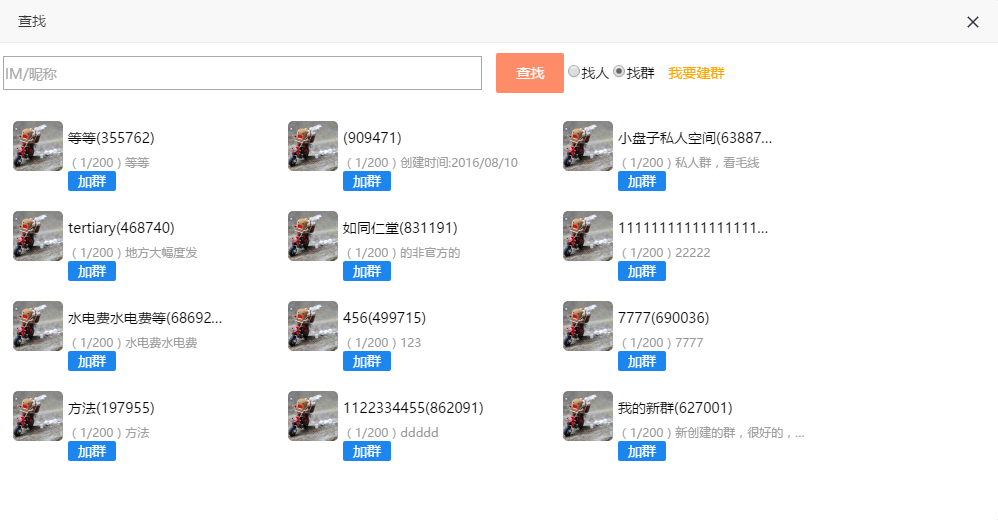
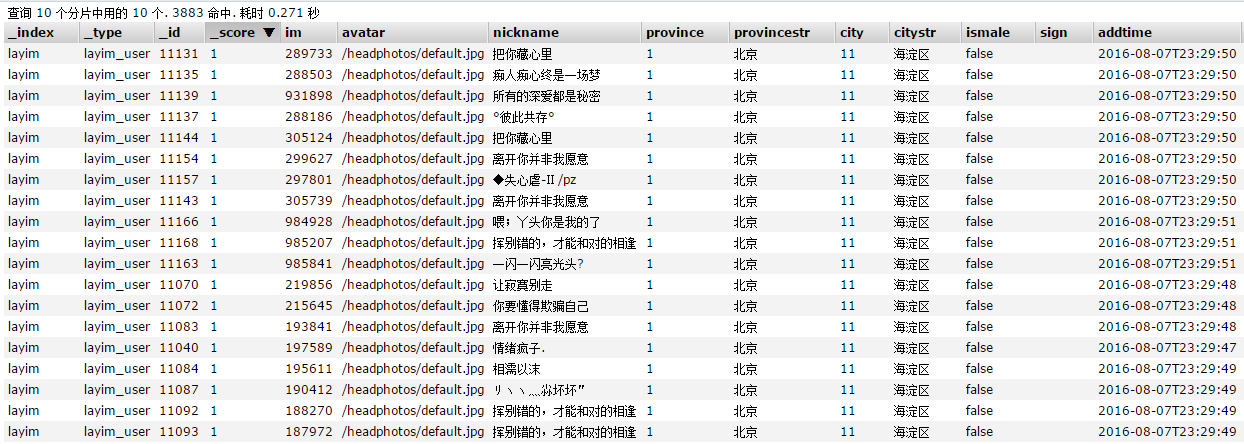

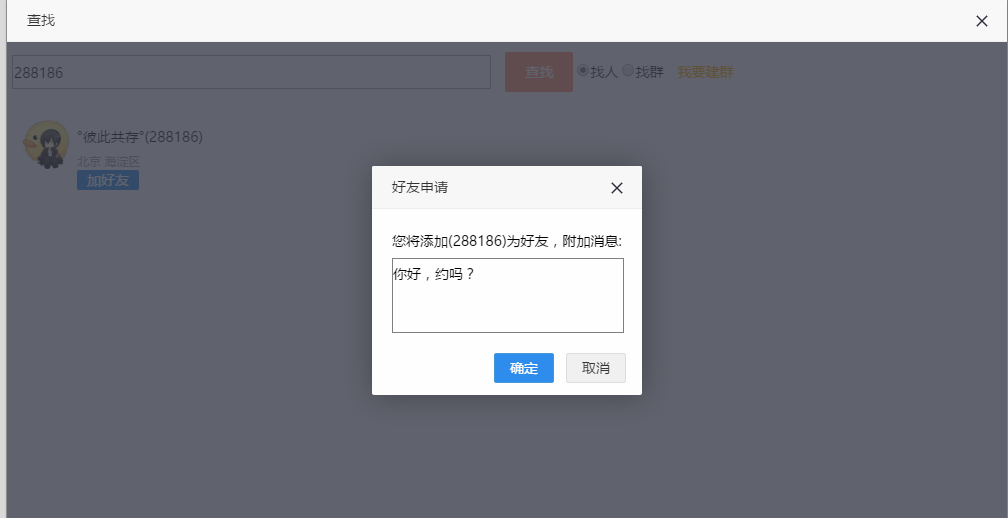

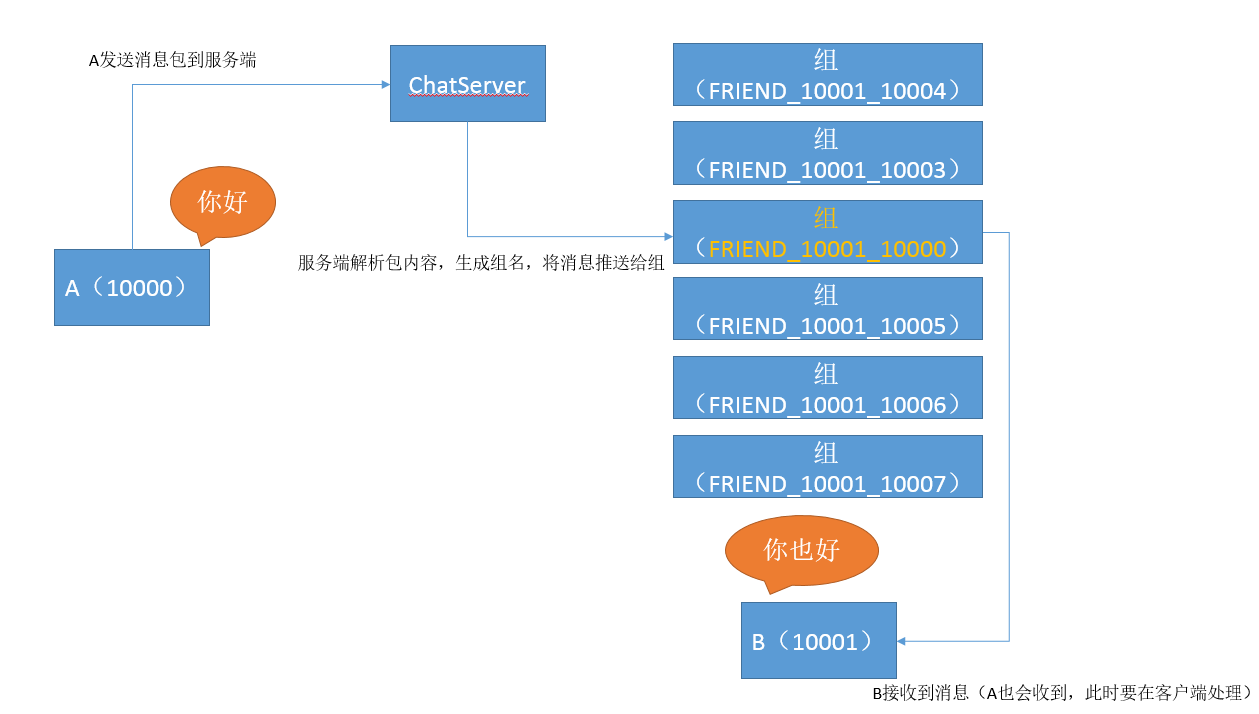
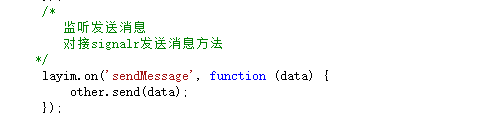
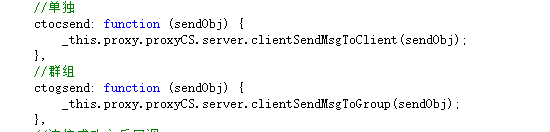
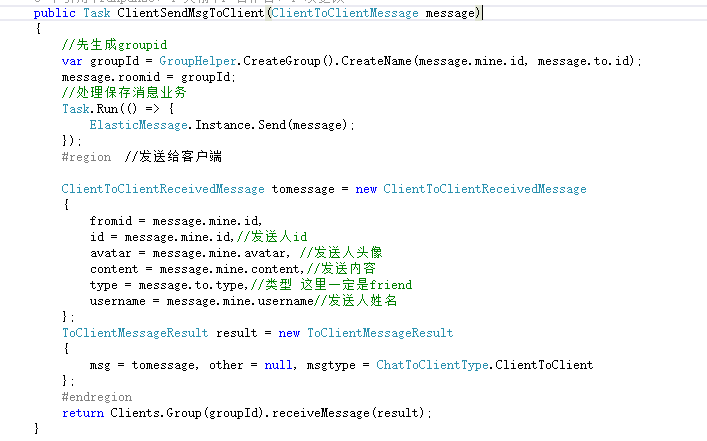
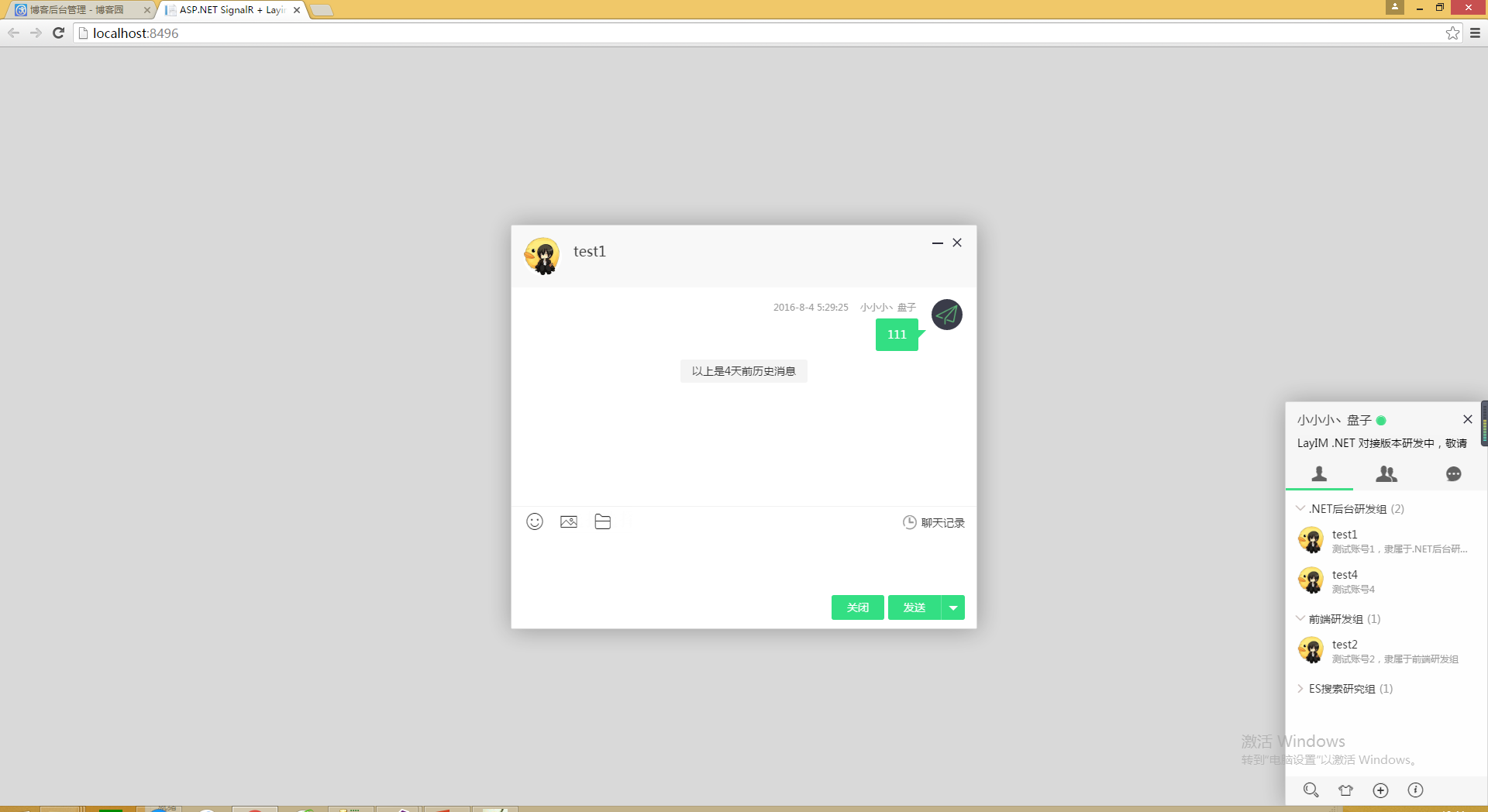
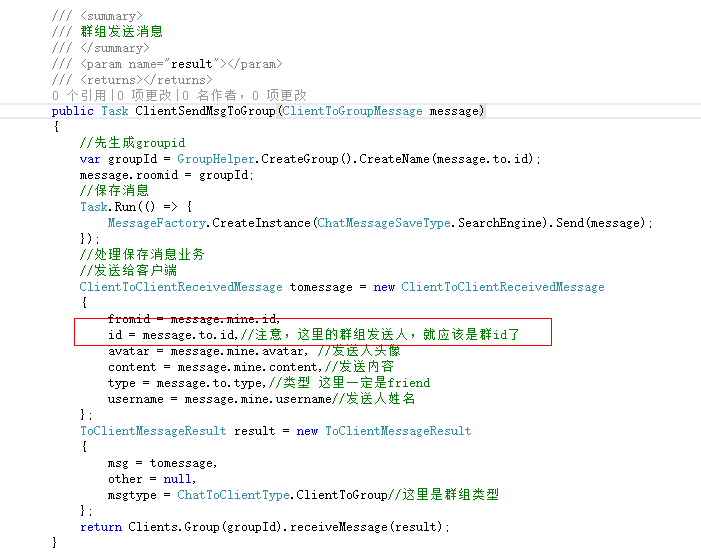
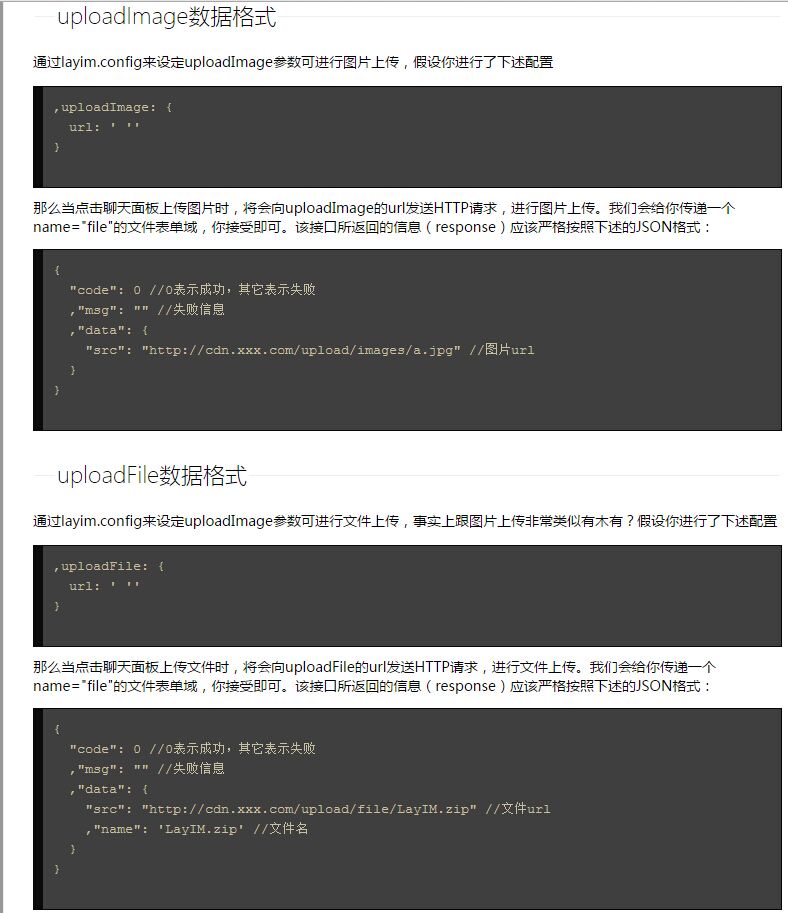

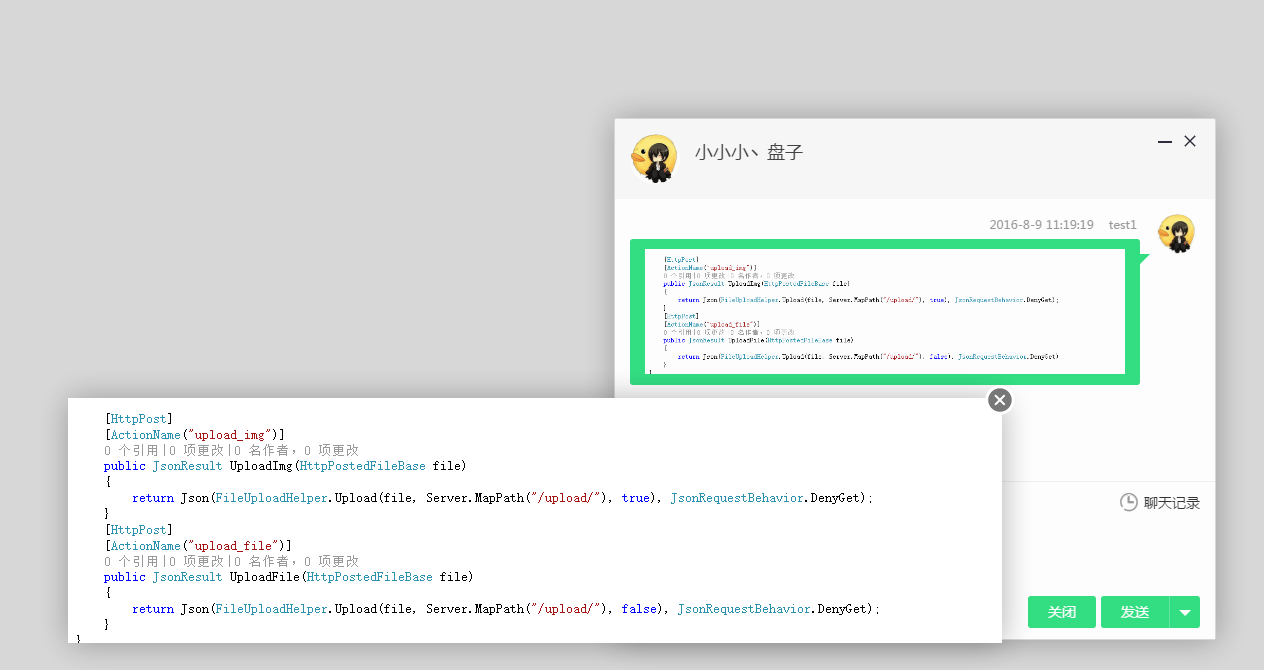
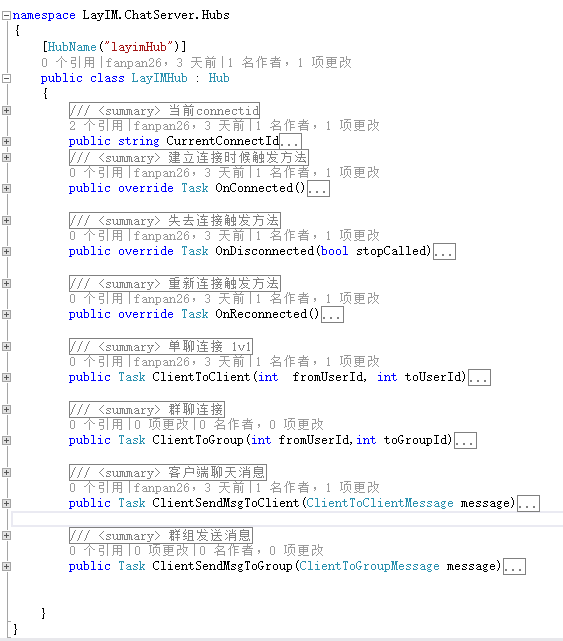
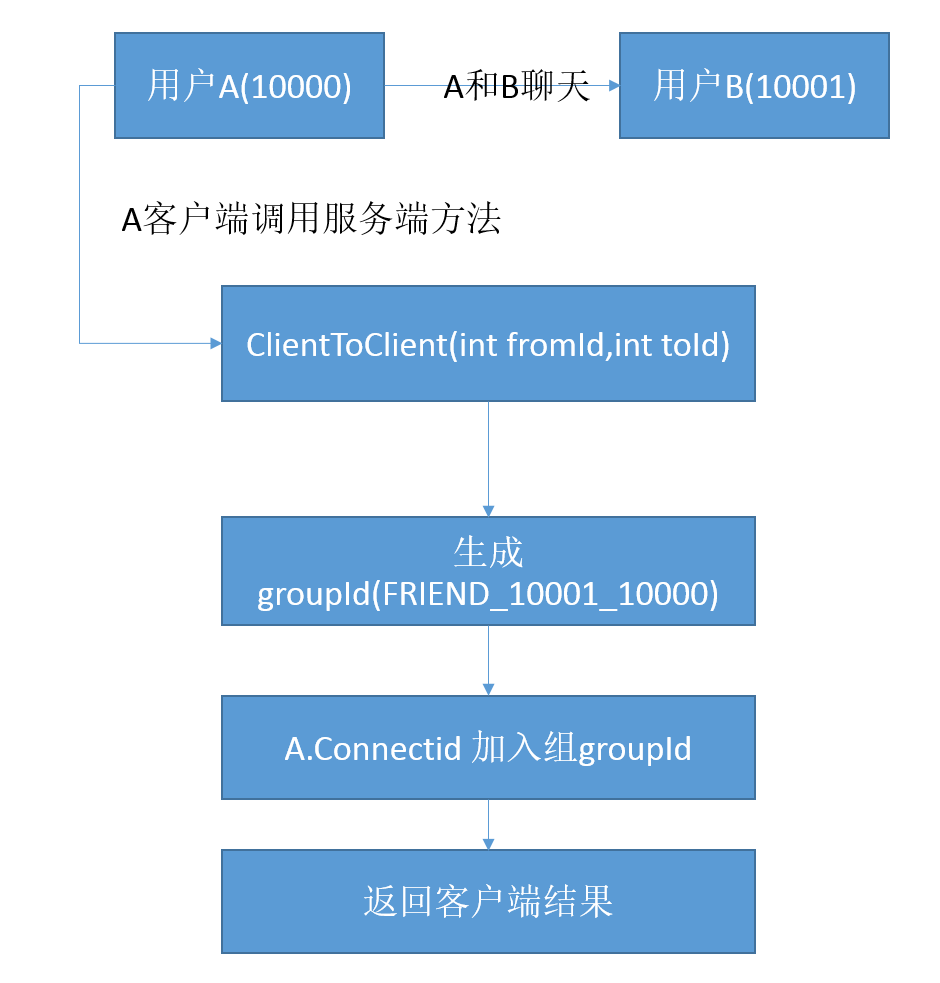






 哦了,到这里已经接近尾声了。我们看一下效果吧。先看接口返回数据:
 其中remarkname,是我自己加的字段,就是为了实现类似好友备注的功能。这个数据已经符合layim接口数据了,看一下界面效果。
 数据格式对了,毋庸置疑界面肯定是正确的啦。可以看到我暂时没有群组,不过不用担心,我们从数据库里加几条就可以了,刷新一下页面
 随着最后一张图上传完毕,本篇就接近尾声了,总结一下。本篇内容包括以下几点
1.json格式解析
2.建立业务模型
3.数据库基础知识
4.MVC的一些使用
慢慢一步一步来是不是就感觉好很多呢,对我的博客有任何建议或者意见或者有问题的同学请在评论区留言,我看到了都会为大家一一解答。有些地方讲解的可能不太清晰,请包涵。
随着最后一张图上传完毕,本篇就接近尾声了,总结一下。本篇内容包括以下几点
1.json格式解析
2.建立业务模型
3.数据库基础知识
4.MVC的一些使用
慢慢一步一步来是不是就感觉好很多呢,对我的博客有任何建议或者意见或者有问题的同学请在评论区留言,我看到了都会为大家一一解答。有些地方讲解的可能不太清晰,请包涵。