[转载]Android GPS定位测试(附效果图) - 泡泡糖 - 博客园

mikel阅读(982)

[转载]Android GPS定位测试(附效果图) – 泡泡糖 – 博客园.

  今天因为工作需 要,把以前编写的一个GPS测试程序拿出来重新修改了一下。这个程序说起来有些历史了,是我11年编写的,那时候学了Android开发没多久,算是一个 实验性的作品。现在工作需要,重新拿出来修整。同时发现我对Android的GPS服务了解并不深,所以今天特意阅读了有关GPS服务的一些资料,把相关 知识点记录下来。

  本人做了GPS相关的嵌入式软件已经几年了,所以说起要做个测试GPS定位模 块的程序,第一反应就是串口读取GPS模块的数据,然后解析GPS的NMEA格式数据。NMEA是一种标准化数据格式,不仅仅GPS上应用了,其他一些工 业通信也是使用这种标准化数据格式。解析相关数据然后显示出来,就完成了一个基本的GPS定位测试功能。

查了一下才发现Android上做GPS相关定位服务,不需要读取NMEA数据分析,Android已经封装好了相关服务,你要做的就是调用API。这个不知道应该觉得爽还是觉得纠结。(Android也提供了读取NMEA接口,下面会说到)


1、Android 定位服务

下面我们先来看看Android有关定位服务提供的支持:

  Android定位服务都是位于location下,上面都有相关说明,这里就不详细解析。有一点有需要说说的

是:GpsStatus.NmeaListener 官方的说法是可以读取NMEA数据,但是我这里测试发现,并没有读取到NMEA的数据。查阅过一些资料,说是google在底层并没有实现数据反馈的功能。有时间,需要查看一下源码。


3、LocationManager定位

复制代码
//Edited by mythou
//http://www.cnblogs.com/mythou/
//获取定位服务
LocationManager locationManager = (LocationManager) this.getSystemService(Context.LOCATION_SERVICE);
//判断是否已经打开GPS模块
if (locationManager.isProviderEnabled(android.location.LocationManager.GPS_PROVIDER)) 
{
  //GPS模块打开,可以定位操作      
}
复制代码
复制代码
// 通过GPS定位
String LocateType= locationManager.GPS_PROVIDER;
Location location = locationManager.getLastKnownLocation(LocateType);
// 设置监听器,设置自动更新间隔这里设置1000ms,移动距离:0米。
locationManager.requestLocationUpdates(provider, 1000, 0, locationListener);
// 设置状态监听回调函数。statusListener是监听的回调函数。
locationManager.addGpsStatusListener(statusListener); 

//另外给出 通过network定位设置
String LocateType= locationManager.NETWORK_PROVIDER;
Location location = locationManager.getLastKnownLocation(LocateType);
    
复制代码


3、GpsStatus监听器

  上面给出了定位服务的初始化设置步骤,但我们都知道GPS卫星是定期广播数据的,也就是说会定期收到卫星的GPS数据。我们并不能跟卫星主动申请数据,只能被动接收数据。(中国的北斗2倒是可以发送卫星报文给卫星)因此我们需要注册一个监听器来处理卫星返回的数据。

复制代码
//Edited by mythou
//http://www.cnblogs.com/mythou/
private final GpsStatus.Listener statusListener = new GpsStatus.Listener() 
{
    public void onGpsStatusChanged(int event) 
  {
      // GPS状态变化时的回调,获取当前状态
      GpsStatus status = locationManager.getGpsStatus(null);
    //自己编写的方法,获取卫星状态相关数据
       GetGPSStatus(event, status);
    }
};
复制代码


 4、获取搜索到的卫星

复制代码
//Edited by mythou
//http://www.cnblogs.com/mythou/
private void GetGPSStatus(int event, GpsStatus status) 
{
    Log.d(TAG, "enter the updateGpsStatus()");
    if (status == null) 
    {
    } 
   else if (event == GpsStatus.GPS_EVENT_SATELLITE_STATUS) 
    {
     //获取最大的卫星数(这个只是一个预设值)
        int maxSatellites = status.getMaxSatellites();
        Iterator<GpsSatellite> it = status.getSatellites().iterator();
        numSatelliteList.clear();
     //记录实际的卫星数目
        int count = 0;
        while (it.hasNext() && count <= maxSatellites) 
        {
       //保存卫星的数据到一个队列,用于刷新界面
            GpsSatellite s = it.next();
            numSatelliteList.add(s);
            count++;

            Log.d(TAG, "updateGpsStatus----count="+count);
        }
        mSatelliteNum = numSatelliteList.size();
     }
     else if(event==GpsStatus.GPS_EVENT_STARTED)
     {  
         //定位启动   
     }
     else if(event==GpsStatus.GPS_EVENT_STOPPED)
     {  
         //定位结束   
     }
}
复制代码

上面就是从状态值里面获取搜索到的卫星数目,主要是通过status.getSatellites()实现。获取到的GpsSatellite对象,

保存到一个队列里面,用于后面刷新界面。上面是获取GPS状态监听器,除了GPS状态外,我们还需要监听一个服务,

就是:LocationListener,定位监听器,监听位置的变化。这个对做定位服务的应用来说,十分重要。


5、LocationListener监听器

复制代码
//Edited by mythou
//http://www.cnblogs.com/mythou/
private final LocationListener locationListener = new LocationListener() 
{
        public void onLocationChanged(Location location) 
     {
            //当坐标改变时触发此函数,如果Provider传进相同的坐标,它就不会被触发
            updateToNewLocation(location);            
            Log.d(TAG, "LocationListener  onLocationChanged");
        }

        public void onProviderDisabled(String provider) 
     {
            //Provider被disable时触发此函数,比如GPS被关闭
            Log.d(TAG, "LocationListener  onProviderDisabled");
        }

        public void onProviderEnabled(String provider) 
     {
            // Provider被enable时触发此函数,比如GPS被打开
            Log.d(TAG, "LocationListener  onProviderEnabled");
        }

        public void onStatusChanged(String provider, int status, Bundle extras) 
     {
            Log.d(TAG, "LocationListener  onStatusChanged");
            // Provider的转态在可用、暂时不可用和无服务三个状态直接切换时触发此函数
            if (status == LocationProvider.OUT_OF_SERVICE || status == LocationProvider.TEMPORARILY_UNAVAILABLE)       {    
            }
        }
    };
复制代码

位置监听回调是用来处理GPS位置发生变化的时候,自动回调的方法,我们可以从这里获取到当前的GPS数据。另外我们可以通过回调函数提供的location参数,获取GPS的地理位置信息,包括经纬度、速度、海拔等信息。


6、获取地理位置信息(经纬度、卫星数目、海拔、定位状态)


复制代码
//Edited by mythou
//http://www.cnblogs.com/mythou/
//location对象是从上面定位服务回调函数的参数获取。
mLatitude = location.getLatitude();   // 经度
mLongitude = location.getLongitude();  // 纬度
mAltitude = location.getAltitude();   //海拔
mSpeed = location.getSpeed();       //速度
mBearing = location.getBearing();    //方向
复制代码


7、获取指定卫星信息(方向角、高度角、信噪比)

复制代码
//Edited by mythou
//http://www.cnblogs.com/mythou/
//temgGpsSatellite就是我们上面保存的搜索到的卫星
//方向角
float azimuth = temgGpsSatellite.getAzimuth();
//高度角
float elevation = temgGpsSatellite.getElevation();
//信噪比
float snr = temgGpsSatellite.getSnr();
复制代码

利用方向角、高度角我们可以绘画出一个二维图形,表示卫星在地球哪个方位,信噪比作用更大。一般的卫星定位测试软件,都提供了信噪比的状态图,这是表示GPS模块搜星能力的代表。


8、绘画二维卫星位置图

 下面是我做的GPS测试的效果图:

下面给出一个根据方向角和高度角,计算卫星二维图里面位置的方法,上面效果图左边的绿色圆点就代表卫星位置。

右边的信噪比柱状图,代表卫星的接收信号能力。

复制代码
//Edited by mythou
//http://www.cnblogs.com/mythou/
//根据方向角和高度角计算出,卫星显示的位置
Point point = new Point();
int x = mEarthHeartX; //左边地球圆形的圆心位置X坐标
int y = mEarthHeartY; //左边地球圆形的圆心位置Y坐标                       
int r = mEarthR;
x+=(int)((r*elevation*Math.sin(Math.PI*azimuth/180)/90));
y-=(int)((r*elevation*Math.cos(Math.PI*azimuth/180)/90));
point.x = x;
point.y = y;
//point就是你需要绘画卫星图的起始坐标            
复制代码

信噪比的绘画,就是一个单位换算,这里就不给代码了。

9、总结:

Android为我们提供了很方便的位置服务,主要通过GpsStatus、LocationManager、GpsSatellite这几个类实现相关服务和监听。

不过个人觉得如果能直接读取NMEA的数据也是很方便,起码对于某些应用来说,可以获取更多信息。


Edited by mythou

原创博文,转载请标明出处:http://www.cnblogs.com/mythou/p/3167648.html

[转载]GPS定位,经纬度附近地点查询–C#实现方法 - 小小新新 - 博客园

mikel阅读(965)

[转载]GPS定位,经纬度附近地点查询–C#实现方法 – 小小新新 – 博客园.

  目前的工作是需要手机查找附近N米以内的商户,功能如下图

数据库中记录了商家在百度标注的经纬度(如:116.412007, 39.947545),

最初想法  以圆心点为中心点,对半径做循环,半径每增加一个像素(暂定1米)再对周长做循环,到数据库中查询对应点的商家(真是一个长时间的循环工作)

上网百度类似的文章有了点眉目

大致想法是已知一个中心点,一个半径,求圆包含于圆抛物线里所有的点,这样的话就需要知道所要求的这个圆的对角线的顶点,问题来了 经纬度是一个点,半径是一个距离,不能直接加减

终于找到想要的文章

http://digdeeply.org/archives/06152067.html

PHP,Mysql-根据一个给定经纬度的点,进行附近地点查询–合理利用算法,效率提高2125倍

参考原文章 lz改成了C#

废话不多少直接上代码:

复制代码
  1 /// <summary>
  2     /// 经纬度坐标
  3     /// </summary>    
  4 
  5   public class Degree
  6     {
  7         public Degree(double x, double y)
  8         {
  9             X = x;
 10             Y = y;
 11         }
 12         private double x;
 13 
 14         public double X
 15         {
 16             get { return x; }
 17             set { x = value; }
 18         }
 19         private double y;
 20 
 21         public double Y
 22         {
 23             get { return y; }
 24             set { y = value; }
 25         }
 26     }
 27 
 28 
 29     public class CoordDispose
 30     {
 31         private const double EARTH_RADIUS = 6378137.0;//地球半径(米)
 32 
 33         /// <summary>
 34         /// 角度数转换为弧度公式
 35         /// </summary>
 36         /// <param name="d"></param>
 37         /// <returns></returns>
 38         private static double radians(double d)
 39         {
 40             return d * Math.PI / 180.0;
 41         }
 42 
 43         /// <summary>
 44         /// 弧度转换为角度数公式
 45         /// </summary>
 46         /// <param name="d"></param>
 47         /// <returns></returns>
 48         private static double degrees(double d)
 49         {
 50             return d * (180 / Math.PI);
 51         }
 52 
 53         /// <summary>
 54         /// 计算两个经纬度之间的直接距离
 55         /// </summary>
 56 
 57         public static double GetDistance(Degree Degree1, Degree Degree2)
 58         {
 59             double radLat1 = radians(Degree1.X);
 60             double radLat2 = radians(Degree2.X);
 61             double a = radLat1 - radLat2;
 62             double b = radians(Degree1.Y) - radians(Degree2.Y);
 63 
 64             double s = 2 * Math.Asin(Math.Sqrt(Math.Pow(Math.Sin(a / 2), 2) +
 65              Math.Cos(radLat1) * Math.Cos(radLat2) * Math.Pow(Math.Sin(b / 2), 2)));
 66             s = s * EARTH_RADIUS;
 67             s = Math.Round(s * 10000) / 10000;
 68             return s;
 69         }
 70 
 71         /// <summary>
 72         /// 计算两个经纬度之间的直接距离(google 算法)
 73         /// </summary>
 74         public static double GetDistanceGoogle(Degree Degree1, Degree Degree2)
 75         {
 76             double radLat1 = radians(Degree1.X);
 77             double radLng1 = radians(Degree1.Y);
 78             double radLat2 = radians(Degree2.X);
 79             double radLng2 = radians(Degree2.Y);
 80 
 81             double s = Math.Acos(Math.Cos(radLat1) * Math.Cos(radLat2) * Math.Cos(radLng1 - radLng2) + Math.Sin(radLat1) * Math.Sin(radLat2));
 82             s = s * EARTH_RADIUS;
 83             s = Math.Round(s * 10000) / 10000;
 84             return s;
 85         }
 86 
 87         /// <summary>
 88         /// 以一个经纬度为中心计算出四个顶点
 89         /// </summary>
 90         /// <param name="distance">半径(米)</param>
 91         /// <returns></returns>
 92         public static Degree[] GetDegreeCoordinates(Degree Degree1, double distance)
 93         {
 94             double dlng = 2 * Math.Asin(Math.Sin(distance / (2 * EARTH_RADIUS)) / Math.Cos(Degree1.X));
 95             dlng = degrees(dlng);//一定转换成角度数  原PHP文章这个地方说的不清楚根本不正确 后来lz又查了很多资料终于搞定了
 96 
 97             double dlat = distance / EARTH_RADIUS;
 98             dlat = degrees(dlat);//一定转换成角度数
 99 
100             return new Degree[] { new Degree(Math.Round(Degree1.X + dlat,6), Math.Round(Degree1.Y - dlng,6)),//left-top
101                                   new Degree(Math.Round(Degree1.X - dlat,6), Math.Round(Degree1.Y - dlng,6)),//left-bottom
102                                   new Degree(Math.Round(Degree1.X + dlat,6), Math.Round(Degree1.Y + dlng,6)),//right-top
103                                   new Degree(Math.Round(Degree1.X - dlat,6), Math.Round(Degree1.Y + dlng,6)) //right-bottom
104             };
105 
106         }
107     }
复制代码


测试方法:

复制代码
 1  static void Main(string[] args)
 2         {
 3             double a = CoordDispose.GetDistance(new Degree(116.412007, 39.947545), new Degree(116.412924, 39.947918));//116.416984,39.944959
 4             double b = CoordDispose.GetDistanceGoogle(new Degree(116.412007, 39.947545), new Degree(116.412924, 39.947918));
 5             Degree[] dd = CoordDispose.GetDegreeCoordinates(new Degree(116.412007, 39.947545), 102);
 6             Console.WriteLine(a+" "+b);
 7             Console.WriteLine(dd[0].X + "," + dd[0].Y );
 8             Console.WriteLine(dd[3].X + "," + dd[3].Y);
 9             Console.ReadLine();
10         }
复制代码


lz试了很多次 误差在1米左右

拿到圆的顶点就好办了

数据库要是SQL 2008的可以直接进行空间索引经纬度字段,这样应该性能更好(没有试过)

lz公司数据库还老 2005的 这也没关系,关键是经纬度拆分计算,这个就不用说了 网上多的是 最后上个实现的SQL语句

SELECT id,zuobiao FROM dbo.zuobiao WHERE zuobiao<>'' AND 
dbo.Get_StrArrayStrOfIndex(zuobiao,',',1)>116.41021 AND
dbo.Get_StrArrayStrOfIndex(zuobiao,',',1)<116.413804 AND
dbo.Get_StrArrayStrOfIndex(zuobiao,',',2)<39.949369 AND
dbo.Get_StrArrayStrOfIndex(zuobiao,',',2)>39.945721


[转载]高手速成android开源项目【blog篇】 - elysee - 博客园

mikel阅读(914)

[转载]高手速成android开源项目【blog篇】 – elysee – 博客园.

主要介绍那些乐于分享并且有一些很不错的开源项目的个人和组织。Follow大神,深挖大神的项目和following,你会发现很多。

一、个人

  1. JakeWharton 就职于Square
    Github地址:https://github.com/JakeWharton
    代 表作:ActionBarSherlock,Android-ViewPagerIndicator,Nine Old Androids,SwipeToDismissNOA,hugo,butterknife,Android- DirectionalViewPager, scalpel
    pidcat另外对square及其他开源项目有很多贡献
    博客:http://jakewharton.com/
    绝对牛逼的大神,项目主要集中在Android版本兼容,ViewPager及开发工具上.

  2. Chris Banes
    Github地址:https://github.com/chrisbanes
    代表作:ActionBar-PullToRefresh,PhotoView,Android-BitmapCache,Android-PullToRefresh
    博客:http://chris.banes.me/

  3. Koushik Dutta就职于ClockworkMod
    Github地址:https://github.com/koush
    代表作:Superuser,AndroidAsync,UrlImageViewHelper,ion, 另外对https://github.com/CyanogenMod的开源项目有很多贡献
    博客:http://koush.com/

  4. Simon Vig
    Github地址:https://github.com/SimonVT
    代表作:android-menudrawer,MessageBar
    博客:http://simonvt.net/

  5. Manuel Peinado
    Github地址:https://github.com/ManuelPeinado
    代表作:FadingActionBar,GlassActionBar,RefreshActionItem,QuickReturnHeader

  6. Emil Sj?lander
    Github地址:https://github.com/emilsjolander
    代表作:StickyListHeaders,sprinkles,android-FlipView
    博客:http://emilsjolander.se/

  7. greenrobot
    Github地址:https://github.com/greenrobot
    代表作:greenDAO,EventBus
    网址:http://greenrobot.de/

  8. Jeff Gilfelt
    Github地址:https://github.com/jgilfelt
    代表作:android-mapviewballoons,android-viewbadger,android-actionbarstylegenerator,android-SQLite-asset-helper
    网址:http://jeffgilfelt.com

Ps: ViewServer作者的个人摄影作品http://www.flickr.com/photos/romainguy ,感觉超赞

二、组织

  1. Square
    Github地址:https://github.com/square
    代表作:okhttp、fest-android,android-times-square、picasso、dagger、spoon等等
    网址:http://square.github.io/
    有态度有良心的企业,很多不错的分享

  2. Inmite s.r.o.
    Github地址:https://github.com/inmite
    代表作:android-styled-dialogs,android-grid-wichterle,android-selector-chapek
    网址:http://www.inmite.eu/

[转载]高手速成android开源项目【developer篇】 - elysee - 博客园

mikel阅读(783)

[转载]高手速成android开源项目【developer篇】 – elysee – 博客园.

主要介绍和Android开发工具和测试工具相关的开源项目。

  1. Buck
    facebook开源的Android编译工具,效率是ant的两倍。主要优点在于:
    (1) 加快编译速度,通过并行利用多核cpu和跟踪不变资源减少增量编译时间实现
    (2) 可以在编译系统中生成编译规则而无须另外的系统生成编译规则文件
    (3) 编译同时可生成单元测试结果
    (4) 既可用于IDE编译也可用于持续集成编译
    (5) facebook持续优化中
    项目地址:https://github.com/facebook/buck

  2. Android Maven Plugin
    Android Maven插件,可用于对android三方依赖进行管理。在J2EE开发中,maven是非常成熟的依赖库管理工具,可统一管理依赖库。
    项目地址:https://github.com/jayway/maven-android-plugin

  3. Spoon
    可用于android不同机型设备自动化测试,能将应用apk和测试apk运行在不同机器上并生成相应测试报告。
    项目地址:https://github.com/square/spoon

  4. Android FEST
    提供一些列方便的断言,可用于提高编写Android自测代码效率
    项目地址:https://github.com/square/fest-android

  5. SelectorChapek for Android
    Android Studio插件,可根据固定文件名格式资源自动生成drawable selectors xml文件。
    项目地址:https://github.com/inmite/android-selector-chapek

  6. Android Resource Navigator
    chrome插件,可以方便的查看github上android源码工程的styles.xml和themes.xml。主要功能:
    (1) 快速打开android styles.xml themes.xml
    (2) 方便在资源间跳转。styles.xml themes.xml文件中资源链接跳转,可以方便跳转到某个资源
    (3) 方便查找某个style和theme。chrome地址栏输入arn+tab+搜索内容回车即可
    (4) 自动下载不同分辨率下的drawable
    (5) 通过映射查找那些不是按照固定命名规则命名的style和theme
    项目地址:https://github.com/jgilfelt/android-resource-navigator
    示例:https://chrome.google.com/webstore/detail/android-resource-navigato/agoomkionjjbejegcejiefodgbckeebo?hl=en&gl=GB

  7. Android Action Bar Style Generator
    Android ActionBar样式生成器,可在线选择ActionBar样式自动生成所需要的图片资源及xml文件
    项目地址:https://github.com/jgilfelt/android-actionbarstylegenerator
    在线演示:http://jgilfelt.github.io/android-actionbarstylegenerator/

  8. ViewServer
    允许app运行在任何手机上都可以用HierarchyViewer查看
    项目地址:https://github.com/romainguy/ViewServer

  9. GridWichterle for Android
    在整个系统上显示一个grid,用来帮助查看应用布局及使得布局更美观,可设置grid网格大小和颜色,android推荐48dp和8dp,可见 Android Design Guidelines – Metrics and Grids
    项目地址:https://github.com/inmite/android-grid-wichterle
    APK地址:https://play.google.com/store/apps/details?id=eu.inmite.android.gridwichterle
    PS:比起hierarchyviewer相差甚远,不过偶尔可用来作为布局查看工具。

  10. 渠道打包工具
    允许app运行在任何手机上都可以用HierarchyViewer查看
    项目地址:https://github.com/umeng/umeng-muti-channel-build-tool
    另可参见Google的构建系统Gradle:http://tools.android.com/tech-docs/new-build-system/user-guide

  11. Catlog
    手机端log查看工具,支持不同颜色显示、关键字过滤、级别过滤、进程id过滤、录制功能等
    项目地址:https://github.com/nolanlawson/Catlog
    在线演示:https://play.google.com/store/apps/details?id=com.nolanlawson.logcat

  12. PID Cat
    根据package查看logcat日志
    项目地址:https://github.com/JakeWharton/pidcat

  13. Hugo
    用于打印函数信息及执行时间的工具,仅在Debug模式生效
    项目地址:https://github.com/JakeWharton/hugo

  14. scalpel
    在应用下面添加一层用于界面调试,待详细补充 // TODO
    项目地址:https://github.com/JakeWharton/scalpel

[转载]高手速成android开源项目【项目篇】 - elysee - 博客园

mikel阅读(930)

[转载]高手速成android开源项目【项目篇】 – elysee – 博客园.

主要介绍那些Android还不错的完整项目,目前包含的项目主要依据是项目有意思或项目分层规范比较好。
Linux
项目地址:https://github.com/torvalds/linux
Android
项目地址:https://android.googlesource.com/或https://github.com/android
以上两个项目,不解释

(1) ZXing 二维码扫描工具
项目地址:https://github.com/zxing/zxing或https://code.google.com/p/zxing/
APK地址:https://play.google.com/store/apps/details?id=com.google.zxing.client.android
PS:现在市面上很多应用的二维码扫描功能都是从这个修改而来

(2) photup 编辑机批量上传照片到facebook上
项目地址:https://github.com/chrisbanes/photup
APK地址:https://play.google.com/store/apps/details?id=uk.co.senab.photup
PS:代码分包合理,很棒。不过这个项目依赖的开源项目比较多,比较难编译

(3) Github的Android客户端项目
项目地址:https://github.com/github/android
APK地址:https://play.google.com/store/apps/details?id=com.github.mobile

(4) MIUI便签
项目地址:https://github.com/MiCode/Notes
APK地址:https://github.com/Trinea/TrineaDownload/blob/master/miui-note-demo.apk?raw=true
PS:项目分包比较合理,相比较miui的文件管理器https://github.com/MiCode/FileExplorer代码规范较好得多

(5) 四次元-新浪微博客户端
项目地址:https://github.com/qii/weiciyuan
APK地址:https://play.google.com/store/apps/details?id=org.qii.weiciyuan

(6) gnucash-一个记账理财软件
项目地址:https://github.com/codinguser/gnucash-android
APK地址:http://play.google.com/store/apps/details?id=org.gnucash.android

(7) AntennaPod支持rss订阅、音乐订阅
项目地址:https://github.com/danieloeh/AntennaPod
APK地址:https://play.google.com/store/apps/details?id=de.danoeh.antennapod

(8) ChaseWhisplyProject 打鬼游戏
项目地址:https://github.com/tvbarthel/ChaseWhisplyProject
APK地址:https://play.google.com/store/apps/details?id=fr.tvbarthel.games.chasewhisply

(9) Tweet Lanes 功能完整的Twitter客户端
项目地址:https://github.com/chrislacy/TweetLanes
APK地址:https://play.google.com/store/apps/details?id=com.tweetlanes.android

[转载]高手速成android开源项目【tool篇】 - elysee - 博客园

mikel阅读(926)

[转载]高手速成android开源项目【tool篇】 – elysee – 博客园.

  主要包括那些不错的开发库,包括依赖注入框架、图片缓存、网络相关、数据库ORM建模、Android公共库、Android 高版本向低版本兼容、多媒体相关及其他。

一、依赖注入DI

通过依赖注入减少View、服务、资源简化初始化,事件绑定等重复繁琐工作

  1. AndroidAnnotations(Code Diet)android快速开发框架
    项目地址:https://github.com/excilys/androidannotations
    文档介绍:https://github.com/excilys/androidannotations/wiki
    官方网站http://androidannotations.org/
    特点:(1) 依赖注入:包括view,extras,系统服务,资源等等
    (2) 简单的线程模型,通过annotation表示方法运行在ui线程还是后台线程
    (3) 事件绑定:通过annotation表示view的响应事件,不用在写内部类
    (4) REST客户端:定义客户端接口,自动生成REST请求的实现
    (5) 没有你想象的复杂:AndroidAnnotations只是在在编译时生成相应子类
    (6) 不影响应用性能:仅50kb,在编译时完成,不会对运行时有性能影响。
    PS:与roboguice的比较:roboguice通过运行时读取annotations进行反射,所以可能影响应用性能,而AndroidAnnotations在编译时生成子类,所以对性能没有影响

  2. roboguice 帮你处理了很多代码异常,利用annotation使得更少的代码完成项目
    项目地址:https://github.com/roboguice/roboguice
    文档介绍:https://github.com/roboguice/roboguice/wiki

  3. butterknife 利用annotation帮你快速完成View的初始化,减少代码
    项目地址:https://github.com/JakeWharton/butterknife
    文档介绍:http://jakewharton.github.io/butterknife/

  4. Dagger 依赖注入,适用于Android和Java
    项目地址:https://github.com/square/dagger
    文档介绍:http://square.github.io/dagger/

二、图片缓存

  1. Android-Universal-Image-Loader 图片缓存
    目前使用最广泛的图片缓存,支持主流图片缓存的绝大多数特性。
    项目地址:https://github.com/nostra13/Android-Universal-Image-Loader
    Demo地址:https://github.com/Trinea/TrineaDownload/blob/master/universal-imageloader-demo.apk?raw=true
    文档介绍:http://www.intexsoft.com/blog/item/74-universal-image-loader-part-3.html

  2. picasso square开源的图片缓存
    项目地址:https://github.com/square/picasso
    文档介绍:http://square.github.io/picasso/
    特点:(1)可以自动检测adapter的重用并取消之前的下载
    (2)图片变换
    (3)可以加载本地资源
    (4)可以设置占位资源
    (5)支持Debug模式

  3. ImageCache 图片缓存,包含内存和Sdcard缓存
    项目地址:https://github.com/Trinea/AndroidCommon
    Demo地址:https://play.google.com/store/apps/details?id=cn.trinea.android.demo
    文档介绍:http://www.trinea.cn/?p=704
    特点:(1)支持预取新图片,支持等待队列
    (2)包含二级缓存,可自定义文件名保存规则
    (3)可选择多种缓存算法(FIFO、LIFO、LRU、MRU、LFU、MFU等13种)或自定义缓存算法
    (4)可方便的保存及初始化恢复数据
    (5)支持不同类型网络处理
    (6)可根据系统配置初始化缓存等

三、网络相关

  1. Asynchronous Http Client for Android Android异步Http请求
    项目地址:https://github.com/loopj/android-async-http
    文档介绍:http://loopj.com/android-async-http/
    特点:(1) 在匿名回调中处理请求结果
    (2) 在UI线程外进行http请求
    (3) 文件断点上传
    (4) 智能重试
    (5) 默认gzip压缩
    (6) 支持解析成Json格式
    (7) 可将Cookies持久化到SharedPreferences

  2. android-query 异步加载,更少代码完成Android加载
    项目地址:https://github.com/androidquery/androidquery或https://code.google.com/p/android-query/
    文档介绍:https://code.google.com/p/android-query/#Why_AQuery?
    Demo地址:https://play.google.com/store/apps/details?id=com.androidquery
    特点:https://code.google.com/p/android-query/#Why_AQuery?

  3. Async Http Client Java异步Http请求
    项目地址:https://github.com/AsyncHttpClient/async-http-client
    文档介绍:http://sonatype.github.io/async-http-client/

  4. Ion 支持图片、json、http post等异步请求
    项目地址:https://github.com/koush/ion
    文档介绍:https://github.com/koush/ion#more-examples

  5. HttpCache Http缓存
    项目地址:https://github.com/Trinea/AndroidCommon
    Demo地址:https://play.google.com/store/apps/details?id=cn.trinea.android.demo
    Demo代码:https://github.com/Trinea/AndroidDemo/blob/master/src/cn/trinea/android/demo/HttpCacheDemo.java
    特点是:(1) 根据cache-control、expires缓存http请求
    (2) 支持同步、异步Http请求
    (3) 在匿名回调中处理请求结果
    (4) 在UI线程外进行http请求
    (5) 默认gzip压缩

  6. Http Request
    项目地址:https://github.com/kevinsawicki/http-request
    文档介绍:https://github.com/kevinsawicki/http-request#examples

  7. okhttp square开源的http工具类
    项目地址:https://github.com/square/okhttp
    文档介绍:http://square.github.io/okhttp/
    特点:(1) 支持SPDY(http://zh.wikipedia.org/wiki/SPDY)协议。SPDY协议是Google开发的基于传输控制协议的应用层协议,通过压缩,多路复用(一个TCP链接传送网页和图片等资源)和优先级来缩短加载时间。
    (2) 如果SPDY不可用,利用连接池减少请求延迟
    (3) Gzip压缩
    (4) Response缓存减少不必要的请求

  8. Retrofit RESTFUL API设计
    项目地址:https://github.com/square/retrofit
    文档介绍:http://square.github.io/retrofit/

四、数据库 orm工具包

orm的db工具类,简化建表、查询、更新、插入、事务、索引的操作

  1. greenDAO Android SQLite orm的db工具类
    项目地址:https://github.com/greenrobot/greenDAO
    文档介绍:http://greendao-orm.com/documentation/
    官方网站http://greendao-orm.com/
    特点:(1) 性能佳
    (2) 简单易用的API
    (3) 内存小好小
    (4) 库大小小

  2. ActiveAndroid Android SQLite orm的db工具类
    项目地址:https://github.com/pardom/ActiveAndroid
    文档介绍:https://github.com/pardom/ActiveAndroid/wiki/_pages

  3. Sprinkles Android SQLite orm的db工具类
    项目地址:https://github.com/emilsjolander/sprinkles
    文档介绍:http://emilsjolander.github.io/blog/2013/12/18/android-with-sprinkles/
    特点:比较显著的特点就是配合https://github.com/square/retrofit能保存从服务器获取的数据

  4. ormlite-android
    项目地址:https://github.com/j256/ormlite-android
    文档介绍:http://ormlite.com/sqlite_java_android_orm.shtml

五、Android公共库

  1. Guava Google的基于java1.6的类库集合的扩展项目
    包括 collections, caching, primitives support, concurrency libraries, common annotations, string processing, I/O等等. 这些高质量的API可以使你的JAVa代码更加优雅,更加简洁
    项目地址:https://code.google.com/p/guava-libraries/
    文档介绍:https://code.google.com/p/guava-libraries/wiki/GuavaExplained

  2. AndroidCommon Android公共库
    项目地址:https://github.com/Trinea/AndroidCommon
    Demo地址:https://play.google.com/store/apps/details?id=cn.trinea.android.demo
    文档介绍:http://www.trinea.cn/?p=778
    包括:(1)缓存(图片缓存、预取缓存、网络缓存)
    (2) 公共View(下拉及底部加载更多ListView、底部加载更多ScrollView、滑动一页Gallery)
    (3) Android常用工具类(网络、下载、Android资源操作、shell、文件、Json、随机数、Collection等等)

六、Android 高版本向低版本兼容

  1. ActionBarSherlock 为Android所有版本提供统一的ActionBar,解决4.0以下ActionBar的适配问题
    项目地址:https://github.com/JakeWharton/ActionBarSherlock
    Demo地址:https://play.google.com/store/apps/details?id=com.actionbarsherlock.sample.demos
    APP示例:太多了。。现在连google都在用

  2. Nine Old Androids 将Android 3.0(Honeycomb)所有动画API(ObjectAnimator ValueAnimator等)兼容到Android1.0
    项目地址:https://github.com/JakeWharton/NineOldAndroids
    Demo地址:https://play.google.com/store/apps/details?id=com.jakewharton.nineoldandroids.sample
    文档介绍:http://nineoldandroids.com/

  3. HoloEverywhere 将Android 3.0的Holo主题兼容到Android2.1++
    项目地址:https://github.com/Prototik/HoloEverywhere
    Demo地址:https://raw.github.com/Prototik/HoloEverywhere/repo/org/holoeverywhere/demo/2.1.0/demo-2.1.0.apk
    文档介绍:http://android-developers.blogspot.com/2012/01/holo-everywhere.html

七、多媒体相关

  1. cocos2d-x 跨平台的2d游戏框架,支持Android、IOS、Linux、Windows等众多平台
    项目地址:https://github.com/cocos2d/cocos2d-x
    文档介绍:http://www.cocos2d-x.org/wiki
    官方网站http://www.cocos2d-x.org/

  2. Vitamio 是一款Android与iOS平台上的全能多媒体开发框架
    项目地址:https://github.com/yixia/VitamioBundle
    网站介绍:http://www.vitamio.org/docs/
    特点:(1) 全面支持硬件解码与GPU渲染
    (2) 能够流畅播放720P甚至1080P高清MKV,FLV,MP4,MOV,TS,RMVB等常见格式的视频
    (3) 在Android与iOS上跨平台支持 MMS, RTSP, RTMP, HLS(m3u8)等常见的多种视频流媒体协议,包括点播与直播。

  3. PhotoProcessing 利用ndk处理图片库,支持Instafix、Ansel、Testino、XPro、Retro、BW、Sepia、Cyano、Georgia、Sahara、HDR、Rotate、Flip
    项目地址:https://github.com/lightbox/PhotoProcessing
    Demo地址:https://github.com/Trinea/TrineaDownload/blob/master/photo-processing.apk?raw=true

  4. Android StackBlur 图片模糊效果工具类
    项目地址:https://github.com/kikoso/android-stackblur
    Demo地址:https://github.com/kikoso/android-stackblur/blob/master/StackBlurDemo/bin/StackBlurDemo.apk?raw=true
    文档介绍:https://github.com/kikoso/android-stackblur#usage

八、其他

  1. Salvage view 带View缓存的Viewpager PagerAdapter,很方便使用
    项目地址:https://github.com/JakeWharton/salvage

  2. Android-PasscodeLock 应用锁,每次启动或从任何Activity启动应用都需要输入四位数字的密码方可进入
    项目地址:https://github.com/wordpress-mobile/Android-PasscodeLock
    Demo地址:https://play.google.com/store/apps/details?id=com.sothree.umano
    APP示例:Wordpress Android,支付宝,挖财

  3. android-lockpattern Android的图案密码解锁
    项目地址:https://code.google.com/p/android-lockpattern/
    Demo地址:https://play.google.com/store/apps/details?id=group.pals.android.lib.ui.lockpattern.demo
    使用介绍:https://code.google.com/p/android-lockpattern/wiki/QuickUse
    示例APP:Android开机的图案密码解锁,支付宝的密码解锁

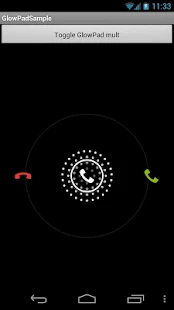
  4. GlowPadBackport将Android4.2的锁屏界面解锁扩展到Android1.6及1.6+
    项目地址:https://github.com/rock3r/GlowPadBackport
    Demo地址:https://play.google.com/store/apps/details?id=net.sebastianopoggi.samples.ui.GlowPadSample
    效果图:Renderings

  5. GlowPadView Android4锁屏界面解锁
    项目地址:https://github.com/nadavfima/GlowPadView
    效果图:Renderings

  6. Android Priority Job Queue Android后台任务队列
    项目地址:https://github.com/path/android-priority-jobqueue
    文档介绍:https://github.com/path/android-priority-jobqueue#getting-started

  7. jsoup 一个解析html的java库,可方便的提取和操作数据
    项目地址:https://github.com/jhy/jsoup
    官方网站:http://jsoup.org/
    作用:(1) 从一个url、文件或string获得html并解析
    (2) 利用dom遍历或css选择器查找、提取数据
    (3) 操作html元素
    (4) 根据白名单去除用于提交的非法数据防止xss攻击
    (5) 输出整齐的html

  8. ZIP java压缩和解压库
    项目地址:https://github.com/zeroturnaround/zt-zip
    文档介绍:https://github.com/zeroturnaround/zt-zip#examples
    作用:(1) 解压和压缩,并支持文件夹内递归操作
    (2) 支持包含和排除某些元素
    (3) 支持重命名元素
    (4) 支持遍历zip包内容
    (5) 比较两个zip包等功能

  9. Cobub Razor 开源的mobile行为分析系统,包括web端、android端,支持ios和window phone
    项目地址:https://github.com/cobub/razor
    Demo地址:http://demo.cobub.com/razor
    网站介绍:http://dev.cobub.com/

  10. aFileChooser 文件选择器,可内嵌到程序中,而无需使用系统或三方文件选择器。
    项目地址:https://github.com/iPaulPro/aFileChooser

  11. androidpn 基于xmpp协议的消息推送解决方案,包括服务器端和android端。
    项目地址:https://github.com/dannytiehui/androidpn

  12. Android插件式开发
    项目地址:https://github.com/umeng/apf

[转载]高手速成android开源项目【View篇】 - elysee - 博客园

mikel阅读(937)

[转载]高手速成android开源项目【View篇】 – elysee – 博客园.

  主要介绍那些不错个性化的View,包括ListView、ActionBar、Menu、ViewPager、Gallery、GridView、 ImageView、ProgressBar及其他如Dialog、Toast、EditText、TableView、Activity Animation等等。


一、ListView


  1. Android-pulltorefresh 一个强大的拉动刷新开源项目,支持各种控件下拉刷新
    ListView、ViewPager、WevView、ExpandableListView、GridView、(Horizontal
    )ScrollView、Fragment上下左右拉动刷新,比下面johannilsson那个只支持ListView的强大的多。并且他实现的下拉刷新ListView在item不足一屏情况下也不会显示刷新提示,体验更好。
    项目地址:https://github.com/chrisbanes/Android-PullToRefresh
    Demo地址:https://github.com/Trinea/TrineaDownload/blob/master/pull-to-refreshview-demo.apk?raw=true
    APP示例:新浪微博各个页面

  2. Android-pulltorefresh-listview 下拉刷新ListView
    项目地址:https://github.com/johannilsson/android-pulltorefresh
    Demo地址:https://github.com/Trinea/TrineaDownload/blob/master/pull-to-refresh-listview-demo.apk?raw=true
    PS:这个被很多人使用的项目实际有不少bug,推荐使用上面的Android-pulltorefresh

  3. DropDownListView 下拉刷新及滑动到底部加载更多ListView
    项目地址:https://github.com/Trinea/AndroidCommon
    Demo地址:https://play.google.com/store/apps/details?id=cn.trinea.android.demo
    文档介绍:http://www.trinea.cn/?p=523

  4. DragSortListView 拖动排序的ListView
    同时支持ListView滑动item删除,各个Item高度不一、单选、复选、CursorAdapter做为适配器、拖动背景变化等
    项目地址:https://github.com/bauerca/drag-sort-listview
    Demo地址:https://play.google.com/store/apps/details?id=com.mobeta.android.demodslv
    APP示例:Wordpress Android

  5. SwipeListView 支持定义ListView左右滑动事件,支持左右滑动位移,支持定义动画时间
    项目地址:https://github.com/47deg/android-swipelistview
    Demo地址:https://play.google.com/store/apps/details?id=com.fortysevendeg.android.swipelistview
    APP示例:微信

  6. Android-SwipeToDismiss 滑动Item消失ListView
    项目地址:https://github.com/romannurik/Android-SwipeToDismiss
    支持3.0以下版本见:https://github.com/JakeWharton/SwipeToDismissNOA
    Demo地址:https://github.com/JakeWharton/SwipeToDismissNOA/SwipeToDismissNOA.apk/qr_code

  7. StickyListHeaders GroupName滑动到顶端时会固定不动直到另外一个GroupName到达顶端的ExpandListView,支持快速滑动,支持Android2.3及以上
    项目地址:https://github.com/emilsjolander/StickyListHeaders
    APP示例:Android 4.0联系人
    效果图:Renderings

  8. pinned-section-listview GroupName滑动到顶端时会固定不动直到另外一个GroupName到达顶端的ExpandListView
    项目地址:https://github.com/beworker/pinned-section-listview
    效果图:Renderings

  9. PinnedHeaderListView GroupName滑动到顶端时会固定不动直到另外一个GroupName到达顶端的ExpandListView
    项目地址:https://github.com/JimiSmith/PinnedHeaderListView

  10. QuickReturnHeader ListView/ScrollView的header或footer,当向下滚动时消失,向上滚动时出现
    项目地址:https://github.com/ManuelPeinado/QuickReturnHeader
    Demo地址:https://github.com/Trinea/TrineaDownload/blob/master/quick-return-header-demo.apk?raw=true
    APP示例:google plus

  11. IndexableListView ListView右侧会显示item首字母快捷索引,点击可快速滑动到某个item
    项目地址:https://github.com/woozzu/IndexableListView
    Demo地址:https://github.com/Trinea/TrineaDownload/blob/master/indexable-listview.apk?raw=true
    APP示例:微信通讯录、小米联系人

  12. CustomFastScrollView ListView快速滑动,同时屏幕中间PopupWindows显示滑动到的item内容或首字母
    项目地址:https://github.com/nolanlawson/CustomFastScrollViewDemo
    效果图:Renderings

  13. Android-ScrollBarPanel ListView滑动时固定的Panel指示显示在scrollbar旁边
    项目地址:https://github.com/rno/Android-ScrollBarPanel
    效果展示:https://github.com/rno/Android-ScrollBarPanel/raw/master/demo_capture.png

  14. SlideExpandableListView 用户点击listView item滑出固定区域,其他item的区域收缩
    项目地址:https://github.com/tjerkw/Android-SlideExpandableListView
    Demo地址:https://github.com/Trinea/TrineaDownload/blob/master/slide-expandable-listView-demo.apk?raw=true

  15. JazzyListView ListView及GridView item以特殊动画效果进入屏幕,效果包括grow、cards、curl、wave、flip、fly等等
    项目地址:https://github.com/twotoasters/JazzyListView
    Demo地址:https://play.google.com/store/apps/details?id=com.twotoasters.jazzylistview.sample
    效果展示:http://lab.hakim.se/scroll-effects/

  16. ListViewAnimations 带Item显示动画的ListView,动画包括底部飞入、其他方向斜飞入、下层飞入、渐变消失、滑动删除等
    项目地址:https://github.com/nhaarman/ListViewAnimations
    Demo地址:https://play.google.com/store/apps/details?id=com.haarman.listviewanimations
    APP 示例:Google plus、Google Now卡片式进入、小米系统中应用商店、联系人、游戏中心、音乐、文件管理器的ListView、Ultimate、Light Flow Lite、TreinVerkeer、Running Coach、Pearl Jam Lyrics、Calorie Chart、Car Hire、Super BART、DK FlashCards、Counter Plus、Voorlees Verhaaltjes 2.0

  17. DevsmartLib-Android 横向ListView
    项目地址:https://github.com/dinocore1/DevsmartLib-Android
    Demo地址:https://github.com/Trinea/TrineaDownload/blob/master/horizontal-listview-demo.apk?raw=true


二、ActionBar


  1. ActionBarSherlock 为Android所有版本提供统一的ActionBar,解决4.0以下ActionBar的适配问题
    项目地址:https://github.com/JakeWharton/ActionBarSherlock
    Demo地址:https://play.google.com/store/apps/details?id=com.actionbarsherlock.sample.demos
    APP示例:太多了。。现在连google都在用

  2. ActionBar-PullToRefresh 下拉刷新,ActionBar出现加载中提示
    项目地址:https://github.com/chrisbanes/ActionBar-PullToRefresh
    Demo地址:https://play.google.com/store/apps/details?id=uk.co.senab.actionbarpulltorefresh.samples.stock
    APP示例:Gmail,Google plus,知乎等

  3. FadingActionBar ListView向下滚动逐渐显现的ActionBar
    项目地址:https://github.com/ManuelPeinado/FadingActionBar
    Demo地址:https://play.google.com/store/apps/details?id=com.manuelpeinado.fadingactionbar.demo
    APP示例:google music,知乎

  4. NotBoringActionBar google music下拉收缩的ActionBar
    项目地址:https://github.com/flavienlaurent/NotBoringActionBar
    Demo地址:http://flavienlaurent.com/blog/2013/11/20/making-your-action-bar-not-boring/
    APP示例:Google音乐

  5. RefreshActionItem 带进度显示和刷新按钮的ActionBar
    项目地址:https://github.com/ManuelPeinado/RefreshActionItem
    Demo地址:https://play.google.com/store/apps/details?id=com.manuelpeinado.refreshactionitem.demo
    APP示例:The New York Times,DevAppsDirect.

  6. GlassActionBar 类似玻璃的有一定透明度的ActionBar
    项目地址:https://github.com/ManuelPeinado/GlassActionBar
    Demo地址:https://play.google.com/store/apps/details?id=com.manuelpeinado.glassactionbardemo
    APP示例:google music


三、Menu


  1. MenuDrawer 滑出式菜单,通过拖动屏幕边缘滑出菜单,支持屏幕上下左右划出,支持当前View处于上下层,支持Windows边缘、ListView边缘、ViewPager变化划出菜单等。
    项目地址:https://github.com/SimonVT/android-menudrawer
    Demo地址:http://simonvt.github.io/android-menudrawer/
    APP示例:Gmail、Google Music等大部分google app

  2. SlidingMenu 滑出式菜单,通过拖动屏幕边缘滑出菜单,支持屏幕左右划出,支持菜单zoom、scale、slide up三种动画样式出现。
    项目地址:https://github.com/jfeinstein10/SlidingMenu
    Demo地址:https://play.google.com/store/apps/details?id=com.slidingmenu.example
    APP 示例:Foursquare, LinkedIn, Zappos, Rdio, Evernote Food, Plume, VLC for Android, ESPN ScoreCenter, MLS MatchDay, 9GAG, Wunderlist 2, The Verge, MTG Familiar, Mantano Reader, Falcon Pro (BETA), MW3 Barracks
    MenuDrawer和SlidingMenu比较:SlidingMenu支持菜单动画样式出现,MenuDrawer支持菜单view处于内容的上下层

  3. ArcMenu 支持类似Path的左下角动画旋转菜单及横向划出菜单、圆心弹出菜单
    项目地址:https://github.com/daCapricorn/ArcMenu
    APP示例:Path
    效果图:Renderings
    https://dl.dropboxusercontent.com/u/11369687/preview1.png
    https://dl.dropboxusercontent.com/u/11369687/raymenu.png

  4. android-satellite-menu 类似Path的左下角动画旋转菜单
    项目地址:https://github.com/siyamed/android-satellite-menu
    Demo地址:https://github.com/Trinea/TrineaDownload/blob/master/satellite-menu-demo.apk?raw=true
    APP示例:Path

  5. radial-menu-widget 圆形菜单,支持二级菜单
    项目地址:https://code.google.com/p/radial-menu-widget/
    效果图:http://farm8.staticflickr.com/7377/11621125154_d1773c2dcc_o.jpg

  6. Android Wheel Menu 圆形旋转选取菜单
    项目地址:https://github.com/anupcowkur/Android-Wheel-Menu
    效果图:Renderings

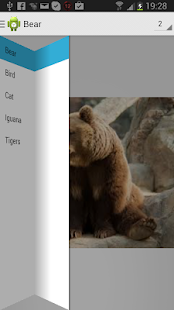
  7. FoldingNavigationDrawer滑动并以折叠方式打开菜单
    项目地址:https://github.com/tibi1712/FoldingNavigationDrawer-Android
    使用介绍:https://play.google.com/store/apps/details?id=com.ptr.folding.sample
    效果图:Renderings


四、ViewPager 、Gallery


  1. Android-ViewPagerIndicator 配合ViewPager使用的Indicator,支持各种位置和样式
    项目地址:https://github.com/JakeWharton/Android-ViewPagerIndicator
    Demo地址:https://play.google.com/store/apps/details?id=com.viewpagerindicator.sample
    APP示例:太多了。。

  2. JazzyViewPager 支持Fragment切换动画的ViewPager,动画包括转盘、淡入淡出、翻页、层叠、旋转、方块、翻转、放大缩小等
    项目地址:https://github.com/jfeinstein10/JazzyViewPager
    Demo地址:https://github.com/jfeinstein10/JazzyViewPager/blob/master/JazzyViewPager.apk?raw=true
    效果类似桌面左右切换的各种效果,不过桌面并非用ViewPager实现而已

  3. Android-DirectionalViewPager 支持横向和纵向(垂直)的ViewPager
    项目地址:https://github.com/JakeWharton/Android-DirectionalViewPager
    Demo地址:https://market.android.com/details?id=com.directionalviewpager.sample

  4. android-pulltorefresh 支持下拉刷新的ViewPager
    项目地址:https://github.com/chrisbanes/Android-PullToRefresh
    Demo地址:https://github.com/Trinea/TrineaDownload/blob/master/pull-to-refreshview-demo.apk?raw=true
    APP示例:新浪微博各个页面

  5. FancyCoverFlow支持Item切换动画效果的类似Gallery View
    项目地址:https://github.com/davidschreiber/FancyCoverFlow
    Demo地址:https://play.google.com/store/apps/details?id=at.technikum.mti.fancycoverflow.samples
    效果图:Renderings

  6. AndroidTouchGallery 支持双击或双指缩放的Gallery(用ViewPager实现)
    相比下面的PhotoView,在被放大后依然能滑到下一个item,并且支持直接从url和文件中获取图片,
    项目地址:https://github.com/Dreddik/AndroidTouchGallery
    Demo地址:https://github.com/Trinea/TrineaDownload/blob/master/touch-gallery-demo.apk?raw=true
    APP示例:类似微信中查看聊天记录图片时可双击放大,并且放大情况下能正常左右滑动到前后图片

  7. Salvage view 带View缓存的Viewpager PagerAdapter,很方便使用
    项目地址:https://github.com/JakeWharton/salvage


五、GridView


  1. StaggeredGridView 允许非对齐行的GridView
    类似Pinterest的瀑布流,并且跟ListView一样自带View缓存,继承自ViewGroup
    项目地址:https://github.com/maurycyw/StaggeredGridView
    Demo地址:https://github.com/Trinea/TrineaDownload/blob/master/staggered-gridview-demo.apk?raw=true
    APP示例:Pinterest等

  2. AndroidStaggeredGrid 允许非对齐行的GridView
    类似Pinterest的瀑布流,继承自AbsListView
    项目地址:https://github.com/etsy/AndroidStaggeredGrid
    APP示例:Pinterest等

  3. PinterestLikeAdapterView 允许非对齐行的GridView
    类似Pinterest的瀑布流,允许下拉刷新
    项目地址:https://github.com/GDG-Korea/PinterestLikeAdapterView
    APP示例:Pinterest等

  4. DraggableGridView Item可拖动交换位置的GridView,类似桌面的单屏效果
    项目地址:https://github.com/thquinn/DraggableGridView
    Demo地址:https://github.com/thquinn/DraggableGridView/blob/master/bin/DraggableGridViewSample.apk?raw=true


六、ImageView


  1. PhotoView 支持双击或双指缩放的ImageView
    在ViewPager等Scrolling view中正常使用,相比上面的AndroidTouchGallery,不仅支持ViewPager,同时支持单个ImageView
    项目地址:https://github.com/chrisbanes/PhotoView
    Demo地址:https://play.google.com/store/apps/details?id=uk.co.senab.photoview.sample
    APP示例:photup

  2. android-gif-drawable 支持gif显示的view
    项目地址:https://github.com/koral–/android-gif-drawable
    用jni实现的,编译生成so库后直接xml定义view即可,而且本身不依赖于其他开源项目所以相对下面的ImageViewEx简单的多

  3. ImageViewEx 支持Gif显示的ImageView
    项目地址:https://github.com/frapontillo/ImageViewEx
    Demo地址:https://github.com/Trinea/TrineaDownload/blob/master/imageviewex-demo.apk?raw=true
    依赖很多,编译过程很繁琐!|_|!

  4. RoundedImageView 带圆角的ImageView
    项目地址:https://github.com/vinc3m1/RoundedImageView
    效果图:Renderings


七、ProgressBar


  1. SmoothProgressBar 水平进度条
    项目地址:https://github.com/castorflex/SmoothProgressBar
    Demo地址:https://play.google.com/store/apps/details?id=fr.castorflex.android.smoothprogressbar.sample

  2. ProgressWheel 支持进度显示的圆形ProgressBar
    项目地址:https://github.com/Todd-Davies/ProgressWheel
    Demo地址:https://github.com/Trinea/TrineaDownload/blob/master/progress-wheel-demo.apk?raw=true

  3. android-square-progressbar 在图片周围显示进度
    项目地址:https://github.com/mrwonderman/android-square-progressbar
    Demo地址:https://play.google.com/store/apps/details?id=net.yscs.android.square_progressbar_example
    APP示例:square
    效果图:Renderings

  4. HoloCircularProgressBar Android4.1 时钟App样式
    项目地址:https://github.com/passsy/android-HoloCircularProgressBar
    APP示例:Android4.1时钟App
    效果图:https://raw.github.com/passsy/android-HoloCircularProgressBar/master/raw/screenshot1.png


八、其他


    1. achartengine 强大的图标绘制工具
      支持折线图、面积图、散点图、时间图、柱状图、条图、饼图、气泡图、圆环图、范围(高至低)条形图、拨号图/表、立方线图及各种图的结合
      项目地址:https://code.google.com/p/achartengine/
      官方网站http://www.achartengine.org/
      效果图:Renderings
      http://www.achartengine.org/dimages/sales_line_and_area_chart.png
      http://www.achartengine.org/dimages/temperature_range_chart.png
      http://www.achartengine.org/dimages/combined_chart.png
      http://www.achartengine.org/dimages/budget_chart.png
      APP示例:Wordpress Android,Google Analytics

    2. GraphView 绘制图表和曲线图的View
      可用于Android上的曲形图、柱状图、波浪图展示
      项目地址:https://github.com/jjoe64/GraphView
      Demo工程:https://github.com/jjoe64/GraphView-Demos
      Demo地址:https://play.google.com/store/apps/details?id=com.sothree.umano
      APP示例:Wordpress Android,Google Analytics

    3. android-flip 类似Flipboard翻转动画的实现
      项目地址:https://github.com/openaphid/android-flip
      Demo地址:https://github.com/openaphid/android-flip/blob/master/FlipView/Demo/APK/Aphid-FlipView-Demo.apk?raw=true
      APP示例:flipboard

    4. FlipImageView 支持x、y、z及动画选择的翻转动画的实现
      项目地址:https://github.com/castorflex/FlipImageView
      Demo地址:https://play.google.com/store/apps/details?id=fr.castorflex.android.flipimageview

    5. SwipeBackLayout 左右或向上滑动返回的Activity
      项目地址:https://github.com/Issacw0ng/SwipeBackLayout
      Demo地址:https://play.google.com/store/apps/details?id=me.imid.swipebacklayout.demo
      APP示例:知乎

    6. Cards-UI 卡片式View,支持单个卡片,item为卡片的ListView
      项目地址:https://github.com/afollestad/Cards-UI
      Demo地址:https://github.com/Trinea/TrineaDownload/blob/master/cards-ui-demo.apk?raw=true

    7. cardslib 卡片式View,支持单个卡片,item为卡片的ListView和GridView
      项目地址:https://github.com/gabrielemariotti/cardslib
      Demo地址:https://play.google.com/store/apps/details?id=it.gmariotti.cardslib.demo

    8. android-styled-dialogs 可自定义样式的dialog
      默认与Holo主题样式一致,在Android2.2以上同一样式
      项目地址:https://github.com/inmite/android-styled-dialogs
      Demo地址:https://github.com/Trinea/TrineaDownload/blob/master/styled-dialogs-demo.apk?raw=true

    9. Crouton 丰富样式的Toast
      允许alert、comfirm、info样式及点击消失样式,允许设置Toast显示时间,允许自定义View。
      项目地址:https://github.com/keyboardsurfer/Crouton
      Demo地址:http://play.google.com/store/apps/details?id=de.keyboardsurfer.app.demo.crouton

    10. supertooltips 带动画效果的Tips显示
      项目地址:https://github.com/nhaarman/supertooltips
      Demo地址:https://play.google.com/store/apps/details?id=com.haarman.supertooltips

    11. Android ViewBadger为其他View添加角标等
      项目地址:https://github.com/jgilfelt/android-viewbadger
      Demo地址:https://github.com/Trinea/TrineaDownload/blob/master/android-viewbadger.apk?raw=true
      效果图:https://github-camo.global.ssl.fastly.net/a705a3e88c75ae2394943bd7c56f725697616ea8/687474703a2f2f7777772e6a65666667696c66656c742e636f6d2f766965776261646765722f76622d31612e706e67

    12. Android Sliding Up Panel 可拖动的View,能在当前Activity上扶起一个可拖动的Panel
      项目地址:https://github.com/umano/AndroidSlidingUpPanel
      Demo地址:https://play.google.com/store/apps/details?id=com.sothree.umano
      APP示例:Google Music精简播放栏

    13. android-times-square Android日历部件
      支持选取单个日期,多个日期,及日期区间段和对话框形式显示
      项目地址:https://github.com/square/android-times-square
      Demo地址:https://github.com/Trinea/TrineaDownload/blob/master/times-square-demo.apk?raw=true

    14. android-calendar-card 日历
      项目地址:https://github.com/kenumir/android-calendar-card
      Demo地址:https://play.google.com/store/apps/details?id=com.wt.calendarcardsample
      效果图:Renderings

    15. ColorPickerView 颜色选择器,支持PopupWindows或新的Activity中打开
      项目地址:https://code.google.com/p/color-picker-view/
      效果图:Renderings

    16. HoloColorPicker 颜色选择器
      项目地址:https://github.com/LarsWerkman/HoloColorPicker
      Demo地址:https://docs.google.com/file/d/0BwclyDTlLrdXRzVnTGJvTlRfU2s/edit

    17. AndroidWheel Android Wheel支持城市、多种日期时间、密码、图片
      项目地址:https://github.com/sephiroth74/AndroidWheel
      效果图:Renderings

    18. android-flowtextview文字自动环绕其他View的Layout
      项目地址:https://code.google.com/p/android-flowtextview/
      效果图:http://i949.photobucket.com/albums/ad332/vostroman1500/1.png

    19. Segmented Radio Buttons for Android iOS’s segmented controls的实现
      项目地址:https://github.com/vinc3m1/android-segmentedradiobutton
      Demo地址:https://github.com/thquinn/DraggableGridView/blob/master/bin/DraggableGridViewSample.apk?raw=true
      效果图:Renderings

    20. TableFixHeaders 第一列固定的Table
      项目地址:https://github.com/InQBarna/TableFixHeaders
      Demo地址:http://bit.ly/13buAIq

    21. Android Form EditText 验证输入合法性的编辑框
      支持输入、英文、ip、url等多种正则验证
      项目地址:https://github.com/vekexasia/android-edittext-validator
      Demo地址:https://play.google.com/store/apps/details?id=com.andreabaccega.edittextformexample

    22. UITableView ios风格控件
      包括Button、ListView、TableView
      项目地址:https://github.com/thiagolocatelli/android-uitableview
      Demo地址:https://github.com/Trinea/TrineaDownload/blob/master/ui-tableview-demo.apk?raw=true

    23. ATableView ios风格控件
      项目地址:https://github.com/dmacosta/ATableView
      Demo地址:https://play.google.com/store/apps/details?id=com.nakardo.atableview.demo

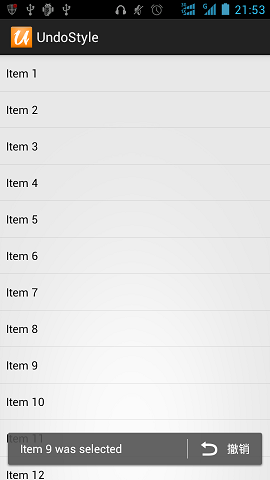
    24. UndoBar屏幕底部显示取消或是确认的PopupWindows
      项目地址:https://github.com/soarcn/UndoBar
      效果图:Renderings

    25. Inscription可用于展示应用change和new feature信息
      项目地址:https://github.com/MartinvanZ/Inscription

    26. ActivityTransition Activity切换动画,包括渐变、flip、某个位置进入等等
      项目地址:https://github.com/ophilbert/ActivityTransition
      使用介绍:https://github.com/jfeinstein10/JazzyViewPager/blob/master/JazzyViewPager.apk?raw=true
      效果图:类似桌面左右切换的各种效果,不过桌面并非用ViewPager实现而已

    27. Cropper 图片局部剪切工具,可触摸控制选择区域或旋转
      项目地址:https://github.com/edmodo/cropper
      使用介绍:https://github.com/edmodo/cropper/wiki
      效果图:Renderings

    28. GlowPadBackport将Android4.2的锁屏界面解锁扩展到Android1.6及1.6+
      项目地址:https://github.com/rock3r/GlowPadBackport
      Demo地址:https://play.google.com/store/apps/details?id=net.sebastianopoggi.samples.ui.GlowPadSample
      效果图:Renderings

    29. GlowPadView Android4锁屏界面解锁
      项目地址:https://github.com/nadavfima/GlowPadView
      效果图:https://raw.github.com/nadavfima/GlowPadView/master/example.png

    30. android-lockpattern Android的图案密码解锁
      项目地址:https://code.google.com/p/android-lockpattern/
      Demo地址:https://play.google.com/store/apps/details?id=group.pals.android.lib.ui.lockpattern.demo
      使用介绍:https://code.google.com/p/android-lockpattern/wiki/QuickUse
      示例APP:Android开机的图案密码解锁,支付宝的密码解锁

[转载]Web Components是不是Web的未来 - 葡萄城控件技术团队博客 - 博客园

mikel阅读(998)

[转载]Web Components是不是Web的未来 – 葡萄城控件技术团队博客 – 博客园.

今天 ,Web 组件已经从本质上改变了HTML。初次接触时,它看起来像一个全新的技术。Web组件最初的目的是使开发人员拥有扩展浏览器标签的能力,可以自由的进行定 制组件。面对新的技术,你可能会觉得无从下手。那这篇文章将为你揭开Web组件神秘的面纱。如果你已经熟知HTML标签和DOM编程,已经拥有了大量可用 的Web组件,那么你已经是Web组件专家了。

Web组件的现状

随着各式各样的用户需求,浏览器的原生组件已经无法满足需求。Web组件也就变得越来越重要。

我们将以自定义一个传统三方插件为例来介绍Web组件。

首先,需要引用插件的CSS和JavaScript资源:

<link rel="stylesheet" type="text/css" href="my-widget.css" />

<script src="my-widget.js"></script>

接下来,我们需要向页面中添加占位符。

<div data-my-widget></div>

最后,我们需要使用脚本来找到并且实例化这个占位符为Web组件。

复制代码
// 使用 jQuery 初始化组件

$(function() {

$('[data-my-widget]').myWidget();

});
复制代码

通过以上是三个基本步骤。已经完成了在页面中添加了自定义插件,但是浏览器无法确定自定义组件的生命周期,如果通过以下方式声明则使自定义组件生命周期变得清晰了。

el.innerHTML = '<div data-my-widget></div>';

因为这不是一个内置的组件,我们现在必须手动实例化新组件,

$(el).find('[data-my-widget]').myWidget();

避免这种复杂设置方法的有效方式是完全抽象DOM交互。不过,这个动作也比较复杂,需要创建框架或者库来自定义组件。

面临的问题

组件一旦被声明,占位符已经被替代为原生的HTML标记:

复制代码
<div data-my-widget>

<div class="my-widget-foobar">

<input type="text" class="my-widget-text" />

<button class="my-widget-button">Go</button>

</div>

</div>
复制代码

这样做的弊端是,自定义组件的标记和普通HTML组件的标记混杂在一起,没有清晰的分割和封装。这就不可避免的会出现命名及样式等冲突。

Web组件的产生

随着三方Web组件的发展,它已经成为了Web开发不可或缺的部分:

复制代码
<!—导入: -->

<link rel="import" href="my-widget.html" />

<!—使用:-->

<my-widget />
复制代码

在这个实例中,我们通过导入HTML来添加组件并且立即使用。

更重要的是,因为<my-widget />是浏览器原生支持的组件,它直接挂在浏览器的生命周期中,允许我们像添加原生组件一样添加三方组件。

el.innerHTML = '<my-widget />';

// 插件当前已经被实例化

当查看这个组件的HTML 源码,你会发现它仅仅是一个单一的标签。如果启用浏览器Shadow DOM 特性,才可以查看标签内的组件,你将会发现一些有趣的事情,

clip_image001[1]

当我们谈论Web组件时,我们不是在谈论一门新技术。Web组件最初的目的是给我们封装能力,它可以通过自定义组件和Shadow DOM 技术来实现。所以,接下来,我们将着重介绍下这两项技术。介绍以上两个技术之前,我们最好先梳理下已知浏览器原生组件。

已知的HTML组件

我们知道组件可以通过HTML标记或JavaScript来实例化:

使用标记实例化:

<input type="text" />
document.createElement('input');
el.innerHTML = '<input type="text" />';

使用JaveScript实例化:

document.createElement('input') 

document.createElement('div')

添加带有属性的HTML标签:

复制代码
// 创建带有属性的input标签...

el.innerHTML = '<input type="text" value="foobar" />';

//这时value属性已经同步

el.querySelector('input').value;
复制代码

组件可以响应属性的变化:

// 如果我们更改value 属性值
input.setAttribute('value', 'Foobar');

//属性值会立即更改
input.value === 'Foobar'; // true

组件可以有内部隐藏的DOM结构:

<!—使用一个input实现复杂的日历功能-->
<input type="date" />

 // 尽管其内部结构比较复杂,但是已经封装成为一个组件
dateInput.children.length === 0; // true

组件可以使用子组件:

复制代码
<!—可以给组件提供任意个 'option' 标签-->

<select>

<option>1</option>

<option>2</option>

<option>3</option>

</select>
复制代码

组件可以为其子组件提供样式:

dialog::backdrop {

background: rgba(0, 0, 0, 0.5);

}

最后,组件可以有内置样式。和自定义插件不同,我们不需要为浏览器的原生控件引用CSS文件。

有了以上的了解,我们已经具备了解Web组件的基础。使用自定义组件和Shadow DOM,我们可以在我们的插件中定义所有这些标准行为。

自定义组件

注册一个新组件也比较简单:

var MyElement = document.register('my-element');

// 'document.register' 返回一个构造函器

你也许注意到上面的自定义组件名称包含一个连接符。这是为了确保自定义组件名称不和浏览器内置组件不冲突。

现在<my-element />这个组件具备了原生组件的特性,

所以,自定义组件也同样可以进行普通的DOM操作:

document.create('my-element');

el.innerHTML = '<my-element />';

document.create('my-element');

构建自定义组件

当前,这个自定义组件仅仅有框架,而没有内容,下面让我们向其中添加一些内容:

复制代码
//我们将提供'document.register'的第二个参数:

document.register('my-element', {

prototype: Object.create(HTMLElement.prototype, {

createdCallback: {

value: function() {

this.innerHTML = '<h1>ELEMENT CREATED!</h1>';

}

}

})

});
复制代码

在这个例子中,我们设置自定义组件的prototype,使用Object.create 方法创建一个继承于HTMLElement的对象。在这个方法中修改该组件的属性 innerHTML。

我们定义了createdCallback方法,在每次声明实例时调用。你同样可以有选择性的定义attributeChangedCallback、 enteredViewCallback 和leftViewCallback等方法。

目前为止我们实现了动态修改自定义组件内容的功能,我们仍然需要提供自定义组件的封装方法,用于隐藏其内部组件。

使用Shadow DOM实现封装

我们需要完善下createdCallback方法。本次,除了修改innerHTML之外,我们添加一些额外的操作:

复制代码
createdCallback: {

value: function() {

var shadow = this.createShadowRoot();

shadow.innerHTML = '<h1>SHADOW DOM!</h1>';

}

}
复制代码

在这个例子中, 你会注意到‘SHADOW DOM!’,但是查看源码时你会发现只有空白的<my-element /> 标签而已。这里使用创建Shadow Root 方法替代了直接修改页面。

Shadow Root中的任何组件,是肉眼可见的,但是和当前页面的样式和DOM API相隔离。这样就实现了自定义组件是一个独立组件的假象。

添加“轻量级DOM”

目前为止,我们的自定义组件是空标签,但是如果向其中添加内部组件会出现什么现象呢?

我们假设自定义组件包含的节点如下,

复制代码
<my-element>

这是一个轻量级 DOM。

<i>hello</i>

<i>world</i>

</my-element>
复制代码

一旦针对于这个组件的 Shadow Root 被创建,它的子节点不再存在。我们这些隐藏的子节点封装为轻量级DOM节点。

如果禁用了 Shadow DOM,上面这个例子仅仅会显示为:这是一个轻量级 DOM‘hello world’。

当我们在createdCallback方法中设置 Shadow DOM后,我们可以使用新增内容分配轻量级DOM组件到Shadow DOM 中。

复制代码
createdCallback: {

value: function() {

var shadow = this.createShadowRoot();

// 子组件'i' 标签现在已经消失了

shadow.innerHTML =

‘轻量级 DOM 中的 "i" 标签为: ' +

'<content select="i" />';

//现在,在 Shadow DOM 中只有 'i' 标签是可以见的。

}

}
复制代码

封装样式

Shadow DOM 最重要的作用是创建了和当前页面隔离的Web组件,使Web组件不受当前页面样式和JaveScript脚本的影响。

复制代码
createdCallback: {

value: function() {

var shadow = this.createShadowRoot();

shadow.innerHTML =

"<style>span { color: green }</style>" +

"<span>I'm green</span>";

}

}
复制代码

反之,在 Shadow DOM 中定义的样式也不会影响之外的标签样式。

<my-element />

<span>I'm not green</span>

揭露钩子的秘密

当隐藏自定义组件内部标记,有时也需要在当前页面对组件中的内部特定组件进行样式设置。

例如,如果我们自定义一个日历插件,在不允许用户控制整个插件的情况下,允许最终用户去定义按钮的样式。

这是其中的部分特性和伪组件:

复制代码
createdCallback: {

value: function() {

var shadow = this.createShadowRoot();

shadow.innerHTML = 'Hello <em part="world">World</em>';

}

}
复制代码

这是在当前页面设置自定义组件内部组件样式的方法:

my-element::part(world) {

color: green;

}

这部分内容介绍了封装web组件的基本方式。Shadow DOM 是我们可以任意修改Web组件中的标签。在例子中,我们设置了“World”的样式,但是使用者却无法判断它是<em>标签。

在你尝试自定义Web组件之前,需要确保浏览器的相关特性已经打开。如果使用 Chrome,在 Chrome 中打开chrome://flags ,并且开启“experimental Web Platform features”。

clip_image003[1]

这仅仅是个开始

所有本文中介绍的内容,都是模拟一些简单的浏览器标准行为。我们已经习惯于和原生的浏览器组件进行交互,因此自定义组件的步骤并不是想象中的那个难。Web组件最终提供我们一种实现简单、一致、可复用、封装和组合部件的方法,这是一个有意义的开始。

[转载]如何成为一个偷懒又高效的Android开发人员-移动资讯-最新最全的移动互联网资讯-eoe移动开发者社区

mikel阅读(729)

[转载]如何成为一个偷懒又高效的Android开发人员-移动资讯-最新最全的移动互联网资讯-eoe移动开发者社区.

我敢肯定你对这个标题肯定心存疑惑,但事实就是如此,这个标题完全适合Android开发人员。据我所知, Android程序员不情愿写 findViewById()、点击事件监听等重复率较高的代码。那我们如何才能缩短编写业务逻辑代码的时间,并且避免写那些重复的代码呢?所以让我们来 成为一个能偷懒又有高效率的Android程序员。想知道怎么做吗?不用急,接下来我就会写到。

有许多第三方的库和框架是可供我们使用。出于种种原因,我们并不知道这些库或者知道但还没用过。有的开发者开发了自己定义的库或者并不想使用第三方 的库。如果我们在应用程序开发的过程中使用一些第三方库,也许可以提高程序的可兼容性、漂亮的UI界面、让代码变得整洁等等。所以,我将研究更多像这样的 第三方库来帮助初学者和有经验的开发人员。

今天,让我们来讨论下“依赖注入函数库”。

什么是依赖注入?

依赖注入是一种软件设计模式,无论是在运行时还是在编译时,允许删除、改变硬编码依赖性。[来自Wikipedia](维基百科资源):

一些常用和普遍的依赖注入库有:

RoboGuice:[

Roboguice是一个用于Android应用的依赖注入框架,使用Google官方的Guice库位极大地简化了Android的依赖注入。让你的Android应用开发之路更加平坦顺利,编程更加简单有趣。

当你调用 getIntent(),getExtras()这些函数时你是否经常忘记检查是否为Null?RoboGuice可以帮助你。初始化TextView有必要调用findViewById()吗?不用,RoboGuice已经为你完成了。

通过使用RoboGuice,你可以注入View视图控件、资源、系统服务或者其他任何对象。RoboGuice能帮你精简应用程序的代码。代码越少意味着出现问题或bug的次数也就越少,从而可以把更多的精力花在项目中那些需要编写或修改的部分,使得阅读代码更加容易。

让我们来看看各种RoboGuice 库的使用方法。

使用RoboGuice库 :

控件注入:用@InjectViews方法初始化控件,例 如:@InjectView(R.id.textview1)TextView textView1。**资源注入:**用@InjectResources方法初始化资源,例 如:@InjectResource(R.string.app_name)String name。**系统服务注入:**用@Inject方法初始化并获取系统服务,例如:@Inject LayoutInflater inflater。**POJO对象注入**:用@Inject方法注入并初始化POJO对象,例如:@Inject Foo foo。
安装

要使用RoboGuice,你需要下载JAR文件并把他们添加到环境变量中:http://repo1.maven.org/maven2/org/roboguice/roboguice/2.0/roboguice-2.0.jarhttp://repo1.maven.org/maven2/com/google/inject/guice/3.0/guice-3.0-no_aop.jarhttp://repo1.maven.org/maven2/com/google/code/findbugs/jsr305/1.3.9/jsr305-1.3.9.jar

我们来看看一个简单的一般事件代码:

public class TestActivity extends Activity{

TextView textView1;
TextView textView2;
ImageView imageView1;
String name;
Drawable icLauncher;
LocationManager locManager;
LayoutInflater inflater;
NotificationManager notifyManager;

@Override
protected void onCreate(Bundle savedInstanceState) {
// TODO Auto-generated method stub
super.onCreate(savedInstanceState);
setContentView(R.layout.layout_test);
textView1 = (TextView) findViewById(R.id.textView1);
textView2 = (TextView) findViewById(R.id.textView2);
imageView1 = (ImageView) findViewById(R.id.imageView1);
name = getString(R.string.app_name);
icLauncher = getResources().getDrawable(R.id.ic_launcher);
locManager = (LocationManager) getSystemService(Activity.LOCATION_SERVICE);
inflater = (LayoutInflater) getSystemService(Activity.LAYOUT_INFLATER_SERVICE);
notifyManager = (NotificationManager) getSystemService(Activity.NOTIFICATION_SERVICE);
textView1.setText("Hello World! RoboGuice demo");
}
}

再看看使用RoboGuice精简代码后神奇之处。

使用RoboGuice

你先要继承RoboActivity或者RoboFragment,才能使用RoboGuice的依赖注入功能。

public class TestActivity extends RoboActivity{

@InjectView(R.id.textView1) TextView textView1;
@InjectView(R.id.textView2) TextView textView2;
@InjectView(R.id.imageView1) ImageView imageView1;
@InjectResource(R.string.app_name) String name;
@InjectResource(R.drawable.ic_launcher) Drawable icLauncher;
@Inject LocationManager locManager;
@Inject LayoutInflater inflater;
@Inject NotificationManager notifyManager;
@Override
protected void onCreate(Bundle savedInstanceState) {
// TODO Auto-generated method stub
super.onCreate(savedInstanceState);
setContentView(R.layout.layout_test);
textView1.setText(name);
}
}

这么一对比,我想你肯定明白了为什么要使用RoboGuice?再来看看有哪些好处:

使用RoboGuice的好处不需要初始化控件,如有需要就用@InjectViews。不需要初始化系统服 务,如有需要就用@Inject。不需要初始化像Drawable,string以及其他的资源,如有需要就用@InjectResource。以上实践 能帮助你精简代码。越少的代码,越少的问题和bugs。少量的代码让Android开发人员省力同时,也让他们能更专注于实际的业务逻辑。

RoboGuice和ActionBarSherlock

正如我前面提到的,你得在RoboActivity和RoboFragment中继承其中一个才能在Activity事件或Fragment中使用 RoboGuice。但是如果你已经在项目中使用了ActionBarSherlock去编译呢?那问题就在于,你已经继承了 SherlockActivity或SherlockFragmentActivity中的一个。现在问题是,你不能同时使用RoboGuice和 ActionBarSherlock。

解决方法是,为Activities和Fragments定义一个基类。然后你就能同时使用RoboGuice和ActionBarSherlock了。

你可以在这里下载一些基类:

https://github.com/rtyley/roboguice-sherlock 或者下载JAR包也是一样:RoboGuice+Sherlock.jar,你可以任选一个添加到你的项目。

在Android应用程序中,我想我已经做了所有关于RoboGuice用法及好处的研究。如过有什么遗漏,请联系我。在接下来的文章,我会研究其他的函数库好让你成为一个既能偷懒又高效的Android开发人员。

[转载]iOS- 网络访问两种常用方式【GET & POST】实现的几个主要步骤 - 清澈Saup - 博客园

mikel阅读(852)

[转载]iOS- 网络访问两种常用方式【GET & POST】实现的几个主要步骤 – 清澈Saup – 博客园.

1.前言

上次,在博客里谈谈了【GET & POST】的区别,这次准备主要是分享一下自己对【GET & POST】的理解和实现的主要步骤。

在这就不多废话了,直接进主题,有什么不足的欢迎大家指出来。

网络访问两种常用方式【GET & POST】的区别

2.GET                             

2.1. 定义URL,确定要访问的地址

NSURL *url = [NSURL URLWithString:urlString];


2.2定义URLRequest,确定网络访问请求,在GET方法中直接用URL即可        

这里的参数,主要是为了防止卡死的情况,在最多读取数据时间2秒内给用户答复,提高用户体验!

NSURLRequest *request = [NSURLRequest requestWithURL:url cachePolicy:NSURLRequestUseProtocolCachePolicy timeoutInterval:2.0f];

NSURLResponse *response = nil;

NSError *error = nil;

2.2.1同步请求(应用场景:网银账户的登录)                                            

// 一定要获取到某个网络返回数据后,才能进行下一步操作的场景!

// 发送同步请求,respone&error要带地址的原因就是为了方法执行后,能够方便使用response&error

NSData *data = [NSURLConnection sendSynchronousRequest:request returningResponse:&response error:&error];


2.2.2异步方法

[NSURLConnection sendAsynchronousRequest:request queue:queue completionHandler:^(NSURLResponse *response, NSData *data, NSError *connectionError) {

    // 块代码的内容会在网络访问后执行

    // 块代码是预先定义好的代码片段,在满足某个条件时执行的。

}];


3.POST                            

3.1. 定义URL,确定要访问的地址                           


NSURL *url = [NSURL URLWithString:urlString];


3.2. 定义请求,生成数据体添加到请求                         

NSMutableURLRequest *request = [NSMutableURLRequest requestWithURL:url];

1) 指定网络请求的方法

request.HTTPMethod = @”POST”;


2) 生成数据体


复制代码
1 // * 先生成字符串
2 
3 NSString *bodyStr = [NSString stringWithFormat:@"username=%@&password=%@", userName, password];
4 
5 // * 将字符串转换成NSData
6 
7 request.HTTPBody = [bodyStr dataUsingEncoding:NSUTF8StringEncoding];
复制代码


// 提示:POST请求多用于用户登录,或者上传文件,在实际开发中,“POST请求的参数及地址”需要与公司的后端程序员沟通。

// POST同样具备同步和异步方法,在这里就不做分别实现了。