[转载]拒绝图片延迟加载,爽爽的看美图

mikel阅读(1011)

[转载]拒绝图片延迟加载,爽爽的看美图 – 杨中科 – 博客园.

有一天我一个朋友访问一个XX图片网站……每个人背后总有几个背黑锅的“朋友”,好吧,我承认那个“朋友”其实是我自己,你能把我怎么的?

这个网站用的是Discuz X2搭建的,启动了Discuz的图片延迟加载的功能。现在很多图片网站为了降低服务器压力都启用了图片延迟加载的机制,也就是只有图片处于可视区域才加载,这样用户没看到的图片就不加载,对于服务器的负载减轻还是帮助很大的。大致的原理是,对于图片标签不是把图片的路径指定到src属性上,src属性指定一个非常小的空白图片,真正的图片地址设置到一个自定义的属性上,比如file,这样img标签就是这样:

<img src=”blank.jpg” file=”00xx.jpg”/>

由于图片的地址指定到了一个自定义属性上,所以img不会去加载那个图片。当图片在浏览器上加载的时候显示的那个非常小的空白图片blank.jpg(如 果不设置初始的src会显示红叉,很难看),而且页面中所有的要延迟加载的图片都是使用blank.jpg,由于blank.jpg加了缓存,这样对服务 器的压力几乎没有。

然后启动一个定时器,定时检测图片是否处于可视区域,如果处于可视区域,则将file属性的值设置到src属性上,这样图片才开始加载。这是伟大程序员的伟大发明,真的很牛。

但是对于用户来讲就没那么爽了,如果网速比较慢的话,每次滚动到一个图片上都要等待它加载很痛苦!而且看XX组图通常要把好几个帖子一起打开,让那些帖子 慢慢后台加载,咱们再一个帖子一个帖子的看,但是一旦有了延迟加载就只能挨个打开再忍耐着它加载看了,不爽呀,Hold不住呀!

程序员用程序员的智慧,问题很好解决,写一个JavaScript脚本把所有图片的file属性一次性设置到src属性上不就ok了吗?写一个JavaScript脚本:

JavaScript:var html='';for(var i=0;i<document.images.length;i++){var img = document.images[i];if(img.file){html+='<img src='+img.file+' />';}};document.write(html+"<br/>ok");

我这个代码更直接,遍历网页上有file属性的图片,然后构造出一个含有所有图片的html然后输出到浏览器,哈哈页面上只有图片!这段代码是非常简单的JavaScript dom操作代码,看不懂的同学可以参考传智播客的免费.Net视频教程中的JavaScript教程部分。

把上面的代码粘贴到地址栏,按下回车整个网页只有图片了,没有广告、没有文字、只有图片,不要太爽哟!

下面这张延迟加载的原始网页(为了和谐,我费了半天劲才选了一个尺度非常小的组图,同时为了和谐,我把网址、网站名都mosaic了,请谅解):

执行脚本后的页面:

为了用起来更方便把上面的代码添加到收藏夹,打开每个图片帖子以后点击一下收藏夹里这个代码的项,方便更进一步!

如果想用起来更方便一点,可以写一个BHO,每次网页加载完毕的时候自动执行上面的代码,就完全自动化了,我比较懒就不去写了,思路留给大家。

[转载]Devtext QQ登录完整实施过程

mikel阅读(1065)

[转载]Devtext QQ登录完整实施过程 – alahfun – 博客园.

实施环境:ASP.NET mvc3.0 + ef4.1 + vs2010

1、你得去http://connect.opensns.qq.com/ 申请一个账号,会得到一个APP ID和App Key,这两个东东会在生成请求的时候用到。你的去填一些资料,还要提交一些资料审核。

2、如果你对腾讯的那一套协议很熟悉的话,你可以自己去写中间的认证过程,如果不熟悉,就可以用大牛们写的程序来。我这边用的是QzoneSDK,是园子里的大牛写的,具体参考地址:http://qqconnect.codeplex.com/

3、以上两步完成之后,在你的config文件中appsetting节点添加以下三个配置项

<add key="QzoneCustomerKey" value="11111" />
<add key="QzoneConsumerSecret" value="1111111" />
<add key="QzoneCallbackUrl" value="/site/qzonecallback"/>

QzoneCustomerKey对应app id,QzoneConsumerSecret 对应app key ,QzoneCallbackUrl是用qq登录之后,腾讯那边回调你完整的路径。

4、因为我将controller单独作为一个项目,所以将QzoneSDK.dll添加到这个项目

在页面上放置按钮,打开qq登录的页面,然后登录成功之后回调您的网站的页面。此时如果用户在你的网站有账号,那就可以绑定现有账号,或者新注册一个账号。如果你是新建站,也可以完全使用qq登录来作为用户体系。

下面上代码:

//qq登录页面
public ActionResult QzoneLogin ( ) {
			string key = ConfigurationManager.AppSettings["QzoneCustomerKey"];
			string secret = ConfigurationManager.AppSettings["QzoneConsumerSecret"];
			var context = new QzoneSDK.Context.QzoneContext(key, secret);
			var callbackUrl = ConfigurationManager.AppSettings["QzoneCallbackUrl"];
			var requestToken = context.GetRequestToken(callbackUrl);
			var authenticationUrl = context.GetAuthorizationUrl(requestToken, callbackUrl);
			HttpContext.Session["qzonetokenkey"] = requestToken.TokenKey;
			HttpContext.Session["qzonetokensecret"] = requestToken.TokenSecret;
			return new RedirectResult(authenticationUrl);
		}
//回调页面
public void QzoneCallback ( ) {
			if (Request.QueryString["oauth_vericode"] != null) {
				var requestTokenKey = HttpContext.Session["qzonetokenkey"].ToString();
				var requestTokenSecret = HttpContext.Session["qzonetokensecret"].ToString();
				var verifier = Request.QueryString["oauth_vericode"];
				string key = ConfigurationManager.AppSettings["QzoneCustomerKey"];
				string secret = ConfigurationManager.AppSettings["QzoneConsumerSecret"];
				QzoneSDK.Qzone qzone = new QzoneSDK.Qzone(key, secret, requestTokenKey, requestTokenSecret, verifier);
				QzoneSDK.Qzone qzone2 = new QzoneSDK.Qzone(key, secret, qzone.OAuthTokenKey, qzone.OAuthTokenSecret, string.Empty, true, qzone.OpenID);
				Session["qzoneauthcallback"] = qzone2;
				var currentUser = qzone2.GetCurrentUser();
				var user = (BasicProfile)JsonConvert.Import(typeof(BasicProfile), currentUser);
				if (null != user) {
					QQAuthEntity qqauth = BLLFactory<QQAuthService>.Instance.GetQQAuthEntityByOpenID(qzone2.OpenID);
					if (qqauth != null) {
						AccountState state = UserContext.Instance.QzoneAuthLogin(qzone2.OpenID, Utils.GetRealIP());
						if (state == AccountState.Normal) {
							Response.Write("<script>opener.location.href=\"/\";window.close();</script>");
						} else {
							Response.Write("<script>opener.location.href =\"/site/login\";window.close();</script>");
						}
					} else {
						Response.Write("<script>opener.location.href =\"/site/binduser\";window.close();</script>");
					}
				}
			}
		}

  QQAuthEntity的结构,openid,accesstokenkey,accesstokensecret是腾讯返回的,根本没有qq号,所以很多人误以为会获取到qq号。

public class QQAuthEntity {
		public int ID { get; set; }
		public int UserID { get; set; }
		public string OpenID { get; set; }
		public string AccessTokenKey { get; set; }
		public string AccessTokenSecret { get; set; }
		public DateTime InsertTime { get; set; }
	}

 绑定用户的页面

public ActionResult BindUser ( ) {
			if (Session["qzoneauthcallback"] == null)
				return RedirectToAction("Index");
			else {
				return View();
			}
		}

  在BindUser页面上实现绑定或者创建用户,后台代码就不提供了。

有几点注意的:1、在调试时,必须使用80端口。

       2、修改本地host,将你需要登录的域名指向本地

         以上两个不做的话,你都没办法调试

       3、在调试的时候,不要使用localhost,得使用域名,如http://www.devtext.com,完整的形式,不然HttpContext.Session[“qzonetokenkey”]和HttpContext.Session[“qzonetokensecret”]会为null,你在本地根本就获取不到。这个很郁闷的,一开始不知道,还以为是sdk的问题了。

补充,qq返回的用户头像有三个尺寸规格的,你可以不使用sdk里面的用户模型

具体效果可以访问http://www.devtext.com,有问题也可以联系我。

应该讲清楚了吧?哈哈哈

ps:你会wf4吗?会的话,联系下我吧,请教你几个问题,非常感谢。嘿嘿

[原创]DeDeCMS仿站教程1:本地环境搭建

mikel阅读(1043)

环境搭建一般步骤:

1、下载DEDECMS5.6 安装文件 我用的是5.6

2、安装AppSrv

3、配置本地虚拟站点,注意是虚拟站点,千万不要用AppSrv的虚拟目录,这个会造成后面的模板路径错误,很麻烦

具体配置虚拟目录教程已经转载了几篇,可以参考:

[转载]VirtualHost Examples – Apache HTTP Server

[转载]怎么使用Appserv配置多站点访问

4、然后是安装DedeCMS,不多说

5、下面是正式仿站开始,推荐工具是FireFox,另存目标网站的页面,为什么用FireFox,因为很多时候网页的样式里用到

背景图片一般另存为不会保存到本地,这样FireFox菜单–工具–网页信息–媒体里可以将背景图片另存为到本地。

6、然后在本地站点目录的/Templates/下创建一个新的目录 比如 test

7、在test目录里创建以下几个文件夹 images 、style、js分别存放图片、样式、JavaScript脚本

8、用Dreamweaver打开保存的html页面,替换掉css、img、JavaScript标签的路径为空,另存到test目录下起名index.htm

9、拷贝需要的图片、css、js文件到对应的test文件夹下,并修改静态页面html的应用路径

10、设置DedeCms的默认模板为test,也就是不用default模板了,为什么不直接修改default因为后续可能用到里面的标签,需要参考,暂时先留着

11、将css、image、js的链接地址改为:{dede:global.cfg_templets_skin/}/style/css.css

12、进入Dedecms后台—-系统–系统基本参数设置–默认模板改为 test

13、后台—-生成—更新主页HTML 界面中选择主页模板: test/index.htm(第一次一定要修改这个)否则你会发现生成半天也还是原来的首页

好了,说是环境搭建,其实就是仿站的一般步骤,要防的的页面最好按照Dedecms的模板命名规则命名,下面附上默认模板的文件名含义列表供参考,需要注意的是一定先设置虚拟站点再安装dedeCMS不要用虚拟目录

dede系统常用文件的含义给大家介绍以下.

首先,是dede模板文件名

/default    默认模板目录

article_article.htm    普通文章页面模板
article_default.htm    一般文档页面模板
article_flash.htm    flash页面模板
article_image.htm    图集页面模板
article_soft.htm    软件页面模板
article_spec.htm    专题页面模板
index.htm    网站首页模板
index_article.htm    文章频道封面模板
index_article_webart1.htm
index_article_webart2.htm
index_article_webart.htm
index_default.htm    一般文档封面模板
index_flash.htm    flash频道封面模板
index_image.htm    图集频道封面模板
index_soft.htm    软件频道封面模板
list_article.htm    文章列表模板
list_default.htm    一般文档列表目录模板
list_flash.htm    flash文档列表模板
list_free.htm    自由列表模板
list_image.htm    图集列表模板
list_soft.htm    软件列表模板
list_spec.htm    专题列表模板

/img    模板图片目录(含样式表)

/plus    辅助插件模板目录

download_links_templet.htm    下载链接模板
feedback_confirm.htm    评论确认模板
feedback_templet.htm    用户评论模板
feedback_templet_js.htm
flink-add.htm    友情链接添加模板
flink-list.htm    友情链接列表模板
guestbook.htm    留言本模板
heightsearch.htm    高级搜索模板
js.htm
recommend.htm    推荐好友模板
rss.htm    RSS的XML模板
rssmap.htm    RSS订阅文件
showphoto.htm    图片显示模板
sitemap.htm    网站地图模板
view_msg.htm    会员提示信息模板
vote.htm    投票结果显示模板

/system    系统模板目录

channel_list.htm    栏目列表系统模板
list_fulllist.htm    文档列表系统模板
mynews.htm    站内新闻系统模板
part_arclist.htm    文章列表系统模板
part_autochannel.htm    分类栏目系统模板
part_channelartlist.htm    包含文章列表的栏目系统模板
part_imginfolist.htm    使用imginfolist标签调用的模板
part_imglist.htm    使用imglist标签调用的模板
part_type_list.htm    单个栏目的系统模板
spec_arclist.htm    专题列表文章系统模板
spec_list.htm    专题用模板
tag_arclist.htm
tag_fieldlist.htm    fieldlist用系统模板

/system/channel    频道特殊底层模板目录

channel_downlinkpage.htm    下载地址列表链接模板
channel_downlinks.htm    下载地址列表模板
channel_spec_note.htm    专题节点列表模板

/include目录  程序核心目录

config_base.php    环境定义文件。用于检测系统环境,定义工作目录,保存数据库链接信息,引入常用函数等,建议不要修改。
config_hand.php    系统配置文件。定义系统常用的配置信息定义,可从后台管理直接生成该文件。
config_passport.php    通行证文件
config_rglobals.php    检测系统外部变量
config_rglobals_magic.php    同上
inc_archives_view.php    用于浏览文档或对文档生成HTML
inc_arclist_view.php    用于浏览频道列表或对内容列表生成HTML
inc_arcmember_view.php    用于浏览会员发布的文档
inc_arcpart_view.php    用于解析和创建全局性质的模板,如频道封面,主页,单个页面等
inc_arcsearch_view.php    用于文档搜索
inc_arcspec_view.php    用于浏览所有专题列表或对专题列表生成HTML
inc_channel_unit.php    用户解析特定频道的附加数据结构信息
inc_channel_unit_functi*****.php    系统共用函数集合
inc_downclass.php    防采集随机字符串函数
inc_freelist_view.php    用于对特定内容列表生成HTML
inc_functi*****.php    可供用户使用的函数集合
inc_imgbt.php    GetTypeidSelMember
inc_memberlogin.php    用于用户登录及获得会员状态
inc_photograph.php    用于处理系统中的图片,例如水印,缩略图等
inc_photowatermark_config.php    图片处理参数定义
inc_rss_view.php    用于浏览频道RSS或对RSS生成静态文件
inc_separate_functi*****.php    SpGetArcList函数,用于获得文档列表
inc_sitemap.php    用于生成网站地图
inc_type_tree.php    用于选择栏目的目录树
inc_type_tree_member.php    同上,会员使用
inc_typelink.php    用于显示文章的位置和栏目位置等
inc_typeunit_admin.php    用于频道管理时的一些复杂操作,主要用于后台
inc_typeunit_menu.php    同上
inc_userlogin.php    用于管理员登录
inc_vote.php    用于管理投票
jump.php    用于超链接跳转
pub_charset.php    共用字符处理函数,GB/UTF-8/Unicode/BIG5等互换
pub_collection.php    用于采集
pub_collection_functi*****.php    采集用函数
pub_datalist.php    后台管理用数据列表
pub_datalist_dm.php    同上,不使用模板
pub_db_mySQL.php    用于操作数据库
pub_dedehtml2.php    用于采集中的HTML解析
pub_dedehtml.php    HTML解析器
pub_dedetag.php    用于dede模板标签解析
pub_httpdown.php    用于下载http中的资源
pub_oxwindow.php    后台程序扩展
pub_splitword_www.php    织梦分词算法
validateimg.php    验证码
vdimgck.php    验证码

[转载]VirtualHost Examples - Apache HTTP Server

mikel阅读(823)

[转载]VirtualHost Examples – Apache HTTP Server.

This document attempts to answer the commonly-asked questions about setting up virtual hosts. These scenarios are those involving multiple web sites running on a single server, via name-based or IP-based virtual hosts.

top

Running several name-based web sites on a single IP address.

Your server has a single IP address, and multiple aliases (CNAMES) point to this machine in DNS. You want to run a web server for www.example1.com and www.example2.org on this machine.

Note

Creating virtual host configurations on your Apache server does not magically cause DNS entries to be created for those host names. You must have the names in DNS, resolving to your IP address, or nobody else will be able to see your web site. You can put entries in your hosts file for local testing, but that will work only from the machine with those hosts entries.

Server configuration

# Ensure that Apache listens on port 80
Listen 80

# Listen for virtual host requests on all IP addresses
NameVirtualHost *:80

<VirtualHost *:80>
DocumentRoot /www/example1
ServerName www.example1.com

# Other directives here

</VirtualHost>

<VirtualHost *:80>
DocumentRoot /www/example2
ServerName www.example2.org

# Other directives here

</VirtualHost>

The asterisks match all addresses, so the main server serves no requests. Due to the fact that www.example1.com is first in the configuration file, it has the highest priority and can be seen as the default or primary server. That means that if a request is received that does not match one of the specified ServerName directives, it will be served by this first VirtualHost.

Note

You can, if you wish, replace * with the actual IP address of the system. In that case, the argument to VirtualHost must match the argument to NameVirtualHost:

NameVirtualHost 172.20.30.40

<VirtualHost 172.20.30.40>
# etc ...

However, it is additionally useful to use * on systems where the IP address is not predictable – for example if you have a dynamic IP address with your ISP, and you are using some variety of dynamic DNS solution. Since * matches any IP address, this configuration would work without changes whenever your IP address changes.

The above configuration is what you will want to use in almost all name-based virtual hosting situations. The only thing that this configuration will not work for, in fact, is when you are serving different content based on differing IP addresses or ports.

top

Name-based hosts on more than one IP address.

Note

Any of the techniques discussed here can be extended to any number of IP addresses.

The server has two IP addresses. On one (172.20.30.40), we will serve the “main” server, server.domain.com and on the other (172.20.30.50), we will serve two or more virtual hosts.

Server configuration

Listen 80

# This is the "main" server running on 172.20.30.40
ServerName server.domain.com
DocumentRoot /www/mainserver

# This is the other address
NameVirtualHost 172.20.30.50

<VirtualHost 172.20.30.50>
DocumentRoot /www/example1
ServerName www.example1.com

# Other directives here ...

</VirtualHost>

<VirtualHost 172.20.30.50>
DocumentRoot /www/example2
ServerName www.example2.org

# Other directives here ...

</VirtualHost>

Any request to an address other than 172.20.30.50 will be served from the main server. A request to 172.20.30.50 with an unknown hostname, or no Host: header, will be served from www.example1.com.

top

Serving the same content on different IP addresses (such as an internal and external address).

The server machine has two IP addresses (192.168.1.1 and 172.20.30.40). The machine is sitting between an internal (intranet) network and an external (internet) network. Outside of the network, the name server.example.com resolves to the external address (172.20.30.40), but inside the network, that same name resolves to the internal address (192.168.1.1).

The server can be made to respond to internal and external requests with the same content, with just one VirtualHost section.

Server configuration

NameVirtualHost 192.168.1.1
NameVirtualHost 172.20.30.40

<VirtualHost 192.168.1.1 172.20.30.40>
DocumentRoot /www/server1
ServerName server.example.com
ServerAlias server
</VirtualHost>

Now requests from both networks will be served from the same VirtualHost.

Note:

On the internal network, one can just use the name server rather than the fully qualified host name server.example.com.

Note also that, in the above example, you can replace the list of IP addresses with *, which will cause the server to respond the same on all addresses.

top

Running different sites on different ports.

You have multiple domains going to the same IP and also want to serve multiple ports. By defining the ports in the “NameVirtualHost” tag, you can allow this to work. If you try using <VirtualHost name:port> without the NameVirtualHost name:port or you try to use the Listen directive, your configuration will not work.

Server configuration

Listen 80
Listen 8080

NameVirtualHost 172.20.30.40:80
NameVirtualHost 172.20.30.40:8080

<VirtualHost 172.20.30.40:80>
ServerName www.example1.com
DocumentRoot /www/domain-80
</VirtualHost>

<VirtualHost 172.20.30.40:8080>
ServerName www.example1.com
DocumentRoot /www/domain-8080
</VirtualHost>

<VirtualHost 172.20.30.40:80>
ServerName www.example2.org
DocumentRoot /www/otherdomain-80
</VirtualHost>

<VirtualHost 172.20.30.40:8080>
ServerName www.example2.org
DocumentRoot /www/otherdomain-8080
</VirtualHost>

top

IP-based virtual hosting

The server has two IP addresses (172.20.30.40 and 172.20.30.50) which resolve to the names www.example1.com and www.example2.org respectively.

Server configuration

Listen 80

<VirtualHost 172.20.30.40>
DocumentRoot /www/example1
ServerName www.example1.com
</VirtualHost>

<VirtualHost 172.20.30.50>
DocumentRoot /www/example2
ServerName www.example2.org
</VirtualHost>

Requests for any address not specified in one of the <VirtualHost> directives (such as localhost, for example) will go to the main server, if there is one.

top

Mixed port-based and ip-based virtual hosts

The server machine has two IP addresses (172.20.30.40 and 172.20.30.50) which resolve to the names www.example1.com and www.example2.org respectively. In each case, we want to run hosts on ports 80 and 8080.

Server configuration

Listen 172.20.30.40:80
Listen 172.20.30.40:8080
Listen 172.20.30.50:80
Listen 172.20.30.50:8080

<VirtualHost 172.20.30.40:80>
DocumentRoot /www/example1-80
ServerName www.example1.com
</VirtualHost>

<VirtualHost 172.20.30.40:8080>
DocumentRoot /www/example1-8080
ServerName www.example1.com
</VirtualHost>

<VirtualHost 172.20.30.50:80>
DocumentRoot /www/example2-80
ServerName www.example1.org
</VirtualHost>

<VirtualHost 172.20.30.50:8080>
DocumentRoot /www/example2-8080
ServerName www.example2.org
</VirtualHost>

top

Mixed name-based and IP-based vhosts

On some of my addresses, I want to do name-based virtual hosts, and on others, IP-based hosts.

Server configuration

Listen 80

NameVirtualHost 172.20.30.40

<VirtualHost 172.20.30.40>
DocumentRoot /www/example1
ServerName www.example1.com
</VirtualHost>

<VirtualHost 172.20.30.40>
DocumentRoot /www/example2
ServerName www.example2.org
</VirtualHost>

<VirtualHost 172.20.30.40>
DocumentRoot /www/example3
ServerName www.example3.net
</VirtualHost>

# IP-based
<VirtualHost 172.20.30.50>
DocumentRoot /www/example4
ServerName www.example4.edu
</VirtualHost>

<VirtualHost 172.20.30.60>
DocumentRoot /www/example5
ServerName www.example5.gov
</VirtualHost>

top

Using Virtual_host and mod_proxy together

The following example allows a front-end machine to proxy a virtual host through to a server running on another machine. In the example, a virtual host of the same name is configured on a machine at 192.168.111.2. The ProxyPreserveHost On directive is used so that the desired hostname is passed through, in case we are proxying multiple hostnames to a single machine.

<VirtualHost *:*>
ProxyPreserveHost On
ProxyPass / http://192.168.111.2/
ProxyPassReverse / http://192.168.111.2/
ServerName hostname.example.com
</VirtualHost>

top

Using _default_ vhosts

_default_ vhosts for all ports

Catching every request to any unspecified IP address and port, i.e., an address/port combination that is not used for any other virtual host.

Server configuration

<VirtualHost _default_:*>
DocumentRoot /www/default
</VirtualHost>

Using such a default vhost with a wildcard port effectively prevents any request going to the main server.

A default vhost never serves a request that was sent to an address/port that is used for name-based vhosts. If the request contained an unknown or no Host: header it is always served from the primary name-based vhost (the vhost for that address/port appearing first in the configuration file).

You can use AliasMatch or RewriteRule to rewrite any request to a single information page (or script).

_default_ vhosts for different ports

Same as setup 1, but the server listens on several ports and we want to use a second _default_ vhost for port 80.

Server configuration

<VirtualHost _default_:80>
DocumentRoot /www/default80
# ...
</VirtualHost>

<VirtualHost _default_:*>
DocumentRoot /www/default
# ...
</VirtualHost>

The default vhost for port 80 (which must appear before any default vhost with a wildcard port) catches all requests that were sent to an unspecified IP address. The main server is never used to serve a request.

_default_ vhosts for one port

We want to have a default vhost for port 80, but no other default vhosts.

Server configuration

<VirtualHost _default_:80>
DocumentRoot /www/default
...
</VirtualHost>

A request to an unspecified address on port 80 is served from the default vhost any other request to an unspecified address and port is served from the main server.

top

Migrating a name-based vhost to an IP-based vhost

The name-based vhost with the hostname www.example2.org (from our name-based example, setup 2) should get its own IP address. To avoid problems with name servers or proxies who cached the old IP address for the name-based vhost we want to provide both variants during a migration phase.
The solution is easy, because we can simply add the new IP address (172.20.30.50) to the VirtualHost directive.

Server configuration

Listen 80
ServerName www.example1.com
DocumentRoot /www/example1

NameVirtualHost 172.20.30.40

<VirtualHost 172.20.30.40 172.20.30.50>
DocumentRoot /www/example2
ServerName www.example2.org
# ...
</VirtualHost>

<VirtualHost 172.20.30.40>
DocumentRoot /www/example3
ServerName www.example3.net
ServerAlias *.example3.net
# ...
</VirtualHost>

The vhost can now be accessed through the new address (as an IP-based vhost) and through the old address (as a name-based vhost).

top

Using the ServerPath directive

We have a server with two name-based vhosts. In order to match the correct virtual host a client must send the correct Host: header. Old HTTP/1.0 clients do not send such a header and Apache has no clue what vhost the client tried to reach (and serves the request from the primary vhost). To provide as much backward compatibility as possible we create a primary vhost which returns a single page containing links with an URL prefix to the name-based virtual hosts.

Server configuration

NameVirtualHost 172.20.30.40

<VirtualHost 172.20.30.40>
# primary vhost
DocumentRoot /www/subdomain
RewriteEngine On
RewriteRule ^/.* /www/subdomain/index.html
# ...
</VirtualHost>

<VirtualHost 172.20.30.40>
DocumentRoot /www/subdomain/sub1
ServerName www.sub1.domain.tld
ServerPath /sub1/
RewriteEngine On
RewriteRule ^(/sub1/.*) /www/subdomain$1
# ...
</VirtualHost>

<VirtualHost 172.20.30.40>
DocumentRoot /www/subdomain/sub2
ServerName www.sub2.domain.tld
ServerPath /sub2/
RewriteEngine On
RewriteRule ^(/sub2/.*) /www/subdomain$1
# ...
</VirtualHost>

Due to the ServerPath directive a request to the URL http://www.sub1.domain.tld/sub1/ is always served from the sub1-vhost.
A request to the URL http://www.sub1.domain.tld/ is only served from the sub1-vhost if the client sent a correct Host: header. If no Host: header is sent the client gets the information page from the primary host.
Please note that there is one oddity: A request to http://www.sub2.domain.tld/sub1/ is also served from the sub1-vhost if the client sent no Host: header.
The RewriteRule directives are used to make sure that a client which sent a correct Host: header can use both URL variants, i.e., with or without URL prefix.

[转载]怎么使用Appserv配置多站点访问

mikel阅读(1357)

[转载]怎么使用Appserv配置多站点访问 | PHP网站开发-PHP教程-LeapSoul.CN.

在之前的Appserv教程中,我介绍了AppServ配置与安装使用教程,Appserv作为PHP集成环境安装包,可以实现多种功能,配置Appserv实现多站点功能可方便PHP开发团队实时调试多个PHP网站,有访友向我提出怎么使用Appserv配置多站点问题,通过实践验证后,我以Appserv教程形式来作下解答。

Appserv配置多站点教程第一步:下载Appserv并安装

我下载的是Appserv-Win32-2.5.10版本,下载后直接双击并根据提示安装即可。

Appserv配置多站点教程第二步:修改Windows系统hosts文件

我的Appserv安装环境是WindowsXP,为什么首先要修改hosts文件呢?这是因为一般情况下Appserv的安装调试都是在本机 上进行的,当使用Appserv配置多站点时,域名指向都是127.0.0.1,你需要对不同的域名进行映射,否则即便配置完毕也是无法访问的,除非你有 公网IP,并通过DNS进行映射。

找到WINDOWS\system32\drivers\etc\hosts文件并打开,找到127.0.0.1  localhost,并添加需要映射的测试站点域名,比如

1
2
3
127.0.0.1  www.leapsoul.cn

127.0.0.1  www.phptest.cn

保存hosts文件

Appserv配置多站点教程第三步:修改Apache配置文件,启用虚拟主机配置

在Appserv安装目录中找到Apache2.2\conf目录,打开apache配置文件httpd.conf,找到# Virtual hosts

1
#Include conf/extra/httpd-vhosts.conf

中的#去除。

由于Appserv配置中Apache配置是以定制方式存在,上述语句代表Apache启用虚拟主机配置。同时Appserv多站点配置功能是以虚拟主机的方式实现,你可以一并将httpd配置文件中的

1
#LoadModule vhost_alias_module modules/mod_vhost_alias.so

#去除(经过我的测试,其实此Apache Module加不加载没太大关系)

Appserv配置多站点教程第四步:修改Apache虚拟主机配置

打开conf/extra/httpd-vhosts.conf配置文件,文件中本身存在两条虚拟主机配置记录,只要稍作修改即可。

将ServerAdmin(邮件地址)、DocumentRoot(网站根目录,我设定的目录为”C:/AppServ/www /wwwleapsoulcn/”和C:/AppServ/www/wwwphptestcn/) 、ServerName(站点域名信息)、ServerAlias(站点域名别名)配置选项设置为你需要设定的信息即可。Appserv配置多站点实例如 下

1
2
3
4
5
6
7
8
9
10
11
12
13
14
15
16
<VirtualHost *:80>
ServerAdmin 你的邮箱地址
DocumentRoot “C:/AppServ/www/wwwleapsoulcn/”
ServerName leapsoul.cn
ServerAlias www.leapsoul.cn
ErrorLog “logs/dummy-host.x-error.log”
CustomLog “logs/dummy-host.x-access.log” common
</VirtualHost>

<VirtualHost *:80>
ServerAdmin 你的邮箱地址
DocumentRoot “C:/AppServ/www/wwwphptestcn/”
ServerName www.phptest.cn
ErrorLog “logs/dummy-host2.x-error.log”
CustomLog “logs/dummy-host2.x-access.log” common
</VirtualHost>

Appserv多站点配置提示:如果同时配置多个虚拟主机,务必确保第一条虚拟主机记录不可缺失ServerAlias选项,否则配置不会成功。

最后保存conf/extra/httpd-vhosts.conf配置文件。

重启Apache时注意请在CMD模式下通过net start apache2.2net stop apache2.2方式重启Apache。

此时通过IE以域名方式即可访问使用Appserv配置的多个站点了。

上述方法是以域名方式使用Appserv配置多站点访问功能,如果以IP方式也是可以实现此配置功能,区别在于需要使用不同的端口。除了原有的上述httpd.conf配置外,需要再Listen 80语句后,添加需要侦听的端口,比如

1
2
Listen 8080
Listen 8081

然后将conf/extra/httpd-vhosts.conf配置文件中的<VirtualHost *:80>修改为<VirtualHost 对应IP:对应侦听端口>即可,其他配置不变。

最后删除hosts文件中之前设定的配置,重启Apache服务即可。

至此,怎么使用Appserv以域名或IP地址方式实现配置多站点访问教程就介绍完了。

PHP网站开发教程-leapsoul.cn版权所有,转载时请以链接形式注明原始出处及本声明,谢谢。

[转载]将Access转为SQLite数据库

mikel阅读(948)

[转载]将Access转为SQLite数据库 – badsun – 博客园.

SQLite是一个轻量型的数据库,各方面由于Access,对于小型网站来说,非常适合!我今天决定将系统的数据库由Access转换为SQLite。 在网上搜索了一下,找到了DBManager这个工具,不得不说,这个软件确实好,很强大,在网上找注册码也找到半天,找不到一个!

只要将Access转换为SQLite,然后使用System.Data.SQLite.dll来访问数据库。我们用DbManager创建一个SQLite数据库。

如下图:

2.选择数据,并点击工具 – 数据管理 – 导入数据

3.按照向导,选择Access,mdb文件,并选择文件位置后将会列出Access数据库的所有表。选择所有表,并包括数据

4.点击确认开始导入数据,导入完成后,打开表发现跟原来的数据完全一致!

数据库导入的工作已经完成了,我们可以将这个SQLite数据库用到我们的项目中!

可惜的是,读取SQLite时候,给报一个错:

File opened that is not a database file
file is encrypted or is not a database

用SQLiteSpy打开SQLite数据库时候提示输入密码。

我就为这个问题,弄了一下午时间,网上说数据库损坏了,也有的说在连接字符串设置密码。

经过反复的思考之后,觉得问题应该出在SQLite的版本上,只能通过其他方式来将Access转为SQLite了。

还好,数据库都支持SQL,我只有设法将数据导出为SQL文件,然后通过SQLiteSpy创建一个支持ASP.NET调用的文件。在这个文件中执行脚本!

结果终于搞定!

DBManager也支持SQLite数据导出为SQL文件:选择数据库->Dump,按照向导出脚本

脚本导出之后,我们就可以使用SQLiteSpy创建新的数据库了:File->New DataBase

创建完成之后,执行刚才保存的SQL脚本。

现在,可以将这个数据库文件放到我们的项目中供System.Data.SQLite.dll 调用了!

文章由:(www.ops.cc)奥博网络站长编写,原文地址:http://www.ops.cc/archive.aspx/view/168c38d4460946bd/

[转载]运用Composite模式构造JSON

mikel阅读(1154)

[转载]运用Composite模式构造JSON – 小城故事 – 博客园.
Json是如今流行的Ajax或Service数据交换格式,.NET使用DataContractJsonSerializer(System.Runtime.Serialization.Json命名空间下),可以很方便地在json字符串和实体对象间转换。

Restful WCF服务站点上,更无须写代码序列化Json。服务默认以xml形式返回结果,但如果Web请求头信息中的Accept属性为application/json,客户端得到的就是以json格式序列化了结果。

客户端用JQuery实现很简单,只要调用ajax函数时,设置dataType:’json’就可以了。

客户端也可以发送json到让服务处理,只要把请求头的ContentType设为text/json(JQuery的ajax函数也有这个属性),服务会自动将请求内容反序列化为实体。

然而很多情况下,我们输出的json不是标准的实体集合,可能只输出其中个别属性,或者掺点别的东西,比如分页查询,我们要告诉客户返回的结果 集是第几页,一共有多少页,这样的json还得我们自己通过代码输出。这就比较烦了,业务复杂点没办法,但写那些单引双引,花括号方括号,经常还得转义, 可一点不好玩。比如一个最简单的实体:

var sb = new StringBuilder("[");
foreach (var user in lstUser)
{
    sb.AppendFormat("{{'name':'{0}','email':'{1}'}},",user.Name,user.Email);
}
sb.Remove(sb.Length - 1, 1);
sb.Append("]");

  能一遍写对这段代码的人,绝非等闲之辈。偶打草稿时还写错了。相形之下,json的老大哥xml就给力多了,因为里面所有操作都可以通过对象,比如XAttribute、XText、XComment等。

class Program
{
    static void Main()
    {
        var lstUser = new List<User>{
            new User { Name = "潘金莲",  Email="pjl@sh.com"},
            new User { Name = "武松",  Email="ws@sh.com"},
            new User { Name = "西门庆",  Email="xmq@sh.com"}               
        };

        var xe = new XElement("Users",
            from u in lstUser
            select new XElement("User",
                new XAttribute("name", u.Name),
                new XAttribute("email", u.Email)));

        Console.WriteLine(xe);
        Console.ReadLine();
    }

    class User
    {
        public string Name { get; set; }
        public string Email { get; set; }
    }
}

  优雅的5行代码,把潘金莲和她最重要的两个男人潇洒地绑在一起。写Json也能如此优雅吗,完全可以,其实我们早就有了Json.Net,重量级拳手,我感觉,玩我们日常的应用如同高射炮打麻雀,还不如做个弹弓来的实惠。

  仿照XNode,定义了几个Json对象类型:

/// <summary>
/// 表示json数组
/// </summary>
class JArray : JElement
{
    public JArray(params object[] array)
    {
        this.Elements = array.Select(o =>
        {
            var element = o as JElement;
            if (element == null) return new JElement(o);
            else return element;
        }).ToList();
    }

    public List<JElement> Elements { get; set; }

    public override string ToString()
    {
        return "[" + String.Join(",", this.Elements) + "]";
    }
}

/// <summary>
/// 表示json实体对象
/// </summary>
class JEntity : JElement
{
    public JEntity(params JProperty[] properties)
    {        
        this.Value = properties.ToList();
    }

    public List<JProperty> Properties { get { return this.Value as List<JProperty>; } }

    public override string ToString()
    {
        return "{" + String.Join(",", this.Properties) + "}";
    }
}

/// <summary>
/// 表示一个json实体的属性键值对
/// </summary>
class JProperty 
{
    public JProperty(string name, object value)
    {
        this.Name = name;

        var element = value as JElement;
        if (element == null) element = new JElement(value);
        this.Value = element;
    }

    public string Name { get; set; }

    public JElement Value { get; set; }

    public override string ToString()
    {
        return "'" + Name + "':'" + Value + "'";
    }
}

/// <summary>
/// 表示基本的json元素
/// </summary>
class JElement
{
    public JElement() { }

    public JElement(object value)
    {
        var array = value as System.Collections.IEnumerable;

        if (array != null && !(value is string))
        {
            this.Value = new JArray(array.Cast<object>().ToArray());
        }
        else this.Value = value;
    }

    public object Value { get; set; }

    public override string ToString()
    {
        var type = Value.GetType();
        if (type.IsPrimitive)
        {
            if (type == typeof(int) || type == typeof(double)) return Value.ToString();
        }

        return "'" + Value + "'";
    }
}

然后,我们就可以这么写json了,看,与输出xml的写法很相似吧:

var json = new JArray(
    (from u in lstUser
    select new JEntity(
        new JProperty("name", u.Name),
        new JProperty("email", u.Email))).ToArray());

Console.WriteLine(json);

  话说json本来就是轻量级的数据交换格式,轻量级格式也应该用轻量方法处理,并且还要能重用,最重要的是一目了然,大家可以考虑下这种方式。对JArray等几个构造函数,还待进一步改进。

  经过最近研究,发现这种优雅的方式json构造方式,莫非是暗合了江湖至高无上,OOP兵法23条中的Composite模式(《.Net设计模式》第九章)?无意中得窥至尊宝典之道,哇呀妙哉!

  最近还发现了,json还有个小弟,唤作jsonp的东东,火星了,原来就是BingMap API的脚本加载方式,经常使用还朦朣不觉。

  现在轮到自己写服务器端,不想破坏WCF自动转换的优美,想用输出替换的方式,但设置Resonse.Filter(参考)真麻烦,Response.OutputStream又只能写不能读。只好响应全局事件,在正文开始前先写入客户端回调的函数名和一个括号,在正文输出结束后添上另一个括号。虽然早就知道,可每次写起来,偶的心还是隐隐作疼,纠结一番。

[转载]Google面试题, 年薪40万的工程师多少年能在北京买一套200万的房子?!

mikel阅读(785)

[转载]Google面试题, 年薪40万的工程师多少年能在北京买一套200万的房子?! – CarsonSong – 博客园.

Google面试题, 年薪40万的工程师多少年能在北京买一套200万的房子?!

近日,偶尔看到一到谷歌的面试题,百度之,竟然发现一堆人的文章在讨论这个,于是总结于此,或表述下,或感叹下,或愤青下,或调侃下~

如果只以小学数学水平来看题目的话,200/4=5,五年就搞定了呗。但是,科技发展的时代啊,如果都这么简单,还读什么大学,读什么研,搞什么飞机 啊?!我们要考虑变数啊,房价还会每年上涨,银行利息还会被调整,加上金融危机,还会通过膨胀使得银行存款缩水,现在终于知道为啥要学函数,学方程式,学 微积分吧,就算不能拯救自己,起码死了还知道自己是什么死的吧?!至于你信不信,反正我信了!

好的,先上原题:

现在北京有一套房子,价格200万,假设房价每年上涨10%,一个软件工程师每年固定能

赚40万。如果他想买这套房子,不贷款,不涨工资,没有其他收入,每年不吃不喝不消
费,那么他需要几年才能攒够钱买这套房子?
A, 5年
B, 7年
C, 8年
D, 9年
E, 永远买不起

开始解题:

估计看到E选项,情商不低的人,很轻松就能感觉出答案来了!yes,答案就是永远买不起,这是为什么呢?

两个方法:

1. 随便取几个数,拿计算器算去。

2. 我自己看这个题的思路:假设x年后,正好能买得起房,则方程式为200*(1+0.1)^x = 40x, 变形后,1.1^x=x*1/5. 看吧,左边是一个越跑越高的指数曲线,右边是一个斜率为0.2的直线。两者PK,鹿死谁手?

深度剖析:

面向学生,好好的学习吧,特别是或许乏味的数学课,要不傻乎乎的学个博士,一样因为买不起房被拍死。而且可能将来死了都不知道咋死的哦~

面向悲观者,默哀吧,当今世风日下,就算年薪40万都买不起一套房,所以如果你买不起,不怪你;~

面向乐观者,利用好数学,利用好经济学一些杠杆理论吧,钱生钱,这个问题根本就不存在~

PS1:知道为啥Google退出中国了吧?在中国,工程师不好养啊,更何况个个都是大爷,怎么伺候得起?

PS2:引一段评论:

这道题引来无数人评论,最经典的评论就是Google暗示软件工程师买不起房。

这道题目很简单,我今天这里说的不是如何做这道题,我想说的是为什么40万年薪永远买不起初始价值200万每年上涨10%的房子呢?

第11年的时候,房子涨价到200x(1+0.1)^10 = 518.75万,而这个软件工程师赚到了440万。如果这位软件工程师善于理财,40万收入以每年20%的上涨,那第11年他赚到了741万,买房绰绰有余。

有人觉得每年10%或者20%的增加,但是连续10年或者20年这种增速,那就不得了了。所以作为一个连40万都赚不到的软件工程师,赶紧理财吧。

如果让你的财富每年增长15%,20年你的财富可以增加15倍,如果让你的财富每年增长20%,20年后你的财富可以增加37倍

PS3: 进一步考虑和推论:

如果允许贷款,首付20%的话。此人第一年就可以买房,欠银行160万。每年还银行利息约5万。5年就可以还清银行贷款,还能余15万现金。此年房子价值293万。
绝对的颠覆!
首付20%买首套房是每个人致富的权利和福利,不可剥夺。

回顾历史,有钱有权人,靠着银行成百上千万的贷款,几年后轻轻松松拉开与你我的财富差距。2005年到2010年,靠此赚上千万就这么简单。

下一个5年呢?不敢想像。

希望:
1.一定要让民间资本回到民营企业来。开放垄断领域让民间资本进入高利润行业,才能留住民间资本,这次的新非公36条一定要言而有信。
2.贷款买房一定要控制住,包括首套房。真正炒房者都是回老家拿一麻袋身份证,全是首套房。设置各种门槛不让轻易贷到款买房。
3.出台各种政策和言论,舆论上一定改变多数人对房价上涨的预期。至少让一半人认为房价能控制住,不要搞出全民贷款买房的杯具。

(蓝色字体部分转自其他网页,著作权和解释权归原作者。)

[转载]推荐8款非常有用的 CSS 开发工具

mikel阅读(791)

[转载]推荐8款非常有用的 CSS 开发工具 – 梦想天空(山边小溪) – 博客园.

这篇文章向大家推荐8款非常有用的 CSS 工具。对于Web开发人员来说,好用的CSS工具就像魔灯,可以让他那些枯燥的工作变得有趣。这些CSS工具中,有的用于帮助你学习 CSS3 属性,有的用于帮助你更高效的编写 CSS 代码,每个工具都非常有用,希望能帮助到你,记得分享和推荐一下哦。

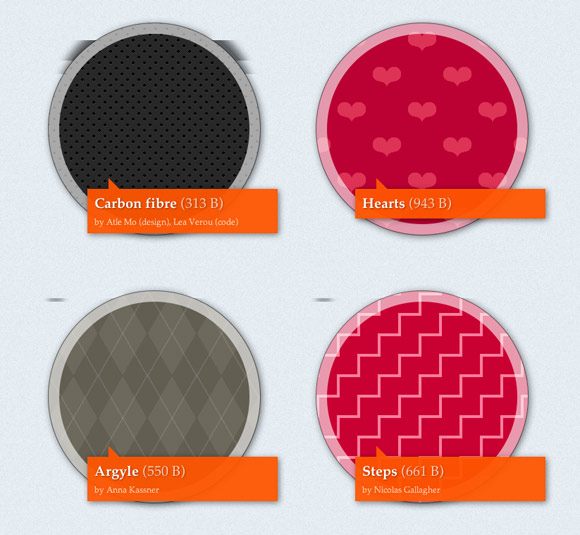
CSS3 Patterns Gallery

推荐8款非常有用的CSS开发工具

这个CSS3模式库展示了各种使用纯 CSS3 实现的网页背景效果,可以即时修改代码浏览效果,非常棒!

Layer Styles

推荐8款非常有用的CSS开发工具

这是一个基于 HTML5 的在线应用,以非常直观的方式生成各种丰富CSS3效果,这个界面是否让你想起了 Photoshop 呢。

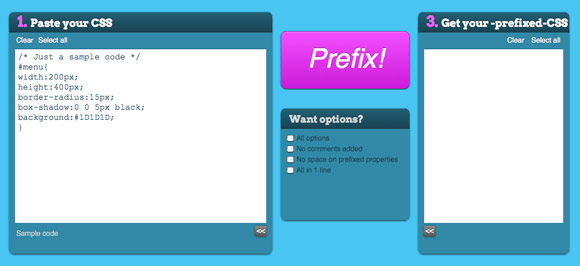
PrefixMyCSS

推荐8款非常有用的CSS开发工具

PrefixMyCSS 是一个可以帮助你自动补全CSS前缀的工具,帮助你更高效的编写CSS代码。

Sencha Animator

推荐8款非常有用的CSS开发工具

Sencha Animator 是一个用于制作运行在WebKit核心浏览器和触屏设备的CSS3动画的桌面应用程序,让你可以像制作Flash一样制作CSS3动画。

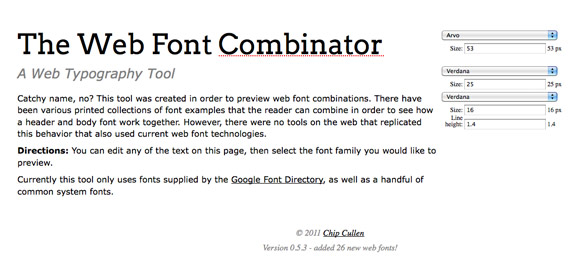
The Web Font Combinator

推荐8款非常有用的CSS开发工具

Web Font Combinator 是一款用于在线预览网页字体样式的工具,很适合网页设计师用的一款工具。

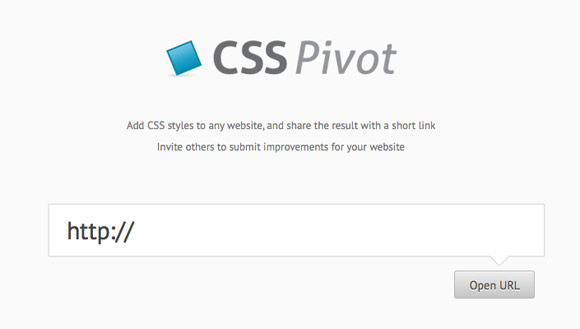
CSS Pivot

推荐8款非常有用的CSS开发工具

CSS Pivot 可以让你给任何网站添加样式,并可以把结果以短网址的形式分享,这个工具挺有创意的。

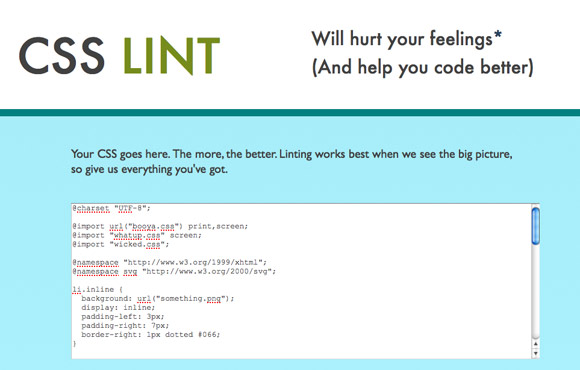
CSS Lint

推荐8款非常有用的CSS开发工具

CSS Lint 是一款帮助你检查CSS代码的工具,除了基本的语法检查以外,还会提醒你一些效率低下的CSS代码写法。

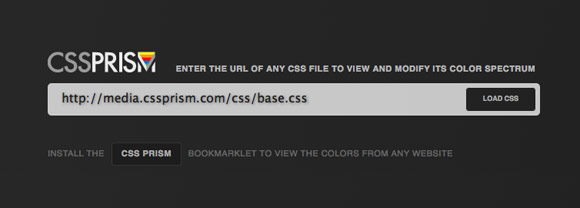
CSS Prism

推荐8款非常有用的CSS开发工具

CSS Prism 是一款对设计师非常有用的在线工具,输入任何网站的CSS文件地址即可分析出改网站的色谱。

[转载]两个Select标签内容多选切换之jquery方法

mikel阅读(1000)

[转载]两个Select标签内容多选切换之jquery方法 – qandq – 博客园.

利用JQuery实现两个select标签多选内容从一个标签选择到另外一个标签的简单方法,区区几行代码就能搞定,支持多种浏览器。

效果如下所示:

本例中用到JQuery请自行下载。
若有不明白或者有新的功能需求请留言

代码如下:

<!DOCTYPE HTML PUBLIC "-//W3C//DTD HTML 4.0 Transitional//EN">
<HTML>
<HEAD>
<TITLE>select标签  </TITLE>
<META NAME="Generator" CONTENT="EditPlus">
<META NAME="Author" CONTENT="">
<META NAME="Keywords" CONTENT="">
<META NAME="Description" CONTENT="">
<script type="text/javascript" src="jquery.js"></script>

<SCRIPT LANGUAGE="JavaScript">
<!--
$(document).ready(function() {
    $("#toRight").click(function(){
        $("#selectLeft option:selected").each(function(){
                $("#selectRight").append("<option value=" + 
$(this).val() + ">" + $(this).html() + "</option>");
                $(this).remove();
        });
    });

    $("#toLeft").click(function(){    
        $("#selectRight option:selected").each(function(){
                $("#selectLeft").append("<option value=" + $(this).val() + 
">" + $(this).html() + "</option>");
//这个方法是默认在后面添加
                //$("#selectLeft option:first").before("<option value=" +
 $(this).val() + ">" + $(this).html() + "</option>"); 
//此种方法是在select前面加内容
                //$("#selectLeft option[value=3]").before("<option value=" +
 $(this).val() + ">" + $(this).html() + "</option>"); 
//此种方法是在selectt指定某一行加内容
                $(this).remove();
        });
    });

});
//-->
</SCRIPT>
</HEAD>

<BODY>
<table>
<tr>
    <td>
    <select  size='10' multiple id="selectLeft"  style="width:200px">
        <option value="0">Jquery API</option>
        <option  value="1">JavaScript高级程序设计</option>
        <option  value="2">锋利的jQuery</option>
        <option value="3">JavaScript 设计模式</option>
        <option  value="4">JavaScript+DOM高级程序设计</option>
        <option  value="5">PHP高级程序设计</option>
        <option  value="6">面向对象程序设计</option>
    </select>
    </td>
    <td>
    <input type="button" value=" >> " id="toRight" /><br /><br />
    <input type="button" value=" << " id="toLeft" />
    </td>
    <td>
    <select  size='10' multiple id="selectRight" style="width:200px">
    </select>
    </td>
</tr>
</table>
</BODY>
</HTML>