Server Error in '/' Application.
Directory does not exist.
Parameter name: directoryVirtualPath
Description: An unhandled exception occurred during the execution of the current web request. Please review the stack trace for more information about the errorand where it originated in the code.
Exception Details: System.ArgumentException: Directory does not exist.
Parameter name: directoryVirtualPath
Source Error:
An unhandled exception was generated during the execution of the current web request. Information regarding the origin and location of the exception can be identified using the exception stack trace below.
Stack Trace:
[ArgumentException: Directory does not exist.
Parameter name: directoryVirtualPath]
System.Web.Optimization.Bundle.IncludeDirectory(String directoryVirtualPath, String searchPattern, Boolean searchSubdirectories) +357
System.Web.Optimization.Bundle.Include(String[] virtualPaths) +287
IconBench.BundleConfig.RegisterBundles(BundleCollection bundles) +75
IconBench.MvcApplication.Application_Start() +128
[HttpException (0x80004005): Directory does not exist.
Parameter name: directoryVirtualPath]
System.Web.HttpApplicationFactory.EnsureAppStartCalledForIntegratedMode(HttpContext context, HttpApplication app) +9160125
System.Web.HttpApplication.RegisterEventSubscriptionsWithIIS(IntPtr appContext, HttpContext context, MethodInfo[] handlers) +131
System.Web.HttpApplication.InitSpecial(HttpApplicationState state, MethodInfo[] handlers, IntPtr appContext, HttpContext context) +194
System.Web.HttpApplicationFactory.GetSpecialApplicationInstance(IntPtr appContext, HttpContext context) +339
System.Web.Hosting.PipelineRuntime.InitializeApplication(IntPtr appContext) +253
[HttpException (0x80004005): Directory does not exist.
Parameter name: directoryVirtualPath]
System.Web.HttpRuntime.FirstRequestInit(HttpContext context) +9079228
System.Web.HttpRuntime.EnsureFirstRequestInit(HttpContext context) +97
System.Web.HttpRuntime.ProcessRequestNotificationPrivate(IIS7WorkerRequest wr, HttpContext context) +256
Version Information: Microsoft .NET Framework Version:4.0.30319; ASP.NET Version:4.0.30319.237
if(!window.localStorage){
            alert("浏览器支持localstorage");
        }else{
            var storage=window.localStorage;
            var data={
                name:'xiecanyong',
                sex:'man',
                hobby:'program'
            };
            var d=JSON.stringify(data);
            storage.setItem("data",d);
            console.log(storage.data);
        }
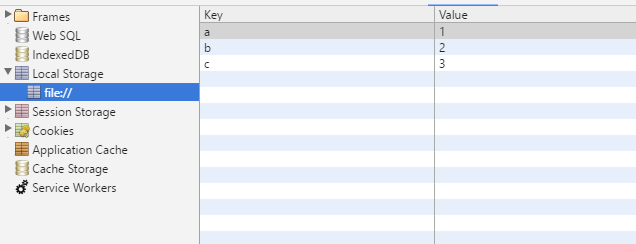
读取之后要将JSON字符串转换成为JSON对象,使用JSON.parse()方法
var storage=window.localStorage;
            var data={
                name:'xiecanyong',
                sex:'man',
                hobby:'program'
            };
            var d=JSON.stringify(data);
            storage.setItem("data",d);
            //将JSON字符串转换成为JSON对象输出
            var json=storage.getItem("data");
            var jsonObj=JSON.parse(json);
            console.log(typeof jsonObj);
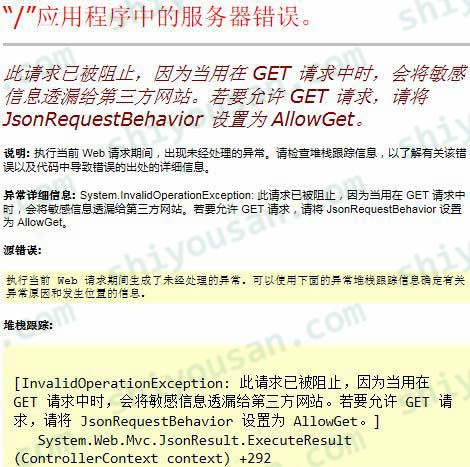
在ASP.NET MVC项目中,使用AJAX向控制器发送GET请求获取JSON数据时,出现这个错误:”此请求已被阻止,因为当用在 GET 请求中时,会将敏感信息透漏给第三方网站。若要允许 GET 请求,请将 JsonRequestBehavior 设置为 AllowGet”。
其实从返回的这个错误信息我们已经可以知道解决方法了,看这个信息:”因为当用在 GET 请求中时,会将敏感信息透漏给第三方网站“,说明我们只要使用POST请求就可以了。后面的 “若要允许 GET 请求,请将 JsonRequestBehavior 设置为 AllowGet”,这是提示第二种解决方法,就是设置JSON结果对象使其允许来自客户端的 HTTP GET 请求。以下为具体解决方法:
方法一 使用POST请求来调用控制器,从而获取JSON数据
原来发送ajax请求的前台JS代码如下:
    /*可以看到type 设置的是GET请求*/
    $.ajax({
        type:'GET',
        url: '/Home/AjaxGetJsonData',
        success: function (data) {
            alert(data);
        },
        error: function (error) {
            alert(error.responseText);
        }
    });
或者
    $.get('/Home/AjaxGetJsonData', null, function (data) {
        alert(data);
    });
那么我们只要将代码更改为下面两种任意一种就可以了:
    /*这里更改了ajax的参数 type 为POST ,发送POST请求就不会报错了*/
    $.ajax({
        type: 'POST',
        url: '/Home/AjaxGetJsonData',
        success: function (data) {
            alert(data);
        },
        error: function (error) {
            alert(error.responseText);
        }
    });
或者
    /*也可以直接使用$.post方法进行ajax调用*/
    $.post('/Home/AjaxGetJsonData', null, function (data) {
        alert(data);
    });
方法二 在控制器返回的JSON结果对象里,设置JsonRequestBehavior.AllowGet(允许来自客户端的 HTTP GET 请求)
13.网站名称随便写;应用程序池选择DefaultAppPool;物理路径就是第11步中,下方输出栏里显示的蓝色字体的发布路径(自己去选择路径,不要直接粘贴);类型选择https;端口号随便设置(不要设置成正在使用的端口);IIS证书选择IIS Express Development Certificate;设置好后,点击确定。
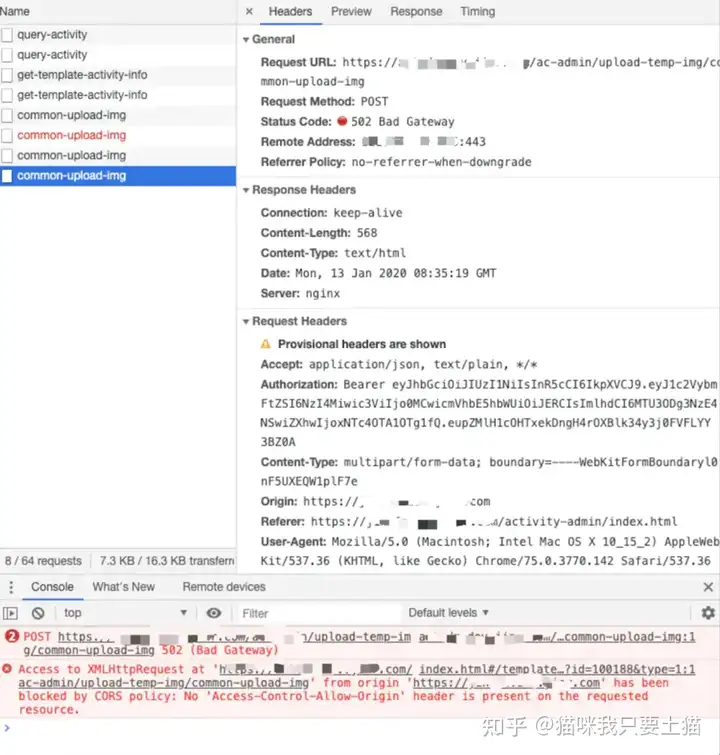
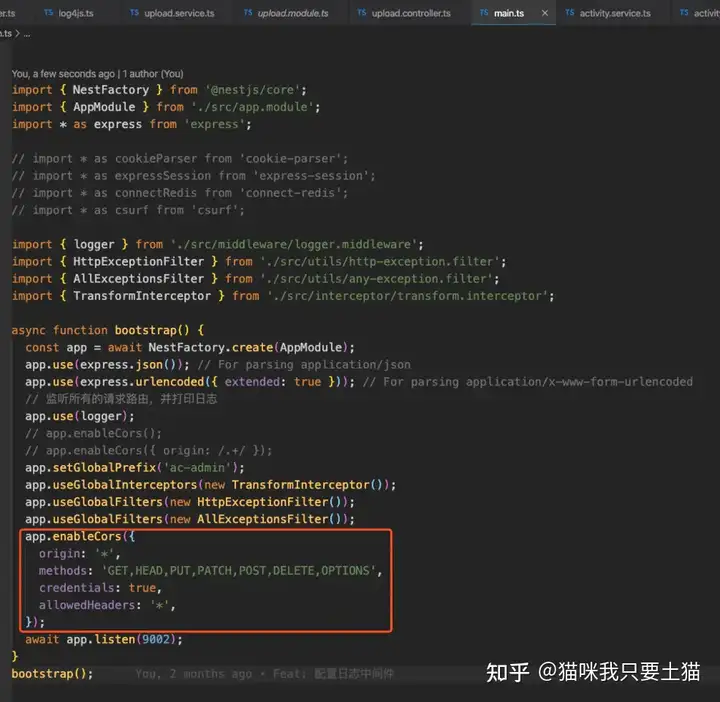
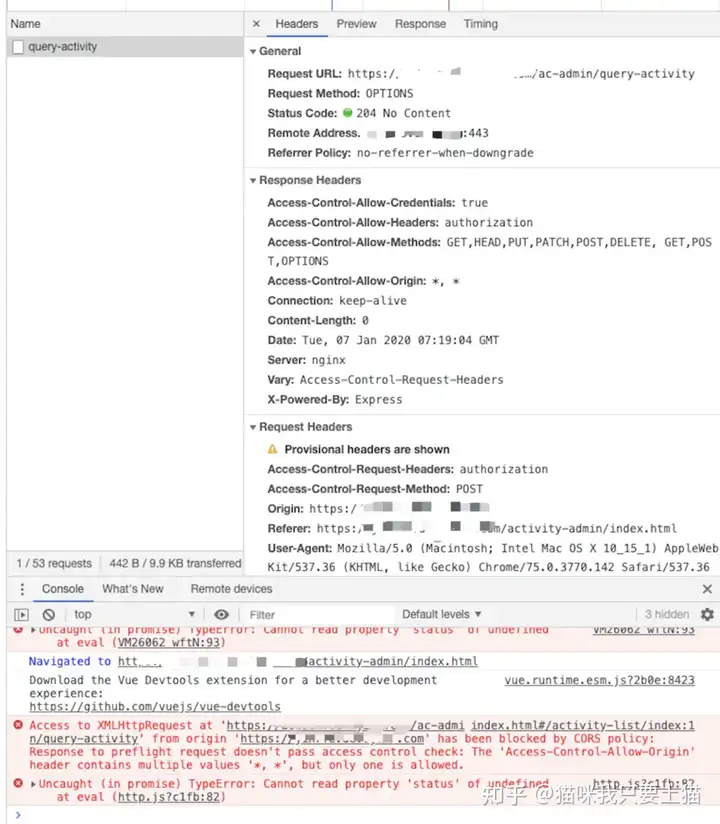
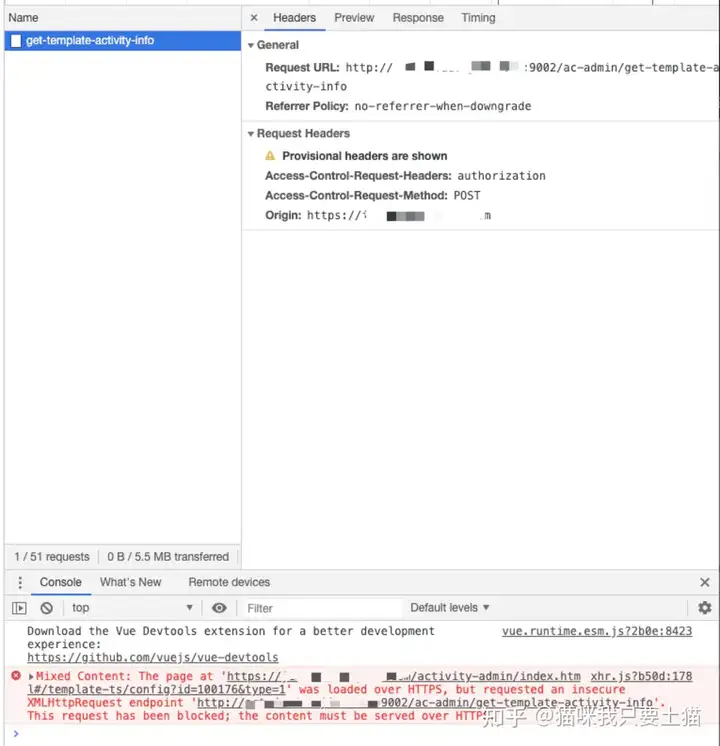
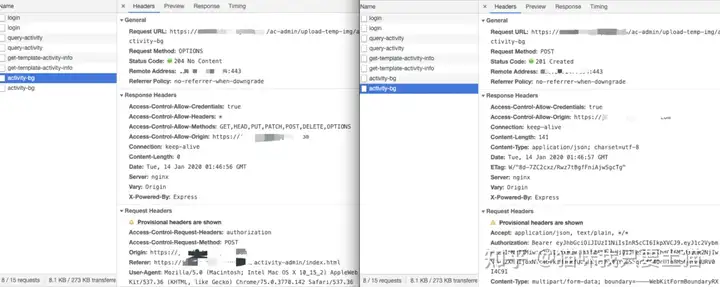
跨域这个问题大家并不陌生,这也是面试的高频问题,很多人都背过,什么因为同源策略啊,CORS 啊等等,跨域的标致就是浏览器控制台出现 Access to XMLHttpRequest at 'https://xxx.xxx.com' from origin 'https://xxx.xxx.com' has been blocked by CORS policy: No 'Access-Control-Allow-Origin' header is present on the requested resource.。
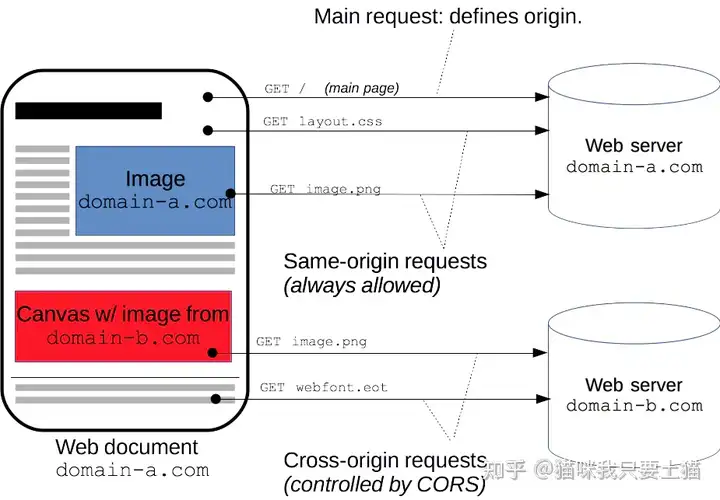
首先,只有 Web 浏览器才会产生跨域,这是因为浏览器的同源策略在限制。同源策略就是 [域名(又称为主机 host),端口(port),协议(protocol)] 要统一,否则就会被浏览器判定为跨域,然后拒绝请求。但是严格的说,浏览器并不是拒绝所有的跨域请求,实际上拒绝的是跨域的读操
同源策略并不是不好,它在一定程度上保证了浏览器的安全,只是无法适应现代的潮流,在工程服务化后,不同职责的服务分散在不同的工程中,往往这些工程的域名是不同的,但一个需求可能需要对应到多个服务,这时便需要调用不同服务的接口。
插曲
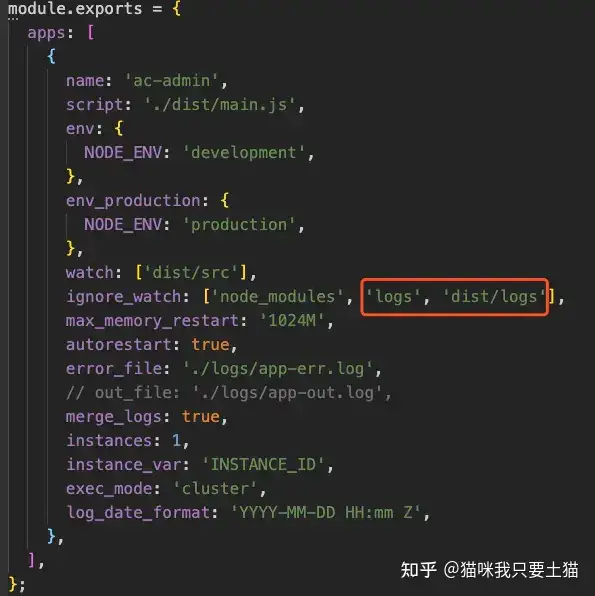
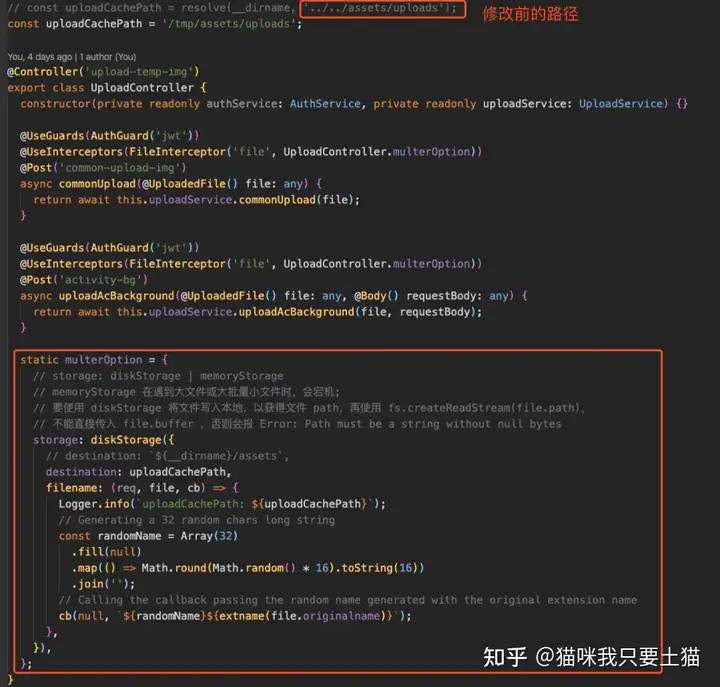
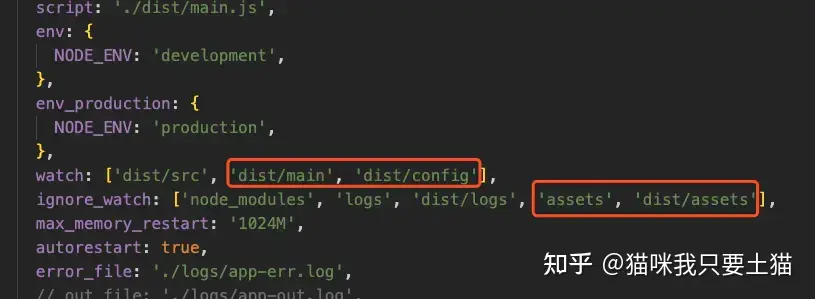
有读者可能注意到 /tmp/assets/uploads 路径,要是同事用的是 Windows 系统开发咋办?这个我自然也想到了,于是改了 pm2 的启动项:
可是无论怎样改,依然会触发上述 Bug,因为服务器同时跑着 2 个 Node 项目,另一个项目也有自己的 pm2 启动项,所以感觉这个配置被另一个覆盖了,pm2 似乎是全局的。如果有其他大神深入了解过 pm2 的可以指点一下。
所以和运维大佬讨论了一下,给我开了权限,就暂时用这个临时目录,待以后找到更好的解决方案再优化,反正目前这个项目也只有我一人在维护。
遇到的其他场景
1. 服务器宕机
就在我刚找到解决方案的时候,我带的小弟跑过来问我是不是动了配置文件,老项目怎么都跨域了。我去看他的控制台,确实有 Access to ... has been blocked by CORS policy: No 'Access-Control-Allow-Origin' header is present on the requested resource. 的信息,由于刚踩的坑,何况我也没动过配置文件,所以觉得这肯定不是跨域问题。然后我看了服务器的日志,发现一直在重启,因为有个模块他没同步上去,只同步了路由文件,导致路由找不到对应的函数,服务就一直在报错重启,根本就没处理请求。于是让他把代码重新上传,问题解决。
所以个人猜测(因为没有权限看服务器的配置),这次跨域是 nginx 代理的时候,因为访问不到 Node 服务,所以自然而然地就读不到 CORS 配置,然后报跨域错误。
2. Axios 的自行检查
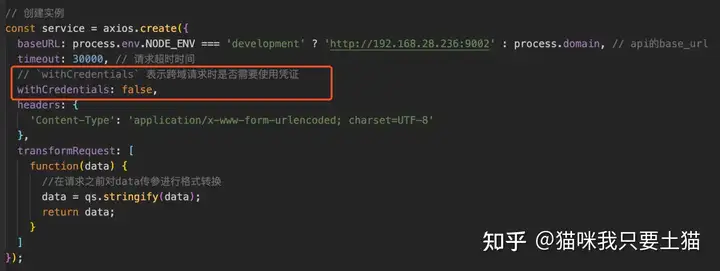
Axios 创建实例时,有个字段需要注意:
 Mikel
Mikel