Flutter 如何获取设备的唯一码_会煮咖啡的猫咪的博客-CSDN博客_flutter获取设备的唯一编号

mikel阅读(639)

来源: Flutter 如何获取设备的唯一码_会煮咖啡的猫咪的博客-CSDN博客_flutter获取设备的唯一编号

[外链图片转存失败,源站可能有防盗链机制,建议将图片保存下来直接上传(img-G36RSinr-1620689701971)(https://ducafecat.tech/2021/05/11/translation/how-to-get-unique-device-details-in-flutter/2021-05-11-06-16-24.png)]

老铁记得 转发 ,猫哥会呈现更多 Flutter 好文~~~~

微信 flutter 研修群 ducafecat

原文

https://medium.com/flutterdevs/how-to-get-unique-device-details-in-flutter-ced2dbe5f8e5

猫哥说

获取设备 id 是每一个 APP 都应该去做的,比如你访问唯一用户统计就需要。

前言

[外链图片转存失败,源站可能有防盗链机制,建议将图片保存下来直接上传(img-Jsn0Zylc-1620689701973)(https://ducafecat.tech/2021/05/11/translation/how-to-get-unique-device-details-in-flutter/2021-05-11-06-16-41.png)]

代码

https://github.com/flutter-devs/flutter_device_details_demo

参考

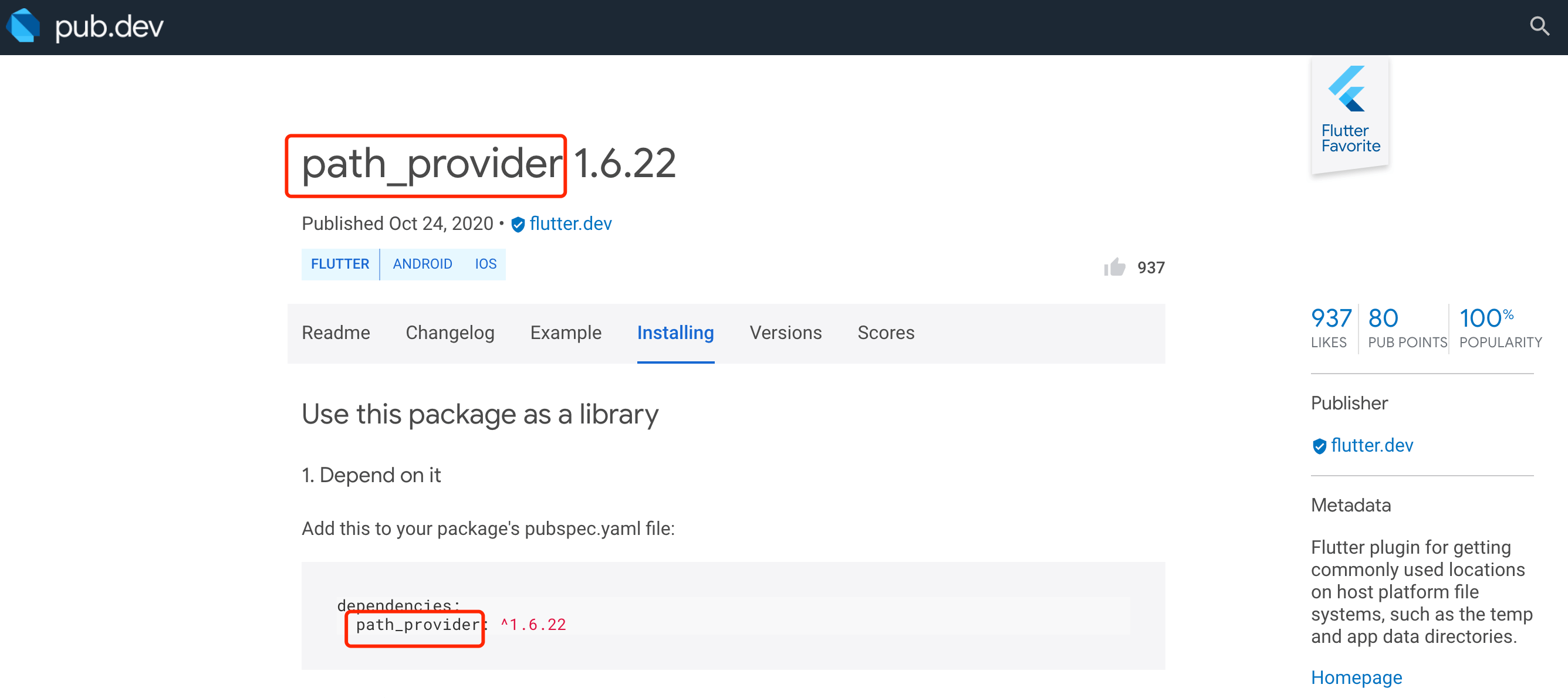
  • https://pub.dev/packages/device_info

正文

一般来说,制作一个移动应用程序是一个极其令人难以置信和测试的任务。有许多可用的框架,这些框架为创建移动应用程序提供了极好的亮点。为了创建移动应用,Android 提供了一个基于 Java 和 Kotlin 语言的本地结构框架,而 iOS 提供了一个依赖于 Objective-C/Swift 语言的系统。

随后,我们需要两种独特的语言和结构来为这两种操作系统创建应用程序。今天,为了打破这种错综复杂的结构,已经提出了几个框架来帮助桌面应用程序同时使用这两种操作系统。这类框架被称为 cross-platform 跨平台开发工具。

在这个博客,我们将探索如何获得独特的设备细节.我们将实现一个演示程序,并获得独特的设备细节,为安卓和 IOS 使用设备信息包在您的 Flutter 应用程序。

简介

Flutter 中得到当前设备数据的应用。如何利用 device_info plugin 为 Android 和 IOS 提供独特的设备细节。在这一点上,当我们谈论一个独特的设备细节在本地,我们有 Settings.Secure.ANDROID_ID 获得一个独一无二的设备细节。

https://pub.dev/packages/device_info

演示

[外链图片转存失败,源站可能有防盗链机制,建议将图片保存下来直接上传(img-AStRJRXo-1620689701974)(https://ducafecat.tech/2021/05/11/translation/how-to-get-unique-device-details-in-flutter/2021-05-11-06-23-41.png)]

这个演示视频显示了如何获得一个独特的设备细节的 Flutter 。它显示了如何设备细节将工作使用设备信息包在您的 Flutter 应用程序。它会显示用户何时点击触发按钮,屏幕上显示的唯一设备 Andriod/Ios 信息,如设备名称、版本、标识符等。它会显示在你的设备上。

实施

  • 第一步: 添加依赖项

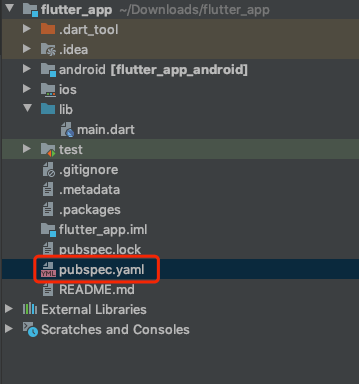
将依赖项添加到 pubspec ー yaml 文件。

dependencies:
  flutter:
    sdk: flutter
  device_info: ^0.4.0+4
  • 1
  • 2
  • 3
  • 4
  • 第二步: 导入
import 'package:device_info/device_info.dart';
  • 1
  • 第三步: 在应用程序的根目录中运行 flutter 软件包。

代码实现

如何实现 dart 文件中的代码:

在 lib 文件夹中创建一个新的 dart 文件,名为 device_detail_demo.dart

首先,我们将创建一个用户界面。在主体部分,我们将添加一个中心小部件。在内部,我们将添加一个列小部件。在这个小部件中,我们将添加一个 mainAxisAlignmnet 为中心。它是 children’s property ,添加 RaisedButton()。在这个按钮中,我们将添加填充、颜色和 OnPressed 功能。它的子属性,我们将文本“Device Details”。

Center(
  child: Column(
    mainAxisAlignment: MainAxisAlignment.center,
    children: [
      RaisedButton(
        padding: EdgeInsets.all(14),
        color: Colors.cyan[50],
        onPressed: (){},
        child: Text("Device Details",
          style: TextStyle(color: Colors.black),),
      ),
    ],
  ),
),
  • 1
  • 2
  • 3
  • 4
  • 5
  • 6
  • 7
  • 8
  • 9
  • 10
  • 11
  • 12
  • 13
  • 14

当我们运行应用程序时,我们应该得到屏幕的输出,就像下面的屏幕截图一样。

[外链图片转存失败,源站可能有防盗链机制,建议将图片保存下来直接上传(img-fafORRz4-1620689701975)(https://ducafecat.tech/2021/05/11/translation/how-to-get-unique-device-details-in-flutter/2021-05-11-06-28-26.png)]

我们将创建三个字符串 deviceName、 deviceVersion 和 identifier。

String deviceName ='';
String deviceVersion ='';
String identifier= '';
  • 1
  • 2
  • 3

现在,我们将添加程序的主函数。我们将添加 future _deviceDetails() 在内部,我们将添加一个最终的 deviceinfoplgin 等于新的 deviceinfoplgin()。我们将添加 try {} 方法,并为平台导入 dart:io。

import 'dart:io';
  • 1

如果平台是 Andriod,那么构建就等于 deviceInfoPlugin 对于 Andriod 信息。添加 setState ()方法。在这个方法中,我们将所有的字符串加起来等于构建。如果平台是 Ios,那么构建版本就等于 Ios 信息的 deviceInfoPlugin。添加 setState ()方法。在这个方法中,我们将所有的字符串加起来等于构建。

Future<void>_deviceDetails() async{
  final DeviceInfoPlugin deviceInfoPlugin = new DeviceInfoPlugin();
  try {
    if (Platform.isAndroid) {
      var build = await deviceInfoPlugin.androidInfo;
      setState(() {
        deviceName = build.model;
        deviceVersion = build.version.toString();
        identifier = build.androidId;
      });
      //UUID for Android
    } else if (Platform.isIOS) {
      var data = await deviceInfoPlugin.iosInfo;
      setState(() {
        deviceName = data.name;
        deviceVersion = data.systemVersion;
        identifier = data.identifierForVendor;
      });//UUID for iOS
    }
  } on PlatformException {
    print('Failed to get platform version');
  }

}
  • 1
  • 2
  • 3
  • 4
  • 5
  • 6
  • 7
  • 8
  • 9
  • 10
  • 11
  • 12
  • 13
  • 14
  • 15
  • 16
  • 17
  • 18
  • 19
  • 20
  • 21
  • 22
  • 23
  • 24

我们将为 PlatformException 导入服务

import 'package:flutter/services.dart';
  • 1

现在,我们将在引发的按钮上添加按下的函子上的 _deviceDetails()

onPressed: (){
  _deviceDetails();
},
  • 1
  • 2
  • 3

我们将添加设备版本、名称和标识符不是空的,然后显示 Column 小部件。在这个小部件中,我们将添加所有三个文本,如设备名称、设备版本和设备标识符将显示在您的设备上。否则,显示一个空容器。

deviceVersion.isNotEmpty && deviceName.isNotEmpty
    && identifier.isNotEmpty?
Column(
  children: [
    SizedBox(height: 30,),
    Text("Device Name:- "+deviceName,style: TextStyle
      (color: Colors.red,
        fontWeight: FontWeight.bold)),
    SizedBox(height: 30,),
    Text("Device Version:- "+deviceVersion,style: TextStyle
      (color: Colors.red,
        fontWeight: FontWeight.bold)),
    SizedBox(height: 30,),
    Text("Device Identifier:- "+identifier,style: TextStyle
      (color: Colors.red,
        fontWeight: FontWeight.bold)),
    SizedBox(height: 30,),
  ],
): Container(),
  • 1
  • 2
  • 3
  • 4
  • 5
  • 6
  • 7
  • 8
  • 9
  • 10
  • 11
  • 12
  • 13
  • 14
  • 15
  • 16
  • 17
  • 18
  • 19

当用户点击按钮,然后,所有三个数据将显示在您的设备上。当我们运行应用程序时,我们应该得到屏幕的输出,就像下面的屏幕截图一样。

[外链图片转存失败,源站可能有防盗链机制,建议将图片保存下来直接上传(img-GgC1PijR-1620689701976)(https://ducafecat.tech/2021/05/11/translation/how-to-get-unique-device-details-in-flutter/2021-05-11-06-32-01.png)]

代码文件

import 'dart:io';
import 'package:device_info/device_info.dart';
import 'package:flutter/cupertino.dart';
import 'package:flutter/material.dart';
import 'package:flutter/services.dart';

class DeviceDetailDemo extends StatefulWidget {


  @override
  _DeviceDetailDemoState createState() => _DeviceDetailDemoState();
}

class _DeviceDetailDemoState extends State<DeviceDetailDemo> {

  String deviceName ='';
  String deviceVersion ='';
  String identifier= '';

  Future<void>_deviceDetails() async{
    final DeviceInfoPlugin deviceInfoPlugin = new DeviceInfoPlugin();
    try {
      if (Platform.isAndroid) {
        var build = await deviceInfoPlugin.androidInfo;
        setState(() {
          deviceName = build.model;
          deviceVersion = build.version.toString();
          identifier = build.androidId;
        });
        //UUID for Android
      } else if (Platform.isIOS) {
        var data = await deviceInfoPlugin.iosInfo;
        setState(() {
          deviceName = data.name;
          deviceVersion = data.systemVersion;
          identifier = data.identifierForVendor;
        });//UUID for iOS
      }
    } on PlatformException {
      print('Failed to get platform version');
    }

  }

  @override
  Widget build(BuildContext context) {
    return Scaffold(
      appBar: AppBar(
        backgroundColor: Colors.redAccent[100],
        title: Text("Flutter Device Details Demo"),
        automaticallyImplyLeading: false,
      ),
      body: Center(
        child: Column(
          mainAxisAlignment: MainAxisAlignment.center,
          children: [
            RaisedButton(
              padding: EdgeInsets.all(14),
              color: Colors.cyan[50],
              onPressed: (){
                _deviceDetails();
              },
              child: Text("Device Details",
                style: TextStyle(color: Colors.black),),
            ),
            deviceVersion.isNotEmpty && deviceName.isNotEmpty
                && identifier.isNotEmpty?
            Column(
              children: [
                SizedBox(height: 30,),
                Text("Device Name:- "+deviceName,style: TextStyle
                  (color: Colors.red,
                    fontWeight: FontWeight.bold)),
                SizedBox(height: 30,),
                Text("Device Version:- "+deviceVersion,style:    TextStyle
                  (color: Colors.red,
                    fontWeight: FontWeight.bold)),
                SizedBox(height: 30,),
                Text("Device Identifier:- "+identifier,style: TextStyle
                  (color: Colors.red,
                    fontWeight: FontWeight.bold)),
                SizedBox(height: 30,),
              ],
            ): Container(),
          ],
        ),
      ),
    );
  }
}
  • 1
  • 2
  • 3
  • 4
  • 5
  • 6
  • 7
  • 8
  • 9
  • 10
  • 11
  • 12
  • 13
  • 14
  • 15
  • 16
  • 17
  • 18
  • 19
  • 20
  • 21
  • 22
  • 23
  • 24
  • 25
  • 26
  • 27
  • 28
  • 29
  • 30
  • 31
  • 32
  • 33
  • 34
  • 35
  • 36
  • 37
  • 38
  • 39
  • 40
  • 41
  • 42
  • 43
  • 44
  • 45
  • 46
  • 47
  • 48
  • 49
  • 50
  • 51
  • 52
  • 53
  • 54
  • 55
  • 56
  • 57
  • 58
  • 59
  • 60
  • 61
  • 62
  • 63
  • 64
  • 65
  • 66
  • 67
  • 68
  • 69
  • 70
  • 71
  • 72
  • 73
  • 74
  • 75
  • 76
  • 77
  • 78
  • 79
  • 80
  • 81
  • 82
  • 83
  • 84
  • 85
  • 86
  • 87
  • 88
  • 89
  • 90

总结

在本文中,我解释了如何获得独特的设备细节 Flutter 的基本结构,您可以根据自己的选择修改这个代码。这是一个小的介绍,以获得独特的设备细节的用户交互从我这边,它的工作使用 Flutter。


© 猫哥

https://ducafecat.tech/

https://github.com/ducafecat

往期

开源

GetX Quick Start

https://github.com/ducafecat/getx_quick_start

新闻客户端

https://github.com/ducafecat/flutter_learn_news

strapi 手册译文

https://getstrapi.cn

微信讨论群 ducafecat

系列集合

译文

https://ducafecat.tech/categories/%E8%AF%91%E6%96%87/

Dart 编程语言基础

https://space.bilibili.com/404904528/channel/detail?cid=111585

Flutter 零基础入门

https://space.bilibili.com/404904528/channel/detail?cid=123470

Flutter 实战从零开始 新闻客户端

https://space.bilibili.com/404904528/channel/detail?cid=106755

Flutter 组件开发

https://space.bilibili.com/404904528/channel/detail?cid=144262

Flutter Bloc

https://space.bilibili.com/404904528/channel/detail?cid=177519

Flutter Getx4

https://space.bilibili.com/404904528/channel/detail?cid=177514

Docker Yapi

https://space.bilibili.com/404904528/channel/detail?cid=130578

Flutter获取Android/iOS设备信息 - 掘金

mikel阅读(831)

来源: Flutter获取Android/iOS设备信息 – 掘金

我们在进行各个系统的原生开发时,都有对应的方法获取设备信息,那么在使用Flutter时如何获取设备相关的相关信息呢?

我们本文就来介绍一个Flutter插件:
Flutter Device Info

下面我们来逐步介绍如何获取设备信息。

首先在工程的pubspec.yaml中添加依赖

dependencies:
  device_info: ^0.4.0+1
复制代码

下载安装这个依赖包

在工程主目录下执行:

flutter packages get
复制代码

在代码中使用

首先我们引入device_info.dart:

import 'package:device_info/device_info.dart';

复制代码

iOS安装cocoapods

如果需要运行在iOS上运行,如果电脑上没有安装cocoapods,此时会报出异常:

Warning: CocoaPods not installed. Skipping pod install.
  CocoaPods is used to retrieve the iOS platform side's plugin code that responds to your plugin usage on the Dart side.
  Without resolving iOS dependencies with CocoaPods, plugins will not work on iOS.
  For more info, see https://flutter.io/platform-plugins
To install:
  brew install cocoapods
  pod setup
复制代码

此时我们则需要安装并配置cocoapods(确保机器上已经安装好了brew):

brew install cocoapods
pod setup
复制代码

获取Android与iOS设备信息

void getDeviceInfo() async {
  DeviceInfoPlugin deviceInfo = new DeviceInfoPlugin();
  if(Platform.isAndroid) {
    AndroidDeviceInfo androidInfo = await deviceInfo.androidInfo;    
    print(_readAndroidBuildData(androidInfo).toString());
  } else if (Platform.isIOS) {
    IosDeviceInfo iosInfo = await deviceInfo.iosInfo;
    print(_readIosDeviceInfo(iosInfo).toString());
  }
}
复制代码

构造设备信息的Map
为了更方便的打印和使用信息,我们将AndroidDeviceInfo和IosDeviceInfo构造成Map:

Android:

Map<String, dynamic> _readAndroidBuildData(AndroidDeviceInfo build) {
  return <String, dynamic>{
    'version.securityPatch': build.version.securityPatch,
    'version.sdkInt': build.version.sdkInt,
    'version.release': build.version.release,
    'version.previewSdkInt': build.version.previewSdkInt,
    'version.incremental': build.version.incremental,
    'version.codename': build.version.codename,
    'version.baseOS': build.version.baseOS,
    'board': build.board,
    'bootloader': build.bootloader,
    'brand': build.brand,
    'device': build.device,
    'display': build.display,
    'fingerprint': build.fingerprint,
    'hardware': build.hardware,
    'host': build.host,
    'id': build.id,
    'manufacturer': build.manufacturer,
    'model': build.model,
    'product': build.product,
    'supported32BitAbis': build.supported32BitAbis,
    'supported64BitAbis': build.supported64BitAbis,
    'supportedAbis': build.supportedAbis,
    'tags': build.tags,
    'type': build.type,
    'isPhysicalDevice': build.isPhysicalDevice,
    'androidId': build.androidId
  };
}

复制代码

iOS:

Map<String, dynamic> _readIosDeviceInfo(IosDeviceInfo data) {
  return <String, dynamic>{
    'name': data.name,
    'systemName': data.systemName,
    'systemVersion': data.systemVersion,
    'model': data.model,
    'localizedModel': data.localizedModel,
    'identifierForVendor': data.identifierForVendor,
    'isPhysicalDevice': data.isPhysicalDevice,
    'utsname.sysname:': data.utsname.sysname,
    'utsname.nodename:': data.utsname.nodename,
    'utsname.release:': data.utsname.release,
    'utsname.version:': data.utsname.version,
    'utsname.machine:': data.utsname.machine,
  };
}
复制代码

设备信息示例(基于模拟器):

Android:

{
    version.securityPatch: 2018-09-05, 
    version.sdkInt: 28, 
    version.release: 9, 
    version.previewSdkInt: 0, 
    version.incremental: 5124027, 
    version.codename: REL, 
    version.baseOS: , 
    board: goldfish_x86_64, 
    bootloader: unknown, 
    brand: google, 
    device: generic_x86_64, 
    display: PSR1.180720.075, 
    fingerprint: google/sdk_gphone_x86_64/generic_x86_64:9/PSR1.180720.075/5124027:user/release-keys, 
    hardware: ranchu, 
    host: abfarm730, 
    id: PSR1.180720.075, 
    manufacturer: Google, 
    model: Android SDK built for x86_64, 
    product: sdk_gphone_x86_64, 
    supported32BitAbis: [x86], 
    supported64BitAbis: [x86_64], 
    supportedAbis: [x86_64, x86], 
    tags: release-keys, 
    type: user, 
    isPhysicalDevice: false,
    androidId: 998921b52c7a7b79
}
复制代码

iOS:

{
    name: iPhone XR, 
    systemName: iOS, 
    systemVersion: 12.1, 
    model: iPhone, 
    localizedModel: iPhone, 
    identifierForVendor: 367F5936-39E1-4DFA-8DD2-9542424256BE, 
    isPhysicalDevice: false, 
    utsname.sysname:: Darwin, 
    utsname.nodename:: bogon, 
    utsname.release:: 18.2.0, 
    utsname.version:: Darwin Kernel Version 18.2.0: Thu Dec 20 20:46:53 PST 2018; 
    root:xnu-4903.241.1~1/RELEASE_X86_64, 
    utsname.machine:: x86_64
}
复制代码

获取屏幕宽高密度等信息
关于如何获取屏幕宽度高度和分辨率等信息,
有需要的同学可以私信或者留言,我会发一篇

作者:我与bug不得不说的故事
链接:https://juejin.cn/post/6844903817025159175
来源:稀土掘金
著作权归作者所有。商业转载请联系作者获得授权,非商业转载请注明出处。

Flutter 获取唯一设备码和简单使用 - 掘金

mikel阅读(1151)

来源: Flutter 获取唯一设备码和简单使用 – 掘金

引入库:

  device_info: ^0.4.0+1
复制代码

.
.
.

核心代码

Future<String> getUniqueId() async {
  DeviceInfoPlugin deviceInfo = DeviceInfoPlugin();
  if (Platform.isIOS) {
    IosDeviceInfo iosDeviceInfo = await deviceInfo.iosInfo;
    print("ios唯一设备码:"+iosDeviceInfo.identifierForVendor);

    StorageManager.sharedPreferences.setString(StorageManager.KEY_SERIALID, iosDeviceInfo.identifierForVendor);

    return iosDeviceInfo.identifierForVendor; // unique ID on iOS
  } else {
    AndroidDeviceInfo androidDeviceInfo = await deviceInfo.androidInfo;
    print("android唯一设备码:"+androidDeviceInfo.androidId);

    StorageManager.sharedPreferences.setString(StorageManager.KEY_SERIALID, androidDeviceInfo.androidId);

    return androidDeviceInfo.androidId; // unique ID on Android
  }
}

大概使用


两平台数据例子:

androidId: 998921b52c7a7b79
iOS: 367F5936-39E1-4DFA-8DD2-9542424256BE

关于.Net Core使用appsettings.json中连接数据库字符串 - 森雾 - 博客园

mikel阅读(552)

来源: 关于.Net Core使用appsettings.json中连接数据库字符串 – 森雾 – 博客园

1、写入数据库连接字符串
比如:

"ConnectionStrings": {
    "Conn": "Data Source=.;Initial Catalog=TestDome;Integrated Security=True"
  }

2、新建 AppsettingJson.cs 类

例如:

复制代码
public class AppSettingsJson
    {
        public static IConfiguration Configuration { get; set; }

        static AppSettingsJson()
        {
            //ReloadOnChange = true 当appsettings.json被修改时重新加载            
            Configuration = new ConfigurationBuilder()
            .Add(new JsonConfigurationSource { Path = "appsettings.json", ReloadOnChange = true })
            .Build();
        }
    }
复制代码

3、选择变量接受数据库连接字符串

例如:

var ConnectionString =  AppSettingsJson.Configuration.GetConnectionString("Conn");

4、此时的ConnectionString中已经包含了有关于Conn中所定义的字符串。

.NET Core appsettings.json 获取数据库连接字符串_枯叶轮回的博客-CSDN博客

mikel阅读(582)

来源: .NET Core appsettings.json 获取数据库连接字符串_枯叶轮回的博客-CSDN博客

本文主要介绍.NET Core中,通过appsettings.json配置文件获取数据库连接字符串


1、在项目的根目录中创建appsettings.json文件

{
  "MssqlConnectionString": "Server=yourip; Database=yourdbname; User Id=yourusername; Password=yourpassword; Pooling=true;",
  "Db2ConnectionString": "Database=yourdbname;UserID=yourusername;Password=yourpassword;Server=yourip:yourport",
  "SomeOtherKey": "SomeOtherValue"
}

2、安装Microsoft.Extensions.Configuration.Json的Nuget包

Install-Package Microsoft.Extensions.Configuration.Json -Version 2.2.0

3、添加AppSettingsJson类

using Microsoft.Extensions.Configuration;
using System.IO;
namespace RutarBackgroundServices.AppsettingsJson
{
    public static class AppSettingsJson
    {
        public static string ApplicationExeDirectory()
        {
            var location = System.Reflection.Assembly.GetExecutingAssembly().Location;
            var appRoot = Path.GetDirectoryName(location);
            return appRoot;
        }
        public static IConfigurationRoot GetAppSettings()
        {
            string applicationExeDirectory = ApplicationExeDirectory();
            var builder = new ConfigurationBuilder()
            .SetBasePath(applicationExeDirectory)
            .AddJsonFile("appsettings.json");
            return builder.Build();
        }

    }
}

4、使用AppSettingsJson获取连接字符串

var appSettingsJson = AppSettingsJson.GetAppSettings();
//方法一
var connectionString = appSettingsJson.GetConnectionString("MssqlConnectionString");
//方法二
var connectionString = appSettingsJson["MssqlConnectionString"];

“Ufida.T.EAP.Dal.DBConnectionFactory”的类型初始值设定项引发异常

mikel阅读(795)

“Ufida.T.EAP.Dal.DBConnectionFactory”的类型初始值设定项引发异常

T+软件突然出现这个问题,开始以为是数据库设置错误了,重新设置了密码测试通过重启服务还是不行,

最后只能按社区的方法,下载最新的补丁,然后安装更新了就好了,估计是文件有问题了吧

引入flutter module,运行时flutter_webview_plugin报错:Unhandled Exception: MissingPluginException_yzpyzp的博客-CSDN博客

mikel阅读(592)

异常信息
Android原生项目引入了一个flutter module,flutter module用到了一个flutter写的sdk,sdk需要使用webview来执行js代码,因此sdk引用了flutter_webview_plugin,然后运行时报错:

E/flutter: [ERROR:flutter/lib/ui/ui_dart_state.cc(186)] Unhandled Exception: MissingPluginException(No implementation found for method launch on channel flutter_webview_plugin)
#0 MethodChannel._invokeMethod (package:flutter/src/services/platform_channel.dart:156:7)
<asynchronous suspension>
#1 FlutterWebviewPlugin.launch (package:flutter_webview_plugin/src/base.dart:225:5)
<asynchronous suspension>
1
2
3
4
5
看下使用的flutter_webview_plugin的版本:

执行flutter pub get:

$ flutter pub get
Running “flutter pub get” in polkawallet… 738ms
The plugin `flutter_aes_ecb_pkcs5` is built using an older version of the Android plugin API which assumes that it’s running in a full-Flutter environment. It may have undefined behaviors when Flutter is integrated into an existing app as a module.
The plugin can be updated to the v2 Android Plugin APIs by following https://flutter.dev/go/android-plugin-migration.
The plugin `flutter_qr_scan` is built using an older version of the Android plugin API which assumes that it’s running in a full-Flutter environment. It may have undefined behaviors when Flutter is integrated into an existing app as a module.
The plugin can be updated to the v2 Android Plugin APIs by following https://flutter.dev/go/android-plugin-migration.
The plugin `flutter_webview_plugin` is built using an older version of the Android plugin API which assumes that it’s running in a full-Flutter environment. It may have undefined behaviors when Flutter is integrated into an existing app as a module.
The plugin can be updated to the v2 Android Plugin APIs by following https://flutter.dev/go/android-plugin-migration.

1
2
3
4
5
6
7
8
9
注意到上面输出信息中的:

The plugin `flutter_webview_plugin` is built using an older version of the Android plugin API which assumes that it’s running in a full-Flutter environment. It may have undefined behaviors when Flutter is integrated into an existing app as a module.
The plugin can be updated to the v2 Android Plugin APIs by following https://flutter.dev/go/android-plugin-migration.
1
2
提示我们,这个 flutter_webview_plugin 是使用旧版本的 plugin API 开发的插件,它是假设在全flutter环境的项目中使用的,如果在一个Android app的module中使用,可能会出现未知的异常,要对插件进行升级可以参考:https://flutter.dev/docs/development/packages-and-plugins/plugin-api-migration

关于flutter_webview_plugin
github:https://github.com/fluttercommunity/flutter_webview_plugin/
所有发布的版本:https://github.com/fluttercommunity/flutter_webview_plugin/tags

在flutter中使用webview需要导入一个第三方插件:flutter_webview_plugin
(flutter_webview_plugin的介绍文档:https://pub.dartlang.org/packages/flutter_webview_plugin)

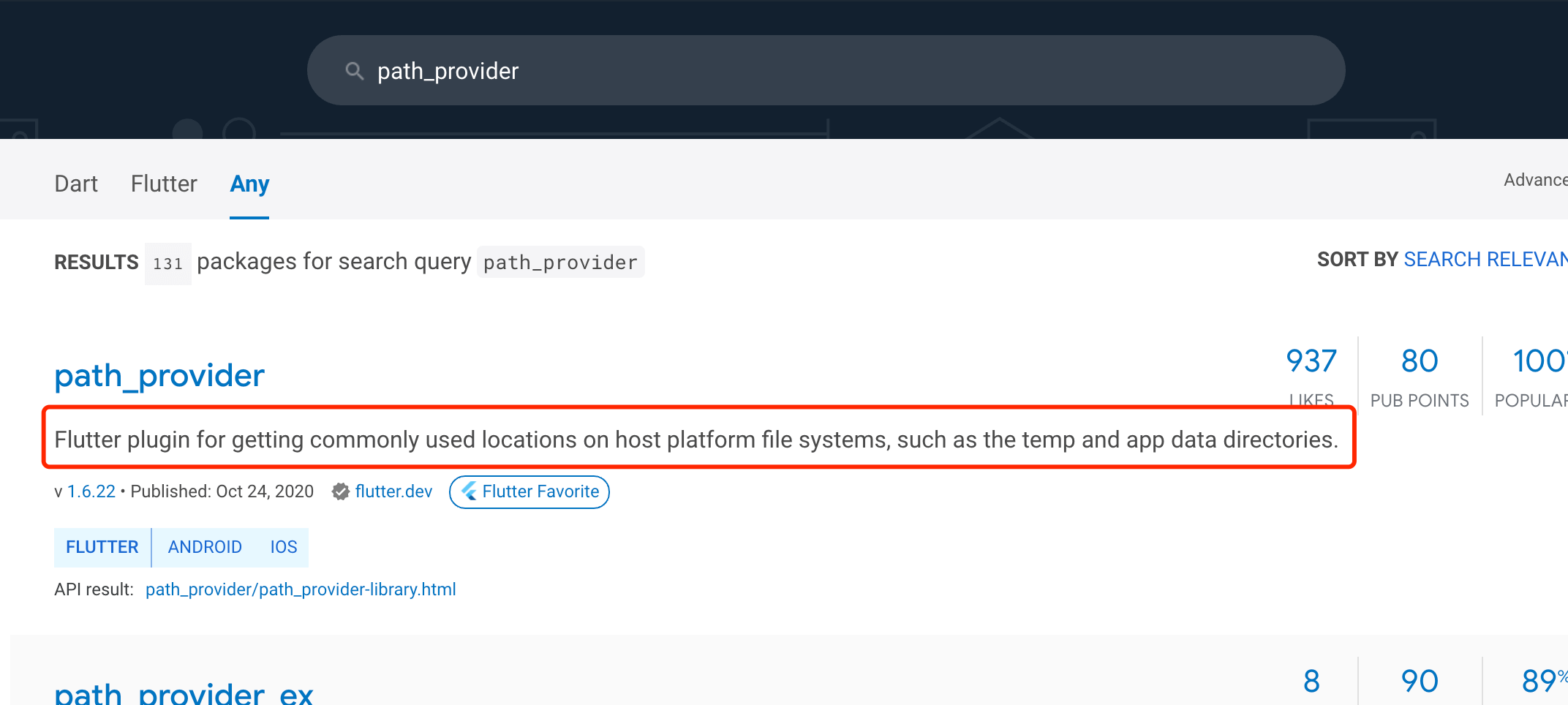
这个插件停更在2020年4月…不更新了

在app开发中经常需要到webview控件,但是flutter本身是没有webview相关控件的,因此需要插件来提供webview控件,flutter中比较常用的webview插件主要有2个,分别是:flutter_webview_plugin和webview_flutter。
flutter_webview_plugin:https://pub.dartlang.org/packages/flutter_webview_plugin
webview_flutter: https://pub.flutter-io.cn/packages/webview_flutter

flutter_webview_plugin插件的使用
使用方式很简单,按照文档 https://pub.dartlang.org/packages/flutter_webview_plugin 的说明一步步来就行了。

一、获得插件
首先,我们先在pubspec.yaml文件中添加依赖

dependencies:
flutter_webview_plugin: ^0.3.4
1
2
然后执行 flutter pub get 就会帮我们下载插件

二、在项目中引入
插件下载完成后就可以在项目中引入了

import ‘package:flutter_webview_plugin/flutter_webview_plugin.dart’;
1
三、代码中具体使用webview
解决
网上看了一大堆解决方式,有些参考吧…

阿里巴巴的flutter_boost项目的webview相关异常:flutter_webview_plugin异常 #653 看着比较靠谱,折腾了一通… 尝试使用 git log –grep=”webview” 和 git log –grep=”plugin”想查看能不能搜索到相关commit记录,git log –grep=”plugin”可以搜索到插件相关的修改,但查看代码发现好像最新版本的代码中又被改掉了?..本以为可以看下现成的解决方案的…

只好静下来自己分析异常…
仔细看下FlutterWebviewPlugin的源码:

/**
* FlutterWebviewPlugin
*/
public class FlutterWebviewPlugin implements MethodCallHandler, PluginRegistry.ActivityResultListener {
private Activity activity;
private WebviewManager webViewManager;
private Context context;
static MethodChannel channel;
private static final String CHANNEL_NAME = “flutter_webview_plugin”;
private static final String JS_CHANNEL_NAMES_FIELD = “JavaScriptChannelNames”;

public static void registerWith(PluginRegistry.Registrar registrar) {
if (registrar.activity() != null) {
channel = new MethodChannel(registrar.messenger(), CHANNEL_NAME);
final FlutterWebviewPlugin instance = new FlutterWebviewPlugin(registrar.activity(), registrar.activeContext());
registrar.addActivityResultListener(instance);
channel.setMethodCallHandler(instance);
}
}

1
2
3
4
5
6
7
8
9
10
11
12
13
14
15
16
17
18
19
20
21
22
23
24
好家伙… 必须要activity不为null时才进行注册插件,而项目中使用Flutter时并没有启动一个Activity,所以registerWith就不能成功注册插件了…
这种插件注册方式其实是flutter v1版本的插件注册方式,flutter v2版本的插件注册方式参看:https://flutter.dev/docs/development/packages-and-plugins/plugin-api-migration,其中说的非常清楚,

The new API has the advantage of providing a cleaner set of accessors for lifecycle dependent components compared to the old APIs. For instance PluginRegistry.Registrar.activity() could return null if Flutter isn’t attached to any activities.
1
new API在Flutter没有绑定到任何activity的情况下,PluginRegistry.Registrar.activity() 可以返回null。

然而flutter_webview_plugin插件停更在2020年4月…代码不更新了,还是使用旧的apiPluginRegistry.Registrar.activity()。

于是考虑用动态代理解决…

参考:

先stop app,再运行app:
Unhandled Exception: MissingPluginException(No implementation found for method launch on channel)

Flutter 解决 MissingPluginException(No implementation found for method xxx on channel xxx)

Unhandled Exception: MissingPluginException(No implementation found for method ****** on channel plugins.flutter.io/firebase_messaging) on IOS

MissingPluginException(No implementation found for method close on channel flutter_webview_plugin)

flutter_webview_plugin插件的使用
flutter插件推荐之 flutter_webview_plugin

Flutter应用开发之webview_flutter插件
在 Flutter 中使用 WebView

Unhandled Exception: MissingPluginException(No implementation found for method close on channel flutter_webview_plugin)

flutter和Android混编下出现“No implementation found for method xxxx on channel”错误

flutter_webview_plugin异常 #653

Flutter plugin registrar.context() and registrar.activity() always null

Javaweb学习(一)之动态代理(增强方法的返回值)
————————————————
版权声明:本文为CSDN博主「yzpyzp」的原创文章,遵循CC 4.0 BY-SA版权协议,转载请附上原文出处链接及本声明。
原文链接:https://blog.csdn.net/yzpbright/article/details/115758627

android - 您的 Flutter 应用程序是使用旧版本的 Android 嵌入创建的 - IT工具网

mikel阅读(597)

来源: android – 您的 Flutter 应用程序是使用旧版本的 Android 嵌入创建的 – IT工具网

最近我打开了我的旧项目,现在有一个警告说以前没有发生过这样的事情
警告看起来像

Warning
──────────────────────────────────────────────────────────────────────────────
Your Flutter application is created using an older version of the Android
embedding. It's being deprecated in favor of Android embedding v2. Follow the
steps at

https://flutter.dev/go/android-project-migration

to migrate your project.

flutter doctor -v 摘要

[] Flutter (Channel stable, 1.22.2, on Mac OS X 10.15.3 19D76, locale en-GB)
     Flutter version 1.22.2 at /Users/pkimac/Development/flutter
     Framework revision 84f3d28555 (6 weeks ago), 2020-10-15 16:26:19 -0700
     Engine revision b8752bbfff
     Dart version 2.10.2

 
[] Android toolchain - develop for Android devices (Android SDK version 29.0.3)
     Android SDK at /Users/pkimac/Library/Android/sdk
     Platform android-30, build-tools 29.0.3
     Java binary at: /Applications/Android Studio.app/Contents/jre/jdk/Contents/Home/bin/java
     Java version OpenJDK Runtime Environment (build 1.8.0_242-release-1644-b3-6222593)
     All Android licenses accepted.

[] Xcode - develop for iOS and macOS (Xcode 11.3.1)
     Xcode at /Applications/Xcode.app/Contents/Developer
     Xcode 11.3.1, Build version 11C504
     CocoaPods version 1.10.0.rc.1

[!] Android Studio (version 4.1)
     Android Studio at /Applications/Android Studio.app/Contents
     Flutter plugin not installed; this adds Flutter specific functionality.
     Dart plugin not installed; this adds Dart specific functionality.
     Java version OpenJDK Runtime Environment (build 1.8.0_242-release-1644-b3-6222593)

[] Connected device (1 available)
     iPhone 11 Pro (mobile)  7A52F1D0-79F7-471C-AA62-3C106114A1A9  ios  com.apple.CoreSimulator.SimRuntime.iOS-13-3 (simulator)
    ! Error: Paresh’s iPhone has recently restarted. Xcode will continue when Paresh’s iPhone is unlocked. (code -14)

! Doctor found issues in 1 category.

这是什么意思,我该如何解决这个警告? 

最佳答案

如果您在 1.12 版之前创建了项目,则会出现此警告
为了更好地支持将 Flutter 添加到现有项目的执行环境,旧的 Android 平台端包装器在 io.flutter.app.FlutterActivity 托管 Flutter 运行时并且它们的关联类现在已弃用。新包装在 io.flutter.embedding.Android.FlutterActivity和相关的类现在取代它们。
您现有的完整 Flutter 项目不会立即受到影响,并且在可预见的 future 将继续像以前一样工作。
要迁移您的项目,请按照以下步骤操作:

  • 移除 MainActivity.java 的 body 或 MainActivity.kt并更改 FlutterActivity进口。新款FlutterActivity不再需要手动注册您的插件。现在它会在下层 FlutterEngine 时自动执行注册。被 build 。你的文件应该是这样的
    package com.appname.app
    
    import io.flutter.embedding.android.FlutterActivity
    
    class MainActivity: FlutterActivity() {
    
    }
    

    如果您的 MainActivity.java 中有现有的自定义平台 channel handler 代码或 MainActivity.kt然后将 onCreate 中代码的 channel 注册部分移动到 FlutterActivity 的 configureFlutterEngine 覆盖中子类和使用 flutterEngine.getDartExecutor().getBinaryMessenger()作为二进制信使而不是 getFlutterView() .

  • 打开 android/app/src/main/AndroidManifest.xml。
  • 从应用程序标签中删除对 FlutterApplication 的引用。你的文件应该是这样的
    以前的配置:

    <application
       android:name="io.flutter.app.FlutterApplication"
       >
       <!-- code omitted -->
    </application>
    

    新配置:

    <application
      >
      <!-- code omitted -->
    </application>
    
  • 更新启动画面行为(如果需要启动画面行为)。
    在 AndroidManifest.xml删除所有 <meta-data>带 key 的标签 android:name="io.flutter.app.android.SplashScreenUntilFirstFrame" .
  • 新增 <meta-data>标签下 <application> .
    <meta-data
      android:name="flutterEmbedding"
      android:value="2" />
    

    enter image description here

更多信息请参见:https://github.com/flutter/flutter/wiki/Upgrading-pre-1.12-Android-projects#full-flutter-app-migration 

关于android – 您的 Flutter 应用程序是使用旧版本的 Android 嵌入创建的,我们在Stack Overflow上找到一个类似的问题: https://stackoverflow.com/questions/65018588/

宝塔面板FTP空间服务无法连接登录解决方法大全 - 知乎

mikel阅读(718)

来源: 宝塔面板FTP空间服务无法连接登录解决方法大全 – 知乎

前提准备:

正常情况下,我们都能顺利连接到宝塔面板创建的FTP空间,但是我这次就遇到了几个问题,所以这次记录下来,以后再次遇到同样的问题,就不要耗费时间去查资料了。日积月累,我的建站知识越来越丰富。

宝塔面板FTP启动失败问题

我的宝塔面板FTP插件启动标识一直是红色标识(停止状态),卸载插件重装也是一样的。所以去网上查找解决方法。

我查看了宝塔面板安装日志:日志太长,可以查看 宝塔面板安装ftp插件报错提示

日志关键报错信息:pureftpd.sh: line 75: StartUp: command not found

解决方法:
在FinalShell客户端执行以下命令

[root@iZuf6bm7y86rsciyk4lvriZ ~]# pkill -9 pure-ftpd
[root@iZuf6bm7y86rsciyk4lvriZ ~]# service pure-ftpd start
Starting Pure-FTPd... /etc/init.d/pure-ftpd: /www/server/pure-ftpd/sbin/pure-config.pl: /usr/bin/perl: bad interpreter: No such file or directory
 failed
[root@iZuf6bm7y86rsciyk4lvriZ ~]# yum install -y perl perl-devel
已加载插件:fastestmirror, product-id, search-disabled-repos, subscription-manager

# 执行 yum install -y perl perl-devel 之后等待一会
# perl安装成功之后...

[root@iZuf6bm7y86rsciyk4lvriZ ~]# service pure-ftpd start
Starting Pure-FTPd... Running: /www/server/pure-ftpd/sbin/pure-ftpd --daemonize -A -c50 -B -C10 -D -E -fftp -H -I15 -lpuredb:/www/server/pure-ftpd/etc/pureftpd.pdb -lunix -L20000:8 -m4 -p39000:40000 -s -U133:022 -u100 -g/var/run/pure-ftpd.pid -k99 -Z -Y1
 done
[root@iZuf6bm7y86rsciyk4lvriZ ~]# netstat -tap | grep ftp
tcp        0      0 0.0.0.0:ftp             0.0.0.0:*               LISTEN      552/pure-ftpd (SERV 
tcp6       0      0 [::]:ftp                [::]:*                  LISTEN      552/pure-ftpd (SERV

其中在ssh终端可以看出错误提示:

/usr/bin/perl: bad interpreter: No such file or directory  failed

然后查找资料:发现只需要安装perl
yum install -y perl perl-devel

安装完成之后,就去启动ftp服务。

service pure-ftpd start

用netstat查看ftp网络连接状况。

netstat -tap | grep ftp

这样的再去宝塔面板后台查看ftp服务是否能启动,结果发现能启动起来。这样就解决了这个问题。【宝塔面板FTp空间服务启动成功】

但是虽然ftp服务启动起来了,但是FileZilla客户无法连接ftp服务。没事下文一一来解答我遇到的问题。请认真仔细看下去。

本问题参考资料:

错误提示:无法连接到服务器

错误: 20 秒后无活动,连接超时
错误: 无法连接到服务器

遇到这个问题的时候,折腾了我很久。后面解决之后,发现问题很简单,只是有些东西误导了我的判断。

我首先怀疑的是宝塔面板的问题。然后去网上搜索答案。

找到了宝塔面板的官方论坛的一个回答:FTP连接不上的解决方法

这个回答告诉我以下解决方案:

1.注意内网IP和外网IP
2.检查ftp服务是否启动 (面板首页即可看到)
3.检查防火墙20端口 ftp 21端口及被动端口39000 – 40000是否放行 (如是腾讯云/阿里云等还需检查安全组)
4.是否主动/被动模式都不能连接
5.新建一个用户看是否能连接
6.修改ftp配置文件 将ForcePassiveIP前面的#去掉 将192.168.0.1替换成你服务器的外网IP

9.关闭ftp客户端的TLS尝试链接

其中第7,8点没有去尝试,就没有放入本文。

现在我们来谈谈我试过的方法。
首先我用的ftp客户端是:FileZilla客户端。
第一点:我填入FileZilla客户的站点信息为外网ip地址。所以这点没有解决我的问题。
第二点:去宝塔面板观察ftp服务是否开启,很明显,我开启了ftp服务。结果还是没有解决我的问题。

第三点:检查防火墙20端口 ftp 21端口及被动端口39000 – 40000是否放行 (如是腾讯云/阿里云等还需检查安全组)

看见没,三个关键端口,我都开放了哦。然后我就继续去试其它几点方案。但是有些事情没有想到啊,最坑的地方在这里。下文会讲这个。
第4,5,6,9点方法我都试过了,还是不能解决我的问题。还是报错:错误: 无法连接到服务器。

此时此刻,我还没有放弃去寻找方法。因为我不止有这一台阿里云服务器,我有十几台阿里云云服务器(都是在阿里云官网购买的,一次性买了三年),我现在就在想啊,我这台ftp空间连不上的云服务器,可能是前几天我服务器因为中了木马病毒导致出现了问题,因为木马病毒修改了Linux部分系统命令的权限以及chattr特殊属性。所以脑海里怀疑是这个原因。我就去测试我其它几台阿里云服务器,结果无一例外,它们创建的ftp空间全部可以连接成功,并可以访问。

我现在有点小郁闷,因为我自认为我这台出问题的服务器的ftp配置和其它几台云服务器是一模一样的,为什么这台云服务器不能成功连接?

好了,我现在还没有放弃,我现在去尝试看下这几台云服务器的防火墙情况。

先看看正常能成功连接ftp空间的这台云服务器(11号)的防火墙情况:

firewall-cmd –list-ports

阿里云服务器(10)不能连接ftp空间的这台服务器的防火墙情况

怎么回事?怎么回事?怎么回事?我都吃惊了好几遍,为啥宝塔面板放行了端口,而防火墙没有放行端口呢?难道是说宝塔面板的放行端口是”花拳绣腿”没啥用的。先不想这么多了。
赶紧在FinalShell客户端命令行里面写命令去放行防火墙的端口。

有时候你不清楚宝塔面板的端口是否放行了,你可以用网络端口扫描工具来检测,这个更能直观的清楚哪个端口究竟有没有开放。

端口扫描工具:coolaf.com/tool/port

需要放行的FTP端口:21 20 39000-40000

# 防火墙放行FTP需要用到的端口
firewall-cmd --zone=public --add-port=21/tcp --permanent
firewall-cmd --zone=public --add-port=20/tcp --permanent
firewall-cmd --zone=public --add-port=39000-40000/tcp --permanent

# 重新载入防火墙规则---重新加载后才能生效
firewall-cmd --reload

# 查看防火墙放行端口列表
firewall-cmd --list-ports

上面三处端口防火墙开放了之后,就可以用端口扫描工具扫描下。我的已经扫描过了,端口全部放行了。然后我立马去尝试连接这台云服务器的ftp空间。结果成功了!!!

下面的读取目录列表失败是由于20端口没有放开导致的,所以这一步,我们一次性把20,21,39000-40000端口都放开。要不然会连接出错的。

FTP空间连接成功示意图:

错误提示:读取目录列表失败

状态: 明文 FTP 不安全。请切换到 FTP over TLS。
状态: 已登录
状态: 读取目录列表…
状态: 服务器发回了不可路由的地址。使用服务器地址代替。
命令: MLSD
错误: 20 秒后无活动,连接超时
错误: 读取目录列表失败

这个问题是防火墙没有放开20端口导致的。你去命令行放行下20端口就好了。

题外话:

防火墙命令如果没有找到,可以根据你的Linux系统版本来选择命令安装。
我的是CentOS系统,所以选择命令:yum install firewalld

命令查询网站command-not-found.com/f

Debian
apt-get install firewalld
 Ubuntu
apt-get install firewalld
 Arch Linux
pacman -S firewalld
 Kali Linux
apt-get install firewalld
 CentOS
yum install firewalld
 Fedora
dnf install firewalld
 Raspbian
apt-get install firewalld

参考资料

Flutter之TextFormField组件 - 简书

mikel阅读(724)

来源: Flutter之TextFormField组件 – 简书

/**
* 大部分属性同TextFiled
*
* TextFormField({
Key key,
this.controller,//控制正在编辑的文本。如果为空,这个小部件将创建自己的TextEditingController并使用initialValue初始化它的TextEditingController.text
String initialValue,//初始值
FocusNode focusNode,
InputDecoration decoration = const InputDecoration(),//输入器装饰
TextInputType keyboardType,//弹出键盘的类型
TextCapitalization textCapitalization = TextCapitalization.none,//户输入中的字母大写的选项,TextCapitalization.sentences每个句子的首字母大写,TextCapitalization.characters:句子中的所有字符都大写,TextCapitalization.words : 将每个单词的首字母大写。
TextInputAction textInputAction,//更改TextField的textInputAction可以更改键盘右下角的操作按钮,搜索,完成
TextStyle style,
TextDirection textDirection,//文字显示方向
TextAlign textAlign = TextAlign.start,//文字显示位置
bool autofocus = false,//自动获取焦点
bool obscureText = false,//是否隐藏输入,true密码样式显示,false明文显示
bool autocorrect = true,
bool autovalidate = false,//是否自动验证值
bool maxLengthEnforced = true,
int maxLines = 1,//编辑框最多显示行数
int maxLength,//输入最大长度,并且默认情况下会将计数器添加到TextField
VoidCallback onEditingComplete,//当用户提交时调用
ValueChanged onFieldSubmitted,
FormFieldSetter onSaved,//当Form表单调用保存方法save时回调
FormFieldValidator validator,//Form表单验证
List inputFormatters,
bool enabled = true,
Brightness keyboardAppearance,
EdgeInsets scrollPadding = const EdgeInsets.all(20.0),
bool enableInteractiveSelection = true,
})
*/

body: Container(
padding: EdgeInsets.all(12.0),
color: Color(0xfff1f1f1),
child: Form(
key: _globalKey,
child: Column(
children: [
TextFormField(
decoration: InputDecoration(
labelText: "请输入用户名",
labelStyle: TextStyle(
color: Colors.green,
fontSize: 20.0
)
),
onSaved: (value) { //formState.save()方法执行完之后执行onSaved方法
print("!!!!!!!!!!!!!!!! onSaved");
name = value;
},
onFieldSubmitted: (value) {
print("!!!!!!!!!!!!!!!! onFieldSubmitted:$value");
},
onEditingComplete: () {
print("!!!!!!!!!!!!!!!! onEditingComplete");
},
),
TextFormField(
decoration: InputDecoration(
labelText: "请输入密码"
),
onSaved: (value) {
passWord = value;
},
obscureText: true,
autovalidate: true,
validator: (value) {
return value.length < 4 ? "密码长度不够4位" : null;
},
),
Container(
margin: EdgeInsets.only(top: 20.0),
width: 200,
height: 40,
child: RaisedButton(
onPressed: dologin,
child: Text("登录"),
),
)
],
),
),
),

/**
* 表单
*
* const Form({
Key key,
@required this.child,
this.autovalidate = false,//是否自动提交表单
this.onWillPop,
this.onChanged,//当FormFiled值改变时的回调函数
})
*/