|
#
# 这个函数就是入口函数,你需要提供一个Dictionary对象的地址, 这个地址你需要自己去查看Windbg+SOS
# 的输出才能找到,它只支持x86平台,如果需要支持x64平台,那你需 要自己修改一下下面的脚本
#
function Parse-PowerDbgDUMPDIC([string] $address = $(throw “Error! You must provide the address of Dictionaryo object.”))
{
set-psDebug -strict
$ErrorActionPreference = “stop”
trap {“Error message: $_”}
# 根据Dictionary对象的地址组 合一个SOS命令(!DumpArray),因为Dictionary对象保存键 值对数组
# 的属性距离Dictionary对象的地址有8个字节的位置 (如果是64位系统,就 是16个字节)。
#
# poi命令是Windbg用来获取一个 指针指向的内存的内容。这是因为Dictionary对象的地址加上8个字节
# 的偏移量,只是获取了键值对数组的属性的地址,而不是键 值对数组的地址。
$cmd = “!da -details poi(0x{0:x8}+8)” -f $address
# 保存最后格式化的结果,创建的是一个.NET的StringBuilder对象
$builder = New-Object System.Text.StringBuilder
$builder.AppendLine(“key,value”)
Invoke-WindbgDUMPARR $cmd $builder 0
return $builder.ToString()
}
function Invoke-WindbgDUMPARR([string] $cmd = $(throw “Error! You must provide windbg !DumpArray command to invoke.”),
[System.Text.StringBuilder] $builder = $(throw “Error! You must provide buffer for result.”),
[int] $level)
{
# 将格式化好的Windbg命令发送到windbg远程调试服务 器中执行
Invoke-WinDbgCommand $cmd
# 执行完毕以后,$global:g_commandOutput全局变量保 存了Windbg的输出
# 注意,Invoke-WinDbgCommand只会将上一 次命令的输出保存在这个变量里面
# 至于它是如何做到的,你可以阅读Invoke-WinDbgCommand的源代码
$stringReader = [System.IO.StringReader] $global:g_commandOutput
# 一行行处理Windbg输出,使用正 则表达式提取出我们需要的信息,例如
# 变量类型,变量地址甚至是变量的值
while(($line = $stringReader.ReadLine()) -ne $null)
{
# 递归处理键值对数组里面的每一个键值对
if ($line -match “^\s*\[\d+\]\s+(?<addr>[0-9a-fA-F]+)$”)
{
# 获取键值对的 地址,后面我们可以用!DumpObject命令来处理 它
$addr = $matches[“addr”]
$line = $stringReader.ReadLine();
if ( $line -eq $null )
{
throw “Errors! There is error in Windbg output. Expect more output for dictionary entry.”
}
# 获取键值对的类型,因为我期望这个程序可以处理尽量多的 从Dictionary<,>派生出来
# 的类型。
if ( $line -match “Name:\s+(?<type>(.+))” )
{
Parse-PowerDbgDictionary $addr $matches[“type”] $builder $level
}
}
}
}
# 这个命令模板用来打印键值对里面的键(Key)的值,注意,它只处理字符串类型
# 如果指定的键值对地址是一个空值(NULL),则什么都不做。因为Dictionary对象采取
# 和ArrayList相似的动态扩展内存的逻辑,键值对数组并不一定都是满的
$global:g_WindbgViewKeyCmd = “j poi(0x{0:8})=0 ;du poi(0x{0:8})+c”
# 这个命令模板用来打印键值对里面的值(Value)的值,注 意,它只处理字符串类型
$global:g_WindbgViewValueCmd = “j poi(0x{0:8})=0 ;du poi(0x{0:8}+4)+c”
# 如果Dictionary对象的值类型不是字符串(String)类型的话, 而是另外一个Dictionary对象的话
# 下面这个命令模板用来递归处理这个Dictionary对象
$global:g_WindbgDumpArrCmd = “j poi(0x{0:8})=0 ;!da -details poi(poi(0x{0:8}+4)+8)”
function Parse-PowerDbgDictionary(
[string] $objAddr = $(throw “Error! You must provide the address of Dictionaryo object.”),
[string] $typeName = $(throw “Error! you must provide full type name of Dictionary entry.”),
[System.Text.StringBuilder] $builder = $(throw “Error! You must provide buffer for result.”),
[int] $level)
{
# 根据键值对的类型获取键(Key)的类型和值(Value)的类型
$result = Parse-PowerDbgDictionaryEntry $typeName
$keyType = $result[0]
$valueType = $result[1]
# 只处理键(Key)类型为字符串的情况
if ( [String]::Compare($keyType, 0, “System.String”, 0, “System.String”.Length) -eq 0 )
{
$cmd = $global:g_WindbgViewKeyCmd -f $objAddr
Invoke-WinDbgCommand $cmd
if ( $global:g_commandOutput -match “[0-9A-Za-z]{8}\s+””(?<text>.+)””\s*$” )
{
$builder.AppendLine(“”)
for ( [int]$i = 0; $i -lt $level; $i++ )
{
$builder.Append(” ,”)
}
$builder.Append($matches[“text”])
}
}
# 如果值(Value)类型为字符串的话,打印出它的值
if ( [String]::Compare($valueType, 0, “System.String”, 0, “System.String”.Length) -eq 0 )
{
$cmd = $global:g_WindbgViewValueCmd -f $objAddr
Invoke-WinDbgCommand $cmd
if ( $global:g_commandOutput -match “[0-9A-Za-z]{8}\s+””(?<text>.+)””\s*$” )
{
$builder.Append(” = “)
$builder.Append($matches[“text”])
}
}
# 看看值(Value)类型是不是 另外一个Dictionary对象
elseif ([String]::Compare($valueType, 0, “System.Collections.Generic.Dictionary”, 0, “System.Collections.Generic.Dictionary”.Length) -eq 0)
{
$cmd = $global:g_WindbgDumpArrCmd -f $objAddr
$level = $level + 1
# 是的话,递归 处理这个Dictionary对象,然后 再打印下一个键值对
Invoke-WindbgDUMPARR $cmd $builder $level
}
else
{
throw “Value type {0} is not supported.” -f $valueType
}
}
$global:g_WindbgGenericDicName = “System.Collections.Generic.Dictionary”
function Parse-PowerDbgDictionaryEntry(
[string] $typeName = $(throw “Error! you must provide full type name of Dictionary entry.”))
{
if([String]::Compare($typeName, 0, $global:g_WindbgGenericDicName, 0, $global:g_WindbgGenericDicName.Length) -ne 0)
{
throw “Error! Just Dictionary or generic Dictionary are supported.”
}
$typeName = $typeName -replace “\[\]”, “”
if ( $typeName -match “^[^\[\]]*(((?’Open’\[)(?<key>[^\[\]]*))+((?’Close-Open’\])[^\[\]]*)+)*$” )
{
$keyType = $matches[“key”]
$valueType = $matches[“Close”]
# skip [$keyType], and get the result
$valueType = $valueType.SubString($keyType.Length + 3)
$valueType = $valueType.SubString(1, $valueType.Length – 2)
# output the type of DictionaryEntry.Key
$keyType
# output the type of DictionaryEntry.Value
$valueType
}
else
{
throw “Error! Parenthese in input DictionaryEntry’s type name are not balanced.”
}
}
# 将里面的函数导出,这样可以在PowerShell里面使用下面 这几个函数
Export-ModuleMember -Function Parse-PowerDbgDUMPDIC
Export-ModuleMember -Function Parse-PowerDbgDictionaryEntry
Export-ModuleMember -Function Invoke-WindbgDUMPARR
Export-ModuleMember -Function Parse-PowerDbgDictionary
|
 Mikel
Mikel
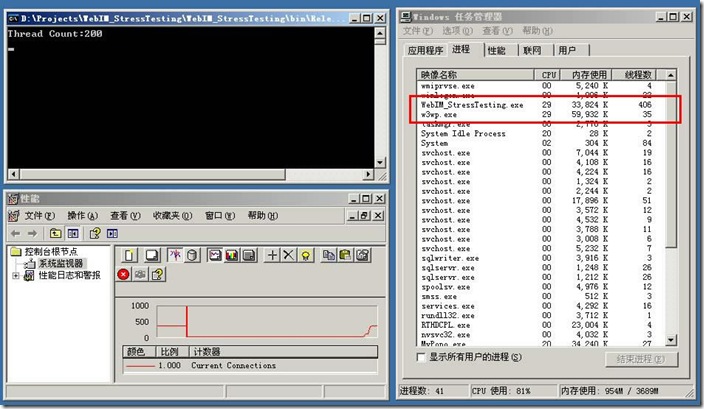
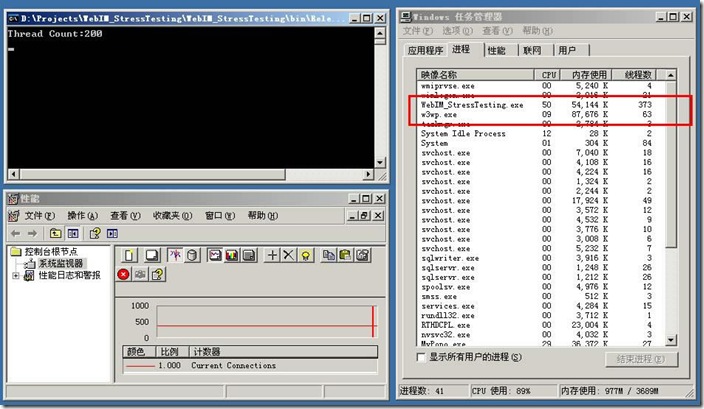
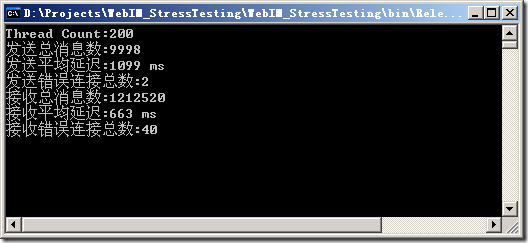
 这 个asdf就是实现的一个模拟的Button控件了,现在目前是一个非常挫的效果,不过框架已经出来了,要什么效果,以后都能自己扩充绘制。现在就给出代 码,代码非常简单,里面也就仅仅是简单的实现了一下,大家自己思考思考,将Button的一些其他功能属性补全,下一期,我将介绍将本Button扩充为 QQ效果的按钮