Mikel
Mikel
[转载]基于stratus +flex+MySQL的简易在线随机视频聊天室的开发 – 疯狂的八神庵 – 博客园.
前段时间听说flashplayer已经开始支持p2p了,对这块非常感兴趣于是开始玩flex,一玩下来不可自拔。用Stratus搭建p2p环 境如此简单,双方只需要能连上Stratus服务器就能直接进行语音视频的聊天,不需要任何客户端。Adobe还真是NB,呵呵出了这么XX的东东,前途 无可限量啊。
闲话少说,这几天小搞了下,用MySQL和flex弄了个简易随机视频聊天室,和有共同爱好的各位一起分享下。高手可以直接飞过哈,欢迎提出意见, 毕竟刚玩没多久,问题很多。
下面正式开始,程序主体主要分为3大块:
一、p2p语音视频功能模块
这个模块网上有很多教程了,Adobe官方的那个Sample就很 好。我就是以此为基础进行开发的。可能有些朋友还不是很了解,为了每个人都能搞清楚,下面针对代码详细地进行下介绍。
由于是p2p模式,每个用户既是呼叫者又是被呼叫者。更具体点,举个例子有两个人A和B打电话。A呼叫B,此时A是呼叫者,B是被呼叫者。反之B是 呼叫者,A是被呼叫者。因此在每个p2p模块中必须要有呼叫者和被呼叫者两个部分。
被呼叫部分:
001 |
//被呼叫 者发布监听流,以便呼叫者连接 |
002 |
listenStream = new NetStream(netConnection,NetStream.DIRECT_CONNECTIONS); |
003 |
listenStream.addEventListener(NetStatusEvent.NET_STATUS,statusHandler); |
004 |
listenStream.publish(username); |
005 |
//呼叫者一旦订阅上面的监听 流,就会触发onPeerConnect事件 |
006 |
var c:Object =new Object(); |
007 |
c.onPeerConnect = function(caller:NetStream):Boolean |
008 |
{ |
009 |
if(callState == CallReady) |
010 |
{ |
011 |
012 |
//接受呼叫者发布的视频语音流 |
013 |
callState = CallRinging; |
014 |
idManager.change(callState); |
015 |
busyState = busyOn; |
016 |
incomingStream = new NetStream(netConnection,caller.farID); |
017 |
incomingStream.addEventListener(NetStatusEvent.NET_STATUS,statusHandler); |
018 |
video =new Video(); |
019 |
video.attachNetStream(incomingStream); |
020 |
remoteVideoDisplay.addChild(video); |
021 |
incomingStream.play("caller"); |
022 |
|
023 |
var st:SoundTransform = new SoundTransform(speakerVolumeSlider.value); |
024 |
incomingStream.soundTransform = st; |
025 |
//处理呼叫的方法 |
026 |
var i:Object = new Object(); |
027 |
i.onIncomingCall = function(caller:String):void |
028 |
{ |
029 |
if(callState != CallRinging) |
030 |
{ |
031 |
txtInfo.text += "onIncomingCall: Wrong call state: " + callState + "\n"; |
032 |
return; |
033 |
} |
034 |
send_bn.enabled=true; |
035 |
txtInfo.text += caller + "已经成功与您连接上\n"; |
036 |
partnername = caller; |
037 |
|
038 |
//outgoingStream.send("onCallAccepted", username); |
039 |
callState = CallEstablished; |
040 |
//idManager.change(callState); |
041 |
} |
042 |
i.onIm = function(caller:String,text:String):void |
043 |
{ |
044 |
txtMessage.text += caller+": "+text+"\n"; |
045 |
} |
046 |
i.onDisconnected = function(caller:String):void |
047 |
{ |
048 |
txtInfo.text += caller+"和你断开连接\n"; |
049 |
send_bn.enabled=false; |
050 |
stop(); |
051 |
} |
052 |
incomingStream.client = i; |
053 |
//对呼叫者发布自己的语音视频流 |
054 |
outgoingStream = new NetStream(netConnection,NetStream.DIRECT_CONNECTIONS); |
055 |
outgoingStream.addEventListener(NetStatusEvent.NET_STATUS,callee_outgoingStreamHandler); |
056 |
outgoingStream.attachCamera(camera); |
057 |
outgoingStream.attachAudio(mic); |
058 |
outgoingStream.publish("callee"); |
059 |
|
060 |
return true; |
061 |
} |
062 |
txtInfo.text += "onPeerConnect: all rejected due to state: " + callState + "\n"; |
063 |
|
064 |
return false; |
065 |
} |
066 |
listenStream.client = c; |
067 |
|
068 |
069 |
|
070 |
callState = CallReady; |
071 |
072 |
呼叫部分: |
073 |
074 |
callState = CallCalling; |
075 |
idManager.change(callState); |
076 |
busyState = busyOn; |
077 |
//播放被呼叫者的监听流 |
078 |
controlStream = new NetStream(netConnection,farPeerID); |
079 |
controlStream.addEventListener(NetStatusEvent.NET_STATUS,statusHandler); |
080 |
controlStream.play(partnername); |
081 |
//对被呼叫者发布自己的视频语音流 |
082 |
outgoingStream = new NetStream(netConnection,NetStream.DIRECT_CONNECTIONS); |
083 |
outgoingStream.addEventListener(NetStatusEvent.NET_STATUS,caller_outgoingStreamHandler); |
084 |
outgoingStream.attachCamera(camera); |
085 |
outgoingStream.attachAudio(mic); |
086 |
outgoingStream.publish("caller"); |
087 |
txtInfo.text += "正在与"+partnername+"建立连接\n"; |
088 |
//播放被呼叫者的视频语音流 |
089 |
incomingStream = new NetStream(netConnection,farPeerID); |
090 |
incomingStream.addEventListener(NetStatusEvent.NET_STATUS,statusHandler); |
091 |
video =new Video(); |
092 |
video.attachNetStream(incomingStream); |
093 |
remoteVideoDisplay.addChild(video); |
094 |
incomingStream.play("callee"); |
095 |
|
096 |
var st:SoundTransform = new SoundTransform(speakerVolumeSlider.value); |
097 |
incomingStream.soundTransform = st; |
098 |
//处理呼叫的方法 |
099 |
var i:Object = new Object(); |
100 |
i.onIm = function(callee:String,text:String):void |
101 |
{ |
102 |
txtMessage.text += callee+": "+text+"\n"; |
103 |
} |
104 |
i.onCallAccepted = function(callee:String):void |
105 |
{ |
106 |
if (callState != CallCalling) |
107 |
{ |
108 |
txtInfo.text += "连接失 败"; |
109 |
return; |
110 |
} |
111 |
send_bn.enabled=true; |
112 |
txtInfo.text += callee+"已经成功与您连接上\n"; |
113 |
callState = CallEstablished; |
114 |
//idManager.change(callState); |
115 |
} |
116 |
i.onDisconnected = function(callee:String):void |
117 |
{ |
118 |
txtInfo.text += callee+"和你断开连接\n"; |
119 |
send_bn.enabled=false; |
120 |
stop(); |
121 |
} |
122 |
incomingStream.client = i; |
二、用户数据库及webservice接口
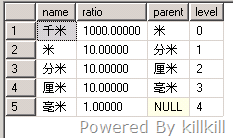
这个项目我使用MySQL进行用户数据库设计,用户端产生相应行为后(如登录,下线,聊天,空闲等)会在数据库中更新自己的状态,其他用户根据查询得到的 结果进行操作。数据库结构见下图:
用户 名 peerID 更新时间 在线状态 聊天状态

该项目只要进行简单的数据库操作就可以了,所以我使用了HTTPService组件和一个简单的php网页进行与数据库的交互。
HTTPService组件位于mx.rpc.http包下,当调用 HTTPService 对象的 send() 方法时,将发出对指定 URL 的 HTTP 请求,并且返回 HTTP 响应。可以选择向指定 URL 传递参数。项目中通过HTTPService组件传递用户端的参数到php网页,由php根据相应的参数操作数据库,返回相应的结果交由用户端执行。
HTTPService组件部分:
1 |
mHttpService = new HTTPService(); |
2 |
mHttpService.url = mWebServiceUrl; |
01 |
//添加对结果时间的侦听 |
02 |
mHttpService.addEventListener("result", httpResult); |
03 |
mHttpService.addEventListener("fault", httpFault); |
04 |
//实例化request请求对象并发送 |
05 |
var request:Object = new Object(); |
06 |
var now:Date = new Date(); |
07 |
request.time = now.getTime(); |
08 |
request.username = user; |
09 |
request.identity = id; |
10 |
request.online = x; |
11 |
request.busy = x; |
12 |
mHttpService.cancel(); |
13 |
mHttpService.send(request); |
php网页部分:
01 |
<?php |
02 |
$output = "<?xml version=\"1.0\" encoding=\"utf-8\"?>"; |
03 |
$output .= "<result>"; |
04 |
if ( isset($_GET["username"]) || isset($_GET["friends"]) || isset($_GET["fetch"])) |
05 |
{ |
06 |
define( "DATABASE_SERVER", "localhost" ); |
07 |
define( "DATABASE_USERNAME", "root" ); |
08 |
define( "DATABASE_PASSWORD", "root"); |
09 |
define( "DATABASE_NAME", "root" ); |
10 |
$mySQL = mysql_connect( DATABASE_SERVER, |
11 |
DATABASE_USERNAME, |
12 |
DATABASE_PASSWORD ) |
13 |
or die( mysql_error() ); |
14 |
mysql_select_db( DATABASE_NAME ); |
15 |
} |
16 |
//注册更新部分 |
17 |
if ( isset($_GET[ "username" ]) ) |
18 |
{ |
19 |
|
20 |
$user = mysql_real_escape_string( $_GET[ "username" ] ); |
21 |
$identity = mysql_real_escape_string( $_GET[ "identity" ] ); |
22 |
$online = mysql_real_escape_string( $_GET[ "online" ] ); |
23 |
$busy = mysql_real_escape_string( $_GET[ "busy" ] ); |
24 |
25 |
$query = "SELECT * FROM registrations WHERE m_username='$user' ;"; |
26 |
$result = mysql_query( $query ); |
27 |
|
28 |
$isNew = ($result && mysql_num_rows($result) == 0); |
29 |
if( $isNew ) { |
30 |
$query = "INSERT INTO registrations SET "; |
31 |
$query .= "m_username='$user', m_identity='$identity', m_updatetime=now(), m_online='$online', m_busy='$busy';"; |
32 |
} else { |
33 |
$query = "UPDATE registrations SET "; |
34 |
$query .= " m_identity='$identity', m_updatetime=now(), m_online='$online', m_busy='$busy' where m_username='$user';"; |
35 |
} |
36 |
$result = mysql_query( $query ); |
37 |
if( $isNew ) |
38 |
$output .= "<update>true</update>"; |
39 |
else |
40 |
$output .= "<update>false</update>"; |
41 |
} |
01 |
//查找用户部分 |
02 |
if ( isset($_GET[ "friends" ]) ) |
03 |
{ |
04 |
$friends = mysql_real_escape_string( $_GET[ "friends" ] ); |
05 |
$output .= "<friend><user>$friends</user>"; |
06 |
$query = "select * from registrations where m_username = '$friends' and TIMEDIFF(now(),m_updatetime) >0 ;"; |
07 |
|
08 |
$result = mysql_query( $query ); |
09 |
if( $result ) { |
10 |
while( $item = mysql_fetch_assoc( $result ) ) { |
11 |
$output .= "<identity>".$item["m_identity"]."</identity>"; |
12 |
} |
13 |
} |
14 |
$output .= "</friend>"; |
15 |
} |
01 |
//获取返回结果 |
02 |
if ( isset( $_GET["fetch"]) ) |
03 |
{ |
04 |
$time = mysql_real_escape_string( $_GET[ "time" ] ); |
05 |
$query = "select m_number from registrations order by m_username asc ;" ; |
06 |
|
07 |
$result =mysql_query($query); |
08 |
if( $result ) |
09 |
{ |
10 |
$num = mysql_num_rows($result); |
11 |
$output .= "<fetch><num>".$num."</num>"; |
12 |
} |
13 |
|
14 |
$query = "select m_username from registrations where m_online ='1' and m_busy = '0' order by m_username asc ;"; |
15 |
$result = mysql_query($query); |
16 |
|
17 |
if( $result ) |
18 |
{ |
19 |
$onlinenum = mysql_num_rows($result); |
20 |
$output .="<onlinenum>".$onlinenum."</onlinenum><users>"; |
21 |
$i = 1; |
22 |
while ($row = mysql_fetch_row($result)) |
23 |
{ |
24 |
$output .= "<user".$i.">".$row[0]."</user".$i.">"; |
25 |
$i++; |
26 |
} |
27 |
$output .= "</users></fetch>";"; |
28 |
} |
29 |
} |
30 |
31 |
|
32 |
33 |
34 |
$output .= "</result>"; |
35 |
36 |
header( "Content-Type: text/xml" ); |
37 |
echo $output; |
38 |
?> |
三、主程序部分
主程序界面实时显示在线用户状态,可以双击列表空闲用户进行聊天 也可以点击随机按钮随机选取在线空闲用户进行聊天。
退出时记得点击离开正常退出哈。
Demo:http://p2pchat.online.cm/
这个免费空间貌似有广告,不点它就是了
有问题欢迎交流-_-