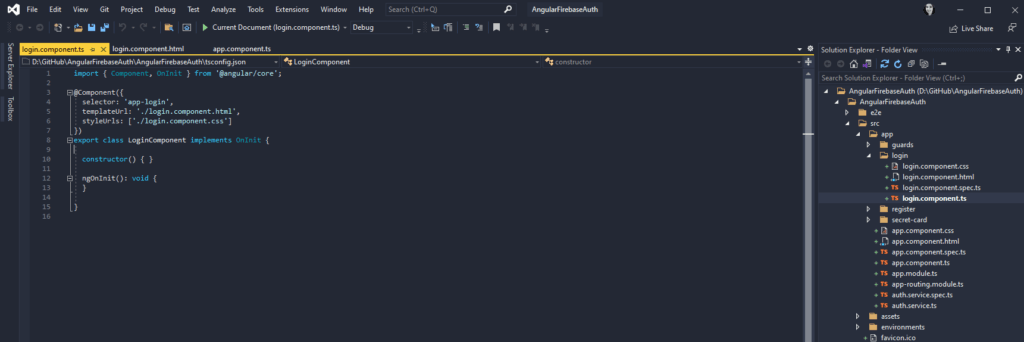
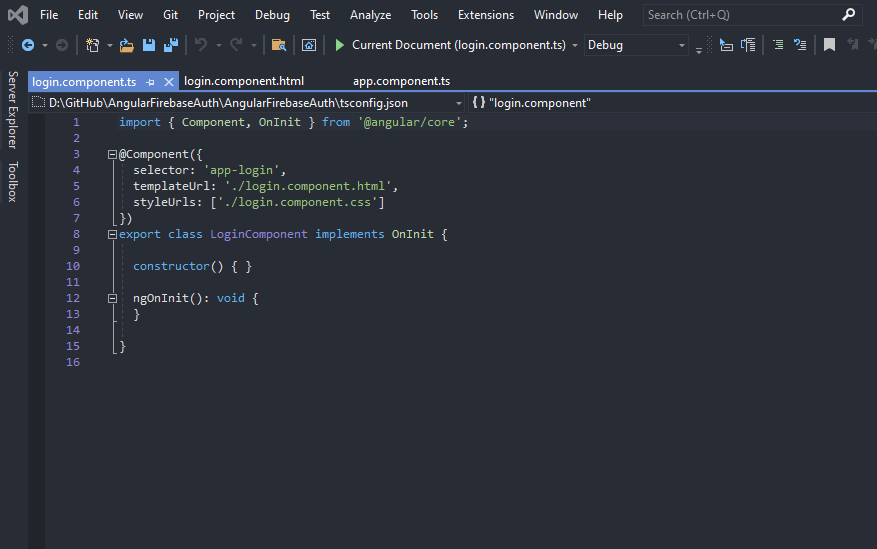
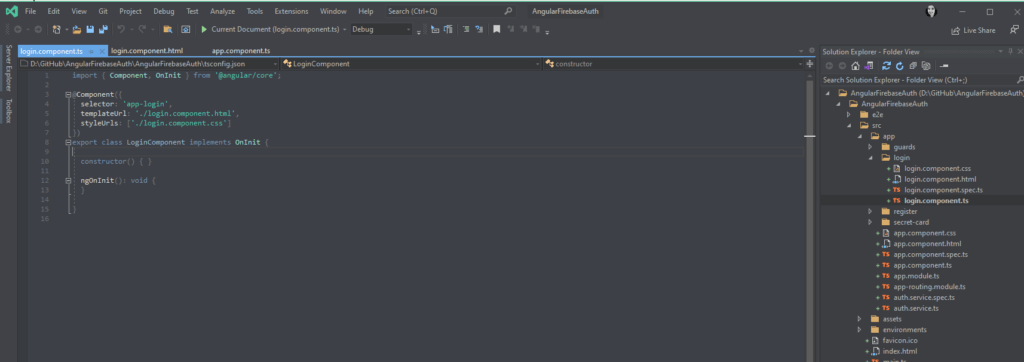
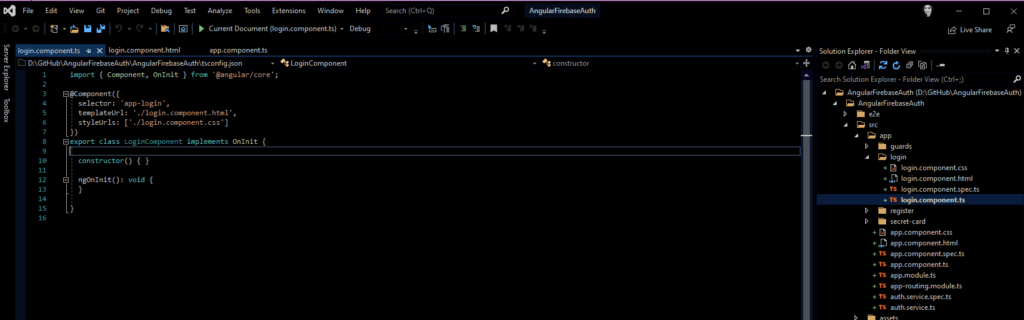
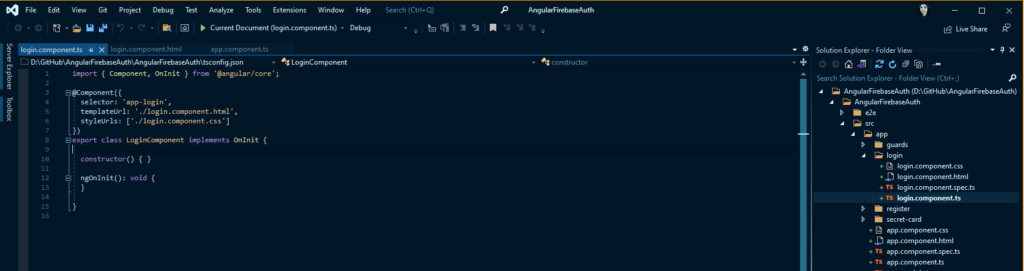
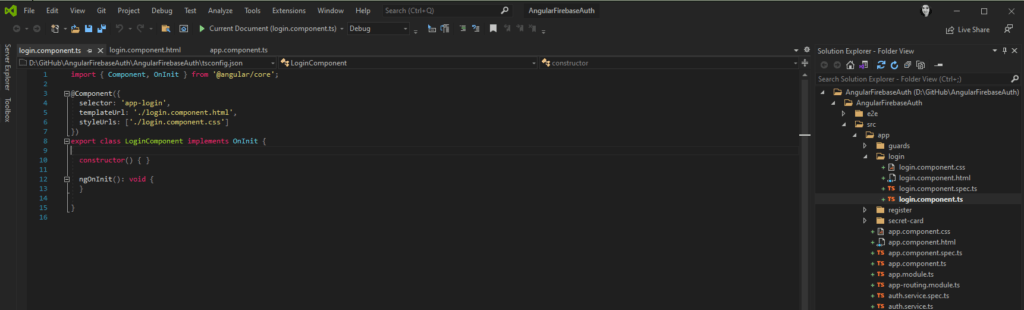
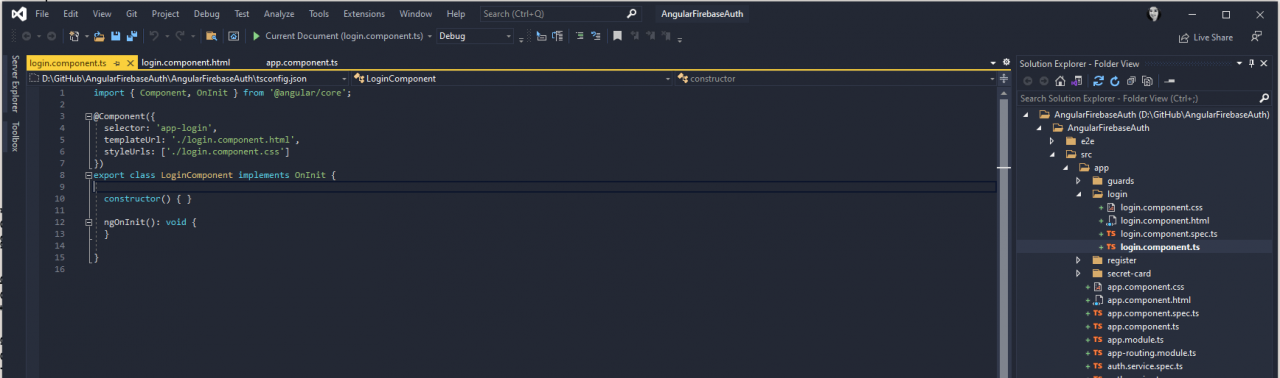
11个最佳Visual Studio主题合集排行:哪个最好?

mikel阅读(2333)

来源: 11个最佳Visual Studio主题合集排行:哪个最好?

开发者喜欢黑暗模式。当谈到生产力时,我们有意地将ide和代码编辑器的颜色方案从标准的纯白色改为相反的颜色。在某种程度上,我们这样做是为了把眼睛从耀眼的屏幕中拯救出来,减少潜在的压力。

最佳Visual Studio主题有哪些?但并非所有的黑暗主题都是平等的。它不仅仅是将配色方案从白色反转为黑色。随着时间的推移,函数、类、模块和代码部分的突出显示方式也可以决定你的整体生产力。正确的配色方案可以帮助你快速扫描并找出代码中的异常,本文为你介绍最佳Visual Studio主题合集。

什么是 Visual Studio 2019 主题?

主题是可切换的皮肤,可让你为Visual Studio 编辑器配置配色方案和字体。市场目前有 5000 多个可用主题,涵盖 Visual Studio 2019 和Visual Studio Code,每个主题都旨在以可视化方式优化代码的显示方式。这是通过预先配置函数、模块、类和代码部分的颜色来完成的,那么Visual Studio主题哪个最好

快速教程 – 如何安装 Visual Studio 主题

使用 Visual Studio 2019 而不是 Visual Studio Code 的好处是,除了拥有与 Azure 服务直接集成的工具之外,还可以跨设备同步设置。这意味着即使你不在常用的工作机器上,你的主题配置也能随心所欲。

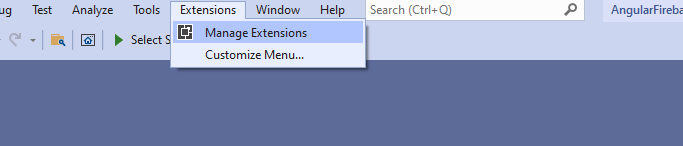
安装 Visual Studio 主题的最简单方法是导航到菜单栏中的“扩展”选项,然后选择“管理扩展”。

11个最佳Visual Studio主题合集排行:哪个最好?

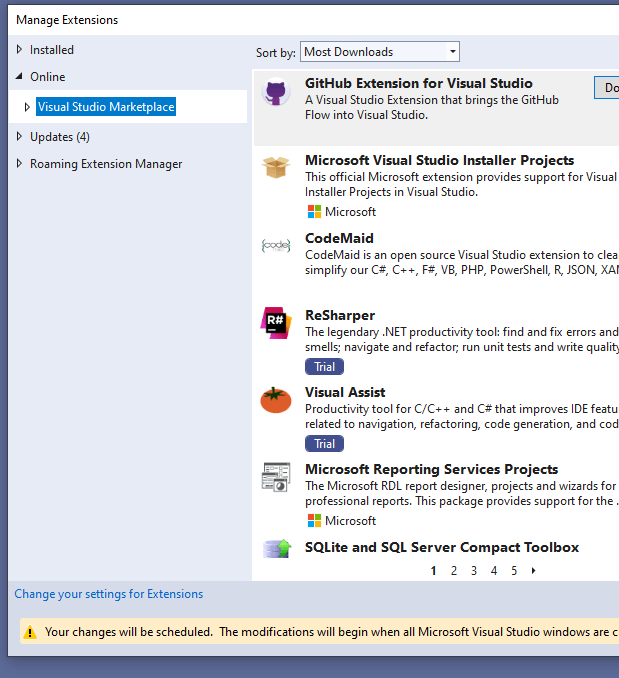
下一步是在左侧面板的 Online 下选择 Visual Studio Marketplace。

11个最佳Visual Studio主题合集排行:哪个最好?

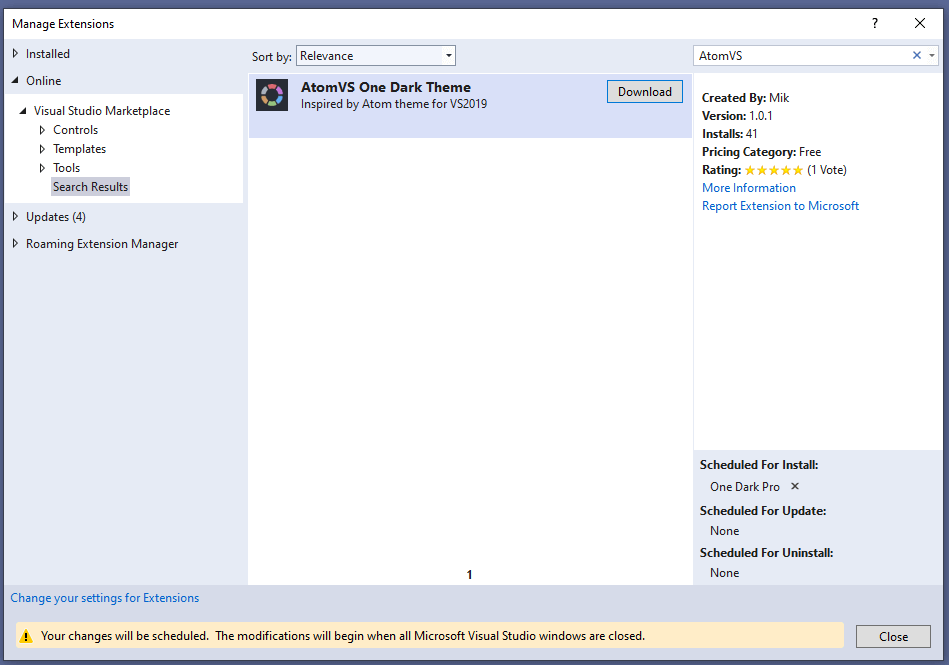
完成后,搜索你想要的主题并在搜索结果中选择它。

11个最佳Visual Studio主题合集排行:哪个最好?

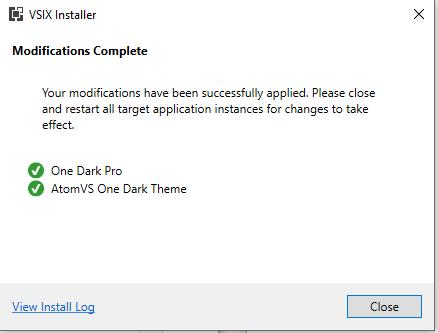
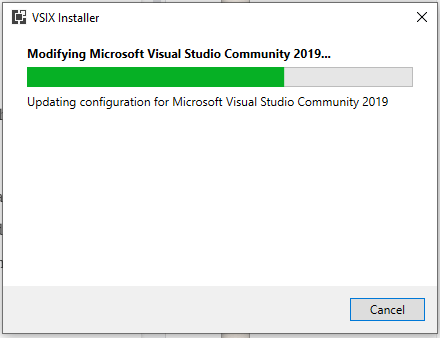
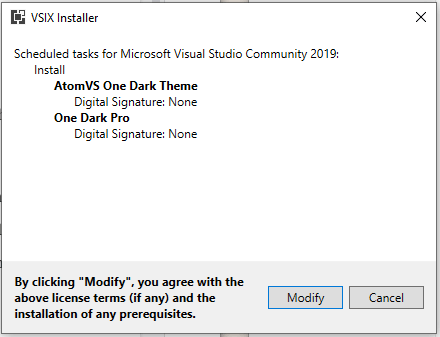
下载主题后,关闭 VS2019,它将开始安装主题并创建一个如下所示的提示:

11个最佳Visual Studio主题合集排行:哪个最好?

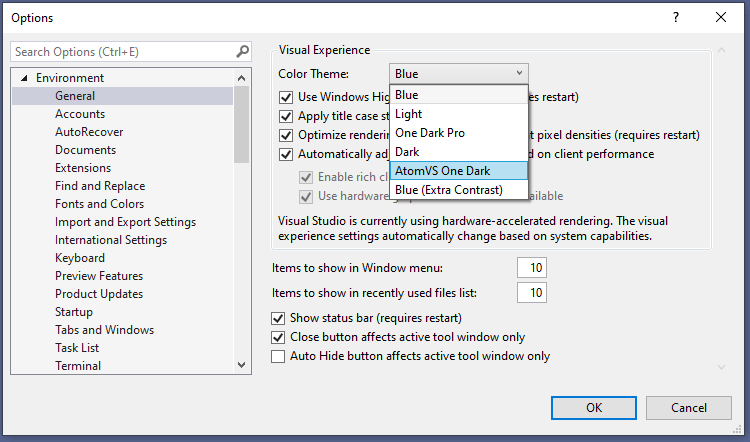
完成此操作后,再次打开 Visual Studio 2019 并导航到位于“工具”选项卡下的“选项”面板。选择颜色主题选项并选择你要应用的主题。

11个最佳Visual Studio主题合集排行:哪个最好?

这基本上就是在 Visual Studio 中安装和切换主题的过程。事不宜迟,让我们回顾一下顶级 VS Code 主题。

由于Visual Studio Code 是市场上最受欢迎的代码编辑器之一,Visual Studio 2019 获得了共享市场和社区规模的好处。说到主题,有很多可用的主题。但是你应该选择哪一个呢?这是其他开发人员使用的前 11 个 Visual Studio 主题的列表。

前 11 个 最佳Visual Studio主题合集

1.One Dark Pro

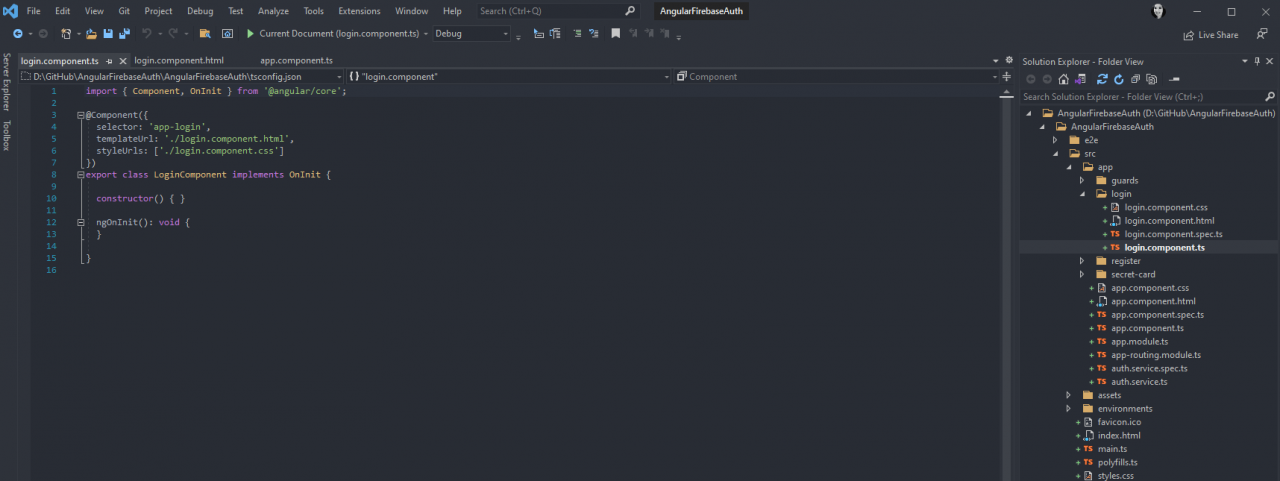
最佳Visual Studio主题有哪些?除了标准的 Visual Studio 暗模式,One Dark Pro也是 Visual Studio 安装最多的主题之一。

它由 binaryify 创建,已下载超过 91,000 次,并将 Atom 的原始标志性 One Dark 主题移植到 Visual Studio 2019 中。

One Dark Pro 的一个特殊功能是突出显示语法支持 Markdown 预览——这在编写文档时可以派上用场。Markdown 并不适合所有人,能够区分不同的样式可以让生活更轻松。

11个最佳Visual Studio主题合集排行:哪个最好?

2. Midnight Spruce Pine

Visual Studio主题哪个最好Midnight Spruce Pine是一个黑暗主题,融合了 Tim Macharia 的 Pine Gap Dark 主题和 VS Code Ayu Mirage 的最佳部分。它在方法的黄色突出显示和变量、函数和类的蓝色主题上运行。这使得基于层次结构及其作用域位置跟踪和扫描代码变得容易。

11个最佳Visual Studio主题合集排行:哪个最好?

3. Atom One Dark Theme

Atom One Dark Theme是另一个 VS Code 主题,它来自Atom的原始 One Dark 主题。它是 One Dark Pro 的替代品,并且基于 250 万次下载证明很受欢迎。

11个最佳Visual Studio主题合集排行:哪个最好?

4.Goodnight Theme

Goodnight Theme是 Visual Studio 的深色主题,针对 C#、JSON、XML 和 Razor 进行了优化。方法以黄色突出显示,而数组以对比鲜明的水绿色突出显示。晚安主题中最重要的值是变量,其中黑色背景之间的对比度通过白色突出显示达到最大。

11个最佳Visual Studio主题合集排行:哪个最好?

5.Midnight Deep

最佳Visual Studio主题有哪些?Midnight Deep是 VS2019 的主题,适用于喜欢具有最大对比度效果的深色主题的开发人员。纯黑色背景确保了这是可能的,并为弱光情况打造了一个梦幻般的主题。如果你是那种喜欢熬夜工作或喜欢在大量人造光下工作的开发人员,Midnight Deep 可能就是适合你的 Visual Studio 主题。

11个最佳Visual Studio主题合集排行:哪个最好?

6. Night Owl

Visual Studio主题哪个最好?Night Owl是一个漂亮的小黑暗主题,不仅仅是反转颜色。Night Owl 的创造者确保将色盲人士和在弱光环境中工作的人士纳入配色方案的考虑中。

11个最佳Visual Studio主题合集排行:哪个最好?

7. Monokai Night

最佳Visual Studio主题合集:Monokai Night是一种因其功能性和美感而被选择的调色板。它最初由 Wimer Hazenberg 于 2006 年创建,并被采纳为 Sublime Text 的原始主题。

如果你是 Sublime Text 用户,那么Monokai Night 会让你熟悉 Visual Studio。

11个最佳Visual Studio主题合集排行:哪个最好?

8.Voyager Theme

Voyager Theme于 2020 年发布,受到 Jetbrains 的启发,包含在带有橙色、绿色、浅黄色和白色调色板的深色背景下突出显示的文本。与非黑色背景的对比度根据代码中类型的重要性而增加。例如,评论是可读的,但除非我们去搜索它们,否则不会跳出来。但是,类具有最大对比度,以便于扫描和跟踪。

11个最佳Visual Studio主题合集排行:哪个最好?

9. Pine Gap Dark

Pine Gap Dark是 VS2019 的主题,其灵感来自Ayu Mirage 的调色板,带有芥末黄色突出显示,使你的标签流行起来。这个主题非常适合 JavaScript、CSS/SCSS、C# 和 JSON,并且是使用 Microsoft 的 Visual Studio颜色主题设计器创建的

11个最佳Visual Studio主题合集排行:哪个最好?

10. MonokaiVS

Visual Studio主题哪个最好?MonokaiVS主题将两个流行的主题融合在一起,形成一个史诗主题。One Monokai 从 Monokai 的 One Dark 主题和颜色原则中汲取了最佳部分,以可视化地优化 Visual Studio 上的代码输出。

11个最佳Visual Studio主题合集排行:哪个最好?

11. Midnight Lights

最佳Visual Studio主题有哪些?如果黑色不是你喜欢的配色方案,Midnight Lights 会用一些不同的东西来营造黑暗模式的氛围。深蓝色背景散发出夜间氛围。它还通过为类和函数提供各种深浅不一的蓝色来营造氛围,同时以最大对比度突出显示新方法和变量。

11个最佳Visual Studio主题合集排行:哪个最好?

最佳Visual Studio主题合集总结

在编码方面,暗模式不仅仅是暗模式。除了使其具有视觉吸引力之外,它还使我们的代码在视觉上更易于跟踪和跟踪。

大多数深色主题都遵循相同的格式——最重要信息的最高对比度。根据主题创建者的偏好,它可能意味着作为突出显示元素的函数和类与变量和数组之间的差异。

Vue在ASP.NET MVC中的进行前后端的交互 - Kaden - 博客园

mikel阅读(468)

来源: Vue在ASP.NET MVC中的进行前后端的交互 – Kaden – 博客园

Preface:

由于最近在研究前端相关的技术,作为前端非常优秀的框架Vue,个人在学习的过程中遇到一些问题,网上相关资料有限,所以在这这里总结一下个人使用Vue的一点经验,以便后来者借鉴!

官方文档:Vue.js

使用Vue在ASP.NET MVC中进行前后端交互
在阅读下面的文章之前你需要先了解一下Vue官方推荐的前后端交互的插件:

1.resource(官方在2.0版本之后取消了对此插件的维护)

2.axios

注:这里使用的都是异步的插件,因为这样才会在你的项目中具有使用意义,当然你也可以用其它的js库,如JQuery、Fetch等等…

Instance:

Controller

复制代码
 1 using Demo.Models;
 2 using System;
 3 using System.Collections.Generic;
 4 using System.Linq;
 5 using System.Web;
 6 using System.Web.Mvc;
 7 
 8 namespace Demo.Controllers
 9 {
10     //[RoutePrefix("api/Goods")]
11     public class GoodsController : Controller
12     {
13         List<GoodsEntity> goosdList = new List<GoodsEntity>
14         {
15             new GoodsEntity(){ ID=001,Name="水",Type=1,Price=3},
16             new GoodsEntity(){ ID=002,Name="牛奶",Type=1,Price=10},
17             new GoodsEntity(){ ID=003,Name="面包",Type=2,Price=15}
18         };
19 
20         // GET: Goods
21         public ActionResult Index()
22         {
23             return View();
24         }
25 
26         public ActionResult Check()
27         {
28             return View();
29         }
30 
31         [HttpGet]
32         public JsonResult GetGoodsType()
33         {
34             List<int> goodsType = new List<int>();
35             foreach (var item in goosdList)
36             {
37                 if (!goodsType.Contains(item.Type))
38                 {
39                     goodsType.Add(item.Type);
40                 }
41             }
42             return Json(goodsType, JsonRequestBehavior.AllowGet);
43         }
44 
45         [HttpGet]
46         public JsonResult GetAllGoods()
47         {
48             return Json(goosdList, JsonRequestBehavior.AllowGet);
49         }
50 
51         [HttpPost]
52         public JsonResult GetGoods(int id)
53         {
54             var entity = goosdList.Where(g => g.ID == id).FirstOrDefault();
55             if (entity != null)
56             {
57                 return Json(new ReturnJsonInfo(500, "success!", entity));
58             }
59             return Json(new ReturnJsonInfo(400, "error!", null));
60         }
61 
62         [HttpPost]
63         public JsonResult UpdateGoods(GoodsEntity entity)
64         {
65             if (entity!=null)
66             {
67                 var goodsEntiy = goosdList.FirstOrDefault(g => g.ID == entity.ID);
68                 if (goodsEntiy!=null)
69                 {
70                     goodsEntiy = entity;
71                     return Json(new ReturnJsonInfo(500, "success!", goosdList));
72                 }
73                 goosdList.Add(entity);
74                 return Json(new ReturnJsonInfo(500, "success!", goosdList));
75             }
76             return Json(new ReturnJsonInfo(400, "error!",null));
77         }
78 
79         [HttpPost]
80         public JsonResult DelectGoods(int id)
81         {
82             var entity = goosdList.Where(g => g.ID == id).FirstOrDefault();
83             if (entity != null)
84             {
85                 goosdList.Remove(entity);
86                 return Json(new ReturnJsonInfo(500, "success!", goosdList));
87             }
88             return Json(new ReturnJsonInfo(400, "error!",null));
89         }
90 
91     }
92 }
复制代码

在上面的控制器中加载了一些示例数据,并且都是以json的格式返回前端,这样前端就可以直接使用这些数据。

注:控制器返回至前端的json中,上面使用 “ReturnJsonInfo” 对象序列化进行返回, “ReturnJsonInfo” 代码如下。

复制代码
 1 using System;
 2 using System.Collections.Generic;
 3 using System.Linq;
 4 using System.Web;
 5 
 6 namespace Demo.Models
 7 {
 8     public class ReturnJsonInfo
 9     {
10         public int Code { get; set; }
11         public string Message { get; set; }
12         public object Entity { get; set; }
13         public ReturnJsonInfo(int code, string message,object obj)
14         {
15             this.Code = code;
16             this.Message = message;
17             this.Entity = obj;
18         }
19     }
20 }
复制代码


View

1.前端采用resource插件


复制代码
  1 @{
  2     ViewBag.Title = "Goods IndexPage";
  3 }
  4                  <script type="text/javascript" src="~/Resources/Scripts/vue.js"></script>
  5                  <script type="text/javascript" src="~/Resources/Scripts/vue-resource.js"></script>
  6 <h2>Index</h2>
  7                <div id="demo">
  8                       <table>
  9                           <tr>
 10                               <td><label>编号:</label></td>
 11                               <td><input type="text" v-model="newGoods.id" /></td>
 12 
 13                               <td><label>名称:</label></td>
 14                               <td><input type="text" v-model="newGoods.name" /></td>
 15 
 16                               <td><label>类型:</label></td>
 17                               <td><input type="text" v-model="newGoods.type" /></td>
 18 
 19                               <td><label>售价:</label></td>
 20                               <td><input type="text" v-model="newGoods.price" /></td>
 21 
 22                               <td><input type="submit" value="查询" v-on:click="GetGoods(newGoods.id)" /></td>
 23                           </tr>
 24                       </table>
 25                               <table v-show="goodsList.length">
 26                                   <tr>
 27                                       <td>编号</td>
 28                                       <td>名称</td>
 29                                       <td>类型</td>
 30                                       <td>售价</td>
 31                                   </tr>
 32                                   <tr v-for="item in goodsList">
 33                                       <td>{{item.ID}}</td>
 34                                       <td>{{item.Name}}</td>
 35                                       <td>{{item.Type}}</td>
 36                                       <td>{{item.Price}}</td>
 37                                   </tr>
 38                               </table>
 39                </div> 
 40 <script type="text/javascript">
 41     var view = new Vue(
 42         {
 43             el: "#demo",
 44             data: {
 45                 goodsList: [],
 46                 newGoods: {id:'',name:'',type:'',price:''}
 47             },              
 48             created: function () {
 49                 this.InIt();
 50             },
 51             methods: {
 52                 InIt: function () {
 53                     //初始化
 54                     this.GetAllGoods();
 55                 },
 56                 GetAllGoods: function () {
 57                     var _self = this;               
 58                     _self.$http.get("../Goods/GetAllGoods").then(
 59                         // Lambda写法
 60                         (response) => {
 61                             //successCallback
 62                             for (var i = 0; i < response.data.length; i++) {
 63                                 _self.goodsList.push(response.data[i]);                                   
 64                             }                                     
 65                         } ,
 66                         (response) => {
 67                                    //errorCallback   
 68                         }
 69                     );
 70                 },
 71                 GetGoods: function (_id) {
 72                     var _self = this;
 73                     _self.goodsList = [];
 74                     if (_id.length > 0) {
 75                         _self.$http.post("../Goods/GetGoods", { id: _id }).then(
 76                             // 传统写法
 77                             function (response) {
 78                                 //successCallback                                    
 79                                 if (response.data.Code == 500) {
 80                                     _self.goodsList.push(response.data.Entity);
 81                                 }
 82                                 else {
 83                                     alert(response.data.Message);
 84                                 }
 85                             },
 86                             function (response) {
 87                                 //errorCallback
 88                             }
 89                         )
 90                             .catch(function (response) {
 91                                 console.log(response);
 92                             });
 93                     }
 94                     else {
 95                         _self.GetAllGoods();
 96                     }
 97             }
 98             }
 99         }
100     );              
101 </script>
复制代码


2.前端采用axios插件

复制代码
  1 @{
  2     Layout = null;
  3 }
  4 
  5 <!DOCTYPE html>
  6 
  7 <html>
  8 <head>
  9     <meta name="viewport" content="width=device-width" />
 10     <title>Check</title>
 11     <script type="text/javascript" src="~/Resources/Scripts/vue.js"></script>
 12     <script type="text/javascript" src="~/Resources/Scripts/axios.min.js"></script>
 13 </head>
 14 <body>
 15     <div id="demo">
 16         <div>
 17             <table>
 18                 <tr>
 19                     <td><label>编号:</label></td>
 20                     <td><input type="text" v-model="newGoods.id" /></td>
 21 
 22                     <td><label>名称:</label></td>
 23                     <td><input type="text" v-model="newGoods.name" /></td>
 24 
 25                     <td><label>类型:</label></td>
 26                     <td>
 27                         <select v-model="newGoods.type">
 28                             <option value="">---ALL---</option>
 29                             <option v-for="type in goodsType" v-bind:value="type">{{type}}</option>
 30                         </select>
 31                     </td>
 32 
 33                     <td><label>售价:</label></td>
 34                     <td><input type="text" v-model="newGoods.price" /></td>
 35 
 36                     <td>
 37                         <input type="submit" value="查询" v-on:click="GetGoods(newGoods.id)" />
 38                         <input type="submit" value="更新" v-on:click="UpdateGoods(newGoods.id,newGoods.name,newGoods.type,newGoods.price)" />
 39                         <input type="submit" value="删除" v-on:click="DelectGoods(newGoods.id)" />
 40                     </td>
 41                 </tr>
 42             </table>
 43         </div>
 44         <div>
 45             <table v-show="goodsList.length">
 46                 <tr>
 47                     <td>行号</td>
 48                     <td>编号</td>
 49                     <td>名称</td>
 50                     <td>类型</td>
 51                     <td>售价</td>
 52                 </tr>
 53                 <tr v-for="(item,index) in goodsList">
 54                     <td>{{index+1}}</td>
 55                     <td>{{item.ID}}</td>
 56                     <td>{{item.Name}}</td>
 57                     <td>{{item.Type}}</td>
 58                     <td>{{item.Price}}</td>
 59                 </tr>
 60             </table>
 61         </div>
 62     </div>
 63 
 64     
 65     <script type="text/javascript">
 66         var vm = new Vue({
 67             el: "#demo",
 68             data: {
 69                 goodsType:[],
 70                 goodsList: [],
 71                 newGoods: { id: '', name: '', type: '', price: '' }
 72             },
 73             mounted() {
 74                 this.GetGoodsType();
 75                 this.GetAllGoods();
 76             },
 77             methods:
 78             {
 79                 GetGoodsType: function () {
 80                     axios.get("../Goods/GetGoodsType").then(
 81                         (response) => {
 82                             this.goodsType = [];
 83                             for (var i = 0; i < response.data.length; i++) {
 84                                 this.goodsType.push(response.data[i]);
 85                             }
 86                         },
 87                         (response) => {
 88                             alert(response.status);
 89                         }
 90                     )
 91                         .catch(function (response) {
 92                             console.log(response);
 93                         });
 94                 } ,
 95                 GetAllGoods: function () {
 96                     axios.get('../Goods/GetAllGoods').then(
 97                         function (response) {                               
 98                             vm.goodsList = [];  
 99                             for (var i = 0; i < response.data.length; i++) {      
100                                 vm.goodsList.push(response.data[i]);
101                             }
102                             //vm.goodsList.splice(response.data.length);
103                         },
104                         function (response) {
105                             alert(response.status);
106                         }
107                     )
108                         .catch(
109                         function (error) {
110                             alert(error);
111                         }
112                         )
113                 },
114                 GetGoods: function (_id) {
115                     if (_id.length > 0) {
116                         axios.post("../Goods/GetGoods", { id: _id }).then(                                   
117                             (response) => {        
118                                 this.goodsList = [];
119                                 if (response.data.Code == 500) {
120                                     this.goodsList.push(response.data.Entity);   
121                                 }
122                                 else {
123                                     alert(response.data.Message);
124                                 }
125                                  
126                             },
127                             (response) => {       
128                                 alert(response.status);
129                             }
130                         )
131                             .catch(function (response) {
132                                 console.log(response);
133                             });
134                     }
135                     else {
136                         this.GetAllGoods();
137                     }
138                 },
139                 UpdateGoods: function (_id,_name,_type,_price) {
140                     axios.post("../Goods/UpdateGoods", { entity: { ID: _id, Name: _name, Type: _type, Price: _price } }).then(                              
141                         (response) => {
142                             this.goodsList = [];
143                             if (response.data.Code == 500) { 
144                                 for (var i = 0; i < response.data.Entity.length; i++) {
145                                     this.goodsList.push(response.data.Entity[i]);
146                                 }
147                             }
148                             else {
149                                 alert(response.data.Message);
150                             }
151                         },
152                         (response) => {
153                             alert(response.status);
154                         }
155                     )
156                         .catch(function (response) {
157                             console.log(response);
158                         });
159                 },
160                 DelectGoods: function (_id) {
161                     axios.post("../Goods/DelectGoods", { id: _id }).then(
162                         (response) => {
163                             this.goodsList = [];
164                             if (response.data.Code == 500) {
165                                 for (var i = 0; i < response.data.Entity.length; i++) {
166                                     this.goodsList.push(response.data.Entity[i]);
167                                 }
168                             }
169                             else {
170                                 alert(response.data.Message);
171                             }
172 
173                         },
174                         (response) => {
175                             alert(response.status);
176                         }
177                     )
178                         .catch(function (response) {
179                             console.log(response);
180                         });
181                 } 
182             },
183 
184         });
185     </script>
186 </body>
187 </html>
复制代码

在上面的视图中,前端都是用数组进行填充的,值得注意的是vue在数组监听这一块做得并不是特别友好。但也提供了一些非常友好的api。

如果你也采用上述方式更新view,请参阅vue官方提供的关于操作数组方法


Perorations:

在上面的Demo中,采用的是ASP.NET MVC模板。在写View部分的时候感觉确实比较方便,不需要再去写获取元素的代码,只需要把数据绑定至元素上,关注数据的变动就可以了。

当然你也可以选择Razor语法,只不过那样看起来并不是很友善。


以上是个人在写这个Demo之后的一些总结。如有描述不当,请@作者修改,谢谢!

C#加Vue MVC+Vue快速开发_c# vue_太阳的后裔的博客-CSDN博客

mikel阅读(420)

来源: C#加Vue MVC+Vue快速开发_c# vue_太阳的后裔的博客-CSDN博客

首先创建项目

创建后大概的样子

1.配置Startup.cs

1.添加服务器端缓存
2.使用服务器端缓存
3.修改启动项为Home控制器下的Home视图

using Microsoft.AspNetCore.Builder;
using Microsoft.AspNetCore.Hosting;
using Microsoft.AspNetCore.HttpsPolicy;
using Microsoft.Extensions.Configuration;
using Microsoft.Extensions.DependencyInjection;
using Microsoft.Extensions.Hosting;
using System;
using System.Collections.Generic;
using System.Linq;
using System.Threading.Tasks;

namespace Supply_System
{
public class Startup
{
public Startup(IConfiguration configuration)
{
Configuration = configuration;
}

public IConfiguration Configuration { get; }

// This method gets called by the runtime. Use this method to add services to the container.
public void ConfigureServices(IServiceCollection services)
{
services.AddResponseCaching();//1.添加服务器端缓存
services.AddControllersWithViews();
}

// This method gets called by the runtime. Use this method to configure the HTTP request pipeline.
public void Configure(IApplicationBuilder app, IWebHostEnvironment env)
{
if (env.IsDevelopment())
{
app.UseDeveloperExceptionPage();
}
else
{
app.UseExceptionHandler(“/Home/Error”);
// The default HSTS value is 30 days. You may want to change this for production scenarios, see https://aka.ms/aspnetcore-hsts.
app.UseHsts();
}
app.UseHttpsRedirection();
app.UseStaticFiles();

app.UseRouting();

app.UseAuthorization();

app.UseResponseCaching();//2.使用服务器端缓存

app.UseEndpoints(endpoints =>
{
endpoints.MapControllerRoute(
name: “default”,
pattern: “{controller=Home}/{action=Home}/{id?}”);//3.修改启动项为Home控制器下的Home视图
});
}
}
}

2.在Models文件夹下添加两个实体类

1.SupplyDemandsViewModel
2.TypeViewModel

using System;
using System.Collections.Generic;
using System.Linq;
using System.Threading.Tasks;

namespace Supply_System.Models
{
public class SupplyDemandsViewModel
{
public int Id { get; set; }
public string SupplyDemandTitle { get; set; }
public string SupplyDemandDetail { get; set; }
public string CreateTime { get; set; }
public int CreateUserId { get; set; }
public int TypeId { get; set; }
public string TypeName { get; set; }
public bool IsRecommend { get; set; }
public bool IsDel { get; set; }
public static List<SupplyDemandsViewModel> ListAll()
{
List<SupplyDemandsViewModel> supplyDemands = new List<SupplyDemandsViewModel>();
for (int i = 0; i < 8; i++)
{
bool IsRecommend = false;
if (i > 4)
{
IsRecommend = true;
}
supplyDemands.Add(new SupplyDemandsViewModel
{
Id = 1,
SupplyDemandTitle = “v-if”,
SupplyDemandDetail = “”,
CreateTime = DateTime.Now.ToString(“yyyy-MM-dd HH:mm:ss”),
CreateUserId = 1,
TypeId = 1,
TypeName = “Vue控件”,
IsRecommend = IsRecommend,
IsDel = false
});
}
for (int i = 0; i < 8; i++)
{
bool IsRecommend = false;
if (i > 4)
{
IsRecommend = true;
}
supplyDemands.Add(new SupplyDemandsViewModel
{
Id = 1,
SupplyDemandTitle = “vm”,
SupplyDemandDetail = “”,
CreateTime = DateTime.Now.ToString(“yyyy-MM-dd HH:mm:ss”),
CreateUserId = 1,
TypeId = 2,
TypeName = “Vue语法”,
IsRecommend = IsRecommend,
IsDel = false
});
}
for (int i = 0; i < 8; i++)
{
bool IsRecommend = false;
if (i > 4)
{
IsRecommend = true;
}
supplyDemands.Add(new SupplyDemandsViewModel
{
Id = 1,
SupplyDemandTitle = “商城”,
SupplyDemandDetail = “”,
CreateTime = DateTime.Now.ToString(“yyyy-MM-dd HH:mm:ss”),
CreateUserId = 1,
TypeId = 3,
TypeName = “Vue实战”,
IsRecommend = IsRecommend,
IsDel = false
});
}
return supplyDemands;
}
}

}

using System;
using System.Collections.Generic;
using System.Linq;
using System.Threading.Tasks;

namespace Supply_System.Models
{
public class TypeViewModel
{
public int Id { get; set; }
public string TypeName { get; set; }
public string Url { get; set; }
public static List<TypeViewModel> ListAll()
{
List<TypeViewModel> navViewNodels = new List<TypeViewModel>();
navViewNodels.Add(new TypeViewModel
{
Id = 1,
TypeName = “Vue控件”,
Url = “”
});
navViewNodels.Add(new TypeViewModel
{
Id = 2,
TypeName = “Vue语法”,
Url = “”
});
navViewNodels.Add(new TypeViewModel
{
Id = 3,
TypeName = “Vue实战”,
Url = “”
});
return navViewNodels;
}
}
}

3.修改HomeController控制器

1.添加浏览器端缓存
2.加载栏目数据
3.加载栏目对应的内容数据

using Microsoft.AspNetCore.Mvc;
using Microsoft.Extensions.Logging;
using Supply_System.Models;
using System;
using System.Collections.Generic;
using System.Diagnostics;
using System.Linq;
using System.Threading.Tasks;

namespace Supply_System.Controllers
{
public class HomeController : Controller
{
private readonly ILogger<HomeController> _logger;

public HomeController(ILogger<HomeController> logger)
{
_logger = logger;
}

public IActionResult Index()
{
return View();
}
[ResponseCache(Duration = 600)]/*1.浏览器端缓存*/
public IActionResult Home()
{
return View();
}
[ResponseCache(Duration = 600)]
public IActionResult GetNavs()/*2.加载栏目数据*/
{
return new JsonResult(TypeViewModel.ListAll());
}
[ResponseCache(Duration = 600)]
public IActionResult GetSuppys ()/*3.加载栏目对应的内容数据*/
{
return new JsonResult(SupplyDemandsViewModel.ListAll());
}

public IActionResult Privacy()
{
return View();
}

[ResponseCache(Duration = 0, Location = ResponseCacheLocation.None, NoStore = true)]
public IActionResult Error()
{
return View(new ErrorViewModel { RequestId = Activity.Current?.Id ?? HttpContext.TraceIdentifier });
}
}
}

4.修改_Layout.cshtml视图

<!DOCTYPE html>
<html lang=”en”>
<head>
<meta charset=”utf-8″ />
<meta name=”viewport” content=”width=device-width, initial-scale=1.0″ />
<title>@ViewData[“Title”] – Supply_System</title>
<link rel=”stylesheet” href=”~/lib/bootstrap/dist/css/bootstrap.min.css” />
<link rel=”stylesheet” href=”~/css/site.css” />
<script src=”~/lib/Vue/vue.min.js”></script>
</head>
<body>
<header>
<nav class=”navbar navbar-expand-sm navbar-toggleable-sm navbar-light bg-white border-bottom box-shadow mb-3″>
<div id=”navs” class=”container”>
<a class=”navbar-brand” asp-area=”” asp-controller=”Home” asp-action=”Home”>主页</a>
<button class=”navbar-toggler” type=”button” data-toggle=”collapse” data-target=”.navbar-collapse” aria-controls=”navbarSupportedContent”
aria-expanded=”false” aria-label=”Toggle navigation”>
<span class=”navbar-toggler-icon”></span>
</button>
<div class=”navbar-collapse collapse d-sm-inline-flex flex-sm-row-reverse”>
<ul class=”navbar-nav flex-grow-1″>
<li class=”nav-item” v-for=”nav in navs”>
<a class=”nav-link text-dark” asp-area=”” asp-controller=”Home” asp-action=”Index”>{{nav.typeName}}</a>
</li>
@*<li class=”nav-item”>
<a class=”nav-link text-dark” asp-area=”” asp-controller=”Home” asp-action=”Index”>Vue控件</a>
</li>
<li class=”nav-item”>
<a class=”nav-link text-dark” asp-area=”” asp-controller=”Home” asp-action=”Privacy”>Vue语法</a>
</li>
<li class=”nav-item”>
<a class=”nav-link text-dark” asp-area=”” asp-controller=”Home” asp-action=”Privacy”>Vue实战</a>
</li>*@
</ul>
</div>
</div>
</nav>
</header>
<div class=”container”>
<main role=”main” class=”pb-3″>
@RenderBody()
</main>
</div>

<footer class=”border-top footer text-muted”>
<div class=”container”>
&copy; 2021 – Supply_System – <a asp-area=”” asp-controller=”Home” asp-action=”Privacy”>Privacy</a>
</div>
</footer>
<script src=”~/lib/JQuery/dist/JQuery.min.js”></script>
<script src=”~/lib/bootstrap/dist/js/bootstrap.bundle.min.js”></script>
<script src=”~/js/site.js” asp-append-version=”true”></script>
@RenderSection(“Scripts”, required: false)
</body>
</html>
<script>
var vm = new Vue({
el: “#navs”,
data: {
navs:[]
},
mounted() {
this.getNavs();
},
methods: {
getNavs() {
var that = this;
$.get(“/Home/GetNavs”, {}, function (res) {
that.navs = res;
console.log(res)
})
}
}
});
</script>

5.修改Home.cshtml视图

@{
ViewData[“Title”] = “Home Page”;
}
<script src=”~/lib/Vue/vue.min.js”></script>
<style>
ul {
list-style: none;
margin: 10px;
float: left;
}

ul li {
font-size: 18px;
}
/* ul li {
float: left;
}*/
</style>
<div id=”HomePage”>
<div style=”margin-left:50px;”>
<p>请输入关键字</p>
<input type=”text” v-model=”searchText” placeholder=”请输入需要搜索的关键字” />
@*<button @@click=”search()”>搜索</button>*@@*click前面添加两个@@符号是因为C#定义一个@会转换为后端语言*@
<button v-on:click=”search()”>搜索</button>
</div>
<div v-show=”showSearch==false”>
<ul>
<li><h3>推荐信息</h3></li>
<li v-for=”supply in getSupplyByRecommend”>{{supply.supplyDemandTitle}}</li>
</ul>
</div>
<div v-show=”showSearch==false” v-for=”type in types”>
<ul>
<li><h3>{{type.typeName}}</h3></li>
@*字段首字母要小写*@
<li v-for=”supply in getSupplysByTypeId(type.id)”>{{supply.supplyDemandTitle}}</li>

</ul>
</div>
<div v-show=”showSearch==true”>
<p style=”margin-left:50px;”>搜索内容</p><button v-on:click=”backAll()”>返回</button>
<ul v-if=”searchRes.length > 0″>
<li v-for=”supply in searchRes”>
{{supply.supplyDemandTitle}}
</li>
</ul>
<div v-else>
您搜索的内容尚不存在
</div>
</div>

@*<div>
<ul>
<li>Vue控件</li>
<li>v-if</li>
<li>v-show</li>
<li>v-text</li>
<li>v-model</li>
<li>v-for</li>
<li>v-bind</li>
</ul>
</div>
<div>
<ul>
<li>Vue语法</li>
<li>vm</li>
<li>data</li>
<li>methods</li>
</ul>
</div>
<div>
<ul>
<li>Vue实战</li>
<li>商城</li>
<li>官网</li>
<li>后台管理</li>
</ul>
</div>*@
</div>
<script src=”~/lib/jQuery/dist/jQuery.min.js”></script>
<script>
var vmHome = new Vue({
el: “#HomePage”,
data: {//定义变量
types: [],
supplys: [],
searchText: null,
searchRes: [],
showSearch: false
},
mounted() {
this.getNavs();
this.getSupplys();
},
methods: {
getNavs() {
var that = this;
$.get(“/Home/GetNavs”, {}, function (res) {
that.types = res;
console.log(res)
})
},
getSupplys() {
var that = this;
$.get(“/Home/GetSuppys”, {}, function (res) {
that.supplys = res;
console.log(res)
})
}
//,
//getSupplysByTypeId(typeId) {
// return this.supplys.filter(m => m.typeId == typeId);
//}
, search() {
console.log(this.searchText);
if (this.searchText == null) {
alert(“您尚未输入内容!”);
} else {
this.searchRes = this.supplys.filter(m => m.supplyDemandTitle.includes(this.searchText));
this.showSearch = true;
}

},
backAll() {
this.showSearch = false;
this.searchText = null;
}
},
computed: {/*computed下定义的是属性,不能直接定义方法,但是可以在其属性下定义方法*/
getSupplyByRecommend(){
return this.supplys.filter(m=>m.isRecommend==true);
},
getSupplysByTypeId() {
//无法像methods中那样直接定义方法,该处的getSupplysByTypeId()是一个属性,所以也不能传参,但是可以在该属性下定义一个方法
return function (typeId) {
return this.supplys.filter(m => m.typeId == typeId);
}
}
}
})
</script>

————————————————
版权声明:本文为CSDN博主「太阳的后裔」的原创文章,遵循CC 4.0 BY-SA版权协议,转载请附上原文出处链接及本声明。
原文链接:https://blog.csdn.net/weixin_43942765/article/details/121938973

asp.net mvc 引入vue+ElementUi_asp.net mvc vue_K-superhero的博客-CSDN博客

mikel阅读(520)

来源: asp.net mvc 引入vue+ElementUi_asp.net mvc vue_K-superhero的博客-CSDN博客

ASP.NET mvc 引入vue+ElementUi
右键项目名——管理NuGet程序包

在浏览里搜素 vue element

分别安装

会发现在Content文件夹 script文件夹下会有相关的文件

在项目中引用vue的js文件、element的css和js文件,下面两种方式都可以
1.使用link标签、script标签引入

<script src=”~/Scripts/vue.js”></script>
<link rel=”stylesheet” href=”~/Content/ElementUI/element-ui.css” />
<script src=”~/Scripts/ElementUI/element-ui.js”></script>
1
2
2.在App_start文件下的bundleConfig.cs写下如下代码

bundles.Add(new ScriptBundle(“~/bundles/vue”).Include(
“~/Scripts/vue.js”));
bundles.Add(new ScriptBundle(“~/bundles/element”).Include(
“~/Scripts/ElementUI/element-ui.js”));
bundles.Add(new StyleBundle(“~/Content/elementcss”).Include(
“~/Content/ElementUI/element-ui.css”));
1
2
3
4
5
然后再html中引入

@Scripts.Render(“~/bundles/vue”)
@Scripts.Render(“~/bundles/element”)
@Styles.Render(“~/Content/elementcss”)
1
2
接下来就可以成功使用了
要注意的地方就是:如果没有vue实例就显示不了elementui的样式例如:

<el-button type=”primary”>Login</el-button>
如果想显示el-button的样式,你应该写一个vue实例。

<script>
var vm = new Vue({
el: “#app”,
data: {
msg: ‘我是vue’
}
})
</script>
————————————————
版权声明:本文为CSDN博主「K-superhero」的原创文章,遵循CC 4.0 BY-SA版权协议,转载请附上原文出处链接及本声明。
原文链接:https://blog.csdn.net/weixin_44106924/article/details/108567321

白嫖一个属于你的私有大模型 - yejg1212 - 博客园

mikel阅读(623)

来源: 白嫖一个属于你的私有大模型 – yejg1212 – 博客园

最近国内的大模型可谓是遍地开花,你瞧瞧:

这么火,我也想搞一个试试,于是就有了这篇文章!对,你没看错,就是白嫖。

毕竟人家清华都开源了,哈哈哈hoho~~

先把开源地址贴一下,老铁们可以自行去瞧一瞧:

https://github.com/THUDM/ChatGLM-6B
https://huggingface.co/THUDM/chatglm-6b

ChatGLM-6B 是一个开源的、支持中英双语问答的对话语言模型,基于 General Language Model (GLM) 架构,具有 62 亿参数。
结合模型量化技术,用户可以在消费级的显卡上进行本地部署(INT4 量化级别下最低只需 6GB 显存)。
ChatGLM-6B 使用了和 ChatGLM 相同的技术,针对中文问答和对话进行了优化。
经过约 1T 标识符的中英双语训练,辅以监督微调、反馈自助、人类反馈强化学习等技术的加持,62 亿参数的 ChatGLM-6B 已经能生成相当符合人类偏好的回答。

最重要的一点,人家遵循Apache-2.0协议。

下面开干吧!

准备机器

毕竟是要搭建可以跑起来的环境,机器肯定是必不可少的。好在阿里云有白嫖的使用机器。

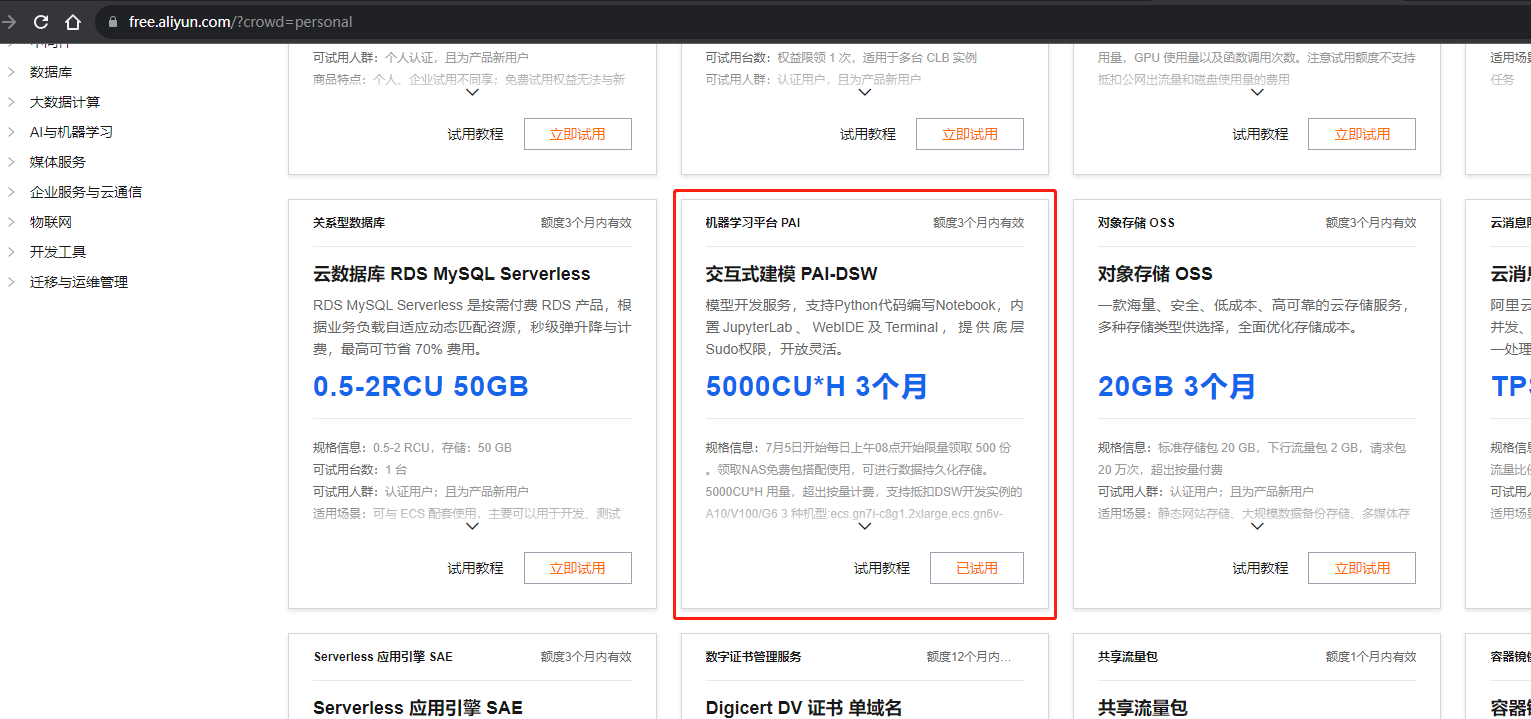
  1. 进去阿里云免费试用活动页面 https://free.aliyun.com/
  2. 申请试用PAI-DSW资源,点击页面上的【立即试用】就可以了。(我因为已经试用了,所以显示的是“已试用”)
  3. 参考试用教程创建PAI平台示例。或者接着往下看
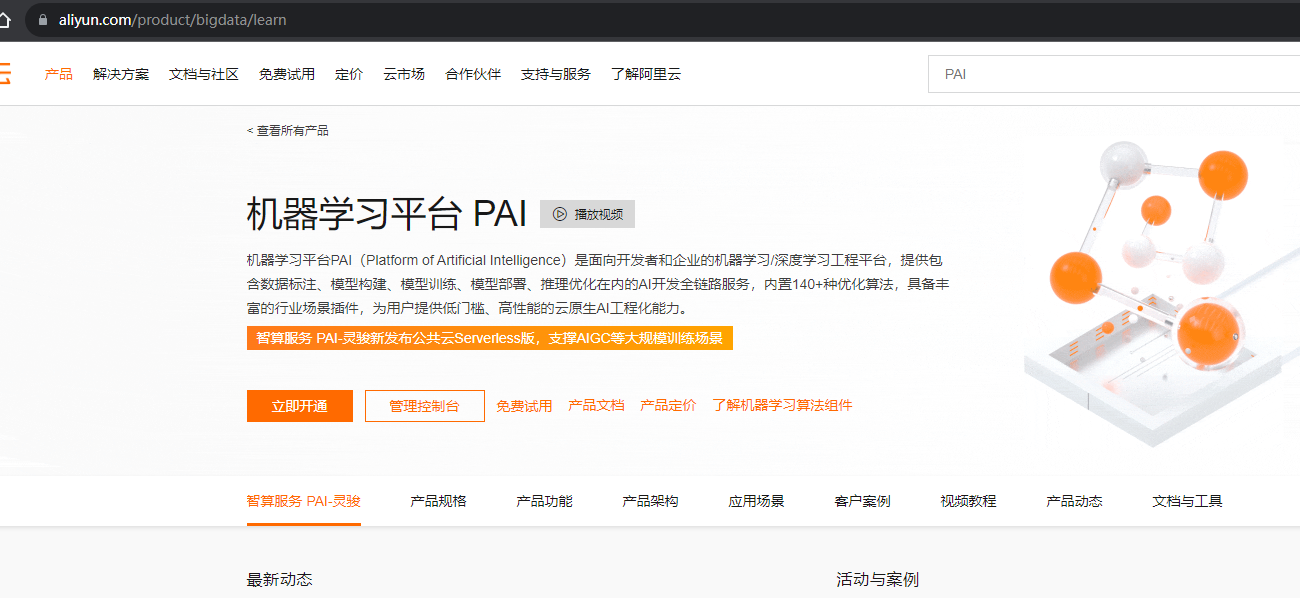
  4. 在阿里云页面搜索PAI,点击立即开通,然后进入到PAI控制台。

    开通的时候,有些可选的资源(比如NAS存储等),我因为没有,所以都没选。

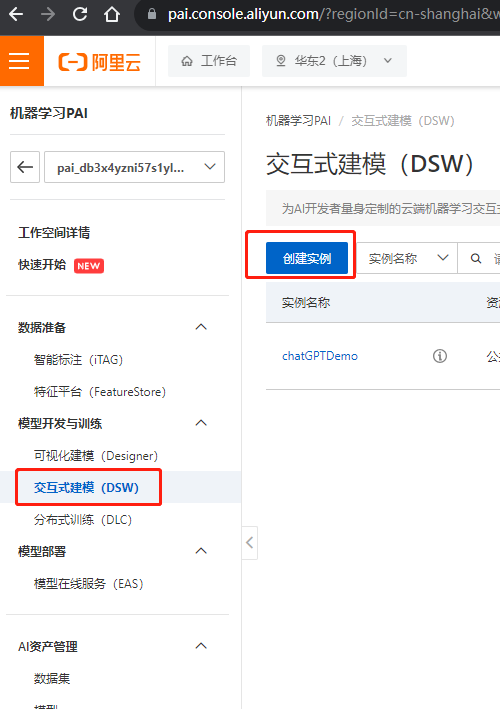
  5. 进入控制台后,选择创建DSW实例

创建的时候,资源选择GPU资源,然后选择 支持资源包抵扣的那款 ecs.gn6v-c8g1.2xlarge

如果资源组下拉框是空白的,那么你需要在 上图左侧【工作空间详情】菜单,配置一下计算资源。

配置的按钮在工作空间详情页面右边【资源管理】,选择public-cluster 即可

镜像选择pytorch1.12,点击创建完成,机器就白嫖好了。

下载大模型

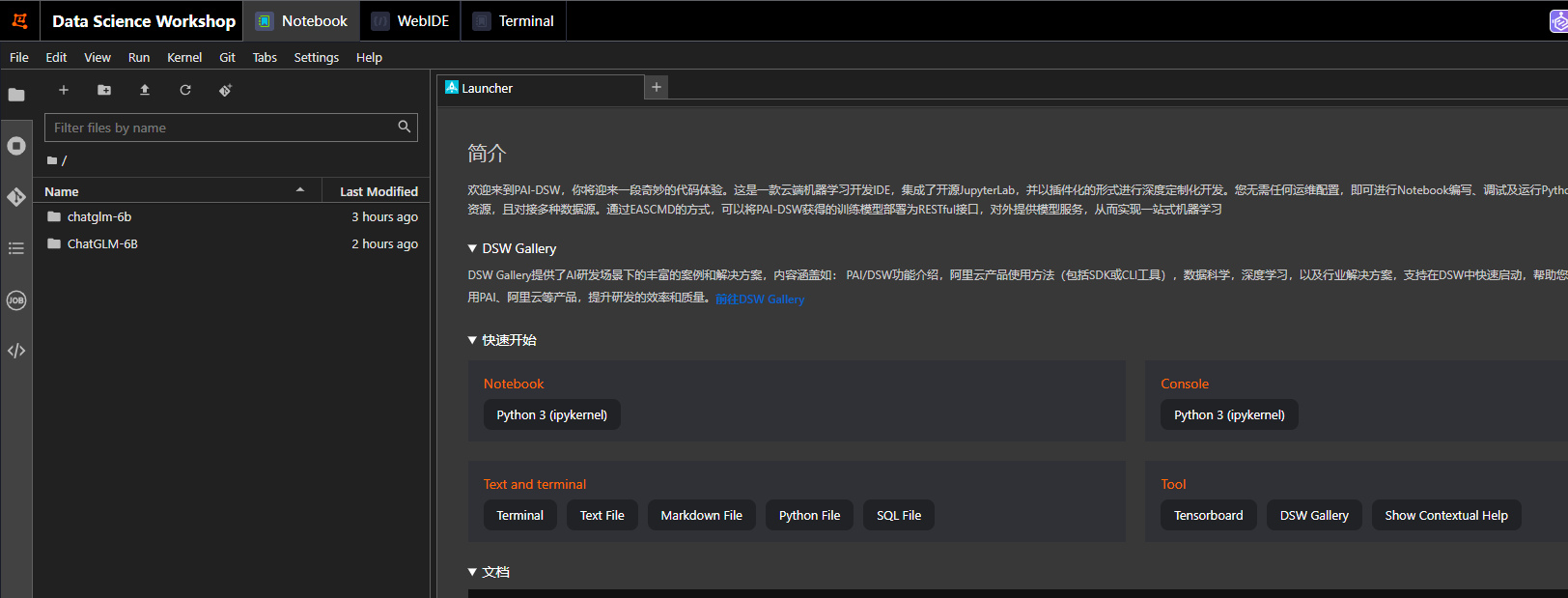
前面实例创建完之后,点击【打开】,会进入到机器的web控制台(Data Science Workshop)。

在这里,可以在Terminal里面操作了。

  1. 先执行安装git相关命令

    sudo apt-get update

    sudo apt-get install git-lfs
  2. 下载模型仓库(因为模型比较大,所以下载下来再执行方便些)

    git clone git@hf.co:THUDM/chatglm-6b

  3. 下载模型运行代码

    git clone https://github.com/THUDM/ChatGLM-6B.git

部署启动

部署前修改源码

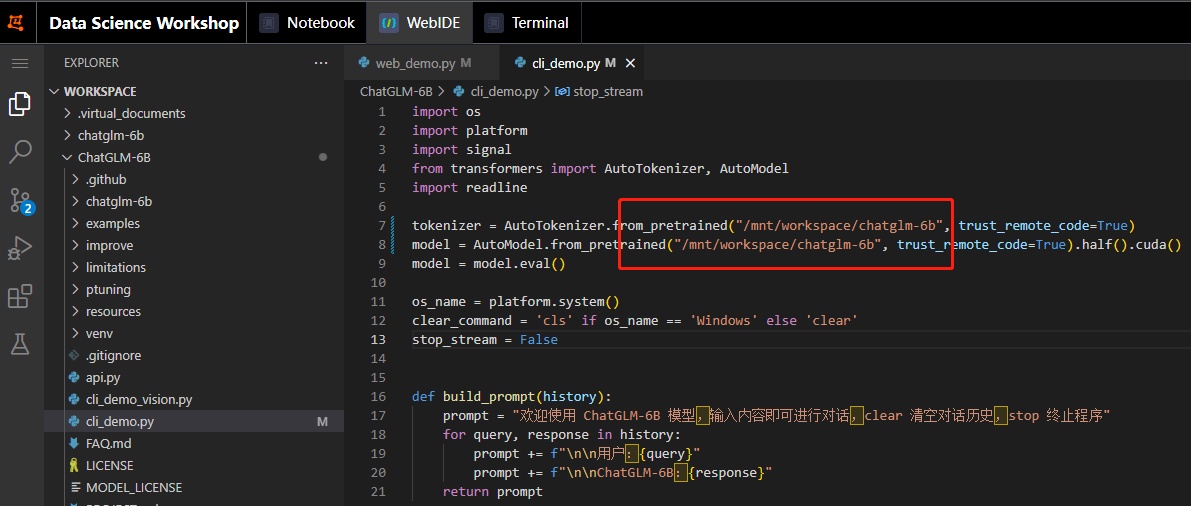
因为我们已经把模型下载下来了,部署前,需要把代码中的模型路径改成你自己的。

比如我们的模型下载在/mnt/workspace/chatglm-6b,我们就需要把 ChatGLM-6B 下的两个文件路径都改一下:

  • cli_demo.py:命令行交互界面
  • web_demo.py:Web图形交互界面

启动

进入到ChatGLM-6B目录,执行启动命令即可

python web_demo.py

命令执行成功,会提示。就表示启动成功了。

Running on local URL: http://127.0.0.1:7860

To create a public link, set share=True in launch().

如果想外网访问,就还需要改一点源码。在web_demo.py文件最末尾,设置share=True

修改前:demo.queue().launch(share=False, inbrowser=True)

修改后:demo.queue().launch(share=True, inbrowser=True)

改完后,保存,再次启动,会打印出Running on public URL:XXXX,通过这个链接即可打开体验。

启动中如果遇到缺少一些module,可通过【pip install xxx】进行安装,安装完之后再执行启动命令

使用效果

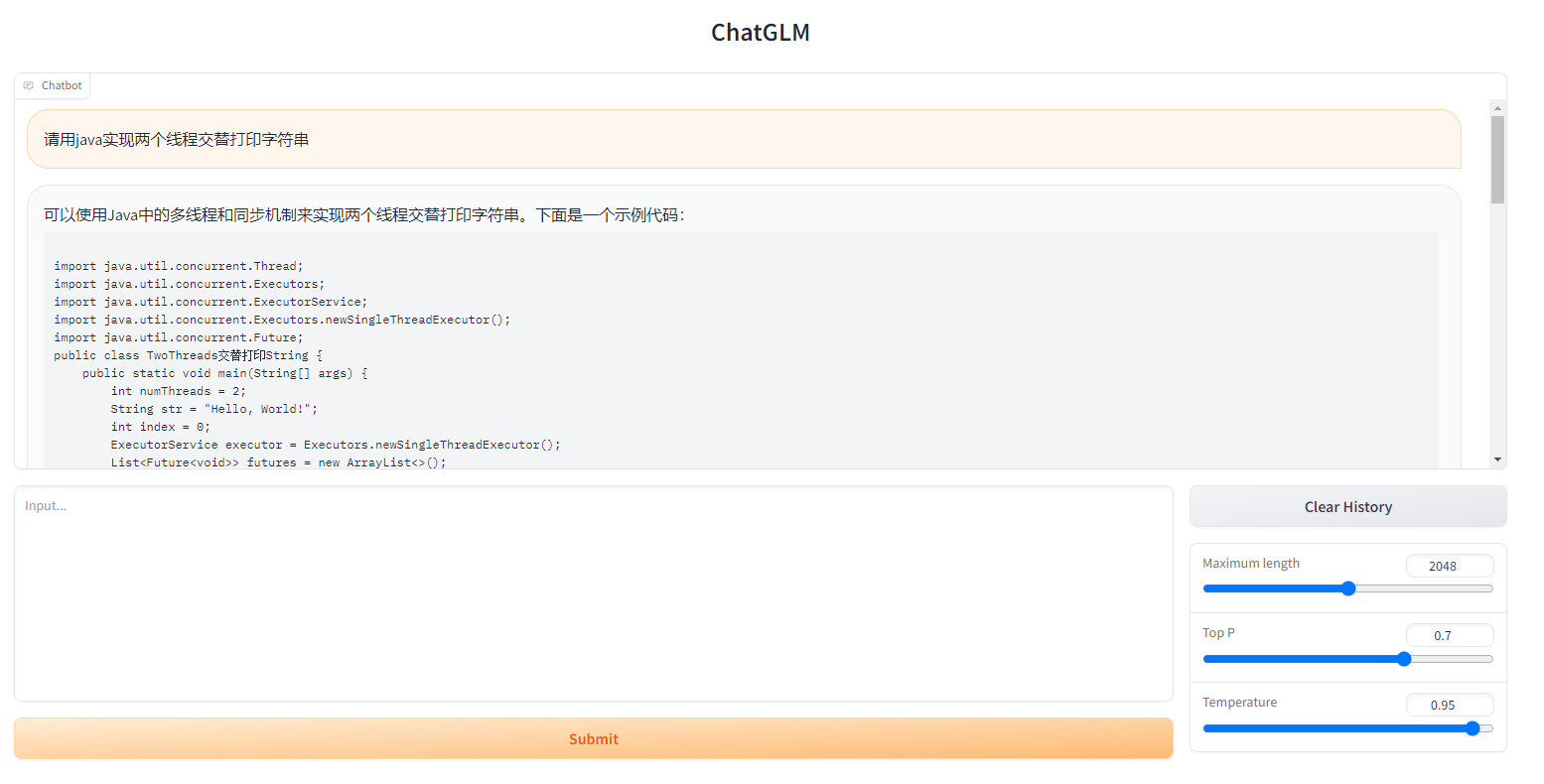
使用效果的话,只能说还有相当长的路需要走。

答的是有板有眼的!但是,实际上…

我把完整的代码贴在下面,大家可自行体验评论:

import java.util.concurrent.Thread;
import java.util.concurrent.Executors;
import java.util.concurrent.ExecutorService;
import java.util.concurrent.Executors.newSingleThreadExecutor();
import java.util.concurrent.Future;
public class TwoThreads交替打印String {
    public static void main(String[] args) {
        int numThreads = 2;
        String str = "Hello, World!";
        int index = 0;
        ExecutorService executor = Executors.newSingleThreadExecutor();
        List<Future<void>> futures = new ArrayList<>();
        for (int i = 0; i < numThreads; i++) {
            int size = str.length();
            int start = index * size + i;
            int end = start + size;
            int buffer = start * size + size;
            // 打印前一个线程的输出
            futures.add(executor.submit(() -> {
                Thread thread = new Thread(new MyThread(str, buffer));
                thread.start();
            }));
            // 打印当前线程的输出
            futures.add(executor.submit(() -> {
                Thread thread = new Thread(new MyThread(str, buffer));
                thread.start();
            }));
            // 等待当前线程完成
            thread.join();
            // 打印下一个线程的输出
            futures.add(executor.submit(() -> {
                Thread thread = new Thread(new MyThread(str, buffer));
                thread.start();
            }));
            index += size;
        }
        // 打印所有线程的输出
        for (Future<void> future : futures) {
            future.get();
        }
        executor.shutdown();
    }
    private static class MyThread implements Runnable {
        private final String str;
        private final int buffer;
        public MyThread(String str, int buffer) {
            this.str = str;
            this.buffer = buffer;
        }
        @Override
        public void run() {
            for (int i = 0; i < buffer; i++) {
                System.out.print(str.charAt(i) + " ");
            }
        }
    }
}

Distributed Cache(分布式缓存)-SqlServer - 云霄宇霁 - 博客园

mikel阅读(581)

来源: Distributed Cache(分布式缓存)-SqlServer – 云霄宇霁 – 博客园

Net Core 缓存系列:

1、NetCore IMemoryCache 内存缓存

2、Distributed Cache(分布式缓存)-SqlServer

3、Distributed Cache(分布式缓存)-Redis

欢迎交流学习!!! GitHub源码

分布式缓存是由多个应用服务器共享的缓存,通常作为外部服务存储在单个应用服务器上,常用的有SQLServer,Redis,NCache。

分布式缓存可以提高ASP.NET Core应用程序的性能和可伸缩性,尤其是应用程序由云服务或服务器场托管时。

分布式缓存的特点:

  • 跨多个服务器请求,保证一致性。
  • 应用程序的服务器重启或部署时,缓存数据不丢失。
  • 不使用本地缓存(如果是多个应用服务器会出现不一致及数据丢失的风险)

SQL Server Distrubuted Cahce configure and application

1、Nuget下载安装包

2、使用sql-cache 工具创建缓存列表

Win+r 打开cmd命令,输入如下指令,创建缓存表,

dotnet sql-cache create "Data Source=(localdb)\MSSQLLocalDB;Initial Catalog=DistCache;Integrated Security=True;" dbo TestCache

如遇到以下error,需要安装dotnet-SQL-cache,命令如下。(Note: NetCore 3.1 对应的dotnet-SQL-chche version 3.1.13)

dotnet tool install --global dotnet-sql-cache

如果看到如下提示,证明缓存表创建成功:

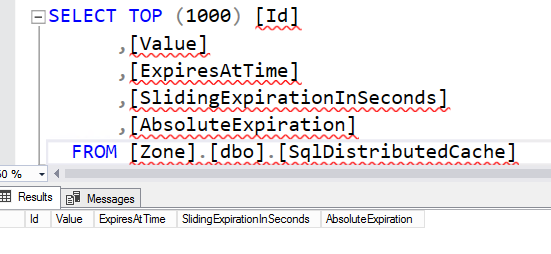
缓存表结构:

3、在请求管道中添加DistributedCache(Note:这里建议ConnectionString,SchemaName,TableName最好写在配置文件里,在本章最后简单介绍下如果在NetCore console 里配置使用appsettings.json

 View Code

4、通过构造函数依赖注入IDistributedCache

复制代码
private readonly IDistributedCache _cacheService;

public SqlServerService(IDistributedCache cacheService)
{
      this._cacheService = cacheService;
}
复制代码

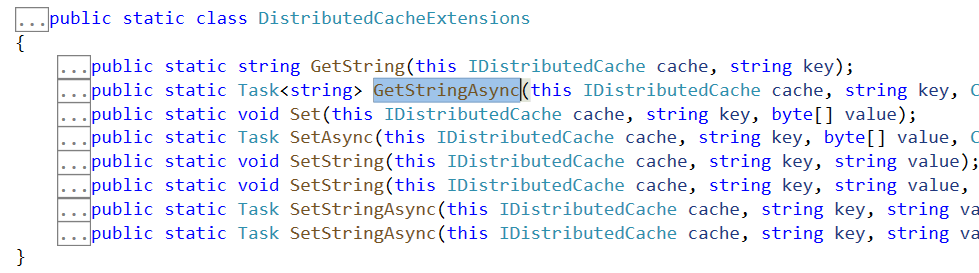
最简单的方式是直接使用IDistributedCache Extension方法,提供了String类型的cache value还是比较常用的。

以下是简单封装实现,根据需求更改即可。

复制代码
 public class SqlServerService: ISqlServerService
    {
        private readonly IDistributedCache _cacheService;

        public SqlServerService(IDistributedCache cacheService)
        {
            this._cacheService = cacheService;
        }

        public async Task SetAsync(string key, byte[] value, object expiration = null, bool isAbsoluteExpiration = false)
        {
            var options = this.BuildDistributedCacheEntryOptions(expiration, isAbsoluteExpiration);
            await _cacheService.SetAsync(key, value, options);
        }

        public async Task SetAsync(string key, string value, object expiration = null, bool isAbsoluteExpiration = false)
        {
            var options = this.BuildDistributedCacheEntryOptions(expiration, isAbsoluteExpiration);
            await _cacheService.SetStringAsync(key, value, options);
        }

        public async Task<byte[]> GetAsync(string key)
        {
            return await _cacheService.GetAsync(key);
        }

        public async Task<string> GetStringAsync(string key)
        {
            return await _cacheService.GetStringAsync(key);
        }

        public async Task RemoveAsync(string key)
        {
            await _cacheService.RemoveAsync(key);
        }

        public async Task RefreshAsync(string key)
        {
            await _cacheService.RefreshAsync(key);
        }

        private DistributedCacheEntryOptions BuildDistributedCacheEntryOptions(object expiration = null, bool isAbsoluteExpiration = false)
        {
            var options = new DistributedCacheEntryOptions();
            if (expiration != null)
            {
                if (expiration is TimeSpan)
                {
                    if (isAbsoluteExpiration)
                        options.SetAbsoluteExpiration((TimeSpan)expiration);
                    else
                        options.SetSlidingExpiration((TimeSpan)expiration);
                }
                else if (expiration is DateTimeOffset)
                {
                    options.SetAbsoluteExpiration((DateTimeOffset)expiration);
                }
                else
                {
                    throw new NotSupportedException("Not support current expiration object settings.");
                }
            }
            return options;
        }
    }
复制代码

这里主要说下DistributedCacheEntryOptions这个类,作用是设置缓存项的过期时间

复制代码
public class DistributedCacheEntryOptions
{
    public DistributedCacheEntryOptions()
    public DateTimeOffset? AbsoluteExpiration { get; set; }//绝对过期时间
    public TimeSpan? AbsoluteExpirationRelativeToNow { get; set; }//绝对过期时间
    public TimeSpan? SlidingExpiration { get; set; } //滑动过期时间(如果在滑动过期时间内刷新,将重新设置滑动过去时间,对应IDistributedCache中的Refresh方法)
}
复制代码

OK,Sql Server IDistributeCache 就介绍到这里。


附加:NetCore Console 中使用appsettings.json文件

1、Nuget下载安装packages

2、添加appsettings.json文件,修改property->copy always

"SqlServerDistributedCache": {
    "ConnectionString": "",
    "SchemaName": "",
    "TableName": ""
  }

3、构建Configuration对象并添加到请求管道

复制代码
public static IServiceCollection ConfigureServices(this IServiceCollection services)
{
            var configuration = BuildConfiguration();
            services.AddSingleton<IConfiguration>(configuration);
            services.AddDistributedSqlServerCache(options=> 
            {
                options.ConnectionString = configuration["SqlServerDistributedCache:ConnectionString"];
                options.SchemaName = configuration["SqlServerDistributedCache:SchemaName"];
                options.TableName = configuration["SqlServerDistributedCache:TableName"];
            });
            services.AddTransient<ISqlServerService, SqlServerService>();
            return services;
}

        private static IConfigurationRoot BuildConfiguration()
        {
            var env = Environment.GetEnvironmentVariable("ASPNETCORE_ENVIRONMENT");

            var builder = new ConfigurationBuilder()
                .SetBasePath(Directory.GetCurrentDirectory())
                .AddJsonFile($"appsettings.json", true, true)
                .AddJsonFile($"appsettings.{env}.json", true, true)
                .AddEnvironmentVariables();
            return builder.Build();
        }
复制代码

这里是根据环境变量“ASPNETCORE_ENVIRONMENT”读取不同的appsettings文件,比如Development,Staging,Product

4、通过构造函数注入使用IConfiguration对象即可。

完整代码地址: Github

sqlserver清除缓存,记录查询时间 - 虎头 - 博客园

mikel阅读(763)

来源: sqlserver清除缓存,记录查询时间 – 虎头 – 博客园

--1. 将当前数据库的全部脏页写入磁盘。“脏页”是已输入缓存区高速缓存且已修改但尚未写入磁盘的数据页。
--   CHECKPOINT 可创建一个检查点,在该点保证全部脏页都已写入磁盘,从而在以后的恢复过程中节省时间。
CHECKPOINT
--2. 若要从缓冲池中删除清除缓冲区,请首先使用 CHECKPOINT 生成一个冷缓存。这可以强制将当前数据库的全部脏页写入磁盘,然后清除缓冲区。
--   完成此操作后,便可发出 DBCC DROPCLEANBUFFERS 命令来从缓冲池中删除所有缓冲区。
DBCC DROPCLEANBUFFERS
--3. 释放过程缓存将导致系统重新编译某些语句(例如,即席 SQL 语句),而不重用缓存中的语句。
DBCC FREEPROCCACHE
--4. 从所有缓存中释放所有未使用的缓存条目。SQL Server 2005 Database Engine 会事先在后台清理未使用的缓存条目,以使内存可用于当前条目。
--  但是,可以使用此命令从所有缓存中手动删除未使用的条目。
DBCC FREESYSTEMCACHE ( 'ALL' )
--5. 要接着执行你的查询,不然SQLServer会时刻的自动往缓存里读入最有可能需要的数据页.


1
2
3
4
5
6
7
CHECKPOINT;
DBCC DROPCLEANBUFFERS;
DBCC FREEPROCCACHE;
DBCC FREESYSTEMCACHE ('ALL');
SET STATISTICS TIME ON ;
--查询条件
SET STATISTICS TIME OFF;

基于ASP.NET ZERO,开发SaaS版供应链管理系统 - freed - 博客园

mikel阅读(396)

来源: 基于ASP.NET ZERO,开发SaaS版供应链管理系统 – freed – 博客园

前言

在园子吸收营养10多年,一直没有贡献,目前园子危机时刻,除了捐款+会员,也鼓起勇气,发篇文助力一下。

2018年下半年,公司决定开发一款SaaS版行业供应链管理系统,经过选型,确定采用ABP(ASP.NET Boilerplate)框架。为了加快开发效率,购买了商业版的 ASP.NET ZERO(以下简称ZERO),选择ASP.NET Core + Angular的SPA框架进行系统开发(ABP.IO届时刚刚起步,还很不成熟,因此没有选用)。

关于ABPZERO,园子里已经有诸多介绍,因此不再赘述。本文侧重介绍我们基于ZERO框架开发系统过程中进行的一些优化、调整、扩展部分的内容,方便有需要的园友们了解或者参考。

系统架构

系统在2020年7月发布上线(部署在阿里云上),目前有超过500家企业/个人注册体验(付费的很少),感兴趣的可以在此系统的着陆网站 scm.plus 注册一个免费账号体验一下,欢迎大家的批评指正。

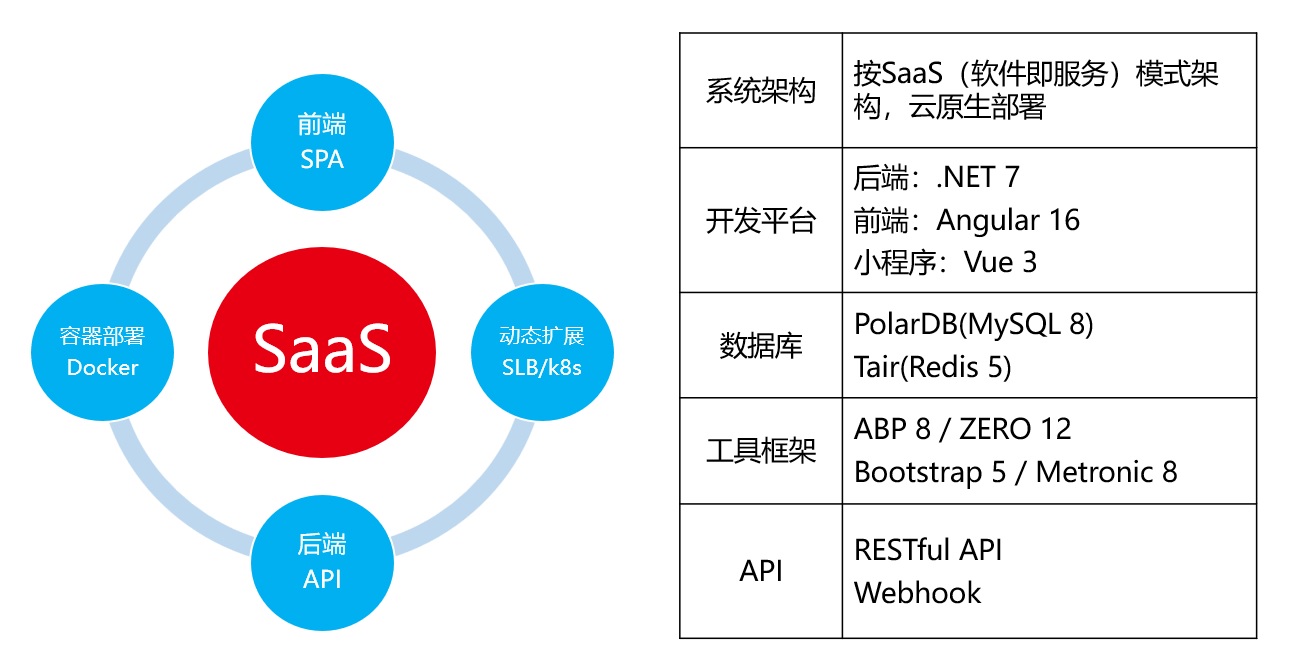
系统架构图

ZERO框架总体上来说还是不错的,可以快速的上手,集成的通用功能(版本、租户、角色、用户、设置等)初期都可以直接使用,但还达不到直接发布使用的水准,需要经过诸多的优化调整扩展后才能发布上线。

A 后端(ASP.NET Core)部分

0、移除不需要的功能:Chat、SignalR、DynamicProperty、GraphQL、IdentityServer4。

基于系统功能定位,移除的这些不需要的功能,使系统尽可能的精简。

1、Migrations内移除Designer.cs。

在我们的开发环境内,经过测试与验证,使用mySQL数据库时候,可以安全移除add-migration时候生成的庞大的Designer.cs文件。移除Designer.cs文件时候,需要把该文件内的DbContext与Migration声明语句移到对应的migration.cs文件内:

[DbContext(typeof(SCMDbContext))]
[Migration("20230811015119_Upgraded_To_Abp_8_3")]
public partial class Upgraded_To_Abp_8_3 : Migration
{
   ...
}

2、替换必要的功能包,确保系统后端可以部署到linux环境:

  • 使用SkiaSharp替换System.Drawing.Common;
  • 使用EPPlus替换NPOI。

3、停用系统默认的外部登录( Facebook、Google、Microsoft、Twitter等),添加微信扫码与小程序登录。

4、停用系统默认的支付选项( Paypal、Stripe等),添加支付宝(Alipay)支付。

5、Excel文件上传,ZERO默认没有实现,需要自行添加Excel文件的上传与导入功能:

  • Excel文件上传后先缓存该文件;
  • 创建一个后台Job(HangFire)执行Excel文件的读取、处理等;
  • Job发送执行后的结果(消息通知)。
[HttpPost]
[AbpMvcAuthorize(AppPermissions.Pages_Txxxs_Excel_Import)]
public async Task<JsonResult> ImportFromExcel()
{
    try
    {
        var jobArgs = await DoImportFromExcelJobArgs(AbpSession.ToUserIdentifier());

        var queueState = new EnqueuedState(GetJobQueueName());
        IBackgroundJobClient hangFireClient = new BackgroundJobClient();
        hangFireClient.Create<ImportTxxxsToExcelJob>(x => x.ExecuteAsync(jobArgs), queueState);

        return Json(new AjaxResponse(new { }));
    }
    catch (Exception ex)
    {
        return Json(new AjaxResponse(new ErrorInfo(ex.Message)));
    }
}

6、图片与文件上传存储,ZERO的默认实现是保存上传的图片文件到数据库内,需要改造存储到OSS中:

  • 使用MD5哈希前缀,生成OSS文件对象的名称(含path),提高OSS并发性能:
private static string GetOssObjName(int? tenantId, Guid id, bool isThumbnail)
{
    string tid = (tenantId ?? 0).ToString();
    string ext = isThumbnail ? "thu" : "ori"; //thu - 缩略图、ori - 原图/原文件
    string hashStr = BitConverter.ToString(MD5.HashData(Encoding.UTF8.GetBytes(tid)), 0).Replace("-", string.Empty).ToLower();

    return $"{hashStr[..4]}/{tid}/{id}.{ext}";
}
  • 若OSS未启用或者上传失败,则直接存储到数据库中:
public async Task SaveAsync(BinaryObject file)
{
    if (file?.Bytes == null) { return; }

    //1、OSS上传,成功后直接返回
    if (OssPutObject(file.TenantId, file.Id, file.Bytes, isThumbnail: false)) { return; } 

    //2、若OSS未启用或者上传失败,则直接上传到数据库中
    await _binaryObjectRepository.InsertAsync(file);
}
  • 获取时候遵循一样的逻辑:若OSS未启用或者获取不到,则直接自数据库中获取;自数据库获取成功后要同步数据库中记录到OSS中。

7、Webhook功能,需要改造支持推送数据到第三方接口,如:企业微信群、钉钉群、聚水潭API等:

  • 重写WebhookManager的SignWebhookRequest方法;
  • 重写DefaultWebhookSender的CreateWebhookRequestMessage、AddAdditionalHeaders、SendHttpRequest方法;
  • 缓存Webhook Subscription:
private SCMWebhookCacheItem SetAndGetCache(int? tenantId, string keyName = "SubscriptionCount")
{
   int tid = tenantId ?? 0; var cacheKey = $"{keyName}-{tid}";

   return _cacheManager.GetSCMWebhookCache().Get(cacheKey, () =>
   {
        int count = 0;
        var names = new Dictionary<string, List<WebhookSubscription>>();

        UnitOfWorkManager.WithUnitOfWork(() =>
        {
            using (UnitOfWorkManager.Current.SetTenantId(tenantId))
            {
                if (_featureChecker.IsEnabled(tid, "SCM.H"))            //Feature 核查
                {
                    var items = _webhookSubscriptionRepository.GetAllList(e => e.TenantId == tenantId && e.IsActive == true);
                    count = items.Count;

                    foreach (var item in items)
                    {
                        if (string.IsNullOrWhiteSpace(item.Webhooks)) { continue; }
                        var whNames = JsonHelper.DeserializeObject<string[]>(item.Webhooks); if (whNames == null) { continue; }
                        foreach (string whName in whNames)
                        {
                            if (names.ContainsKey(whName))
                            {
                                names[whName].Add(item.ToWebhookSubscription());
                            }
                            else
                            {
                                names.Add(whName, new List<WebhookSubscription> { item.ToWebhookSubscription() });
                            }
                        }
                    }
                }
            }
        });

        return new SCMWebhookCacheItem(count, names);
    });
}

8、在WebHostModule中设定只有一台Server执行后台Work,避免多台Server重复执行:

public override void PostInitialize()
{
    ...

    string defaultEndsWith = _appConfiguration["Job:DefaultEndsWith"];
    if (string.IsNullOrWhiteSpace(defaultEndsWith)) { defaultEndsWith = "01"; }
    if (AppVersionHelper.MachineName.EndsWith(defaultEndsWith))
    {
        var workManager = IocManager.Resolve<IBackgroundWorkerManager>();

        workManager.Add(IocManager.Resolve<SubscriptionExpirationCheckWorker>());
        workManager.Add(IocManager.Resolve<SubscriptionExpireEmailNotifierWorker>());
        workManager.Add(IocManager.Resolve<SubscriptionPaymentsCheckWorker>());
        workManager.Add(IocManager.Resolve<ExpiredAuditLogDeleterWorker>());
        workManager.Add(IocManager.Resolve<PasswordExpirationBackgroundWorker>());
    }

    ...
}

9、限流功能,ZERO默认没有实现,通过添加AspNetCoreRateLimit中间件集成限流功能:

  • 采用客户端ID(ClientRateLimiting)进行设置;
  • 重写RateLimitConfigurationRegisterResolvers方法,添加定制化的ClientIpHeaderResolveContributor:存在客户端ID则优先获取,反之获取客户端的IP:
    public class RateLimitConfigurationExtensions : RateLimitConfiguration  
    {
        ...
        public override void RegisterResolvers()
        {
            ClientResolvers.Add(new ClientIpHeaderResolveContributor(SCMConsts.TenantIdCookieName));
        }
    }

    public class ClientIpHeaderResolveContributor : IClientResolveContributor
    {
        private readonly string _headerName;

        public ClientIpHeaderResolveContributor(string headerName)
        {
            _headerName = headerName;     
        }

        public Task<string> ResolveClientAsync(HttpContext httpContext)
        {
            IPAddress clientIp = null;

            var headers = httpContext?.Request?.Headers;
            if (headers != null && headers.Count > 0)
            {
                if (headers.ContainsKey(_headerName))                               //0 scm_tid
                {
                    string clientId = headers[_headerName].ToString();
                    if (!string.IsNullOrWhiteSpace(clientId))
                    {
                        return Task.FromResult(clientId);
                    }
                }

                try
                {
                    if (headers.ContainsKey("X-Real-IP"))                           //1 X-Real-IP
                    {
                        clientIp = IpAddressUtil.ParseIp(headers["X-Real-IP"].ToString());
                    }
                    
                    if (clientIp == null && headers.ContainsKey("X-Forwarded-For")) //2 X-Forwarded-For
                    {
                        clientIp = IpAddressUtil.ParseIp(headers["X-Forwarded-For"].ToString());
                    }
                }
                catch {}

                clientIp ??= httpContext?.Connection?.RemoteIpAddress;             //3 RemoteIpAddress
            }

            return Task.FromResult(clientIp?.ToString());
        }
    }

B 前端(Angular)部分

0、类似后端,移除不需要的功能:Chat、SignalR、DynamicProperty等。

1、拆分精简service-proxies.ts文件:

  • ZERO使用NSwag生成前端的TypeScript代码文件service-proxies.ts,全部模块的都生成到一个文件内,导致该文件非常庞大,最终编译生成的main.js接近4MB;
  • 按系统执行层次,拆分service-proxies.ts为多个文件,精简其中的共用代码,调整module的调用、拆分、懒加载等,最终大幅度减少了main.js的大小(目前是587KB)。

2、优化表格组件primeng table,实现客户端表格使用状态的本地存储:表格列宽、列顺序、列显示隐藏、列固定、分页设定等。

3、实现客户端的卡片视图功能。

4、集成ng-lazyload-image,实现图片展示的懒加载。

5、集成ngx-markdown,实现markdown格式的在线帮助。

6、业务组件设置为独立组件,ChangeDetectionStrateg设置为OnPush:

@Component({
    changeDetection: ChangeDetectionStrategy.OnPush,
    templateUrl: './txxxs.component.html',
    standalone: true,
    imports: [...]
})
export class TxxxsComponent extends AppComponentBase {
    ...
    constructor(
        injector: Injector,
        changeDetector: ChangeDetectorRef,
    ) {
        super(injector);
        setInterval(() => { changeDetector.markForCheck(); }, AppConsts.ChangeDetectorMS);
    }
    ...
}

7、仪表盘升级为工作台,除了可以添加图表外,也可以添加业务组件(独立组件)。

8、路由直接链接业务组件,实现懒加载:

import { Route } from '@angular/router';
export default [
    { path: 'p120303/t12030301s', loadComponent: () => import('./t12030301s.component').then(c => c.T12030301sComponent), ... },
    { path: 'p120405/t12040501s', loadComponent: () => import('./t12040501s.component').then(c => c.T12040501sComponent), ... },
    { path: 'p120405/t12040502s', loadComponent: () => import('./t12040502s.component').then(c => c.T12040502sComponent), ... },
] as Route[];

9、通过webpackInclude,减少打包后的文件数量;使用webpackChunkName设定打包后的文件名:

function registerLocales(
    resolve: (value?: boolean | Promise<boolean>) => void,
    reject: any,
    spinnerService: NgxSpinnerService
) {
    if (shouldLoadLocale()) {
        let angularLocale = convertAbpLocaleToAngularLocale(abp.localization.currentLanguage.name);
        import(
            /* webpackInclude: /(en|en-GB|zh|zh-Hans|zh-Hant)\.mjs$/ */
            /* webpackChunkName: "angular-common-locales" */
            `/node_modules/@angular/common/locales/${angularLocale}.mjs`).then((module) => {
                registerLocaleData(module.default);
                resolve(true);
                spinnerService.hide();
            }, reject);
    } else {
        resolve(true);
        spinnerService.hide();
    }
}

C 小程序(Vue3)部分

后端部分已经实现小程序集成微信登录,后端输出的语言文本与API等小程序都可以直接调用,因此小程序的开发实现就相对比较容易,只需要实现必要的UI界面即可。

  • 小程序采用 uni-app(vue3) 框架进行开发,整体效率较高。
  • 有部分代码可以基于前端 Angular 的代码复制后稍加调整后即可使用。
  • 目前只输出了微信小程序,方便同企业微信群内的消息推送一体化集成。
  • 后端部分实现的Webhook功能,可以直接推送消息到企业微信群内,用户可以单击消息卡片,直接打开微信小程序内对应的页面,查看数据或者进行其他的维护操作。
  • 小程序中需要在onLaunch中进行路由守卫(登录拦截),以处理通过分享单独页面或者企业微信群内通过消息卡片直接打开小程序页面的权限核查。

总结

若没有优秀的工具框架支持,开发SaaS化系统并不是一件容易的事。基于ABP框架,使用ZERO工具,极大的降低了开发SaaS化系统的门槛,也促成了这套系统的实践与发布。

本文简要介绍了我们实现这套系统中的一些要点,供有需要的人了解参考,就算是抛砖引玉吧!

asp.net中 使用Nginx 配置 IIS站点负载均衡 - 路人阿丙 - 博客园

mikel阅读(384)

来源: asp.net中 使用Nginx 配置 IIS站点负载均衡 – 路人阿丙 – 博客园

这是一偏初学者入门的内容,发现有问题的地方,欢迎留言,一起学习,一起进步


本文主要记录一下在Windows平台中,IIS站点如何使用Nginx 做一个简单的负载均衡 

一、 准备工作

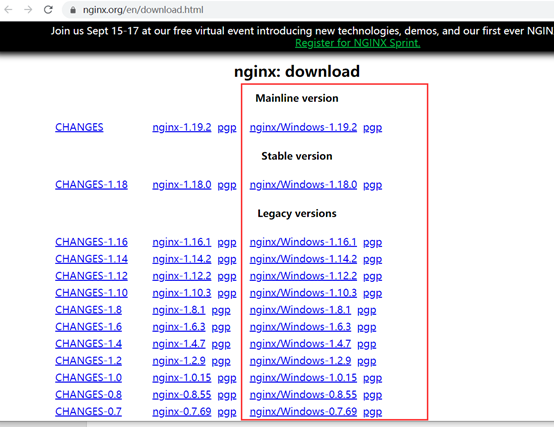
官网下载安装包:https://nginx.org/en/download.html


这里框选的Windows平台下适用的版本,分别是在线版本、稳定版、和历史版本,可以根据自己的需求选择,如果你不知道选啥,那就选个稳定版吧


下载之后的文件加压出来长这样:


这里边的文件看名字就可以发现他们的用户,比如:conf里边是nginx的配置文件,html放一些通用的静态页面,logs就是日志里,这些在后边我们都大概会用到


二、 启动nginx的方式

可以两种方式直接运行 niginx ,也可以使用命令,做测试的话 建议使用命令,别问为啥,问了就是因为操作方便

方式一:双击nginx.exe

方式二:进入cmd 到该目录下,运行 start nginx


启动后如果闪退,进程中也找不到nginx的进程,说明启动失败了,去logs中查看一下错误日志,一般最常见的错误有2个

1、 Nginx监听端口已经在本机上被使用,默认80端口,这种情况下我们换一个端口就行了

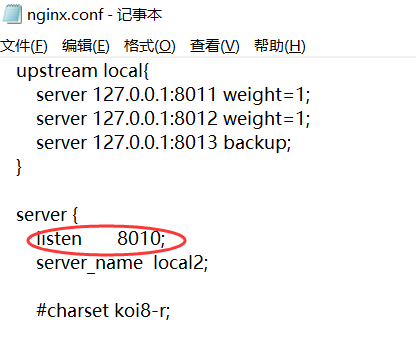
打开conf文件夹中的nginx.conf文件,记事本打开,修改其中的监听端口,如图监听8010端口:


2、 Nginx所在的目录有中文或者特殊字符了,比如这样的提示:

2020/09/02 09:36:00 [emerg] 14236#24932: CreateFile() "E:\软件安装包\分布式\nginx-1.18.0\nginx-1.18.0/conf/nginx.conf" 
failed (1113: No mapping for the Unicode character exists in the target multi-byte code page)

解决方法很简单,别放中文目录,避免目录中的特殊字符就好了,比如我把nginx-1.18.0文件夹直接拷贝到我的D盘

最后再次启动nigix ,如果启动成功,可以在进程管理器中看到nginx的进程,并且在logs文件夹中会生成一个nginx.pid的文件,这个文件存放的其实就是nginx主进程的进程ID

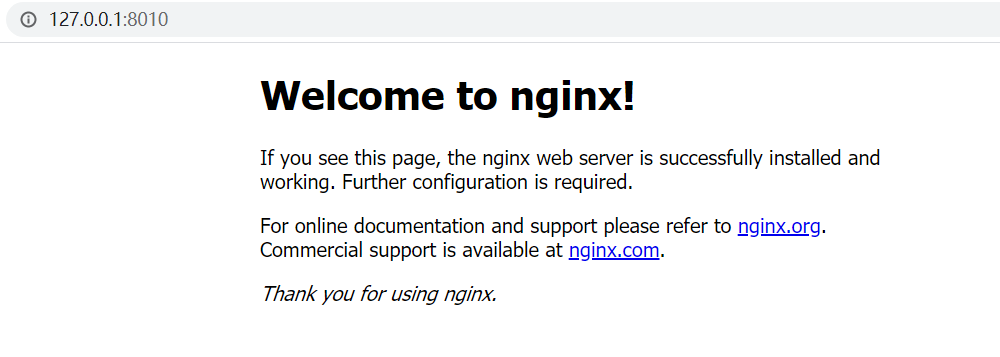
启动成功之后 ,浏览器中访问http://127.0.0.1:8010/ ,看到Welcome 就说明启动已经可以了


三、简单配置负载均衡

  预期配置目标:使用nginx配置,实现对两个IIS站点的均衡访问。

       预期测试现象:如果通过8010端口可以均衡的看到8011和8012两个端口对应的IIS站点中的内容, 说明配置成功

  测试站点准备操作:

  1、创建一个Web站点,我这边是这样做的:


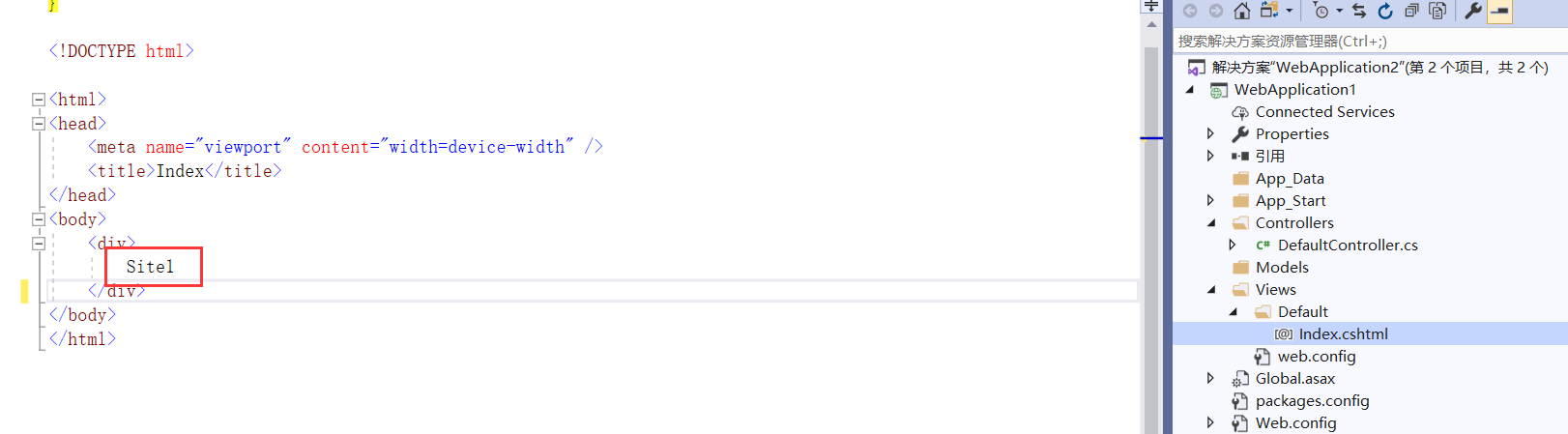
在视图中 我写了Stie1,生成这个项目。

2、将这个项目直接复制一个,并将视图中的Site1改为Site2,这样我就有两个路由资源完全相同的站点了文件了。

3、 在IIS中配置两个站点Site1和Site2,端口号 我分别设置为:8011、8012,文件地址分别是2步骤中的两个文件夹


4、分别通过127.0.0.1:8011和127.0.0.1:8012 先检测确认这两个站点没有问题,并且可以通过界面内容看出来 是两个站点


测试站点准备好了,接下来开始修改nginx的配置文件了

5、打开conf下的nginx.conf,找一下有没有upstream 配置,没有的话就按照下边的代码 复制粘贴一个改改,粘贴在server节点上边就行了,注意别放server里边了

    
  upstream my_web{
        server 127.0.0.1:8011 weight=1;
        server 127.0.0.1:8012 weight=2;
    }

这里边的my_web是我自己起的名字,起个有意义的名字,后边要用

这里边的 每一个server 都指定一个映射的地址,weight值你可以理解为,在轮询分配资源的时候分配的数量,如代码配置中的1和2,意思是 8011分配一个访问之后,8012开始分,8012分2个之后再继续给8011分,这个地方其实就是分配的权重值的,分配比例是自身权重n除以总权重值值和T ,也就是 n/T

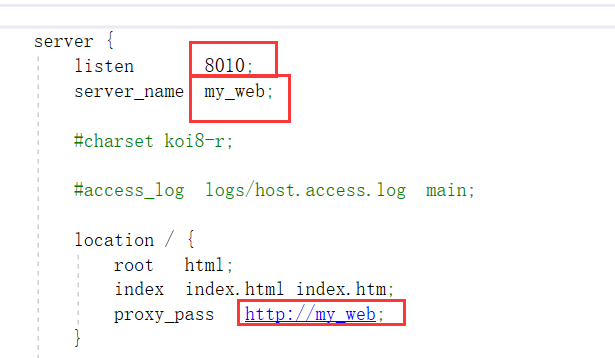
6、修改conf下的nginx.conf中的server


图中的第一个空色框,前边有提到 是监听的端口;

server_name 就是上一个步骤中我们配置的 upstream 的名字my_web;

在server中的location / 中添加proxy_pass ,上边有整体截图,这里是location参考代码,

    location / {
            root   html;
            index  index.html index.htm;
            proxy_pass   http://my_web;#my_web很眼熟对不对?没错 就是你自己定义的名字
     }

7、OK 到这里 你就可以做简单的测试了

重启一下nginx就可以了,结束进程重启  或者 cmd中使用命令:nginx -s reload

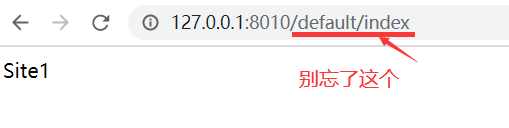
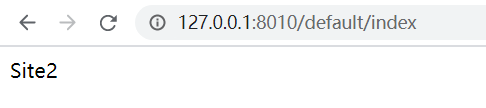
重启完成之后在浏览器中访问:127.0.0.1:8010站点,集合加上你的路由哦。然后重复刷新查看效果:


看到内容了吗?和预期测试结果吻合,简单的配置完成了!!是不是很简单  好了去装13吧,


四、其他常用的配置

其实就是重点说一下upstream的配置了,先来一段有注释的配置

复制代码
#########-全局块-#########

#user administrator administrators;  #配置用户或者组
worker_processes  1; #允许生成的进程数,默认为1
#pid        logs/nginx.pid; #指定nginx进程运行文件存放地址
error_log   logs/error.log error;  #制定日志路径,级别:debug|info|notice|warn|error|crit|alert|emerg 

########-events块-########
events {
    accept_mutex on;   #设置网路连接序列化,防止惊群现象发生,默认为on
    multi_accept on;  #设置一个进程是否同时接受多个网络连接,默认为off
    #use epoll;      #事件驱动模型,select|poll|kqueue|epoll|resig|/dev/poll|eventport
    worker_connections  1024; #最大连接数
}

#########-http块-#########
http {
    include       mime.types;  #文件扩展名与文件类型映射表
    default_type  application/octet-stream;  #默认文件类型,默认为text/plain

    #access_log off; #取消服务日志
    log_format  main  '$remote_addr - $remote_user [$time_local] "$request" '
                      '$status $body_bytes_sent "$http_referer" '
                      '"$http_user_agent" "$http_x_forwarded_for"'; #自定义格式
    access_log logs/access.log main;

    sendfile        on; #允许sendfile方式传输文件
    #tcp_nopush     on;

    #keepalive_timeout  0;
    keepalive_timeout  65; #连接超时时间

    #gzip  on;

    upstream mysvr.com {
    server 127.0.0.1:8080 weight=8;
    server 127.0.0.1:8081 weight=9;
    }

    server {
        listen       80;  #监听端口
        server_name  127.0.0.1;   #监听地址

        #charset koi8-r;
        #access_log  logs/host.access.log  main;

        location / {
            #root   html; #根目录
            #index  index.html index.htm; #设置默认页
            random_index on;  #随机访问服务器
            #设置主机头和客户端真实地址,以便服务器获取客户端真实IP
            proxy_set_header    X-Real-IP           $remote_addr;
            proxy_set_header    X-Forwarded-For     $proxy_add_x_forwarded_for;
            proxy_set_header    Host                $http_host;
            proxy_set_header    X-NginX-Proxy       true;
            proxy_set_header    Connection          "";
            proxy_http_version  1.1;
            proxy_connect_timeout 1; 
            proxy_send_timeout 30; 
            proxy_read_timeout 60;
            client_max_body_size 50m;
            client_body_buffer_size 256k;
            proxy_pass  http://mysvr.com;  #请求转向mysvr 定义的服务器列表
        }

        #error_page  404              /404.html;  #错误页

        # redirect server error pages to the static page /50x.html
        #
        #error_page   500 502 503 504  /50x.html;
        #location = /50x.html {
        #    root   html;
        #}

    }

}
复制代码

#号代表注释,这里主要说明下server块和location块。

server块中 listen       80   顾名思义这是nginx启动后监听的端口,server_name就是监听IP地址,部署的时候要填写外网IP就可以了。

location块中 root是访问根目录,index是默认页,我们这里使用proxy_pass反向代理转发其他服务器地址就先注释掉了。
接下来说下,proxy_pass 配置
proxy_pass  http://mysvr.com;   mysvr.com是自定义的名字,通过上面定义的upstream块映射获取server地址访问。

upstream mysvr.com {
    server 192.168.1.10:8080;
    server 192.168.1.10:8081;
    }
    默认方式:依照轮询,方式进行负载,每一个请求按时间顺序逐一分配到不同的后端服务器。假设后端服务器down掉。能自己主动剔除。尽管这样的方式简便、成本低廉。但缺点是:可靠性低和负载分配不均衡。
upstream mysvr.com {
    server 192.168.1.10:8080 weight=8;
    server 192.168.1.10:8081 weight=9;
    }
    weight几率方式:指定轮询几率,weight和访问比率成正比,用于后端服务器性能不均的情况,如果后端服务器down掉,能自动剔除。

upstream mysvr.com {
    ip_hash;
    server 192.168.1.10 weight=8;
    server 192.168.2.10 weight=9;
    }
    ip_hash:每个请求按照发起客户端的ip的hash结果进行匹配,这样的算法下一个固定ip地址的客户端总会访问到同一个后端服务器,这也在一定程度上解决了集群部署环境下session共享的问题。

upstream mysvr.com{      
      server 192.168.1.10; 
      server 192.168.2.10; 
      fair; 
    }
    fair(第三方)按后端服务器的响应时间来分配请求,响应时间短的优先分配。与weight分配策略类似。

 upstream mysvr.com{ 
      server 192.168.1.10:8080; 
      server 192.168.1.10:8081; 
      hash $request_uri; 
      hash_method crc32; 
    }
    url_hash(第三方)按访问url的hash结果来分配请求,使每一个url定向到同一个后端服务器。后端服务器为缓存时比較有效。
    注意:在upstream中加入hash语句。server语句中不能写入weight等其他的參数,hash_method是使用的hash算法。


upstream还能够为每一个设备设置状态值,这些状态值的含义分别例如以下:

down 表示单前的server临时不參与负载.

weight 默觉得1.weight越大,负载的权重就越大。

max_fails :同意请求失败的次数默觉得1.当超过最大次数时,返回proxy_next_upstream 模块定义的错误.

fail_timeout : max_fails次失败后。暂停的时间。

backup: 其他全部的非backup机器down或者忙的时候,请求backup机器。所以这台机器压力会最轻。

upstream bakend{ #定义负载均衡设备的Ip及设备状态 
      ip_hash; 
      server 10.0.0.11:9090 down; 
      server 10.0.0.11:8080 weight=2; 
      server 10.0.0.11:6060; 
      server 10.0.0.11:7070 backup; 
}


都配置好后,就可以启动nginx了,双击nginx.exe运行也可以。
或者打开cmd窗口,进入nginx目录下运行start nginx 启动。
运行nginx.exe -s reload  重启。
nginx.exe -s stop 停止服务

最后自一段参考:https://www.cnblogs.com/han1982/p/9590342.html,如果你有一定经验,直接看最后一段 就能配置了


ABP(ASP.NET Boilerplate Project)快速入门 - xhznl - 博客园

mikel阅读(481)

来源: ABP(ASP.NET Boilerplate Project)快速入门 – xhznl – 博客园

前言

这两天看了一下ABP,做个简单的学习记录。记录主要有以下内容:

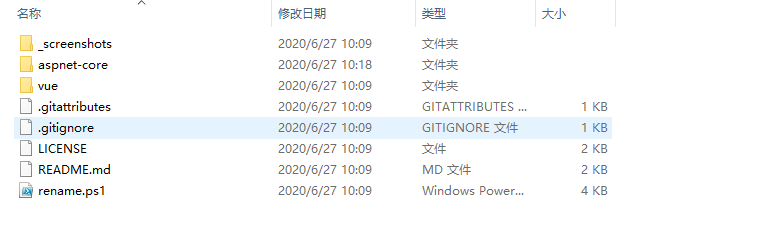
  1. 从官网创建并下载项目(.net core 3.x + vue)
  2. 项目在本地成功运行
  3. 新增实体并映射到数据库
  4. 完成对新增实体的基本增删改查

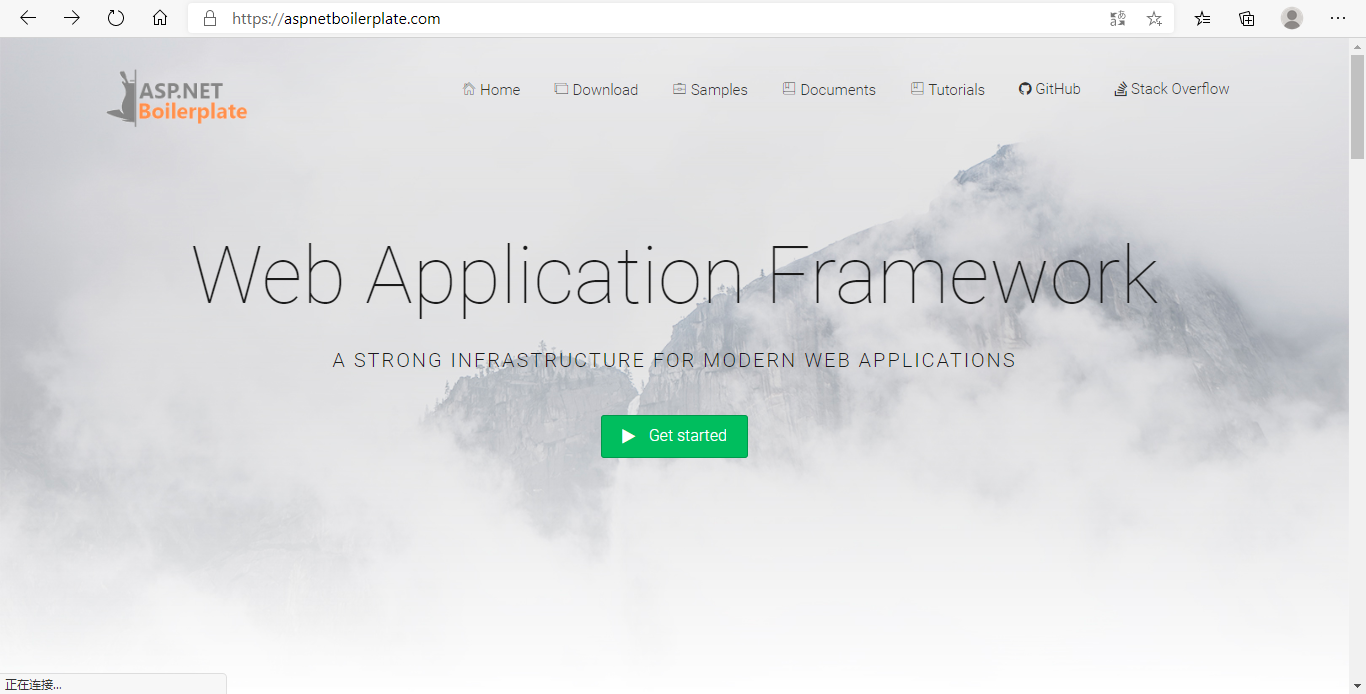
ABP官网:https://aspnetboilerplate.com/
Github:https://github.com/aspnetboilerplate

创建项目

进入官网

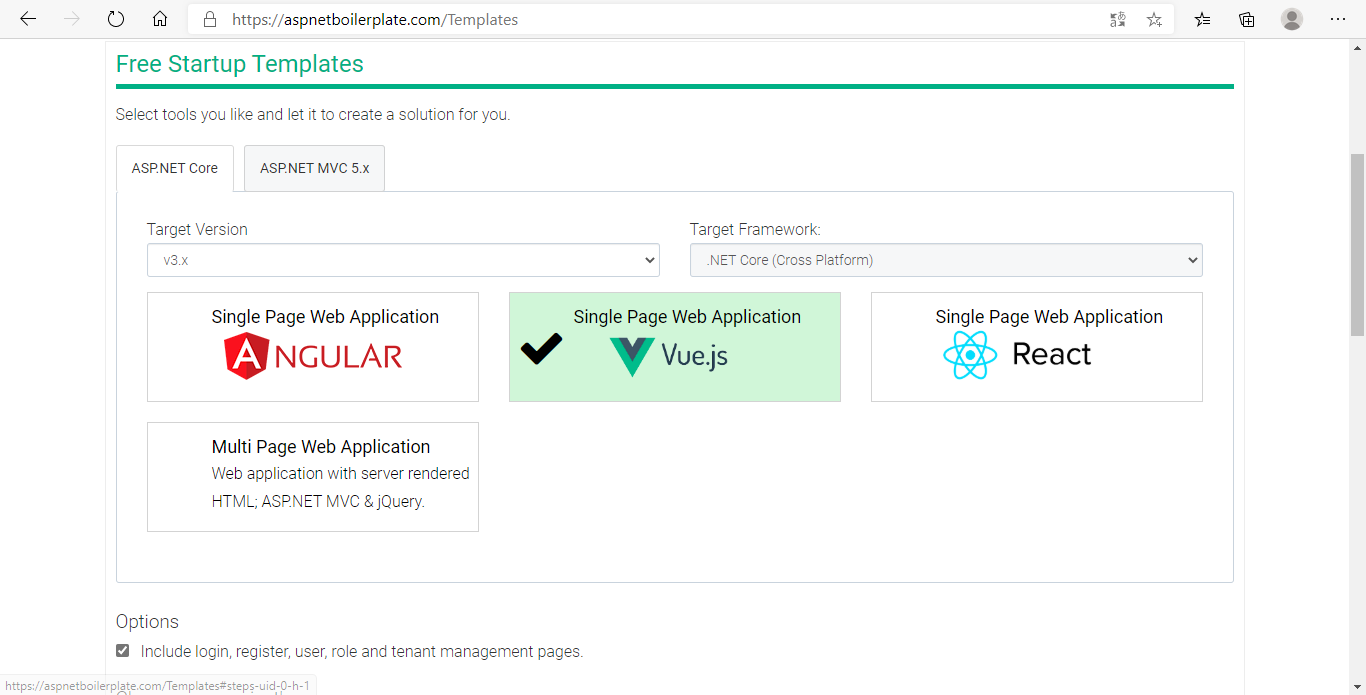
Get started,选择前后端技术栈,我这里就选.net core 3.x和vue。

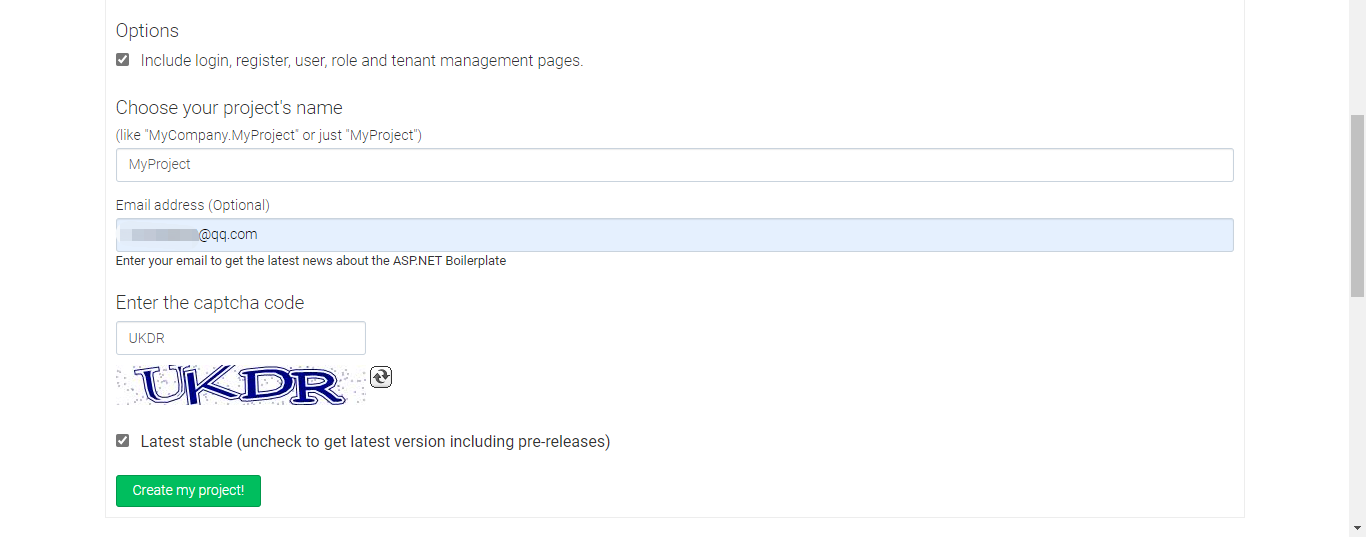
填写自己的项目名称,邮箱,然后点create my project就可以下载项目了。

解压文件

运行项目

后端项目

首先运行后端项目,打开/aspnet-core/MyProject.sln

改一下MyProject.Web.Host项目下appsettings.json的数据库连接字符串,如果本地安装了msSQL,用windows身份认证,不改也行

数据库默认是使用msSQL的,当然也可以改其他数据库。

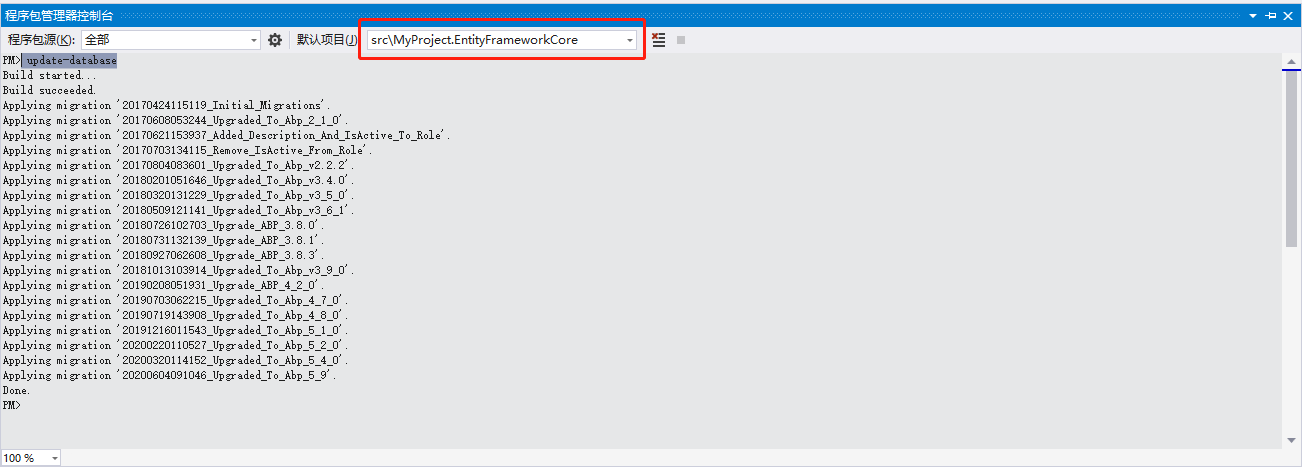
将MyProject.Web.Host项目设置为启动项,打开程序包管理器控制台,默认项目选择DbContext所在的项目,也就是MyProject.EntityFrameworkCore。执行update-database

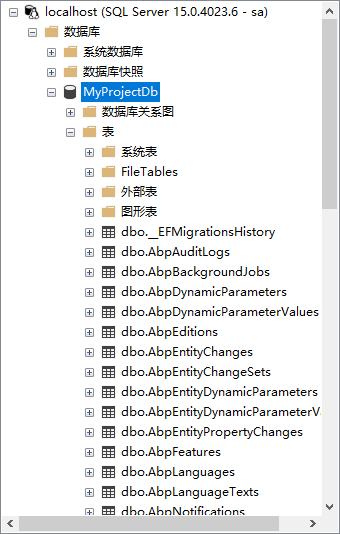
数据库已成功创建:

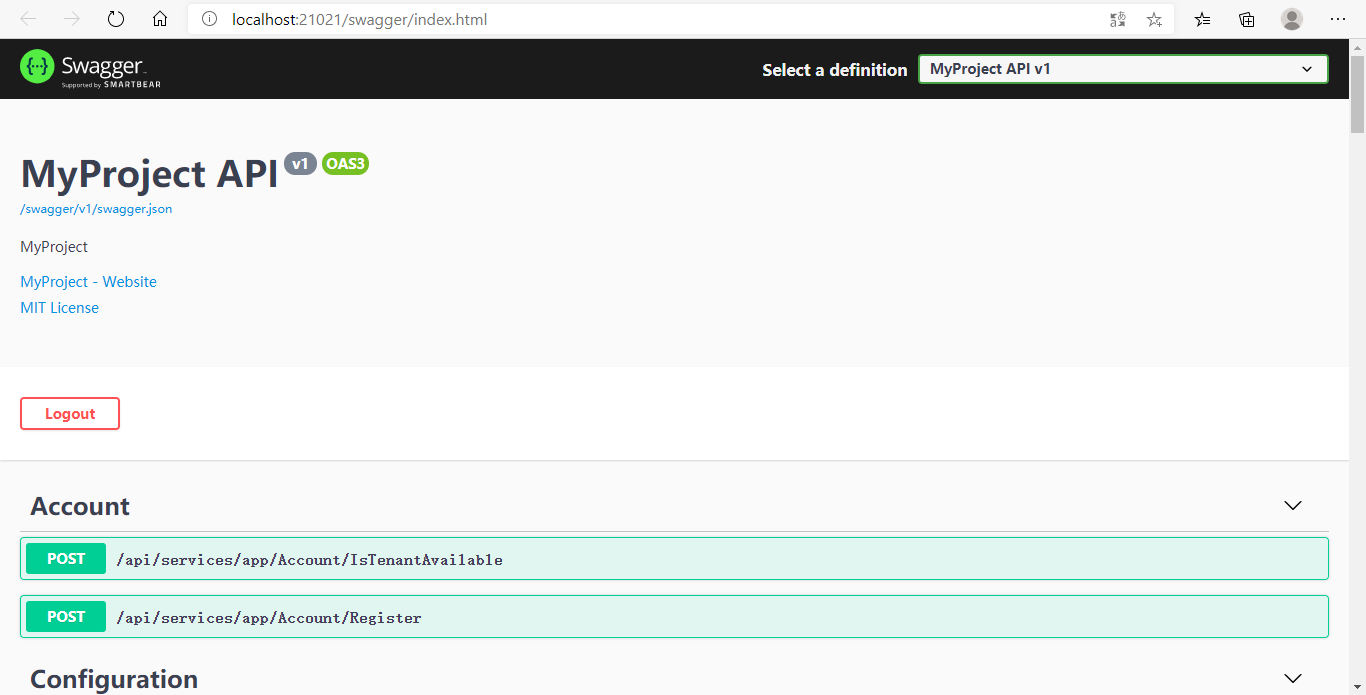
Ctrl+F5,不出意外,浏览器就会看到这个界面:

前端项目

后端项目成功运行了,下面运行一下前端项目,先要确保本机有nodejs环境并安装了vue cli,这个就不介绍了。

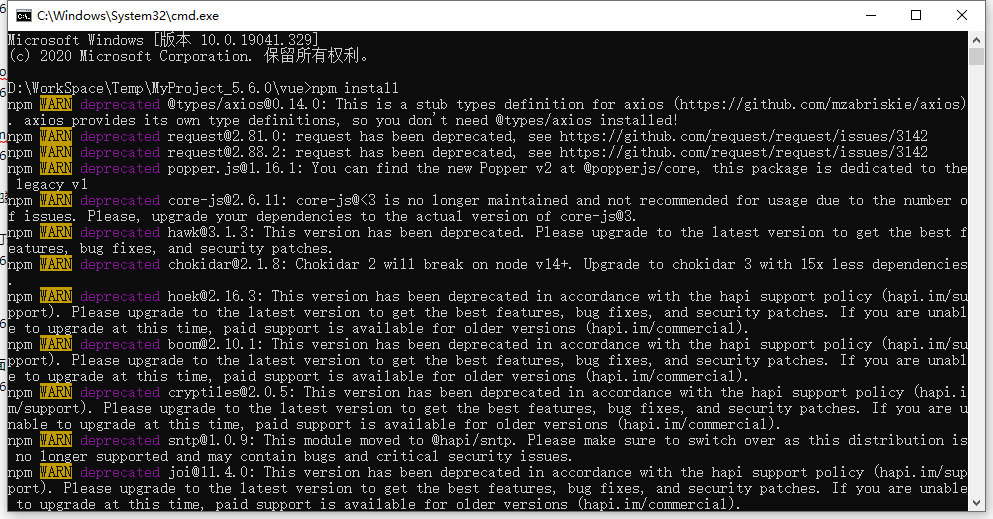
/vue目录下打开cmd执行:npm install

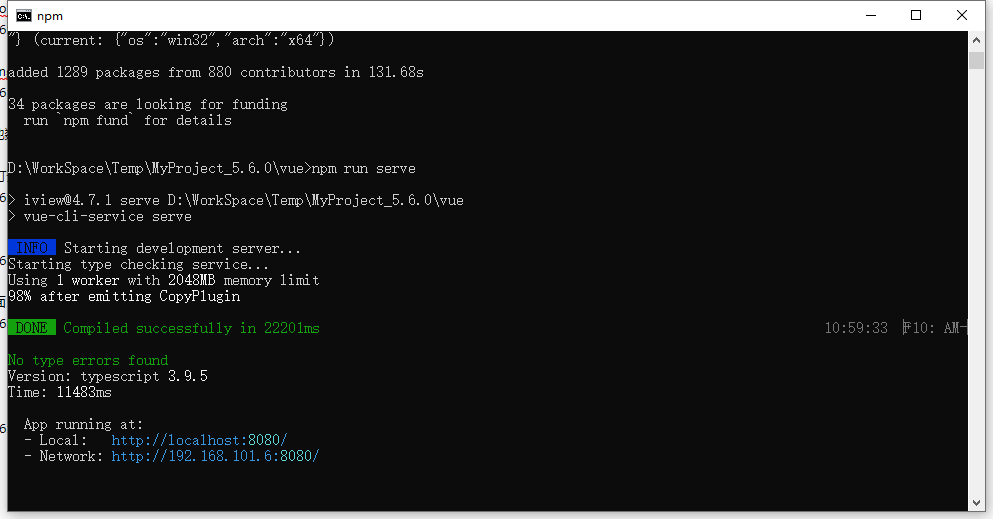
install完成后执行:npm run serve

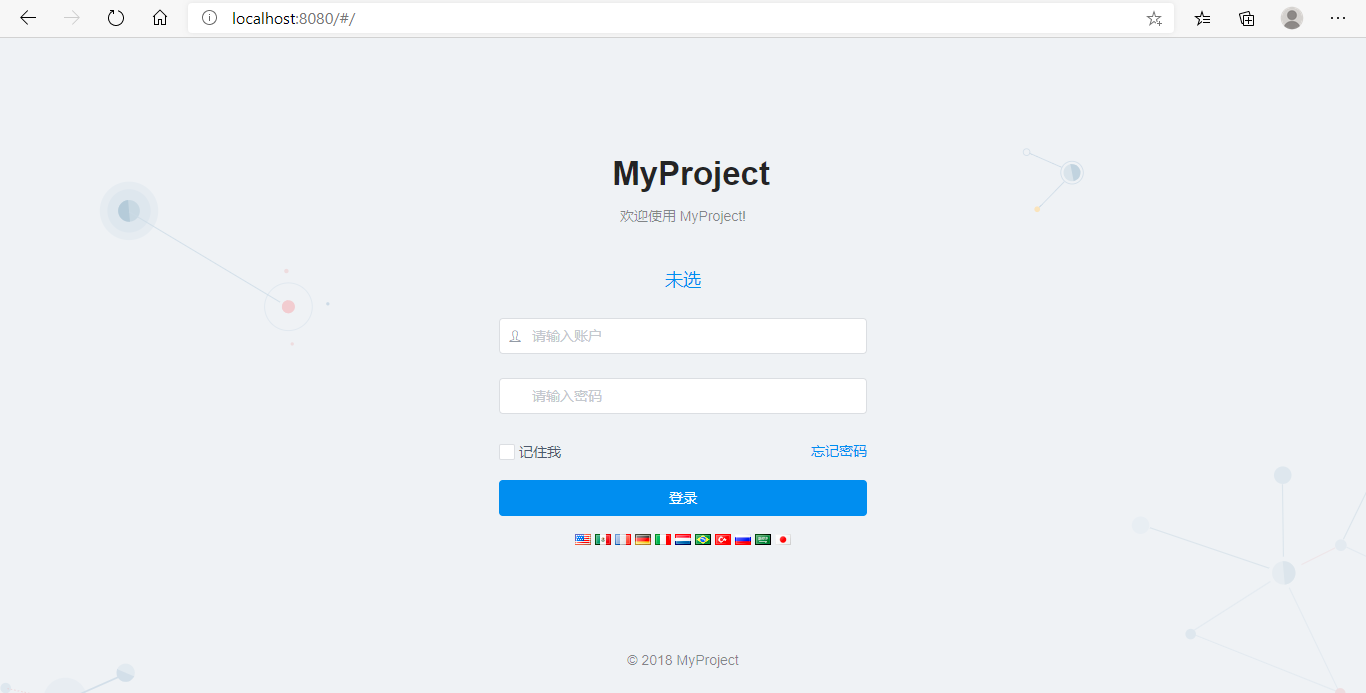
打开浏览器访问http://localhost:8080/,不出意外的话,会看到这个界面:

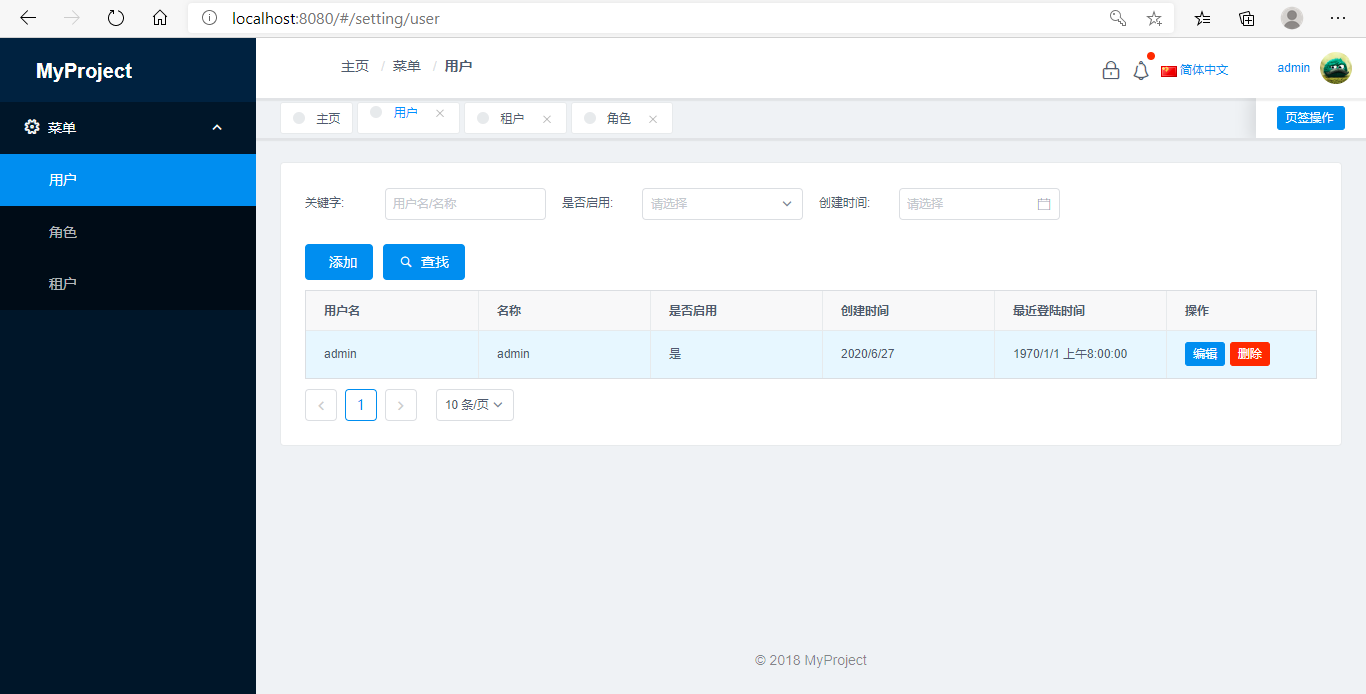
使用默认用户 admin/123qwe 登录系统:

至此,前后端项目都已成功运行。
那么基于abp的二次开发该从何下手呢,最简单的,比如要增加一个数据表,并且完成最基本CRUD该怎么做?

新增实体

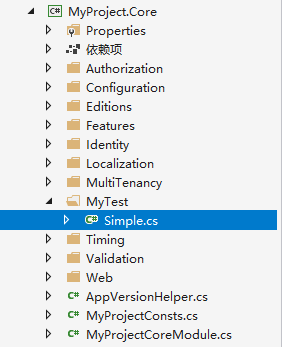
实体类需要放在MyProject.Core项目下,我新建一个MyTest文件夹,并新增一个Simple类,随意给2个属性。

我这里继承了abp的Entity类,Entity类有主键ID属性,这个泛型int是指主键的类型,不写默认就是int。abp还有一个比较复杂的FullAuditedEntity类型,继承FullAuditedEntity的话就有创建时间,修改时间,创建人,修改人,软删除等字段。这个看实际情况。

public class Simple : Entity<int>
{
    public string Name { get; set; }

    public string Details { get; set; }
}

修改MyProject.EntityFrameworkCore项目的/EntityFrameworkCore/MyProjectDbContext:

public class MyProjectDbContext : AbpZeroDbContext<Tenant, Role, User, MyProjectDbContext>
{
    /* Define a DbSet for each entity of the application */

    public DbSet<Simple> Simples { get; set; }

    public MyProjectDbContext(DbContextOptions<MyProjectDbContext> options)
        : base(options)
    {
    }

    protected override void OnModelCreating(ModelBuilder modelBuilder)
    {
        base.OnModelCreating(modelBuilder);

        modelBuilder.Entity<Simple>(p =>
        {
            p.ToTable("Simples", "test");
            p.Property(x => x.Name).IsRequired(true).HasMaxLength(20);
            p.Property(x => x.Details).HasMaxLength(100);
        });
    }
}

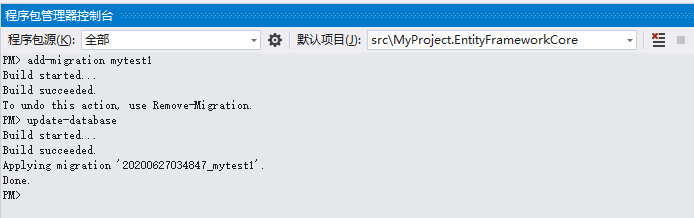
然后就可以迁移数据库了,程序包管理器控制台执行:add-migration mytest1update-database

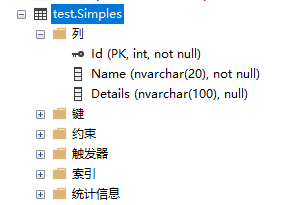
刷新数据库,Simples表已生成:

实体的增删改查

进入MyProject.Application项目,新建一个MyTest文件夹

Dto

CreateSimpleDto,新增Simple数据的传输对象,比如ID,创建时间,创建人等字段,就可以省略

public class CreateSimpleDto
{
    public string Name { get; set; }

    public string Details { get; set; }
}

PagedSimpleResultRequestDto,分页查询对象

public class PagedSimpleResultRequestDto : PagedResultRequestDto
{
    /// <summary>
    /// 查询关键字
    /// </summary>
    public string Keyword { get; set; }
}

SimpleDto,这里跟CreateSimpleDto的区别就是继承了EntityDto,多了个ID属性

public class SimpleDto : EntityDto<int>
{
    public string Name { get; set; }

    public string Details { get; set; }
}

SimpleProfile,用来定义AutoMapper的映射关系清单

public class SimpleProfile : Profile
{
    public SimpleProfile()
    {
        CreateMap<Simple, SimpleDto>();
        CreateMap<SimpleDto, Simple>();
        CreateMap<CreateSimpleDto, Simple>();
    }
}

Service

注意,类名参考abp的规范去命名。

ISimpleAppService,Simple服务接口。我这里继承IAsyncCrudAppService,这个接口中包含了增删改查的基本定义,非常方便。如果不需要的话,也可以继承IApplicationService自己定义

public interface ISimpleAppService : IAsyncCrudAppService<SimpleDto, int, PagedSimpleResultRequestDto, CreateSimpleDto, SimpleDto>
{

}

SimpleAppService,Simple服务,继承包含了增删改查的AsyncCrudAppService类,如果有需要的话可以override这些增删改查方法。也可以继承MyProjectAppServiceBase,自己定义。

public class SimpleAppService : AsyncCrudAppService<Simple, SimpleDto, int, PagedSimpleResultRequestDto, CreateSimpleDto, SimpleDto>, ISimpleAppService
{
    public SimpleAppService(IRepository<Simple, int> repository) : base(repository)
    {

    }

    /// <summary>
    /// 条件过滤
    /// </summary>
    /// <param name="input"></param>
    /// <returns></returns>
    protected override IQueryable<Simple> CreateFilteredQuery(PagedSimpleResultRequestDto input)
    {
        return Repository.GetAll()
            .WhereIf(!input.Keyword.IsNullOrWhiteSpace(), a => a.Name.Contains(input.Keyword));
    }
}

接口测试

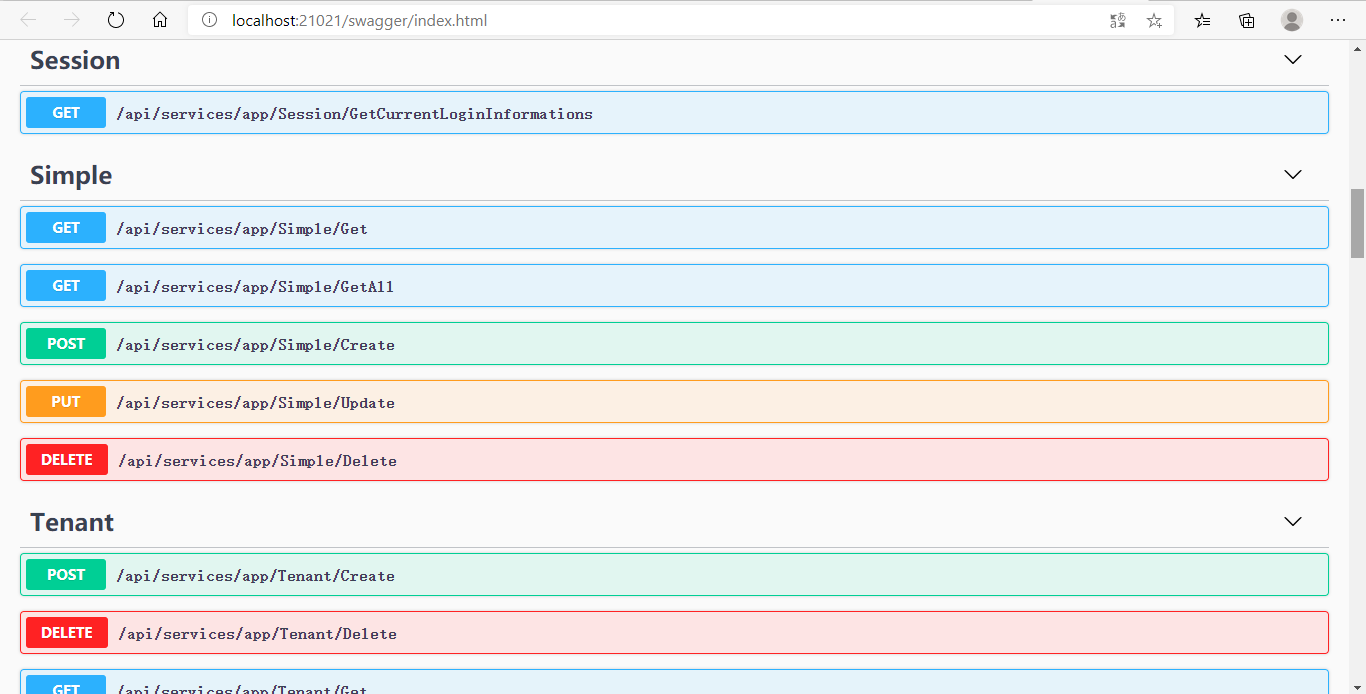
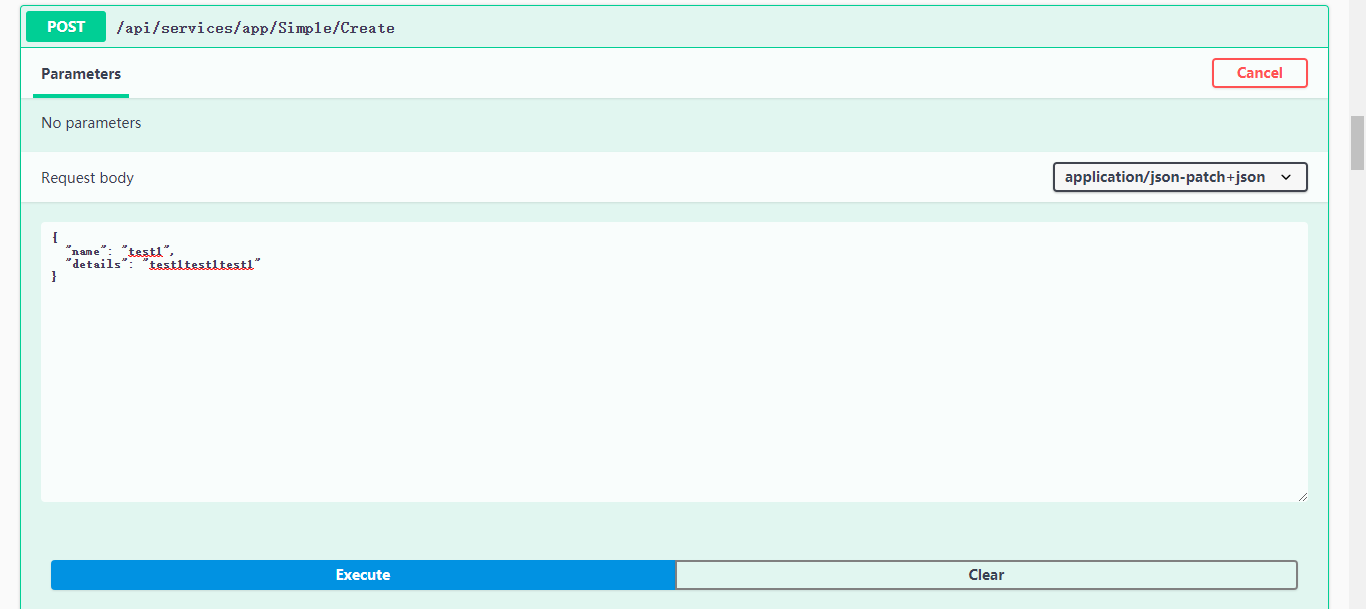
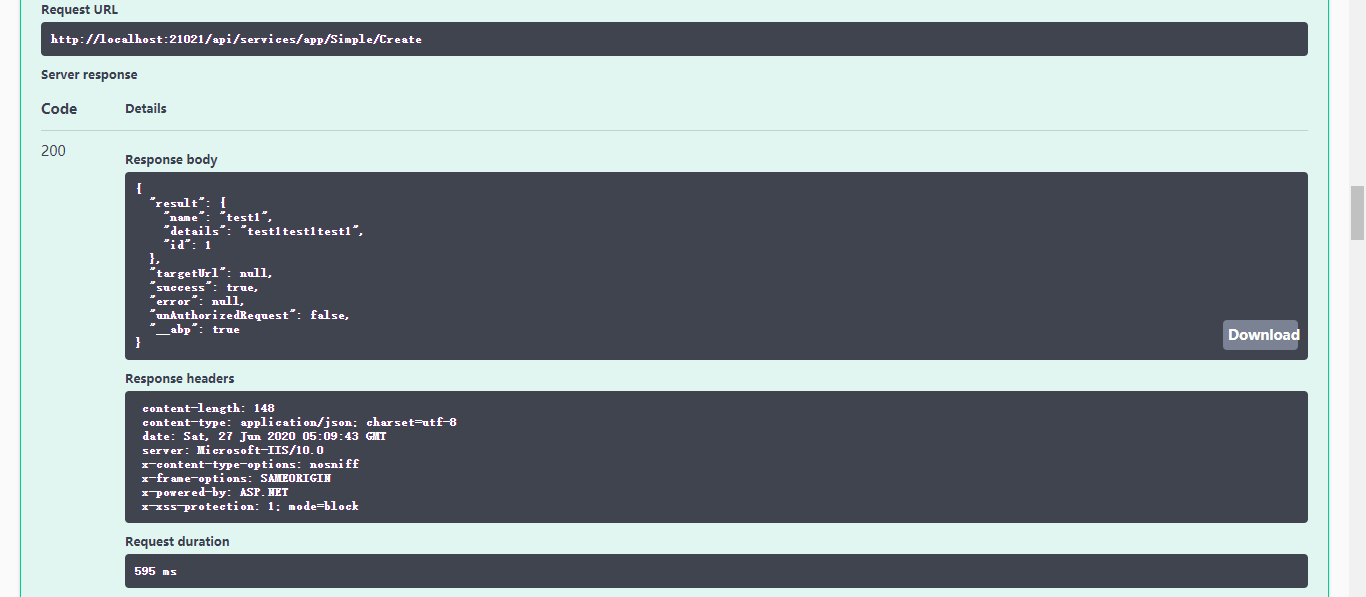
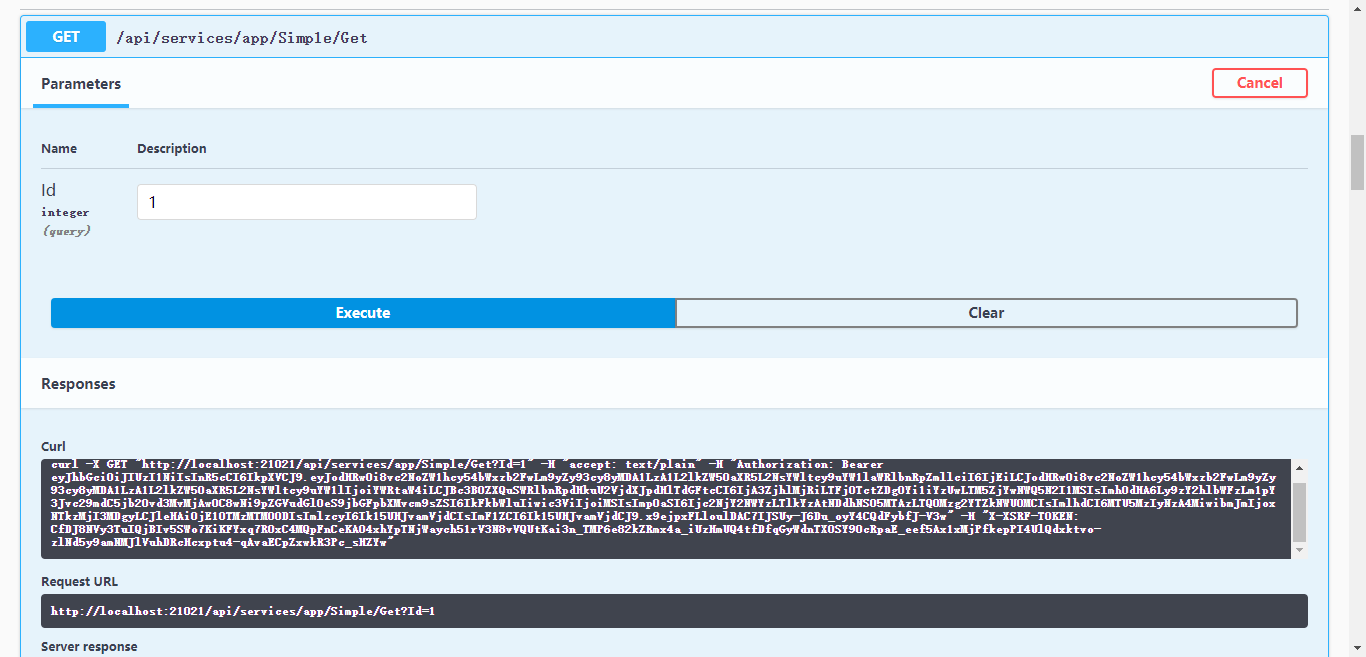
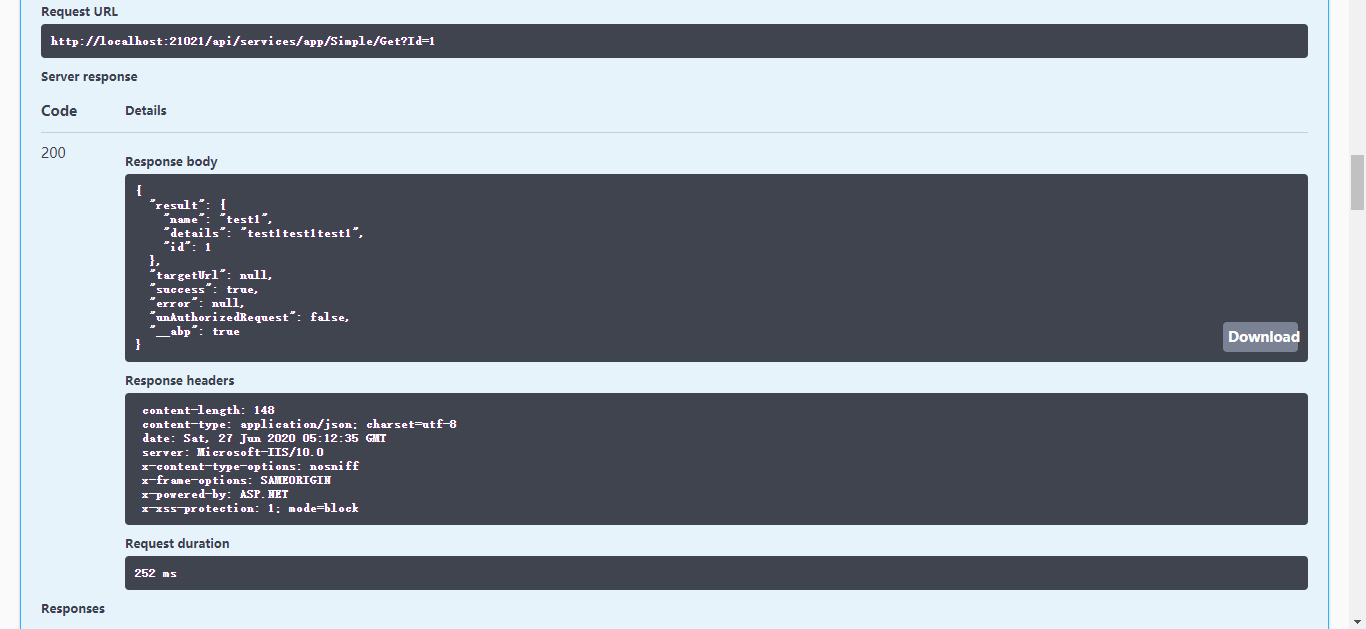
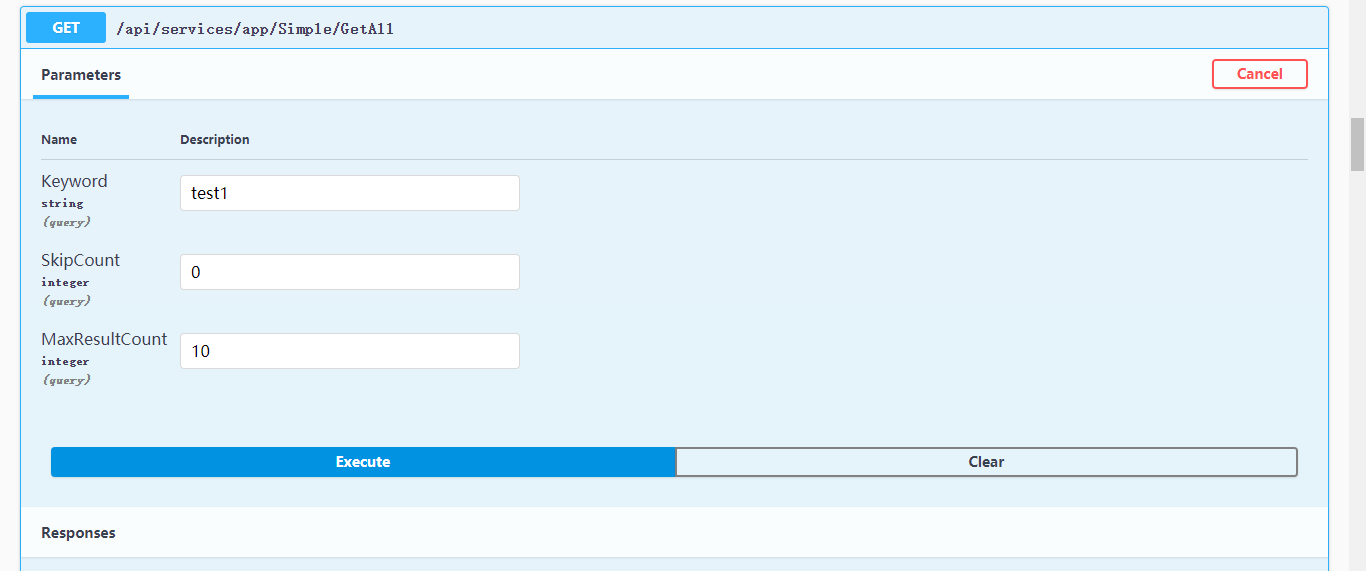
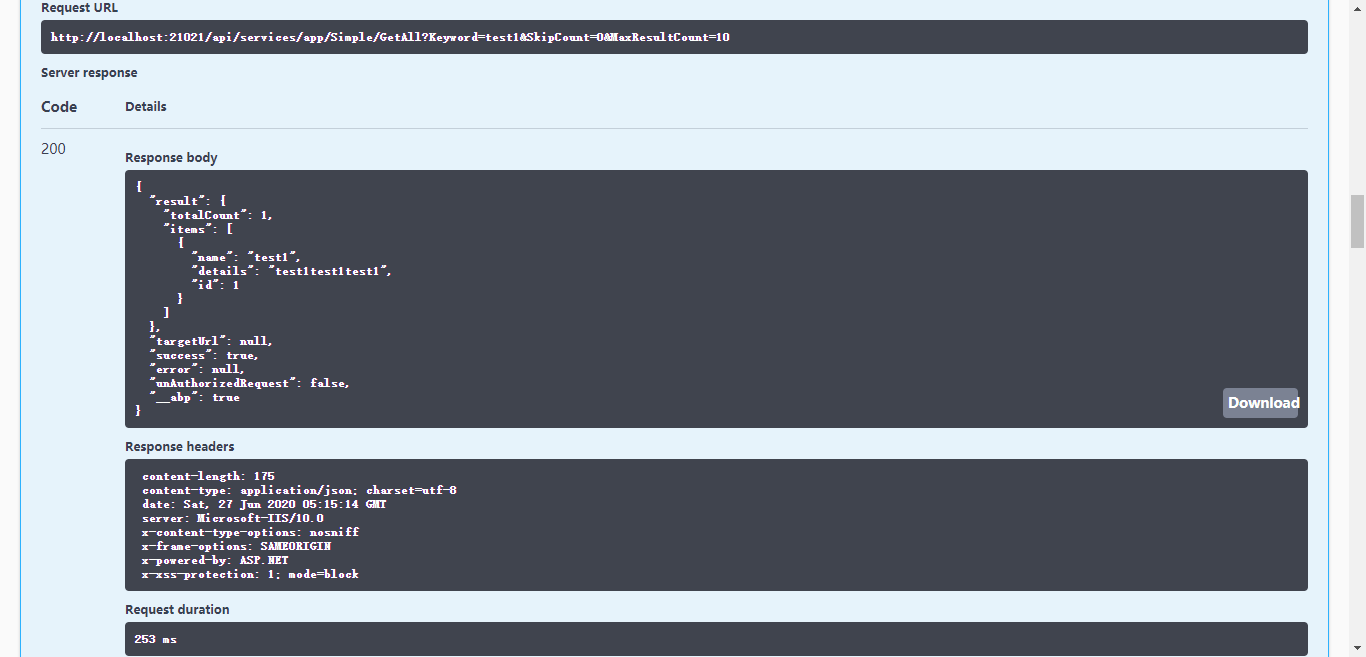
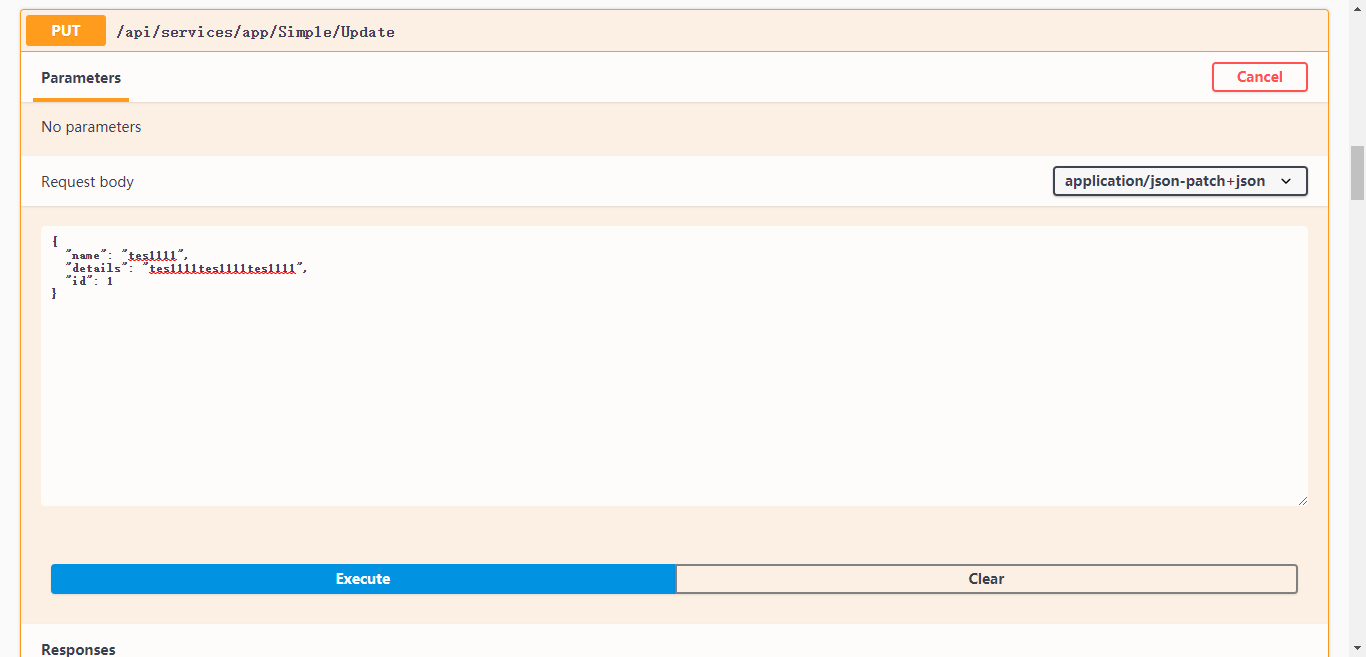
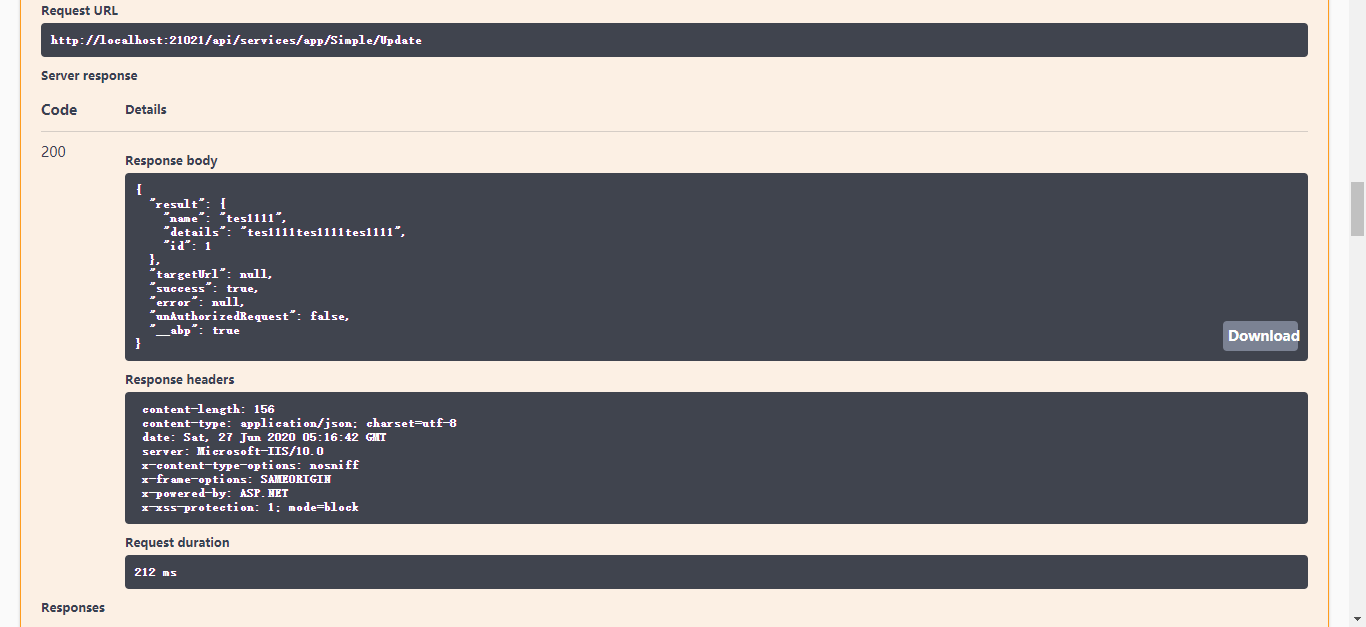
重新运行项目,不出意外的话,Swagger中就会多出Simple相关的接口。

  • Create


  • Get


  • GetAll


  • Update


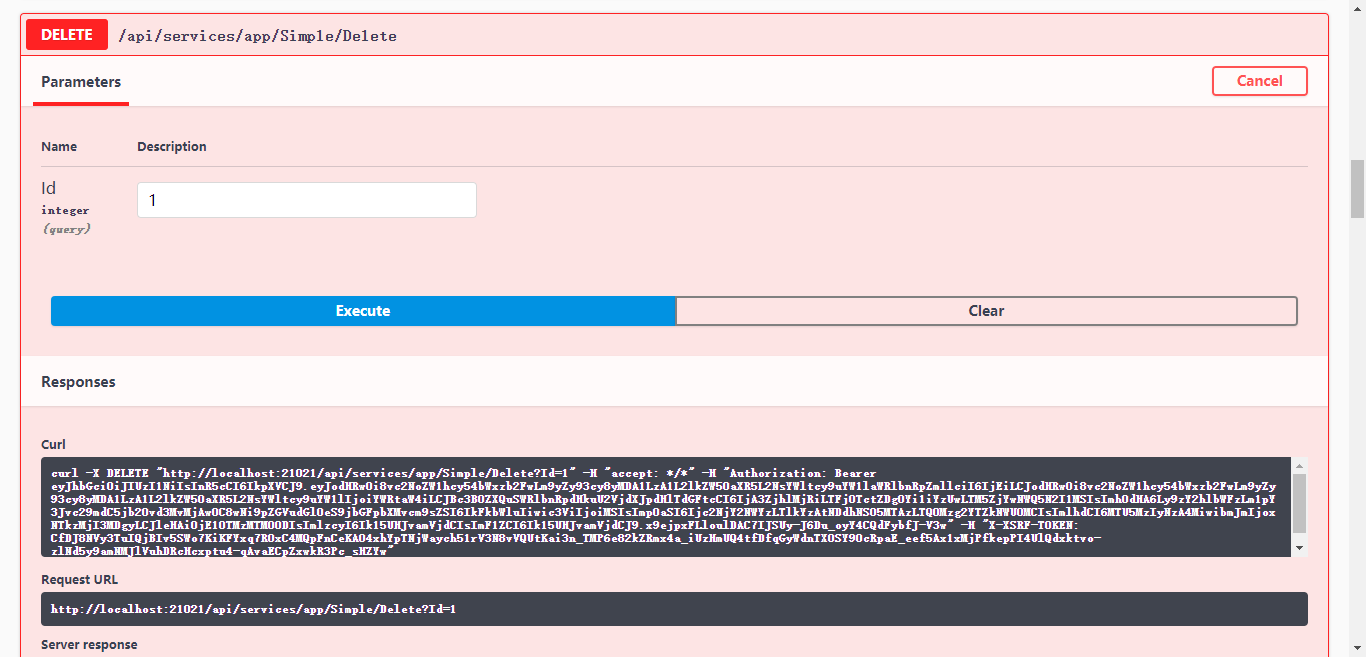
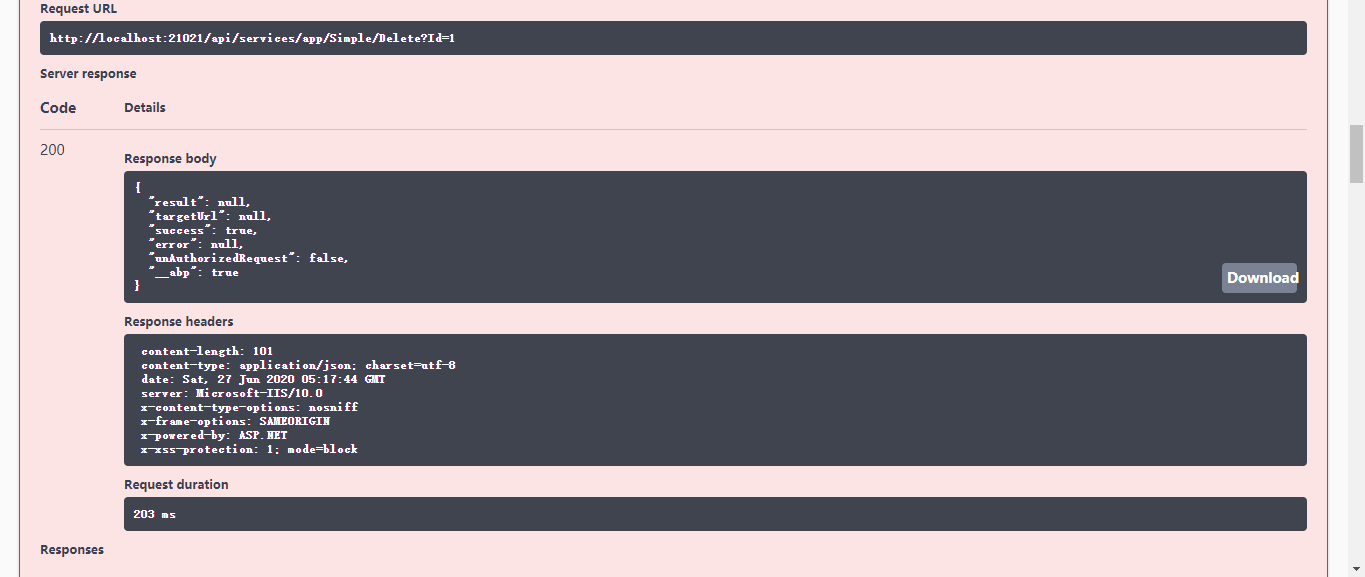
  • Delete


总结

ABP是一个优秀的框架,基于ABP的二次开发肯定会非常高效,但前提是需要熟练掌握ABP,弄清楚他的设计理念以及他的一些实现原理。

以后有时间的话再深入学习一下。文中如果有不妥之处欢迎指正。