[转载]HTML5书籍下载(暂时12本)

mikel阅读(1623)

[转载]HTML5书籍下载(暂时12本)持续更新···· – 【当耐特砖家】 – 博客园.

一.HTML5实验室

image

链接:http://www.cnblogs.com/iamzhanglei/archive/2011/11/06/2237870.html

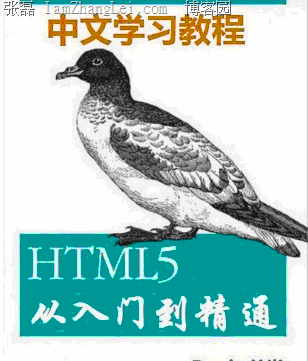
二.中文学习教程

QQ截图20111205222102

下载链接:下载: 中文学习教程.pdf

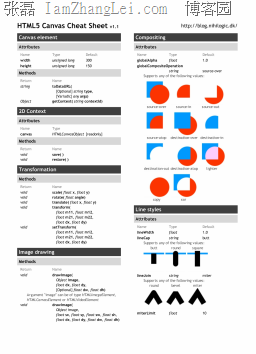
三.Canvas速查表

image

下载链接:http://20110930.iamzhanglei.sinaapp.com/HTML5/book2.pdf

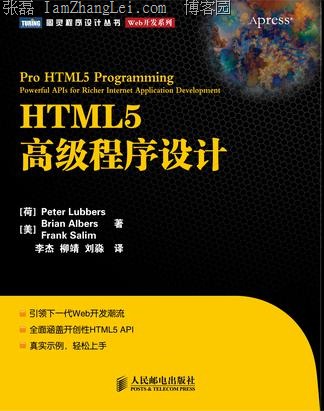
四.HTML5高级程序设计

135229vtlo2lwrl6o4t6w6

下载链接1:http://20110930.iamzhanglei.sinaapp.com/HTML5/book3p1.pdf

下载链接2:http://20110930.iamzhanglei.sinaapp.com/HTML5/book3p2.pdf

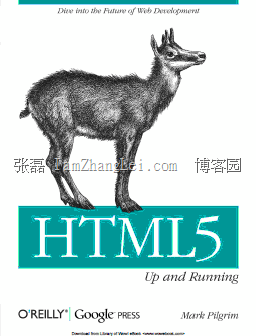
五.HTML5 Up and Running

QQ截图20111205222520

下载: HTML5 Up and Running.pdf

六.New.Riders.Introducing.HTML5

QQ截图20111205222453

下载: New.Riders.Introducing.HTML5.pdf

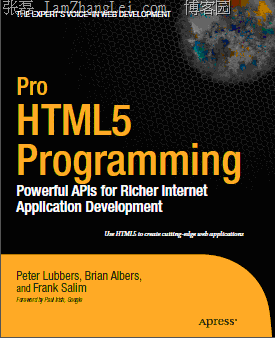
七.Apress.Pro.HTML5.Programming

QQ截图20111205222209

下载链接:下载: Apress.Pro.HTML5.Programming.pdf

八.解读_HTML5

QQ截图20111205222622

下载链接:下载: 解读_HTML5.pdf

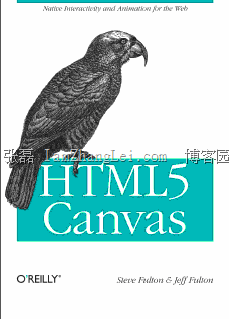
九.OReilly HTML5 Canvas

QQ截图20111205222543

链接1:part1

链接2:part2

链接3:part3

十.W3C Canvas API

image

下载链接1下载: W3C Canvas API1.pdf

下载链接2http://20110930.iamzhanglei.sinaapp.com/HTML5/book8p2.pdf

十一.DIVE INTO HTML5

QQ截图20111206083428

下载链接:DIVE INTO HTML5

十二.HTML5&CSS3

image

下载: html5-and-css3.pdf

[转载]Asp.net MVC源码分析--UrlRoutingModule与Service location的亲密接触

mikel阅读(897)

[转载]Asp.net MVC源码分析–UrlRoutingModule与Service location的亲密接触 – 十一月的雨 – 博客园.

这篇文章我们主要探讨UrlRoutingModule 如何截获HttpApplicatioin的管道事件,从而把Http Request 引入Mvc框架中的.分析这个过程需要我们用到UrlRoutingModule 类的源码.

现在我们可以从微软的官方网站下载.Net4.0的源码.

下载地址:http://aspnet.codeplex.com/releases/view/58781

首先我们在生成一个ASP.NET MVC3.0 的项目时都会在Global.asax文件中生成一个MvcApplication类,在这个类中我们可以在Application_Start方法中注册我们定义好的的路由规则.

MvcApplication.cs
 1  public class MvcApplication : System.Web.HttpApplication
 2     {
 3         public static void RegisterGlobalFilters(GlobalFilterCollection filters)
 4         {
 5             filters.Add(new HandleErrorAttribute());
 6         }
 7 
 8         public static void RegisterRoutes(RouteCollection routes)
 9         {
10             routes.IgnoreRoute("{resource}.axd/{*pathInfo}");
11 
12             routes.MapRoute(
13                 "Default", // Route name
14                 "{controller}/{action}/{id}", // URL with parameters
15                 new { controller = "Home", action = "Index", id = UrlParameter.Optional } // Parameter defaults
16             );
17 
18         }
19      protected void Application_Start()
20         {
21             AreaRegistration.RegisterAllAreas();
22 
23             RegisterGlobalFilters(GlobalFilters.Filters);
24             RegisterRoutes(RouteTable.Routes);
25         }
26     }
27

我们看一下routes.MapRoute的方法实现,在这个方法中我们向RouteTable.Routes全局的路由表中加入我们自定义的路由规则.

RouteCollectionExtensions.cs

View Code

 1   [SuppressMessage("Microsoft.Design", "CA1054:UriParametersShouldNotBeStrings", MessageId = "2#", Justification = "This is not a regular URL as it may contain special routing characters.")]
 2         public static Route MapRoute(this RouteCollection routes, string name, string url, object defaults, object constraints, string[] namespaces) {
 3             if (routes == null) {
 4                 throw new ArgumentNullException("routes");
 5             }
 6             if (url == null) {
 7                 throw new ArgumentNullException("url");
 8             }
 9 
10             Route route = new Route(url, new MvcRouteHandler()) {
11                 Defaults = new RouteValueDictionary(defaults),
12                 Constraints = new RouteValueDictionary(constraints),
13                 DataTokens = new RouteValueDictionary()
14             };
15 
16             if ((namespaces != null) && (namespaces.Length > 0)) {
17                 route.DataTokens["Namespaces"] = namespaces;
18             }
19 
20             routes.Add(name, route);
21 
22             return route;
23         }

这时我们需要注意的是在创建Route对象的时候我们传入的是MvcRouteHandler对象.这个对象在什么时候使用呢? 我们需要查看UrlRoutingModule的源码.

UrlRoutingModule.cs

View Code

 1    public class UrlRoutingModule : IHttpModule {     
 2 
 3         protected virtual void Init(HttpApplication application) {
 4           
 5             application.PostResolveRequestCache += OnApplicationPostResolveRequestCache;
 6         } 
 7  
 8         private void OnApplicationPostResolveRequestCache(object sender, EventArgs e) {
 9             HttpContextBase context = new HttpContextWrapper(((HttpApplication)sender).Context); 
10             PostResolveRequestCache(context);
11         }      
12 
13         public virtual void PostResolveRequestCache(HttpContextBase context) { 
14             // Match the incoming URL against the route table
15             RouteData routeData = RouteCollection.GetRouteData(context);
16 
17             // Do nothing if no route found 
18             if (routeData == null) {
19                 return; 
20             } 
21 
22             // If a route was found, get an IHttpHandler from the route's RouteHandler 
23             IRouteHandler routeHandler = routeData.RouteHandler;           
24 
25             RequestContext requestContext = new RequestContext(context, routeData);
26 
27             // Remap IIS7 to our handler
28             context.RemapHandler(httpHandler); 
29         }
30     }

我们看到当UrlRoutingModule初始化并调用Init方法的时候注册了HttpApplication的 PostResolveRequestCache管道事件,所以当HttpAplication对象(这里是MvcApplication)执行时就会触 发PostResolveRequestCache事件,从而把HttpRequest引导进MVC module中,接下来我们看一下Mvc是怎么处理Request的.

我们看到在PostResolveRequestCache方法中有:

RouteData routeData = RouteCollection.GetRouteData(context);

这里会通过GetRouteData找到与当前请求的URL 匹配的RouteData 没有则返回。

RouteCollection.cs

View Code

 1     public RouteData GetRouteData(HttpContextBase httpContext) {
 2             if (httpContext == null) { 
 3                 throw new ArgumentNullException("httpContext"); 
 4             }
 5             if (httpContext.Request == null) { 
 6                 throw new ArgumentException(SR.GetString(SR.RouteTable_ContextMissingRequest), "httpContext");
 7             }
 8 
 9             // Optimize performance when the route collection is empty.  The main improvement is that we avoid taking 
10 // a read lock when the collection is empty.  Without this check, the UrlRoutingModule causes a 25%-50%
11 // regression in HelloWorld RPS due to lock contention.  Robbin:The UrlRoutingModule is now in the root web.config, 
12 // so we need to ensure the module is performant, especially when you are not using routing. 
13 // This check does introduce a slight bug, in that if a writer clears the collection as part of a write
14 // transaction, a reader may see the collection when it's empty, which the read lock is supposed to prevent. 
15 // We will investigate a better fix in Dev10 Beta2.  The Beta1 bug is Dev10 652986.
16             if (Count == 0) {
17                 return null;
18             } 
19 
20             if (!RouteExistingFiles) { 
21                 string requestPath = httpContext.Request.AppRelativeCurrentExecutionFilePath; 
22                 if ((requestPath != "~/") &&
23                     (_vpp != null) && 
24                     (_vpp.FileExists(requestPath) ||
25                     _vpp.DirectoryExists(requestPath))) {
26                     // If we're not routing existing files and the file exists, we stop processing routes
27                     return null; 
28                 }
29             } 
30  
31             // Go through all the configured routes and find the first one that returns a match
32             using (GetReadLock()) { 
33                 foreach (RouteBase route in this) {
34                     RouteData routeData = route.GetRouteData(httpContext);
35                     if (routeData != null) {
36                         return routeData; 
37                     }
38                 } 
39             } 
40 
41             return null; 
42         }

————————————————————————————————-

接下来我们看到:

IRouteHandler routeHandler = routeData.RouteHandler;

IHttpHandler httpHandler = routeHandler.GetHttpHandler(requestContext);

context.RemapHandler(httpHandler);

以上几句代码完成的就是把我们在Application_Start方法中注册的路由规则取得,然后找到MvcRoutingHandler,再调用GetHttpHandler方法

取到IHttpHandler.

接下来的逻辑是:

1.iis7下把HttpHandler它注册到IIS的workprocesser中.

2.iis6中把HttpHandler放到HttpContext.Handler中.

最终在HttpApplication.PreRequestHandlerExcute后执行这个HttpHandler.

HttpContext.cs/请参照HttpContext.RemapHandler 方法.

View Code

 1 public void RemapHandler(IHttpHandler handler) { 
 2             IIS7WorkerRequest wr = _wr as IIS7WorkerRequest;
 3  
 4             if (wr != null) {
 5                 // Remap handler not allowed after ResolveRequestCache notification
 6                 if (_notificationContext.CurrentNotification >= RequestNotification.MapRequestHandler) {
 7                     throw new InvalidOperationException(SR.GetString(SR.Invoke_before_pipeline_event, "HttpContext.RemapHandler", "HttpApplication.MapRequestHandler")); 
 8                 }
 9  
10                 string handlerTypeName = null; 
11                 string handlerName = null;
12  
13                 if (handler != null) {
14                     Type handlerType = handler.GetType();
15 
16                     handlerTypeName = handlerType.AssemblyQualifiedName; 
17                     handlerName = handlerType.FullName;
18                 } 
19  
20                 wr.SetRemapHandler(handlerTypeName, handlerName);
21             } 
22 
23             _remapHandler = handler;
24         }
25

———————————————————————————————–

下面我们看一下MvcRoutingHandler的源码.我们看到GetHttpHandler 方法最终返回的是MvcHandler对象.也就是终我们放到

HttpContext.Handler 的对象。最终会调用这个Handler.ProcessRequest 方法来处理HttpRequest请求.

MvcRoutingHandler.cs

View Code

 1   public class MvcRouteHandler : IRouteHandler {
 2         private IControllerFactory _controllerFactory;
 3 
 4         public MvcRouteHandler() {
 5         }
 6 
 7         public MvcRouteHandler(IControllerFactory controllerFactory) {
 8             _controllerFactory = controllerFactory;
 9         }
10 
11         protected virtual IHttpHandler GetHttpHandler(RequestContext requestContext) {
12             requestContext.HttpContext.SetSessionStateBehavior(GetSessionStateBehavior(requestContext));
13             return new MvcHandler(requestContext);
14         }
15 
16         protected virtual SessionStateBehavior GetSessionStateBehavior(RequestContext requestContext) {
17             string controllerName = (string)requestContext.RouteData.Values["controller"];
18             IControllerFactory controllerFactory = _controllerFactory ?? ControllerBuilder.Current.GetControllerFactory();
19             return controllerFactory.GetControllerSessionBehavior(requestContext, controllerName);
20         }
21 
22         #region IRouteHandler Members
23         IHttpHandler IRouteHandler.GetHttpHandler(RequestContext requestContext) {
24             return GetHttpHandler(requestContext);
25         }
26         #endregion
27     }

———————————————————————————————-

MvcHandler.ProcessRequest 方法中调用了ProcessRequestInit方法,这里面就用到了ControllerBuilder.GetControllerFactory();

View Code

 1         private void ProcessRequestInit(HttpContextBase httpContext, out IController controller, out IControllerFactory factory) {
 2             // If request validation has already been enabled, make it lazy. This allows attributes like [HttpPost] (which looks
 3 // at Request.Form) to work correctly without triggering full validation.
 4             bool? isRequestValidationEnabled = ValidationUtility.IsValidationEnabled(HttpContext.Current);
 5             if (isRequestValidationEnabled == true) {
 6                 ValidationUtility.EnableDynamicValidation(HttpContext.Current);
 7             }
 8 
 9             AddVersionHeader(httpContext);
10             RemoveOptionalRoutingParameters();
11 
12             // Get the controller type
13             string controllerName = RequestContext.RouteData.GetRequiredString("controller");
14 
15             // Instantiate the controller and call Execute
16             factory = ControllerBuilder.GetControllerFactory();
17             controller = factory.CreateController(RequestContext, controllerName);
18             if (controller == null) {
19                 throw new InvalidOperationException(
20                     String.Format(
21                         CultureInfo.CurrentCulture,
22                         MvcResources.ControllerBuilder_FactoryReturnedNull,
23                         factory.GetType(),
24                         controllerName));
25             }
26         }

至此IIS的request就进入Mvc 的处理流程,接下来的Service Location工作,请看我的另外一篇文章

DependencyResolver与Service Location — http://www.cnblogs.com/RobbinHan/archive/2011/11/30/2269537.html

谢谢。

[原创]ASP.NET MVC使用EasyUI的datagrid多选提交保存教程

mikel阅读(1275)

需要实现EasyUI的datagrid组件加入选择checkbox列,并提交后台批量添加的功能,页面代码如下:

<script language="javascript" type="text/javascript">
    $(function() {
        //searchbox
        $('#selectgoods-keywords').searchbox({
            searcher: function(val, name) {
                searchInfo(val);
            }
        });
        //datagrid
        $('#selectgoods-grid').datagrid({
            url: '/Goods/List',
            pageNumber: 1,
            pageSize: 20,
            pageList: [20, 40, 60, 80, 100]
        });
        //form


    });
    
    function searchInfo(val){
        //            var keytype=$('#keyType').combobox('getValue');
            var keytype = 'Goods_Name';
            var keywords = val;
            $('#selectgoods-grid').datagrid('reload', { keytype: keytype, keywords: keywords });
    }

    function saveSelectGoods() {
        var ids = [];
        var rows = $('#selectgoods-grid').datagrid('getSelections');
        for (var i = 0; i < rows.length; i++) {
            ids.push(rows&#91;i&#93;.Identifier);
        }
        var selectsupplier = '<%=ViewData&#91;"supplier"&#93; %>';
        $.post('/SupplierGoods/SaveSelect', { supplier: selectsupplier, checks: ids.join(',') }, function(data) {
            if (data) {
                $('#goodslist-grid').datagrid('reload');
                $('#goodsInfo-window').window('close');
            } else {
                alert('保存失败!');
            }

        }, 'json');
    
    }
        
</script>
    <div style="width:100%; height:100%">
			                 <table id="selectgoods-grid" class="easyui-datagrid" fit="true" toolbar="#tlb_selectgoods_search" pagination="true" 
			rownumbers="true" fitColumns="true"  idField="Identifier">
		                <thead>
                <tr>
                <th field="ck" checkbox="true"></th>  	    			   
            <th field="Identifier" hidden="true" width="0" editor="text">Id</th>
            <th field="Goods_Name" width="100" editor="{type:'validatebox',options:{required:true}}">商品名称</th>
            <th field="Chemistry" width="100" editor="{type:'validatebox',options:{required:true}}">化学指标</th>
            <th field="Physical" width="100" editor="{type:'validatebox',options:{required:true}}">物理指标</th>
            <th field="Partner_Name" width="50" editor="{type:'validatebox',options:{required:true}}">合作状态</th>
              </tr>			
		                    </thead>
	                    </table>
              
	<div id="tlb_selectgoods_search">
商品名称:<input name="keywords" id="selectgoods-keywords" class="easyui-searchbox" /><a href="#" class="easyui-linkbutton" iconCls="icon-save" plain="true" onclick="javascript:saveSelectGoods()">保存</a>

	</div>    
    </div>

ASP.NET MVC的Controller代码如下:

        /// <summary>
        /// 多选商品添加
        /// </summary>
        /// <param name="supplier">供货商ID</param>
        /// <returns></returns>
        public ActionResult SelectGoods(string supplier)
        {
            ViewData["supplier"] = supplier;

            return View();            
        }
        /// <summary>
        /// 保存批量添加的产品信息
        /// </summary>
        /// <param name="checks">选中的商品ID</param>
        /// <param name="supplier">供货商名称</param>
        /// <returns></returns>
        public JsonResult SaveSelect(string checks, string supplier)
        {
            JsonResult result = new JsonResult();
            result.Data = false;

            try
            {

                if (String.IsNullOrEmpty(supplier))
                    return result;

                SupplierGoods goods = new SupplierGoods();
                goods.Identifier = 0;
                //拼装xml
                String ids=Communion.StringHelper.BuildXmlID(checks);
                goods.Goods_ID = -1;//标示批量插入
                goods.Note = ids;
                goods.Month_Output = Convert.ToDouble(String.IsNullOrEmpty(this.ReadFromRequest("Month_Output")) ? "0" : this.ReadFromRequest("Month_Output"));
                goods.Supplier_ID = Convert.ToInt32(supplier);
                goods.Create_Date = DateTime.Now;
                goods.Customers = this.ReadFromRequest("Customers");
                goods.Equipment = this.ReadFromRequest("Equipment");
                goods.Detail_Params = this.ReadFromRequest("Detail_Params");
                goods.IsDefault = Convert.ToInt32(String.IsNullOrEmpty(this.ReadFromRequest("IsDefault")) ? "0" : this.ReadFromRequest("IsDefault"));
                Business business = new BusinessLogic();
                int id = business.Save<SupplierGoods>(goods);
                if (goods.Identifier == 0)
                {
                    goods.Identifier = id;
                }
                result.Data = true;
                return result;

            }
            catch (Exception e)
            {
                return result;
            }            
        }

存储过程利用xml变量对传入的xml类型的ID集合进行批量添加保存到数据库中,存储过程代码如下:

ALTER PROCEDURE [dbo].[View_SupplierGoodsCreate]
	@Identifier int,
	@Supplier_ID int,
	@Goods_ID int,
	@isDefault int,
	@Create_Date datetime,
	@Month_Output float(8),
	@Goods_Name nvarchar(400)=NULL,
	@Physical nvarchar(400)=NULL,
	@Chemistry nvarchar(400)=NULL,
	@Customers nvarchar(400)=NULL,
	@Equipment nvarchar(400)=NULL,
	@Note nvarchar(MAX)=NULL,
	@Detail_Params nvarchar(400)=NULL
AS
IF @Goods_ID=-1
BEGIN
		--批量插入商品
		DECLARE @xml xml
		SET @xml=@Note
		INSERT INTO Supplier_Goods(Supplier_ID,Goods_ID,Create_Date,Month_Output,Customers,Equipment,Note,isdefault,Detail_Params)
		SELECT @Supplier_ID,identifier,@Create_Date,0,null,null,null,0,null 
		FROM Base_Goods		
		WHERE
			 Identifier in (Select 
			T.ID.value('.', 'int') As ID
		From
			@xml.nodes('/XML/ID') as T(ID)) and Identifier not in (select goods_id from Supplier_Goods where Supplier_ID=@Supplier_ID)
		SET @Identifier=@Goods_ID	
END

[转载]数据自动备份解决方案

mikel阅读(1068)

[转载]数据自动备份解决方案 – Andrew.Wangxu – 博客园.

1:网盘自动备份(隔离备份)

隔离备份介绍:直接在网盘内建立项目、文件进行稿写操作很可能会与网盘数据不同步导致数据丢失完整性,对文件造成损坏,所以这种方式是不可取的。因此采用隔离备份,所谓隔离备份就是在A文件夹进行稿写,当关闭计算机时自动备份A文件夹的所有内容到 B文件夹(这里B文件夹是网盘目录)

进行隔离后,稿写与备份互不干扰,双份数据。达成目的流程如下:

1.开机时候网盘程序运行,自动备份网盘文件夹内的内容

2.关机时拷贝当前正在稿写的文件夹内容到网盘文件夹

数据测试截图:

左侧是网盘 右侧是本机,这是关机时自动进行的数据备份。

网盘生成文件夹截图

—————————————————–

实现过程如下:

建立一个批处理程序代码如下:

@echo off  
set "mydate=%date:~0,4%年%date:~5,2%月%date:~8,2%日"  
if exist "d:\金山快盘\%mydate%*" (  
   echo 已经备份过了  
   exit  
) else (  
   goto :back  
)  


:back  
net stop mssqlserver  
set "now=%date:~0,4%年%date:~5,2%月%date:~8,2%日%time:~0,8%"  
set "now=%now::=%"  
set "now=%now: =%"  
md "d:\金山快盘\%now%"  
xcopy D:\公司项目\*.* D:\金山快盘\%now% /e /h  
echo md "d:\金山快盘\%now%"  
pause

(注:这里我为了包含SQL的数据库一起备份,所以我先停止了SQL服务再进行的备份,否则是无法拷贝SQL数据库文件的)

写好批处理后如何让这个批处理关机运行呢?

如下操作即可:

1:开始 — 运行 — 输入gpedit.msc 然后出来了组策略.计算机配置—windows设置—脚本(启动和关机)  双击关机策略,再点添加–浏览到你的批处理文件.

就可以了。

如图:

大功告成。

[翻译]ASP.NET MVC 3 开发的20个秘诀(二)[20 Recipes for Programming MVC 3]:自动生成控制器和视图

mikel阅读(940)

[翻译]ASP.NET MVC 3 开发的20个秘诀(二)[20 Recipes for Programming MVC 3]:自动生成控制器和视图 – O2DS – 博客园.

议题

通过您的网站管理动态内容。

解决方案

使用实体框架与数据库绑定,通过Controller以及自动生成的多个视图界面,允许用户创建、读取、更新以及删除(也称为:CRUD)数据。

讨论

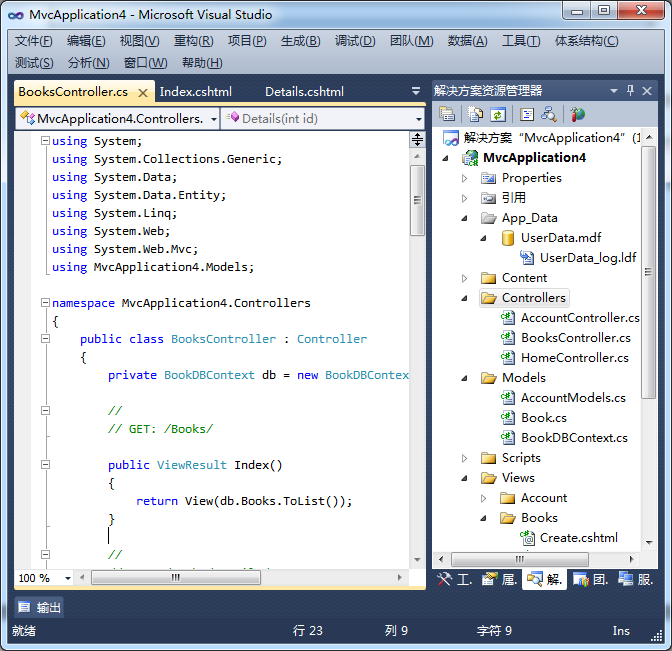
在定义控制器和视图之前,需要预先创建模型和DbContext以及数据收集规则(代码优先方法)。在接下来的例子中,将会创建两个类,并实现一个 图书列表管理的功能。第一个类包含书籍信息在SQL Express数据库中存储的数据定义。第二个类将是一个包含Book类型的DbSet对象的DbContext类。创建模型,右键单击Models文件 夹,并选择添加 -> 。在类的文件名写:Book.cs,用下面的代码替换生成的代码:

using System;
using System.Collections.Generic;
using System.Linq;
using System.Web;
using System.Data.Entity; 

namespace MvcApplication4.Models
{
    public class Book
    {
        public int ID { get; set; }
        public string Title { get; set; }
        public string Isbn { get; set; }
        public string Summary { get; set; }
        public string Author { get; set; }
        public string Thumbnail { get; set; }
        public double Price { get; set; }
        public DateTime Published { get; set; }
    } 

    public class BookDBContext : DbContext
    {
        public DbSet<Book> Books { get; set; }
    }

}

*译者注:保存Book.cs后,必须编译整个项目(快捷键Ctrl+Shift+B)才能继续下面的操作。

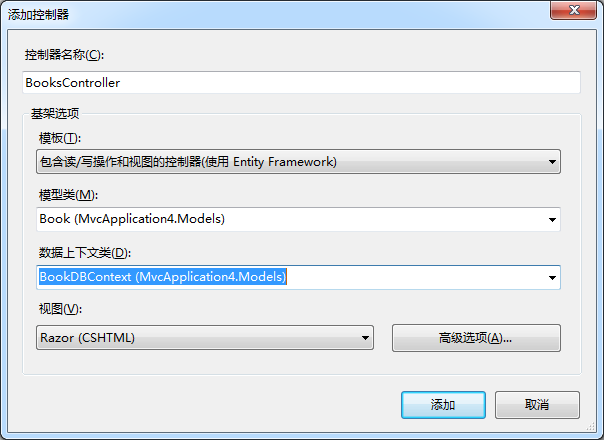
创建Book的模型和BookDBContext类,接下来就可以开始完成控制器和视图了。开始,右键单击Controller文件夹,选择“添加控制器”(如图 1-1)。

图例 1-1,创建新的控制器

如图所示,将新建控制器命名为BooksControllers。在模板选项卡中选择“包含读/写操作和视图的控制器(使用 Entity Framework)”。模型类选择Book类,数据上下文类选择之前创建的BookDBContext类。视图选项中的Razor(CSHTML)是默 认选项,所以保持不变。内容输入完毕以后点击“新增”,创建文件。(如图1-2)

图例 1-2,新建文件

Entity Framework可以根据已存在的数据库为控制器创建不同的操作方法和视图。在大型项目中,这些基础内容是分开制作的。比如,一个好的前端Web开发人员可能并不是数据库设计方面的专家。因此,数据库设计需要有专业人员负责。

在接下来的例子中,将会连接先前创建的数据库,并为“Book“表创建相应的实例模型。选择使用旧的应用程序还是创建新的应用程序,这取决于您选择代码优先还是数据库优先。

程序创建后,右键单击Models文件夹,并选择“添加”->“新建项”。在右上角搜索框中键入”实体“,从搜索结果中选择”ADO.NET实体数据模型“。将文件名改为”BookModel.edmx“。现在可以通过向导建立数据库连接:

  1. 选择“从数据库生成”;
  2. 点击“新建连接”按钮;
  3. 在列表中选择Microsoft SQL Server,并点击“继续”;、
  4. 在连接属性对话框的服务器名称中选择你的SQL Express数据库;
  5. 连接后在数据库的下拉框中选择由MVC自动创建的数据库中最后一个表,然后点击“确定”。

* 译者注:请在步骤3的服务器名中输入.\SQLEXPRESS,步骤4中选择的应该是tempdb数据库,不知道是否在之前有前提我没有看到,当然下面所说的“Book”表也是不存在的,但是这个章节的操作有些是行不通的。

点击下一步更新Web.Config中的SQLExpress连接字符串。现在在数据库选择对话框中展开表节点并选择“Book”表。

点击“完成”之后,将会在Models目录下创建新的实体图。在创建控制器之前必须先对解决方案进行编译。项目构建完成,就像先前“代码优先”的例子中做得那样,右键单击控制器文件夹,选择“添加”->”控制器”。

使用这种方法创建的控制器,依然会有“Book”模型类,数据上下文类以及以及包含数据库连接的实体实例。

在未来的秘诀中我们将使用代码优先的方法,手工操作数据库中的表,让更多的注意力集中到MVC本身。

参考信息

ADO.NET Entity Framework Overview

[转载]MVC与轻量化的WEB开发模型(1)

mikel阅读(1228)

MVC与轻量化的WEB开发模型(1) – imfunny – 博客园.

提到MVC的时候总会有人想到ASP.NET MVC。其实倒不是,MVC更多的是一种思想。而ASP.NET MVC只是把这些给具体的实现了而已。MVC模式的缺点是由于它没有明确的定义,所以完全理解MVC模式并不是很容易。如果想看下MVC的一些理论知识, 可以看下这篇。http://zh.wikipedia.org/wiki/MVC

而流程侧如下。

OK,举例说明什么是MVC.

1:去商店买东西,付款拿到东西走人。

2:在有的地方可以付款,然后拿小票,然后再去买东西走人。

付款到取货的流程就是控制器。这两种形式其实很贴近与WebForm和Mvc的现实模型。第一种任何地方都可以付然后直接取货,第二种统一到一起进行支付然后有小票发货。

尽管有许多人都捍卫着WebForm或者ASP.NET MVC,争辩到底那种方式好或者不好,都是以偏概全,因为条条大路通罗马。选择你自己的支付方式就行了。求同存异。现实中也没见的上面的两种支付方法灭绝。

网上说的很多WebForm的缺点,比如依赖HttpContent,难以单元测试,ViewState。现在这些早就被人解决了,webform 依然可以进行mock,ViewState也可以关闭。而个人认为WebForm的缺点就是曾经看过了一个系统,后台aspx文件800多个,于是打开后 台目录哥头晕了。

首先看下其他的语言对于mvc的web开发模型是如何设计的。为什么不使用ASP.NET MVC,可以看下本文最下边。

ROR(Ruby on Rails)的。这个几乎是所有mvc的鼻祖。ASP.NET MVC就是这个的C#版。

1
2
3
4
class IndexController < ApplicationController
def Index
end
end

然后在 app\Views\Index\Index.rhtml 建立 Hello, world!

Ruby Sinatra的编码结构

get '/Index' { "Hello, world!" }

Python django的编码结构

from django.http import HttpResponse
def index(request):
return HttpResponse("Hello, world!")

Python bottle的编码结构

import bottle
app = bottle.Bottle()
@app.route('/index')
def index():
return "Hello, world!"
if __name__ == "__main__":
app.run()

看了那么多语言的表达。其实还是Sinatra和bottle表达的清晰点。相信很容易选择那种模型来做开发,直观的代码表达其实是件很重要的事情。

net其实有一个框架,叫做Nancy。地址在这里。https://github.com/NancyFx/Nancy。很多大牛在开发维护。也是个不错的项目。可以比拟与spring.net.

它的编码结构是这样的。想玩下的自己去下吧。

public class Module : NancyModule
{
public Module()
{
Get["/greet/{name}"] = x => {
return string.Concat("Hello ", x.name);
};
}
}

于是需求已经很明确了。
1.非常的高效。具备很好的可开发性。
2.方便测试代码。可以自由的Mock测试代码,最好能够自动单元测试。
3.代码表达很清晰。最好是Python bottle或者Sinatra那种,不需要动脑筋就知道代码在表达什么。
4.无需配置RouteMap,简单的路由表达。
5.支持IIS6,7,7.5,无需改动支持经典模式和集成模式,方便简单。(比如凡客怪异的url,可以用google搜索下“凡客 .mvc”就知道了。)
6.良好的插件机制。
7.实现上面所有的。

有了需求以及知道想要什么,一切都变得简单了,篇2就开始一点点的从新制造一个轻量化的轮子吧。实施上一个mvc结构的200行代码就over了。

题外话:为什么不使用ASP.NET MVC。。

ASP.NET MVC其实并不完美的原因在于,第一太大了,第二太慢了,特别是第一次打开,简直都无敌了。第三Ruby on Rails的Route都已经很糟糕了,结果ASP.NET MVC很生硬的搬过来了,继续糟糕,RouteMap太生硬了。比如/User/Content/View/1,必须要借助与RouteTable来管理 路由请求,囧爆了。而在Python bottle侧就是@app.route(‘/User/Content/View/:id’) ,Nancy就可以/User/Content/View/{id}这些可以直接定义在方法里来表达以及获取值。第四就是兼容性不够好。比如对于iis经 典模式的支持。

所以ASP.NET MVC尽管很好,但是有些缺点也很致命。每个人都有每个人的理由,求同存异。但是mvc的思想,却很伟大。如果不正确,请指教。

[原创]EasyUi的格式化Form表单中的日期显示格式

mikel阅读(1615)

遇到的问题是,弹出window中的date格式显示为“2011-12-03T23:23:02”,需要格式化为“2011-12-03  23:23”,于是查询了EasyUI的Form文档,发现Form没有获取Form组件的方法

开始在组件的formatter中加入formatterDate函数来解决,发现不会被触发,继续分析发现form数据是动态AJAX异步加载的,所以需要再加载成功后再根据id取值,然后替换掉原来的值

这样实现代码如下:

 //格式化form中的显示日期
 function formatterformdatetime(id) {
     var val = $(id).val();
     //alert(val);
     if (val) {
         return $(id).val(formatterdatetime(val));
     } else {
     return '';
     }
 }
$(function(){
        $('#track-form').form({
            onLoadSuccess: function(data) {
                //formattertime
                formatterformdatetime('#createDate');
            }
        }); 
});

[转载]使用MvcMiniProfiler调试ASP.NET MVC网站性能

mikel阅读(1003)

[转载]使用MvcMiniProfiler调试ASP.NET MVC网站性能 – L.Qiu – 博客园.

什么是MvcMiniProfiler?

一款由stackoverflow.com团队开发,专门针对ASP.NET MVC站点进行性能调试的工具,同时,其中的MvcMiniprofiler.EntityFramework组件,能直接输出当前页面执行了哪些SQL语句。

包括以下核心组件:

  • MvcMiniProfiler
  • MvcMiniProfiler.EntityFramework

如何安装?

一、环境准备

  • Visual Studio 2010
  • ASP.NET MVC项目
  • 如果需要调试EF,建议升级到Entity Framework 4.2

二、安装

推荐使用NuGet方式进行安装。推荐重典的文章:NuGet安装及简单使用

  • 第一步:在引用上右键选择“Manage NuGet Packages”
  • 第二步:Online搜索miniprofiler
    安装MiniProfiler、MiniProfiler.EF、MiniProfiler.MVC3,同时会自动安装依赖组件:WebActivator, 同时也会自动在项目里面添加代码文件:MiniProfiler.cs
  • 第三步:修改代码使MvcMiniProfiler生效

    在global.cs的Application_Start事件里面增加代码: MvcMiniProfiler.MiniProfilerEF.Initialize();
    修改View的layout文件,在head区域增加如下代码:@MvcMiniProfiler.MiniProfiler.RenderIncludes()

使用

如果安装步骤一切顺利的话,打开站点的时候,就可以在左上角看到页面执行时间了,点开可以看 到更详细的信息,如果有SQL的话,还会显示SQL语句信息,非常的方便。 页面上如果有ajax请求,也会同时显示到左上角。如果左上角显示红色提示,则表示可能存在性能问题需要处理:

点开SQL部分,可以看到详细的SQL语句


标记为duplicate的部分,代表在一次请求当中,重复执行了查询,可以优化。

总结

MvcMiniProfiler确实是一款简便易用的工具,适合进行代码层面和部分SQL层面的优化。在某些方面肯定不能替代像SQL Profiler、.Net profiler、Windbg之类的工具,个人感觉其优势在于:

  • 使用简便
  • 快速定位问题
  • 直观、明了

[转载]ASP.NET MVC3 20个秘方-(13)使用Ajax Helper 提高用户体验

mikel阅读(1001)

[转载]【译】MVC3 20个秘方-(13)使用Ajax Helper 提高用户体验 – 技术弟弟 – 博客园.

问题

当你点击链接时,整个的网页都被重新加载。尤其是你仅仅一小点内容需要被更新时,这将被感觉是一个很慢的过程。

解决方案

更新之前创建的HTML.ActionLink 去调用ajax 帮助类。Ajax.ActionLink 仅仅去重新加载那些发生变化的内容。

讨论

MVC提供了几个给力的帮助类。到目前为止,这本书中已经广泛的应用了HTML Helper。在过去创建的所有view中,HTML helper至少都使用过一次。在这个秘方中,我们将使用AjaxHelper类替换掉Book/Index中的HtmlHelper 类。

实现Ajax需要一点额外的设置才可以使用。通常情况下我发现这个额外的工作,可以打消开发人员使用它的念头。我要让大家知道,额外的安装设置是值得的,因为带来的好处是获得了更好的用户体验,这是非常值得努力去做的。

步骤从web.config开始。2个关键的地方要被设置成true. ClientValidationEnabled 和UnobtrusiveJavaScriptEnabled。

译者:原书中代码引入了整个web.config文件。我们只需要到appSettings节点下即可找到这两个keys。

  <appSettings>
    <add key="webpages:Version" value="1.0.0.0" />
    <add key="ClientValidationEnabled" value="true" />
    <add key="UnobtrusiveJavaScriptEnabled" value="true" />
  </appSettings>

接下来的步骤是我们要引入几个JavaScript 文件。我们要在里shared 的layout文件夹里完成这件事,因为几乎我们创建所有的view时都会引用它(布局模板)。在Views/Shared /_Layout.cshtml 文件的<head>标签中。我们引入2个javascript 文件,代码如下:

<head>
    <title>@ViewBag.Title</title>
    <link href="@Url.Content("~/Content/Site.css")" rel="stylesheet" type="text/css" />
    <script src="@Url.Content("~/Scripts/jquery-1.5.1.min.js")" type="text/javascript"></script>
    <script src="@Url.Content("~/Scripts/jquery.unobtrusive-ajax.min.js")"type="text/javascript"></script>
</head>

这些文件被自动的包含在基础MVC3应用程序中。(译者:你可以从scripts文件夹中找到他们)。以上的步骤完成AJAX的核心配置。接下来, 我们要更新Book/index view。在下边的例子里,三个filter link和sortable header link将用Ajax.ActionLink 替换Html.ActionLink.代码如下:

@model PagedList.IPagedList<MvcApplication.Models.Book>
@if (IsAjax)
{
    Layout = null;
}
<h2>
    Title</h2>
<p>
    @Html.ActionLink("Create New", "Create")
</p>
<p>
    Show:
    @if (ViewBag.CurrentFilter != "")
    {
        @Ajax.ActionLink("All", "Index",
                            new
                            {
                                sortOrder = ViewBag.CurrentSortOrder,
                                Keyword = ViewBag.CurrentKeyword
                            },
                            new AjaxOptions { UpdateTargetId = "main" })
    }
    else
    {
        @:All
        }
    &nbsp; | &nbsp;
    @if (ViewBag.CurrentFilter != "NewReleases")
    {
        @Ajax.ActionLink("New Releases", "Index", new
                        {
                            filter = "NewReleases",
                            sortOrder = ViewBag.CurrentSortOrder,
                            Keyword = ViewBag.CurrentKeyword
                        },
                        new AjaxOptions { UpdateTargetId = "main" })
    }
    else
    {
        @:New Releases
        }
    &nbsp; | &nbsp;
    @if (ViewBag.CurrentFilter != "ComingSoon")
    {
        @Ajax.ActionLink("Coming Soon", "Index", new
                        {
                            filter = "ComingSoon",
                            sortOrder = ViewBag.CurrentSortOrder,
                            Keyword = ViewBag.CurrentKeyword
                        },
                        new AjaxOptions { UpdateTargetId = "main" })
    }
    else
    {
        @:Coming Soon
        }
</p>
@using (Html.BeginForm())
{
    @:Search: @Html.TextBox("Keyword")<input type="submit" value="Search" />

}
@Html.Partial("_Paging")
<table>
    <tr>
        <th>
            @Ajax.ActionLink("Title", "Index", new
                            {
                                sortOrder = ViewBag.TitleSortParam,
                                filter = ViewBag.CurrentFilter,
                                Keyword = ViewBag.CurrentKeyword
                            },
                            new AjaxOptions { UpdateTargetId = "main" })
        </th>
        <th>
            @Ajax.ActionLink("Isbn", "Index", new
                            {
                                sortOrder = ViewBag.IsbnSortParam,
                                filter = ViewBag.CurrentFilter,
                                Keyword = ViewBag.CurrentKeyword
                            },
                            new AjaxOptions { UpdateTargetId = "main" })
        </th>
        <th>
            Summary
        </th>
        <th>
            @Ajax.ActionLink("Author", "Index", new
                            {
                                sortOrder = ViewBag.AuthorSortParam,
                                filter = ViewBag.CurrentFilter,
                                Keyword = ViewBag.CurrentKeyword
                            },
                            new AjaxOptions { UpdateTargetId = "main" })
        </th>
        <th>
            Thumbnail
        </th>
        <th>
            @Ajax.ActionLink("Price", "Index", new
                            {
                                sortOrder = ViewBag.PriceSortParam,
                                filter = ViewBag.CurrentFilter,
                                Keyword = ViewBag.CurrentKeyword
                            },
                            new AjaxOptions { UpdateTargetId = "main" })
        </th>
        <th>
            @Ajax.ActionLink("Published", "Index", new
                            {
                                sortOrder = ViewBag.PublishedSortParam,
                                filter = ViewBag.CurrentFilter,
                                Keyword = ViewBag.CurrentKeyword
                            },
                            new AjaxOptions { UpdateTargetId = "main" })
        </th>
        <th>
        </th>
    </tr>
    @foreach (var item in Model)
    {
        <tr>
            <td>
                @Html.DisplayFor(modelItem => item.Title)
            </td>
            <td>
                @Html.DisplayFor(modelItem => item.Isbn)
            </td>
            <td>
                @Html.DisplayFor(modelItem => item.Summary)
            </td>
            <td>
                @Html.DisplayFor(modelItem => item.Author)
            </td>
            <td>
                @Html.DisplayFor(modelItem => item.Thumbnail)
            </td>
            <td>
                @Html.DisplayFor(modelItem => item.Price)
            </td>
            <td>
                @Html.DisplayFor(modelItem => item.Published)
            </td>
            <td>
                @Html.ActionLink("Edit","Edit", new { id = item.ID }) |
                @Html.ActionLink("Details","Details", new { id = item.ID }) |
                @Html.ActionLink("Delete","Delete", new { id = item.ID })
            </td>
        </tr>
    }
</table>
@Html.Partial("_Paging")

译者:上边代码标绿的地方就是我们更新的地方。

我们做的关键的事就是在ActionLink的最后一个参数添加了AjaxOptions。 这意味着一旦用户点击了这个AJAX link,AJAX请求的结果将会更新id 是“main”的html元素。如果你看看share文件夹中早期我们修改的layout文件,你会注意到有一个<div>的id 是“main”。实际上,这个div就是@Renderbody()的容器,它是一个view输出的地方。

另外一个重要的事就是我们在view的顶端加了一个AJAX是否完成的检测。如果请求通过AJAX完成,layout设 置成null。这是一个非常重要的因素,因为如果它没完成,Ajax请求的结果将会包含不仅仅是view的result,也会包含整个layout,而没 必要再去替换掉layout了。

为了完成这个示例,share文件夹下的_Paging也要使用Ajax helper更新,代码如下:

<p>
    @if (Model.HasPreviousPage)
    {
        @Ajax.ActionLink("<< First", "Index", new
                        {
                            page = 1,
                            sortOrder = ViewBag.CurrentSortOrder,
                            filter = ViewBag.CurrentFilter
                        },
                        new AjaxOptions { UpdateTargetId ="main" })
        @Html.Raw("&nbsp;");
        @Html.ActionLink("< Prev", "Index", new
                        {
                            page = Model.PageNumber - 1,
                            sortOrder = ViewBag.CurrentSortOrder,
                            filter = ViewBag.CurrentFilter
                        },  new AjaxOptions { UpdateTargetId ="main" })
    }
    else
    {
        @:<< First
        @Html.Raw("&nbsp;");
        @:< Prev
    }
    &nbsp;&nbsp;
    @if (Model.HasNextPage)
    {
        @Ajax.ActionLink("Next >", "Index", new
                        {
                            page = Model.PageNumber + 1,
                            sortOrder = ViewBag.CurrentSortOrder,
                            filter = ViewBag.CurrentFilter
                        },  new AjaxOptions { UpdateTargetId ="main" })
        @Html.Raw("&nbsp;");
        @Ajax.ActionLink("Last >>", "Index", new
                        {
                            page = Model.PageCount,
                            sortOrder = ViewBag.CurrentSortOrder,
                            filter = ViewBag.CurrentFilter
                        },  new AjaxOptions { UpdateTargetId ="main" })
    }
    else
    {
        @:Next >
        @Html.Raw("&nbsp;")
        @:Last >>
    }
</p>

现在,当用户点击一个link 改变book 列表时,整个的页面不会被重新载入并且仅仅是图书列表被更新。这提供了一个更好、更快的用户体验。

而且,如果客户端不支持javascript(例如,一个搜索引擎访问),这个link将像以前一样工作。它将重新载入整个页面。

另请参见

AjaxHelper

[转载]Asp.net MVC源码分析--Asp.net MVC与Ninject.MVC集成分析

mikel阅读(817)

[转载]Asp.net MVC源码分析–Asp.net MVC与Ninject.MVC集成分析 – 十一月的雨 – 博客园.

在之前的文章中我们分析了DependencyResolver 与 Service location. 可以利用DependencyResolver 来注册我们自己的IResolver实现,从而改变框架的行为.在Niject.MVC 中正是利用这个机制来实现了一套Service location机制,来创建Controller.

Niject.MVC 源码的下载地址是: https://github.com/ninject/ninject.web.mvc

——————————————————————————————

首先我们找到NinjectMVC3.cs 文件,所有引入Niject.MVC dll 的ASP.NET MVC项目都需要这个类

View Code

 1 #if NUGET
 2 [assembly: WebActivator.PreApplicationStartMethod(typeof(SampleApplication.App_Start.NinjectMVC3), "Start")]
 3 [assembly: WebActivator.ApplicationShutdownMethodAttribute(typeof(SampleApplication.App_Start.NinjectMVC3), "Stop")]
 4 
 5 namespace SampleApplication.App_Start
 6 {
 7     using System.Reflection;
 8     using Microsoft.Web.Infrastructure.DynamicModuleHelper;
 9     using Ninject;
10     using Ninject.Web.Mvc;
11 
12     public static class NinjectMVC3 
13     {
14         private static readonly Bootstrapper bootstrapper = new Bootstrapper();
15 
16         /// <summary>
17 /// Starts the application
18 /// </summary>
19         public static void Start() 
20         {
21             DynamicModuleUtility.RegisterModule(typeof(OnePerRequestModule));
22             DynamicModuleUtility.RegisterModule(typeof(HttpApplicationInitializationModule));
23             bootstrapper.Initialize(CreateKernel);
24         }
25         
26         /// <summary>
27 /// Stops the application.
28 /// </summary>
29         public static void Stop()
30         {
31             bootstrapper.ShutDown();
32         }
33         
34         /// <summary>
35 /// Creates the kernel that will manage your application.
36 /// </summary>
37 /// <returns>The created kernel.</returns>
38         private static IKernel CreateKernel()
39         {
40             var kernel = new StandardKernel();
41             RegisterServices(kernel);
42             return kernel;
43         }
44 
45         /// <summary>
46 /// Load your modules or register your services here!
47 /// </summary>
48 /// <param name="kernel">The kernel.</param>
49         private static void RegisterServices(IKernel kernel)
50         {
51             kernel.Load(Assembly.GetExecutingAssembly());
52         }        
53     }
54 }
55 #endif

我们看到当Assembly 加载后会调用WebActivator 的StartMethod方法来,启动NinjectMVC3.Start方法这个方法中调用了bootstrapper.Initialize方法.

View Code

 1   public class Bootstrapper: IBootstrapper
 2     {
 3         /// <summary>
 4 /// The ninject kernel of the application
 5 /// </summary>
 6         protected static IKernel kernelInstance;
 7 
 8         /// <summary>
 9 /// Gets the kernel.
10 /// </summary>
11         [Obsolete("Do not use Ninject as Service Locator")]
12         public IKernel Kernel
13         {
14             get { return kernelInstance; }
15         }
16 
17         /// <summary>
18 /// Starts the application.
19 /// </summary>
20 /// <param name="createKernelCallback">The create kernel callback function.</param>
21         public void Initialize(Func<IKernel> createKernelCallback)
22         {
23             if (kernelInstance != null)
24             {
25                 throw new InvalidOperationException("Already Initialized!");
26             }
27 
28             kernelInstance = createKernelCallback();
29 
30             kernelInstance.Bind<IResolutionRoot>().ToConstant(kernelInstance);
31             kernelInstance.Bind<IDependencyResolver>().To<NinjectDependencyResolver>();
32             kernelInstance.Bind<IFilterProvider>().To<NinjectFilterAttributeFilterProvider>();
33             kernelInstance.Bind<IFilterProvider>().To<NinjectFilterProvider>();
34             kernelInstance.Bind<RouteCollection>().ToConstant(RouteTable.Routes);
35             kernelInstance.Bind<HttpContext>().ToMethod(ctx => HttpContext.Current).InTransientScope();
36             kernelInstance.Bind<HttpContextBase>().ToMethod(ctx => new HttpContextWrapper(HttpContext.Current)).InTransientScope();
37             kernelInstance.Bind<ModelValidatorProvider>().To<NinjectDataAnnotationsModelValidatorProvider>();
38 
39             ModelValidatorProviders.Providers.Remove(ModelValidatorProviders.Providers.OfType<DataAnnotationsModelValidatorProvider>().Single());
40             DependencyResolver.SetResolver(CreateDependencyResolver());
41             RemoveDefaultAttributeFilterProvider();
42         }
43 
44         /// <summary>
45 /// Initializes a HttpApplication instance.
46 /// </summary>
47 /// <param name="httpApplication">The HttpApplication instance.</param>
48         public void InitializeHttpApplication(HttpApplication httpApplication)
49         {
50             kernelInstance.Inject(httpApplication);
51         }
52 
53         /// <summary>
54 /// Releases the kernel on application end.
55 /// </summary>
56         public void ShutDown()
57         {
58             if (kernelInstance != null)
59             {
60                 kernelInstance.Dispose();
61                 kernelInstance = null;
62             }
63         }
64 
65         /// <summary>
66 /// Creates the controller factory that is used to create the controllers.
67 /// </summary>
68 /// <returns>The created controller factory.</returns>
69         private static IDependencyResolver CreateDependencyResolver()
70         {
71             return kernelInstance.Get<IDependencyResolver>();
72         }
73 
74         /// <summary>
75 /// Removes the default attribute filter provider.
76 /// </summary>
77         private static void RemoveDefaultAttributeFilterProvider()
78         {
79             var oldFilter = FilterProviders.Providers.Single(f => f is FilterAttributeFilterProvider);
80             FilterProviders.Providers.Remove(oldFilter);
81         }
82     }

在这Initialize方法中向kernel容器注入了很多接口的实现.并且向DependencyResolver中注册了Ninject的IDependencyResolver实现

DependencyResolver.SetResolver(CreateDependencyResolver());

最后我们就可以向Ninject注入所有MVC 框架中依赖DependencyResolver获取接口的实现.

并且当我们的Controller 的构造函数中有接口参数,并且在Ninject有注册的话,也可以顺利的创建Controller的参数中的接口(因为所有Controller的创建都通过Ninject),这样我们就可以把Controller中的一些业务行为抽取出来创建独立的类(业务层),从而划分出更清晰的类的层次结构和设计.

例如:

View Code

 1 public class AccountController : Controller
 2 {
 3 
 4   private IAccountManater _accountManager;
 5 
 6   public AccountController (IAccountManater accountManager)
 7 
 8   {
 9 
10     _accountManager = accountManager;
11 
12   }
13 
14 [HttpPost]
15 public ActionResult LogOn(LogOnModel model, string returnUrl)
16 {
17 
18   if(_accountManager.Has(model))
19 
20     return view("ok");
21 
22   else
23 
24     return view("error");
25   }
26 
27 }

这时只要我们在Application_Strat 中向Iinject容器中注册IAccountManager 的实现AccountController就可以使用了.