destoon之URL Rewrite(伪静态)设置方法详解

mikel阅读(1283)

1、如果您的服务器支持.htaccess,则无需设置网站根目录下的.htaccess已经设置好规则。
规则(参考http://download.destoon.com/rewrite/htaccess.txt)为:

1
2
3
4
5
6
7
8
9
10
11
12
13
14
15
16
# Destoon B2B Rewrite Rules
ErrorDocument 404 /404.php
RewriteEngine On
RewriteBase /
RewriteRule ^(.*)\.(asp|aspx|asa|asax|dll|jsp|cgi|fcgi|pl)(.*)$ /404.php
RewriteRule ^(.*)/file/(.*)\.php(.*)$ /404.php
RewriteRule ^(.*)-htm-(.*)$ $1.php?$2
RewriteRule ^(.*)/show-([0-9]+)([\-])?([0-9]+)?\.html$ $1/show.php?itemid=$2&page=$4
RewriteRule ^(.*)/list-([0-9]+)([\-])?([0-9]+)?\.html$ $1/list.php?catid=$2&page=$4
RewriteRule ^(.*)/show/([0-9]+)/([0-9]+)?([/])?$ $1/show.php?itemid=$2&page=$3
RewriteRule ^(.*)/list/([0-9]+)/([0-9]+)?([/])?$ $1/list.php?catid=$2&page=$3
RewriteRule ^(.*)/([A-za-z0-9_\-]+)-c([0-9]+)-([0-9]+)\.html$ $1/list.php?catid=$3&page=$4
RewriteRule ^(.*)/([a-z]+)/(.*)\.shtml$ $1/$2/index.php?rewrite=$3
RewriteRule ^(com)/([a-z0-9_\-]+)/([a-z]+)/(.*)\.html$ index.php?homepage=$2&file=$3&rewrite=$4
RewriteRule ^(com)/([a-z0-9_\-]+)/([a-z]+)([/])?$ index.php?homepage=$2&file=$3
RewriteRule ^(com)/([a-z0-9_\-]+)([/])?$ index.php?homepage=$2

2、如果是Apache服务器

Apache 1.x 的用户请检查 conf/httpd.conf 中是否存在如下两段代码:

1
2
LoadModule rewrite_module  libexec/mod_rewrite.so
AddModule mod_rewrite.c

Apache 2.x 的用户请检查 conf/httpd.conf 中是否存在如下一段代码:

1
LoadModule rewrite_module  modules/mod_rewrite.so

如果存在,且以#开头,请删除#。然后在配置文件(通常就是 conf/httpd.conf或者conf/extra/httpd-vhosts.conf)中加入如下代码。
此时请务必注意,如果网站使用通过虚拟主机来定义,请务必加到虚拟主机配置,即<VirtualHost>中去,如果加在虚拟主机配置外部将可能无法使用。改好后然后将 Apache 重启。

Apache conf文件配置(参考http://download.destoon.com/rewrite/apache.txt)规则:

1
2
3
4
5
6
7
8
9
10
11
12
13
14
15
16
# Destoon B2B Rewrite Rules
ErrorDocument 404 /404.php
RewriteEngine On
RewriteBase /
RewriteRule ^(.*)\.(asp|aspx|asa|asax|dll|jsp|cgi|fcgi|pl)(.*)$ /404.php
RewriteRule ^(.*)/file/(.*)\.php(.*)$ /404.php
RewriteRule ^(.*)-htm-(.*)$ $1.php?$2
RewriteRule ^(.*)/show-([0-9]+)([\-])?([0-9]+)?\.html$ $1/show.php?itemid=$2&page=$4
RewriteRule ^(.*)/list-([0-9]+)([\-])?([0-9]+)?\.html$ $1/list.php?catid=$2&page=$4
RewriteRule ^(.*)/show/([0-9]+)/([0-9]+)?([/])?$ $1/show.php?itemid=$2&page=$3
RewriteRule ^(.*)/list/([0-9]+)/([0-9]+)?([/])?$ $1/list.php?catid=$2&page=$3
RewriteRule ^(.*)/([A-za-z0-9_\-]+)-c([0-9]+)-([0-9]+)\.html$ $1/list.php?catid=$3&page=$4
RewriteRule ^(.*)/([a-z]+)/(.*)\.shtml$ $1/$2/index.php?rewrite=$3
RewriteRule ^(.*)/com/([a-z0-9_\-]+)/([a-z]+)/(.*)\.html$ $1/index.php?homepage=$2&file=$3&rewrite=$4
RewriteRule ^(.*)/com/([a-z0-9_\-]+)/([a-z]+)([/])?$ $1/index.php?homepage=$2&file=$3
RewriteRule ^(.*)/com/([a-z0-9_\-]+)([/])?$ $1/index.php?homepage=$2

3、Nginx规则(参考http://download.destoon.com/rewrite/nginx.txt):

1
2
3
4
5
6
7
8
9
10
11
12
rewrite ^/(.*)\.(asp|aspx|asa|asax|dll|jsp|cgi|fcgi|pl)(.*)$ /404.php last;
rewrite ^/(.*)/file/(.*)\.php(.*)$ /404.php last;
rewrite ^/(.*)-htm-(.*)$ /$1.php?$2 last;
rewrite ^/(.*)/show-([0-9]+)([\-])?([0-9]+)?\.html$ /$1/show.php?itemid=$2&page=$4 last;
rewrite ^/(.*)/list-([0-9]+)([\-])?([0-9]+)?\.html$ /$1/list.php?catid=$2&page=$4 last;
rewrite ^/(.*)/show/([0-9]+)/([0-9]+)?([/])?$ /$1/show.php?itemid=$2&page=$3 last;
rewrite ^/(.*)/list/([0-9]+)/([0-9]+)?([/])?$ /$1/list.php?catid=$2&page=$3 last;
rewrite ^/(.*)/([A-za-z0-9_\-]+)-c([0-9]+)-([0-9]+)\.html$ /$1/list.php?catid=$3&page=$4 last;
rewrite ^(.*)/([a-z]+)/(.*)\.shtml$ $1/$2/index.php?rewrite=$3 last;
rewrite ^/(com)/([a-z0-9_\-]+)/([a-z]+)/(.*)\.html$ /index.php?homepage=$2&file=$3&rewrite=$4 last;
rewrite ^/(com)/([a-z0-9_\-]+)/([a-z]+)([/])?$ /index.php?homepage=$2&file=$3 last;
rewrite ^/(com)/([a-z0-9_\-]+)([/])?$ /index.php?homepage=$2 last;

4、Zeus规则(参考http://download.destoon.com/rewrite/zeus.txt):

1
2
3
4
5
6
7
8
9
10
11
12
13
14
15
16
17
18
19
20
21
22
23
24
25
26
27
28
29
30
31
32
33
34
35
36
37
38
39
40
41
42
43
44
45
46
47
48
match URL into $ with ^(.*)\.(asp|aspx|asa|asax|dll|jsp|cgi|fcgi|pl)(.*)$
if matched then
 set URL = /404.php
endif
match URL into $ with ^(.*)/file/(.*)\.php(.*)$
if matched then
 set URL = /404.php
endif
match URL into $ with ^(.*)-htm-(.*)$
if matched then
 set URL = $1.php?$2
endif
match URL into $ with ^(.*)/show-([0-9]+)([\-])?([0-9]+)?\.html$
if matched then
 set URL = $1/show.php?itemid=$2&page=$4
endif
match URL into $ with ^(.*)/list-([0-9]+)([\-])?([0-9]+)?\.html$
if matched then
 set URL = $1/list.php?catid=$2&page=$4
endif
match URL into $ with ^(.*)/show/([0-9]+)/([0-9]+)?([/])?$
if matched then
 set URL = $1/show.php?itemid=$2&page=$3
endif
match URL into $ with ^(.*)/list/([0-9]+)/([0-9]+)?([/])?$
if matched then
 set URL = $1/list.php?catid=$2&page=$3
endif
match URL into $ with ^(.*)/([A-za-z0-9_\-]+)-c([0-9]+)-([0-9]+)\.html$
if matched then
 set URL = $1/list.php?catid=$3&page=$4
endif
match URL into $ with ^(.*)/([a-z]+)/(.*)\.shtml$
if matched then
 set URL = $1/$2/index.php?rewrite=$3
endif
match URL into $ with ^(.*)/com/([a-z0-9_\-]+)/([a-z]+)/(.*)\.html$
if matched then
 set URL = $1/index.php?homepage=$2&file=$3&rewrite=$4
endif
match URL into $ with ^(.*)/com/([a-z0-9_\-]+)/([a-z]+)([/])?$
if matched then
 set URL = $1/index.php?homepage=$2&file=$3
endif
match URL into $ with ^(.*)/com/([a-z0-9_\-]+)([/])?$
if matched then
 set URL = $1/index.php?homepage=$2
endif

5、IIS6服务器

请下载 http://download.destoon.com/rewrite/IIS_Rewrite.zip
规则已经设置好,按readme.txt文件内容进行操作
如果网站支持httpd.ini文件,请使用如下规则(参考http://download.destoon.com/rewrite/httpd.ini):

1
2
3
4
5
6
7
8
9
10
11
12
13
14
15
16
17
18
19
20
21
[ISAPI_Rewrite]
# Destoon B2B www.destoon.com
# 3600 = 1 hour
CacheClockRate 3600
RepeatLimit 32
# Protect httpd.ini and httpd.parse.errors files
# from accessing through HTTP
RewriteRule ^(.*)\.(asp|aspx|asa|asax|dll|jsp|cgi|fcgi|pl)(.*)$ /404\.php
RewriteRule ^(.*)/file/(.*)\.php(.*)$ /404\.php
RewriteRule ^(.*)-htm-(.*)$ $1\.php\?$2
RewriteRule ^(.*)/show-([0-9]+)([\-])?([0-9]+)?\.html$ $1/show\.php\?itemid=$2&page=$4
RewriteRule ^(.*)/list-([0-9]+)([\-])?([0-9]+)?\.html$ $1/list\.php\?catid=$2&page=$4
RewriteRule ^(.*)/show/([0-9]+)/([0-9]+)?([/])?$ $1/show\.php\?itemid=$2&page=$3
RewriteRule ^(.*)/list/([0-9]+)/([0-9]+)?([/])?$ $1/list\.php\?catid=$2&page=$3
RewriteRule ^(.*)/([A-za-z0-9_\-]+)-c([0-9]+)-([0-9]+)\.html$ $1/list\.php\?catid=$3&page=$4
RewriteRule ^(.*)/com/([a-z0-9_\-]+)/([a-z]+)/(.*)\.html$ $1/index\.php\?homepage=$2&file=$3&rewrite=$4
RewriteRule ^(.*)/com/([a-z0-9_\-]+)/([a-z]+)([/])?$ $1/index\.php\?homepage=$2&file=$3
RewriteRule ^(.*)/com/([a-z0-9_\-]+)([/])?$ $1/index\.php\?homepage=$2
RewriteRule ^(.*)/([a-z]+)/(.*)\.shtml$ $1/$2/index\.php\?rewrite=$3

6、IIS7服务器

规则(参考http://download.destoon.com/rewrite/web.config.txt)为:

1
2
3
4
5
6
7
8
9
10
11
12
13
14
15
16
17
18
19
20
21
22
23
24
25
26
27
28
29
30
31
32
33
34
35
36
37
38
39
40
41
42
43
44
45
46
47
48
49
50
51
52
53
54
55
56
57
<?xml version="1.0" encoding="UTF-8"?>
<configuration>
 <system.webServer>
    <rewrite>
   <rules>
    <rule name="destoon_rewrite_0">
      <match url="^(.*)\.(asp|aspx|asa|asax|dll|jsp|cgi|fcgi|pl)(.*)$" />
      <action type="Rewrite" url="/404.php" />
    </rule>
    <rule name="destoon_rewrite_1">
      <match url="^(.*)/file/(.*)\.php(.*)$" />
      <action type="Rewrite" url="/404.php" />
    </rule>
    <rule name="destoon_rewrite_2">
      <match url="^(.*)-htm-(.*)$" />
      <action type="Rewrite" url="{R:1}.php?{R:2}" />
    </rule>
     <rule name="destoon_rewrite_3">
     <match url="^(.*)/show-([0-9]+)([\-])?([0-9]+)?\.html$" />
     <action type="Rewrite" url="{R:1}/show.php?itemid={R:2}&page={R:4}" />
    </rule>
    <rule name="destoon_rewrite_4">
     <match url="^(.*)/list-([0-9]+)([\-])?([0-9]+)?\.html$" />
     <action type="Rewrite" url="{R:1}/list.php?catid={R:2}&page={R:4}" />
    </rule>
    <rule name="destoon_rewrite_5">
     <match url="^(.*)/show/([0-9]+)/([0-9]+)?([/])?$" />
     <action type="Rewrite" url="{R:1}/show.php?itemid={R:2}&page={R:3}" />
    </rule>
    <rule name="destoon_rewrite_6">
     <match url="^(.*)/list/([0-9]+)/([0-9]+)?([/])?$" />
     <action type="Rewrite" url="{R:1}/list.php?catid={R:2}&page={R:3}" />
    </rule>
    <rule name="destoon_rewrite_7">
     <match url="^(.*)/([A-za-z0-9_\-]+)-c([0-9]+)-([0-9]+)\.html$" />
     <action type="Rewrite" url="{R:1}/list.php?catid={R:3}&page={R:4}" />
    </rule>
    <rule name="destoon_rewrite_8">
     <match url="^(com)/([a-z0-9_\-]+)/([a-z]+)/(.*)\.html$" />
     <action type="Rewrite" url="index.php?homepage={R:2}&file={R:3}&rewrite={R:4}" />
    </rule>
    <rule name="destoon_rewrite_9">
     <match url="^(com)/([a-z0-9_\-]+)/([a-z]+)([/])?$" />
     <action type="Rewrite" url="index.php?homepage={R:2}&file={R:3}" />
    </rule>
    <rule name="destoon_rewrite_10">
     <match url="^(com)/([a-z0-9_\-]+)([/])?$" />
     <action type="Rewrite" url="index.php?homepage={R:2}" />
    </rule>
    <rule name="destoon_rewrite_11">
      <match url="^([a-z]+)/(.*)\.shtml$" />
      <action type="Rewrite" url="{R:1}/index.php?rewrite={R:2}" />
    </rule>
   </rules>
  </rewrite>     
 </system.webServer>
</configuration>

Rewrite生效后,请在网站后台=》网站设置=》SEO优化=》URL Rewrite,选择“开启”提交

然后进入各模块的模块设置“SEO设置”选择对应伪静态地址规则

选择“更新地址”提交即可。

ios xmpp+openfire 群聊 - itpeng523的专栏 - CSDN博客

mikel阅读(1016)

最近在做直播的项目里面用的的群聊的功能,规定是要用xmpp+openfire。以前也没做过通过网上找资料最终还是把这部分功能实现了,只是简单的群聊天功能,当然这里我也只是把网上找到的东西分享给大家而已想学习的可以看一下。要实现群聊得有以下几个步骤:一、安装openfire这部分不详细说明,网上大把的资料,根据教程安装好就是了。

来源: ios xmpp+openfire 群聊 – itpeng523的专栏 – CSDN博客

最近在做直播的项目里面用的的群聊的功能,规定是要用xmpp+openfire。以前也没做过通过网上找资料最终还是把这部分功能实现了,只是简单的群聊天功能,当然这里我也只是把网上找到的东西分享给大家而已想学习的可以看一下。要实现群聊得有以下几个步骤:

一、安装openfire

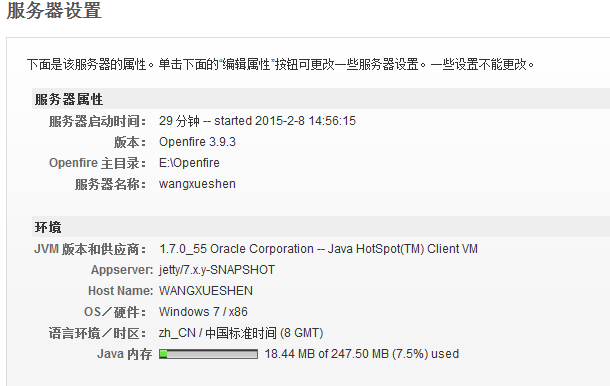
这部分不详细说明,网上大把的资料,根据教程安装好就是了。当openfire安装好了后肯定会看到这样的界面:


这样一个聊天服务器就已经搭建好了。

二、进行群组聊天

单聊这里就不介绍了,着重介绍群聊的功能怎么实现。

群聊首先得先创建房间:

如果要快速创建的话可以直接在openfire的分组聊天里面创建:

这样一个聊天房间就会被创建好了,当然实际开发中肯定要通过代码来创建,代码创建房间:

/**创建一个房间*/

  1. – (void)creatRoomWithName:(NSString *)roomName withTitle🙁NSString *)roomTitle withNickName🙁NSString *)roomNickName
  2. {
  3.    NSString *roomJid = [NSStringstringWithFormat:@”%@@conference.%@”,roomName,kXMPP_Domain];
  4.    NSLog(@”聊天房间id roomJid : %@”, roomJid);
  5.    _xmppRoom = [[XMPPRoomalloc]initWithRoomStorage:_storagejid:[XMPPJIDjidWithString:roomJid]dispatchQueue:dispatch_get_main_queue()];
  6.     [_xmppRoomactivate:_xmppStream];
  7.     [_xmppRoomjoinRoomUsingNickname:roomNickNamehistory:nil];
  8.     [_xmppRoomaddDelegate:selfdelegateQueue:dispatch_get_main_queue()];
  9.     [_xmppRoomfetchConfigurationForm];
  10.    /**配置房间*/
  11.     [selfconfigNewRoom];
  12. }


/**配置房间信息*/

  1. -(void)configNewRoom{
  2.     NSXMLElement *x = [NSXMLElementelementWithName:@”x”xmlns:@”jabber:x:data”];
  3.     NSXMLElement *p;
  4.     p = [NSXMLElementelementWithName:@”field” ];
  5.     [paddAttributeWithName:@”var”stringValue:@”muC#roomconfig_persistentroom”];//永久房间
  6.     [paddChild:[NSXMLElementelementWithName:@”value”stringValue:@”1″]];
  7.     [xaddChild:p];
  8.     p = [NSXMLElementelementWithName:@”field” ];
  9.     [paddAttributeWithName:@”var”stringValue:@”muC#roomconfig_maxusers”];//最大用户
  10.     [paddChild:[NSXMLElementelementWithName:@”value”stringValue:@”10000″]];
  11.     [xaddChild:p];
  12.     p = [NSXMLElementelementWithName:@”field” ];
  13.     [paddAttributeWithName:@”var”stringValue:@”muc#roomconfig_changesubject”];//允许改变主题
  14.     [paddChild:[NSXMLElementelementWithName:@”value”stringValue:@”1″]];
  15.     [xaddChild:p];
  16.     p = [NSXMLElementelementWithName:@”field” ];
  17.     [paddAttributeWithName:@”var”stringValue:@”muc#roomconfig_publicroom”];//公共房间
  18.     [paddChild:[NSXMLElementelementWithName:@”value”stringValue:@”1″]];
  19.     [xaddChild:p];
  20.     p = [NSXMLElementelementWithName:@”field” ];
  21.     [paddAttributeWithName:@”var”stringValue:@”muc#roomconfig_allowinvites”];//允许邀请
  22.     [paddChild:[NSXMLElementelementWithName:@”value”stringValue:@”1″]];
  23.     [xaddChild:p];
  24.     [_xmppRoomconfigureRoomUsingOptions:x];
  25. }

参考代码:

https://github.com/adow/Dollarss

此代码是开源代码里面聊天的代码都有我就是看到这里才实现的,当然我的项目只要实现一些群聊的就可以了没有多少界面,代码里面牵涉到xmpp的注册登录的过程这个地方很关键下面我着重说明一下,在这里我也是遇到很多问题写出来少走弯路。

xmpp登录:

  1. #pragma connect login and register
  2. -(void)signinWithUsername:(NSString *)username
  3.                   password🙁NSString *)password
  4.                       host🙁NSString *)host
  5.                 isregister🙁BOOL)isregister {
  6.    self.username=username;
  7.    self.password=password;
  8.    self.host=host;
  9.    if (![_xmppStreamisDisconnected]){
  10.        return;
  11.     }
  12.    _registerAction=isregister;
  13.    //    self.username=@”adow@shintekimacbook-pro.local”;
  14.    //    self.password=@”cloudq”;
  15.    //    NSString* domain=@”shintekimacbook-pro.local”;
  16.    self.jid=[NSStringstringWithFormat:@”%@@%@”,self.username,self.host];
  17.     [_xmppStreamsetMyJID:[XMPPJIDjidWithString:_jidresource:@”drrr”]];
  18.     [_xmppStreamsetHostName:host];
  19.    NSError *error =nil;
  20.    BOOL result=[_xmppStreamconnectWithTimeout:3.0ferror:&error];
  21.    NSLog(@”connect:%d,%@”,result,error);
  22.     [[NSUserDefaultsstandardUserDefaults]setObject:DRRRManager_StoreKey_UsernameforKey:username];
  23.     [[NSUserDefaultsstandardUserDefaults]setObject:DRRRManager_StoreKey_PasswordforKey:password];
  24.     [[NSUserDefaultsstandardUserDefaults]setObject:DRRRManager_StoreKey_HostforKey:host];
  25.     [[NSUserDefaultsstandardUserDefaults]synchronize];
  26. }

username 是注册时候的用户名

password  是注册时候的密码

host            是服务器的名称  比如我这里是 chat.itutu.tv

setHostName  最关键的 这里要服务器的ip地址

登录聊天服务器后接下来就是聊天房间此代码里面都有源码。这些就是我对群聊的理解,把我知道的分享给大家,如有什么问题可以留言。

Openfire服务器和Spark客户端配置 - 杰瑞教育 - 博客园

mikel阅读(1246)

来源: Openfire服务器和Spark客户端配置 – 杰瑞教育 – 博客园

一、Openfire服务器的配置

关于之前一直在进行的聊天app的项目,我们还没有完成,这次我们介绍一下,Openfire服务器的配置。

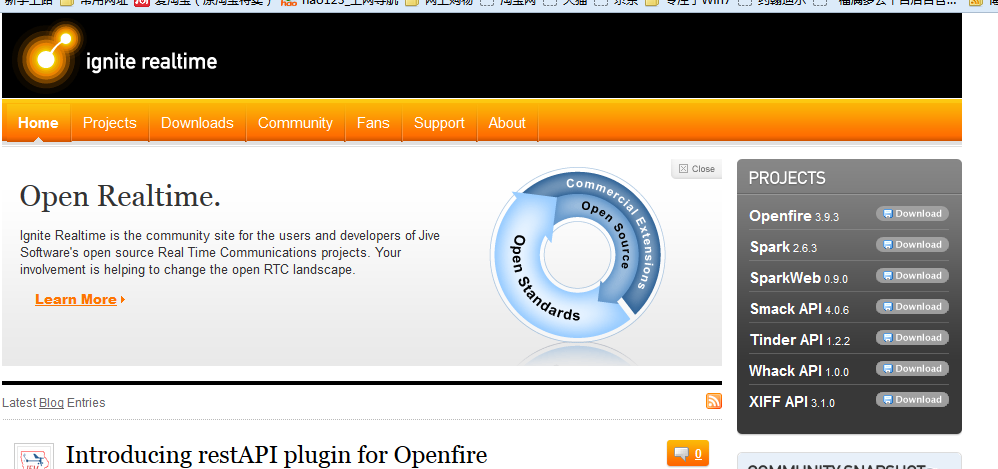
1.Openfire下载

Openfire下载地址:http://www.igniterealtime.org/


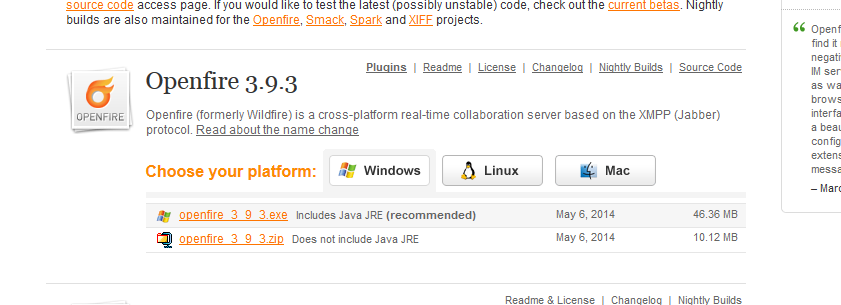
在屏幕的右侧有个Openfire3.9.3,这个是目前最新的版本。


2.安装

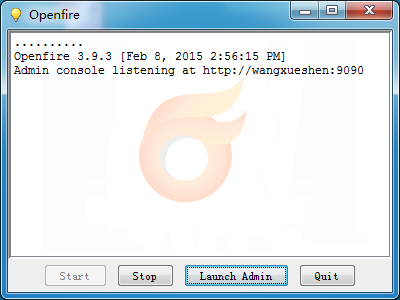
一个是exe文件,一个是zip,我下载的是exe,下载好之后执行安装就可以了,安装完成之后,会弹出下面的窗口。

3.配置

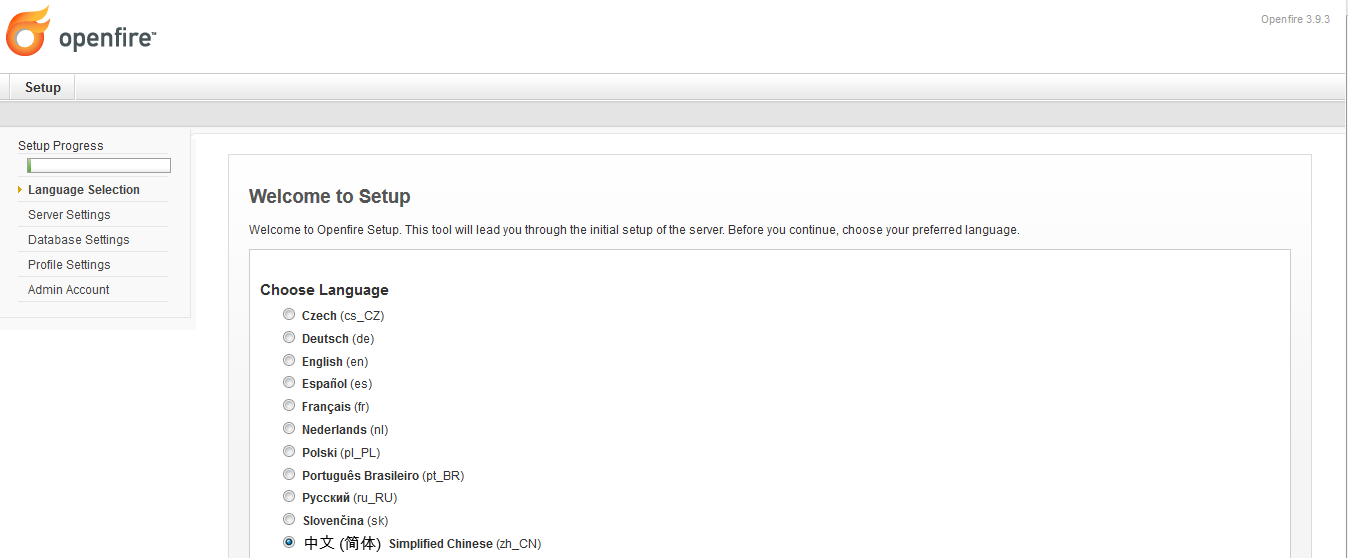
3.1 点击Launch Admin进入配置服务器界面

在语言中我们选择简体中文,点击右下角的continue

3.2服务器配置

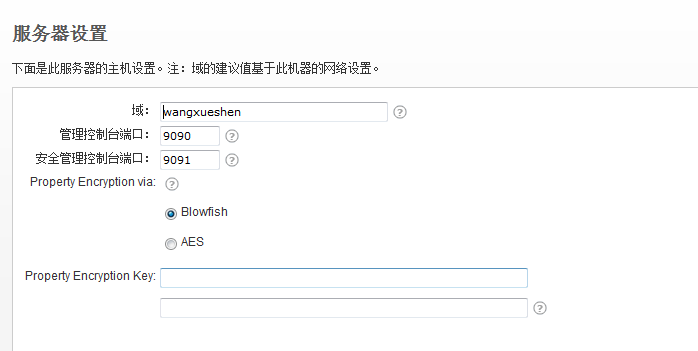
如果是本地访问的话,我们就不需要改了,默认就可以。如果是局域网或者是外部网络,我们就配置成相应的地址就可以。

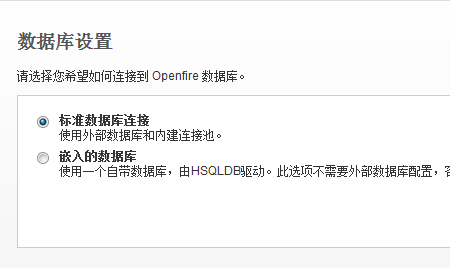
3.3数据库设置

选择数据库,我们可以选择外部的数据库,可以选择Openfire自己带的。

接下来的几步我们都可以选择默认

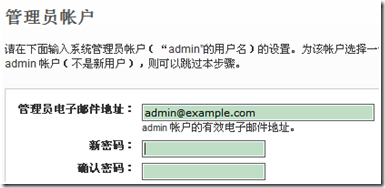
管理员这步我们可以选择跳过。

4.登陆

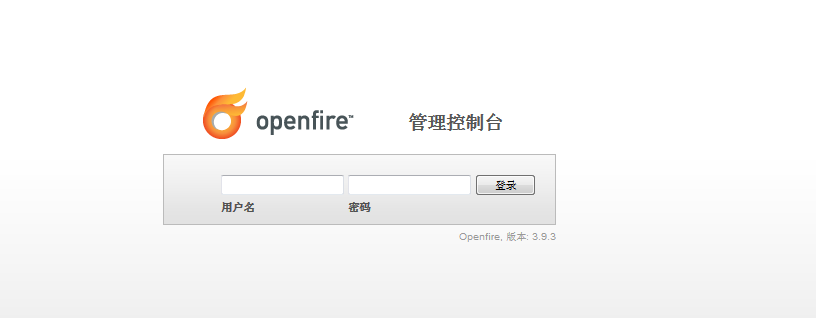
完成以后会出现如下图所示界面

我们在这里输入用户名admin密码admin就可以登录了。出现这样的界面就证明我们的服务器已经配置成功。

这个完成之后我们再来介绍一下Spark客户端的配置

二、Spark客户端配置

1.下载安装

我们将使用Spark,因为Spark和Openfire能够很好的相互支持。软件下载地址:http://www.igniterealtime.org/downloads/index.jsp#spark

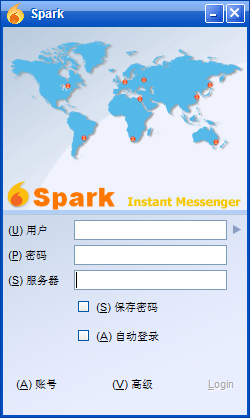
我们下载好之后按照提示来一步一步的安装就可以了,安装好之后,出现如下界面

2.点击高级选项

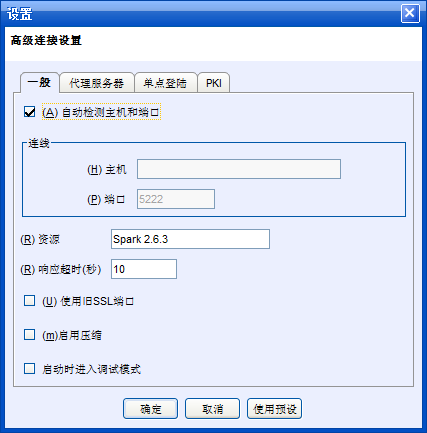
点击那个高级选项,出现如下界面

3.填写服务器地址

如果我们有服务器的话,填入你的服务器地址,端口默认为5222,点击确定,如果自己是服务器的话,我们选择自动检测主机和端口就好了。

4.添加用户登录

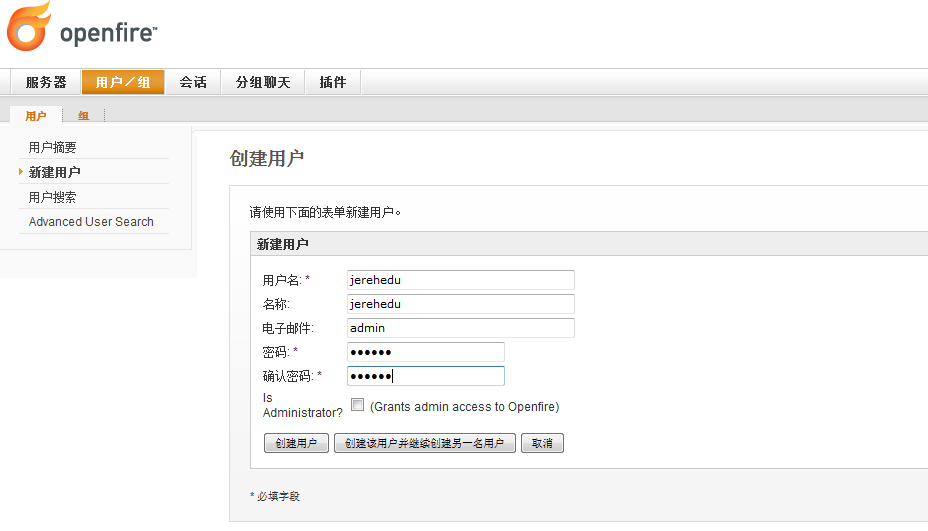
用我们在Openfire管理控制台中添加用户登录。

  然后我们用注册好的用户名来登陆就可以了。

5.登录后界面

  这样我们的PC端的客户端和服务器就完全配置完成,就可以和之前配置好的Android端进行聊天。

  自己也是摸索着来的,所以有什么问题也希望和大家进行交流。

springMVC项目中实现Protocol Buffers对象自动转换 - fangzhangsc2006的专栏 - CSDN博客

mikel阅读(1289)

本文旨在向读者分享springMVC项目中Protocol Buffers的一个使用技巧,前提是需要具备对springMVC和Protocol Buffers的基本了解。Protocol Buffers(以下简称PB)是谷歌推出的一种数据交换格式,高效、易扩展、跨语言(C++, Java, Python)。将它用于网络传输是一个不错的选择。我们服务器与客户端的通讯就是使用它来做序列化与反序

来源: springMVC项目中实现Protocol Buffers对象自动转换 – fangzhangsc2006的专栏 – CSDN博客

本文旨在向读者分享springMVC项目中Protocol Buffers的一个使用技巧,前提是需要具备对springMVC和Protocol Buffers的基本了解。

Protocol Buffers(以下简称PB)是谷歌推出的一种数据交换格式,高效、易扩展、跨语言(C++, JavaPython)。将它用于网络传输是一个不错的选择。我们服务器与客户端的通讯就是使用它来做序列化与反序列化的。

PB的使用方法大致是这样的:

1.服务器与客户端约定要交换的数据格式,然后用PB的语法将其定义为.proto文件。

2.用PB自带的编译器编译.proto文件,生成对应语言的代码文件,比如java的类文件。

3.生成好的代码包含了对象定义、对象的序列化与反序列化等功能。

PB的详细使用方法不是本文的讨论范畴,如需学习请移步【PB官网】【博客A】

我曾使用过一款与PB类似的开源项目Hessian,spring中集成了Hessian的服务出口类,相当于一个特殊的servlet,需要配置Web.xml和对应的-servlet.xml文件,它可以完成方法参数和返回值的自动转换。客户端通过代理工厂HessianProxyFactory访问服务器上的接口,就像访问本地方法一样方便,是货真价实的RPC(远程过程调用)。详细参考【Hessian官网】【博客B】

受惯性思想影响,我在初次使用PB时到处寻找其与springMVC结合的配置方法。几经折腾后才发现,PB的用法与Hessian很不一样。PB的用法更像是使用工具类,我们需要调用它的parseFrom、writeTo、toByteArray等方法实现对象与流的转换。因此有这些方法就够了,我们无需任何配置。在controller中的使用举例如下:

  1.         InputStream in = request.getInputStream();
  2.         UseClientInfo useClientInfo = UseClientInfo.parseFrom(in);

说明:这是从输入流中反序列化一个PB对象UseClientInfo

  1. byte[] content = useClientInfoBuilder.build().toByteArray();
  2. response.setContentType(“application/x-protobuf”);
  3. response.setContentLength(content.length);
  4. response.setCharacterEncoding(“utf-8”);
  5. OutputStream out = response.getOutputStream();
  6. out.write(content);
  7. out.flush();
  8. out.close();

说明:这是往输出流中写序列化后的对象

客户端也是类似的用法,从这里可以看出PB算不上是一个完整的RPC,它只是提供了序列化与反序列化的方法。与Hessian相比的优势是无需配置、易用、易扩展,劣势是集成度不够高,需要用户参与序列化/反序列化工作,在各个controller的各个接口中频繁重复这个工作着实让人厌烦。有没有一种方式可以让controller从这些工作中脱离,接口的入参和返回值直接使用PB对象就可以了呢?

答案是肯定的,接下来讲解通过扩展springMVC的AbstractHttpMessageConverter完成PB对象和流之间的自动转换。(ps:终于到重点了,我也知道有点啰嗦,不过我希望讲清楚一件事的来龙去脉^_^)。

【首先】扩展AbstractHttpMessageConverter,实现我们自己的转换器PBMessageConverter。

  1. package ……保密……;
  2. import java.io.IOException;
  3. import java.io.InputStream;
  4. import java.io.OutputStream;
  5. import java.lang.reflect.InvocationTargetException;
  6. import java.lang.reflect.Method;
  7. import java.nio.charset.Charset;
  8. import org.springframework.http.HttpInputMessage;
  9. import org.springframework.http.HttpOutputMessage;
  10. import org.springframework.http.MediaType;
  11. import org.springframework.http.converter.AbstractHttpMessageConverter;
  12. import org.springframework.http.converter.HttpMessageNotReadableException;
  13. import org.springframework.http.converter.HttpMessageNotWritableException;
  14. import com.google.protobuf.GeneratedMessage;
  15. /**
  16.  * pb对象转换,自动完成pb对象的序列化与反序列化,让controller的接口脱离这些重复工作
  17.  * @author shannon
  18.  * @time Dec 6, 2012 12:16:11 PM
  19.  * @email shannonchou@126.com
  20.  */
  21. public class PBMessageConverter extends AbstractHttpMessageConverter<GeneratedMessage> {
  22.     public PBMessageConverter() {
  23.         //设置该转换器支持的媒体类型
  24.         super(new MediaType(“application”“x-protobuf”, Charset.forName(“UTF-8”)));
  25.     }
  26.     @Override
  27.     protected GeneratedMessage readInternal(
  28.             Class<? extends GeneratedMessage> arg0, HttpInputMessage arg1)
  29.             throws IOException, HttpMessageNotReadableException {
  30.         Method parseMethod;
  31.         try {
  32.             //利用反射机制获得parseFrom方法
  33.             parseMethod = arg0.getDeclaredMethod(“parseFrom”, InputStream.class);
  34.         } catch (SecurityException e) {
  35.             e.printStackTrace();
  36.             return null;
  37.         } catch (NoSuchMethodException e) {
  38.             e.printStackTrace();
  39.             return null;
  40.         }
  41.         try {
  42.             //调用parseFrom方法从InputStream中反序列化PB对象
  43.             return (GeneratedMessage) parseMethod.invoke(arg0, arg1.getBody());
  44.         } catch (IllegalArgumentException e) {
  45.             e.printStackTrace();
  46.             return null;
  47.         } catch (IllegalAccessException e) {
  48.             e.printStackTrace();
  49.             return null;
  50.         } catch (InvocationTargetException e) {
  51.             e.printStackTrace();
  52.             return null;
  53.         }
  54.     }
  55.     @Override
  56.     protected boolean supports(Class<?> arg0) {
  57.         //如果是GeneratedMessage的子类则支持
  58.         return GeneratedMessage.class.isAssignableFrom(arg0);
  59.     }
  60.     @Override
  61.     protected void writeInternal(GeneratedMessage arg0, HttpOutputMessage arg1)
  62.             throws IOException, HttpMessageNotWritableException {
  63.         //不用自己设置type,父类会根据构造函数中给的type设置
  64.         //arg1.getHeaders().setContentType(new MediaType(“application”,”x-protobuf”, Charset.forName(“UTF-8”)));
  65.         OutputStream outputStream = arg1.getBody();
  66.         //自己直接设置contentLength会导致异常,覆盖父类的getContentLength()方法才是标准做法
  67.         //arg1.getHeaders().setContentLength(bytes.length);
  68.         arg0.writeTo(outputStream);
  69.         outputStream.flush();
  70.         outputStream.close();
  71.     }
  72.     @Override
  73.     protected Long getContentLength(GeneratedMessage t, MediaType contentType) {
  74.         return Long.valueOf(t.toByteArray().length);
  75.     }
  76. }

说明:

1.我们给AbstractHttpMessageConverter的泛型变量是GeneratedMessage,而它是所有生成的PB对象的父类,我们可以通过它来识别PB对象。

2.覆盖父类构造函数的同时需要给出支持的媒体类型,我这里设定的是”application/x-protobuf”,这要求客户端在建立连接时设置同样的类型。如下:

  1. URL target = new URL(url);
  2. HttpURLConnection conn = (HttpURLConnection) target.openConnection();
  3. conn.setRequestMethod(“GET”);
  4. conn.setRequestProperty(“Content-Type”“application/x-protobuf”);
  5. conn.setRequestProperty(“Accept”“application/x-protobuf”);

3.我的PBMessageConverter利用了泛型和反射机制,已经实现了所有PB对象的转换,没有与项目耦合的任何代码,如果需要的话可以直接copy去用,不用重写。

【其次】配置*-servlet.xml文件

  1. <mvc:annotation-driven>
  2.     <mvc:message-converters>
  3.         <bean class=“com.example.…保密….common.converter.PBMessageConverter” />
  4.     </mvc:message-converters>
  5. </mvc:annotation-driven>

说明:这样就将PBMessageConverter注册到了springMVC的转换器列表中。注意这里需要引入springMVC的“mvc”命名空间。

【最后】controller中通过如下方式使用

  1. @RequestMapping(“connected”)
  2. public void connected(@RequestBody UseClientInfo useClientInfo, HttpServletRequest request, HttpServletResponse response) throws IOException {
  3.     log.info(useClientInfo);
  4. }
  5. @ResponseBody
  6. @RequestMapping(“get_useclientinfo”)
  7. public UseClientInfo getUseClientInfo(HttpServletResponse response) throws IOException{
  8.     UseClientInfo.Builder useClientInfoBuilder = UseClientInfo.newBuilder();
  9.     ……业务逻辑略……
  10.     return useClientInfoBuilder.build();
  11. }

说明:

1.PB参数前加上@RequestBody注解,如果返回值是PB对象则加上@ResponseBody注解。

至此,我们的controller直接操作对象,再也不需要重复的进行流与对象的转换了。

【PB官网】:http://code.google.com/p/protobuf/

【博客A】:http://blog.csdn.NET/farmmer/article/details/2689049

【Hessian官网】:http://hessian.caucho.com/

【博客B】:http://blog.csdn.net/chenweitang123/article/details/6334097

后台管理UI - HackerVirus - 博客园

mikel阅读(1862)

来源: 后台管理UI – HackerVirus – 博客园

最近要做一个企业的OA系统,以前一直使用EasyUI,一切都好,但感觉有点土了,想换成现在流行的Bootstrap为基础的后台UI风格,想满足的条件应该达到如下几个:

1、美观、大方、简洁

2、兼容IE8、不考虑兼容IE6/IE7,因为现在还有很多公司在使用Win7系统,系统内置了IE8

3、能通过选项卡打开多个页面,不想做单页,iframe也没关系

4、性能好,不要太笨重

5、最好以Bootstrap为基础

6、还希望在以后别的系统中能够复用。

一次次反复纠结的选择开始了,给大家介绍下我考虑过的UI,也给大家一个参考。

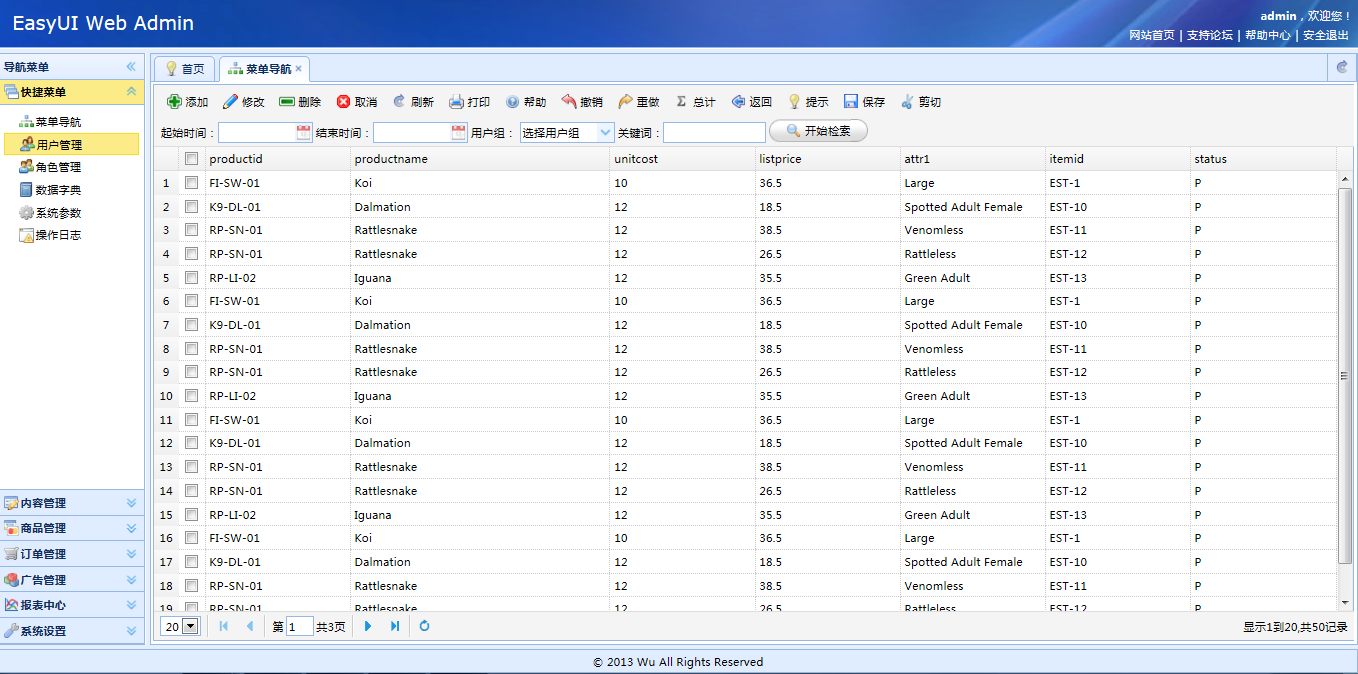
一、EasyUI

easyui是一种基于JQuery的用户界面插件集合。

easyui为创建现代化,互动,JavaScript应用程序,提供必要的功能。

使用easyui你不需要写很多代码,你只需要通过编写一些简单HTML标记,就可以定义用户界面。

easyui是个完美支持HTML5网页的完整框架。

easyui节省您网页开发的时间和规模。

easyui很简单但功能强大的。

优点:轻量、功能强大、免费、兼容性好、帮助详细、使用的人多生态好

缺点:非响应式布局、某些系统看起来有点土(客户与老板的感觉、确实与最新的那些UI有差距)

获得:上网搜索、网盘搜索大把被搭建好了基础功能的框架。下载

下载后大家可以替换成最新的1.5版的easyui

官网:http://www.jeasyui.com/,有免费版,有商业版,商业版收费,帮助非常详尽

资源:http://www.jeasyui.net/,easyui是国人的的作品,但服务器在国外,官网也是英文的,这个网站类似官网的中文版

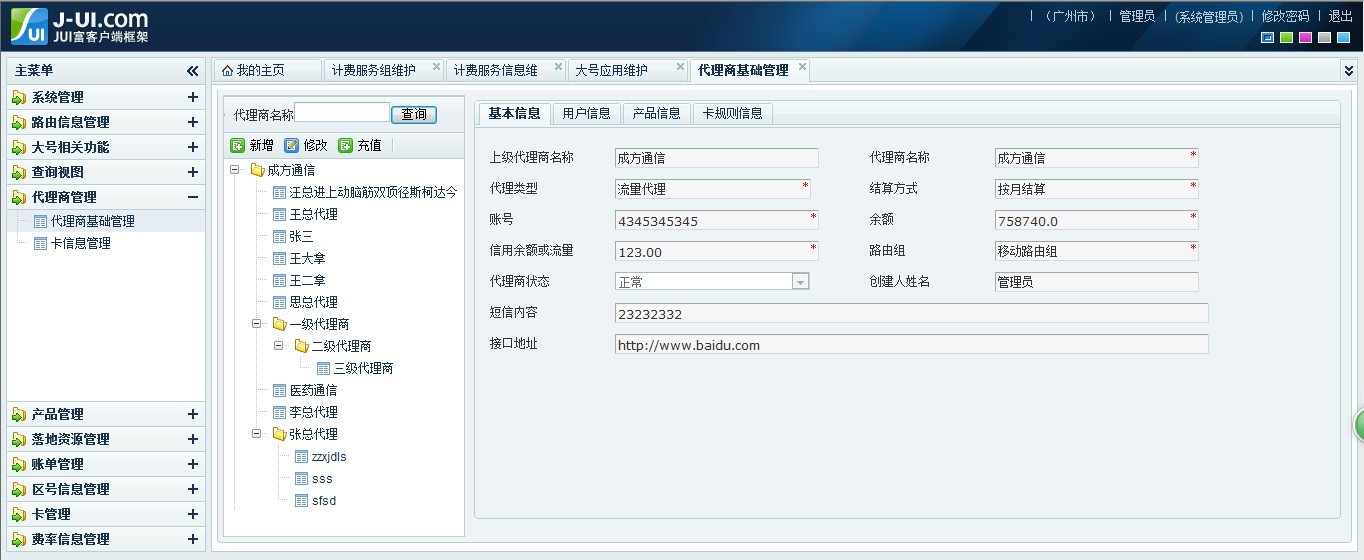
二、DWZ JUI

特点:DWZ富客户端框架(JQuery RIA framework), 是中国人自己开发的基于jQuery实现的Ajax RIA开源框架. 设计目标是简单实用,快速开发,降低ajax开发成本。

官网:http://jui.org/

下载:https://github.com/dwzteam/

三、HUI

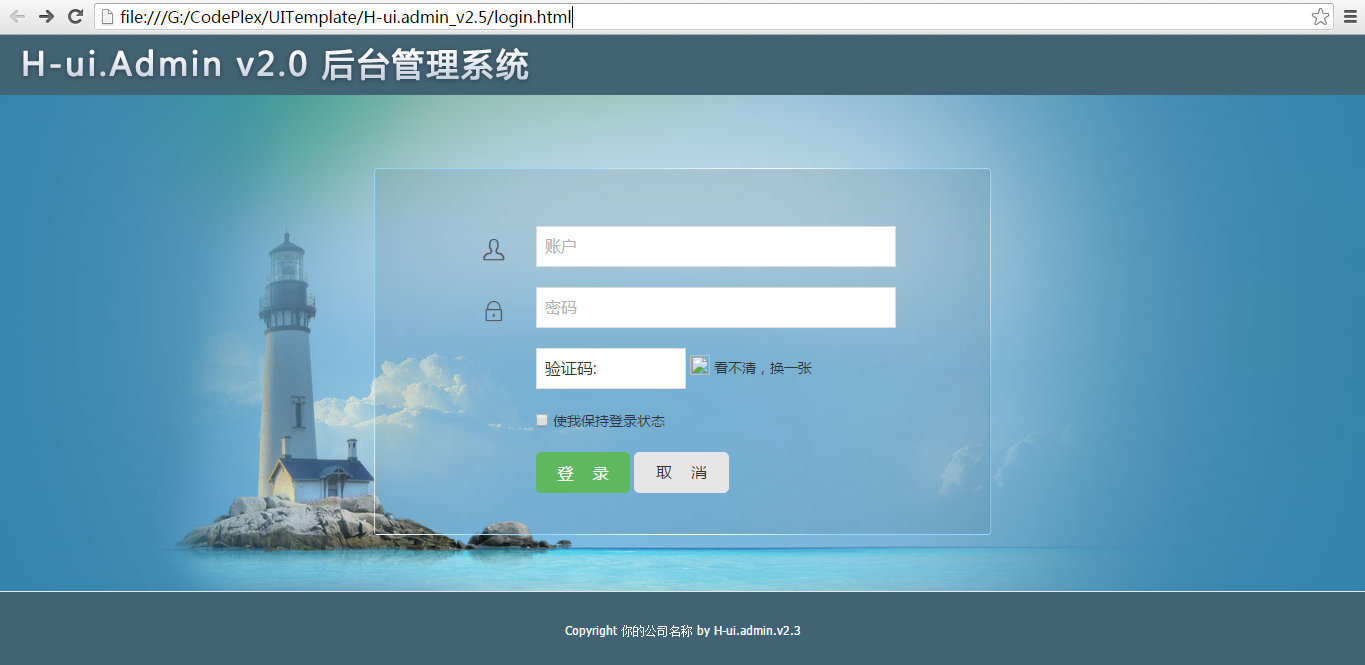
H-ui前端框架是在bootstrap的思想基础上基于 HTML、CSS、JavaScript开发的轻量级web前端框架,开源免费,简单灵活,兼容性好,满足大多数中国网站。分了前端UI与后端UI。

官网:http://www.h-ui.net/H-ui.admin.shtml 后台,http://www.h-ui.net/ 前台

下载:https://github.com/jackying/

缺点:感觉用的人少,名气小,资料不全,配套组件不多,但国人的产品符合国人的口味。

四、BUI

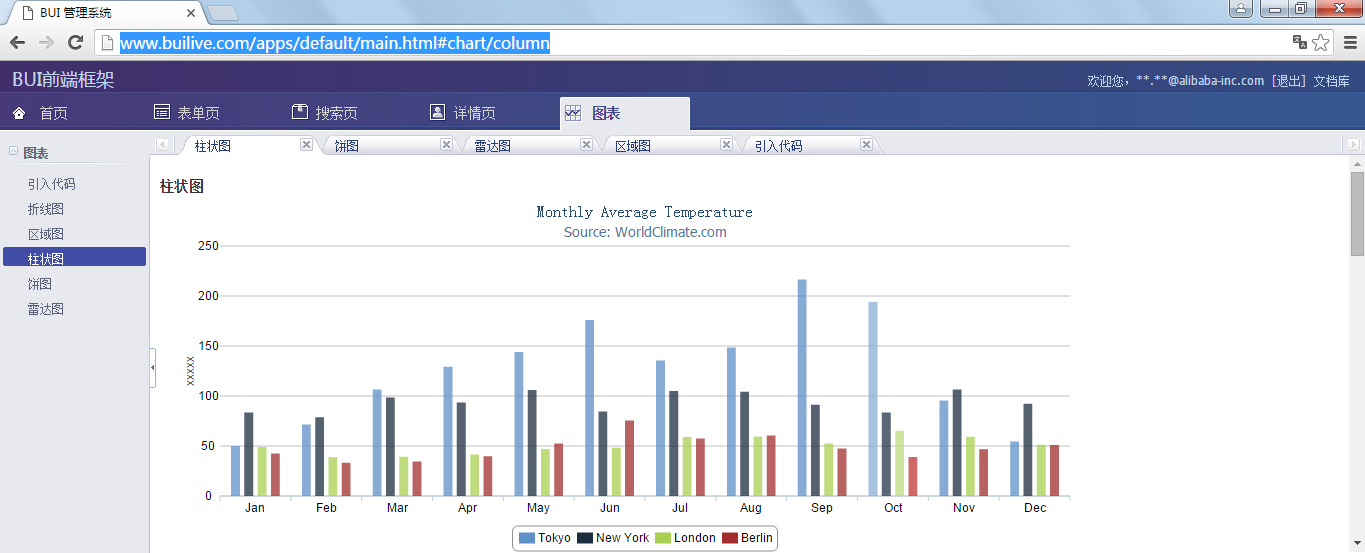
BUI她是基于jQuery,兼容KISSY的UI类库,专致于解决后台系统的框架方案,BUI提供了丰富的DPL含有强大的控件库对业务做了精细的分析。

官网:http://www.builive.com/

下载:https://github.com/dxq613/bui

感觉也比较冷、与HUI有点类似的优点整体框架符合我的要求,但风格有种说不出的感觉。

五、Ace Admin

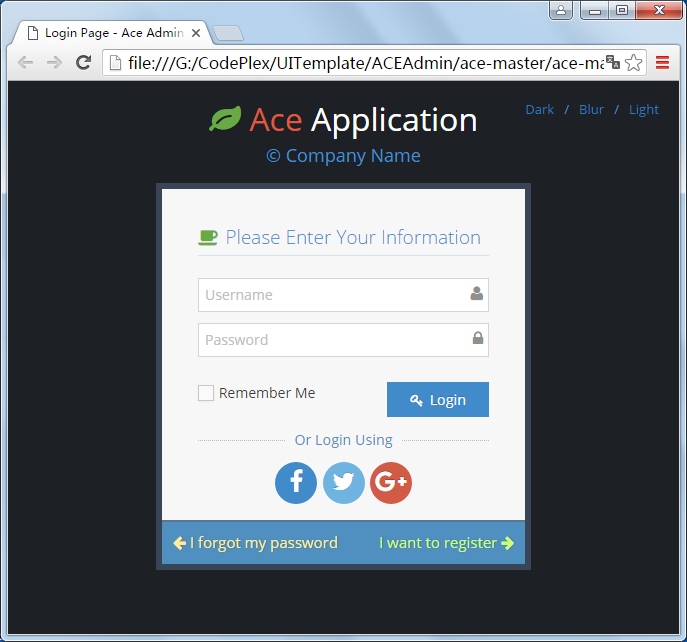
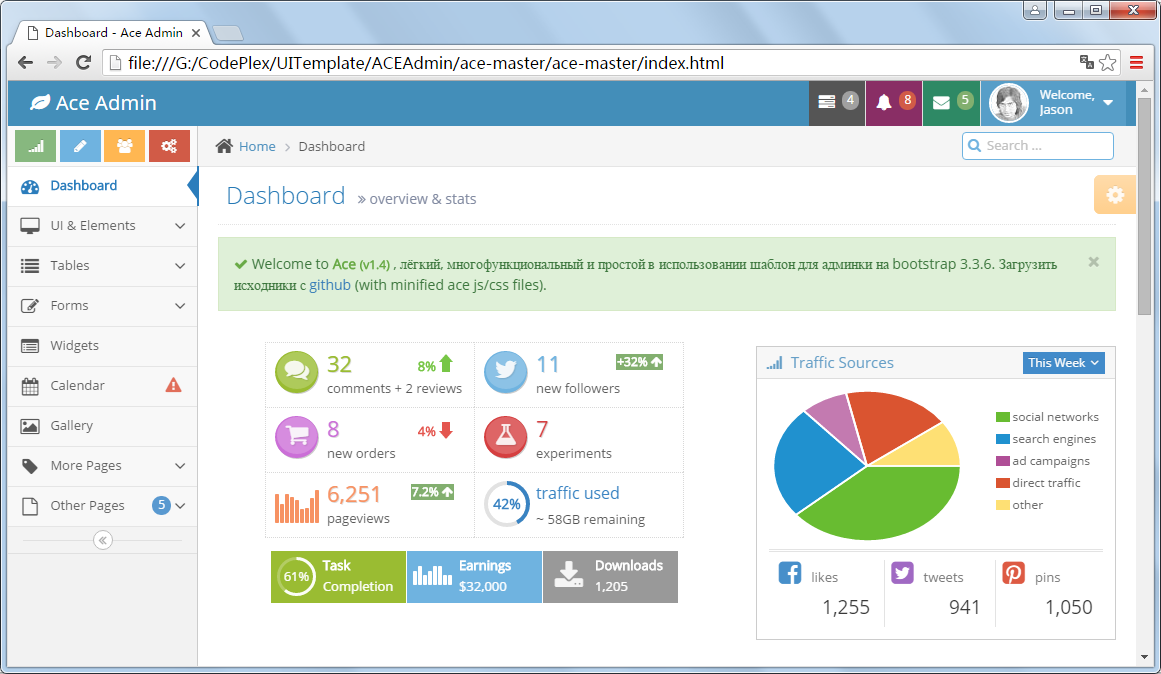
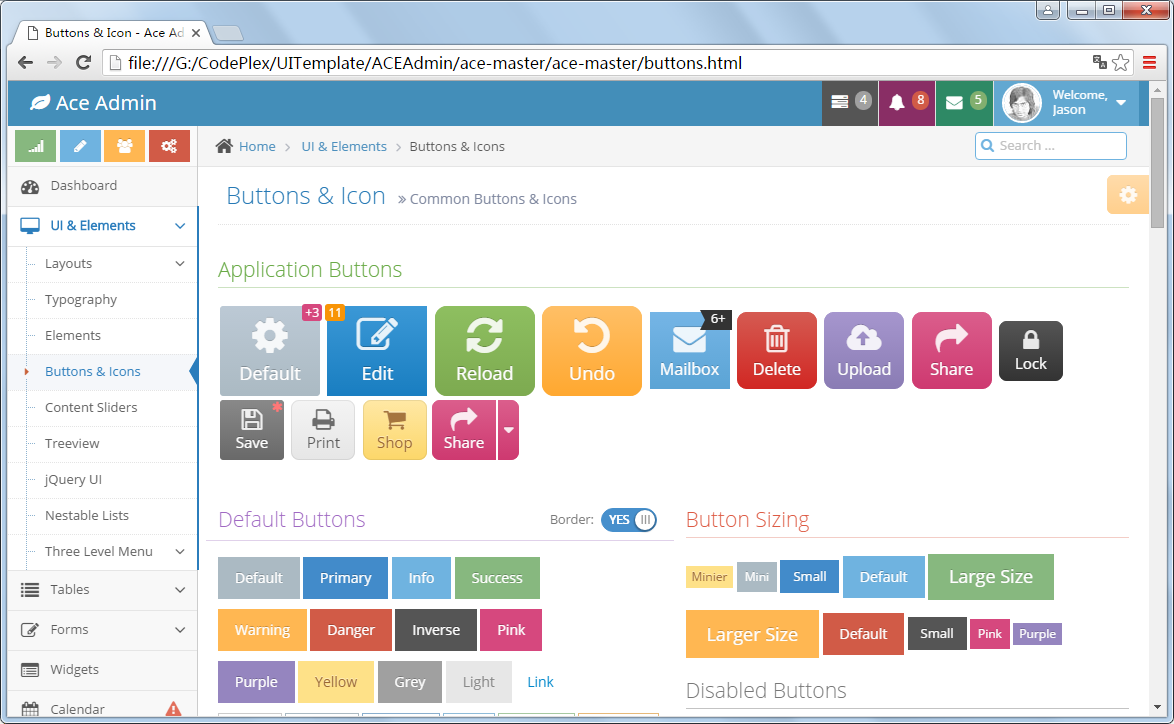
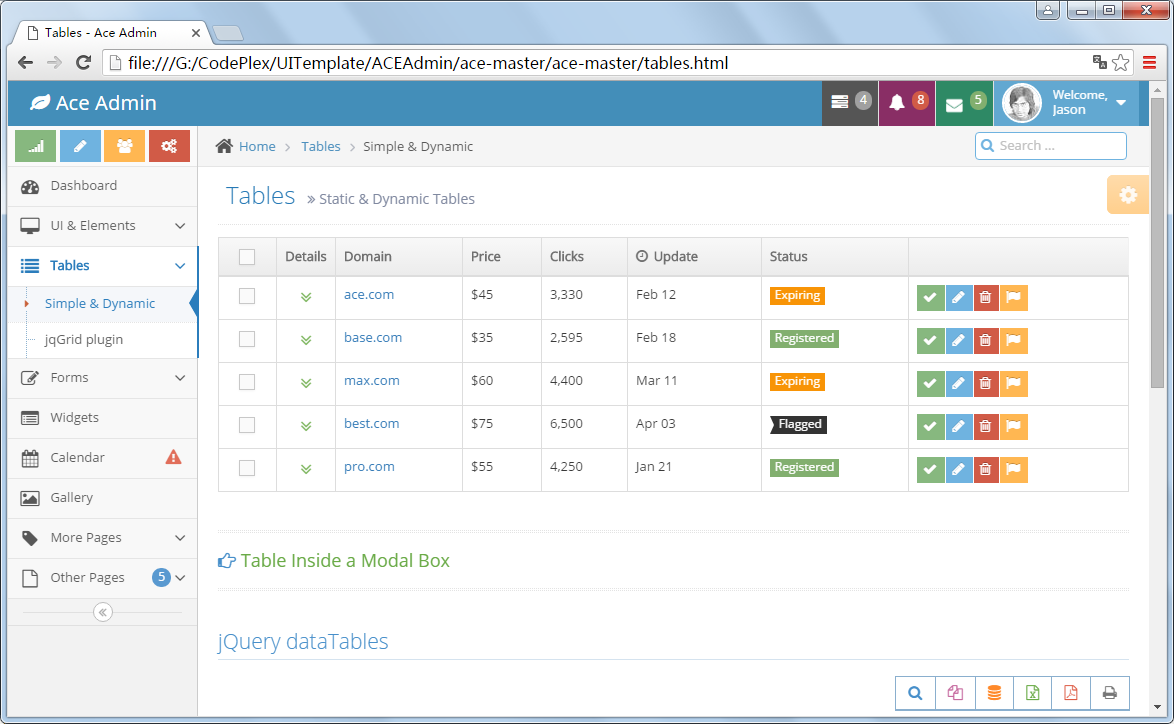
响应式Bootstrap网站后台管理系统模板ace admin,非常不错的轻量级易用的admin后台管理系统,基于Bootstrap3,拥有强大的功能组件以及UI组件,基本能满足后台管理系统的需求,而且能根据不同设备适配显示,而且还有四个主题可以切换。以前收费,好像最新版不再收费了。

下载:https://github.com/bopoda/ace

官网:http://ace.jeka.by/

感觉比较全,功能强大,组件多,美观,只是用了很多不同的插件,兼容性不错。

兼容的浏览器:

  • Internet Explorer 10
  • Internet Explorer 11
  • Internet Explorer 8
  • Internet Explorer 9
  • Latest Chrome
  • Latest Firefox
  • Latest Opera
  • Latest Safari

使用的插件:

 View Code

使用到的插件并没有分开存放,使用起来会麻烦一些。

另外该插件也被很多人简化、修改成选项卡+iframe风格了。

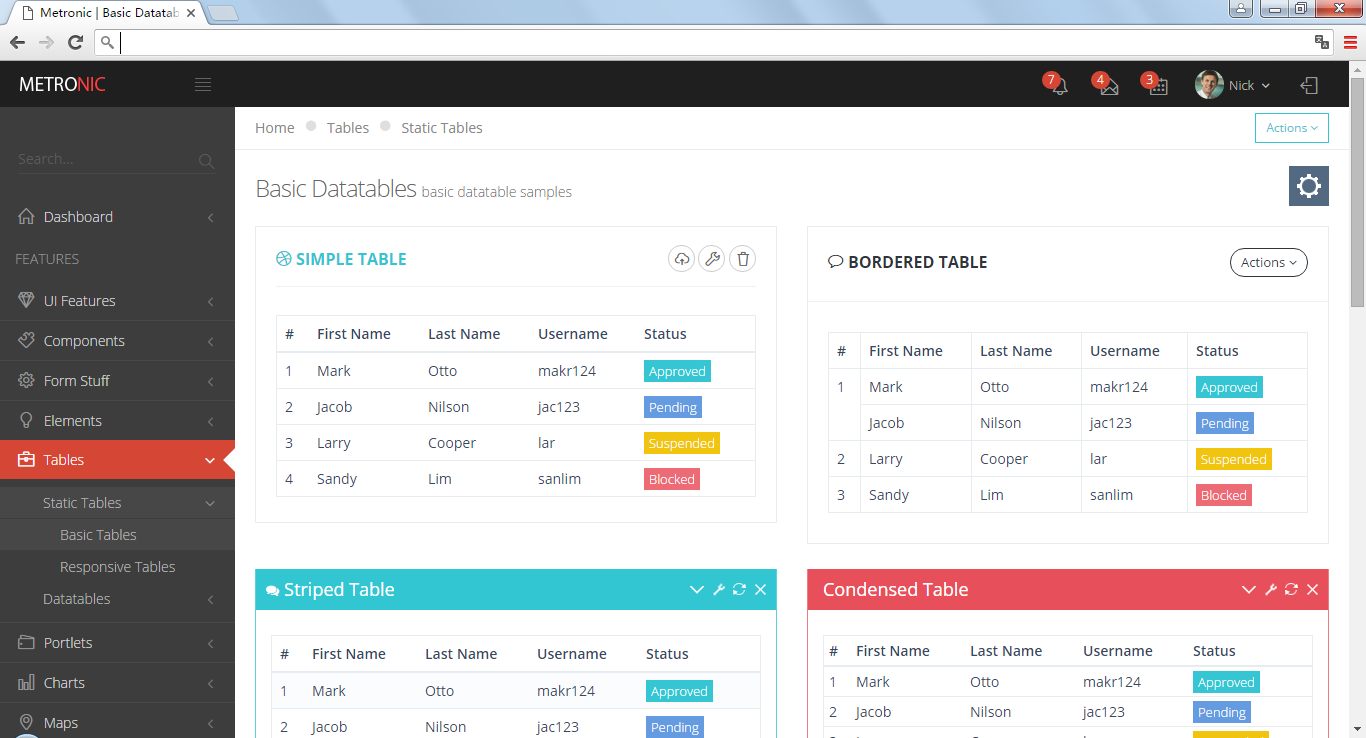
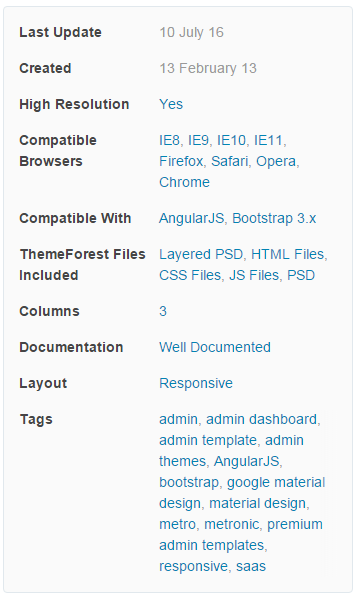
六、Metronic

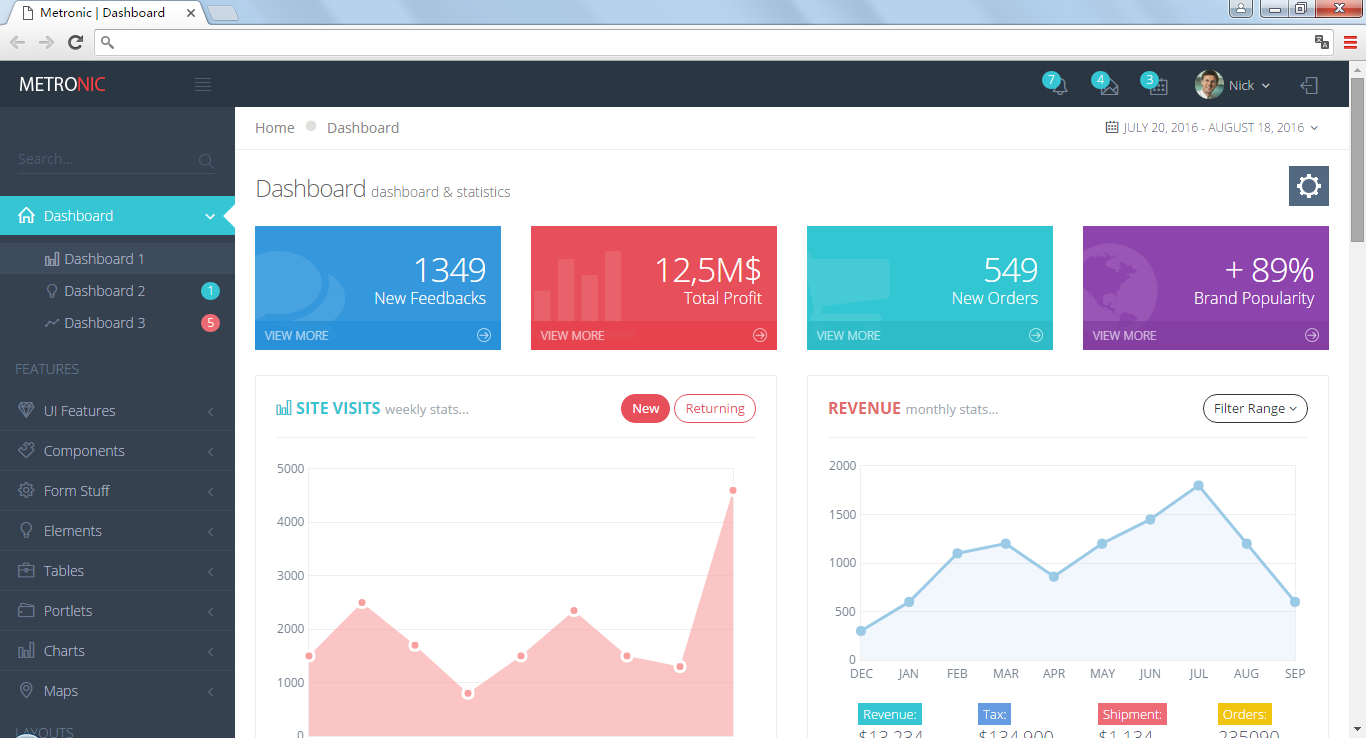
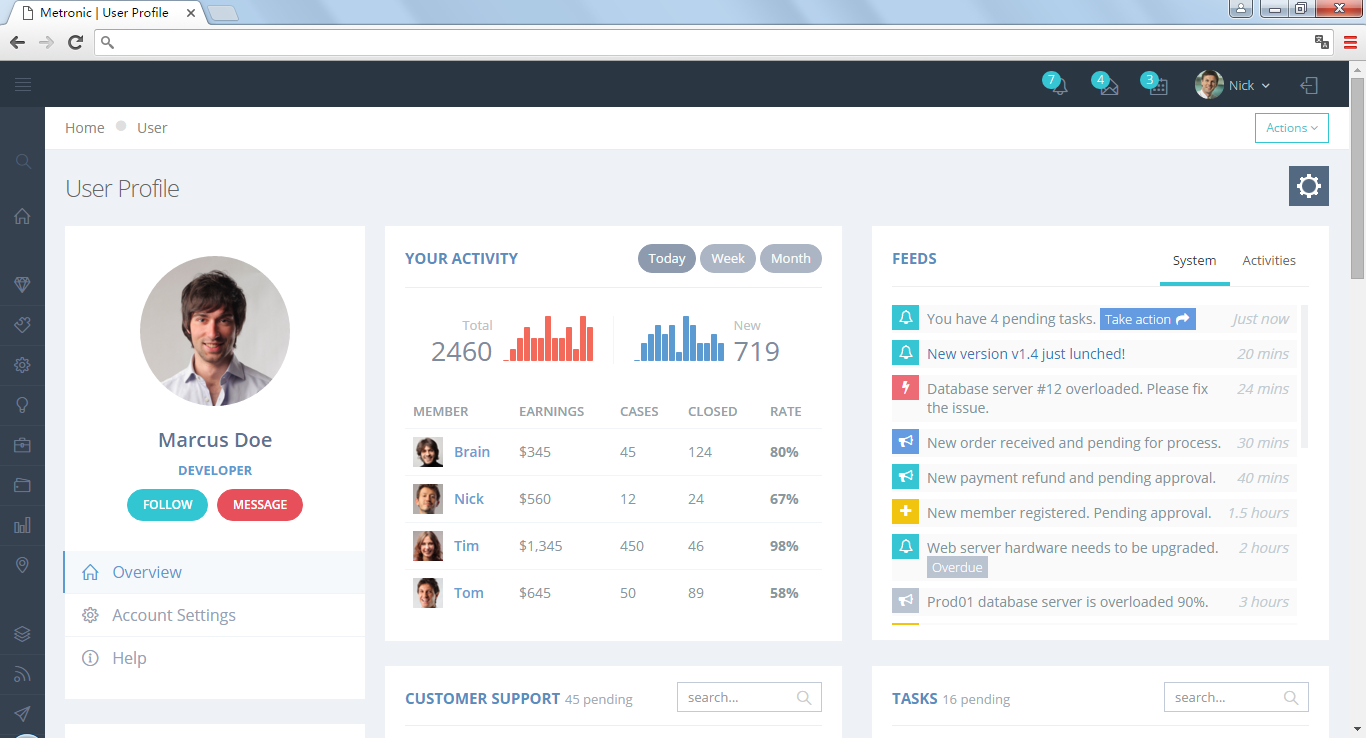
Metronic 是一套精美的响应式后台管理模板,基于强大的 Twitter Bootstrap 框架实现。Metronic 拥有简洁优雅的 Metro UI 风格界面,6 种颜色可选,76 个模板页面,包括图表、表格、地图、消息中心、监控面板等后台管理项目所需的各种组件。

页面规范、精致、细腻、美观大方;功能强大、非常全;在所有我看到过的基于Bootstrap的网站模版中,Metronic是我认为最优秀的之一,其外观之友好、功能之全面让人惊叹。Metronic 是一个自适应的HTML模版,提供后台管理模版和前端内容网页模版两种风格。

优点:

支持HTML5 和 CSS3
自适应,基于响应式 Twitter Bootstrap框架,同时面向桌面电脑、平板、手机等终端。
整合AngularJS 框架。
可自定义管理面板,包括灵活的布局、主题、导航菜单、侧边栏等。
提供了部分电子商务模块:CMS, CRM, SAAS。
多风格,提供了3个前端风格,7个后端管理面板风格。
简洁扁平风格设计。
700多个网页模版,1500多个UI小组件,100多个表单,80多个jQuery插件。
提供说明文档。

缺点:

太大了,真的不知道从那里开始

对IE的兼容不好,虽然官方声称支持IE8,但我测试结果不支持

收费,今天的价格是$28

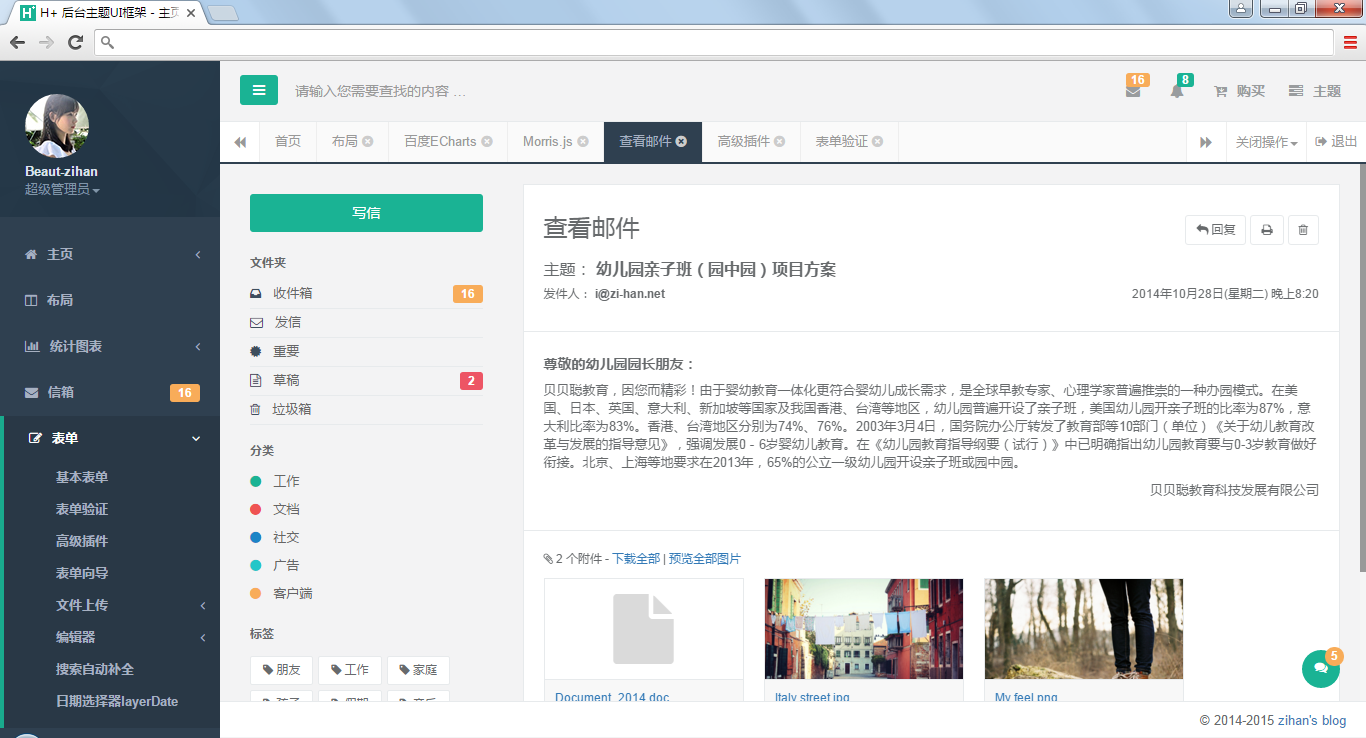
七、H+ UI

官网的介绍:H+是一个完全响应式,基于Bootstrap3.3.6最新版本开发的扁平化主题,她采用了主流的左右两栏式布局,使用了Html5+CSS3等现代技术,她提供了诸多的强大的可以重新组合的UI组件,并集成了最新的jQuery版本(v2.1.4),当然,也集成了很多功能强大,用途广泛的jQuery插件,她可以用于所有的Web应用程序,如网站管理后台,网站会员中心,CMS,CRM,OA等等,当然,您也可以对她进行深度定制,以做出更强系统。

官网:http://www.zi-han.net/theme/hplus/

与Metronic与INSPINIA非常像,插件非常多,收费998人民币。

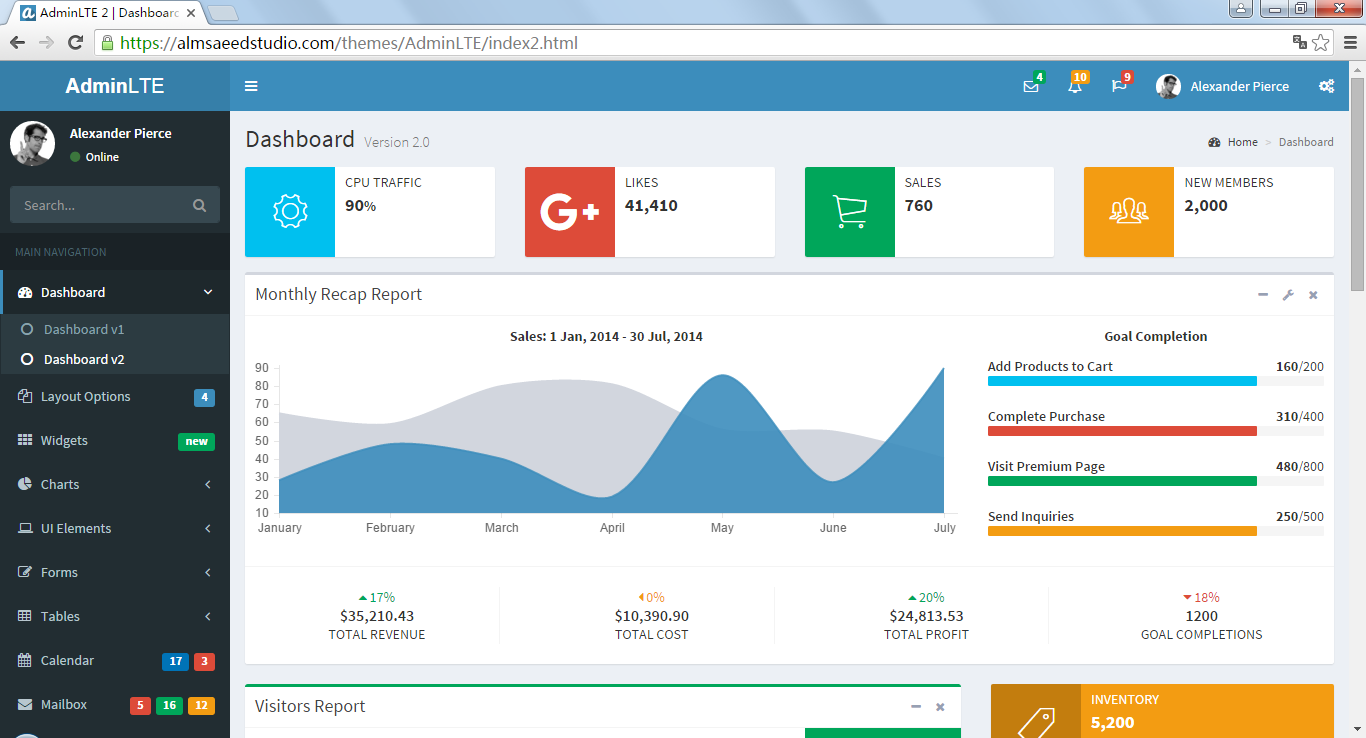
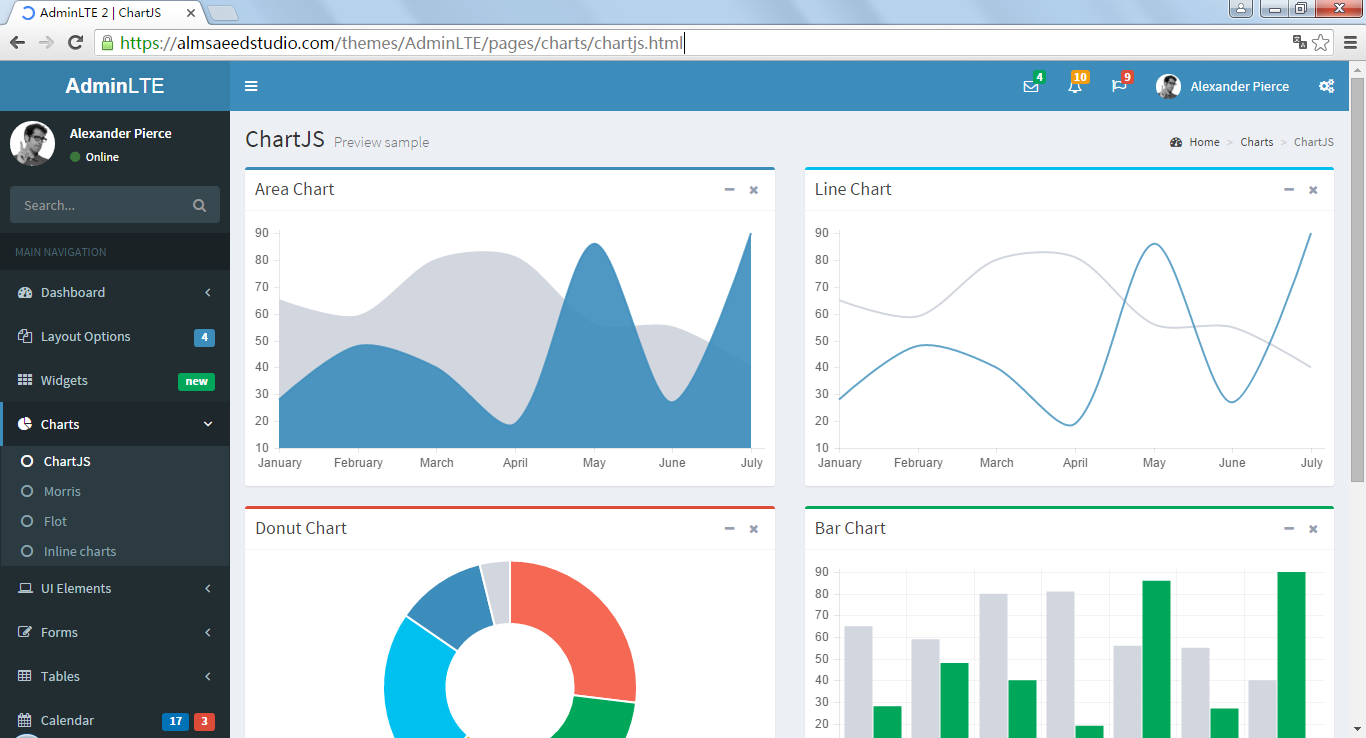
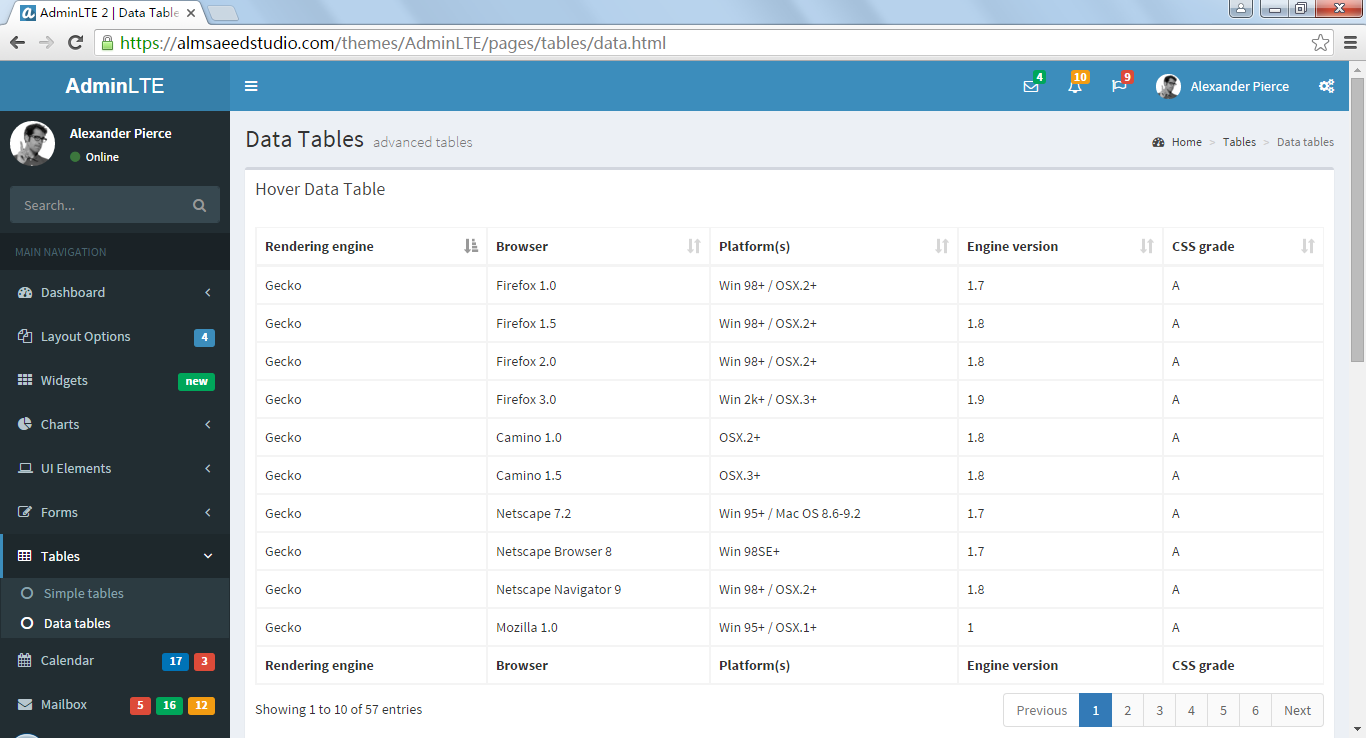
八、Admin LTE

AdminLTE 是一个基于Bootstrap 3.x的免费主题,它是一个完全响应式管理模板。高度可定制的,易于使用。适合从小型移动设备到大的台式机很多的屏幕分辨率。

下载:https://github.com/almasaeed2010/AdminLTE (目前star 11652+)

预览: http://almsaeedstudio.com/preview/

官网:Free Bootstrap Admin Template

浏览器支持:
IE 9+
Firefox (latest)
Chrome (latest)
Safari (latest)
Opera (latest)

插件:

 View Code

特点:

  • 响应式布局,支持多种设备
  • 打印增强
  • 丰富可排序的面板组件
  • 18个插件与3个自定义插件
  • 轻量、快速
  • 兼容主流浏览器,IE8不兼容
  • 支持Glyphicons, Fontawesome和Ion图标

整体感觉与Metronic类似、功能强大,UI精致,被许多公司使用。

评论中感谢网友(dotNetDR_醉丶千秋)推荐,确定是值得关注的一个UI。

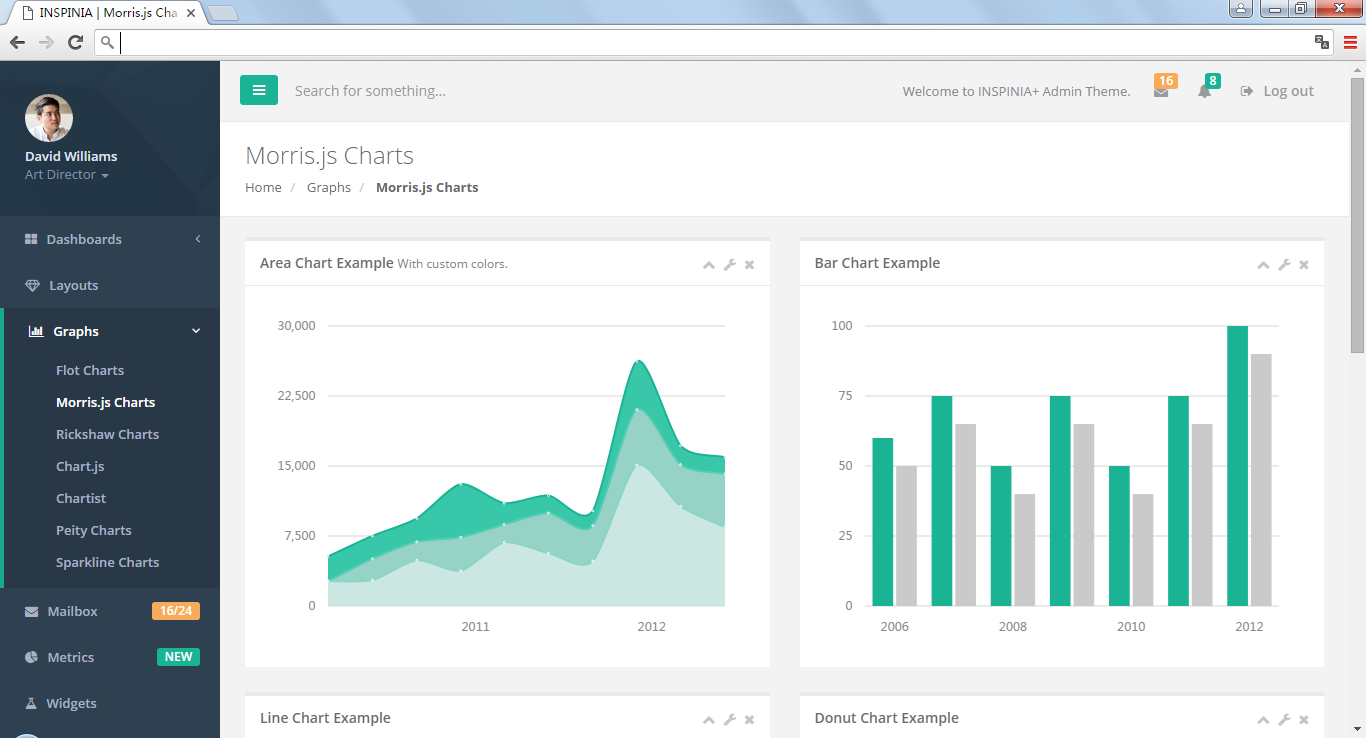
九、INSPINIA

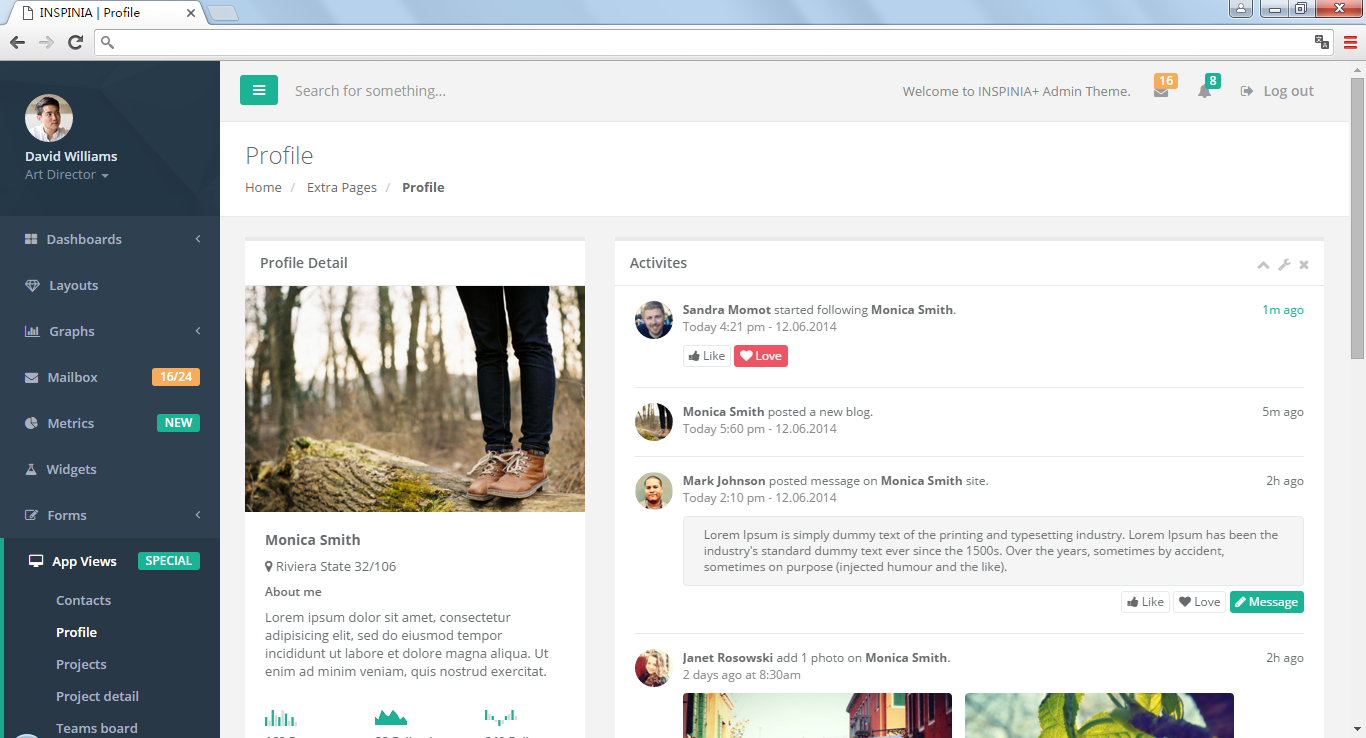
INSPINIA是平面设计理念的管理模板。它是充分响应的由Bootstrap3 +框架开发的模板,HTML5和CSS3。它有很多可重用的UI组件和集成了最新的jQuery插件。它可以用于所有类型的web应用程序自定义管理面板中,项目管理系统,管理仪表板,应用程序的后端,CMS或CRM。

与Metronic一样,风格也比较像,个人认为比Metronic还要强大一些,页面规范、精致、细腻、美观大方;功能强大、非常全;在所有我看到过的基于Bootstrap的网站模版中,Metronic是我认为最优秀的之一,其外观之友好、功能之全面让人惊叹。Metronic 是一个自适应的HTML模版,提供后台管理模版和前端内容网页模版两种风格。

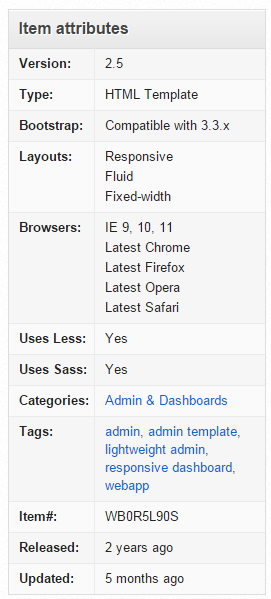
浏览器兼容:

  • IE 9, 10, 11
  • Latest Chrome
  • Latest Firefox
  • Latest Opera
  • Latest Safari

收费,今天的价格是$18。

演示地址:http://wrapbootstrap.com/preview/WB0R5L90S

特点:

相对Metronic他准备了很多个版本,比如:

Static version, AngularJS, ASP.NET MVC5/MVC6, Meteor and Ruby on Rails version

插件很多,但都按引用分文件夹存放了,静态版本中我看了就是48个插件,有PSD源文件,提供的文件包含:

 View Code

详细介绍:https://wrapbootstrap.com/theme/inspinia-responsive-admin-theme-WB0R5L90S

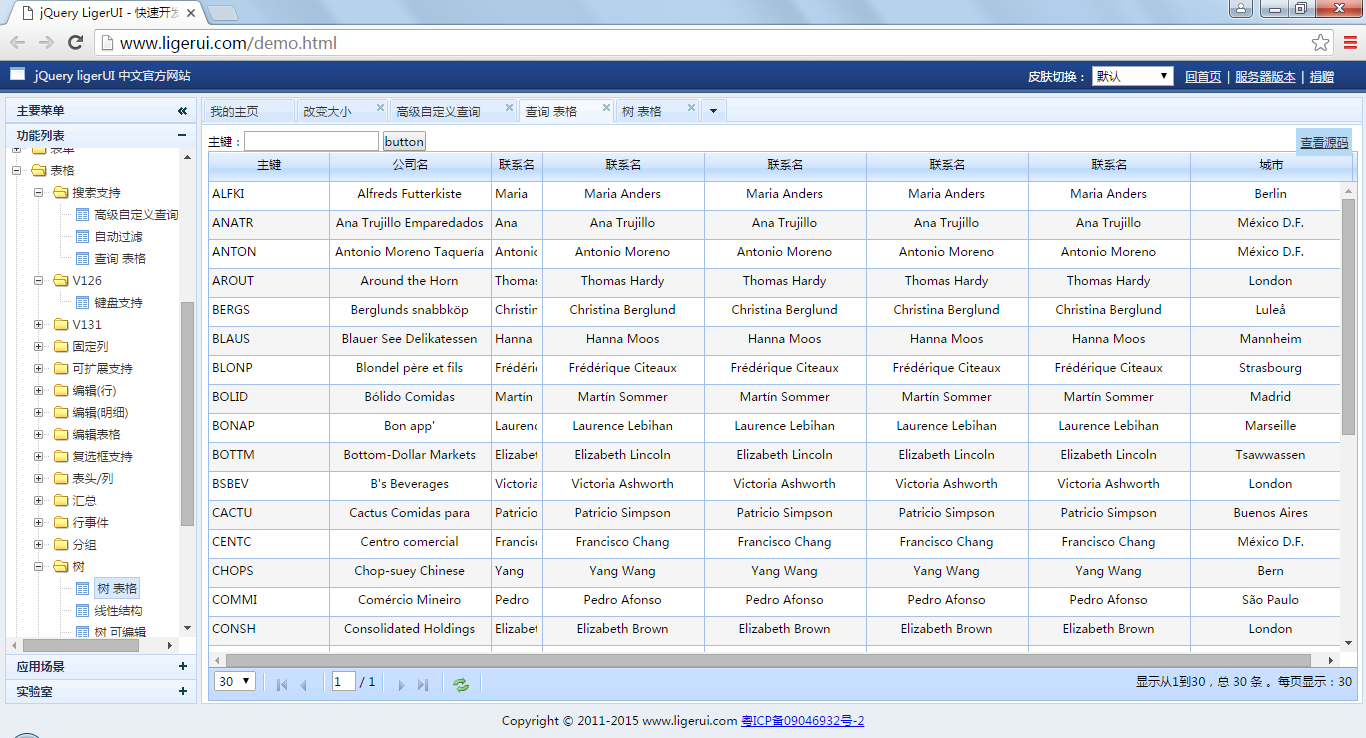
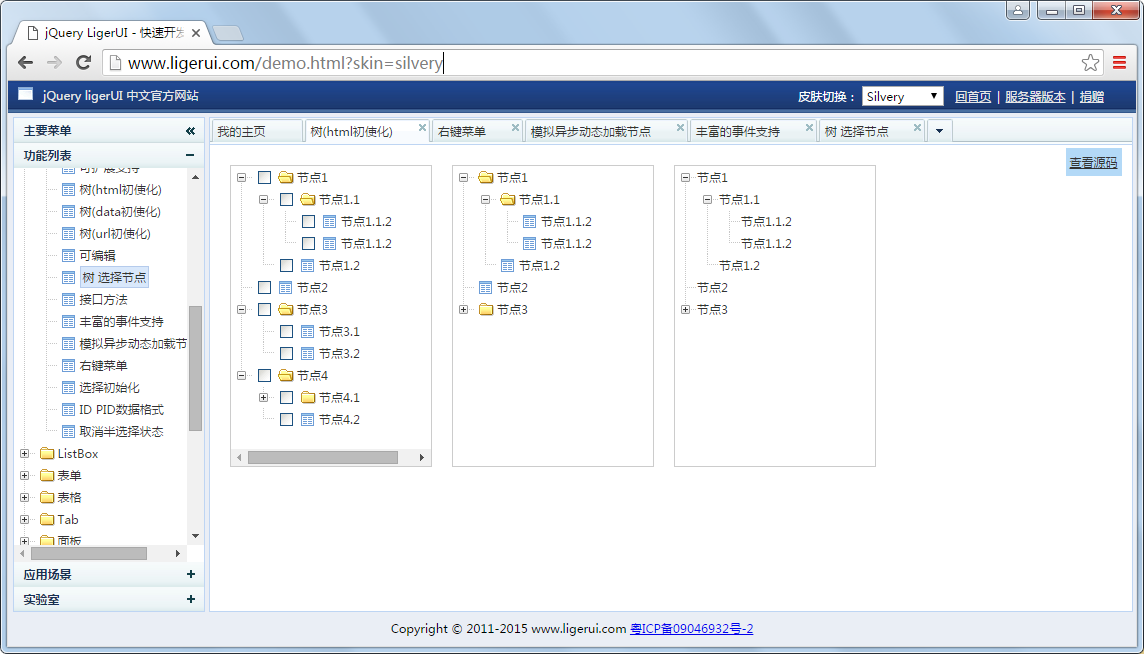
十、LigerUI

LigerUI 是基于jQuery 的UI框架,其核心设计目标是快速开发、使用简单、功能强大、轻量级、易扩展。简单而又强大,致力于快速打造Web前端界面解决方案,可以应用于.net,jsp,php等等web服务器环境。

官网:http://www.ligerui.com/

演示:http://www.ligerui.com/demo.html

特点:

使用简单,轻量级
控件实用性强,功能覆盖面大,可以解决大部分企业信息应用的设计场景
快速开发,使用LigerUI可以比传统开发减少极大的代码量
易扩展,包括默认参数、表单/表格编辑器、多语言支持等等
支持Java、.NET、PHP等web服务端
支持 IE6+、Chrome、FireFox等浏览器
开源,源码框架层次简单易懂。

下载:http://pan.baidu.com/s/1o83vRZk

API:         http://api.ligerui.com/

演示地址:  http://demo.ligerui.com/

源码下载:  http://git.oschina.net/ligerui/LigerUI/ (源码托管)

http://pan.baidu.com/s/1D0AVO (V1.2.3)

技术支持: http://www.cnblogs.com/leoxie2011/

个人感觉文档比较全,也有公司的信息系统使用了该UI(去年我去一家公司培训他们就使用该UI,后面上头说要换漂亮些的,他们纠结好久),但整合感觉比不上EasyUI,与DotNet亲一点感觉,DWZ则与Java新一些。

LigerUI中国人开发的、免费。

十一、其它UI

十二、总结

没有形式就没有内容、UI重要,特别是当客户与老板不懂太多关于代码、功能、性能的时候。

上面的UI你也许可以通过各种途径获得,但商业应用请慎重。

想来想去还是拿不定主意,不过有点想法:

1、使用HUI和bootstrap

2、使用EasyUI的框架,内容页使用HUI+BootStrap,iframe选项卡

3、从各个功能强大的页面中拿一些插件过来

VS2012(Visual Studio 2012)官方免费中文专业版下载(含激活密钥) | 无所不藏

mikel阅读(2415)

Visual Studio 2012(简称VS2012)官方简体中文专业版是微软全新发布的一款编程开发工具,也是Windows平台最流行的应用程序开发环境。新版本界面和VS2010很大的改变,采用全新win8界面风格,无所不藏为您提供VS2012官方简体中文专业版下载资源。

来源: VS2012(Visual Studio 2012)官方免费中文专业版下载(含激活密钥) | 无所不藏

Visual Studio 2012(简称VS2012)官方简体中文专业版是微软全新发布的一款编程开发工具,也是Windows平台最流行的应用程序开发环境。新版本界面和VS2010有很大的改变,采用全新win8界面风格,简化了相应的工作流程,全面支持HTML5和CSS3,提供全新模板、设计工具和测试调试工具,大大缩短软件开发周期。无所不藏为您提供VS2012官方简体中文专业版下载资源,附激活产品密钥。

VS2012(Visual Studio 2012)官方免费中文专业版下载(含激活密钥)

vs2012专业版(Visual Studio Professional 2012)安装激活教程

1、下载到的是ISO格式文件,直接解压缩或用虚拟光驱加载运行;
2、无所不藏推荐直接解压缩安装即可,双击“vs_ultimate.exe”进行安装;
3、设置好安装路径后,点击“我同意许可条款和条件”,点击“下一步”继续安装;
4、选择需要安装的vs2012选项,用户可以根据自身需要勾选安装;
5、成功安装后,打开软件,弹出注册界面,输入vs2012专业版密钥序列号【4D974-9QX42-9Y43G-YJ7JG-JDYBP】。或者点击帮助(help)-注册产品(Register Product)-输入序列号【4D974-9QX42-9Y43G-YJ7JG-JDYBP】就可以了。
6、成功激活vs2012,现在可以无限制免费使用。
7、第一次运行VS2012会让您选择默认开发环境,自己根据工作需要选择即可。

vs2012专业版下载地址

无所不藏为您提供的是VS2012(Visual Studio Professional 2012)官方简体中文MSDN专业版下载资源,下载完成后按照上述步骤安装即可即可。
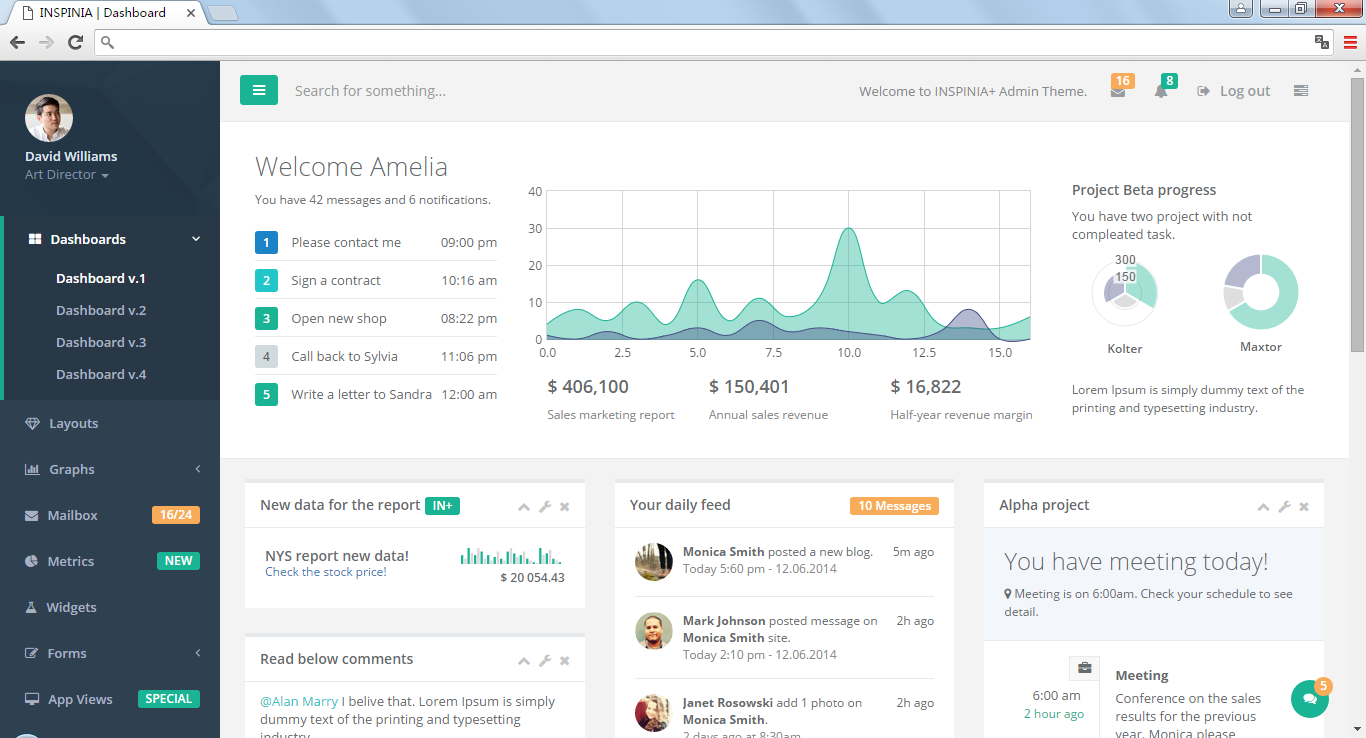
Visual Studio 2012 官方简体中文专业版下载地址一【官方链接】:点击这里直接下载

Visual Studio 2012 官方简体中文专业版下载地址二【电驴ed2k】:点击这里使用迅雷软件下载

需要VS2012旗舰版的朋友可以这里去下载:VS2012官方免费中文旗舰版下载

程序集加载和反射 - Answer.Geng - 博客园

mikel阅读(1501)

来源: 程序集加载和反射 – Answer.Geng – 博客园

前言


本篇讨论程序集的加载及反射。主要涉及到System.Reflection.Assembly和System.Type两个类,前者可以用于访问指定程序集的相关信息,或把程序集加载到程序当中,后者可以访问任何数据类型的信息。以下,是本篇文章涉及的主要内容。
程序集加载


本节首先介绍Assembly类,该类位于System.Reflection命名空间下,它允许访问指定程序集的元数据,也包含加载和执行程序集的中的方法。下面将介绍几种常用的动态加载程序集的方式:

方法名称 说明
Load 加载程序集
LoadFrom 加载指定路径的程序集
LoadFile 仅加载指定路径的程序集(不包括依赖项)
ReflectionOnlyLoad 加载程序集(不执行任何带代码)
ReflectionOnlyLoadFrom 加载指定路径的程序集(不执行任何代码)

Assembly.Load

Assembly的Load方法有几个重载版本,两种最常用的重载:Load(AssemblyName)和Load(String),传入的参数是需要加载的程序集的名称。

创建控制台应用程序AssemblyAndReflection,向解决方案添加新项目AssemblyLoad,添加类ClassA、ClassB、ClassC,编译后为AssemblyLoad.dll分配强名称并注册到GAC中。

    public class ClassA
    {
        public void SayHello()
        {
            Console.WriteLine("Hello.This is ClassA");
        }
    }

    public class ClassB
    {
        public void SayHello()
        {
            Console.WriteLine("Hello.This is ClassB");
        }
    }

    public class ClassC
    {
        public void SayHello()
        {
            Console.WriteLine("Hello.This is ClassC");
        }
    }

向Program.cs中添加如下代码:

    static void Main(string[] args)
    {
        string fullName = "AssemblyLoad,Version=1.0.0.0,Culture=neutral,PublicKeyToken=098608575f7409cd, processor architecture=MSIL";
        //string fullName = "AssemblyLoad";
        //Assembly assembly = Assembly.Load(new AssemblyName(fullName));
        Assembly assembly = Assembly.Load(fullName);

        if (assembly != null)
        {
            foreach (var c in assembly.GetTypes())
            {
                Console.WriteLine(c.FullName);
            }
        }
        Console.ReadLine();
        //****************************************************OutPut****************************************************
        //AssemblyLoad.ClassA
        //AssemblyLoad.ClassB
        //AssemblyLoad.ClassC
        //**************************************************************************************************************
    }

注意,Load方法的参数可以是强命名程序集或弱命名程序集(上述代码中注释掉的fullName变量)。传入不同参数时,查找程序集的方式略有不同。

Assembly.LoadFrom

Assembly的LoadFrom方法加载指定了路径名的程序集。将AssemblyLoad.dll文件放至D:\DLL\下,修改上述代码:

    static void Main(string[] args)
    {
        Assembly assembly = Assembly.LoadFrom(@"D:\DLL\AssemblyLoad.dll");

        if (assembly != null)
        {
            foreach (var c in assembly.GetTypes())
            {
                Console.WriteLine(c.FullName);
            }

        }

        Console.ReadLine();

        //****************************************************OutPut****************************************************
        //AssemblyLoad.ClassA
        //AssemblyLoad.ClassB
        //AssemblyLoad.ClassC
        //**************************************************************************************************************
    }

LoadFrom的执行原理:

  1. 调用System.Reflection.AssemblyName类的静态方法GetAssemblyName方法,打开指定路径下的文件,返回AssemblyName对象。下面是GetAssemblyName方法的源码:
    [System.Security.SecuritySafeCritical]  // auto-generated
    [ResourceExposure(ResourceScope.None)]
    [ResourceConsumption(ResourceScope.Machine, ResourceScope.Machine)]
    static public AssemblyName GetAssemblyName(String assemblyFile)
    {
        if(assemblyFile == null)
            throw new ArgumentNullException("assemblyFile");
        Contract.EndContractBlock();
    
        // Assembly.GetNameInternal() will not demand path discovery 
        //  permission, so do that first.
        String fullPath = Path.GetFullPathInternal(assemblyFile);
        new FileIOPermission( FileIOPermissionAccess.PathDiscovery, fullPath ).Demand();
        return nGetFileInformation(fullPath);
    }
  2. 调用Assembly.Load方法,将步骤1中返回的AssemblyName对象作为参数传入。

Assembly.LoadFile

加载指定路径上的程序集文件的内容。LoadFile方法不会加载目标程序集引用和依赖的其他程序集。

Assembly.ReflectionOnlyLoad和Assembly.ReflectionOnlyLoadFrom

如果只希望通过反射来分析程序集的元数据,并确保程序集中的任何代码都不会被执行,这种情况下可以使用Assembly类的ReflectionOnlyLoadFrom方法或ReflectionOnlyLoad方法。

获取类型的信息


本节介绍System.Type类,通过这个类可以访问任何数据类型的信息,System.Type类型是执行类型和对象操作的起点。获取Type对象的几种方式:

Object.GetType()

    int x = 100;
    Type t = x.GetType();
    Console.WriteLine(t.FullName);

System.Type类提供的静态方法ReflectionOnlyGetType()

    string typeName = Type.ReflectionOnlyGetType("AssemblyLoad.ClassA, AssemblyLoad, Version=1.0.0.0, Culture=neutral, PublicKeyToken=098608575f7409cd, processor architecture=MSIL", false, true).FullName;
    Console.WriteLine(typeName);

System.Reflection.Assembly类提供的实例成员GetTypes、DefinedTypes和ExportedTypes

    string fullName = "AssemblyLoad,Version=1.0.0.0,Culture=neutral,PublicKeyToken=098608575f7409cd, processor architecture=MSIL";

    Assembly assembly = Assembly.Load(fullName);
    Console.WriteLine("assembly.GetTypes():");
    foreach (var t in assembly.GetTypes())
    {
        Console.WriteLine(t.FullName);
    }
    Console.WriteLine();
    Console.WriteLine("assembly.ExportedTypes:");
    foreach (var t in assembly.ExportedTypes)
    {
        Console.WriteLine(t.FullName);
    }
    Console.WriteLine();
    Console.WriteLine("assembly.DefinedTypes:");
    foreach (var t in assembly.DefinedTypes)
    {
        Console.WriteLine(t.FullName);
    }
    Console.WriteLine();

typeof关键字(应尽量使用这个操作符来获取Type引用,因为操作符生成的代码通常更快)

    Console.WriteLine(typeof(int).FullName);

构造类型的实例


获取对Type派生对象的引用之后,就可以构造该类型的实例了。

System.Activator.CreateInstance

string fullName = "AssemblyLoad,Version=1.0.0.0,Culture=neutral,PublicKeyToken=098608575f7409cd, processor architecture=MSIL";
Type t = Assembly.Load(fullName).GetType("AssemblyLoad.ClassA");
var o = Activator.CreateInstance(t);
Console.WriteLine(o.GetType());

设计支持加载项的应用程序


反射的性能

反射是相当强大的机制,允许在运行时发现并使用编译时还不太了解的类型及成员。但是,反射也存在如下缺点:

  • 反射造成编译时无法保证类型安全
  • 反射速度慢。

基于上述原因,应尽量避免使用反射来访问字段或调用方法及属性。在设计支持加载项的应用程序时,让类型实现编译时已知的接口,在运行时构造类型的实例,将对它的引用放到接口类型的变量中,再调用接口定义的方法。

创建支持加载项的应用程序

  1. 添加CoreLib项目,创建ISayHello接口并为接口定义SayHello方法
    namespace ISayHello
    {
        public interface ISayHello
        {
            void SayHello();
        }
    }
  2. 修改AssemblyLoad,添加CoreLib引用,并使其中的ClassA、ClassB、ClassC分别实现接口ISayHello,重新编译,将AssemblyLoad.dll文件拷贝至D:\DLL\AssemblyLoad.dll
    using CoreLib;
    
    namespace AssemblyLoad
    {
        public class ClassA : ISayHello
        {
            public void SayHello()
            {
                Console.WriteLine("Hello.This is ClassA");
            }
        }
    
        public class ClassB : ISayHello
        {
            public void SayHello()
            {
                Console.WriteLine("Hello.This is ClassB");
            }
        }
    
        public class ClassC : ISayHello
        {
            public void SayHello()
            {
                Console.WriteLine("Hello.This is ClassC");
            }
        }
    }
  3. 回到控制台应用程序AssemblyAndReflection,添加CoreLib引用,向App.config中添加配置节:

    <appSettings>
    <add key=”Test” value=”ClassA”/>
    </appSettings>

    修改Program中的Main方法:

    class Program
    {
        static void Main(string[] args)
        {
            string type = ConfigurationManager.AppSettings["Test"];
            Assembly assembly = Assembly.LoadFrom(@"D:\DLL\AssemblyLoad.dll");
    
            var q = from r in assembly.ExportedTypes
                where r.IsClass && typeof(ISayHello).GetTypeInfo().IsAssignableFrom(r.GetTypeInfo()) && r.Name == type
                select r;
    
            foreach (var t in q)
            {
                ISayHello s = (ISayHello)Activator.CreateInstance(t);
                s.SayHello();
            }
    
            Console.ReadLine();
        }
    }

    启动程序,控制台输出Hello.This is ClassA,以上示例完成了根据配置文件中的参数调用指定类型下的方法,当然,也可以把参数放在数据库中。

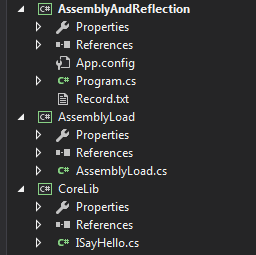
项目结构示意图:

使用反射获取类型的成员


获取类型的成员

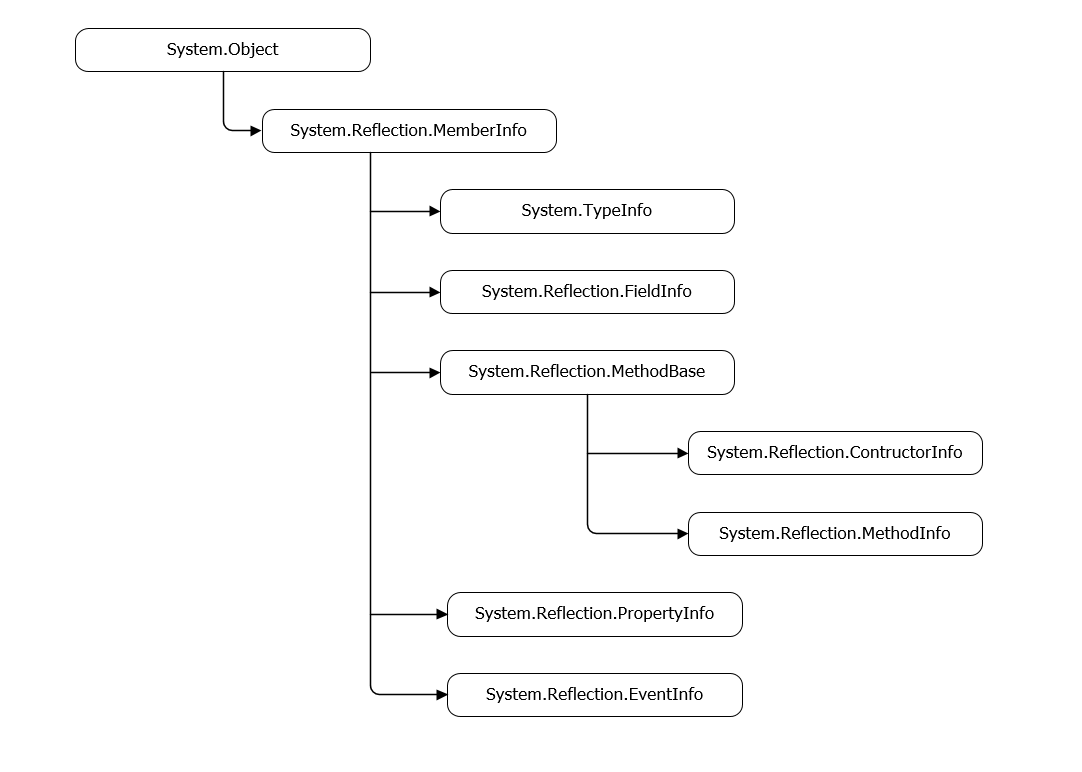
抽象基类System.Reflection.MemberInfo封装了所有类型成员都通用的一组属性。MemberInfo有许多派生类,每个都封装了与特性类型成员相关的更多属性,以下是这些类型的层次结构图:

调用类型的成员:

成员类型 调用(Invoke)成员需要调用的方法
FieldInfo 调用GetValue获取字段的值
调用SetValue设置字段的值
ConstructorInfo 调用Invoke构造类型的实例并调用构造器
MethodInfo 调用Invoke来调用类型的方法
PropertyInfo 调用GetValue获取属性的get访问器方法
调用SetValue获取属性的set访问器方法
EventInfo 调用AddEventHandler来调用事件的add访问器方法
调用RemoveEventHandler来调用时间的remove访问器方法

使用绑定句柄减少进程的内存消耗

Type和MemberInfo类型的对象需要大量的内存,如果将这些对象保存在集合当中,可能对程序的性能产生负面的影响。如果需要保存/缓存大量的Type和MemberInfo对象,可以使用运行时句柄代替对象以减少占用的内存。System命名空间下有三个运行时句柄类型:

  • RuntimeTypeHandle
  • RuntimeFieldHandle
  • RuntimeMethodHandle

以下是《CLR Via C#》第4版中的示例(博主已经想不到更贴切的示例了):

class Program
{
    private const BindingFlags c_bf = BindingFlags.FlattenHierarchy |
        BindingFlags.Instance | BindingFlags.Static |
        BindingFlags.Public | BindingFlags.NonPublic;
    static void Main(string[] args)
    {

        //显示在任何反射操作之前堆的大小
        Show("Before doing anything");

        //为MScorlib.dll中的所有方法构建MethodInfo对象缓存
        List<MethodBase> methodInfos = new List<MethodBase>();
        foreach (Type t in typeof(Object).Assembly.GetExportedTypes())
        {
            //跳过所有泛型类型
            if (t.IsGenericTypeDefinition)
            {
                continue;
            }

            MethodBase[] mb = t.GetMethods(c_bf);
            methodInfos.AddRange(mb);
        }

        //显示当绑定所有方法之后,方法的个数和堆的大小
        Console.WriteLine("# of methods={0:N0}", methodInfos.Count);
        Show("After building cache of MethodInfo obejcts");

        //为所有MethodInfo对象构建RuntimeMethodHandle缓存
        List<RuntimeMethodHandle> methodHandles = methodInfos.ConvertAll<RuntimeMethodHandle>(m => m.MethodHandle);

        Show("Holding MethodInfo and RuntimeMethodHandle cache");
        GC.KeepAlive(methodInfos);  //组织缓存被过早垃圾回收
        methodInfos = null;         //现在允许缓存垃圾回收
        Show("After freeing MethodInfo objects");

        methodInfos = methodHandles.ConvertAll<MethodBase>(rmh => MethodBase.GetMethodFromHandle(rmh));

        Show("Size of heap after re-creating MethodInfo objects");
        GC.KeepAlive(methodHandles);
        GC.KeepAlive(methodInfos);

        methodHandles = null;
        methodInfos = null;

        Show("After freeing MethodInfos and RuntimeMethodHandles");

        Console.ReadLine();
    }

    private static void Show(string s)
    {
        Console.WriteLine("Heap size={0,12:N0} - {1}", GC.GetTotalMemory(true), s);
    }
}

Laravel中缓存的使用 - huang2017的博客 - CSDN博客

mikel阅读(1505)

Cache::add

来源: Laravel中缓存的使用 – huang2017的博客 – CSDN博客

1.Laravel为各种不同的缓存系统提供了一致的API,支持的缓存有File、Memcached和Redis等
2.主要方法
put()、add()、forever()、has()、get()、pull()、forget()
3.配置文件路径 /config/cache.php
4.添加路由
Route::get(‘/cache1’, ‘HomeController@cache1’);
Route::get(‘/cache2’, ‘HomeController@cache2’);
5.添加缓存
public function cache1(){
Cache::put(‘key1′,’val1’,10);
}
由于这里我们就使用默认的文件缓存,那么执行该方法后,在storage下会生成新的缓存文件,如下图所示
6.其他操作
<?php
namespace App\Http\Controllers;
use Illuminate\Http\Request;
use Illuminate\Support\Facades\Cache;
class HomeController extends Controller
{
public function cache1(){
Cache::put(‘key1′,’val1’,10);//键 值 有效时间(分钟)
//Cache::add(‘key2′,’val2’,20);//若key2不存在,则添加成功 否则,添加失败
//Cache::forever(‘key3′,’val3’);//永久保存对象到缓存
//Cache::has(‘key1’);//判断是否存在
Cache::forget(‘key1’);//删除缓存
}
public function cache2(){
//$data = Cache::get(‘key1’);//取值
$data = Cache::pull(‘key1’);//取值后删除
dd($data);
}
}

Laravel 5 系列入门教程(二)【最适合中国人的 Laravel 教程】 - 岁寒

mikel阅读(1143)

prefix

来源: Laravel 5 系列入门教程(二)【最适合中国人的 Laravel 教程】 – 岁寒

本教程示例代码见:https://github.com/johnlui/Learn-Laravel-5

大家在任何地方卡住,最快捷的解决方式就是去看我的示例代码。

我们将改变学习路线,不再像 Laravel 4 教程那样先构建登录系统。在本篇教程中,我们将一起构建 Pages 的管理功能,尝试 Laravel 的路由和 PHP 的命名空间

1. 路由

Laravel 中的路由,跟其他 PHP 框架一样,作用是把各种请求分流到各个控制器。

在 `learnlaravel5/app/Http/routes.php` 的末尾添加以下代码:

Route::group(['prefix' => 'admin', 'namespace' => 'Admin'], function()
{
  Route::get('/', 'AdminHomeController@index');
});

这表示创建了一个路由组。

1. `’prefix’ => ‘admin’` 表示这个路由组的 url 前缀是 /admin,也就是说中间那一行代码 `Route::get(‘/’` 对应的链接不是 http://fuck.io:88/ 而是 http://fuck.io:88/admin ,如果这段代码是 `Route::get(‘fuck’` 的话,那么 URL 就应该是 http://fuck.io:88/admin/fuck 。

2. `’namespace’ => ‘Admin’` 表示下面的 `AdminHomeController@index` 不是在 `\App\Http\Controllers\AdminHomeController@index` 而是在 `\App\Http\Controllers\Admin\AdminHomeController@index`,加上了一个命名空间的前缀。

如果你用过 Laravel 4,会发现 Laravel 5 的命名空间规划比较怪异,这其实是一个非常大的进步。Laravel 4 其实已经全面引入了命名空间这个强大的特性,但是为了“降低学习成本”,把 路由、控制器、模型 的默认命名空间全部设置成了顶级命名空间,这个举动反而让很多人比较轻易地“上手”了 Laravel,但是在用了一段时间以后,还需要翻越一堵高墙,那就是命名空间,而且有了前面的“容易上手”的印象作为铺垫,后期的学习会更加困难。Laravel 5 把命名空间全部隔开,控制器在 `\App\Http\Controllers`,模型在 `\App`,让我们在刚上手的时候就体验命名空间分离的感觉,总体上其实是会降低学习成本的。

2. 控制器

我们可以使用 Artisan 非常方便地构建控制器:

php artisan make:controller Admin/AdminHomeController

得到 `learnlaravel5/app/Http/Controllers/Admin/AdminHomeController.php` 文件。

在 `class AdminHomeController extends Controller {` 上面增加一行:

use App\Page;

修改 index() 的代码如下:

public function index()
{
  return view('AdminHome')->withPages(Page::all());
}

控制器中文文档:http://laravel-china.org/docs/5.0/controllers

控制器中涉及到了许多的命名空间知识,可以参考 PHP 命名空间 解惑

3. 视图

新建 `learnlaravel5/resources/views/AdminHome.blade.php`:

@extends('app')

@section('content')
<div class="container">
  <div class="row">
    <div class="col-md-10 col-md-offset-1">
      <div class="panel panel-default">
        <div class="panel-heading">后台首页</div>

        <div class="panel-body">

        <a href="{{ URL('admin/pages/create') }}" class="btn btn-lg btn-primary">新增</a>

          @foreach ($pages as $page)
            <hr>
            <div class="page">
              <h4>{{ $page->title }}</h4>
              <div class="content">
                <p>
                  {{ $page->body }}
                </p>
              </div>
            </div>
            <a href="{{ URL('admin/pages/'.$page->id.'/edit') }}" class="btn btn-success">编辑</a>

            <form action="{{ URL('admin/pages/'.$page->id) }}" method="POST" style="display: inline;">
              <input name="_method" type="hidden" value="DELETE">
              <input type="hidden" name="_token" value="{{ csrf_token() }}">
              <button type="submit" class="btn btn-danger">删除</button>
            </form>
          @endforeach

        </div>
      </div>
    </div>
  </div>
</div>
@endsection

视图的基本用法在此不再赘述,请阅读中文文档:http://laravel-china.org/docs/5.0/views

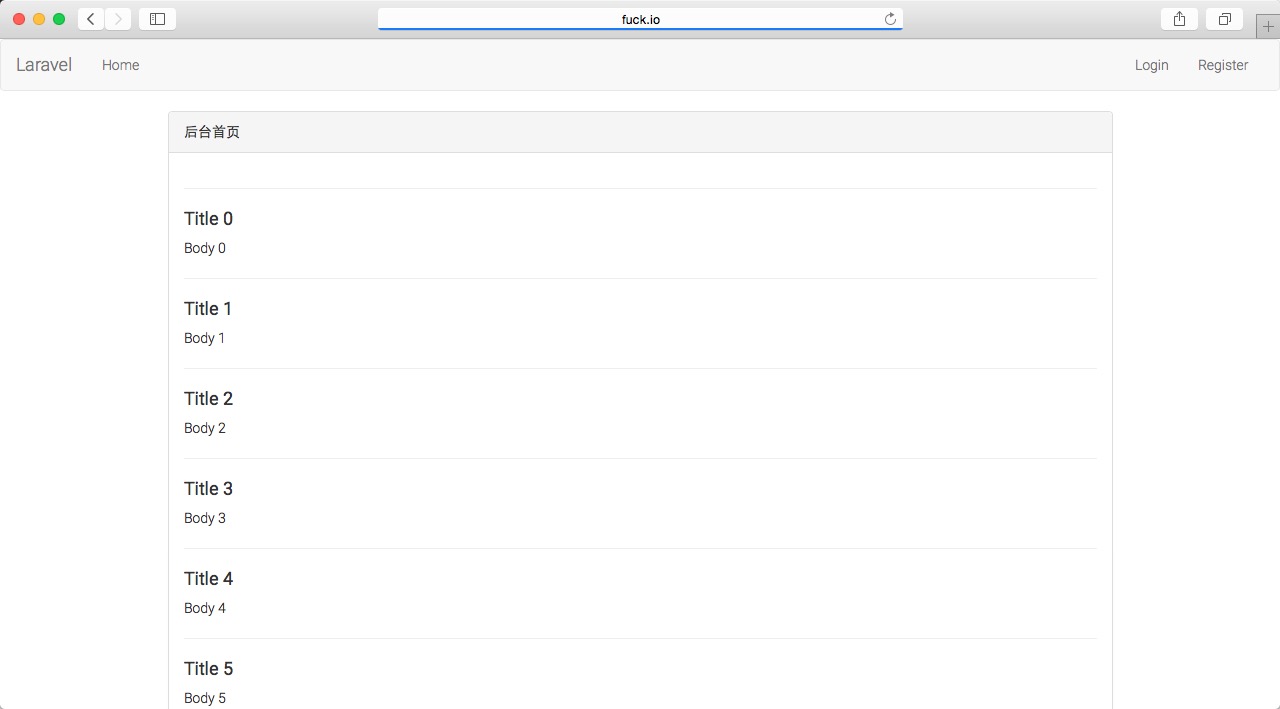
访问 http://fuck.io:88/admin 得到如下页面:

Image

至此,包含 路由 》 控制器 》 模型 》 视图 的整个流程都已经完成。

4. 完成 Pages 管理功能

接下来,我将记录下我实现 Pages 管理功能的过程,不再做过多的阐述。大家有问题可以直接在本文下面留言,我会及时回复。

4.1 修改路由 learnlaravel5/app/Http/routes.php

Route::group(['prefix' => 'admin', 'namespace' => 'Admin'], function()
{
  Route::get('/', 'AdminHomeController@index');
  Route::resource('pages', 'PagesController');
});

此处增加了一条“资源控制器”,中文文档地址:http://laravel-china.org/docs/5.0/controllers#restful-resource-controllers

4.2 创建 learnlaravel5/app/Http/Controllers/Admin/PagesController.php

运行:

php artisan make:controller Admin/PagesController

4.3 修改 learnlaravel5/app/Http/Controllers/Admin/PagesController.php 为:

<?php namespace App\Http\Controllers\Admin;

use App\Http\Requests;
use App\Http\Controllers\Controller;

use Illuminate\Http\Request;

use App\Page;

use Redirect, Input, Auth;

class PagesController extends Controller {

	/**
	 * Show the form for creating a new resource.
	 *
	 * @return Response
	 */
	public function create()
	{
		return view('admin.pages.create');
	}

	/**
	 * Store a newly created resource in storage.
	 *
	 * @return Response
	 */
	public function store(Request $request)
	{
		$this->validate($request, [
			'title' => 'required|unique:pages|max:255',
			'body' => 'required',
		]);

		$page = new Page;
		$page->title = Input::get('title');
		$page->body = Input::get('body');
		$page->user_id = 1;//Auth::user()->id;

		if ($page->save()) {
			return Redirect::to('admin');
		} else {
			return Redirect::back()->withInput()->withErrors('保存失败!');
		}

	}

	/**
	 * Show the form for editing the specified resource.
	 *
	 * @param  int  $id
	 * @return Response
	 */
	public function edit($id)
	{
		return view('admin.pages.edit')->withPage(Page::find($id));
	}

	/**
	 * Update the specified resource in storage.
	 *
	 * @param  int  $id
	 * @return Response
	 */
	public function update(Request $request,$id)
	{
		$this->validate($request, [
			'title' => 'required|unique:pages,title,'.$id.'|max:255',
			'body' => 'required',
		]);

		$page = Page::find($id);
		$page->title = Input::get('title');
		$page->body = Input::get('body');
		$page->user_id = 1;//Auth::user()->id;

		if ($page->save()) {
			return Redirect::to('admin');
		} else {
			return Redirect::back()->withInput()->withErrors('保存失败!');
		}
	}

	/**
	 * Remove the specified resource from storage.
	 *
	 * @param  int  $id
	 * @return Response
	 */
	public function destroy($id)
	{
		$page = Page::find($id);
		$page->delete();

		return Redirect::to('admin');
	}

}

4.4 创建视图文件

首先在 learnlaravel5/resources/views 下创建 admin/pages 两级文件夹。

然后创建 learnlaravel5/resources/views/admin/pages/create.blade.php:

@extends('app')

@section('content')
<div class="container">
  <div class="row">
    <div class="col-md-10 col-md-offset-1">
      <div class="panel panel-default">
        <div class="panel-heading">新增 Page</div>

        <div class="panel-body">

          @if (count($errors) > 0)
            <div class="alert alert-danger">
              <strong>Whoops!</strong> There were some problems with your input.<br><br>
              <ul>
                @foreach ($errors->all() as $error)
                  <li>{{ $error }}</li>
                @endforeach
              </ul>
            </div>
          @endif

          <form action="{{ URL('admin/pages') }}" method="POST">
            <input type="hidden" name="_token" value="{{ csrf_token() }}">
            <input type="text" name="title" class="form-control" required="required">
            <br>
            <textarea name="body" rows="10" class="form-control" required="required"></textarea>
            <br>
            <button class="btn btn-lg btn-info">新增 Page</button>
          </form>

        </div>
      </div>
    </div>
  </div>
</div>
@endsection

之后创建 learnlaravel5/resources/views/admin/pages/edit.blade.php:

@extends('app')

@section('content')
<div class="container">
  <div class="row">
    <div class="col-md-10 col-md-offset-1">
      <div class="panel panel-default">
        <div class="panel-heading">编辑 Page</div>

        <div class="panel-body">

          @if (count($errors) > 0)
            <div class="alert alert-danger">
              <strong>Whoops!</strong> There were some problems with your input.<br><br>
              <ul>
                @foreach ($errors->all() as $error)
                  <li>{{ $error }}</li>
                @endforeach
              </ul>
            </div>
          @endif

          <form action="{{ URL('admin/pages/'.$page->id) }}" method="POST">
            <input name="_method" type="hidden" value="PUT">
            <input type="hidden" name="_token" value="{{ csrf_token() }}">
            <input type="text" name="title" class="form-control" required="required" value="{{ $page->title }}">
            <br>
            <textarea name="body" rows="10" class="form-control" required="required">{{ $page->body }}</textarea>
            <br>
            <button class="btn btn-lg btn-info">编辑 Page</button>
          </form>

        </div>
      </div>
    </div>
  </div>
</div>
@endsection

4.5 查看结果

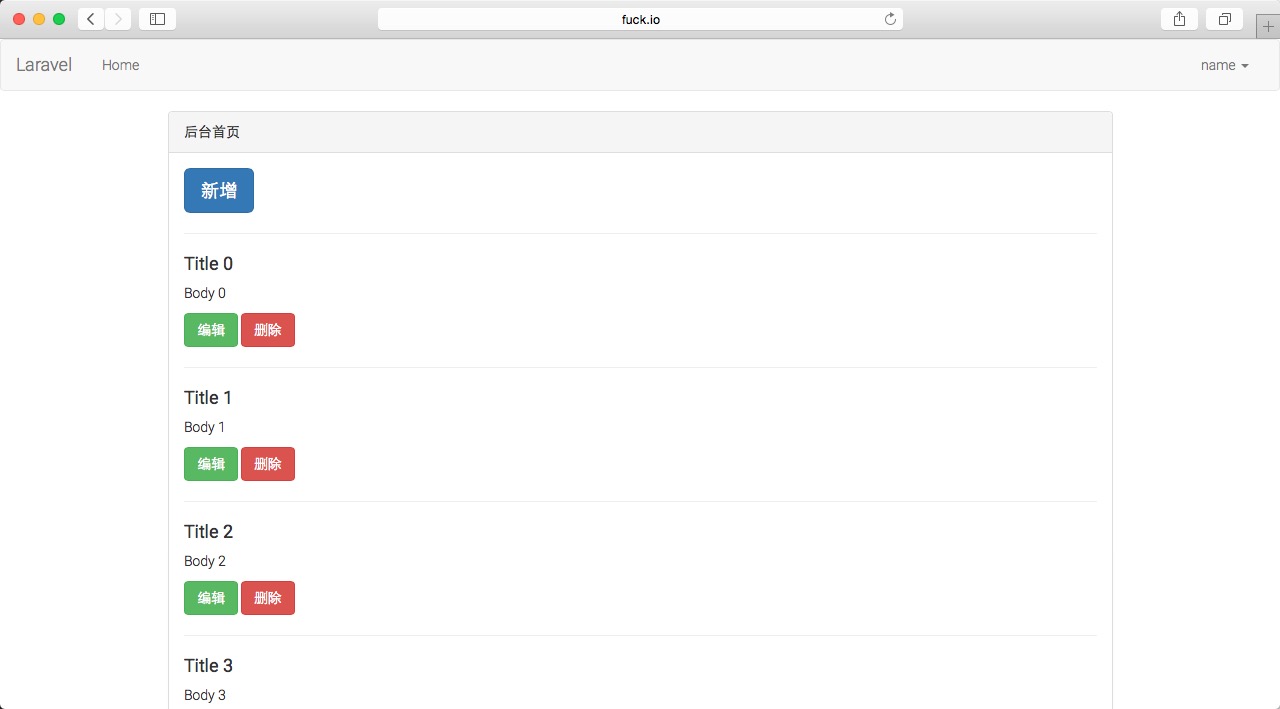
后台首页 http://fuck.io:88/admin :

Image

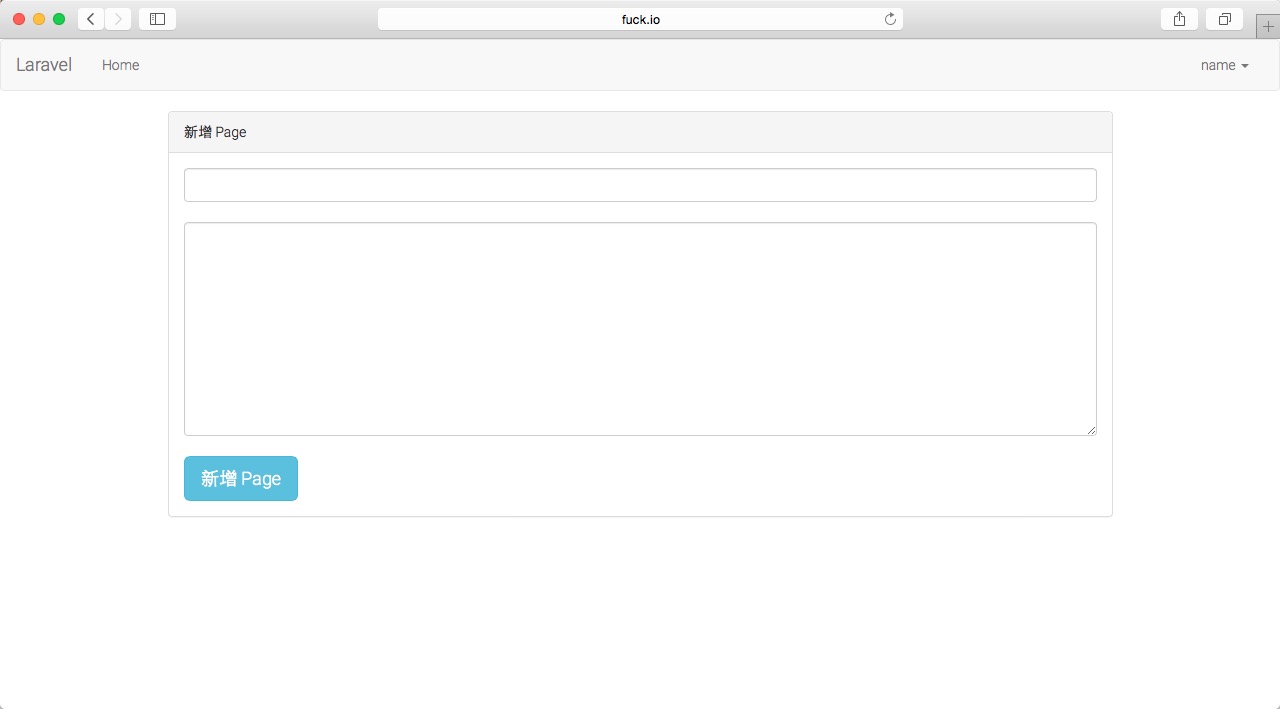
新增 Page http://fuck.io:88/admin/pages/create :

Image

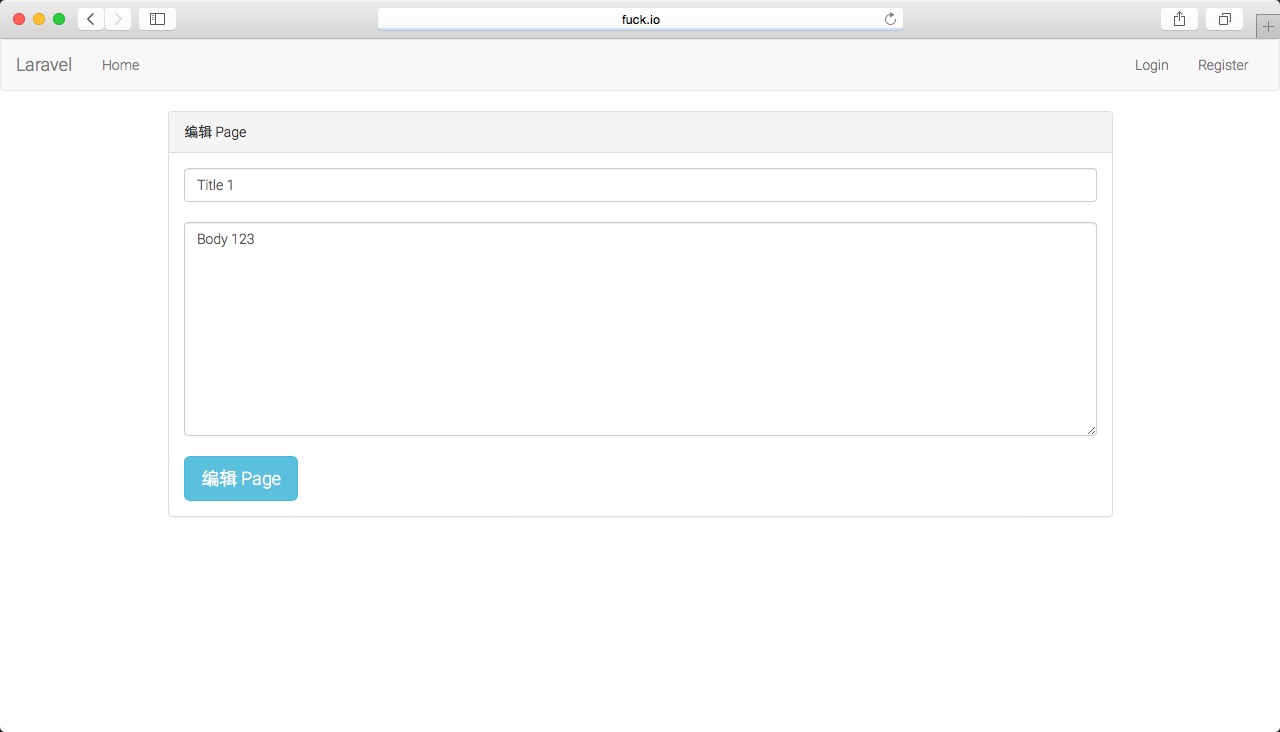
编辑 Page http://fuck.io:88/admin/pages/1/edit :

Image

页面上的新增、编辑、删除的功能均已经完成,并且加入了表单验证,Pages 管理功能完成!


教程(二)代码快照:https://github.com/johnlui/Learn-Laravel-5/archive/tutorial_2.zip


下一步:Laravel 5 系列入门教程(三)【最适合中国人的 Laravel 教程】

WRITTEN BY

laravel5集成支付宝alipay扫码支付流程(Laravel 支付解决方案) - 小张个人博客_不忘初心

mikel阅读(1350)

首先我们来探讨如何在Laravel应用中使用支付宝进行支付,对此,GitHub上有很多相关的包,其中最流行的两个包:Omnipay For Laravel 5 & Lumen 和 Laravel AliPay。这里使用的是Laravel AliPay来做案例说明

来源: laravel5集成支付宝alipay扫码支付流程(Laravel 支付解决方案) – 小张个人博客_不忘初心

首先我们来探讨如何在Laravel应用中使用支付宝进行支付,对此,GitHub上有很多相关的包,其中最流行的两个包:Omnipay For Laravel 5 & Lumen 和 Laravel AliPay。这里使用的是Laravel AliPay来做案例说明:

准备工作 :支付宝账号 /蚂蚁金服开放平台账号—> 支付宝签约(即时到账)
到项目根目录执行命令安装包

composer require latrell/alipay dev-master

执行更新

composer update

执行更新后,到vendor目录里面看一下有没有latrell目录,如果有说明安装成功,反之没有。因为latrell目录下放的是alipay相关文件

找到 config/app.php 配置文件中,key为 providers 的数组,在数组中添加服务提供者。

    'providers' => [
         /*
          * Laravel Framework Service Providers...
          */
          
          'Latrell\Alipay\AlipayServiceProvider',
        ]

执行命令,生成配置文件到config/目录下

php artisan vendor:publish

配置说明

配置文件 config/latrell-alipay.php 为公共配置信息文件

config/latrell-alipay-web.php 为Web版支付宝SDK配置

config/latrell-alipay-mobile.php 为手机端支付宝SDK配置

打开config/latrell-alipay-web.php,设置安全检验码与通知页面

<?php
return [

   // 安全检验码,以数字和字母组成的32位字符。
   'key' => 'a6cq60*****************zl',

   //签名方式
   'sign_type' => 'MD5',

   // 服务器异步通知页面路径。根据自己项目路径做相应的修改
   'notify_url' => 'http://web.wan.com/notify',

   // 页面跳转同步通知页面路径。根据自己项目路径做相应的修改
   'return_url' => 'http://web.wan.com/return'
];

打开config/latrell-alipay.php,设置卖家支付宝帐户和合作身份者id

<?php
  return [
     //合作身份者id,以2088开头的16位纯数字。
     'partner_id' => '2088************',

     //卖家支付宝帐户。
     'seller_id' => '28*******4@qq.com'
  ];

设置支付请求路由

//支付宝支付处理路由
Route::get('alipay','Home\alipayController@Alipay');  // 发起支付请求
Route::any('notify','Home\alipayController@AliPayNotify'); //服务器异步通知页面路径
Route::any('return','Home\alipayController@AliPayReturn');  //页面跳转同步通知页面路径

支付宝扫码支付案例代码

<?php
/**
 * Created by PhpStorm.
 * User: Administrator
 * Date: 2017/2/8
 * Time: 20:19
 */

namespace App\Http\Controllers\Home;

use App\Http\Controllers\Controller;
use Illuminate\Http\Request;
use Illuminate\Support\Facades\Log;

class alipayController extends Controller{

// 发起支付请求
public function Alipay(){
    $alipay = app('alipay.web');
    $alipay->setOutTradeNo('E0002332039');
    $alipay->setTotalFee('0.01');
    $alipay->setSubject('小米5s');
    $alipay->setBody('商品:支付宝支付测试');

    $alipay->setQrPayMode('5'); //该设置为可选1-5,添加该参数设置,支持二维码支付。

    // 跳转到支付页面。
    return redirect()->to($alipay->getPayLink());
}

// 异步通知支付结果
public function AliPayNotify(Request $request){
// 验证请求。
if (!app('alipay.web')->verify()) {
    Log::notice('Alipay notify post data verification fail.', [
        'data' => $request->instance()->getContent()
    ]);
    return 'fail';
}
// 判断通知类型。
switch ($request ->input('trade_status','')) {
    case 'TRADE_SUCCESS':
    case 'TRADE_FINISHED':
        // TODO: 支付成功,取得订单号进行其它相关操作。
        Log::debug('Alipay notify post data verification success.', [
            'out_trade_no' => $request -> input('out_trade_no',''),
            'trade_no' => $request -> input('trade_no','')
        ]);
        break;
}
return 'success';
}

// 同步通知支付结果
public function AliPayReturn(Request $request){
// 验证请求。
if (!app('alipay.web')->verify()) {
    Log::notice('支付宝返回查询数据验证失败。', [
        'data' => $request->getQueryString()
    ]);
    return view('alipayfail');
}
// 判断通知类型。
switch ($request ->input('trade_status','')) {
    case 'TRADE_SUCCESS':
    case 'TRADE_FINISHED':
        // TODO: 支付成功,取得订单号进行其它相关操作。
        Log::debug('支付宝通知获得数据验证成功。', [
            'out_trade_no' => $request ->input('out_trade_no',''),
            'trade_no' => $request -> input('trade_no','')
        ]);
        break;
}
return view('alipaysuccess');
}
}

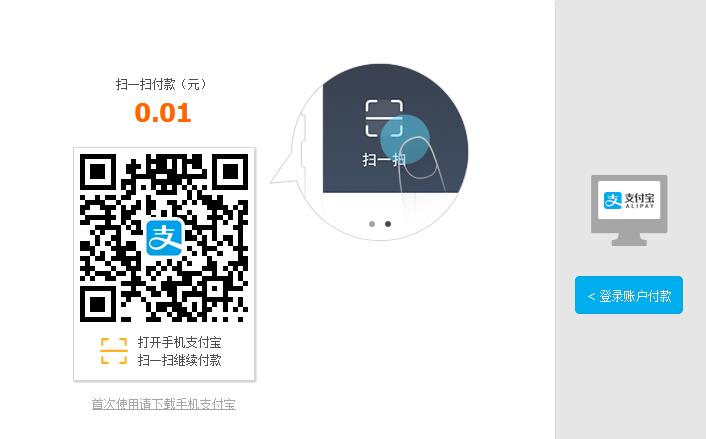
支付宝扫码支付案例

支付宝支付手机端:

<?php
/**
 * Created by PhpStorm.
 * User: Administrator
 * Date: 2017/2/8
 * Time: 22:19
 */
namespace App\Http\Controllers\Home;

use App\Http\Controllers\Controller;
use Illuminate\Http\Request;
use Illuminate\Support\Facades\Log;

class alipayController extends Controller{
// 发起支付请求
public function Alipay(){
    $alipay = app('alipay.mobile');
    $alipay->setOutTradeNo('E0002332039');
    $alipay->setTotalFee('0.01');
    $alipay->setSubject('小米5s');
    $alipay->setBody('商品:支付宝支付测试');
   
   // 返回签名后的支付参数给支付宝移动端的SDK。
    return $alipay->getPayPara();
}

// 支付宝异步通知支付结果
public function AliPayNotify(Request $request){
// 验证请求。
if (!app('alipay.mobile')->verify()) {
    Log::notice('Alipay notify post data verification fail.', [
        'data' => $request->instance()->getContent()
    ]);
    return 'fail';
}
// 判断通知类型。
switch ($request ->input('trade_status','')) {
    case 'TRADE_SUCCESS':
    case 'TRADE_FINISHED':
        // TODO: 支付成功,取得订单号进行其它相关操作。
        Log::debug('Alipay notify post data verification success.', [
            'out_trade_no' => $request -> input('out_trade_no',''),
            'trade_no' => $request -> input('trade_no','')
        ]);
        break;
}
return 'success';
}

AliPay。其GitHub项目地址是:https://github.com/Latrell/Alipay。该项目是中文版,使用说明GitHub上说的很清楚明白

出处:小张个人博客 http://www.023xs.cn/Article/37

您的支持是对博主最大的鼓励,感谢您的认真阅读。欢迎转载,但请保留该声明。