[转载]风讯dotNETCMS源码分析—数据存取篇

mikel阅读(1015)

[转载]风讯dotNETCMS源码分析—数据存取篇 – 寂寞沙洲 – 博客园.

前几天突然对CMS感兴趣,就去下载了风讯dotNETCMS源码。当前版本是dotnetcms1.0 sp5免费版,风讯的官方主页上可以下载。

用Visual Studio 2008打开后,初步分析了它的数据存取技术。风讯dotNETCMS采取的是基于抽象工厂模式的三层架构。
Foosun.Model是数据实体层,用于在各层之间传递数据,Foosun.Web是表示层,Foosun.CMS是业务逻辑层,数据访问层有多 个:Foosun.AccessDAL、Foosun.SQLServerDAL,分别用于支持Access、SQL Server数据库。
具体支持哪种数据库,只需在表示层的Web.config文件中进行配置,配置字符串如下:
<appSettings>
<add key=”WebDAL” value=”Foosun.SQLServerDAL”/>
</appSettings>
Foosun.DALFactory是接口层,定义了Foosun.AccessDAL、Foosun.SQLServerDAL都要实现的接口,如public interface IAdmin,示意图

如下:

Foosun.DALFactory接口层同时还包含实现抽象工厂模式的类DataAccess。在DataAccess类中创建对象通过配置文件和反射 技术来实现。通过配置文件(即上面提到的Web.config)的程序集名,决定加载具体的哪个DAL的程序集,并通过动态组合类名来动态创建DAL对 象,并返回接口对象。

DataAccess类图如下:

示例代码如下:
public static IAdmin CreateAdmin()
{
string className = path + “.Admin”;  //类名
return (IAdmin)Assembly.Load(path).CreateInstance(className);//反射,并进行类型转换。
}
而path的定义如下:
private static readonly string path =Foosun.Config.UIConfig.WebDAL;
Foosun.Config.UIConfig.WebDAL的定义如下:
public static string WebDAL = ConfigurationManager.AppSettings[“WebDAL”];的确是读取了Web.config文件中的WebDAL配置。
事实上,微软的PetShop的数据访问也是采用了基于抽象工厂模式的三层架构。通过使用基于抽象工厂模式的三层架构,很好的实现了系统的重用性、灵活性和扩展性。

[转载]新浪微博开放平台OAuth授权解决方案(含代码)

mikel阅读(1133)

[转载]新浪微博开放平台OAuth授权解决方案(含代码) – 勤劳的渔网工作者 – 博客园.

前几日一位朋友项目中需要使用新浪微博的接口,故和这位朋友一同研究了新浪微博开放平台上面所提供的资料,首先要使用这些接口是需要用户登录并且授权的,新浪微博开放平台其实是提供两种授权方式的,第一种是:OAuth授权方式,第二种是:HTTP普通鉴权方式,我们使用了第一种方式来授权,但是在执行过程中遇到了许多问题,觉得单对新浪微博开放平台还是有一些代表性,所以共享下经验,下面可以下载我的Demo。

OAuth是一种国际授权方式,它不需要用户在第三方应用输入用户名及密码,所以安全性很高,那么在新浪微博开放平台中通过OAuth授权的流程图是这样的:

其实在程序中步骤表现就只有4步:

1、获取Request token。

2、用户认证。

3、获取Access token。

4、获取用户信息。

在处理OAuth授权过程中我也碰到几个在新浪开放平台论坛中常见的几个问题,在这里总结下,在后面讲解中会讲到我的想法和解决办法:

1、requesttoken时callback问题。

2、401错误。

3、403错误。

4、500错误。

5、未经授权错误。

在这里顺便讲一下调用新浪微博接口必须是要申请一个应用的,申请应用成功之后会得到一个App key号和App Secret号,我们也需要通过这两个参数来请求授权,还有就是网上有OAuthBase下载,但是要下对版本,我的Demo中也有,我们的授权主要的代 码是在OAuthBase.cs文件中的。

1、获取Request token:

直接上代码:

我在请求Request token的时候遇到了401错误地址返回错误, 地址返回错误比较好解决,一般都是地址错误,所以我直接用了Request.Url,那么401错误了我出错是在签名 的地方,最开始的OAuthBase文件下载错了,下给最新的就可以了,还有就是在请求参数中的oauth_version参数,有很多值是1.0a,这 样好像是不行的,全部改成1.0就能避免很多错误。

2、用户认证:

在Request token请求成功之后,平台自动跳到登录页面,进行用户认证,认证通过之后平台会将oauth_token和oauth_verifier返回到指定的 callback来,将两个参数保存下来用于请求Access token,在这里如果地址不正确是会报错的。

3、获取Access token:

这个请求的重点还是在签名,必须要将用户认证后返回的oauth_token和oauth_verifier一并签名才能正确,有些OAuthBase中是没有将verifier加入签名当中当时让我好生郁闷,如果这点错了应该会报未经授权或者403错误,请求成功之后需要将oauth_token和oauth_token_secret重新保存下,下面是代码:

4、获取登录用户信息:

步骤简单和以上几个请求方式也一样,主要是要将oauth_token和oauth_token_secret加入签名,下面是代码:

到这里你可以获取用户的个人信息,那么OAuth授权也就成功,其实步骤是比较简单的,主要要注意的就是签名,签名不正确一定是通过不了的,还有就是一些 细节,如地址,版本号,请求方式这些细心点就能避免,由于时间原因这里讲的比较简单,希望大家互相交流下,这里是Demo:SinaOAuthSinaOAuth

[转载]ASP.NET MVC中的扩展点(九)验证

mikel阅读(1004)

[转载]MVC中的扩展点(九)验证 – xfrog – 博客园.

验证用于保证用户输入的正确性,及时阻止用户提交错误数据,确保数据符合业务规则。

MVC中可直接在控制器Action方法中进行验证:检查传入参数,如果传入参数不符合业务规则,则通过控制器的ModelState属性的 AddModelError方法向模型状态添加错误消息,通过ModelState.IsValid判断模型是否全部通过验证,随后,在视图中通过 Html.ValidationSummary、Html.ValidationMessage、Html.ValidationMessageFor辅 助方法生成验证消息。

在Controller中验证并不是最好的方法:验证过于分散,容易造成重复代码,不利于维护与扩展。验证应该是和模型紧密相关的,如果我们将模型独立为 一个单独的程序集,那么验证也应该包含在模型的程序集中。从用户录入的数据到具体的模型,这个映射过程就是模型绑定,所以在绑定过程中实现验证是一个不错 的选择,这也是MVC中最重要的验证方式。

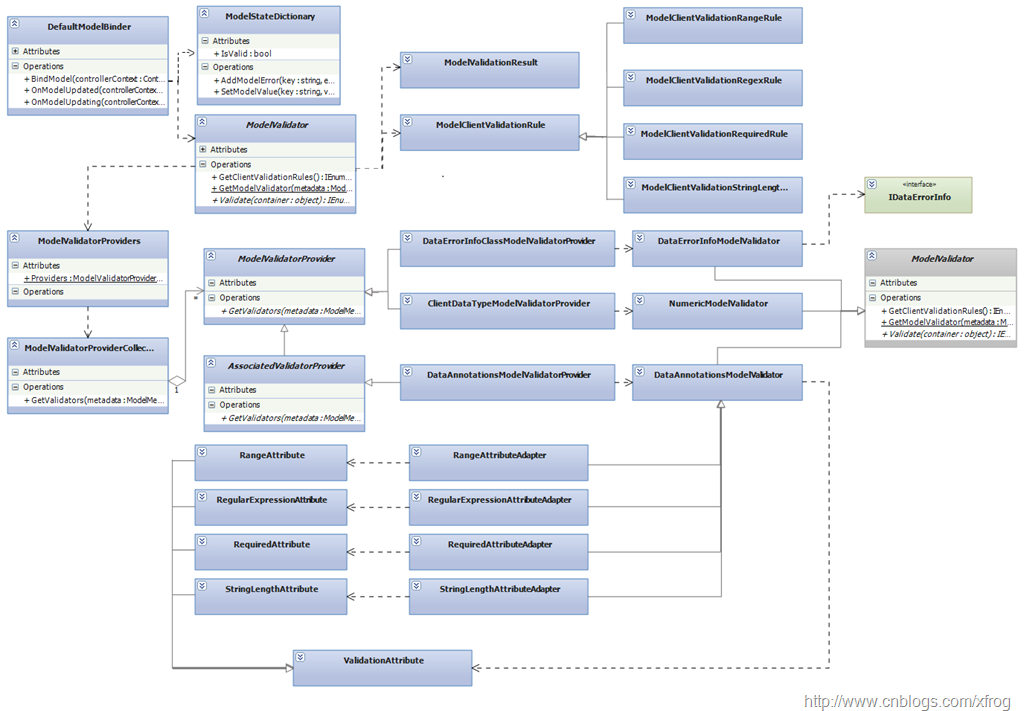
MVC默认绑定器(DefaultModelBinder)中包含了验证架构,具体来说,默认绑定器在将值提供器的数据填充到模型的时候,遵循以下流程: 调用默认绑定器的OnModelUpdating方法—>从值提供器获取值并填充到模型—>调用默认绑定器的OnModelUpdated方 法。DefaultModelBinder类中OnModelUpdating方法始终返回true,即默认绑定器在填充模型之前没有验证,在填充数据 后,OnModelUpdated中实现相应的验证。默认绑定器中验证体系类关系图如下:

Validator

模型绑定中的验证体系包含三个主要类:

验证器提供者:ModelValidatorProvider,用于产生验证器

验证器:ModelValidator,用于实现具体的验证逻辑,其中GetClientValidationRules用于返回客户端验证脚本使用的验证规则(ModelClientValidationRule),Validate方法用于实现服务端的验证逻辑。

特性:通常由提供者使用,根据特性指定的规则产生相应的验证器

ModelValidatorProviders是一个静态类,他包含一个用于保存MVC中默认验证器提供者的集合(静态属性Proviers),MVC 在填充完模型数据之后,依次对每一个模型属性,从Providers中获取所有的针对该属性的验证器,然后调用验证器上的Validate方法产生验证结 果(ModelValidationResult),绑定器根据该结果数据向ModelState中添加验证消息。

MVC中实现了三个默认的验证器提供者(相应产生三个验证器):

DataAnnotationsModelValidatorProvider: 用于实现.NET中的验证特性,即System.ComponentModel.DataAnnotations命名空间下的多种验证特性,包含用于限制 属性区间的RangeAttribute,用于验证数据是否符合正则表达式的RegularExpressionAttribute,用于指定必需项的 RequiredAttribute,用于限制字符串长度的 StringLengthAttribute,DataAnnotationsModelValidatorProvider通过桥接模式,将.NET的 验证特性转换为ModelValidator,所以我们可以直接在MVC中使用.NET验证特性来实现验证。

DataErrorInfoClassModelValidatorProvider: 此提供器主要是为了向后兼容,用于实现基于IDataErrorInfo接口的验证方式(MVC 1.0),即你可以为模型实现IDataErrorInfo接口,这样默认绑定器同样可以通过该接口来调用你的验证逻辑。

ClientDataTypeModelValidatorProvider: 此提供器只用于客户端对数值型数据的验证(产生相应的客户端验证脚本),他的Validate方法不会返回任何验证结果。

MVC中另外实现了一个抽象类:AssociatedValidatorProvider,它从ModelValidatorProvider继承,并重 写了GetValidator方法,增加传入了附加在模型属性上的特性集合。所以,如果我们需要实现基于特性的验证方式,则应该从此类继承实现自己的验证 器及相应的提供者类。当然我们也可以使用默认的DataAnnotationsModelValidatorProvider,这样我们只需要从 ValidationAttribute特性继承,并实现自己的验证逻辑。

客户端验证

ModelValidator中GetClientValidationRules方法可以返回用于客户端的验证规则,这些规则可以在客户端脚本中访问,客户端脚本根据这些验证规则检查用户录入资料,并将验证结果反馈给用户。

下例将实现一个ConfirmValidator,用于验证用户注册时两次密码必须输入一致:

1、创建一个空MVC项目

2、添加用户信息模型UserInfo.cs

显示行号 复制代码 UserInfo
  1. public class UserInfo
    
  2. {
    
  3.     public string UserName { get; set; }
    
  4.     public string Password { get; set; }
    
  5.     public string ConfirmPassword { get; set; }
    
  6.     public string Email { get; set; }
    
  7. }
    

.src_container { background-color: rgb(231, 229, 220); width: 99%; overflow: hidden; margin: 12px 0pt ! important; padding: 0px 3px 3px 0px; }.src_container .titlebar { background-color: rgb(212, 223, 255); border-width: 1px 1px 0pt; border-style: solid solid none; border-color: rgb(79, 129, 189) rgb(79, 129, 189) -moz-use-text-color; padding: 3px 24px; margin: 0pt; width: auto; line-height: 120%; overflow: hidden; text-align: left; font-size: 12px; }.src_container .toolbar { display: inline; font-weight: normal; font-size: 100%; float: right; color: rgb(0, 0, 255); text-align: left; overflow: hidden; }.toolbar span.button { display: inline; font-weight: normal; font-size: 100%; color: rgb(0, 0, 255); text-align: left; overflow: hidden; cursor: pointer; }.src_container div.clientarea { background-color: white; border: 1px solid rgb(79, 129, 189); margin: 0pt; width: auto ! important; height: auto; overflow: auto; text-align: left; font-size: 12px; font-family: “Courier New”,”Consolas”,”Fixedsys”,courier,monospace,serif; }.src_container ol.mainarea { padding: 0pt 0pt 0pt 52px; margin: 0pt; background-color: rgb(247, 247, 255) ! important; }.number_show { padding-left: 52px ! important; list-style: decimal outside none ! important; }.number_show li { list-style: decimal outside none ! important; border-left: 1px dotted rgb(79, 129, 189); }.number_hide { padding-left: 0px ! important; list-style-type: none ! important; }.number_hide li { list-style-type: none ! important; border-left: 0px none; }ol.mainarea li { display: list-item ! important; font-size: 12px ! important; margin: 0pt ! important; line-height: 18px ! important; padding: 0pt 0pt 0pt 0px ! important; background-color: rgb(247, 247, 255) ! important; color: rgb(79, 129, 189); }ol.mainarea li pre { color: black; line-height: 18px; padding: 0pt 0pt 0pt 12px ! important; margin: 0em; background-color: rgb(255, 255, 255) ! important; }.linewrap ol.mainarea li pre { white-space: pre-wrap; word-wrap: break-word; }ol.mainarea li pre.alt { background-color: rgb(247, 247, 255) ! important; }3、创建一个特性,用于指定与属性关联的另一个属性的名称

显示行号 复制代码 ConfirmValidatorAttribute
  1. public class ConfirmValidatorAttribute : Attribute
    
  2. {
    
  3.     public String ConfirmPropertyName { get; set; }
    
  4.     public ConfirmValidatorAttribute(string name)
    
  5.     {
    
  6.         ConfirmPropertyName = name;
    
  7.     }
    
  8. }
    

.src_container { background-color: rgb(231, 229, 220); width: 99%; overflow: hidden; margin: 12px 0pt ! important; padding: 0px 3px 3px 0px; }.src_container .titlebar { background-color: rgb(212, 223, 255); border-width: 1px 1px 0pt; border-style: solid solid none; border-color: rgb(79, 129, 189) rgb(79, 129, 189) -moz-use-text-color; padding: 3px 24px; margin: 0pt; width: auto; line-height: 120%; overflow: hidden; text-align: left; font-size: 12px; }.src_container .toolbar { display: inline; font-weight: normal; font-size: 100%; float: right; color: rgb(0, 0, 255); text-align: left; overflow: hidden; }.toolbar span.button { display: inline; font-weight: normal; font-size: 100%; color: rgb(0, 0, 255); text-align: left; overflow: hidden; cursor: pointer; }.src_container div.clientarea { background-color: white; border: 1px solid rgb(79, 129, 189); margin: 0pt; width: auto ! important; height: auto; overflow: auto; text-align: left; font-size: 12px; font-family: “Courier New”,”Consolas”,”Fixedsys”,courier,monospace,serif; }.src_container ol.mainarea { padding: 0pt 0pt 0pt 52px; margin: 0pt; background-color: rgb(247, 247, 255) ! important; }.number_show { padding-left: 52px ! important; list-style: decimal outside none ! important; }.number_show li { list-style: decimal outside none ! important; border-left: 1px dotted rgb(79, 129, 189); }.number_hide { padding-left: 0px ! important; list-style-type: none ! important; }.number_hide li { list-style-type: none ! important; border-left: 0px none; }ol.mainarea li { display: list-item ! important; font-size: 12px ! important; margin: 0pt ! important; line-height: 18px ! important; padding: 0pt 0pt 0pt 0px ! important; background-color: rgb(247, 247, 255) ! important; color: rgb(79, 129, 189); }ol.mainarea li pre { color: black; line-height: 18px; padding: 0pt 0pt 0pt 12px ! important; margin: 0em; background-color: rgb(255, 255, 255) ! important; }.linewrap ol.mainarea li pre { white-space: pre-wrap; word-wrap: break-word; }ol.mainarea li pre.alt { background-color: rgb(247, 247, 255) ! important; }4、创建用于实现验证逻辑的ConfirmValidator类

显示行号 复制代码 ConfirmValidator
  1. public class ConfirmValidator : ModelValidator
    
  2. {
    
  3.     private string  confirmPropertyName;
    
  4.     public ConfirmValidator(ModelMetadata metaData, ControllerContext context, string confirmProperty)
    
  5.         : base(metaData, context)
    
  6.     {
    
  7.         confirmPropertyName = confirmProperty;
    
  8.     }
    
  9.     public override IEnumerable<ModelValidationResult> Validate(object container)
    
  10.     {
    
  11.         if (container == null)
    
  12.             yield break;
    
  13.         PropertyInfo pi = container.GetType().GetProperty(confirmPropertyName);
    
  14.         if (pi != null)
    
  15.         {
    
  16.             string confirmValue = (string)pi.GetValue(container, null);
    
  17.             if ( !(Metadata.Model??String.Empty).Equals(confirmValue??String.Empty))
    
  18.             {
    
  19.                 yield return new ModelValidationResult()
    
  20.                 {
    
  21.                     Message = "两次输入不一致!"
    
  22.                 };
    
  23.             }
    
  24.         }
    
  25.         else
    
  26.         {
    
  27.             throw new InvalidOperationException("属性" + confirmPropertyName + "不存在");
    
  28.         }
    
  29.     }
    
  30. }
    

.src_container { background-color: rgb(231, 229, 220); width: 99%; overflow: hidden; margin: 12px 0pt ! important; padding: 0px 3px 3px 0px; }.src_container .titlebar { background-color: rgb(212, 223, 255); border-width: 1px 1px 0pt; border-style: solid solid none; border-color: rgb(79, 129, 189) rgb(79, 129, 189) -moz-use-text-color; padding: 3px 24px; margin: 0pt; width: auto; line-height: 120%; overflow: hidden; text-align: left; font-size: 12px; }.src_container .toolbar { display: inline; font-weight: normal; font-size: 100%; float: right; color: rgb(0, 0, 255); text-align: left; overflow: hidden; }.toolbar span.button { display: inline; font-weight: normal; font-size: 100%; color: rgb(0, 0, 255); text-align: left; overflow: hidden; cursor: pointer; }.src_container div.clientarea { background-color: white; border: 1px solid rgb(79, 129, 189); margin: 0pt; width: auto ! important; height: auto; overflow: auto; text-align: left; font-size: 12px; font-family: “Courier New”,”Consolas”,”Fixedsys”,courier,monospace,serif; }.src_container ol.mainarea { padding: 0pt 0pt 0pt 52px; margin: 0pt; background-color: rgb(247, 247, 255) ! important; }.number_show { padding-left: 52px ! important; list-style: decimal outside none ! important; }.number_show li { list-style: decimal outside none ! important; border-left: 1px dotted rgb(79, 129, 189); }.number_hide { padding-left: 0px ! important; list-style-type: none ! important; }.number_hide li { list-style-type: none ! important; border-left: 0px none; }ol.mainarea li { display: list-item ! important; font-size: 12px ! important; margin: 0pt ! important; line-height: 18px ! important; padding: 0pt 0pt 0pt 0px ! important; background-color: rgb(247, 247, 255) ! important; color: rgb(79, 129, 189); }ol.mainarea li pre { color: black; line-height: 18px; padding: 0pt 0pt 0pt 12px ! important; margin: 0em; background-color: rgb(255, 255, 255) ! important; }.linewrap ol.mainarea li pre { white-space: pre-wrap; word-wrap: break-word; }ol.mainarea li pre.alt { background-color: rgb(247, 247, 255) ! important; }5、创建用于产生ConfirmValidator的提供者类:ConfirmValidatorProvider

显示行号 复制代码 ConfirmValidatorProvider
  1. public class ConfirmValidatorProvider : AssociatedValidatorProvider
    
  2. {
    
  3.     protected override IEnumerable<ModelValidator> GetValidators(ModelMetadata metadata, ControllerContext context, IEnumerable<Attribute> attributes)
    
  4.     {
    
  5.         foreach (ConfirmValidatorAttribute attr in attributes.OfType<ConfirmValidatorAttribute>())
    
  6.         {
    
  7.             yield return new ConfirmValidator(metadata, context, attr.ConfirmPropertyName);
    
  8.         }
    
  9.     }
    
  10. }
    

.src_container { background-color: rgb(231, 229, 220); width: 99%; overflow: hidden; margin: 12px 0pt ! important; padding: 0px 3px 3px 0px; }.src_container .titlebar { background-color: rgb(212, 223, 255); border-width: 1px 1px 0pt; border-style: solid solid none; border-color: rgb(79, 129, 189) rgb(79, 129, 189) -moz-use-text-color; padding: 3px 24px; margin: 0pt; width: auto; line-height: 120%; overflow: hidden; text-align: left; font-size: 12px; }.src_container .toolbar { display: inline; font-weight: normal; font-size: 100%; float: right; color: rgb(0, 0, 255); text-align: left; overflow: hidden; }.toolbar span.button { display: inline; font-weight: normal; font-size: 100%; color: rgb(0, 0, 255); text-align: left; overflow: hidden; cursor: pointer; }.src_container div.clientarea { background-color: white; border: 1px solid rgb(79, 129, 189); margin: 0pt; width: auto ! important; height: auto; overflow: auto; text-align: left; font-size: 12px; font-family: “Courier New”,”Consolas”,”Fixedsys”,courier,monospace,serif; }.src_container ol.mainarea { padding: 0pt 0pt 0pt 52px; margin: 0pt; background-color: rgb(247, 247, 255) ! important; }.number_show { padding-left: 52px ! important; list-style: decimal outside none ! important; }.number_show li { list-style: decimal outside none ! important; border-left: 1px dotted rgb(79, 129, 189); }.number_hide { padding-left: 0px ! important; list-style-type: none ! important; }.number_hide li { list-style-type: none ! important; border-left: 0px none; }ol.mainarea li { display: list-item ! important; font-size: 12px ! important; margin: 0pt ! important; line-height: 18px ! important; padding: 0pt 0pt 0pt 0px ! important; background-color: rgb(247, 247, 255) ! important; color: rgb(79, 129, 189); }ol.mainarea li pre { color: black; line-height: 18px; padding: 0pt 0pt 0pt 12px ! important; margin: 0em; background-color: rgb(255, 255, 255) ! important; }.linewrap ol.mainarea li pre { white-space: pre-wrap; word-wrap: break-word; }ol.mainarea li pre.alt { background-color: rgb(247, 247, 255) ! important; }6、创建用于测试的控制器及视图

显示行号 复制代码 HomeController
  1. public class HomeController : Controller
    
  2. {
    
  3.     public ActionResult Index()
    
  4.     {
    
  5.         return View(new UserInfo());
    
  6.     }
    
  7.     [HttpPost]
    
  8.     public ActionResult Index(UserInfo ui)
    
  9.     {
    
  10.         return View(ui);
    
  11.     }
    
  12. }
    
<body>
    <div>
    <%using(Html.BeginForm()){ %>
        <%= Html.ValidationSummary(true) %>
        <%= Html.EditorFor(x=>x) %>
        <input type="submit" value="提交" />
    <%} %>
    </div>
</body>

.codearea { color: black; background-color: white; line-height: 18px; border: 1px solid rgb(79, 129, 189); margin: 0pt; width: auto ! important; overflow: auto; text-align: left; font-size: 12px; font-family: “Courier New”,”Consolas”,”Fixedsys”,”BitStream Vera Sans Mono”,courier,monospace,serif; }.codearea pre { color: black; line-height: 18px; padding: 0pt 0pt 0pt 12px ! important; margin: 0em; background-color: rgb(255, 255, 255) ! important; }.linewrap pre { white-space: pre-wrap; word-wrap: break-word; }.codearea pre.alt { background-color: rgb(247, 247, 255) ! important; }.codearea .lnum { color: rgb(79, 129, 189); line-height: 18px; }
 

7、修改UserInfo.cs,在ConfirmPassword属性上添加ConfirmValidator特性。

[ConfirmValidator("Password")]
public string ConfirmPassword { get; set; }

.codearea { color: black; background-color: white; line-height: 18px; border: 1px solid rgb(79, 129, 189); margin: 0pt; width: auto ! important; overflow: auto; text-align: left; font-size: 12px; font-family: “Courier New”,”Consolas”,”Fixedsys”,”BitStream Vera Sans Mono”,courier,monospace,serif; }.codearea pre { color: black; line-height: 18px; padding: 0pt 0pt 0pt 12px ! important; margin: 0em; background-color: rgb(255, 255, 255) ! important; }.linewrap pre { white-space: pre-wrap; word-wrap: break-word; }.codearea pre.alt { background-color: rgb(247, 247, 255) ! important; }.codearea .lnum { color: rgb(79, 129, 189); line-height: 18px; }

8、在Global Application_Start中添加ConfirmValidatorProvider

ModelValidatorProviders.Providers.Add(new ConfirmValidatorProvider());

实现客户端验证:

1、修改ConfirmValidator类,添加GetClientValidationRules方法。

public override IEnumerable<ModelClientValidationRule> GetClientValidationRules()
{
    ModelClientValidationRule rule = new ModelClientValidationRule()
    {
        ErrorMessage = "两次输入不一致!",
        ValidationType = "ConfirmValidator"
    };
    rule.ValidationParameters["ConfirmPropertyName"] = confirmPropertyName;
    yield return rule;
}

.codearea { color: black; background-color: white; line-height: 18px; border: 1px solid rgb(79, 129, 189); margin: 0pt; width: auto ! important; overflow: auto; text-align: left; font-size: 12px; font-family: “Courier New”,”Consolas”,”Fixedsys”,”BitStream Vera Sans Mono”,courier,monospace,serif; }.codearea pre { color: black; line-height: 18px; padding: 0pt 0pt 0pt 12px ! important; margin: 0em; background-color: rgb(255, 255, 255) ! important; }.linewrap pre { white-space: pre-wrap; word-wrap: break-word; }.codearea pre.alt { background-color: rgb(247, 247, 255) ! important; }.codearea .lnum { color: rgb(79, 129, 189); line-height: 18px; }2、修改Index.aspx,添加对Ajax脚本的引用

<script type="text/javascript" src="http://www.cnblogs.com/Scripts/MicrosoftAjax.js"></script>
<script type="text/javascript" src="http://www.cnblogs.com/Scripts/MicrosoftMvcValidation.js"></script>

3、添加自定义验证脚本

<script type="text/javascript">
    Sys.Mvc.ValidatorRegistry.validators.ConfirmValidator = function (rule) {
        var propertyName = rule.ValidationParameters.ConfirmPropertyName;
        return function (value, context) {
            var confirmValue = document.getElementsByName(propertyName)[0].value;
            return (value == confirmValue);
        }
    };
</script>

.codearea { color: black; background-color: white; line-height: 18px; border: 1px solid rgb(79, 129, 189); margin: 0pt; width: auto ! important; overflow: auto; text-align: left; font-size: 12px; font-family: “Courier New”,”Consolas”,”Fixedsys”,”BitStream Vera Sans Mono”,courier,monospace,serif; }.codearea pre { color: black; line-height: 18px; padding: 0pt 0pt 0pt 12px ! important; margin: 0em; background-color: rgb(255, 255, 255) ! important; }.linewrap pre { white-space: pre-wrap; word-wrap: break-word; }.codearea pre.alt { background-color: rgb(247, 247, 255) ! important; }.codearea .lnum { color: rgb(79, 129, 189); line-height: 18px; }
4、开启客户端验证功能

<%Html.EnableClientValidation(); %>

5、将ConfirmPassword属性加入客户端验证

<% Html.ValidateFor(x => x.ConfirmPassword); %>

修改后完整视图代码:

<body>
    <div>
    <%Html.EnableClientValidation(); %>
    <%using(Html.BeginForm()){ %>
        <%= Html.ValidationSummary(true) %>
        <% Html.ValidateFor(x => x.ConfirmPassword); %>
        <%= Html.EditorFor(x=>x) %>
        <input type="submit" value="提交" />
    <%} %>
    </div>
    <script type="text/javascript" src="http://www.cnblogs.com/Scripts/MicrosoftAjax.js"></script>
    <script type="text/javascript" src="http://www.cnblogs.com/Scripts/MicrosoftMvcValidation.js"></script>
    <script type="text/javascript">
        Sys.Mvc.ValidatorRegistry.validators.ConfirmValidator = function (rule) {
            var propertyName = rule.ValidationParameters.ConfirmPropertyName;
            return function (value, context) {
                var confirmValue = document.getElementsByName(propertyName)[0].value;
                return (value == confirmValue);
            }
        };
    </script>
</body>

源代码下载

[转载]ASP.NET MVC 3.0学习系列文章—Model in ASP.NET MVC 3.0

mikel阅读(1189)

[转载]ASP.NET MVC 3.0学习系列文章—Model in ASP.NET MVC 3.0 – 爱因斯坦的小脑 – 博客园.

系列文章

ASP.NET MVC 3.0学习系列文章—序

ASP.NET MVC 3.0学习系列文章–Razor and ASP.NET MVC 3.0

ASP.NET MVC 3.0学习系列文章—Controllers in ASP.NET MVC 3.0

image

这篇文章主要介绍如下基本分内容:

image

1. Introduction:

在ASP.NET MVC 3.0中, Model模块主要是在Validation这部分有很大的增强。包括ASP.NET MVC开发团队自己写的使用JQuery来进行客户端验证的JQuery.validate.unobtrusive.js,以及Remote validation等。刚才在园子看到一个同学写了一篇文章介绍了Remote validation,写的挺详细的,大家可以看看。

http://www.cnblogs.com/serafin/archive/2011/01/25/1944848.html

我也会在这篇文章中稍微给大家介绍如何使用remote 验证。

总的来说ASP.NET MVC 3.0中的Validation主要的改动有如下三个方面:

a.New attributes b. New interfaces, c. Improved client validation story.

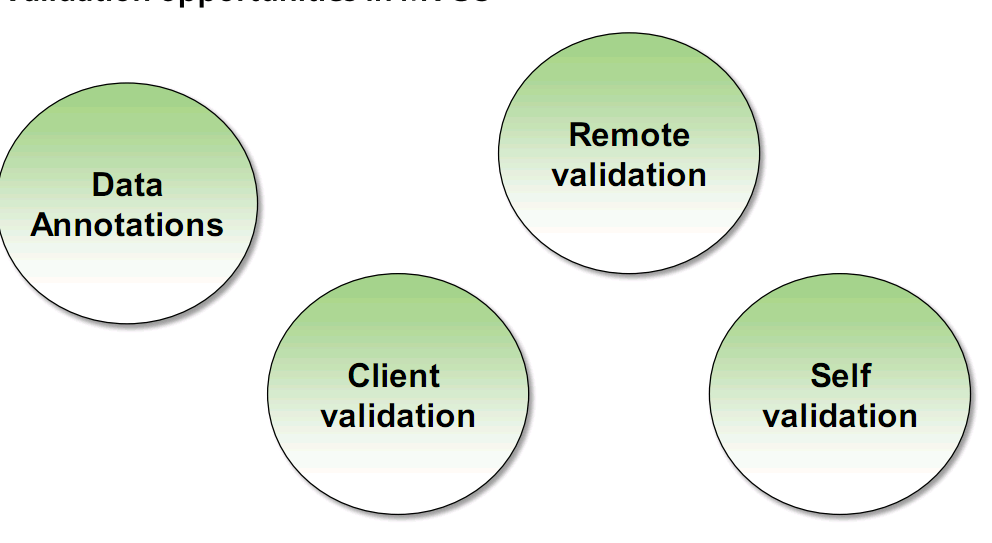
2. Validation in MVC 3

在验证方面分为如下几部分:

image

3.Data Annotations

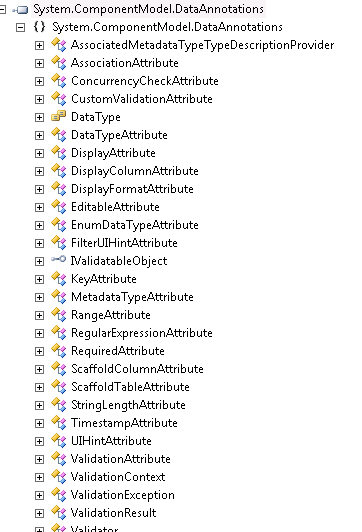
微软的的System.ComponentModel.DataAnnotations就是一个好的验证方法集合。

你可以看看它主要包含的类:

image

从 它包含的这些方法中可以看出它主要是用来做字段的验证。在ASP.NET MVC或者是Silverlight中微软都是使用它来做数据的合法性验证。当然,在ASP.NET MVC 3.0中结合JQuery的客户端验证,使Data Annotation发挥的功能更加完美。

4.Custom Validation Attributes

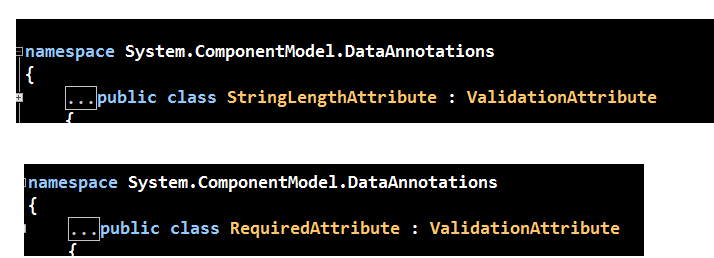
在上面的System.ComponentModel.DataAnnotations命名空间中,有ValidationAttibute这个类,所有的attribute类型的验证方法所在的类都继承了它。

比如:

image

上图中的Required和StringLength,我们看看它们的所在的类:

image

这么看来我们可以自定义Validation类,它也继承ValidationAttribute。

自定义类的结构如下:

image

我们现在自定义一个验证,来验证输入的时间是否是在合法的范围呢。

image

当你输入的时间不是在当前月的前6各月内或者是大于当前时间7天,就给出提示信息。

image

5.Self Validation models

这种方式是在model中来结合 ValidationContext和ValidationResult来提供验证。

例如我们的model中有一个startdate和一个enddate字段,要求输入的enddate不能小于startdate,那么我们可以使用Self validation model这种验证模式:

image

运行结果:

image

上面两种验证方式都是需要整个Form提交数据时post数据,大家估计都不可能接受,所以ASP.NET MVC团队在ASP.NET MVC 3中添加了下面两种验证方式,

Client Validation和Remote Validation。

6.Client Validation:

明眼人都会发现,Microsoft这几年和jQuery团队走的很近,ASP.NET MVC项目中更是使用了jQuery来实现客户端验证。

image

很欣慰的是微软终于放弃了之前自己的AJAX库。。。。。

在使用jQuery的AJAX认证,需要注意如下几点:

1.Web.Config中添加设置:

image

2.添加js文件:

image

3.在Html.FormBegain之前添加:

image

我这里有个例子,大家可以看看使用jquery.validate.unobtrusive.mis.js后,客户端生成的html有什么区别:

image

本身html的节点中就有了验证信息。

7.Custom Client Validation

ASP.NET MVC团队提供的这个客户端验证方式也是个扩展性非常强的。

image

例子如下:

image

8.remote validation:

remote validation部分我就不作说明了,文章够长了。。。。。Smile

大家可以看看http://www.cnblogs.com/serafin/archive/2011/01/25/1944848.html

我个人觉得这个remote validation的原理就是实时向某个Action Post数据,然后再看返回结果是否为空,不为空就显示Validation Message。主要还是使用了jQUery的ajax。

Nick

[转载]通过源代码研究ASP.NET MVC(八)

mikel阅读(1335)

[转载]通过源代码研究ASP.NET MVC(八) – namespace Ivony – 博客园.

通过源代码研究ASP.NET MVC中的Controller和View(一)

通过源代码研究ASP.NET MVC中的Controller和View(二)

通过源代码研究ASP.NET MVC中的Controller和View(三)

通过源代码研究ASP.NET MVC中的Controller和View(四)

通过源代码研究ASP.NET MVC中的Controller和View(五)

通过源代码研究ASP.NET MVC中的Controller和View(六)

通过源代码研究ASP.NET MVC(七)

第 八篇,上一篇发布后,有朋友说这个系列更新太慢了,不给力。有几个原因,首先是Jumony M2的计划中,并不包括MVC Model的支持,换言之对于Jumony而言,到第六篇的时候,所得到的结论已经足够了。其次是最近忙于Jumony的开发,以及Jumony入门系列 的撰写。当然,ASP.NET MVC是一个非常优秀的框架,事实也证明通过源代码研究ASP.NET MVC并非天方夜谭,我越来越觉得,这个系列的文章以及这种实践,存在比Jumony项目更为重要的意义,所以,我会继续这个系列,也希望能获得大家的支 持。

通过源代码来研究任何东西。用脚趾头想想都能知道是一件非常枯燥和艰难的事情,但我想这个实践却很有意义。我们常说一个好的源代码 就是最好的文档,那么就让我们来真正验证一下,对于MVC如此庞大和复杂的框架,一个好的源代码是不是真的可以当作资料来学习呢?不试,又怎么知道?同 时,我一直在强调程序设计语言本身对于程序的重要性,通过这个实践,也能补充不少论据。

在这个系列中,我尽可能的当作自己一无所知(事 实上也基本是这样),仅仅通过源代码源代码的而不借助任何其他资料来研究。你会看到我在尽可能细致的考证每一个推论,每一个猜测,尽管结论是那么的明显。 同时你也会看到我不可避免的犯错,卡壳。这也许是因为我的能力所限,当然也有可能是不是源代码本身出了一些毛病。

通过这个系列,对于如何让别人看代码的时候完整的理解自己的意图。方法名称,程序结构以及细枝末节的那些东西的重要性,通过这个不可能完成的任务旅程,是否会有更深的理解呢?

废话到此结束。

在上一篇中,我们进展神速的从Controller或者说ControllerActionInvoker的世界忽然穿越到了Model的世界,IModelBinder地球人都知道这将会是Model的大门。进去之前先来回顾一下。

故事的原点,还得回到ControllerActionInvoker的核心逻辑:

  • 查找Action(FindAction)
  • 获取参数
  • InvokeActionMethod
  • InvokeActionResult

在 第六篇,我们弄明白了查找Action的逻辑。接下来经过一系列的手续后,ControllerActionInvoker调用了 GetPrameterValues方法,这个方法在获取了参数描述符后,转手调用GetParameterValue(没有s)来获取值。而 GetParameterValue的逻辑也已经理清,其实很简单:

  • 获取Binder
  • 构造BindingContext
  • 绑定Model

获取Binder的详细流程已经在第七篇中摸清。那么

GetParameterValue(s)的结果,显然是会被当作Action的参数被传入(注1),而这个结果则是通过符合条件的IModelBinder来获取。

注1:具体的代码分析可以参考:深入理解ASP.NET MVC(8),当ControllerActionInvoker的主线走完后,我会回过头来将过滤器的工作原理完整的分析清楚,因为事实上所有过滤器的工作原理几乎是一样的。

一 般看到接口,我立即能想到两个词,抽象和契约。事实上通过前面的分析能知道,MVC的核心抽象都是通过非常简单的接口来定义的。抽象的东西一定是简单的。 Controller和View的抽象就是IController和IView接口,尽管Model部分并没有所谓的IModel接口,但事实上MVC是 直接将object当作了Model的抽象。

那么来看看IModelBinder接口长什么样子:

namespace System.Web.Mvc
{
 
  public interface IModelBinder
  {
    object BindModel( ControllerContext controllerContext, ModelBindingContext bindingContext );
  }
}

很好,这个接口就一个方法,ControllerContext我们知道其包含了控制器和HTTP上下文的信息,而ModelBindingContext则是在GetParameterValue方法中被构建。

那么,IModelBinder的职责也被明确:

通过控制器和绑定上下文获取(绑定)模型的值。

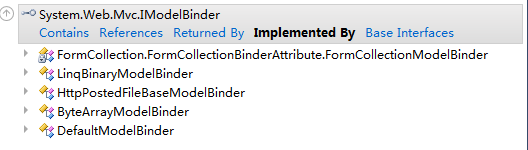
ModelBindingContext从名称来看就是绑定上下文,他存放着绑定的时候需要的信息,但这些属性通过名称很难了解其具体用途,所以还是从IModelBinder入手。先来看看IModelBinder有一些什么实现:
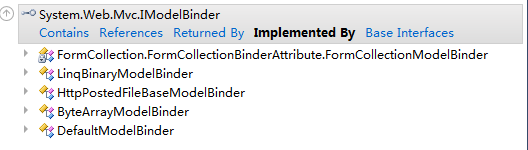
image

老实说ModelBinder的实现类有点少得出乎我的意料,因为ModelBinder只有两种指定方式,在参数上通过 CustomModelBinderAttribute指定或者通过类型来匹配。在参数上通过Attribute指定并不是一种特别靠谱的方式,事实上在 范例和实际应用中,我们都很少看到这个特性的运用,譬如说MVC的示例网站代码:

    [HttpPost]
    public ActionResult LogOn( LogOnModel model, string returnUrl )
    {
      if ( ModelState.IsValid )
      {
        //...
      }
 
      // 如果我们进行到这一步时某个地方出错,则重新显示表单
      return View( model );
    }

这里我们看不到任何的CustomModelBinderAttribute的影子,我原想,或许是LogOnModel有在类型上用 CustomModelBinderAttribute注册自己的LogOnModelBinder,因为在类型上注册比在参数上注册来的靠谱。但这样来 说,对于returnUrl这样的参数,MVC至少也应该内置StringBinder或是Int32Binder之类的东西,但答案是这些都没有。仔细 观察IModelBidner的这几个实现类,我发现他们大部分都是应用于特定而非一般类型的。例如 HttpPostedFileBaseModelBinder,很明显这是用于创建HttpPostedFileBase实例的Binder。 ByteArrayModelBinder多半是应用于byte[]类型。

那么,干脆随便挑一个类型来瞄一眼吧,譬如说HttpPostedFileBaseModelBinder:

  public class HttpPostedFileBaseModelBinder : IModelBinder
  {
 
    public object BindModel( ControllerContext controllerContext, ModelBindingContext bindingContext )
    {
      if ( controllerContext == null )
      {
        throw new ArgumentNullException( "controllerContext" );
      }
      if ( bindingContext == null )
      {
        throw new ArgumentNullException( "bindingContext" );
      }
 
      HttpPostedFileBase theFile = controllerContext.HttpContext.Request.Files[bindingContext.ModelName];
      return ChooseFileOrNull( theFile );
    }
 
    // helper that returns the original file if there was content uploaded, null if empty
    internal static HttpPostedFileBase ChooseFileOrNull( HttpPostedFileBase rawFile )
    {
      // case 1: there was no <input type="file" ... /> element in the post
      if ( rawFile == null )
      {
        return null;
      }
 
      // case 2: there was an <input type="file" ... /> element in the post, but it was left blank
      if ( rawFile.ContentLength == 0 && String.IsNullOrEmpty( rawFile.FileName ) )
      {
        return null;
      }
 
      // case 3: the file was posted
      return rawFile;
    }
 
  }

其实现与猜测的是一样的,直接从Request中获取与ModelName相同的文件,通过前面的分析我们知道,ModelName就是参数名。最 后调用的ChooseFileOrNull方法的注释非常清楚,第一种情况是为了避免我们接受的参数在页面上对应的不是一个文件上传控件,那么返回 null,第二种情况是用户没有选择文件上传,同样返回null,最后一种情况则将HttpPostedFileBase对象直接返回了。

再来看看LogOnModel这个类型,则把我原本的设想全部推翻了。

  public class LogOnModel
  {
    [Required]
    [DisplayName( "用户名" )]
    public string UserName { get; set; }
 
    [Required]
    [DataType( DataType.Password )]
    [DisplayName( "密码" )]
    public string Password { get; set; }
 
    [DisplayName( "记住我?" )]
    public bool RememberMe { get; set; }
  }

没错,事实上LogOnModel就是一个普通的object,并没有任何特别的诸如LogOnModelBinder之类的东西。那么,这是怎么实现的?

回想Binder的获取逻辑,没错,最后一步是,如果找不到合适的Binder,就使用 ModelBinders.Binders.DefaultBinder。换言之不论是我们的LogOnModel model还是我们的string returnUrl,最终都是使用DefaultBinder来获取值的。

DefaultBinder是ModelBinderDictionary类型的一个属性:

    public IModelBinder DefaultBinder
    {
      get
      {
        if ( _defaultBinder == null )
        {
          _defaultBinder = new DefaultModelBinder();
        }
        return _defaultBinder;
      }
      set
      {
        _defaultBinder = value;
      }
    }

类似的代码已经见过太多次,这说明默认情况下,他就是DefaultModelBinder类型的一个实例。

那么来看看DefaultModelBinder的实现:

    public virtual object BindModel( ControllerContext controllerContext, ModelBindingContext bindingContext )
    {
      if ( bindingContext == null )
      {
        throw new ArgumentNullException( "bindingContext" );
      }
 
      bool performedFallback = false;
 
      if ( !String.IsNullOrEmpty( bindingContext.ModelName ) && !bindingContext.ValueProvider.ContainsPrefix( bindingContext.ModelName ) )
      {
        // We couldn't find any entry that began with the prefix. If this is the top-level element, fall back
        // to the empty prefix.
        if ( bindingContext.FallbackToEmptyPrefix )
        {
          bindingContext = new ModelBindingContext()
          {
            ModelMetadata = bindingContext.ModelMetadata,
            ModelState = bindingContext.ModelState,
            PropertyFilter = bindingContext.PropertyFilter,
            ValueProvider = bindingContext.ValueProvider
          };
          performedFallback = true;
        }
        else
        {
          return null;
        }
      }
 
      // Simple model = int, string, etc.; determined by calling TypeConverter.CanConvertFrom(typeof(string))
      // or by seeing if a value in the request exactly matches the name of the model we're binding.
      // Complex type = everything else.
      if ( !performedFallback )
      {
        ValueProviderResult vpResult = bindingContext.ValueProvider.GetValue( bindingContext.ModelName );
        if ( vpResult != null )
        {
          return BindSimpleModel( controllerContext, bindingContext, vpResult );
        }
      }
      if ( !bindingContext.ModelMetadata.IsComplexType )
      {
        return null;
      }
 
      return BindComplexModel( controllerContext, bindingContext );
    }

首先是一个入口检查,接下来先设置performedFallback为false,从字面上看是已经进行了回退。其实fallback到底具体是 什么工作到现在还不清楚。然后是一个判断,如果ModelName不等于空,并且ValueProvider不ContainsPrefix ModelName。

不妨来分析一下这个判断干什么用的,首要条件是ModelName不为空,也就是至少存在一个ModelName。在我们这一路走 来,ModelName几乎是不可能为空的,因为他默认就是参数的名称,那我们先假定这个条件是恒真的。继续看后面,ContainsPrefix从字面 上可以理解为,不包含前缀,参数是ModelName,也就是说,ValueProvider不包含这个ModelName这个前缀。

再来看下面的注释下,大意是,我们不能找到任何条目是以字首开头的,如果这是顶级元素,那么回退到空白的前缀。

然后是再一个if判断,BindingContext.FallbackToEmptyPrefix,看来这个属性是控制DefaultModelBinder是否允许回退到空白前缀的。这个属性的值是什么?翻出上一篇来看看就知道了:

        FallbackToEmptyPrefix = (parameterDescriptor.BindingInfo.Prefix == null), // only fall back if prefix not specified

还记得上篇的话就会知道,BindingInfo.Prefix是从特性中获取的,那么这里可以简单的理解为,如果没有在参数上利用 BindAttribute设置Prefix的话,那么就是允许回退到空白前缀(原来是这个意思)。如果不允许就直接绑定失败了(return null),那么如果允许回退到空白前缀,那么再创建一个ModelBindingContext,并且将performedFallback设置为 true,继续下面的逻辑。这里重新创建的ModelBindingContext所有属性都是从原来的ModelBindingContext实例中获 取的,创建一个新的实例其主要作用是丢弃一些属性(或者说用默认值)。那么我们来比对一下丢弃了哪些属性:

原本创建ModelBindingContext的逻辑大体上是这样的:

      ModelBindingContext bindingContext = new ModelBindingContext()
      {
        ModelName = parameterDescriptor.BindingInfo.Prefix ?? parameterDescriptor.ParameterName,
        ModelMetadata = ModelMetadataProviders.Current.GetMetadataForType( null, parameterDescriptor.ParameterType ),
        ModelState = controllerContext.Controller.ViewData.ModelState,
 
        FallbackToEmptyPrefix = (parameterDescriptor.BindingInfo.Prefix == null), // only fall back if prefix not specified
        PropertyFilter = GetPropertyFilter( parameterDescriptor ),
        ValueProvider = controllerContext.Controller.ValueProvider
 
      }; 

可以看出来ModelName和FallbackToEmptyPrefix被丢弃了,或者说被设置成默认值了。OK,这真是一段糟糕透顶的代码,事实上搞了这么久我们都无法猜透这里到底想干什么事情。也搞不清这两个属性是要被丢弃还是需要被设置为默认值。

来确定一下ModelName和 FallbackToEmptyPrefix到底是被设置成了怎样的默认值,其实我觉得事实上根本就不会有设置默认值的代码,他们俩很可能简单的一个是 null而另一个是false了,也就是字段被初始化的时候的值。无论怎样,来看看,首先是构造函数:

    public ModelBindingContext()
      : this( null )
    {
    }
 
    // copies certain values that won't change between parent and child objects,
    // e.g. ValueProvider, ModelState
    public ModelBindingContext( ModelBindingContext bindingContext )
    {
      if ( bindingContext != null )
      {
        ModelState = bindingContext.ModelState;
        ValueProvider = bindingContext.ValueProvider;
      }
    }

在构造函数里,显然没有为这两个属性设置任何默认值,那么来看看这两个属性:

    public bool FallbackToEmptyPrefix
    {
      get;
      set;
    } 

果然,FallbackToEmptyPrefix默认值就是false(bool字段的默认值)。

    public string ModelName
    {
      get
      {
        if ( _modelName == null )
        {
          _modelName = String.Empty;
        }
        return _modelName;
      }
      set
      {
        _modelName = value;
      }
    }

ModelName的默认值则是String.Empty。

来谈谈这段坑爹的代码,第一眼看到这个方法的实现的时候就感觉非常乱。这段代码就像就是程序员为了完成某个测试而拼凑出来的一团东西。也许对于开发 人员而言,这段代码是一目了然的,但对于直接看源代码的人来说,这可真是坑爹的代码。事实上,我们磕磕绊绊走了这么远,这段代码到底在干啥还是毫无头绪。

好吧我们不在这里纠结,因为无法预测IValueProvider的ContainsPrefix到底会产生什么结果,而现在贸然研究IValueProvider会把战线拉长。所以不妨将真假两种可能代入然后看看后面的逻辑会是怎样。

首先我们假定这个方法返回true,那么天下太平,第一个if里面的所有代码都不会被执行,performedFallback也会是false, 然后if( !performedFallback )成立,进入内部,这时,尝试调用ValueProvider的GetValue方法,如果有结果返回,那么返回BindSimpleModel方法的结 果。如果没有结果返回,那么看ModelMetadata.IsComplexType,字面意思上来看,是判断是不是复杂类型,如果不是,那么返回 null(表示绑定失败)。否则返回BindComplexModel方法的结果。

这个流程走下来尽管还有很多不明白的地方,但我们总算搞清了一个事实,那就是performedFallback只是决定是否尝试绑定简单模型的 (BindSimpleModel),如果进行了回退(performedFallback = true ),那么就不尝试进行简单模型的绑定(BindSimpleModel)。

再来考虑一下performedFallback取决于什么,先考虑一般情况,在一般情况下,ModelName会是参数名,所以不可能为空。其次 我们也不会设置参数上的BindAttribute,所以FallbackToEmptyPrefix也会是true,因为 BindingInfo.Prefix默认就是null(好吧,如果你去翻源代码,你会发现_prefix字段默认情况下根本没有被赋值。由于Model 这一块的源代码质量实在太令人无语,所以这里就不在文章里深究了,否则会让读者大人头昏脑胀的)。

变换一下我们可以看到一般情况下是这样的:

      if ( true && !bindingContext.ValueProvider.ContainsPrefix( bindingContext.ModelName ) )
      {
        // We couldn't find any entry that began with the prefix. If this is the top-level element, fall back
        // to the empty prefix.
        if ( true )
        {
          bindingContext = new ModelBindingContext()
          {
            ModelMetadata = bindingContext.ModelMetadata,
            ModelState = bindingContext.ModelState,
            PropertyFilter = bindingContext.PropertyFilter,
            ValueProvider = bindingContext.ValueProvider
          };
          performedFallback = true;
        }
        else
        {
          return null;
        }
      }

很明显,一般情况下performedFallback完全取决于ValueProvider的ContainsPrefix方法。也就是 performedFallback == !bindingContext.ValueProvider.ContainsPrefix( bindingContext.ModelName ),而在接下来的SimpleModelBinder中,IValueProvider也扮演了重要角色,如果我们精简掉一些东西并将 performedFallback代入,那看起来就会像是这样:

      if ( bindingContext.ValueProvider.ContainsPrefix( bindingContext.ModelName ) )
      {
        ValueProviderResult vpResult = bindingContext.ValueProvider.GetValue( bindingContext.ModelName );
        if ( vpResult != null )
        {
          return BindSimpleModel( controllerContext, bindingContext, vpResult );
        }
      }

这样,不难看出ValueProvider在BindSimpleModel流程中具有核心地位。那么,不碰它是不行的了,他是IValueProvider类型的,先来看看这个接口吧:

namespace System.Web.Mvc
{
  using System;
 
  public interface IValueProvider
  {
    bool ContainsPrefix( string prefix );
    ValueProviderResult GetValue( string key );
  }
}

源代码非常给力,这东西不单单是在BindSimpleModel流程中处于核心地位,事实上估摸着这东西就干这一件事情的。

[转载]二手火车票监控程序 抢票快手 V1.0发布

mikel阅读(835)

[转载]【开源】二手火车票监控程序 抢票快手 V1.0发布 – LanceZhang’s Tech Blog – 博客园.

背景

呃, 春运,不用多说了。。上海局的电话订票只支持8000个并发,基本上都抢不到。我等广大P民只能将眼光投放到赶集网、58同城等门户,关注里面的车票转让 信息,尽管不少是票贩子,但也没办法。前几天自己转让了一张火车票,结果信息发上去之后10分钟内收到了11个电话,自然后来的10个朋友都失望而归。无 疑,这里也成了抢票的战场。。园子里也有不少朋友都写了信息监控程序,如这个,本人加以借鉴,做了这个WinForm的程序。

简介

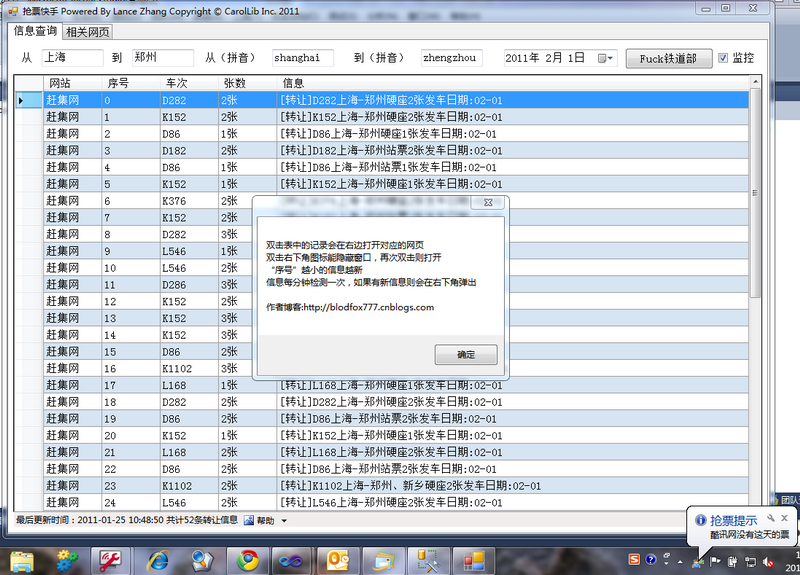
抢票快手是一个由纯.NET编写的WinForm控件,使用WebClient下载并解析赶集网、58同城、酷讯三家的火车票转让信息(这三家的信息基本上能涵盖所有的车票转让)。源代码完全开放,可随意修改,在CodePlex上开源,地址为:http://qiangpiaokuaishou.codeplex.com/

功能特点

0. 3家网站的基本能覆盖所有转让信息(酷讯本来就聚合了一些小网站的票源)

1. 信息已列表形式展示,提取出车次和张数,可随意排序

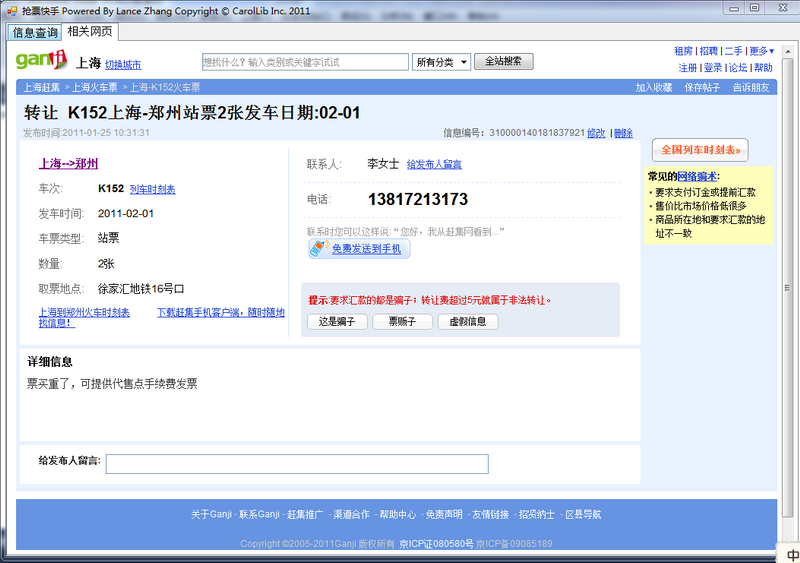
2. 双击列表中的信息可在右边Tab中打开该信息的网页

3. 勾选监控选项可监控票源,默认1分钟间隔,可在源码中改

4. 监控到票源后会在右下角托盘处弹出新票源信息

源码下载地址:http://qiangpiaokuaishou.codeplex.com/ (包括Demo程序)

由于本人不是专业的WinForm开发经验浅薄,且开发比较仓促(2小时)如发现bug和功能缺陷,还望大家不吝赐教!

[转载]推荐25个非常优秀的网页表单设计案例

mikel阅读(1513)

[转载]推荐25个非常优秀的网页表单设计案例 – 梦想天空 – 博客园.

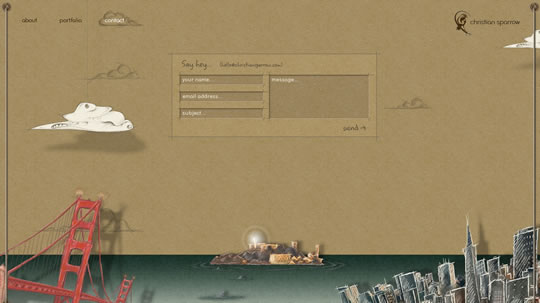
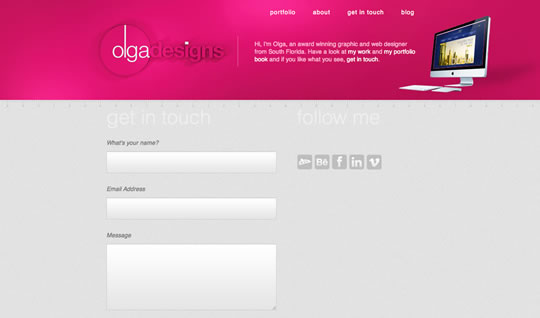
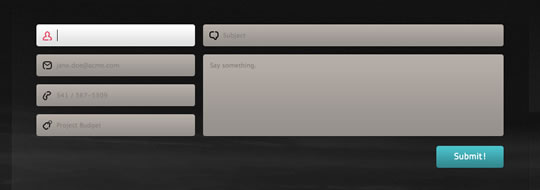
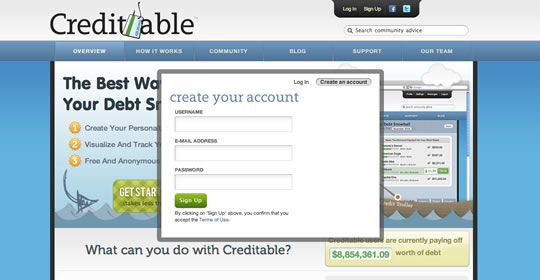
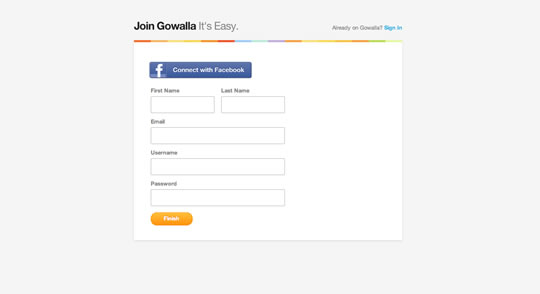
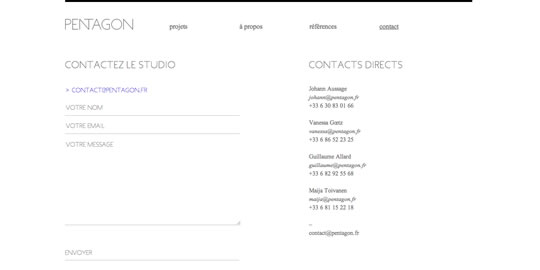
表单是网站非常重要的一部分。每个网站都有带自己风格的表单,可能是简洁的,也可能是多彩的、很有创意的。当你设计网站的时候,表 单是你应该重点关注的元素,像登录、注册、留言等等。我们需要牢记的是应尽量吸引用户的注意力,使他们想要往表单里填写信息。这里收集了一些很好的例子供 大家参考。

Christian Sparrow

forms22

Ed Peixoto

forms21

olga designs

forms23

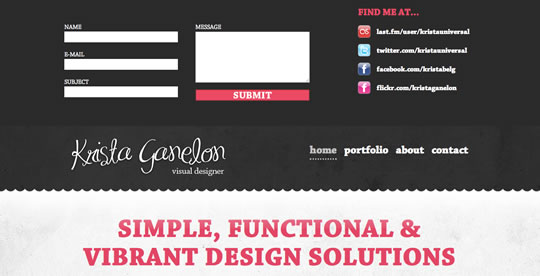
Krista Ganelon

forms24

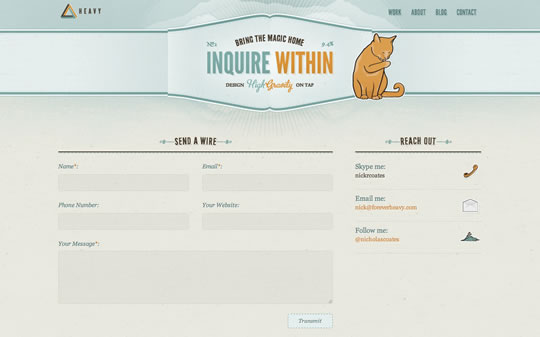
Forever Heavy

forms25

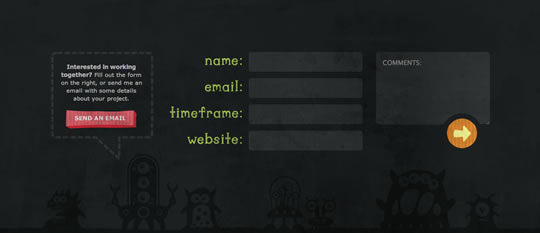
Cornerd

forms26
forms27

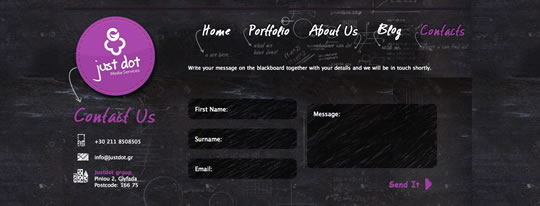
Justdot

forms28
forms29

sikbox

forms30

Justalab

forms31
forms32

Buffalo

forms33
forms34

Sprocket House

forms35

Gardener & Marks

forms36

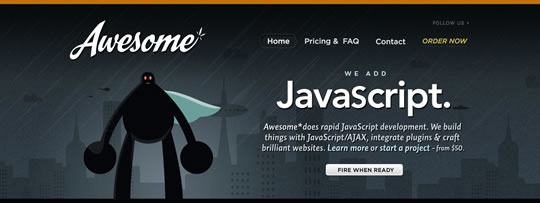
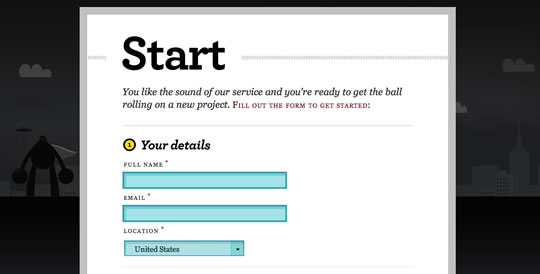
Awesome

forms06

forms07

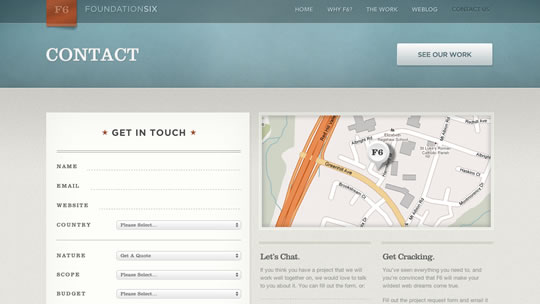
Foundation Six

forms09
forms10

Wanken

forms13
forms14

Visual Republic

forms15
forms16

Andrew McClintock

forms17

bio-bak

forms19

Vincent Mazza

forms20

Gams

forms08

All Creative

forms01

forms02

Creditable

forms03

Gowalla

forms04

forms05

Pentagon

forms11
forms12

Chris Woods

forms18

(编译来源:梦想天空 原文来自:25 Excellent Examples of Forms in Web Design

[转载]如何使用Orchard搭建敏捷个人的网站(2)

mikel阅读(1032)

[转载]如何使用Orchard搭建敏捷个人的网站(2) – 周金根 – 博客园.

如何使用Orchard搭建敏捷个人的网站(1)中讲解了如何使用Orchard搭建一个简易的敏捷个人内容网站,第一篇主要讲解了如何下载安装主题、增加blog、制作菜单等,今天我们继续讲解一下如何增加搜索功能、增加自定义的内容类型以及显示内容列表。

增加搜索功能

首先我们需要安装Lucene模块

然后打开功能:Search, Indexing 和Lucene

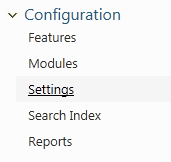
Search功能打开后,在Settings中可以设置索引的字段,缺省只有body和title作为索引字段

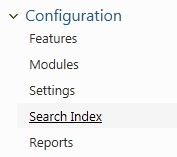
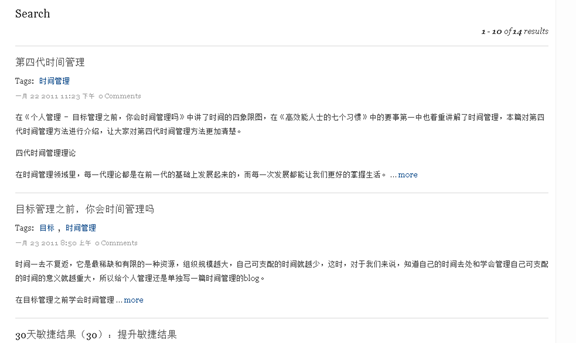
功能都打开后,在后台控制面板【Configuration】节下会增加一个【Search Index】菜单,索引会作为一个后台任务在执行,缺省每分钟一次吧,你也可以选择手动更新

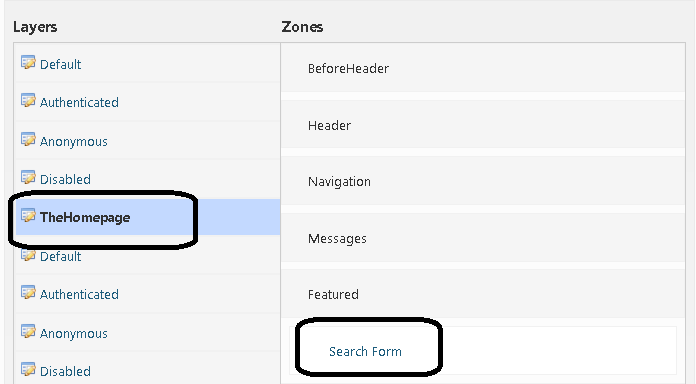
后台索引机制建立好后,我们需要在前台增加一个查询Widget,我们在TheHomepage层的Fetured区域加入Search Form的Widget

设置好后打开主页,界面上增加了一个查询控件,输入”时间管理”后可以查到网站有关内容

增加【书籍推荐】

Orchard内部有有一些内容类型(例如blog等),我们可以自定义一些自己的,为了学习这个功能,我现在要增加一个【书籍推荐】页面,把之前【我的电子书】一个页面改为一个书籍列表来显示,以下就是整个过程。

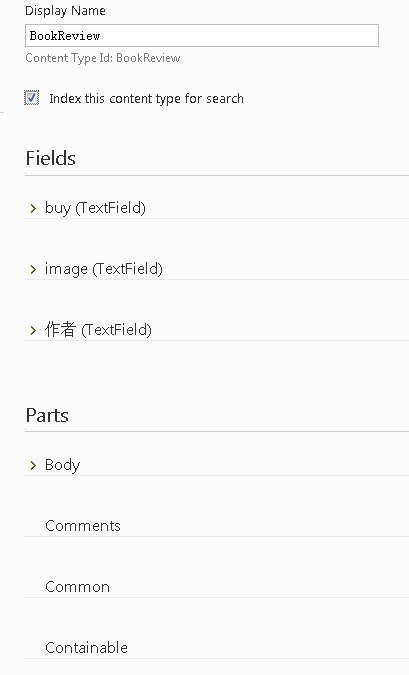
  1. 增加BookReview类型

  1. 增加一个列表
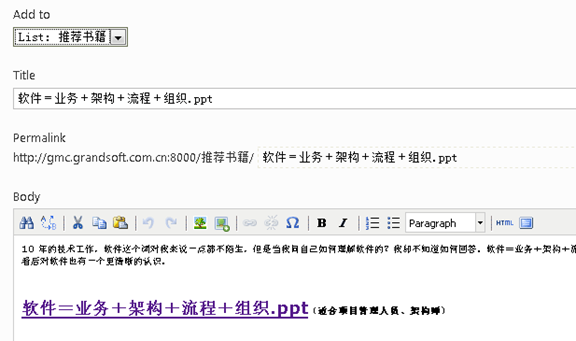
  2. 添加【推荐书籍】并指定添加到推荐书籍列表中
  3. 更改显示样式
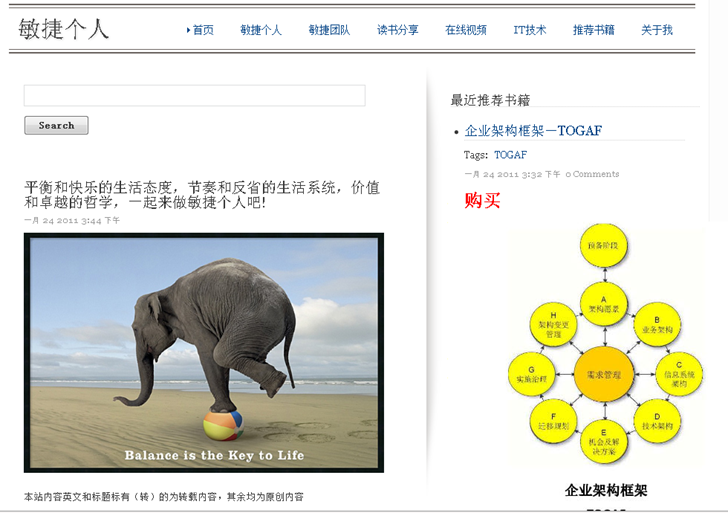
    默认显示是按列表显示,上面书籍的购买地址、封面照片显示的都是字符串,这显得不够友好,我们可以更改显示样式来达到更好的显示效果。
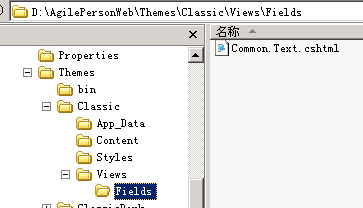
    1. 增加一个文件
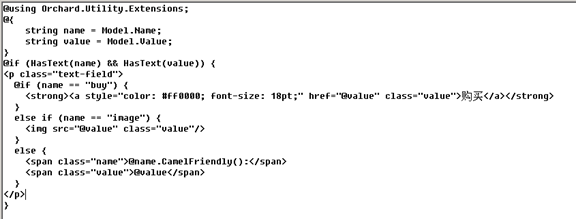
    2. 编辑文件内容为
  4. 刷新后界面显示为

参考:http://orchardproject.net/docs/Authoring Web Sites

[转载]Visual Studio 2008单元测试(3)_数据库测试

mikel阅读(928)

[转载]Visual Studio 2008单元测试(3)_数据库测试 – MyNet – 博客园.

我们开发一个系统必须与数据库打交道,需要写NSQL、存储过程、自定义函数、视图等,那么能否使用Visual Studio 2008进行数据库测试吗?当然是可以的,下面我就以一个简单的为例子,介绍如何利用Visual Studio 2008进行数据库单元测试。


第一步,在Visual 2008里面增加数据库测试,如下图所示:


这样我们就添加好一个数据库单元测试,下面就是如何设置此单元测试是针对哪个数据库的。


第二步:指定当前测试项目的数据库配置


当我们新增加一个数据库单元测试,Visual 2008会自动弹出配置界面,供我们设置数据库连接属性,如下图:


我们可以选择一个建立好的数据库连接:


当然也可以新增一个连接,新增数据库连接比较简单,就是设置服务器地址、用户名、密码、数据库名称等,在此就不介绍了。

Visual 2008不仅支持我们连接一个已经存在的数据库,还可以运行单元测试前,自动部署一个数据库供测试,

连接好数据库后,下面将介绍如何进行单元测试。


第三步:测试用例


Visual 2008数据库单元测试的“设计”界面,首先会有二个下拉框,如下图所示:


左侧的下拉框即是数据库单元测试的每个“测试方法”,你可以把他当成代码单元测试的函数,系统默认会有二个:公共脚本和DatabaseTest1,如下图:


  • 公用脚本:在执行此单元测试前运行的SQL脚本,包括“测试初始化”和“测试清理”,即对应的准备数据的脚本、测试完成后删除数据的脚本,可以保证每次执行单元测试时,数据都是一致的。
  • 测试方法:可以新增、删除、重命名,可以通过增加测试方法来实现不同用例的验证。


第四步:编写测试脚本


针对每个测试方法可以编写测试SQL脚本,即SQL语句,只要能够在测试数据库中正确执行的SQL语句都可以,然后针对你编写的SQL语句执行的结果进行验证,如下图:


此段SQL语句是读取成本系统的业务参数,我们可以针对此SQL进行验证其正确性,Visual 2008支持六种测试条件:

  • 标量值:可以判断第几个结果集的第几行的第几列的值是多少,不相等则验证失败。
  • 非空结果集:判断第几个结果集必须有记录,否则验证失败。
  • 空结果集:判断第几个结果集必须没有记录,否则验证失败。
  • 没有结论:无结论就是测试没有结果,注意当你新增加一个测试方法时,Visual会自动生成一个没有结论的测试条件,如果你不需要,则手动删除掉。
  • 行数:判断第几个结果集返回的行数,否则验证失败。
  • l 执行时间:判断执行时间必须少于多少,否则验证失败,用于性能测试。


那么针对上面的SQL语句,我们可以验证返回的行数,可以通过行数的多少,验证成本系统的业务参数数量是否正确,如下图:


当返回的行数等于30时,代表数据库中的数量是正确的。当然你也可以增加其它测试条件,如使用标量值验证参数的名称是否正确等。


第五步:运行测试


点击“运行测试”按钮即可得到测试结果,如下图所示:


测试没有通过,可以查看错误信息:RowCountCondition 条件(rowCountCondition1)失败: 结果集 1: 32 行与预期的 30 行不匹配。

分析原因,数据库执行的结果有32行,与测试条件不匹配,修改测试条件,重新运行测试,测试通过,如下图:


Visual 2008数据库单元测试通过编写SQL脚本,然后设置不同的测试条件,通过验证测试条件是否匹配还进行测试,因此你可以写任何SQL语句进行验证,这样就可以验证表记录、视图、存储过程、函数等,基本包括了所有的数据库对象。

我们可以通过数据库单元测试来保证我们每次修改数据库对象的正确性,也可以保证我们的SQL语句是否提交,只要切换一下测试数据库即可,可以防止开发人员提交版本时漏掉提交SQL被测试打回的场景了。

本篇简单介绍了Visual2008的数据库单元测试功能,下期将介绍如何利用Visual2008单元测试如何实现代码覆盖率

[转载]ASP.NET MVC 3.0学习系列文章—Controllers in ASP.NET MVC 3.0

mikel阅读(1032)

[转载]ASP.NET MVC 3.0学习系列文章—Controllers in ASP.NET MVC 3.0 – 爱因斯坦的小脑 – 博客园.

系列文章

ASP.NET MVC 3.0学习系列文章—序

ASP.NET MVC 3.0学习系列文章–Razor and ASP.NET MVC 3.0

ASP.NET MVC 3.0学习系列文章—Controllers in ASP.NET MVC 3.0

image

本部分包含如下几个内容:

image

1.Introduction

ASP.NET MVC 3.0中Controller部分新增的功能主要是ActionFilter和ActionResult,个人觉得没有太大的改动。而且相比其它几部分Controller部分的修改不是ASP.NET MVC 3.0的亮点。

2.Global Action Filters

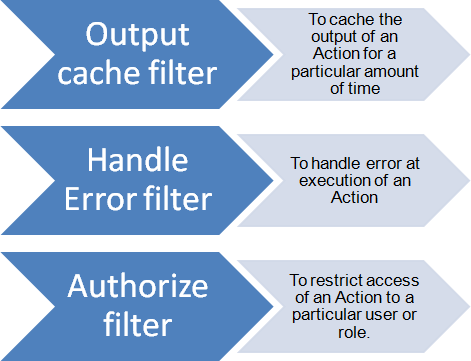
在之前的版本中就有Action Filter的概念。而且默认的它自带了如下几个Action Filter。

image2.gif

这些属性可以添加到某个Action上或者是整个Controller上:

image

为什么要在ASP.NET MVC 3.0中增加Global Action Filter呢?

有时候,我们在某个Action运行前或者是Action运行后加上某个动作,比如在登录认证完成后,我们需要记录下这个人的这一次登录时间,所以ASP.NET MVC团队在MVC 2中添加了Action Filter功能。
Action filters are custom attributes that provide a declarative means to add pre-action and post-action behavior to specific controller action methods.
但是很多时候,你可能需要在所有的Action执行前都运行某段代码,所以MVC 3提供了一个新的功能,能够让你把Global filter添加到GlobalFilters这个集合中。

来个例子:

我们定义一个CustomActionFilter继承了ActionFilterAttribute类。

image

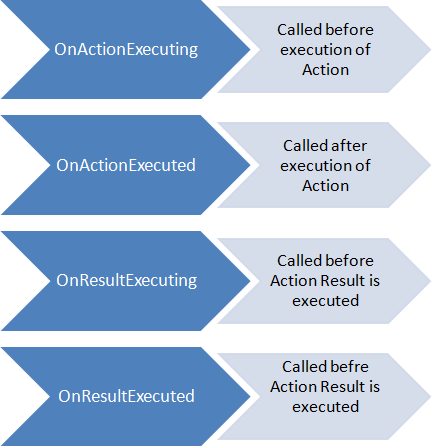
自定义的Action Filter可以override四个方法,Action执行时,Action执行后,Result返回时,Result返回后。

image8.gif

因为在ASP.NET MVC 3.0中有Global Filter的加入,所以我们现在可以在Global.asax中注册这个Filter。

image

上面的Action Filter我们未在任何一个Action前面添加属性,运行下看看:

image

我们的HomeControllerhome的action运行时,执行了我们定义的Custom Action。

3.Caching Child Actions

ASP.NET MVC 3.0中我们可以在子动作(Child Action)中使用OutputCache属性了。

首先我们来定义一个ChildAction:

image

对应的添加一个View叫CurrentTime”

image

因为model是Dynamic类型的,所以我们只需要使用@model DateTime来定义mode。
下面应该是把这个Partical view添加到Index的view中:

image

运行后:

image

下面是使用Child Cache属性,我们看看是否两个输出时间相同:

image

运行结果:

image

4.The ViewBag

image

在前面文章中已经介绍过这个了。

5.New Action Results

在ASP.NET MVC 3.0中有新的Action Result:

a. HttpNotFoundResult

b. HttpRedirectResult

c. HttpStatusCodeResult

6.Request Validation

a.使用ValidateInput属性来设置是否当前的Model需要验证:

image

给model加上这个属性,当你Post数据时,MVC框架就不再自动去验证当前的输入是否合法。

你会看到我这里的Decription上面有个AllowHtml属性,它是ASP.NET MVC 3中新增的,有这个属性的字段,可以从客户端直接输入HTML。。。。但是这个是非常危险的,轻易别使用。我举个例子你就看到这个多牛了:

image

在Edit页面我们输入一段JavaScript,点击Save:

image

会弹出Script。。。。但是这个属性可以用来在页面中演示JavaScript的运行。。。。。