[转载]asp.net MVC 权限设计

mikel阅读(1107)

[转载]asp.net MVC 权限设计 – jqpeng的技术记事本 – 博客园.

几点说明:

1、该权限系统是个网站用的,用户简单,因此不涉及到部门这些信息

2、基于将角色与controller、action相关联来判断用户是否有权

3、通过重载AuthorizeAttribute实现

数据库设计:

  • image

表说明

ControllerAction

  1. Name是controller的名称
  2. IsController是指是否是controller,如果为false,表示存的是action,那么controllerName字段就派上用场了
  3. IsAllowedNoneRoles是指是否允许没有权限的人访问
  4. IsAllowedAllRoles是指是否允许有角色的人访问

IsAllowedNoneRoles,IsAllowedAllRoles实现了允许所有人访问以及允许所有注册用户访问:),并且我们约定,IsAllowedNoneRoles具有最高的优先级,其次是IsAllowedAllRoles,然后才是ControllerActionRole中定义的规则

ControllerActionRole

IsAllowed表示该action或者controller是否允许访问,加入表中有两条记录

角色 Name ControllName IsAllowed IsController
A Admin Home false false
A Home Null true true

这里约定分两个层次来判断权限:

第一条记录:表示A角色不能访问 Home/admin

第二条记录:表示A角色可以访问Controller下的所有方法

到底能不能访问呢?其实,我们以action为准,如果定义了action,我们直接从action的约定来判断,因此这里判断A不能访问Home/admin

其他几张表一看就明白,不再多说

判断是否有权限的设定

1、获取controller,action,以及存放在session中的用户信息

1 public class UserAuthorizeAttribute : AuthorizeAttribute 2 { 3 4 public override void OnAuthorization(AuthorizationContext filterContext) 5 { 6 var user = filterContext.HttpContext.Session["CurrentUser"] as User; 7 var controller = filterContext.RouteData.Values["controller"].ToString(); 8 var action = filterContext.RouteData.Values["action"].ToString(); 9 var isAllowed = this.IsAllowed(user, controller, action); 10 11 if (!isAllowed) 12 { 13 filterContext.RequestContext.HttpContext.Response.Write("无权访问"); 14 filterContext.RequestContext.HttpContext.Response.End(); 15 } 16 17 } 18 19 …… 20 21 } 22  

2、检索数据库ControllerAction表中有没有Name为第一步中controller 的记录,如果没有,我们约定这个controller是不需要进行权限控制的,如果有的话,进入第三步

3、前面提到了,我们约定对权限的控制分为两个层次,controller和action层次,如果同时定义了,以action为准。因此,我们需要判断是否在数据库中有action的记录,如果有,进入4,无,进入5

1 bool IsAllowed(User user, string controllerName, string actionName) 2 { 3 var service = ServiceLoader.LoadService<ToySpirit.IToySpiritService.IControllerActionService>(); 4 5 // 获取对应的controller 6   var controller = service.GetSingleByExpression(c => c.Name == controllerName && c.IsController); 7 if (controller != null) 8 { 9 // 获取对应的action 10   var controllerAction = service.GetSingleByFunc(c => c.Name == actionName && c.IsController == false && c.ControllerName == controllerName); 11 12 return controllerAction == null ? this.isAllowed(user, controller) : this.isAllowed(user, controllerAction); 13 } 14 15 // 没有定义controller的权限,表示无需权限控制 16   return true; 17 } 18 19  

4、如果有action的记录,那么我们首先判断controllerAction 拒绝哪些角色访问,如果用户有角色在这里面,很遗憾,就不能访问了;然后判断controllerAction 允许哪些角色访问,如果用户的角色在这里面,就可以访问了

注:这里很有可能用户有多个角色,比如A,B,C,如果A不能访问controllerAction,那么很遗憾,用户不能访问,尽管角色B,C可能可以访问该controllerAction

5、没有action的记录,自然就检查controller对应的controllerAction 了

代码

4、5判断的代码是一样的,如下: private bool isAllowed(User user, ControllerAction controllerAction) { // 允许没有角色的:也就是说允许所有人,包括没有登录的用户 if (controllerAction.IsAllowedNoneRoles) { return true; } // 允许所有角色:只要有角色,就可以访问 if (controllerAction.IsAllowedAllRoles) { return user.Roles.Count > 0; } if (user == null || user.Roles.Count == 0) { return false; } // 选出action对应的角色 var roles = controllerAction.ControllerActionRoles.Select(ca => ca.Role).ToList(); if (roles.Count == 0) { // 角色数量为0,也就是说没有定义访问规则,默认允许访问 return true; } var userHavedRolesids = user.Roles.Select(r => r.ID).ToList(); // 查找禁止的角色 var notAllowedRoles = controllerAction.ControllerActionRoles.FindAll(r => r.IsAllowed == false).Select(ca => ca.Role).ToList(); if (notAllowedRoles.Count > 0) { foreach (Role role in notAllowedRoles) { // 用户的角色在禁止访问列表中,不允许访问 if (userHavedRolesids.Contains(role.ID)) { return false; } } } // 查找允许访问的角色列表 var allowRoles = controllerAction.ControllerActionRoles.FindAll(r => r.IsAllowed).Select(ca => ca.Role).ToList(); if (allowRoles.Count > 0) { foreach (Role role in allowRoles) { // 用户的角色在访问的角色列表 if (userHavedRolesids.Contains(role.ID)) { return true; } } } return false; }

使用方法:

建立一个basecontroller,使用我们定义好的UserAuthorize,然后所有的controller继承basecontroller就可以了

1 /// <summary> 2 /// 控制基类 3 /// </summary> 4   [UserAuthorize] 5 public abstract class BaseController : Controller 6 {} 7 8 public class HomeController : BaseController{} 9  

演示:

在controlleraction中添加几条数据:

image

根据我们的规则,我们可以知道,未登录的用户可以访问Home/Public,其他几个页面则不能访问

我们看对应的Action:

1 public void ViewPage() 2 { 3 Response.Write("View"); 4 } 5 public void Public() 6 { 7 Response.Write("Public"); 8 } 9 public void Delete() 10 { 11 Response.Write("Delete"); 12 }

访问Home/Public,如果有权限,那么显示“Public“,否则显示”无权访问”

未登录用户访问Home/Public,结果符合我们的约定;-)

image

未登录用户访问Home/ViewPage,按约定应该显示错误信息

image

查看 asp.net MVC 权限设计(续)

[转载]asp.net MVC 权限设计

mikel阅读(955)

[转载]asp.net MVC 权限设计 – jqpeng的技术记事本 – 博客园.

几点说明:

1、该权限系统是个网站用的,用户简单,因此不涉及到部门这些信息

2、基于将角色与controller、action相关联来判断用户是否有权

3、通过重载AuthorizeAttribute实现

数据库设计:

  • image

表说明

ControllerAction

  1. Name是controller的名称
  2. IsController是指是否是controller,如果为false,表示存的是action,那么controllerName字段就派上用场了
  3. IsAllowedNoneRoles是指是否允许没有权限的人访问
  4. IsAllowedAllRoles是指是否允许有角色的人访问

IsAllowedNoneRoles,IsAllowedAllRoles实现了允许所有人访问以及允许所有注册用户访问:),并且我们约定,IsAllowedNoneRoles具有最高的优先级,其次是IsAllowedAllRoles,然后才是ControllerActionRole中定义的规则

ControllerActionRole

IsAllowed表示该action或者controller是否允许访问,加入表中有两条记录

角色 Name ControllName IsAllowed IsController
A Admin Home false false
A Home Null true true

这里约定分两个层次来判断权限:

第一条记录:表示A角色不能访问 Home/admin

第二条记录:表示A角色可以访问Controller下的所有方法

到底能不能访问呢?其实,我们以action为准,如果定义了action,我们直接从action的约定来判断,因此这里判断A不能访问Home/admin

其他几张表一看就明白,不再多说

判断是否有权限的设定

1、获取controller,action,以及存放在session中的用户信息

1 public class UserAuthorizeAttribute : AuthorizeAttribute 2 { 3 4 public override void OnAuthorization(AuthorizationContext filterContext) 5 { 6 var user = filterContext.HttpContext.Session["CurrentUser"] as User; 7 var controller = filterContext.RouteData.Values["controller"].ToString(); 8 var action = filterContext.RouteData.Values["action"].ToString(); 9 var isAllowed = this.IsAllowed(user, controller, action); 10 11 if (!isAllowed) 12 { 13 filterContext.RequestContext.HttpContext.Response.Write("无权访问"); 14 filterContext.RequestContext.HttpContext.Response.End(); 15 } 16 17 } 18 19 …… 20 21 } 22  

2、检索数据库ControllerAction表中有没有Name为第一步中controller 的记录,如果没有,我们约定这个controller是不需要进行权限控制的,如果有的话,进入第三步

3、前面提到了,我们约定对权限的控制分为两个层次,controller和action层次,如果同时定义了,以action为准。因此,我们需要判断是否在数据库中有action的记录,如果有,进入4,无,进入5

1 bool IsAllowed(User user, string controllerName, string actionName) 2 { 3 var service = ServiceLoader.LoadService<ToySpirit.IToySpiritService.IControllerActionService>(); 4 5 // 获取对应的controller 6   var controller = service.GetSingleByExpression(c => c.Name == controllerName && c.IsController); 7 if (controller != null) 8 { 9 // 获取对应的action 10   var controllerAction = service.GetSingleByFunc(c => c.Name == actionName && c.IsController == false && c.ControllerName == controllerName); 11 12 return controllerAction == null ? this.isAllowed(user, controller) : this.isAllowed(user, controllerAction); 13 } 14 15 // 没有定义controller的权限,表示无需权限控制 16   return true; 17 } 18 19  

4、如果有action的记录,那么我们首先判断controllerAction 拒绝哪些角色访问,如果用户有角色在这里面,很遗憾,就不能访问了;然后判断controllerAction 允许哪些角色访问,如果用户的角色在这里面,就可以访问了

注:这里很有可能用户有多个角色,比如A,B,C,如果A不能访问controllerAction,那么很遗憾,用户不能访问,尽管角色B,C可能可以访问该controllerAction

5、没有action的记录,自然就检查controller对应的controllerAction 了

代码

4、5判断的代码是一样的,如下: private bool isAllowed(User user, ControllerAction controllerAction) { // 允许没有角色的:也就是说允许所有人,包括没有登录的用户 if (controllerAction.IsAllowedNoneRoles) { return true; } // 允许所有角色:只要有角色,就可以访问 if (controllerAction.IsAllowedAllRoles) { return user.Roles.Count > 0; } if (user == null || user.Roles.Count == 0) { return false; } // 选出action对应的角色 var roles = controllerAction.ControllerActionRoles.Select(ca => ca.Role).ToList(); if (roles.Count == 0) { // 角色数量为0,也就是说没有定义访问规则,默认允许访问 return true; } var userHavedRolesids = user.Roles.Select(r => r.ID).ToList(); // 查找禁止的角色 var notAllowedRoles = controllerAction.ControllerActionRoles.FindAll(r => r.IsAllowed == false).Select(ca => ca.Role).ToList(); if (notAllowedRoles.Count > 0) { foreach (Role role in notAllowedRoles) { // 用户的角色在禁止访问列表中,不允许访问 if (userHavedRolesids.Contains(role.ID)) { return false; } } } // 查找允许访问的角色列表 var allowRoles = controllerAction.ControllerActionRoles.FindAll(r => r.IsAllowed).Select(ca => ca.Role).ToList(); if (allowRoles.Count > 0) { foreach (Role role in allowRoles) { // 用户的角色在访问的角色列表 if (userHavedRolesids.Contains(role.ID)) { return true; } } } return false; }

使用方法:

建立一个basecontroller,使用我们定义好的UserAuthorize,然后所有的controller继承basecontroller就可以了

1 /// <summary> 2 /// 控制基类 3 /// </summary> 4   [UserAuthorize] 5 public abstract class BaseController : Controller 6 {} 7 8 public class HomeController : BaseController{} 9  

演示:

在controlleraction中添加几条数据:

image

根据我们的规则,我们可以知道,未登录的用户可以访问Home/Public,其他几个页面则不能访问

我们看对应的Action:

1 public void ViewPage() 2 { 3 Response.Write("View"); 4 } 5 public void Public() 6 { 7 Response.Write("Public"); 8 } 9 public void Delete() 10 { 11 Response.Write("Delete"); 12 }

访问Home/Public,如果有权限,那么显示“Public“,否则显示”无权访问”

未登录用户访问Home/Public,结果符合我们的约定;-)

image

未登录用户访问Home/ViewPage,按约定应该显示错误信息

image

查看 asp.net MVC 权限设计(续)
[转载]asp.net MVC 权限设计(续)

mikel阅读(993)

[转载]asp.net MVC 权限设计(续) – jqpeng的技术记事本 – 博客园.

asp.net MVC 权限设计一文中没有demo放出来,应大家的要求,这里补充上文并放出demo。

几点说明:

1、基于将角色与controller、action相关联来判断用户是否有权

2、通过自定义AuthorizeAttribute实现

3、demo 仅供参考,一些规则可以根据实际情况重新定义

简明需求

1、可以对每个action实现权限控制,并且可以在数据库动态配置

2、权限分为允许所有人访问、允许注册用户访问、允许\禁止特定角色人访问

数据库设计

image

在demo里不使用数据库,这里给出表对应的类

核心流程

image

我们见一个Database类来模拟数据库

来看我们的主要代码

/// <summary>
/// 自定义AuthorizeAttribute
/// </summary>
public class UserAuthorizeAttribute : AuthorizeAttribute
{
public override void OnAuthorization(AuthorizationContext filterContext)
{
var user = filterContext.HttpContext.Session["CurrentUser"] as User;
// 用户为空,赋予Guest
if (user == null)
{
user = Database.Users.Find(u => u.Name == "Guest");
}
var controller = filterContext.RouteData.Values["controller"].ToString();
var action = filterContext.RouteData.Values["action"].ToString();
var isAllowed = this.IsAllowed(user, controller, action);
if (!isAllowed)
{
filterContext.RequestContext.HttpContext.Response.Write("无权访问");
filterContext.RequestContext.HttpContext.Response.End();
}
}
/// <summary>
/// 判断是否允许访问
/// </summary>
/// <span name="user"> </span>用户
/// <span name="controller"> </span>控制器
/// <span name="action"> </span>action
/// <returns>是否允许访问</returns>
public bool IsAllowed(User user, string controller, string action)
{
// 找controllerAction
var controllerAction = Database.ControllerActions.Find(ca => ca.IsController == false && ca.Name == action && ca.ControllName == controller);
//action无记录,找controller
if (controllerAction == null)
{
controllerAction = Database.ControllerActions.Find(ca => ca.IsController && ca.Name == controller);
}
// 无规则
if (controllerAction == null)
{
return true;
}
// 允许没有角色的:也就是说允许所有人,包括没有登录的用户
if (controllerAction.IsAllowedNoneRoles)
{
return true;
}
// 允许所有角色:只要有角色,就可以访问
if (controllerAction.IsAllowedAllRoles)
{
var roles = Database.UserRoles.FindAll(ur => ur.UserId == user.Id);
if (roles.Count > 0)
{
return true;
}
else
{
return false;
}
}
// 选出action对应的角色
var actionRoles = Database.ControllerActionRoles.FindAll(ca => ca.ControllerActioId == controllerAction.Id).ToList();
if (actionRoles.Count == 0)
{
// 角色数量为0,也就是说没有定义访问规则,默认允许访问
return true;
}
var userHavedRolesids = Database.UserRoles.FindAll(ur => ur.UserId == user.Id).Select(ca => ca.RoleId).ToList();
// 查找禁止的角色
var notAllowedRoles = actionRoles.FindAll(r => !r.IsAllowed).Select(ca => ca.RoleId).ToList();
if (notAllowedRoles.Count > 0)
{
foreach (int roleId in notAllowedRoles)
{
// 用户的角色在禁止访问列表中,不允许访问
if (userHavedRolesids.Contains(roleId))
{
return false;
}
}
}
// 查找允许访问的角色列表
var allowRoles = actionRoles.FindAll(r => r.IsAllowed).Select(ca => ca.RoleId).ToList();
if (allowRoles.Count > 0)
{
foreach (int roleId in allowRoles)
{
// 用户的角色在访问的角色列表
if (userHavedRolesids.Contains(roleId))
{
return true;
}
}
}
// 默认禁止访问
return false;
}
}

测试

[HandleError]
[UserAuthorize]
public class HomeController : Controller
{
public ActionResult Index()
{
ViewData["Message"] = "欢迎使用 ASP.NET MVC!";
return View();
}
public ActionResult Admin()
{
ViewData["Message"] = "只有管理员才能访问!";
return View("Index");
}
public ActionResult User()
{
ViewData["Message"] = "只要是注册用户就能访问!";
return View("Index");
}
public ActionResult UserOnly()
{
ViewData["Message"] = "只能是User才能能访问!";
return View("Index");
}
public ActionResult Login(string user)
{
Session["CurrentUser"] = Database.Users.Find(u => u.Name == user);
if (Session["CurrentUser"] != null)
{
ViewData["Message"] = "你已登录为" + user;
}
return View("Index");
}
public ActionResult About()
{
return View();
}
}

1、登录为Admin

image

访问Admin

image

访问User

image

访问UserOnly

image

2、登录为User

image

访问Admin

image

访问User

image

访问UserOnly

image

demo下载 MVCRole.rar

[转载]21款最佳Firefox实用插件推介

mikel阅读(1367)

[转载]21款最佳Firefox实用插件推介_IT新闻_博客园.

一直以来,Firefox浏览器都是以插件而著称的,而这也是Firefox最为吸引用户的特点之一。

来自Mozilla基金会的官方数字显示,目前,Firefox独立插件的下载次数已经超过20亿次,其中不包含插件的更新。当前,Mozilla官方每天大约有130万的Firefox插件被下载。

而为了方便用户对这些插件进行管理,Mozilla基金会特意在Firefox 4.0中添加了插件管理器功能。

那么,在这数以万计的插件中,有哪些是用户日常生活中所必备的呢?在此,笔者为大家做出了简单的盘点,为大家列出了适用于Firefox浏览器的最为实用的21个插件:

1、AdBlock Plus

AdblockPlus下载地址:http://www.newhua.com/soft/32780.htm

目前,AdblockPlus是被下载次数最多的Firefox插件,当前的下载次数已经突破1亿。简而言之,AdblockPlus是Firefox的必备安全插件之一,它能够有效地减少垃圾广告对用户的骚扰。

与此同时,AdblockPlus还能帮助用户阻挡特定网址及网页上的对象,例如图片、Flash等,还可以在过滤器中使用通配符或正则表达式来阻挡所有广告。

2、Amazon Wish List
Amazon Wish List插件能够为用户带来在线购物的潜在购买产品,这个插件并不局限于亚马逊网站中的产品支持,用户在任何网站都可以点击这个扩展按钮将当前页面中的商品加入到Amazon Wish List中,比如淘宝。

3、Aviary Talon

AviaryTalon是Firefox的一款图片编辑插件,它能够以Firefox扩展的方式快速启动,并可做到个性且定制地抓取屏幕图像。 同时,用户可以选择将抓取到的图片保存到本地电脑,上传到公共网络存储服务器或者直接将所截取图片传送到 Aviary的Web应用程序中,对图片进行在线处理等操作。

4、Copy Plain Text

Copy Plain Text可以向用户提供简单的方法去执行大量的文件拷贝工作,而且其中不会包含不必要的HTML格式文件。

5、DownThemAll

DownThemAll下载地址:http://www.newhua.com/soft/12616.htm
DownThemAll! (DTA)是Firefox的一个下载管理器软件,它支持多线程、续传、批量文件下载,同时允许HTTP和FTP协议。通过DownThemAll!,用 户可以自访问的网页中下载一些自己想要的东西,还可以指定下载的文件类型,例如只下载视频或者是音频文件。

6、Download Statusbar

Download Statusbar可以在浏览器底部显示一个状态栏,用户可以方便地查看和管理自己的下载项。

7、Evernote Web Clipper

Evernote Web Clipper 可以将内容保存到剪切板,附带到原始页面的链接,便捷而简单。用户可以将文本,图片,链接保存到免费 Evernote 帐号中,以便在任何能上网的地点轻松访问。

8、Firebug

Firebug下载地址:http://www.newhua.com/soft/82618.htm

Firebug是网页开发者的一个好工具,它集成了浏览网页的同时方便使用的开发工具,用户可以对任何网页的 CSS、HTML 和 JavaScript 进行实时编辑、调试和监控。

9、FireFTP

FireFTP下载地址:http://www.newhua.com/soft/40959.htm

FireFTP可以取代一些FTP文件管理程序,它可以对Windows、Mac OS X和Linux操作系统中的Firefox浏览器提供支持,FireFTP可以作为标签页打开。本地文件目录可以在左侧显示,远程服务器在右侧显示。

10、Greasemonkey

Greasemonkey是为众多Firefox用户所熟悉的插件,它能够让用户安装一些脚本,从而使得大部分HTML为主的网页于用户端直接 改变得更方便易用。随着Greasemonkey 脚本常驻于浏览器,每次目的网页开启而自动做修改,使得执行脚本的使用者方便地享受其便利性。

11、IE Tab 2

IE Tab 2下载地址:http://www.newhua.com/soft/45464.htm

通过IE Tab 2插件,用户将能够在Firefox浏览器中浏览需要IE引擎支持的网页。IE Tab 2可以解决很多使用不规范语言、包含ActiveX或者要求IE only的网页的浏览问题。

使用IETab插件之后,Firefox 浏览器可以内嵌 IE,用户在登录网银、电子支付类网站的时候就不会再有烦恼了。

12、LastPass

LastPass下载地址:http://www.newhua.com/soft/73575.htm

LastPass是一款近乎完美的密码管理器和表格填充器,它不仅可以帮助用户记录社交网站和其他网站的密码,还可以提高这些账户的安全性。

据悉,LastPass将通过安装在浏览器中的插件捕获你的登录过程,并自动记录你的密码,在下一次你登录同一网站的时候,Lastpass插件会自动填写登录所需的信息并自动登录,或者直接通过Lastpass的书签功能就可一键登录。

与此同时,LastPass还具备自动填表功能、自动生成安全密码、从其它第三方密码管理服务(如Keepass、1Password、PassPack等)中导入数据、数据导出等一系列功能。

13、Morning Coffee

Morning Coffee下载地址:http://www.newhua.com/soft/88455.htm

并不是所有人都认为RSS阅读器是同时阅读多个网站的最佳方式,MorningCoffee是一款制定“日常事务网站”计划任务,并将其在标签 页打开的工具。MorningCoffee可以跟踪日常的网站,帮助用户将当天要浏览的网页组织起来,并像完成日常事务一样将它们同时打开。

14、Personas Plus

通过Personas Plus插件,用户可以改变Firefox用户界面按钮和工具栏的外观,打造属于自己的个性化Firefox皮肤。

15、SmoothWheel

在安装SmoothWheel插件之后,Firefox用户将能够享受点击鼠标滚轮之后滚动页面的功能,而且滚动的图标是半透明的,非常好看。

16、Update Notifier

Update Notifier下载地址:http://www.newhua.com/soft/72169.htm

Update Notifier是一个很小的实用工具,它可以扫描用户的计算机中所安装的软件,并显示更新的清单。如果用户愿意,Update Notifier还可以帮助用户自动下载和安装新的软件版本。

17、Tab Mix Plus

Tab Mix Plus下载地址:http://www.newhua.com/soft/46615.htm

众所周知,Firefox浏览器中的某些标签是有些古怪的,不过Tab Mix Plus可以让您完全控制这些标签,它是一款增强标签页浏览功能的插件。

Tab Mix Plus中包含诸如复制标签,控制标签焦点,撤销关闭标签和其他的一些功能,它同时还提供了更多的像标签点击选项等功能。

18、Video DownloadHelper

Video DownloadHelper是一个提供视频下载的Firefox插件,它使得用户能够下载包括YouTube在内的数百个视频分享网站的视频,还支持将下载的视频转换为其他的格式。

19、Web of Trust

Web of Trust插件又简称WOT,它是另外一款跨浏览器、跨系统的能有效检测网站安全级别的功能插件。Web of Trust所提示信息准确、清楚,并且几乎不会对浏览器自身的性能造成负面影响。

据悉,Web of Trust会根据用户所访问的网站的安全情况,分别用绿、黄、红三种颜色来表示威胁级别。用户点击插件图标后,显示更详细的信息,其中包括图表统计、网站的可靠性、隐私保护和儿童控制等详情。

20、Xmarks

Xmarks下载地址:http://www.newhua.com/soft/88457.htm

Xmarks的前身是Foxmarks,它目前不仅能够同步书签,而且还能够同步标签和密码。简单来讲,Xmarks是一款用于书签、标签和密码备份以及自动同步本地书签、标签和密码到服务器端的Firefox扩展。

当我们在多台计算机中使用Firefox浏览器的时候,用户只要在各个浏览器安装Xmarks扩展并登录,就可以在多台计算机中自动同步Firefox的书签、标签和密码。

21、Yoono

Yoono下载地址:http://www.onlinedown.net/soft/108593.htm

Firefox浏览器的插件有很多是可以提供即时信息功能的,但是Yoono的特别之处在于它可以对当前最流行的社交网络服务提供支持,例如 AIM、Facebook、Flickr、FriendFeed、Google Talk、Imeem、LinkedIn、MSN、MySpace、Twitter和YahooMessenger等,用户可以通过Firefox的侧边 栏直接访问这些服务。

[转载]20行代码令Windows版Firefox启动速度快一倍

mikel阅读(945)

[转载]20行代码令Windows版Firefox启动速度快一倍_IT新闻_博客园.

浏览器大战中最重要的就是速度,各路厂商绞尽脑汁提升产品速度,而比较搞笑的是Windows版Firefox,有一名叫TarasGlek的 程序员在Bugzilla提供了开发方并没有发现的一个非常简单的方法,这种只有20行代码,几K大的小补丁可以成倍提升Firefox冷启动速度。

这种补丁的原理是在程序预读阶段将XUL的chunks从数M变成32k或者更小,在不影响浏览器功能的前提下即可加速。

这种加速方法很可能被正式版本的Firefox使用到,不过由于目前还缺乏测试,请您在应用该补丁时小心为上。

查看: Bug 627591 – preload dlls on windows

[转载]深入理解ASP.NET MVC(10)

mikel阅读(1028)

[转载]深入理解ASP.NET MVC(10) – P_Chou Go deep and Keep learning – 博客园.

系列目录

前言

Model是MVC强大的机制之一,它是MVC框架中客户端和服务端数据交互的核心机制。深入的理解Model有助于我们自己在MVC的基础上扩展,也有助于我们创造出更具复用意义的软件模块。主要包含以下议题:

  • Templated view helpers:根据Model生成Html控件元素
  • Model Binding:自动映射和解析用户提交的数据
  • Integrating validation:集成客户端认证

我们知道ASP.NET web应用程序的数据交互其实就是客户端表单数据和.NET对象(Model)之间的转化。下图说明了这个问题:

clip_image002

在MVC中,众多HTML Helper负责将Model转化成Html标记,Model binding将用户提交的数据转化成Model。

Templated View Helpers

MVC2新增的Templated View Helpers指的是类似Html.TextBoxFor()之类的扩展方法。用这样的方法来构造链接表单之类的的Html元素的话,是十分方便和智能 的。这些方法会根据Model或Model属性的类型自动决定转换成什么样的Html元素,并自动使得Model Binding得以支持。

比如如果你有个属性叫Approved,是个bool类型,那么Html.EditorFor(x => x.Approved)将会转化成一个check box。比如当调用Html.EditorFor()时,MVC需要选择一个合适的模板呈现,因此模板可以理解成对某种数据结构的预定义的Html的呈现方式。先来看看MVC内建有哪些模板,下面的代码是从TemplateHelpers中摘录的:

01 static readonly Dictionary<string, Func<HtmlHelper, string>> defaultDisplayActions =
02 new Dictionary<string, Func<HtmlHelper, string>>(StringComparer.OrdinalIgnoreCase) {
03 { "EmailAddress",       DefaultDisplayTemplates.EmailAddressTemplate },
04 { "HiddenInput",        DefaultDisplayTemplates.HiddenInputTemplate },
05 { "Html",               DefaultDisplayTemplates.HtmlTemplate },
06 { "Text",               DefaultDisplayTemplates.StringTemplate },
07 { "Url",                DefaultDisplayTemplates.UrlTemplate },
08 { "Collection",         DefaultDisplayTemplates.CollectionTemplate },
09 { typeof(bool).Name,    DefaultDisplayTemplates.BooleanTemplate },
10 { typeof(decimal).Name, DefaultDisplayTemplates.DecimalTemplate },
11 { typeof(string).Name,  DefaultDisplayTemplates.StringTemplate },
12 { typeof(object).Name,  DefaultDisplayTemplates.ObjectTemplate },
13 };
14
15 static readonly Dictionary<string, Func<HtmlHelper, string>> defaultEditorActions =
16 new Dictionary<string, Func<HtmlHelper, string>>(StringComparer.OrdinalIgnoreCase) {
17 { "HiddenInput",        DefaultEditorTemplates.HiddenInputTemplate },
18 { "MultilineText",      DefaultEditorTemplates.MultilineTextTemplate },
19 { "Password",           DefaultEditorTemplates.PasswordTemplate },
20 { "Text",               DefaultEditorTemplates.StringTemplate },
21 { "Collection",         DefaultEditorTemplates.CollectionTemplate },
22 { typeof(bool).Name,    DefaultEditorTemplates.BooleanTemplate },
23 { typeof(decimal).Name, DefaultEditorTemplates.DecimalTemplate },
24 { typeof(string).Name,  DefaultEditorTemplates.StringTemplate },
25 { typeof(object).Name,  DefaultEditorTemplates.ObjectTemplate },
26 };

从中可以看到内建的模板有哪些。总的来说,Html元素可以分为两类,显示类和编辑类。分别地,主要有两大类的 Helper,DisplayXXX、LabelXXX和EditorXXX。MVC框架包含有DefaultDisplayTemplates和 DefaultEditorTemplates分别负责完成render的工作。而TemplateHelpers类负责调配选择使用那种模板。MVC内 建的模板主要是简单类型,对于复杂类型MVC支持用户自己定义模板,自定义一个模板实际上就是创建ascx,然后放在合适的位置,由View引擎自行查 找。框架会审查/Views/Shared/DisplayTemplates//Views/Shared/EditorTemplates/目录下的ascx文件,并将其视为自定义模板加载,所以我们可以设计复杂的ascx模板,将他视为用户控件,然后简单的使用TemplateHelper的各种方法来加载,这也不失为一种代替PartialView或ChildAction的方式。这里的ascx文件名要尽量对应类型名,因此,我们可以创建一个DateTime.ascx,并像下面这样编辑代码来“重载”MVC内建对DateTime数据类型的模板。

1 <%@ Control Language="C#" Inherits="ViewUserControl<DateTime?>" %>
2 <%: Html.TextBox("",                                        /* Name suffix     */
3 ViewData.TemplateInfo.FormattedModelValue, /* Initial value   */
4 new { @class = "date-picker" }             /* HTML attributes */
5 ) %>

注意到,这里用到ViewData.TemplateInfo.FormattedModelValue,而不是Model.ToString(),这样可以充分利用ModelMetadata的特性,关于ModelMetaData将在以后更多的涉及。这里也可以这样写:

1 <%@ Control Language="C#" Inherits="ViewTemplateUserControl<DateTime?>" %>
2 <%: Html.TextBox("",                             /* Name suffix     */
3 FormattedModelValue,            /* Initial value   */
4 new { @class = "date-picker" }  /* HTML attributes */
5 ) %>

注意到这里继承的是ViewTemplateUserControl而不是上面的ViewUserControl。

  1. 既然MVC以模板的方式呈现UI,那么是什么影响MVC的选择呢?以下因素按优先级影响到MVC框架对模板的选择:
  2. 在EditorFor方法中显示指定的模板名称,Html.EditorFor(x => x.SomeProperty , “My Template”)。
  3. 对应Model的元数据描述,比如在属性上添加特性[UIHint(“My Template”)]
  4. Model的元数据描述的数据类型,比如[DataType(DataType.EmailAddress)]
  5. 对应属性的真实.NET 类型
  6. 对于可以被转化成string的简单类型,使用String模板
  7. Model的父类属性也会被转化
  8. 如果属性实现了IEnumable,将选择Collection模板
  9. 最后使用Object模板

ModelMetadata

TemplateHelpers的确是完成render工作的最主要类,但事实上TemplateHelpers也仅仅负责render,它需要一个叫ModelMetadata的东西来为它提供数据,而ModelMetadata本身就像它的类名,意思是“模型元数据”,相当于一个描述数据的对象,这个对象需要ModelMetadataProvider来提供真正提供数据,下图可以帮助理解:

clip_image002[5]

可以看到MVC内建了DataAnnotationModelMetadataProvider来充当ModelMetadataProvider,它内建支持.NET中的Data Annotation特性,比如DisplayColumDisplayFormatRequired等,不仅如此DataAnnotationModelMetadataProvider还支持MVC特有的特性描述如:UIHint等。

可以像下面这样指定一个ModelMetadataProvider:ConventionsMetadataProvider。

1 protected void Application_Start()
2 {
3 AreaRegistration.RegisterAllAreas();
4 RegisterRoutes(RouteTable.Routes);
5 ModelMetadataProviders.Current = new ConventionsMetadataProvider();
6 }

ModelMetadataProvider本身是个抽象类,可以从下面任意的类中继承,推荐从DataAnnotationModelMetadataProvider继承,这样我们自定义的ModelMetadataProvider就能保留原有的支持了。

image

再来大概看看ModelMetadata有哪些属性和方法,它们中的部分将被TemplateHelpers考察并影响到Html元素的呈现。其中的FromLambdaExpression()方法用于从Lambda表达式中得到ModelMetadata,这也是内建的TemplateHelpers要调用的方法。

image

当我们需要用Attribute描述Model类的时候,也许会碰到这样的情况,Model本身是诸如ORM等工具生成的,不能直接修改这样的类。于是MVC提供了[MetadataType]属性来解决这种情形。通常自动生成的Model类是部分类:

1 public partial class Person
2 {
3 public int PersonId { get; set; }
4 public string FirstName { get; set; }
5 public string LastName { get; set; }
6 public DateTime BirthDate { get; set; }
7 public Address HomeAddress { get; set; }
8 public bool IsApproved { get; set; }
9 }

定义另一个对应的类,并用MetadataType特性标识,在其中定义一个内部类,标注上需要的特性描述即可。

01 [MetadataType(typeof(PersonMetadata))]
02 public partial class Person
03 {
04 // This class is only used as a source of metadata
05 private class PersonMetadata
06 {
07 [HiddenInput(DisplayValue = false)] public int PersonId { get; set; }
08 [DisplayName("First name")] public string FirstName { get; set; }
09 [DisplayName("Last name")] public string LastName { get; set; }
10
11 // Also add any other properties for which you want to supply metadata
12 }
13 }

总结

以上仅仅从框架的角度阐述了关于Template和ModelMatedata的实现。更多细节还需要在实践中多多留意。另外这部分内容还涉及到下一篇要谈到的“模型绑定”,多做些相应的扩展比较有利于理解这部分内容。

劳动果实,转载请注明出处:http://www.cnblogs.com/P_Chou/archive/2011/01/23/details-asp-net-mvc-10.html

[转载]ASP.NET MVC 3.0学习系列文章--Razor and ASP.NET MVC 3.0

mikel阅读(1062)

[转载]ASP.NET MVC 3.0学习系列文章–Razor and ASP.NET MVC 3.0 – 爱因斯坦的小脑 – 博客园.

系列文章

ASP.NET MVC 3.0学习系列文章—序

Razor and ASP.NET MVC 3.0

这篇文章主要介绍内容如下:

image

1.Introduction

很多文章里都有介绍Razor,园子里也有很多文章介绍。推荐大家看看ScotGu的博客看看Razor的介绍。

image

2.Razor’s Goals

a.Easy to use & easy to learn :

为什么说Razor容易使用呢》首先是它简洁的语法,让我们在写View页面时更加容易,另外你用过Razor后或者是使用它作为View Engine来发布你的网站或者系统的话,你会发现Razor的所有方法都单独的放在了一个dll中,你很容易把你当前的网站 view engine转化为Razor view engine。比如你可以在你的ASP.NET webform项目中使用Razor,使用Razor语法来生成一些email发送的模板等。你只要有创造力,相信你会发现Razor的好用。 说Razor容易学习是因为它的语法相当简单,你只要会C#,并使用过Webform View Engine,很快你就能够学会Razor。

b.No ties to ASP.NET runtime:

没错,Razor不依赖asp.net runtime,它的model都是Dynamic类型的。

c.Smart:

与webform view engine 相比,Razor的语法更加smart,

image

3.Creating A Simpler View

现在我们定义一个简单的view,并输入如下内容:

image

现在我们未定义nicholaspei这个变量,但是还是可以通过编译的。运行结果:

image

运行报错,看提示信息是nicholaspei在上下文中不存在。 我们再进一步看看Razor是如何运行的,看看下面的详细错误信息:

image

是通过C#编译时报的异常。

再看看下面更加详细的代码执行过程:

image

在这一行通过write来输入nocholaspei,编译器发现nicholaspei未定义,所以抛出异常。

那么如果我想输出一个@nicholaspei如何实现呢?

image

修改View如上面代码所示:

再次运行:

image

It’s work now……..Smile

4.Intermingling Code and Markup

C#代码和HTML代码混合在一起。

image

我之前有两篇文章是介绍Razor语法的,你可以去学习它来看看Razor和html标记如何混合使用。

http://www.cnblogs.com/n-pei/archive/2011/01/13/1934149.html

http://www.cnblogs.com/n-pei/archive/2011/01/15/1936267.html

这里不再啰嗦。

5.Models and ViewData

在Razor中很多都是Dynamic类型的。

image

上图是View的基类和WebViewPage的Generic类。

a.image

Model类型是动态的。

来个例子说明:

先创建一个类Instructor。定义如下:

image

我们使用HomeController来返回一个IEnumerable的Instructor 集合。。。

先是准备数据:

image

Index部分的Controller部分:

image

View部分需要注意下,因为Model是Dynamic类型的。所以View的上面部分代码如下:

image

整个View的代码:

image

主意@model是动态的定义好Model,然后再foreach中使用Model。

运行结果:

image

还有一点需要注意的是这里的Html.Raw()是可以显示html标记的。

b. image

ASP.NET MVC 3中新增了ViewBag它本身也是个dynamic类型的。

image

我们可以看看它和ViewData有什么区别:

Controller部分我们定义如下:

image

View部分你就可以看出来ViewData和ViewBag的区别了。

image

ViewDate中listColors是一个object所以我们需要先转化为List<string>,而在ViewBag中因为ListColors是Dynamic型的,所以可以直接使用。

6.HTML Helpers

目前所有的HTML Helpers都可以在Razor View Engine中使用,例如URL Helpers, AJAX Helpers,当然还在ASP.NET MVC 3中新增了些HTML Helpers。

7.Partial Views

Partial View部分,在Razor中新增了新的Helper方法:Html.Partial(ViewName,model);

我们先定义一个View是Instructor:

image

修改index.cshtml,使用Html.Partial():

image

8.Layout Views

在Razor中的Layout.cshtml相当于WebForm中的Master page.

image

其它的View主要是通过RenderBody()和RenderSection()来指定当前View在母版的显示位置。

这里你可以看到有个RenderSection(“header”,required:false)这行代码,如果不添加required:false,那么你的header.cshtml这个View必须存在。

9.Startup Code

在View每次渲染前,都会执行_ViewStart.cshtml的代码:

image

10.Configuration

关于Razor的配置,你可以看到它会在Web.Config中有一个单独的section来存放Razor的configuration:

image

如果你在其它例如web form中使用Razor,记得添加这部分配置。

PS: 希望大家提出宝贵的意见来让我写的东西帮助更多人,让大家更容易理解和学习ASP.NET MVC 3。

Nick

[转载]11款新鲜的jQuery插件【附所有demo下载】

mikel阅读(1118)

[转载]11款新鲜的jQuery插件【附所有demo下载】 – Alexis – 博客园.

每天都会有新的JQuery插件诞生,这里和大家分享最新出炉的11款在实际项目中可能用到的JQuery插件,提供整理后的实例下载。

英文链接:http://desizntech.info/2011/01/10-must-see-new-useful-jquery-plugins/

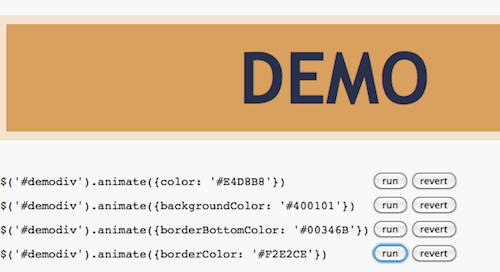
1.Shadow Animation

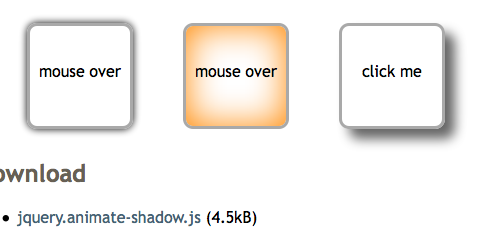
背景动画,支持淡入淡出效果,可惜ie不支持,火狐和谷歌浏览器能正常运行。

2.jQuery Quick Tip

jQuery快速提示插件。

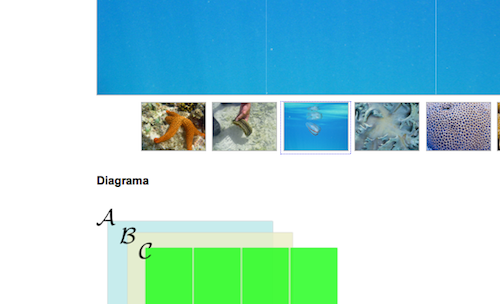
3.uGallery – Tiny and Clean Image Gallery

用户浏览图片的插件。

4.ezColumns

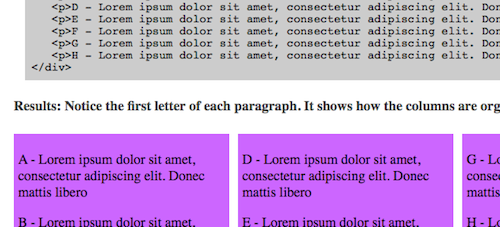
动态列插件

5.slideMosaic

有点像七巧板的感觉的插件

6.Modalpop

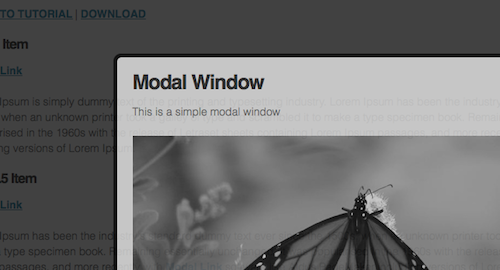
弹出窗提示插件

7.jQuery File Upload

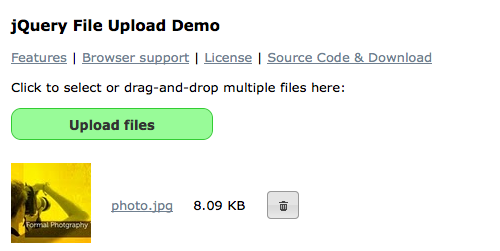
jQuery文件上传插件

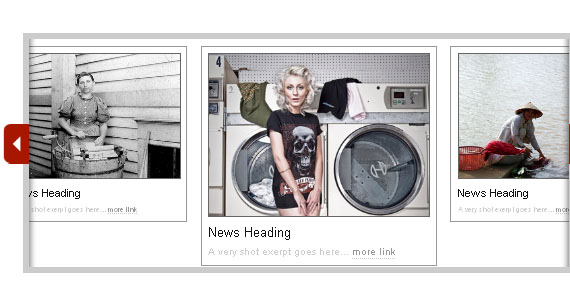
8.Flyout Ribbon

Ribbon布局插件


9.Snippet

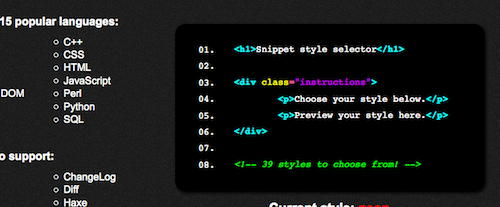
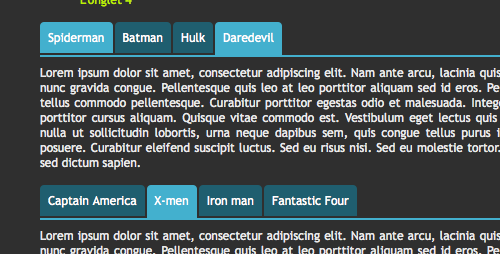
代码段着色插件

10.Tytabs : Simple Fading Tabs

简单的淡入淡出Tab插件

11款jQuery插件所有Demo下载:

[转载]40个有用的jQuery技术和教程

mikel阅读(1410)

[转载]40个有用的jQuery技术和教程 – Alexis – 博客园.

JQuery确实是一项伟大的技术,通过JQuery的插件,我们可以方便的创建具有更好用户界面的网站。在本文中,将和大家分享40个对你创建更好用户界面的jQuery技术和教程。

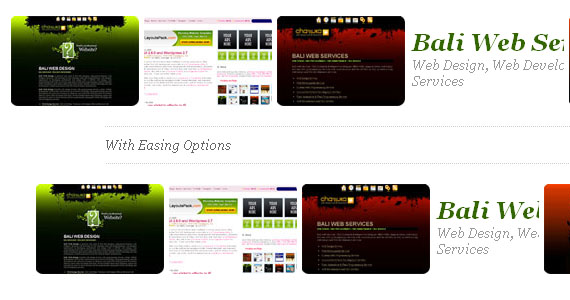
在该教程中你将学会如何使用jQuery的Easing插件及2D Transform插件创建自定义的动画横幅。教程的想法是将不同的元素以自定义动画的形式融入到横幅中去。

查看实例

你将学会如何创建一个拥有改变面板及缩放面板的按钮的滑块。

查看实例

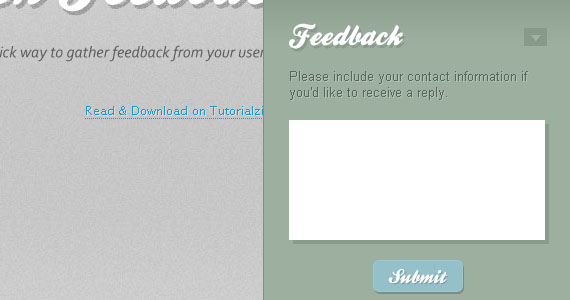
3. Quick Feedback Form – jQuery & PHP

通过jQuery和PHP实现的快速填写反馈表单的实例。

查看实例

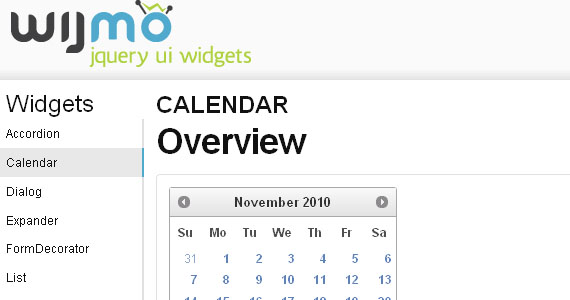
4. Wijmo – jQuery UI Widgets

Wijmo是一个拥有超过30个jQuery UI Widgets的库。

查看实例

这是一个在同一个页面中如何平滑的导航的实例。

查看实例

The Easy Accordion plugin by Andrea Cima Serniotti will get your definition lists (DTs) and generate a nice and smooth horizontal accordion.

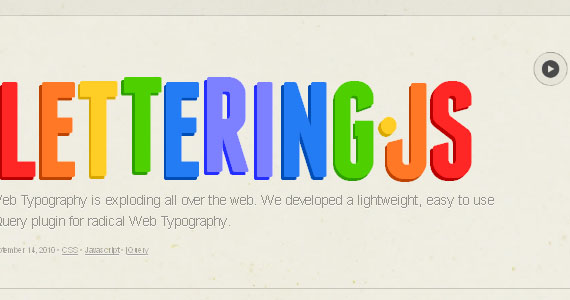
In this article you will learn how to create, for example typographical CSS3 posters, or for really custom type headings, while keeping the text selectable.

Create a simple overlay effect to display annotations.

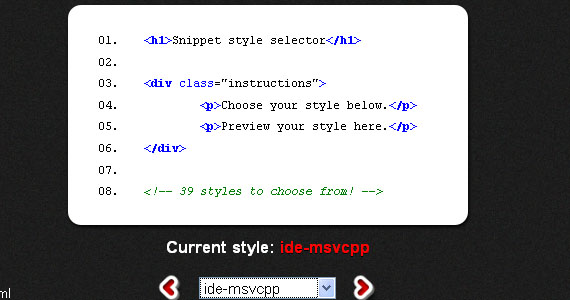
10. Snippet – jQuery Syntax Highlighter

Snippet is a cool jQuery syntax highlighting plugin built on top of the SHJS script found on SourceForge. Snippet jQuery plugin provides a quick and easy way of highlighting source code passages in HTML documents.

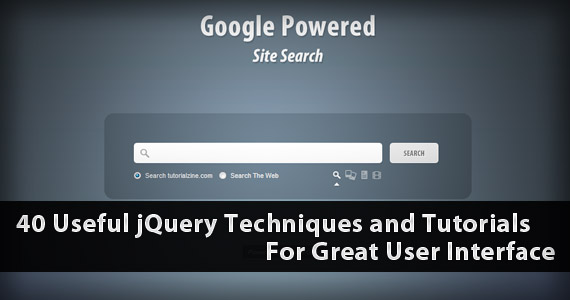
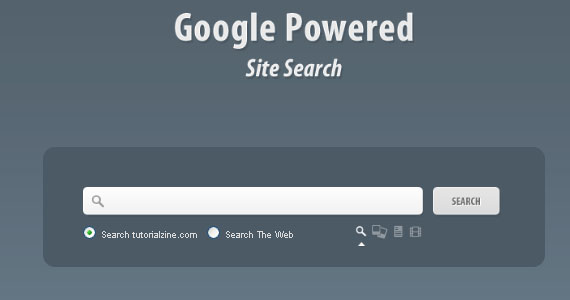
11. Google Powered Site Search With jQuery

In this logical tutorial you will learn how to create a branded custom search engine simply by using Google’s AJAX Search API, with which you can search for images and video and news items on your site – and you can also get general web results.

12. Build a Better Tooltip with jQuery Awesomeness

In this tutorial ,It  shows how to quickly write a jQuery plugin that will replace the typical browser tooltip with something a little flashier.

13. Simple Tooltip – jQuery & CSS

In this tutorial by Soh Tanaka you will learn how to create simple tooltip with jQuery and an incredibly simple styling with CSS.

14. Coda Popup Bubbles

jQuery tutorial shows you how to create slick popup bubbles that appear when hovering over the target object.

Jquery_techniques_tutorials14

查看实例

15. Exposure jQuery Plugin

Exposure is an image viewing plugin for the jQuery JavaScript library. It’s designed for creating rich, fully customizable viewing experiences, and can handle very large amounts of images without pushing your bandwidth through the roof.

Jquery_techniques_tutorials15

查看实例

16. Giveaway Randomizer App – jQuery

In this tutorial you will learn how to create a dedicated randomizer jQuery application.

Jquery_techniques_tutorials16

查看实例

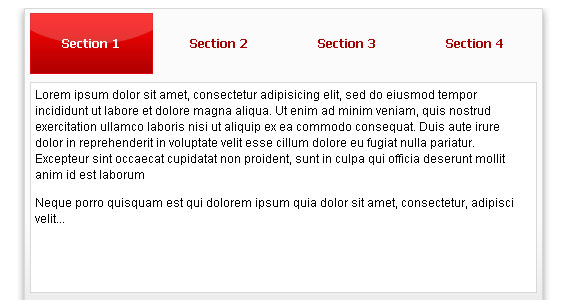
17. jQuery Smooth Tabs Plugin

jQuery Smooth Tabs is easy to use plugin, which allows you to display your content with some effects, for better user experience. All you need is a single container for your desired tabs and content, some nice CSS and images.

Jquery_techniques_tutorials17

查看实例

18. TN34 Timetabs – jQuery Plugin

This jQuery plugin by Mario Alves creates tab container that switches automatically every cycle to next tab. It is compatible with most modern browsers.

Jquery_techniques_tutorials18

查看实例

19. Full Page Image Gallery with jQuery

In this tutorial you are going to create a stunning full-page gallery with scrollable thumbnails and a scrollable full screen preview.

Jquery_techniques_tutorials19

查看实例

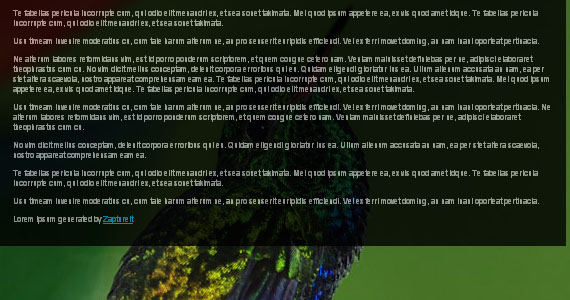
20. bgStretcher – jQuery Plugin

bgStretcher (Background Stretcher) is a jQuery plug-in which allows you to add a large image (or a set of images) to the background of your web page and will proportionally resize the image(s) to fill the entire window area. The plug-in will work as a slideshow if multiple images mode is used (the speed and duration for the slideshow is configurable).

Jquery_techniques_tutorials20

查看实例

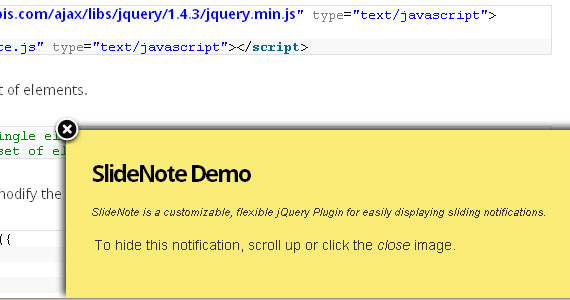
21. SlideNote – jQuery Plugin For Sliding Notifications

SlideNote is a customizable, flexible jQuery plugin that makes it easy to display sliding notifications on your website or in your web application.

Jquery_techniques_tutorials21

查看实例

22. Easy List Splitter – jQuery Plugin

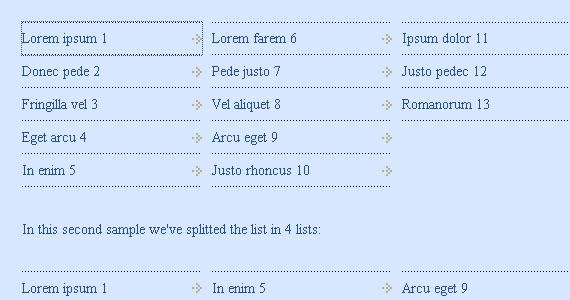
Easy List Splitter keeps the HTML to the minimum. No unnecessary elements or inline styles are added to the code. You’ll get a clean plain HTML with some classes that you can use as hooks to easily style your lists. Choose whether to order your list items vertically or horizontally. You can then decide whether to modify the default CSS or apply a new one.

Jquery_techniques_tutorials22

查看实例

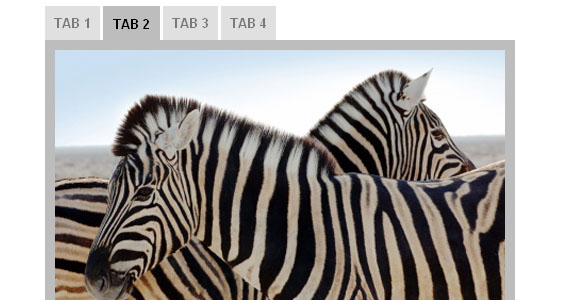
23. Create a Slide Tabbed Box using jQuery

Show you how to create a set a module tab interface that slides content left and right as you click on the tabs.

Jquery_techniques_tutorials23

查看实例

24. Create a Tabbed Interface Using jQuery

This very detailed step-by-step tutorial will show you how to create a tabbed interface using jQuery.

Jquery_techniques_tutorials24

查看实例

25. jQuery Tabbed Interface

Tabbed Interface or Tabbed Structure Menu show you how to build your own tabbed Interface using jQuery with slideDown/slideUp effect.

Jquery_techniques_tutorials25

查看实例

26. Create Sliding Image Caption with jQuery

This image gallery tutorial shows you an interesting interaction technique for having captions that slide up to reveal more information about a particular image when the user hovers over it.

Jquery_techniques_tutorials26

查看实例

27. Image Cross Fade Transition

This tutorial will show you how to fade another image in, superimposing onto the current image when the user hovers it. It can be a great way to display more information about a particular image.

Jquery_techniques_tutorials27

查看实例

28. Image Reveal using jQuery

This quick and easy tutorial shows you the concept of hiding and showing elements by watching out for window events .

Jquery_techniques_tutorials28

29. Slider Gallery

在这篇教程中,你将学会如何创建基于jQuery UI的sliding gallery。

Jquery_techniques_tutorials29

查看实例

30. Simple jQuery Image Slide Show with Semi-Transparent Caption

It shows how to create a simple image slide show with a semi-transparent caption with jQuery. It is suitable to display news headlines, or an image slide show in your website front page.

Jquery_techniques_tutorials30

查看实例

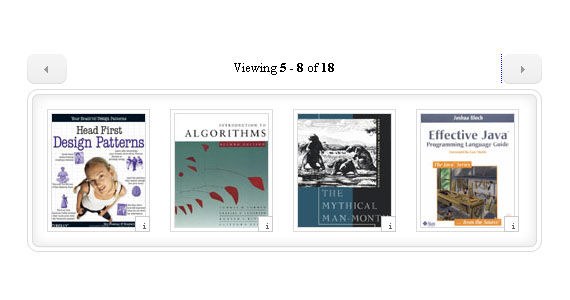
31. Create an Amazon Books Widget with jQuery and XML

Create how to leverage jQuery and the Amazon API to display products inside a content area that’s horizontally-scrollable in this highly involved step-by-step tutorial.

Jquery_techniques_tutorials31

查看实例

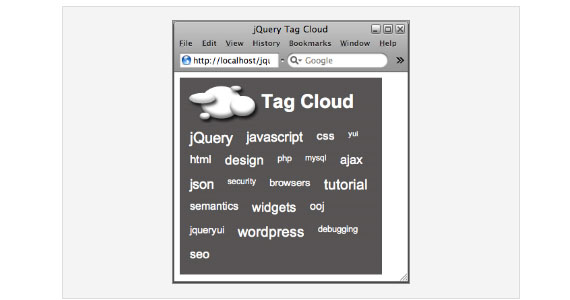
32. Building a jQuery-Powered Tag-Cloud

A tag-cloud is a great way of showing visitors to your blog the main topics of interest that are available. There is also additional information contained in a tag-cloud.

Jquery_techniques_tutorials32

33. Simple jQuery Spy Effect

In this tutorial, you’ll discover an innovative technique for mimicking Digg’s now defunct Digg Spy application.

Jquery_techniques_tutorials33

查看实例

34. Creating a Floating HTML Menu Using jQuery and CSS

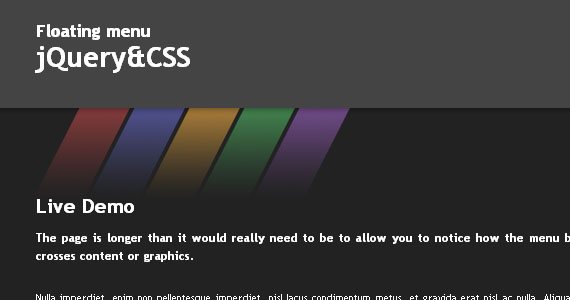
This jQuery-based navigation menu tutorial will show you how to create a menu that follows you up and down the page as you scroll.

Jquery_techniques_tutorials34

查看实例

35. Horizontal Slide Nav Using jQuery & CSS

Learn to create a spectacular sliding navigation whose animation is triggered when the user hovers over a navigation item.

Jquery_techniques_tutorials35

查看实例

36. Creating A Slick Ajaxed Add-To-Basket With jQuery And PHP

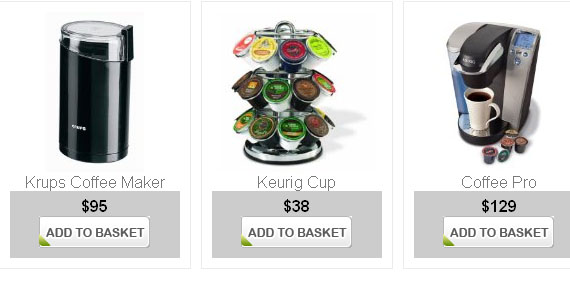
This is a detailed tutorial which shows creating an unobtrusive Ajaxed shopping cart using jQuery & PHP and can guide you to Ajaxify any e-commerce software you may already be using or coding.The main functions of the cart will be adding/removing items to the basket without the need of refreshing the page & displaying the actions with effects.

Jquery_techniques_tutorials36

查看实例

37. Create a Digg-style post sharing tool with jQuery

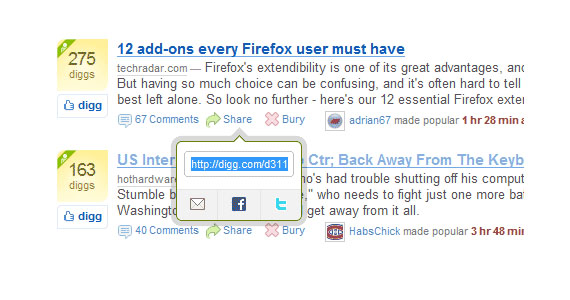
Create a social bookmarking tool that look similar to Digg’s. It looks cool, practical and useful! I also include the komodomedia’s social bookmarking icons and a long list of submission URL for one click bookmark.

Jquery_techniques_tutorials37

查看实例

38. Create an amazing music player using mouse gestures & hotkeys in jQuery

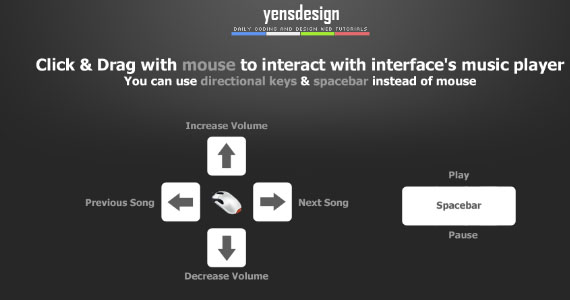
我们将使用鼠标手势和快捷键结合XHTML、jQuery 技术创建音乐播放器。你可以使用鼠标点击、拖拽操作音乐播放器。

Jquery_techniques_tutorials38

查看实例

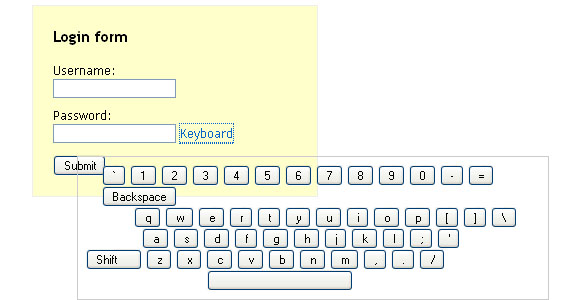
39. Creating a Virtual jQuery Keyboard

这个教程会解释我们怎么实现一个简单的虚拟键盘。

Jquery_techniques_tutorials39

查看实例

40. Quick Tip: Resizing Images Based On Browser Window Size

In fluid layouts it is easy to format the text to adjust nicely when the window is resized, but the images are not as fluid-friendly. This Quick Tip shows you how to swap between two image sizes based on the current size of the browser, div, or whatever you decide to make the deciding factor.

Jquery_techniques_tutorials40

查看实例

原文链接:http://www.1stwebdesigner.com/css/useful-jquery-techniques-tutorials/

[转载]10款精选的用于构建良好易用性网站的jQuery插件

mikel阅读(1423)

[转载]10款精选的用于构建良好易用性网站的jQuery插件 – jqpeng的技术记事本 – 博客园.

这篇随笔收集了10款非常给力的JQuery 插件,帮助你构建易用性良好的网站,希望对你有用!

Embedded help system

jquery-plugin

看过该插件demo后,感叹道,真是太棒了!

点demo里的How to下面的几个链接看看效果:)

Embedded Help System如其名,能将帮助信息集成到网页中,告诉用户一步一步怎么操作,易用性非常好!

jRating 评分插件

jquery-pluginjRating 是一个ajax评分插件,得益于插件的众多options和方法,它非常简单易用 !比如,你可以设置五角星的数量或者最大的得分等。

jNotify- jQuery Plugin

jquery-plugin

使用jNotify你可以只需要一行代码就能显示提示信息,简单快捷易用!

.

Signature Pad 签名板

jquery plugin

一个使用html 5 canvas的JQuery插件,你可以在这个canvas里签名,并且保存为json,以便于以后重新生成(regeneration)

Snippet jQuery Plugin

jquery plugin

Snippet 是一个代码高亮插件

CLEditor – jQuery plugin

jquery plugin

CLEditor 是一个轻量级、浏览器兼容、可扩展的开源WYSIWYG 编辑器,可以非常方便的集成到网站

jDownload – jQuery Plugin

jquery plugin

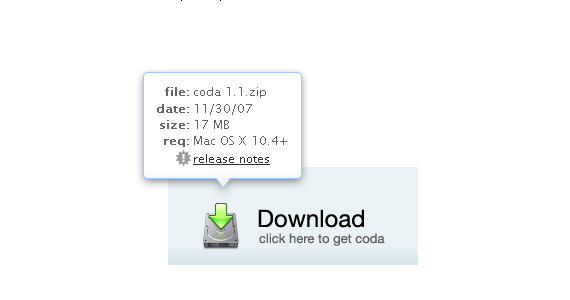
jDownload 是一款为下载提供额外信息的jQuery插件。或许你会想,下载不就一个链接吗,用户直接点击就可以了!

看过这个插件后,你会惊讶的发现,原来还能这样处理!

这个插件在用户点击下载的时候会弹出一个框子,告诉文件的名称、类型、大小等信息,用户可以选择下载或者取消,是一种非常好的用户体验。

jQuery color plugin xcolor

jquery plugin

颜色选择插件,就不多说了

Quovolver – jQuery Plugin

jquery plugin

Quovolver 是一款可以让quotes 更为优雅显示的插件

Catch404

jquery plugin

用户点击网页上的链接时,如果这个链接报404,那么该插件就发挥威力了,看它的介绍:

Catch404 jQuery Plugin displays a friendly pop up message saying that it’s not available without your users even having to leave the current page. You can easily customized message and include other options like link to Home Page, Search Page, etc.